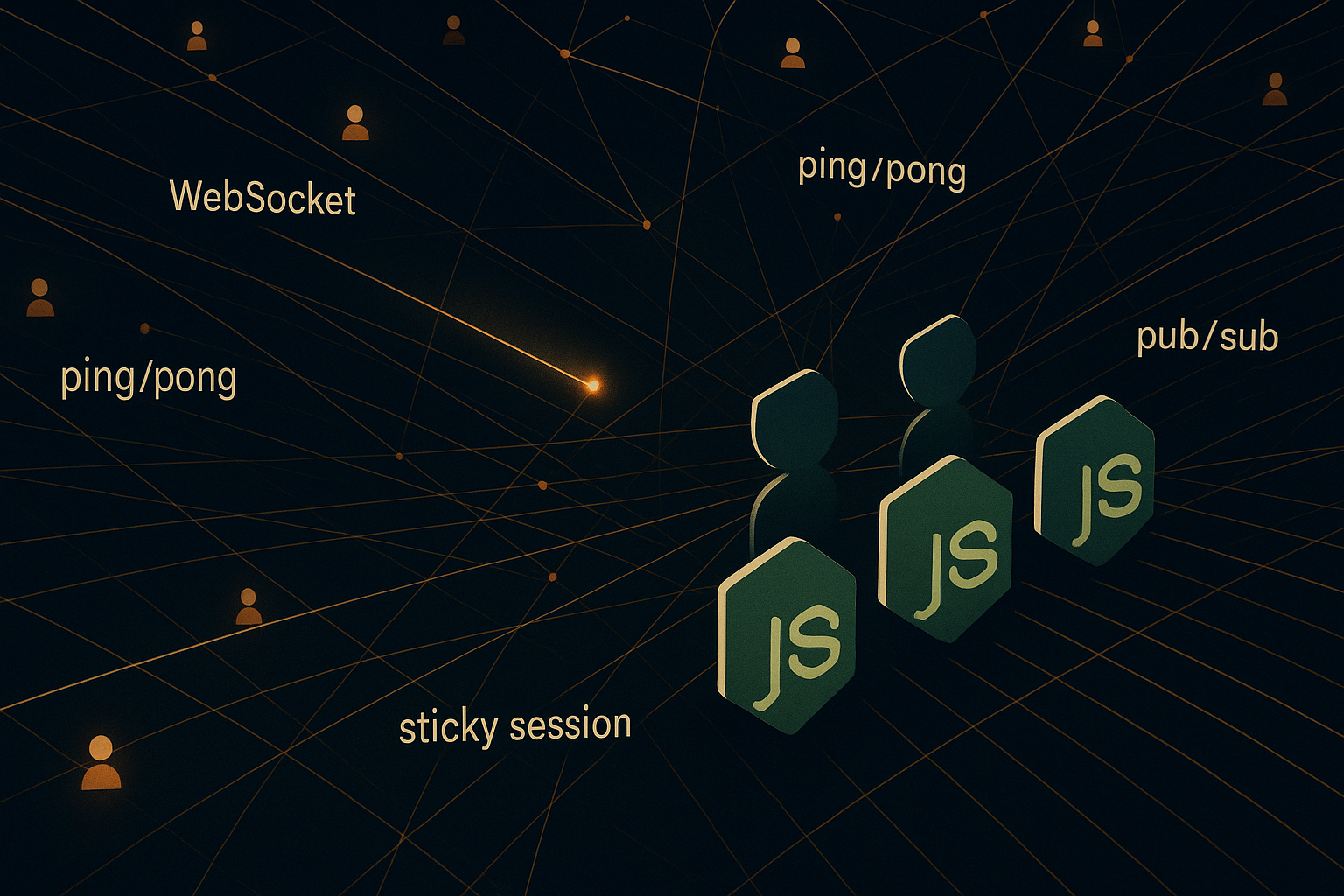
You've shipped a chat feature, or a presence indicator, or a "someone is typing..." dot, or a notification bell that lights up the moment something happens. The demo works. Two browser tabs talking to each other, instant updates, looks magical. Then it goes to production, and you start finding out what real-time actually costs you.
Connections leak. The little green dot says someone is online three hours after they closed their laptop. Notifications get delivered twice, or not at all, depending on which server the user hit. You add a second process to handle the load, and suddenly half the users can't see each other because they're stuck on different boxes. Somewhere along the way, the load balancer starts terminating long-lived connections after sixty seconds and you don't know why.
Real-time systems on Node.js are deceptively easy to start and surprisingly hard to finish. The protocol is simple, the libraries are good, the demos are clean. But every interesting problem — who's online, who gets which message, what happens when a process dies — lives in the gap between "the WebSocket is open" and "the user actually got the update." That's the gap this piece is about.
Let's walk through it from the ground up: why WebSockets in the first place, how the connection actually behaves, how presence and notifications work in practice, and what changes the moment you go from one Node process to many.
Why WebSockets and not just HTTP
HTTP is request-response. The client asks, the server answers, the connection closes (or stays open for the next request via keep-alive, but the conversation is still one-shot). That's fine for fetching a page, terrible for "tell me the moment something happens."
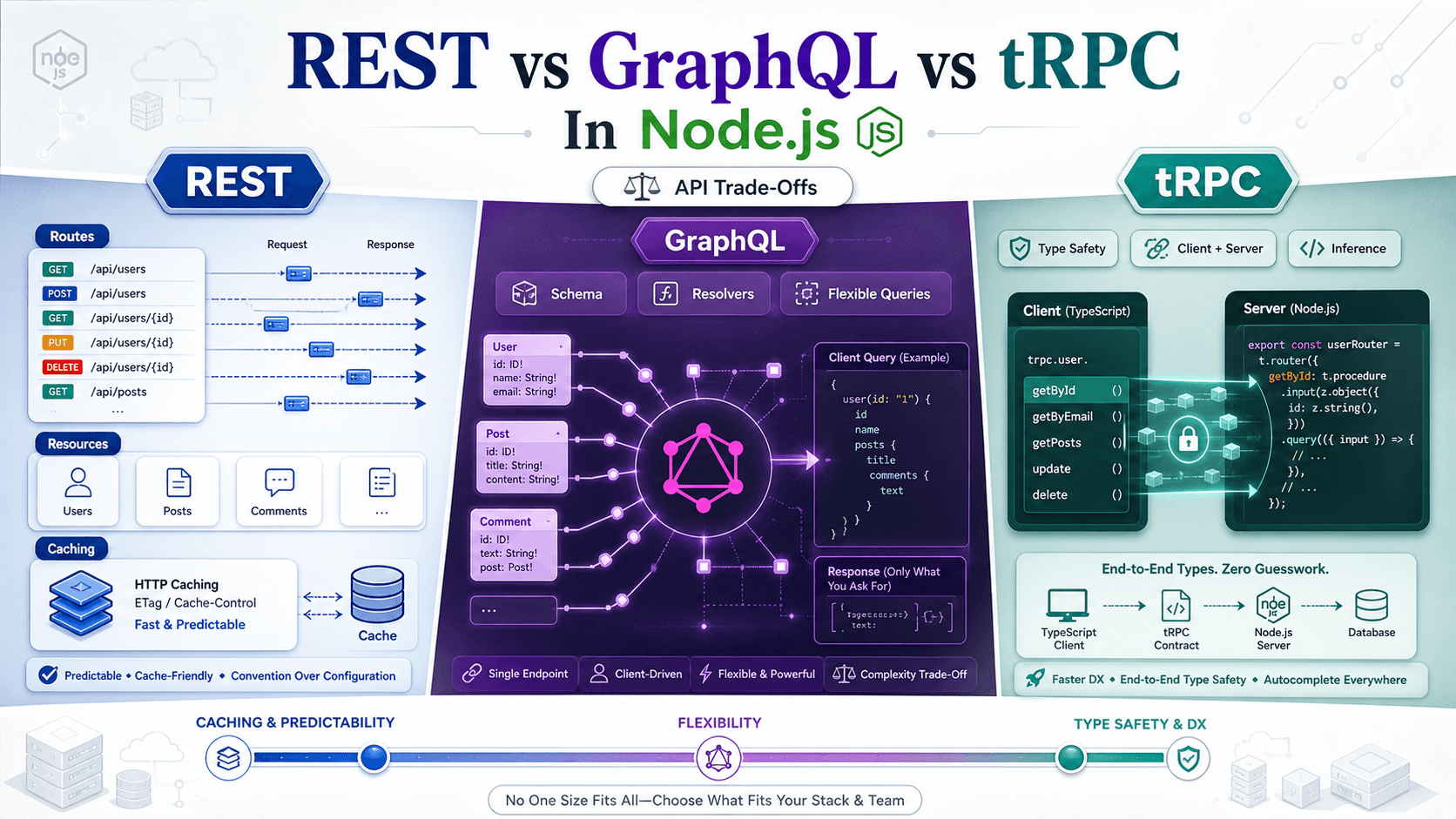
You can fake real-time over HTTP in a few ways. Short polling — the client asks every second — works but wastes a request per tick per user. Long polling — the client asks, the server holds the connection until something happens, then responds — is better but still spins up a new request every cycle. Server-Sent Events (SSE) gives you a one-way stream from server to client over plain HTTP, which is great for read-only feeds (stock tickers, build logs). WebSockets give you a full-duplex pipe: the same connection carries messages in both directions, indefinitely, with no per-message HTTP overhead.
The trade-off is that WebSockets are stateful in a way HTTP isn't. Every connected user costs you a socket on a Node process for the entire time they're connected. A stateless API server can scale horizontally by adding boxes; a WebSocket server scales horizontally only if you've thought about how the boxes share state. That's the whole rest of this article.
If you only need server-to-client and you can tolerate one-way, reach for SSE first — it's simpler, plays nicely with HTTP/2, and doesn't need any protocol upgrade dance. If you need true bidirectional or you're already piping a lot through, WebSockets are the right tool.
The bare-minimum server
Two libraries dominate this space in Node.js: ws for a thin, RFC-compliant WebSocket server, and Socket.IO for a higher-level layer that adds rooms, namespaces, automatic reconnection, and fallback transports. Pick ws when you want to control the wire format yourself or when you're building a protocol that other (non-Socket.IO) clients also speak. Pick Socket.IO when you want the batteries included — most product code wants Socket.IO.
Here's the minimum ws server. Twelve lines, fully functional:
import { WebSocketServer } from 'ws';

const wss = new WebSocketServer({ port: 8080 });

wss.on('connection', (socket, req) => {
  console.log('client connected from', req.socket.remoteAddress);

  socket.on('message', (data) => {
    socket.send(`echo: ${data}`);
  });

  socket.on('close', (code, reason) => {
    console.log('client disconnected', code, reason.toString());
  });
});
Same idea in Socket.IO:
import { createServer } from 'http';
import { Server } from 'socket.io';

const httpServer = createServer();
const io = new Server(httpServer, { cors: { origin: '*' } });

io.on('connection', (socket) => {
  console.log('client connected', socket.id);

  socket.on('chat:message', (text) => {
    socket.emit('chat:echo', text);
  });

  socket.on('disconnect', (reason) => {
    console.log('client disconnected', socket.id, reason);
  });
});

httpServer.listen(8080);
That works. It also doesn't do any of the things you actually need: it doesn't know who the user is, it doesn't detect dead connections, it doesn't survive a process restart, and it certainly doesn't scale past one box. Real systems start here and add four layers on top: authentication, liveness, state, and fan-out.
Authenticating the connection
A WebSocket upgrade is an HTTP request first. That's your window for auth — read cookies, parse a token from the URL, verify whatever you'd verify on a normal protected route, then either accept the upgrade or close it immediately.
With Socket.IO, the cleanest pattern is a middleware on the namespace:
import jwt from 'jsonwebtoken';

io.use((socket, next) => {
  const token = socket.handshake.auth?.token;
  if (!token) return next(new Error('missing token'));

  try {
    const payload = jwt.verify(token, process.env.JWT_SECRET);
    socket.data.userId = payload.sub;
    next();
  } catch (err) {
    next(new Error('invalid token'));
  }
});

io.on('connection', (socket) => {
  console.log('authenticated user', socket.data.userId);
});
The middleware runs before the connection handler. If it calls next(error), the client gets a connect_error event and the socket is closed before any application code sees it. That's where you reject expired tokens, missing scopes, suspended accounts.
With raw ws, you do it at the upgrade step, on the underlying HTTP server:
import { createServer } from 'http';
import { WebSocketServer } from 'ws';

const wss = new WebSocketServer({ noServer: true });
const server = createServer();

server.on('upgrade', (req, socket, head) => {
  const userId = verifyTokenFromRequest(req); // your own helper

  if (!userId) {
    socket.write('HTTP/1.1 401 Unauthorized\r\n\r\n');
    socket.destroy();
    return;
  }

  wss.handleUpgrade(req, socket, head, (ws) => {
    ws.userId = userId;
    wss.emit('connection', ws, req);
  });
});

server.listen(8080);
One subtle thing: don't put tokens in the URL query string for production traffic. URLs end up in proxy logs, access logs, error trackers. The auth field in the Socket.IO handshake, or a cookie that the browser will send automatically on the upgrade, is the right place.
Detecting dead connections
This is the part everyone gets wrong on the first try.
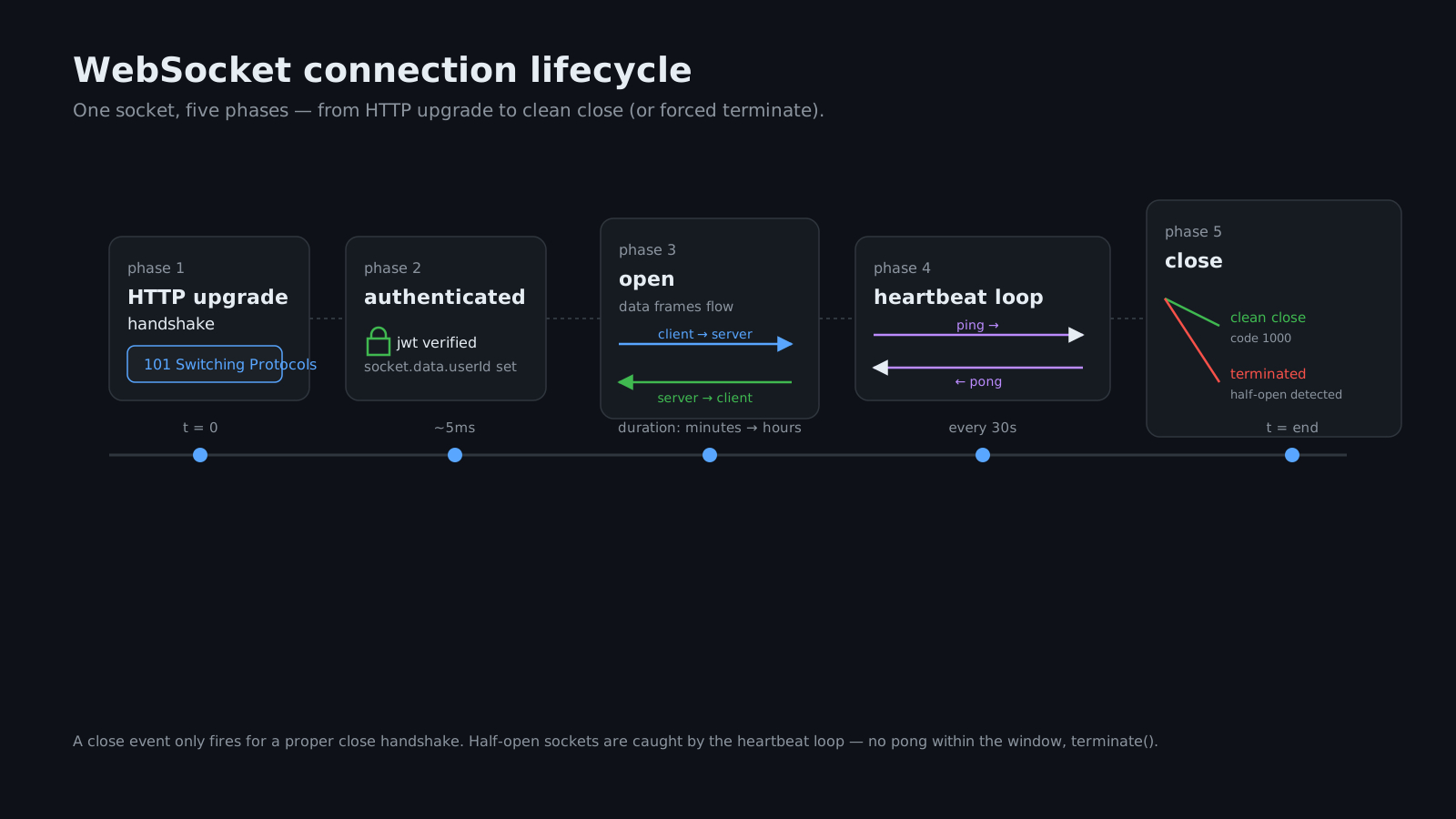
A close event only fires when the client sends a proper close frame or when the TCP connection is cleanly torn down. If a user closes their laptop lid, walks into a tunnel, or has their wifi router drop a packet at the wrong moment, the OS may sit on the half-open socket for minutes before deciding it's dead. From the server's perspective, the connection looks fine — it just never gets any data.
The fix is application-level heartbeats. You send a ping at a fixed interval. If the client doesn't pong within a window, you forcibly close the socket.
ws exposes raw ping() and a pong event:
import { WebSocketServer } from 'ws';

const wss = new WebSocketServer({ port: 8080 });

function heartbeat() {
  this.isAlive = true;
}

wss.on('connection', (ws) => {
  ws.isAlive = true;
  ws.on('pong', heartbeat);
});

const interval = setInterval(() => {
  wss.clients.forEach((ws) => {
    if (ws.isAlive === false) return ws.terminate();
    ws.isAlive = false;
    ws.ping();
  });
}, 30_000);

wss.on('close', () => clearInterval(interval));
Every thirty seconds the server pings every connected client. If a client didn't pong since the last cycle, terminate() rips the socket without waiting for a close handshake. The client gets dropped from wss.clients on the next tick, and your presence layer (next section) sees them go offline.
Socket.IO handles this for you by default — it has built-in pingInterval and pingTimeout options on the server, and the client library responds automatically. You can tune them when you connect:
const io = new Server(httpServer, {
  pingInterval: 25_000,
  pingTimeout: 20_000,
});
pingInterval is how often the server sends a ping. pingTimeout is how long it'll wait for a pong before declaring the client gone. Defaults are sensible, but if you're on a network where idle connections get killed quickly (some corporate proxies kill anything quiet for more than 60 seconds), shorten the interval.
Tracking who's online
Presence sounds simple. "Is this user connected?" It is not simple. There are at least three things you might mean:
- Has this user got any open WebSocket right now? (Multiple devices, multiple tabs.)
- Are they actively using the app, or just have a tab open in the background?
- When were they last seen?
Question one is what most "green dot" indicators show, and it's where you should start. The naive answer is a Set of user IDs:
const onlineUsers = new Set();

io.on('connection', (socket) => {
  const userId = socket.data.userId;
  onlineUsers.add(userId);
  io.emit('presence:online', userId);

  socket.on('disconnect', () => {
    onlineUsers.delete(userId);
    io.emit('presence:offline', userId);
  });
});
This is wrong, and the bug shows up the moment a user opens a second tab. Tab one connects, presence says online. Tab two connects, presence says online again. Tab one closes, presence says offline — but the user is still there in tab two. The fix is a reference count, not a set membership check:
const connectionCount = new Map(); // userId -> number

io.on('connection', (socket) => {
  const userId = socket.data.userId;
  const next = (connectionCount.get(userId) ?? 0) + 1;
  connectionCount.set(userId, next);

  if (next === 1) {
    io.emit('presence:online', userId);
  }

  socket.on('disconnect', () => {
    const remaining = (connectionCount.get(userId) ?? 1) - 1;
    if (remaining <= 0) {
      connectionCount.delete(userId);
      io.emit('presence:offline', userId);
    } else {
      connectionCount.set(userId, remaining);
    }
  });
});
Now you only emit online when the user's first connection arrives, and offline when the last one leaves. That's the model that matches what users expect.
A couple of refinements worth knowing about:
Grace period on offline. Network blips happen. If a user briefly loses connection and reconnects two seconds later, you don't want everyone to see them flicker offline-then-online. Delay the offline emission by a few seconds and cancel it if a new connection arrives in the meantime:
const pendingOffline = new Map(); // userId -> timeoutId

socket.on('disconnect', () => {
  const remaining = (connectionCount.get(userId) ?? 1) - 1;
  if (remaining <= 0) {
    connectionCount.delete(userId);
    const timer = setTimeout(() => {
      io.emit('presence:offline', userId);
      pendingOffline.delete(userId);
    }, 5_000);
    pendingOffline.set(userId, timer);
  } else {
    connectionCount.set(userId, remaining);
  }
});

io.on('connection', (socket) => {
  const userId = socket.data.userId;
  const pending = pendingOffline.get(userId);
  if (pending) {
    clearTimeout(pending);
    pendingOffline.delete(userId);
  }
  // ...rest of connection setup
});
Last-seen. Independent of "currently online," you usually want to remember the timestamp of the user's most recent activity. Write it on disconnect to Redis (or your database, if writes are infrequent enough not to hurt):
import { createClient } from 'redis';
const redis = createClient();
await redis.connect();

socket.on('disconnect', async () => {
  await redis.set(`lastseen:${userId}`, Date.now());
});
When another user opens a profile and the target is offline, fetch lastseen:userId and show it. Cheap and useful.
Active vs idle. If you want to distinguish "tab open" from "actively using the app," that signal has to come from the client. Listen to document.visibilitychange in the browser, emit a presence:idle or presence:active event when it flips. The server just relays it.
Sending notifications to the right people
Once you have a connection and you know who's on the other end, the question becomes: how do I push a message to user X, or to group Y, or to everyone watching document Z?
Socket.IO solves the routing problem with rooms. A room is just a named group of sockets. Sockets join rooms; you emit to rooms. The library tracks membership for you. A common pattern is to join a per-user room on connection, so you can target a user by ID regardless of how many tabs they have:
io.on('connection', (socket) => {
  const userId = socket.data.userId;
  socket.join(`user:${userId}`);

  socket.on('document:open', (docId) => {
    socket.join(`doc:${docId}`);
  });

  socket.on('document:close', (docId) => {
    socket.leave(`doc:${docId}`);
  });
});

// From anywhere else in your code:
io.to(`user:${userId}`).emit('notification:new', {
  id: 'n_42',
  text: 'Your build finished.',
});

io.to(`doc:${docId}`).emit('document:patch', patch);
Three things to notice. First, socket.join is idempotent — joining a room you're already in is a no-op, which makes the code safer than Set membership. Second, when a socket disconnects, Socket.IO removes it from every room automatically, so you never have to clean up. Third, io.to(...).emit(...) only sends to currently-connected sockets — if the user is offline, the message disappears.
That last bit is the part most people regret skipping. WebSockets are a transport, not a queue. If you emit notification:new to a user who's offline, that notification is gone. For anything you want them to see eventually (unread messages, system alerts), persist it to your database first and use the WebSocket emit only as the "buzz" that says "hey, check the inbox." When the user reconnects, they fetch the unread list via a normal HTTP request and the in-memory channel only carries the delta from that point on.
async function notifyUser(userId, payload) {
  // 1. Persist first — this is the source of truth.
  const notification = await db.notifications.create({
    userId,
    payload,
    readAt: null,
  });

  // 2. Best-effort live push. If they're offline, no problem —
  // they'll fetch it on next reconnect.
  io.to(`user:${userId}`).emit('notification:new', notification);
}
This split — durable in the DB, ephemeral over WebSocket — is what makes the system feel reliable. The WebSocket layer is fast and lossy; the DB layer is the safety net.
What changes when you have more than one Node process
A single Node process can handle a surprising number of WebSocket connections — typically in the tens of thousands on modest hardware, though the real number depends entirely on what you're doing per message. Eventually, though, you'll want multiple processes for redundancy, deploys, or pure load.
The moment you do, the in-memory state from the previous sections breaks.
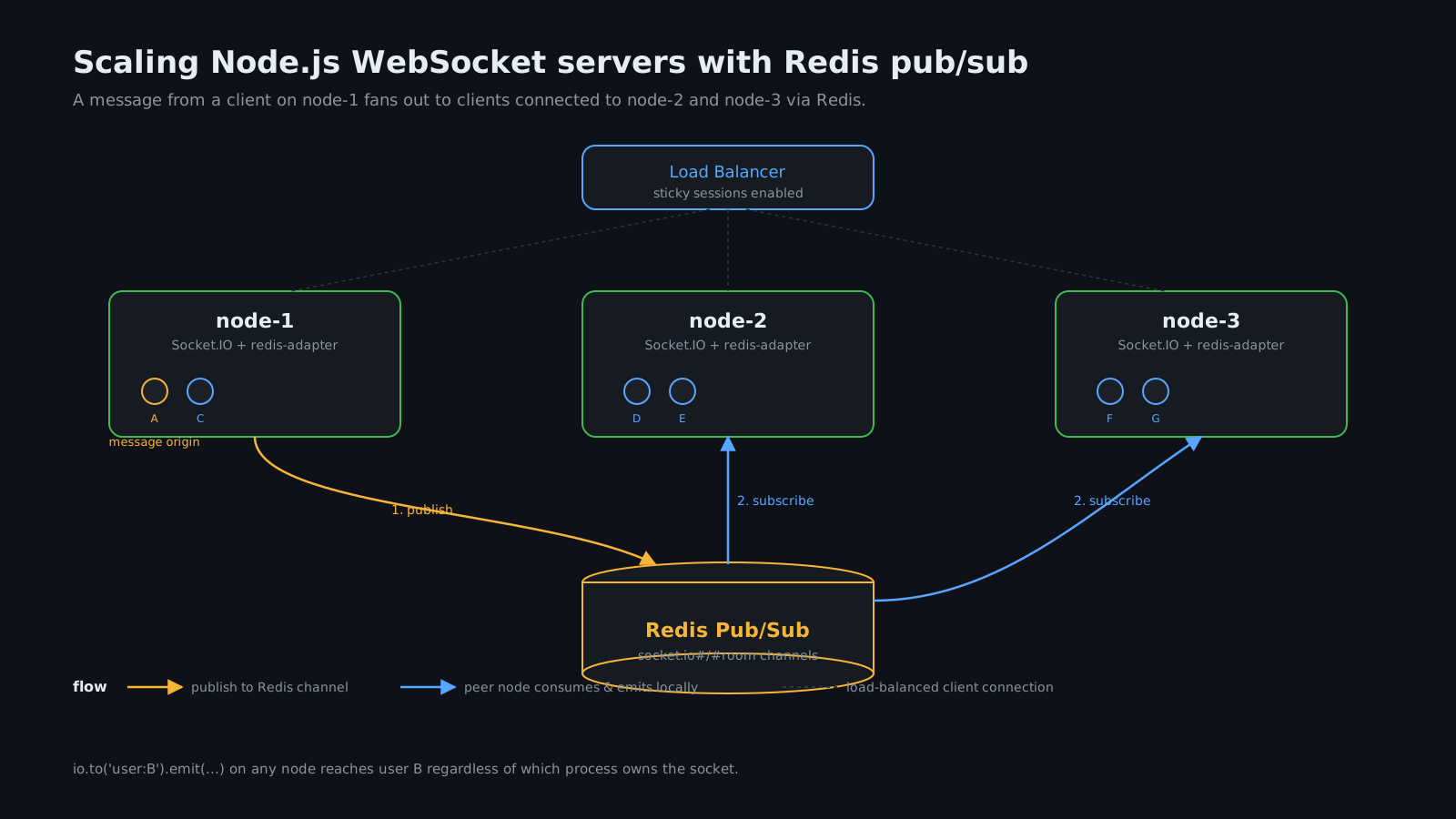
Picture two Node processes behind a load balancer. User A connects to process 1. User B connects to process 2. User A sends a chat message that should be delivered to B. Process 1 calls io.to('user:B').emit(...) and... nothing happens, because user B's socket isn't on process 1. The emission stays inside process 1's memory.
You need a way for process 1 to tell process 2 "there's a message for B, deliver it." That's what a pub/sub adapter does.
Socket.IO has an official Redis adapter that handles this transparently. You add it once, and io.to(...).emit(...) quietly publishes to a Redis channel that every other process is subscribed to. If user B is on process 2, process 2 picks up the message and emits it locally to B's socket. From your application code's point of view, nothing changed.
import { createServer } from 'http';
import { Server } from 'socket.io';
import { createAdapter } from '@socket.io/redis-adapter';
import { createClient } from 'redis';

const pubClient = createClient({ url: process.env.REDIS_URL });
const subClient = pubClient.duplicate();
await Promise.all([pubClient.connect(), subClient.connect()]);

const httpServer = createServer();
const io = new Server(httpServer);
io.adapter(createAdapter(pubClient, subClient));

httpServer.listen(8080);
That's it. Same application code as before; the adapter fans out emissions across the cluster.
Presence gets harder. The reference-counted Map from earlier is per-process — process 1 doesn't know about user A's tab on process 2. You have two options:
- Centralize the counter in Redis. Use
INCR/DECRagainst apresence:<userId>key and trust Redis as the source of truth. Add a TTL on the key so a crashed process doesn't leave a phantom count behind. - Use the adapter's built-in API. Modern versions of
@socket.io/redis-adapterlet you askio.in('user:userId').fetchSockets()and get back every socket in the room across the entire cluster. For most use cases that's enough — you don't need a separate counter, you just check whether the user has any sockets anywhere.
For raw ws (no Socket.IO), you build the same thing yourself: a Redis pub/sub channel per logical room, each process subscribes to the channels it has interested clients on, every message is published once and consumed by every process that has matching clients. Doable, but you're rebuilding a chunk of what Socket.IO already gives you.
Sticky sessions and the upgrade dance
There's one more thing the load balancer needs to know about: sticky sessions.
Socket.IO supports a fallback transport called HTTP long-polling. When a client first connects, it can start over HTTP, then upgrade to a WebSocket once the connection is established. Some networks block WebSockets entirely, so this fallback keeps the product working — but it also means the client's first few requests are plain HTTP POSTs that need to land on the same server. If your load balancer round-robins them, the session breaks.
You fix this by enabling sticky sessions on the load balancer — Nginx with ip_hash, AWS ALB with stickiness enabled, an explicit session cookie. Alternatively, if you're sure WebSockets work in your client's environment, you can disable the polling transport entirely:
import { io } from 'socket.io-client';
const socket = io('https://example.com', { transports: ['websocket'] });
Or on the server:
const io = new Server(httpServer, { transports: ['websocket'] });With polling disabled, every connection is a single WebSocket from the first byte and stickiness stops mattering. The downside is you give up the fallback for users on restrictive networks. For a B2B product where you control or trust the network, that's fine. For a consumer app with a long tail of weird connectivity, keep polling and pay the stickiness tax.
The other gotchas
A short list of things that have bitten me, or anyone who's run a real-time service for long enough:
Idle timeouts on proxies. AWS ALB defaults to 60 seconds. Nginx defaults to 60 seconds on proxy_read_timeout. If your heartbeat interval is longer than the proxy timeout, the proxy kills the connection and your client sees a disconnect every minute. Match your heartbeats to a value comfortably below the proxy timeout — 30 seconds is a safe number for the default-configured world.
Backpressure. A WebSocket buffer is finite. If you emit faster than the client can read (large payloads to a mobile client on a bad connection), ws.send() will queue, and that queue can grow without bound. Check socket.bufferedAmount periodically and disconnect or throttle clients who lag too far behind. Otherwise a single slow client can drag your process's memory up until something else breaks.
Origin checks. WebSocket upgrades don't enforce same-origin by default. If your endpoint is public (no auth on the upgrade), check the Origin header on the request and reject anything that isn't your domain. Otherwise random websites can pop your socket from a malicious browser tab. Socket.IO has a cors.origin option that handles this; for ws, do it in your upgrade handler.
Graceful shutdown. When you redeploy, you want to drain connections, not snap them. Stop accepting new connections, send all existing sockets a friendly server:reload event, give them a few seconds to reconnect to a different process, then close. Otherwise users see a sea of error toasts every time you push.
async function gracefulShutdown() {
  io.emit('server:reload');
  io.engine.close(); // stop accepting new connections
  await new Promise((r) => setTimeout(r, 5_000));
  await new Promise((resolve) => io.close(resolve));
  process.exit(0);
}

process.on('SIGTERM', gracefulShutdown);
Message size and rate. Don't trust the client. A user can open a console and start firing huge messages or thousands per second. Cap message size on the server (Socket.IO has maxHttpBufferSize, ws has maxPayload), and rate-limit per socket — a simple sliding-window counter is enough.
What it really takes
A real-time system on Node.js, done properly, ends up being four things stacked on top of each other. There's the protocol — the WebSocket itself, with its handshakes and frames and close codes. There's the liveness layer — heartbeats, idle detection, reconnect handling. There's the state layer — who's connected, who's in which room, who's allowed to see what. And there's the fan-out layer — pub/sub between processes, durability in your DB, sticky sessions in your load balancer.
If your prototype only has the first one, that's why it looks easy. The hard work is the other three, and most of it is hidden in the gap between the socket is open and the user got the message. Get the gap right and the green dot is honest, the notifications arrive, the bell lights up at the moment something happens. Get it wrong and you'll be tailing logs at midnight wondering why a presence flag has been stuck at "online" for a week.
The good news is that the pieces are well-known. None of this is research. You have ws, you have Socket.IO, you have the Redis adapter, you have a half-dozen heartbeat patterns that all work. Pick the boring versions, layer them carefully, and you'll have a real-time system that holds up under real load — not just a demo that looks great on your laptop.