"Should We Just Install MUI?"
This is the conversation every team has during week one. You have a deadline, a Figma file with thirty-two components on it, and nobody on the team has built a <Combobox> from scratch before. There's a strong gravitational pull toward npm install @mui/material, ship the MVP, worry about it later.
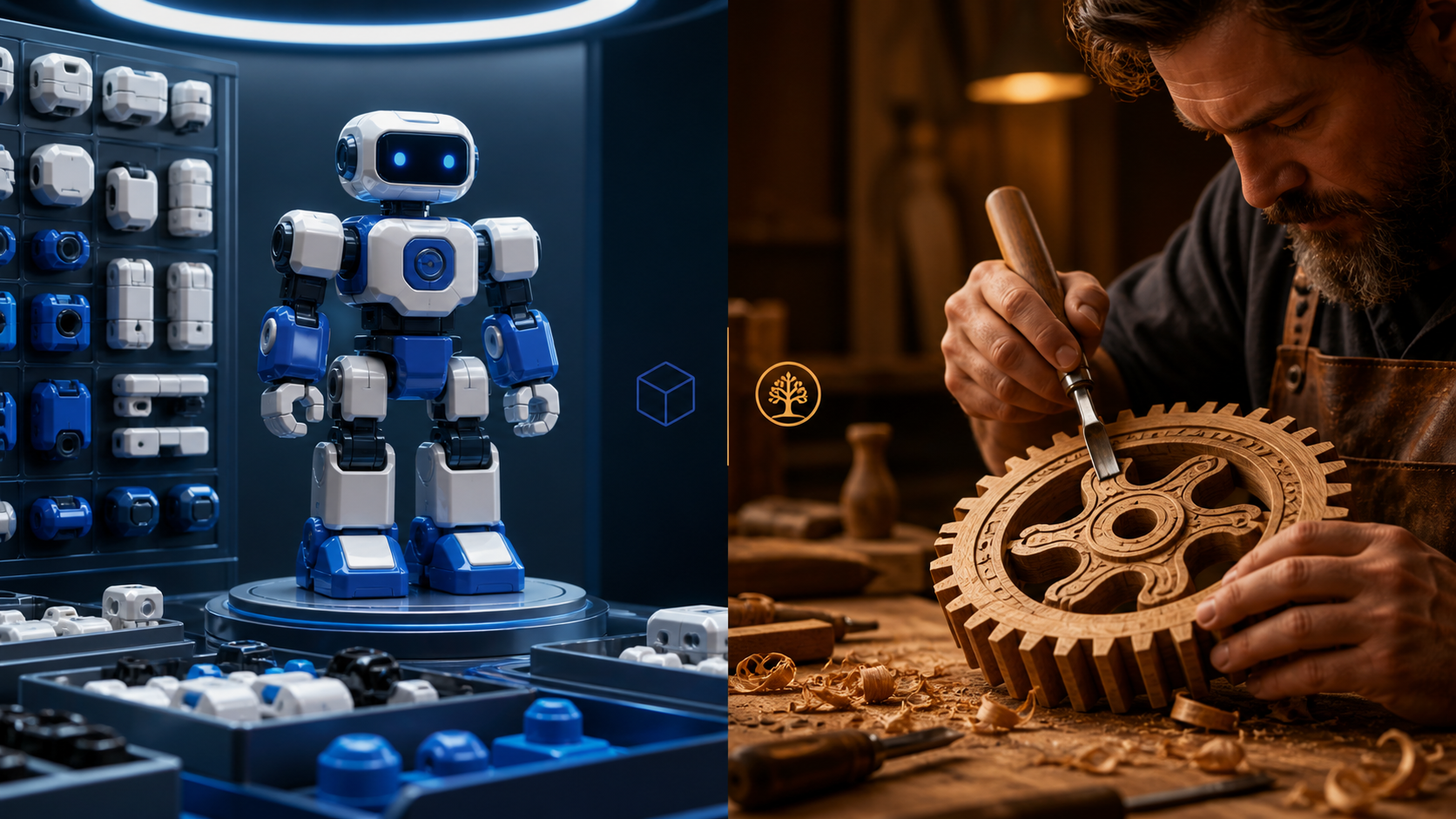
Some of the time that's right. Often it isn't, and the people who'll have to live with the choice are usually not in the room when it's made. The interesting thing is that the answer in 2024 is genuinely different from the answer in 2020 — the third path, headless primitives plus your own styles, has matured to the point where it's the right default for most product apps.
Worth walking through what each choice actually costs.
The Pre-Built Library Path: Speed Then Friction
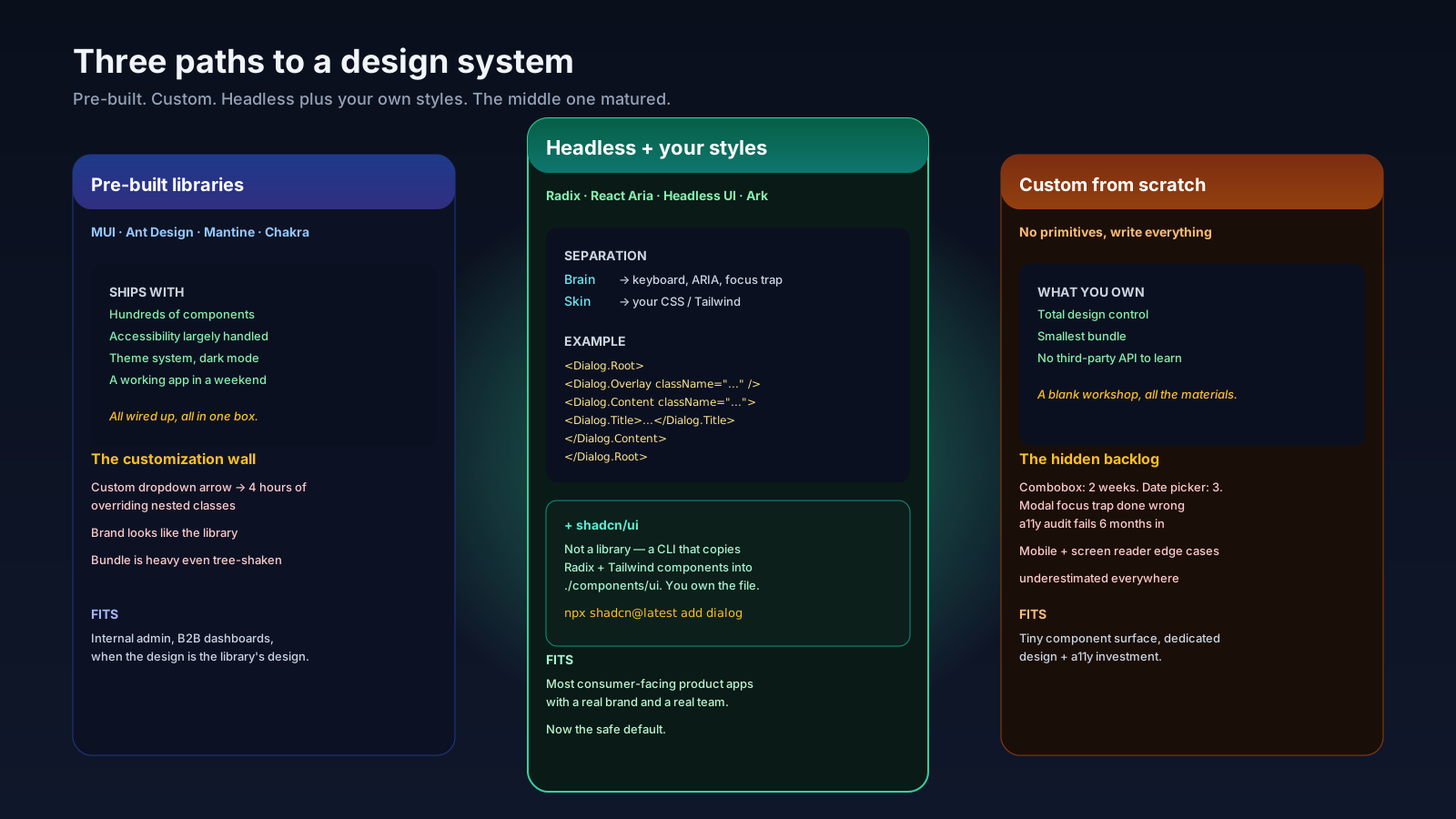
MUI, Ant Design, Mantine, Chakra UI — these are the heavyweight libraries that ship hundreds of components, opinionated styles, and a theme system. The case for them is real. You can build a working dashboard in a weekend. Accessibility is largely handled. Forms, tables, modals, menus, date pickers, autocomplete — they all exist and they all work.
The friction shows up at customization. Every one of these libraries has internal DOM structure and CSS that wasn't designed for your brand. When the designer hands you a select dropdown with a custom arrow, a unique shadow, and chip-style multi-select tags, you spend a long afternoon overriding nested classes, fighting :where() specificity, and writing & .MuiSelect-icon selectors. Two or three of those afternoons in and the team is in a slightly different mood about the library.
A short, honest tour of the current heavyweight libraries:
- MUI v5/v6. Largest ecosystem, deepest component coverage, Material Design baked in. Best for B2B and admin work. Worst when the brand is far from Material — you fight the system instead of using it.
- Ant Design v5. Excellent for data-dense apps, tables, and enterprise forms. Same customization story as MUI: pleasant if your design lives within the system, painful if it doesn't.
- Chakra UI v3. Stylable from day one, friendly DX, smaller component surface than MUI. The 2024 v3 rewrite improved the styling story but it's a smaller ecosystem.
- Mantine v7. Strong defaults, modern hooks, good a11y. Sits between Chakra and MUI in scope. Often the picked-because-nobody-hates-it choice.
These libraries are great when the design is the library's design. They become the wrong tool when the design isn't.
The "Roll It Yourself" Path: Underestimate The Hard Components
The other extreme is building everything from scratch. A <Button> is fine. A <Card> is fine. A <Modal> is doable if you've done it before. A <Combobox> is two weeks of work and you'll still get it wrong on iOS Safari with VoiceOver.
The components people underestimate, in rough order:
- Combobox / Autocomplete. Keyboard navigation, ARIA listbox semantics, async loading, virtualization, empty states.
- Select. Native
<select>is fine for desktop but unstyled; custom select needs portal positioning, focus trap, keyboard, screen reader announcements. - Date picker. Locale, keyboard navigation across days/months/years, range selection, timezone handling.
- Modal / Dialog. Focus trap, scroll lock, return focus on close,
aria-modal, escape handling, nested dialogs. - Tooltip. Touch handling, hover delay, dismissal, positioning, accessibility for keyboard users.
- Toast. Stacking, focus order, auto-dismiss with motion-preference, screen reader announcements.
Most teams that "build from scratch" end up shipping accessibility bugs they don't know about. The first audit hits and there's a long backlog of aria-* attributes to add and focus traps to fix. The cost was always there — it just got deferred.
The legitimate from-scratch case: very small surface (three or four components), unique interaction model, dedicated design and engineering investment. For most product apps, it isn't a fit.
The Middle Path: Headless Primitives
The pattern that's now the default for product apps with custom design: take a headless library that ships behavior, accessibility, and ARIA, and write the styles yourself.
A headless component renders no visible defaults. It gives you the focus trap, the keyboard map, the screen reader announcements, and the state machine. You provide the markup classes. The current options:
- Radix UI Primitives. The most widely adopted. Dialog, Dropdown Menu, Select, Tabs, Tooltip, Toast — all unstyled, all accessible. Used as the foundation by shadcn/ui (which adds a Combobox composed on top of Popover and Command).
- React Aria (Adobe). The deepest accessibility work in the ecosystem. Hooks-based, lower-level than Radix. Pairs with React Aria Components for a higher-level API.
- Headless UI (Tailwind Labs). Smaller surface than Radix. Designed to pair with Tailwind. Good for teams already in that stack.
- Ark UI. Cross-framework (React, Solid, Vue) headless components built on top of Zag.js state machines. Newer, growing.
- Downshift. Long-running headless library focused on combobox, select, and multi-select. Specialized but excellent at its scope.
A Radix dialog with your own styles looks like this:
import * as Dialog from '@radix-ui/react-dialog';

export function ConfirmDialog({ trigger, title, children }) {
  return (
    <Dialog.Root>
      <Dialog.Trigger asChild>{trigger}</Dialog.Trigger>
      <Dialog.Portal>
        <Dialog.Overlay className="fixed inset-0 bg-black/50 backdrop-blur-sm" />
        <Dialog.Content className="fixed left-1/2 top-1/2 -translate-x-1/2 -translate-y-1/2 rounded-lg bg-white p-6 shadow-xl">
          <Dialog.Title className="text-lg font-semibold">{title}</Dialog.Title>
          <Dialog.Description className="mt-2 text-sm text-slate-600">
            {children}
          </Dialog.Description>
          <Dialog.Close className="mt-4 rounded-md bg-blue-600 px-4 py-2 text-white">
            Confirm
          </Dialog.Close>
        </Dialog.Content>
      </Dialog.Portal>
    </Dialog.Root>
  );
}
Radix gives you the focus trap, the escape-to-close, the scroll lock, the aria-modal, the announcement to screen readers, the portal mounting. You give it the look. This separation is the part of the modern stack that actually scales — the brain is solved by experts, the skin is yours.
shadcn/ui: Distribution Over Dependency
shadcn/ui is not a library you install. It's a CLI that copies pre-styled component code into your repo. Each component is Radix Primitives plus Tailwind CSS plus a small amount of glue. You own the file. You can edit it. There's no node_modules version to upgrade through breaking changes.
npx shadcn@latest add dialog button input
# adds files to ./components/ui/
This sounds dumb until you've maintained a long-running app on a vendored design system. The advantages:
- No version churn for component changes. You change the file you own.
- Easy to fork. A specific button variant for one product surface? Edit the file.
- No bundle penalty for unused features. You only have what you imported.
- Your design system, your code. When the team needs a new component, you write it next to the others, with the same conventions.
The trade is that you don't get free updates. shadcn improves a component, you have to manually pull the change. For most product teams that's a feature, not a bug.
How To Choose
A short decision tree that's served me well:
- Internal admin/B2B tool with a generic design language. MUI or Ant Design. The customization story doesn't matter because the design is the library's design.
- Customer-facing product with a real brand. Radix Primitives plus Tailwind plus shadcn/ui. Or React Aria Components if accessibility is a first-class compliance concern.
- Greenfield app, designer-led, every screen hand-tuned. Custom on top of React Aria or Radix. Skip shadcn — its assumed design language won't fit.
- Existing MUI/AntD app that's working. Don't migrate just because Twitter says to. Migrate if you're hitting concrete customization or bundle problems.
The shape of the decision changed. The "build vs buy" framing from 2020 assumed two boxes. There's a third one now, and for most product apps, it's the right one.