The old way to ship a big feature: branch off main, hide for three weeks, attempt a merge, fight conflicts for a day, deploy, watch production catch fire, frantically click revert. Then the team has a retro and decides "we should split it into smaller PRs," which is the right answer with the wrong tool.
The new way: merge to main every day, even when the feature isn't ready. Wrap the unfinished code in an if. Flip the if from a control panel when you're ready. Roll out to 1% of users. Watch the dashboards. Roll out to 100% if the dashboards stay calm. Roll back without redeploying if they don't.
That if is a feature flag. The discipline around it is what separates teams that ship with confidence from teams that batch up risk into Friday afternoon deploys.
What A Flag Actually Is
A feature flag is a remotely-controllable boolean (or string, or JSON object) keyed by a name. Your code reads it, your provider serves it, the rules for who sees what live somewhere outside your repo. The simplest possible interaction:
function NavBar() {
  const flags = useFlags();
  return (
    <nav>
      <Link href="/home">Home</Link>
      <Link href="/settings">Settings</Link>
      {flags['dashboard-v2'] && <Link href="/dashboard">New Dashboard</Link>}
    </nav>
  );
}
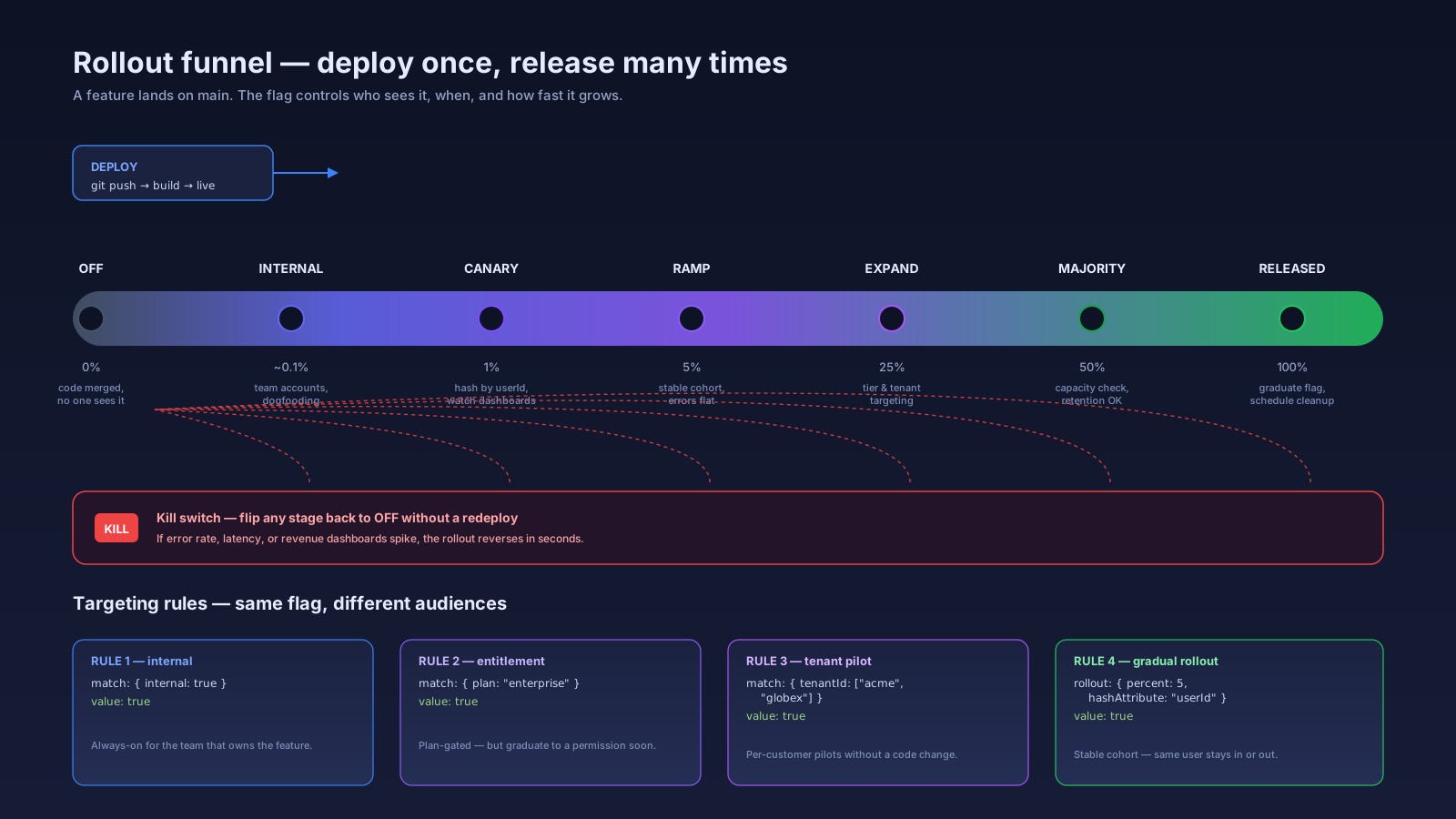
The whole point: this code can ship to production today, and nobody will see the link until dashboard-v2 is enabled in the provider. When it's ready, you turn it on for your own internal account. Then for 1% of customers. Then 10%. Then everyone. If it explodes, you turn it off. No deploy. No revert. No incident channel pinging at 2am.
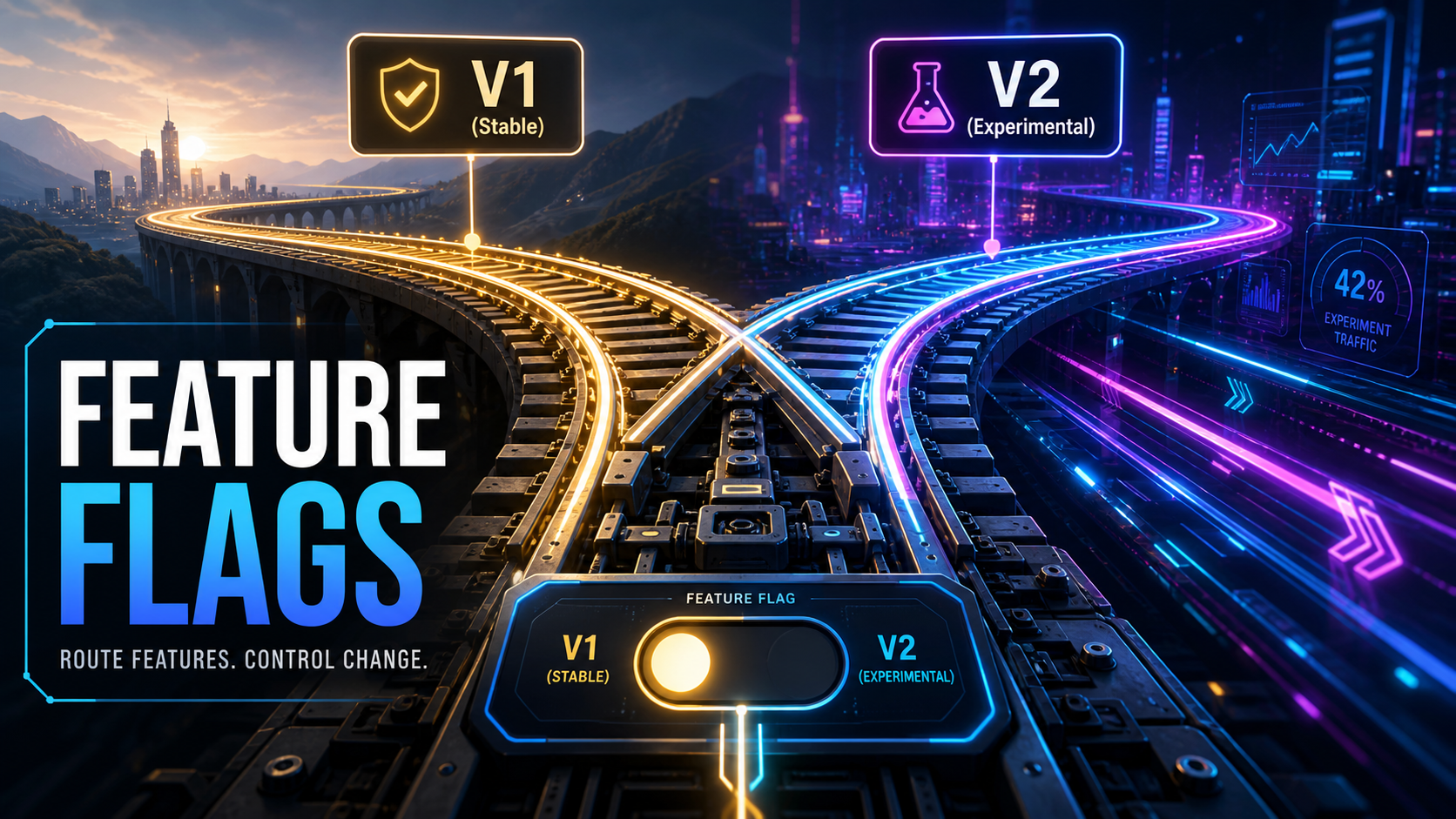
This is the central idea: decouple deployment from release. Deploy is a build going live. Release is a user seeing it. They used to be the same thing. They no longer have to be.
The Flicker Problem (And Why It Matters)
Here's the trap most teams fall into the first time they wire flags into a React SPA. The page loads, the JavaScript starts up, the flag SDK initializes, it fetches the variants, the component re-renders with the new value. That fetch takes 100–300ms. During those 300ms, the user sees one thing; after, they see another. The button pops in. The layout shifts. The new heading slides into place.
That is bad UX in two distinct ways:
- CLS (Cumulative Layout Shift). The Core Web Vital cares about this. Insertions that move content count against your score and your SEO.
- Cognitive flicker. The user briefly believes the page is one thing, then it changes. They lose their place. They rage-click.
The two common workarounds are both worse:
- Default everything to off and let it flick on. CLS lights up.
- Block rendering until flags load. Now your shell is a spinner for 300ms on every page load.
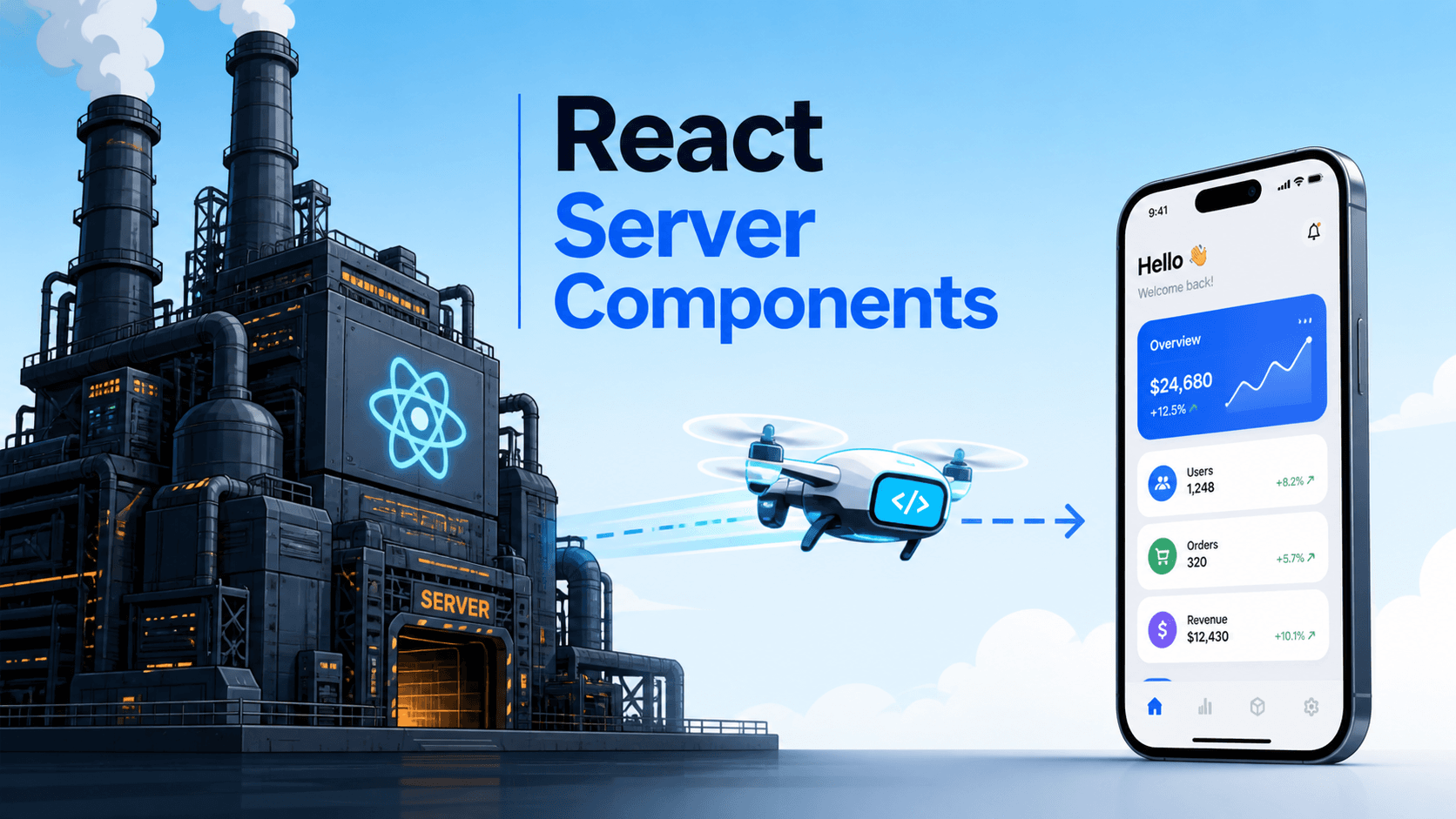
Real fix: don't fetch flags in the browser at all. Fetch them on the server, bake the variants into the HTML, and let React hydrate against a tree that already knows what to show.
Server-First Evaluation
In Next.js App Router, a server component can await the flag and render the right tree directly:
// app/layout.tsx — Server Component
import { getFlag } from '@/lib/flags';

export default async function RootLayout({ children }) {
  const newNav = await getFlag('dashboard-v2', { user: await getUser() });
  return (
    <html lang="en">
      <body>
        {newNav ? <NewNavigation /> : <OldNavigation />}
        {children}
      </body>
    </html>
  );
}
The browser receives HTML with <NewNavigation/> already in place. No flicker. No layout shift. Hydration matches because both sides started from the same flag value.
In Nuxt 3 or Remix, the equivalent is fetching during the server load and passing variants through the loader/data hook. In a pure SPA without a server step, you can pre-compute critical above-the-fold flags inline in the HTML at edge time — Vercel's Edge Config + Flags SDK and Cloudflare Workers + KV both do this in under 10ms — and only fall back to the SDK for non-blocking flags.
The mental model: any flag that affects what you render above the fold is a server flag. Any flag that affects experiments deep in the app, behind interactions, is fine to evaluate in the browser.
Picking A Provider
The market is crowded. The honest comparison:
- LaunchDarkly. The enterprise default. Excellent targeting rules, strong audit trail, pricey. Right pick if compliance and ops maturity are top of mind.
- GrowthBook. Open source, A/B testing baked in, great for product-led teams that want stats math built in. Self-hostable.
- PostHog. Flags ship alongside product analytics. If you're already using PostHog for events, you can target flags off the same cohorts. The integration is the killer feature.
- Statsig. Strong experimentation focus, solid pricing, used heavily at companies that came from Facebook.
- Flagsmith / Unleash. Both open source, both have hosted versions, both popular for teams that need self-hosted for data residency.
- Vercel Edge Config + Flags SDK. Vercel released the official Flags SDK in 2024 (originally as
@vercel/flags, since renamed toflags) to standardize how Next.js apps consume flags. The Edge Config piece gives you sub-10ms reads at the edge. Provider-agnostic — you wire any of the above behind it.
Pick based on three questions: where do you host (some providers want to live in your VPC), do you need experimentation math (GrowthBook, Statsig, PostHog all have it), and what's your budget. The flag code is provider-agnostic if you wrap it in your own getFlag() helper, which is worth doing on day one.
Targeting Beyond True/False
Flags rarely stay boolean for long. The interesting work happens in targeting:
// pseudo-rule, real syntax depends on provider
{
  flag: 'dashboard-v2',
  rules: [
    { match: { internal: true }, value: true },
    { match: { plan: 'enterprise' }, value: true },
    { match: { tenantId: ['acme', 'globex'] }, value: true },
    { rollout: { percent: 5, hashAttribute: 'userId' }, value: true },
    { default: false }
  ]
}
That single rule list does internal dogfooding, plan-gated access, per-tenant pilots, and a 5% gradual rollout — all without a code change. The hash on userId keeps a user in the same bucket between visits, which matters more than people realize: nothing erodes trust like a feature appearing one day and disappearing the next.
A few targeting decisions worth getting right early:
- Hash by stable identity. User id, tenant id — never session id, never anonymous cookie. You want consistency across sessions.
- Identify users early. The flag SDK needs the user object before the first read. Anonymous users get a stable cookie id; logged-in users get the real id.
- Don't target on PII. Email, name, address — store only the attributes you actually use for targeting. Plan, role, tenant, region, country code are usually enough.
SDK Patterns That Hold Up
A few non-obvious patterns that pay off:
- Wrap the SDK. Create your own
useFlag('name')hook (React) oruseFlagcomposable (Vue) that calls the provider underneath. The day you switch providers, you change one file. The day you want to add logging or local overrides, you change one file. - Provide local overrides for development. A query string like
?flags=dashboard-v2:on,billing-v3:offthat overrides flags for the current session is invaluable for QA, demos, and screenshots. - Always have a server-side default. If the flag service is down, you should still render something. The default in your provider config and the fallback in your code should agree.
- Type the flag names. A
Flagunion type or aflags.tsfile that lists every flag prevents typos that silently default tofalsein production.
// lib/flags.ts
export type FlagName = 'dashboard-v2' | 'billing-v3' | 'export-csv';

export async function getFlag(name: FlagName, ctx: FlagContext): Promise<boolean> {
  // wrap your provider here
}
Vue And SPA Specifics
Vue 3 and Nuxt 3 follow the same shape. In Nuxt, fetch flags in a server middleware or useAsyncData, expose them via useState so SSR and client agree, and read them with a tiny composable:
// composables/useFlag.ts
export function useFlag(name: FlagName) {
  const flags = useState<Record<string, boolean>>('flags', () => ({}));
  return computed(() => flags.value[name] ?? false);
}
In a pure SPA (CRA, Vite + React, Vue without Nuxt) the fix is harder because there is no server pass. The pragmatic answer is to inline a tiny set of "boot flags" in the HTML at deploy time (Vercel Edge Config, Cloudflare Workers, or even a build-time script) and use those for above-the-fold rendering. Anything below the fold can wait for the SDK.
Flag Debt Is Real Debt
Feature flags create technical debt by definition — every flag is a fork in the codebase, two universes maintained side by side. Two flags become four code paths. Five flags become thirty-two. Within a year an unmaintained flag system feels like ancient ruins nobody dares touch.
Treat flags like temporary scaffolding. The discipline:
- Every flag has an owner and an expiry date. Bake it into the metadata when you create the flag. "This flag will be removed by 2025-03-01 — owner: @nazar."
- Flags graduate or get killed. Once a feature is at 100% and stable, schedule the cleanup PR. Delete the
if, delete the old branch, delete the flag from the provider. - Run a quarterly flag review. Look at every flag still in the system. Anything older than its expiry without an extension reason gets a cleanup PR.
- Don't promote flags into config. A flag that says "enterprise plan can use feature X" is not a flag, it's a permission. Move it into the permission model and delete the flag.
Tools like LaunchDarkly's "stale flag detection" and GrowthBook's flag inventory help, but they don't replace ownership. The team that doesn't review flags ends up with a hundred of them.
Experimentation Is A Cousin, Not The Same Thing
Feature flags can drive A/B tests, but the moment you're running real experiments you cross from "rolling out a feature safely" into "measuring whether the feature is good." Different math, different tooling, different mistakes. If you're doing A/B testing seriously, use a tool with proper variance estimation — GrowthBook, Statsig, PostHog Experiments, Optimizely. Don't roll your own.
The simple rule: rollout flags answer can we ship. Experiments answer should we ship. Mix them up and you'll be making decisions on metrics that don't say what you think they say.
A One-Sentence Mental Model
A feature flag is a switch with a remote control — your code asks for a value at the right boundary (server when it affects the first paint, client when it doesn't), the provider answers based on rules you set without touching code, and the entire game is keeping the switches few, named, owned, and short-lived enough that the codebase still makes sense in a year.