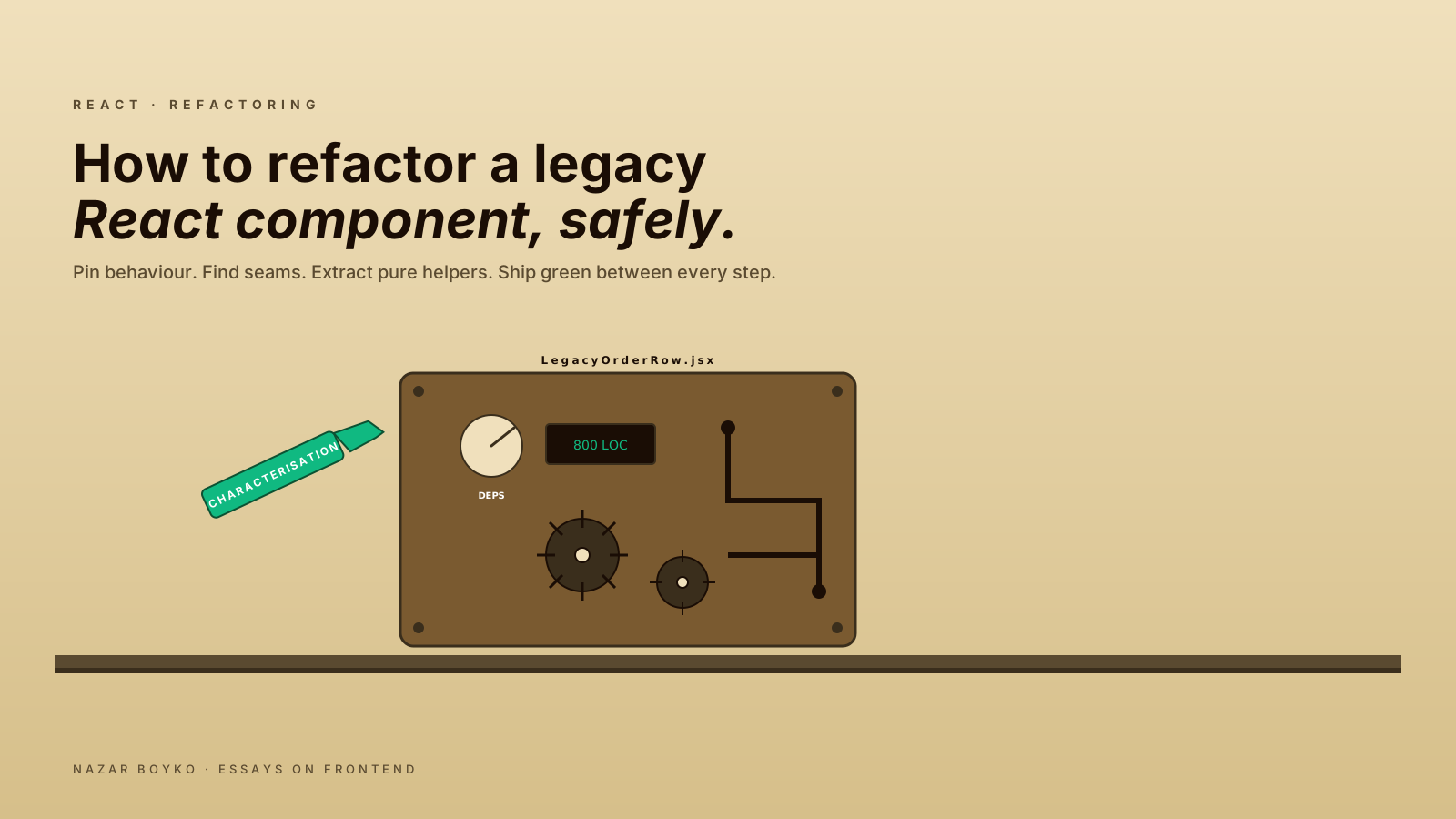
There's one in every codebase. The 800-line component everybody knows about and nobody touches. It's been there since 2019. The file mixes a class component for the main shell with several function components and hooks bolted on later. It has its own state, talks to four different APIs, contains a feature flag from a launch nobody remembers, and is somehow load-bearing for three different screens. Refactoring it has been on the backlog for two years.
This article is the practical playbook for actually doing it — without breaking the things it secretly does. The sequence is conservative on purpose. The whole goal is to make the refactor boring: a series of small, reversible steps with checkpoints in between.
Step 0: Resist The Urge To Rewrite
The single biggest mistake teams make with legacy components is "let's just rewrite it from scratch". This almost always:
- Takes 3x longer than estimated.
- Reproduces the original bugs slowly, one ticket at a time.
- Misses the invisible behaviour the original component had — debouncing, weird edge cases, accidental but load-bearing side effects.
- Ships behind a flag that never gets removed.
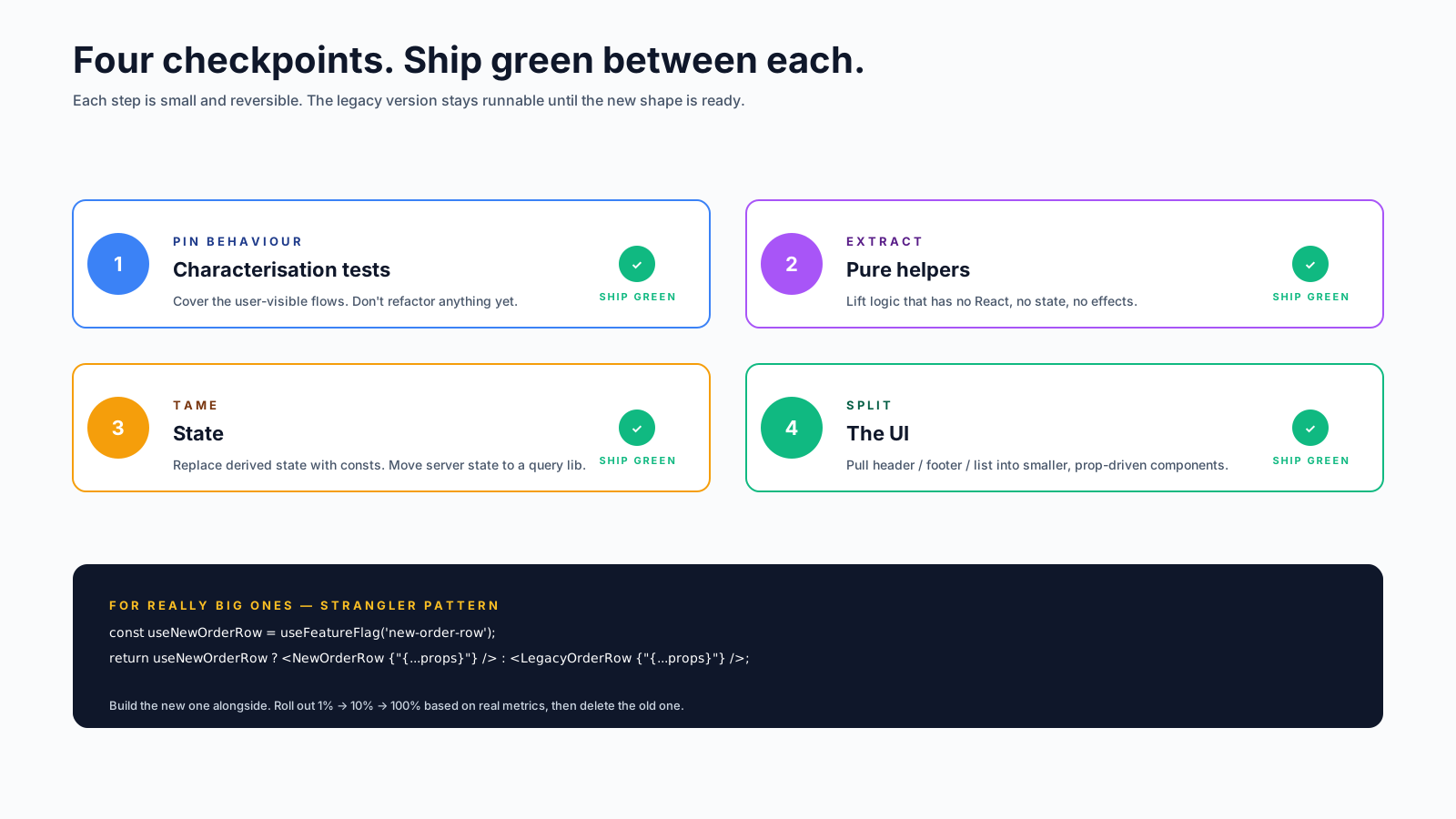
Refactor in place. Move toward the destination in small steps that each ship green. The legacy version stays runnable until the new shape is ready. This is the Strangler pattern — gradual replacement instead of big-bang migration.
Step 1: Pin Down The Behaviour With Characterisation Tests
Before changing a single line, write tests for what the component currently does. Not what it should do — what it does, including the weird parts. These are called characterisation tests and they're your safety net.
Open the component, identify the user-visible behaviours, and write tests for each one:
test('shows confirmation when user clicks delete', async () => {
  render(<LegacyOrderRow order={mockOrder} />);
  await user.click(screen.getByRole('button', { name: 'Delete' }));
  expect(screen.getByRole('dialog', { name: /confirm/i })).toBeInTheDocument();
});

test('hides admin actions for non-admin users', () => {
  render(<LegacyOrderRow order={mockOrder} user={regularUser} />);
  expect(screen.queryByRole('button', { name: 'Refund' })).not.toBeInTheDocument();
});
Don't try to be exhaustive. Cover the main flows the user actually takes, plus any edge cases you can spot from reading the code. Aim for the level of coverage where, if a test fails, you'd want to investigate before merging.
These tests don't need to be elegant. They're scaffolding — meant to be deleted or rewritten when the new component lands. Their only job is to scream when behaviour changes accidentally.
Step 2: Find The Seams
A seam is a place in the code where you can change behaviour without modifying the surrounding code. In legacy React, the most common seams are:
- Props. The interface the component already exposes.
- Imports. Functions and modules the component depends on.
- Context consumers. Values pulled from React context.
- Children. JSX passed in from outside.
Read the component once with the question "where could I plug in a different implementation here?" Mark the seams in your head (or in comments). These are the places you'll wedge changes in without touching the rest.
For example, if the component imports import { fetchOrders } from '../api', that import is a seam — you can introduce a wrapping hook (useOrders) without changing the call sites yet. If it uses useContext(AuthContext), that's a seam — you can extract auth-dependent logic into a smaller component that only takes the user as a prop.
Step 3: Extract Pure Helpers First
The cheapest, safest first move is pulling pure logic out of the component file. If a component has a 40-line formatOrderTotal function inside it, that function:
- Doesn't need React.
- Doesn't need state.
- Has obvious inputs and outputs.
Lift it into a sibling file, write a unit test for it, and import it back. Run the characterisation tests. Ship that PR alone.
// before — inline in the component
function LegacyOrderRow(props) {
  const total = props.order.items.reduce((acc, item) => {
    if (item.kind === 'tax') return acc;
    if (item.discount) return acc + (item.price - item.discount);
    return acc + item.price;
  }, 0);
  // ... another 750 lines
}

// after — extracted
import { calcOrderTotal } from './orderTotal';

function LegacyOrderRow(props) {
  const total = calcOrderTotal(props.order);
  // ... 750 lines, slightly less
}
Same behaviour, 40 fewer lines, plus a small unit-tested function. The component is one step easier to read. Repeat for every chunk of pure logic.
This phase often shrinks a component by 30–40% with zero behavioural risk. It's the most underrated refactoring move in React.
Step 4: Tame The State
After pure helpers, look at the component's state. Three patterns to watch for:
- State that's actually derived data. If a piece of state is always recomputed from props or other state, replace it with a
const(oruseMemoif heavy). One render, one fewer state setter. - State that's actually server data. If something is fetched and cached by hand, lift it into TanStack Query or your team's data layer.
- State that's truly local but tangled with other state. Group related state into a
useReducerso transitions are explicit.
// before — five useStates that always change together
const [step, setStep] = useState('idle');
const [submitting, setSubmitting] = useState(false);
const [error, setError] = useState(null);
const [success, setSuccess] = useState(false);
const [retries, setRetries] = useState(0);

// after — one reducer with named transitions
const [state, dispatch] = useReducer(reducer, { step: 'idle', retries: 0 });
Don't refactor all the state at once. Pick the most tangled chunk, refactor it, run the characterisation tests, ship. Repeat.
Step 5: Split The UI
Once the helpers are out and the state is calmer, the UI becomes splittable. Look for natural seams in the JSX:
- A header section that reads only a few props.
- A footer with its own logic.
- A modal that's barely related to the rest.
- A list that could be its own component.
Pull each one into a child component, with a clear prop interface. Resist the urge to make these "smart" — most of them should be pure presentation, taking props and rendering JSX.
// extract
function OrderRowActions({ order, onRefund, onCancel, isAdmin }) {
  return (
    <div className="actions">
      <button onClick={onCancel}>Cancel</button>
      {isAdmin && <button onClick={onRefund}>Refund</button>}
    </div>
  );
}

// in the parent
<OrderRowActions
  order={order}
  isAdmin={user.role === 'admin'}
  onCancel={handleCancel}
  onRefund={handleRefund}
/>
Each extraction is a small, safe PR. The component shrinks. The pieces become testable in isolation. Six PRs in, the original 800-liner is a 200-line orchestrator that delegates the work.
Step 6: Type It (If You Haven't)
Add TypeScript incrementally if the file isn't typed yet. The order that's least painful:
- Convert the file extension to
.tsx. Let it haveanyeverywhere if it has to. - Type the component's props.
- Type the helpers you extracted in Step 3.
- Type the state.
- Walk through the
anys and tighten them, one per PR.
Trying to type a legacy component in one go is a great way to spend a week and ship nothing. Incremental typing means each step is small, safe, and shippable.
Step 7: Replace The Old API Or Tool
Once the component is small and tested, now you can swap the old patterns for new ones. Class component to function. Custom Redux store to TanStack Query. Inline form state to react-hook-form. Each swap is its own PR, with the characterisation tests catching any regression.
This is the part that, in a "rewrite from scratch" approach, would have happened on day one. By the time you get here in this approach, the rest of the component is already small and well-understood, so the swap is a focused diff instead of a giant one.
The Strangler Pattern, In React Form
For really big components, the same pattern applies at a larger scale. Build the replacement next to the old one, route a small fraction of users to it, and grow the share over time:
// route at the top
const useNewOrderRow = useFeatureFlag('new-order-row');

return useNewOrderRow ? <NewOrderRow {...props} /> : <LegacyOrderRow {...props} />;
You ship the new version to 1% of users, watch the metrics and bug reports, scale up. When the new version is at 100% and stable, delete the old one and the flag.
This is the same idea as the Strangler Fig pattern in backend systems — let the new tree grow alongside the old one until the old one can be removed without anyone noticing. It works at the component level too, and it's how genuinely scary refactors get done in production.
Things That Help When You're In It
A few small habits that pay off:
- Tag every "I don't know what this does" with a comment. Don't fix it; flag it. Come back later.
- Run the app between every change. The characterisation tests catch a lot, but eyeballs catch the rest.
- Preserve the git blame. A single "refactor everything" commit destroys it. Many small PRs preserve the history of why each line is the way it is.
- Deprecate, don't delete, public APIs. If the component is exported, the props interface stays — even if the internals change.
- Document the old behaviour somewhere. A comment, a PR description, an ADR. Future you will want to know why the date format used to be
DD-MM-YYYY.
What Not To Refactor
The other side of the discipline: leave things alone when they don't matter.
- Components that work, are small, and aren't actively painful. Refactoring for fun is rarely a good use of time.
- Code that's about to be deleted. No point.
- Inconsistent style across files. Annoying, but not worth a refactor.
- Things you don't have characterisation tests for and can't easily add them to. Without the safety net, the refactor is gambling.
The fastest way to lose trust in a refactor is to ship one that introduces a regression. The whole point of the sequence above is to make that vanishingly unlikely. Slow is smooth, smooth is fast.
A One-Sentence Mental Model
Refactoring a legacy React component is almost never about React. It's about pinning the behaviour, finding the seams, extracting the easy pieces first, and making the next change a little smaller. Do that on a regular cadence and the 800-line component becomes a 200-line one in a quarter — without any of the rewrite-from-scratch drama.