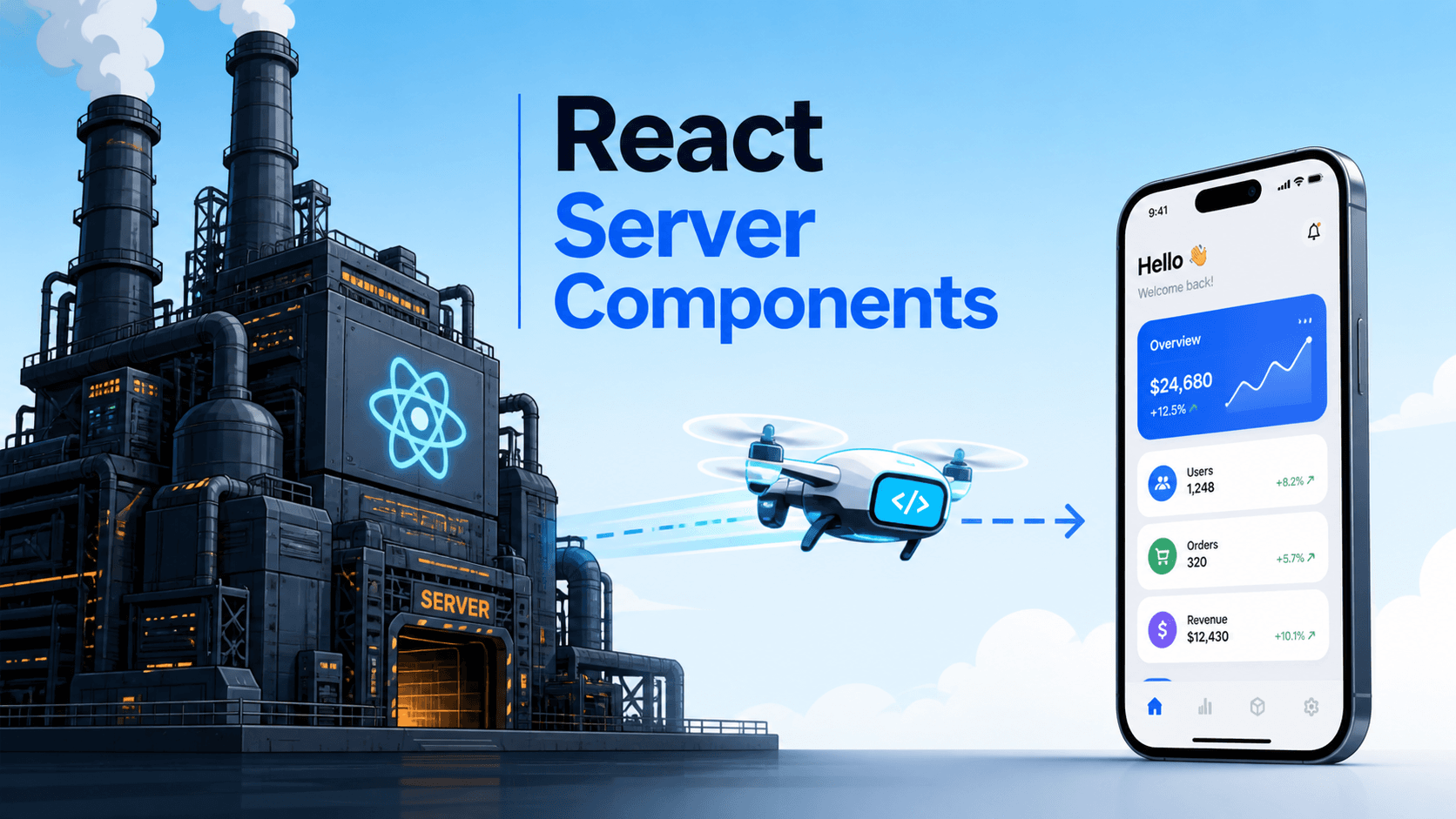
When React Server Components first showed up in talks, the reaction was a polite "I don't get it". Was this server-side rendering with extra steps? An attempt to copy PHP? Why does a frontend framework care about the server?
A few years in, with Next.js App Router as the proving ground, the answer is clearer. RSC is not "SSR plus a config flag". It's a different kind of component — one that runs only on the server, ships zero JavaScript, and can talk to your database directly. The win isn't faster pages (though it can help with that). The win is a smaller, simpler frontend that does less work in the browser.
This article is the practical version. What RSC actually changes, the patterns it makes natural, and the things it leaves alone.
A Quick Mental Model
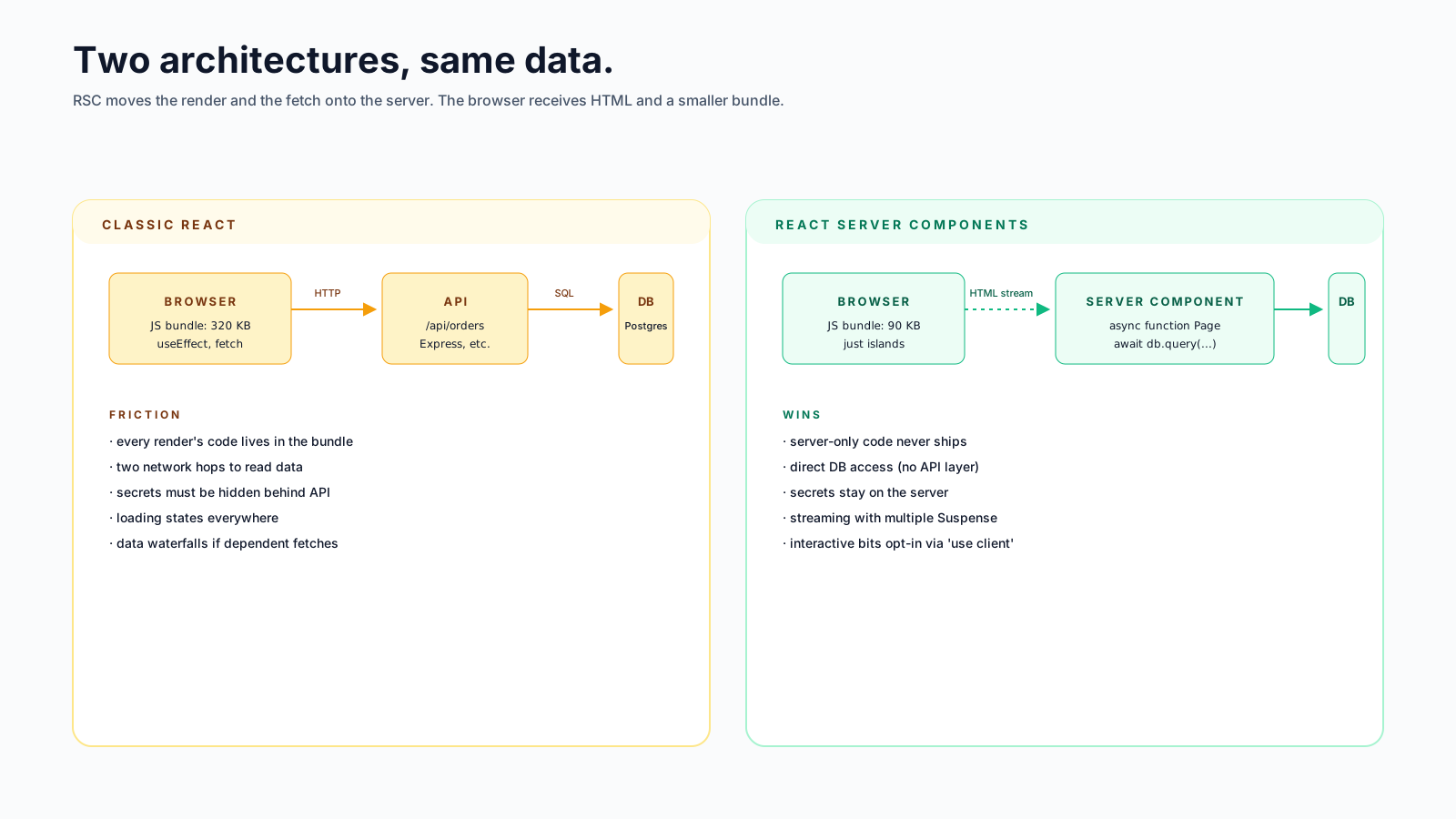
A React app, classically, has one kind of component. It runs in the browser. To get data into it, you fetch over HTTP, hold the result in state, and re-render.
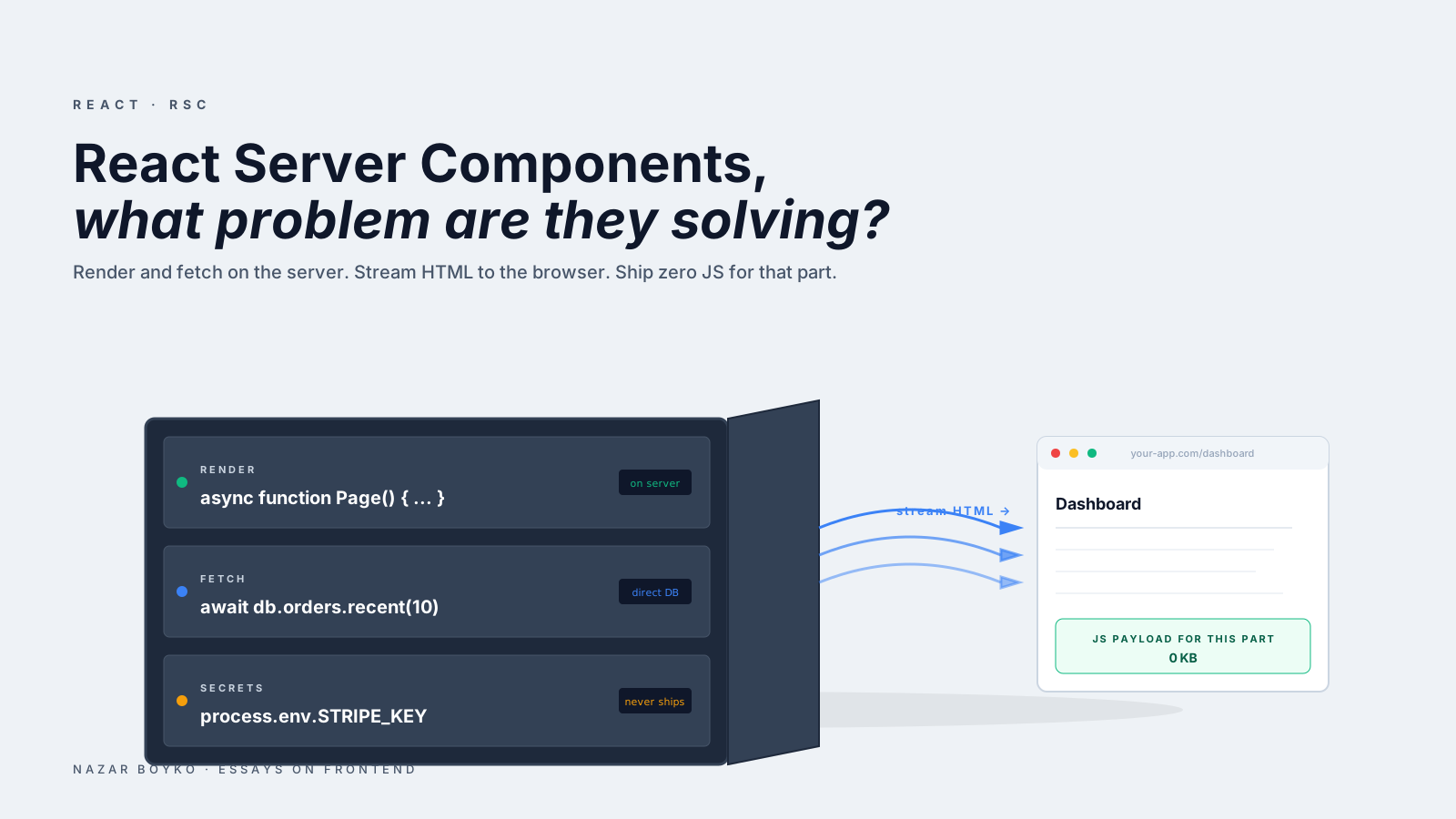
RSC introduces a second kind. A server component runs once, on the server, and produces an HTML-like description of UI that's streamed to the browser. The browser receives the result already rendered. No JavaScript for that component is shipped to the client.
// app/dashboard/page.tsx — Server Component (the default in App Router)
import { db } from '@/lib/db';

export default async function DashboardPage() {
  const orders = await db.orders.recent(10);    // direct DB call, on the server
  return (
    <main>
      <h1>Dashboard</h1>
      <OrderList orders={orders} />
    </main>
  );
}
A few things to notice. First, the component is async — that's only allowed in server components. Second, there's a direct database call. No /api/orders endpoint. No useEffect. The data lives next to the component that displays it. Third, the user receives a rendered page. The component's code never reaches their browser.
If the component needs interactivity (a button, a hover state, a useState), you mark that part as a client component:
'use client';

import { useState } from 'react';

export function FilterChips() {
  const [active, setActive] = useState('all');
  return (
    <div>
      <button onClick={() => setActive('all')}>All</button>
      <button onClick={() => setActive('open')}>Open</button>
    </div>
  );
}
A server component can render a client component — it just embeds it as a placeholder, and the client component hydrates in the browser. The reverse is more limited: client components can render server components passed as children, but they can't import them directly.
What Problem RSC Actually Solves
Three pains that RSC addresses well, in roughly the order you notice them:
1. Bundle Size
In a classic React app, every component you render ships its code to the browser, plus the libraries it depends on. A markdown renderer, a date formatter, a syntax highlighter — all in the bundle, even if the user only views one page that uses them.
In RSC, code that runs in a server component never ships. The markdown renderer runs on the server, the result is streamed to the user, and the bundle doesn't grow. For content-heavy apps (docs, blogs, product pages), this is the most visible win — bundles drop dramatically because the rendering work never had to live in the browser.
2. Data Waterfalls
Classic React data fetching often looks like this:
function Page() {
  const user = useUser();                          // request 1
  const team = useTeam(user?.teamId);              // request 2 (waits for 1)
  const projects = useProjects(team?.id);          // request 3 (waits for 2)
}
Three sequential round-trips from the browser. Total time = sum of latencies. RSC flattens this by running the fetches on the server, where they're a function call, not a network round-trip:
export default async function Page() {
  const user = await db.user.me();
  const team = await db.team.byId(user.teamId);
  const projects = await db.project.byTeam(team.id);
  return <Dashboard user={user} team={team} projects={projects} />;
}
Same logic, but the round-trips happen between the server and the database (low latency, often microseconds), not between the browser and the API (hundreds of milliseconds). Even better — Promise.all lets independent fetches run in parallel:
const [user, settings, notifications] = await Promise.all([
  db.user.me(),
  db.settings.get(),
  db.notifications.list(),
]);
This is the kind of thing you could do in classic React with a custom orchestration layer. RSC makes it the default.
3. The "Where Does My Secret Live" Problem
Classic React: anything in the bundle is in the browser. Therefore no API keys, no database credentials, no internal-only data. You build an API layer to keep things hidden.
RSC: server components run on the server. They can use environment secrets, hit internal services, query the database directly:
async function PriceTag({ id }) {
  const product = await db.products.byId(id, {
    apiKey: process.env.STRIPE_KEY,            // safe — never reaches the browser
  });
  return <span>${product.price}</span>;
}
This collapses two layers (API endpoint + frontend component) into one. The endpoint is the component. For internal apps especially, this removes a lot of boilerplate.
What RSC Doesn't Solve
Equally important to be honest about:
- Interactivity. Anything that needs
useState,useEffect, event handlers, or refs has to be a client component. The button you wanted? Client. - Real-time updates. A server component renders once. WebSockets, presence, live cursors — all client-side.
- Browser APIs.
localStorage,navigator.geolocation,IntersectionObserver— all client. - Complex form state. Forms with live validation usually need a client component (or a Server Action, which is RSC's escape hatch for writes).
- The "magic" tax.
'use client'boundaries, what serialises across them, when re-renders happen — there's new mental load. Less than people fear, but not zero.
The pattern that's emerging: most pages are mostly server components, with small islands of 'use client' for the interactive bits. The shape looks like a modern HTML page with some React sprinkled in, which is sort of the joke — we've spent a decade making React do everything and now we're walking back to "server-rendered pages with interactive widgets".
Server Actions: RSC's Other Half
Server Components handle reads. Server Actions handle writes. They're functions you mark with 'use server' that run on the server but can be called from a client component (or a <form>):
// app/actions.ts
'use server';

export async function createOrder(formData: FormData) {
  const userId = await getCurrentUser();
  await db.orders.create({
    userId,
    productId: formData.get('productId'),
  });
  revalidatePath('/orders');
}

// app/products/page.tsx
import { createOrder } from './actions';

export default function Page() {
  return (
    <form action={createOrder}>
      <input name="productId" />
      <button>Buy</button>
    </form>
  );
}
No /api/orders endpoint. No fetch call. The form submits directly to a function that runs on the server. revalidatePath tells Next.js to re-render the affected pages. This is closer to a Rails or Django form than a classic SPA — and that's by design.
For more complex client interactions, you can also call Server Actions from inside a client component with useActionState (formerly useFormState).
When RSC Is The Right Default
The patterns where RSC shines:
- Content-heavy pages: blogs, docs, marketing pages, product catalogues. Most rendering is static, bundles are small, SEO is excellent.
- Dashboards: lots of fetching, mostly read-heavy, occasional widget. Server components fetch in parallel; client components handle the interactive bits.
- Internal admin tools: where the API layer was always overkill. Server components let you skip building it.
Where it's not the right default:
- Highly interactive apps (Figma, Linear, Notion-like editors). These are 90% client-side anyway. The server boundary becomes friction.
- Static sites generated at build time. Plain SSG (Astro, Eleventy, Next.js with
output: 'export') is often simpler than RSC for purely static content. - Apps that don't have a server. RSC requires Next.js, Remix, or another RSC-aware framework. CRA-style SPAs can't use it.
A Quick Migration Reality Check
If you have a classic Next.js Pages Router app and you're tempted to "go full RSC", a few honest notes:
- The migration is non-trivial. The data-fetching shape changes. Some libraries (older state managers, theme providers, anything that expects
window) need'use client'wrappers. - The wins are real but not overnight. Bundle size drops, but only after you've actually moved code to server components. Just renaming the folder doesn't help.
- The mental model takes a week or two to internalise. The "what runs where" question is constant at first; it stops being conscious after a while.
For new projects on Next.js 13+ or Remix, RSC is the default and you don't have to think about it. For existing apps, migrate page by page rather than all at once.
The Honest Summary
RSC isn't a magic bullet. It's a way to move render-only work to the server, which is where it belongs in a lot of apps. The wins are smaller bundles, simpler data fetching, and the ability to talk to your database without an intermediate API layer. The cost is a new boundary in the mental model and a lot of 'use client' directives.
For most modern apps with a real backend, the answer is "yes, but not everywhere". Make pages server by default, mark interactive islands as client. The result is frequently the same UX with less JavaScript on the wire — which, after a decade of bundle bloat, is a surprisingly lovely place to land.