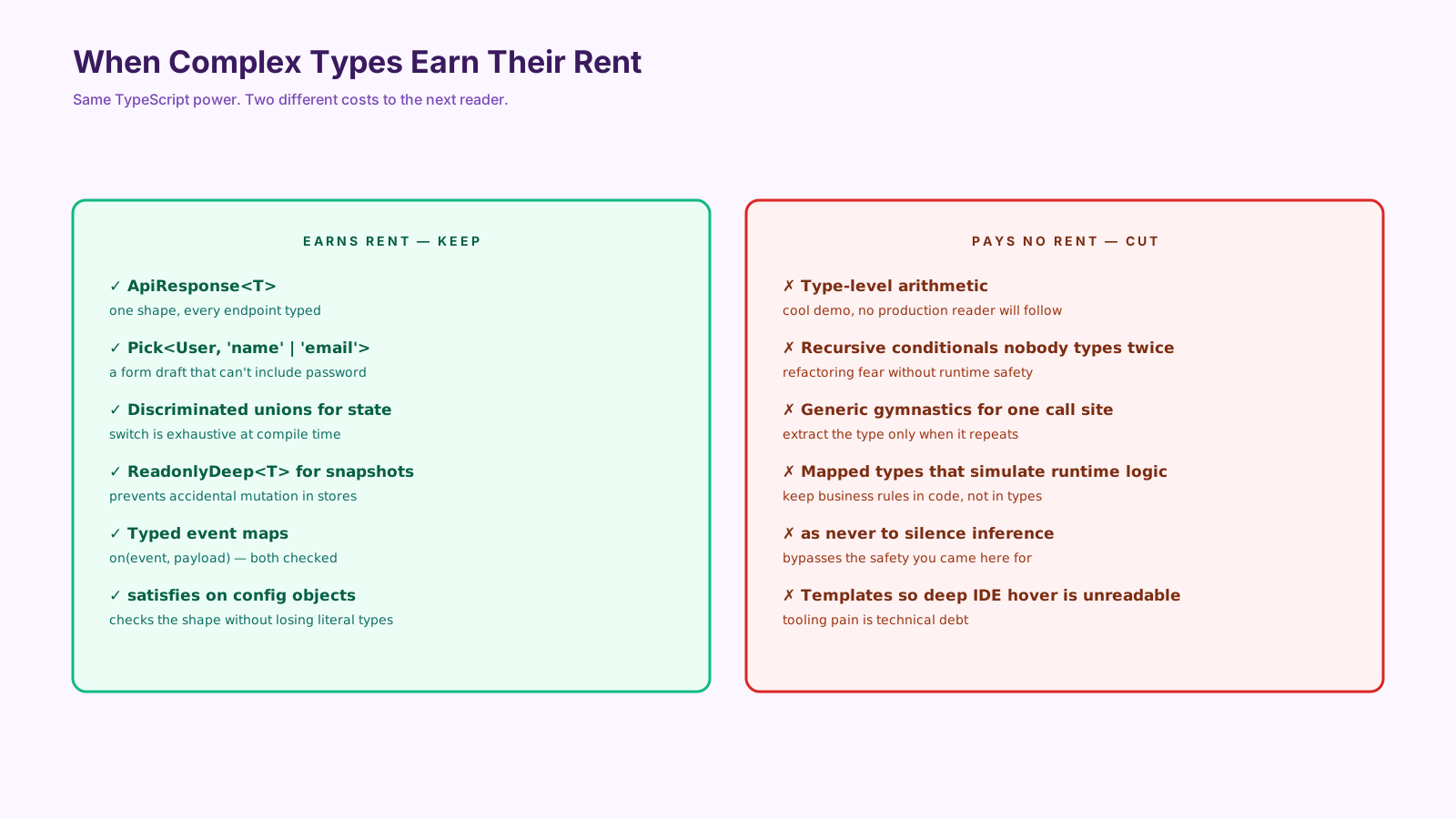
Advanced TypeScript types have a reputation problem. Half the examples online are clever puzzles — type-level arithmetic, recursive conditional types, mapped types that reimplement runtime logic in the type system. Most of them never appear in production code, and the ones that do usually slow down compilation and confuse the next reader.
But some advanced types absolutely earn their place. The trick is knowing which ones, and stopping at the line where complexity stops paying back.
Utility Types Remove Repetition
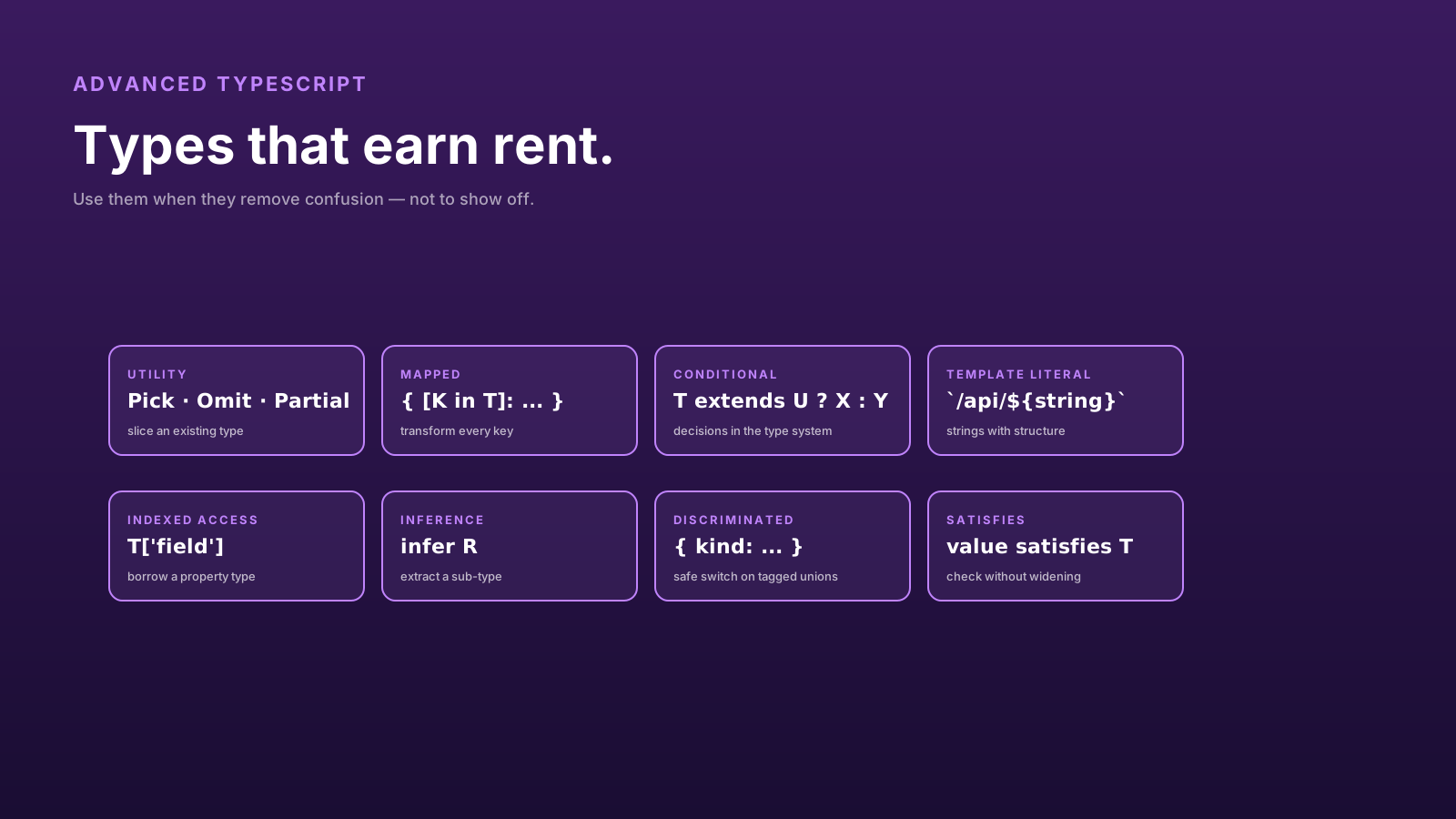
The built-in utility types are the gateway. Pick, Omit, Partial, Required, Readonly, and Record cover most of what teams hand-roll.
type User = {
  id: string;
  email: string;
  name: string;
  passwordHash: string;
  createdAt: Date;
};

type UserResponse = Omit<User, 'passwordHash'>;
type CreateUserRequest = Pick<User, 'email' | 'name'> & { password: string };
type UpdateUserRequest = Partial<Pick<User, 'email' | 'name'>>;
Three derived types from one base. When User grows a field, UserResponse and the request types automatically reflect it (or fail loudly if a manual decision is needed). That's the win — one source of truth, derived shapes everywhere else.
Mapped Types Help With Transformations
Mapped types let you transform every key of a type. Useful when you have a single source object and need a related shape.
type Sections = 'profile' | 'orders' | 'invoices';

type LoadingState = {
  [K in Sections]: 'idle' | 'loading' | 'loaded' | 'error';
};
// → { profile: 'idle' | ...; orders: 'idle' | ...; invoices: 'idle' | ... }
Add a new section to Sections, and LoadingState updates automatically. Useful for state machines, form fields, permission grids, and anywhere "I have a fixed set of keys, each needs the same kind of value."
Conditional Types Model Decisions
Conditional types let you pick a type based on another type. They look intimidating; the practical use cases are usually small.
type ApiResult<T> = T extends Promise<infer U> ? U : never;

async function fetchUser(): Promise<{ id: string; name: string }> { /* ... */ }

type User = ApiResult<ReturnType<typeof fetchUser>>;
// → { id: string; name: string }
The infer keyword is the underrated piece — it lets you extract a sub-type without naming it. Combined with ReturnType, Awaited, and Parameters, you can derive types from existing functions instead of restating them.
A useful guideline: write conditional types when you'd otherwise duplicate a definition. If you're inventing one to solve a hypothetical, stop.
Template Literal Types Can Protect Strings
Template literal types make strings checkable. They're great for route paths, API endpoints, CSS class systems, and other places where free-form strings used to be the source of typos.
type ApiPath = `/${'v1' | 'v2'}/${'users' | 'orders' | 'invoices'}/${string}`;

function fetchApi(path: ApiPath) { /* ... */ }

fetchApi('/v1/users/123');     // OK
fetchApi('/users/123');        // compile error — missing version
fetchApi('/v3/users/123');     // compile error — version not in union
Used sparingly, template literals turn a class of typos into compile errors. Used carelessly, they become unreadable strings of ${T extends ...} that nobody can debug.
satisfies Is The Underrated Operator
satisfies is the answer to "I want the inferred type and the contract check." Before satisfies, you'd annotate (lose literal types) or skip (lose validation).
type RouteMap = Record<string, { path: string; requiresAuth: boolean }>;

const routes = {
  home:    { path: '/',      requiresAuth: false },
  account: { path: '/me',    requiresAuth: true  },
} satisfies RouteMap;

routes.home.path;  // typed as literal '/'
routes.account.requiresAuth;  // typed as literal true
routes.foo;        // compile error
The shape is validated against RouteMap, but the value type stays narrow. You get autocomplete that knows the literal values. This single operator removed 80% of the cases where I used to write helper functions just to preserve narrow types.
When To Stop
A useful three-question filter before committing a clever type:
- Does it prevent a real bug class? Or just feel safer?
- Will the next reader follow it without effort? Hovering and squinting is a no.
- Could a simple type achieve the same? A union of strings often beats a mapped conditional template.
If two answers are no, simplify.
Pro Tips
- Master the built-in utility types first. Pick, Omit, Partial, Record cover most needs.
- Use
inferfor extraction.Awaited<T>,ReturnType<T>,Parameters<T>are usually the right tool. - Reach for
satisfieswhen you want both validation and inferred specificity. - Avoid type-level arithmetic. It compiles slowly and reads like a riddle.
- Hover-test your types. If the IDE tooltip is unreadable, the next dev will hate it.
Final Tips
I've worked in codebases with brilliant type-level metaprogramming and codebases with three derived utility types and a discriminated union. The second kind shipped faster, broke less often, and onboarded new engineers in a week instead of a month.
Use the advanced types where they remove confusion. Stop where they add it. The compiler is happy to do hard work; the next reader has a job to do too.
Good luck — and may your hover tooltips fit on one screen 👊