Someone on your team builds an "agent." It's a while loop, a model, a couple of tools, and a prompt that says "keep going until you finish." On a good day it answers the question and stops. On a bad day it loops 30 times, calls the same tool with the same arguments, and burns $14 producing a single-paragraph reply that says "I was unable to complete the task."
Agents are not magic. They're a control loop with a non-deterministic step in the middle. The hard part isn't getting the loop to run — it's getting it to stop on time, remember the right things, and refuse to do work it shouldn't do. TypeScript helps with all three, mostly by making the seams visible.
Workflow Or Agent? Pick Deliberately
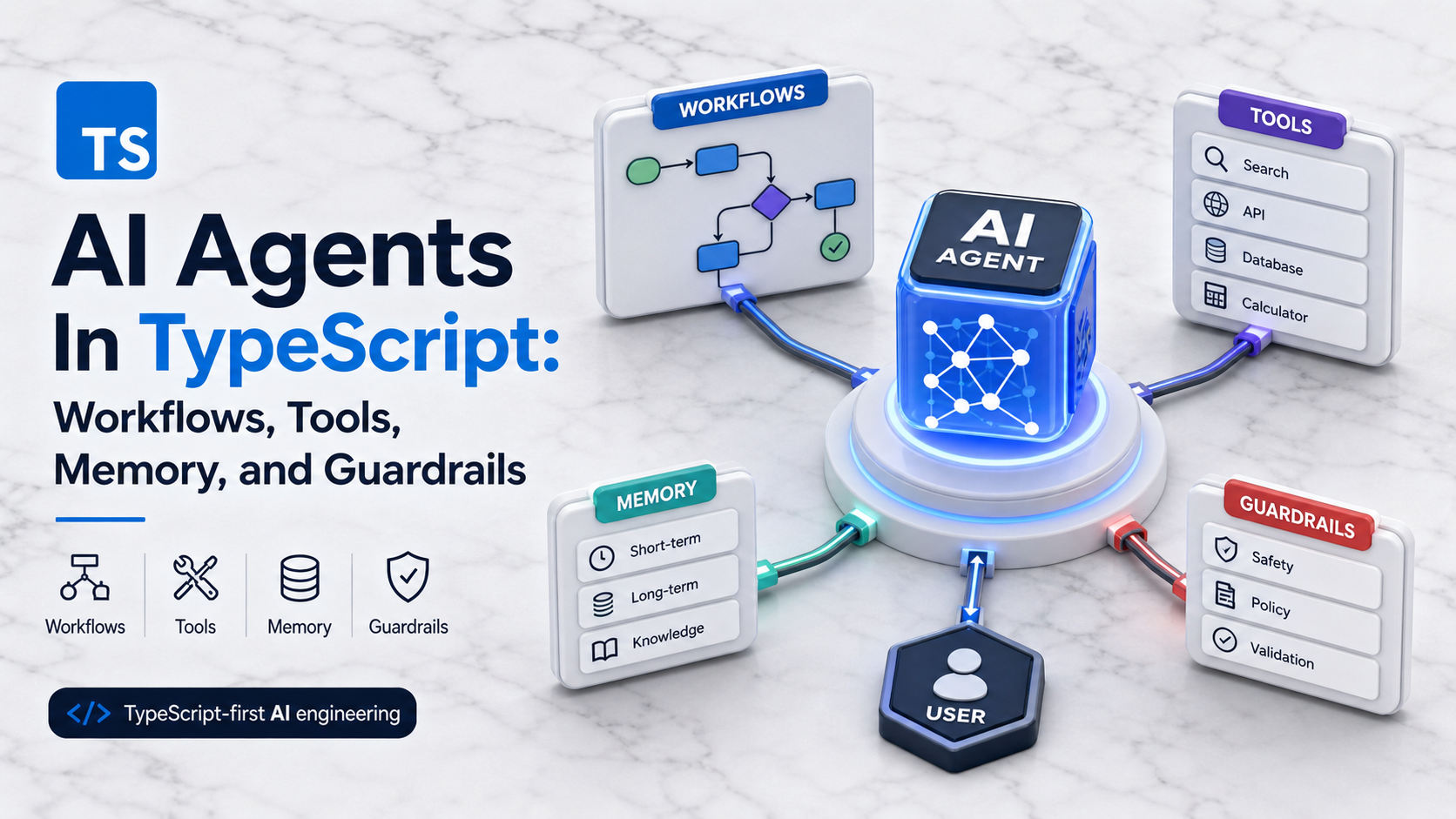
Anthropic's "Building Effective Agents" essay drew a line that's worth keeping: a workflow is a fixed graph of LLM calls (with branches, retries, and tool calls at known nodes), and an agent is a loop where the model decides which tool to call next, when to stop, and what to return. Both are useful. They have different failure modes.
A workflow is what you want when the steps are known: classify the ticket, look up the customer, draft a reply, ask for human review if severity is high. The model picks values inside known slots. Latency and cost are predictable. Debugging is "what did node 3 produce."
An agent is what you reach for when the path is genuinely open-ended: research a question across multiple sources, debug a failing test in a repo, drive a multi-step internal tool. You're paying for flexibility with unpredictability — the loop might take 2 steps or 12.
Most production "agents" should be workflows. Default to a workflow. Only escalate when you've actually seen the workflow be too rigid.
A Workflow With The Vercel AI SDK
You don't need a framework for a workflow. You need composition.
import { generateObject, generateText } from "ai";
import { openai } from "@ai-sdk/openai";
import { z } from "zod";

async function classify(message: string) {
  const { object } = await generateObject({
    model: openai("gpt-4o-mini"),
    schema: z.object({
      intent: z.enum(["billing", "bug", "feature", "other"]),
      severity: z.enum(["low", "medium", "high", "critical"]),
    }),
    prompt: message,
  });
  return object;
}

async function draftReply(message: string, intent: string) {
  const { text } = await generateText({
    model: openai("gpt-4o"),
    system: `You draft polite first-line support replies for ${intent} tickets.`,
    prompt: message,
  });
  return text;
}

export async function handleTicket(message: string) {
  const meta = await classify(message);
  if (meta.severity === "critical") return { route: "human", meta };
  const draft = await draftReply(message, meta.intent);
  return { route: "auto", meta, draft };
}
That's a workflow. Each node is a typed function. You can unit-test each one. You can swap models per node based on cost. You can replace classify with a deterministic rule and the rest still works.
When You Do Need A Loop, Use stopWhen
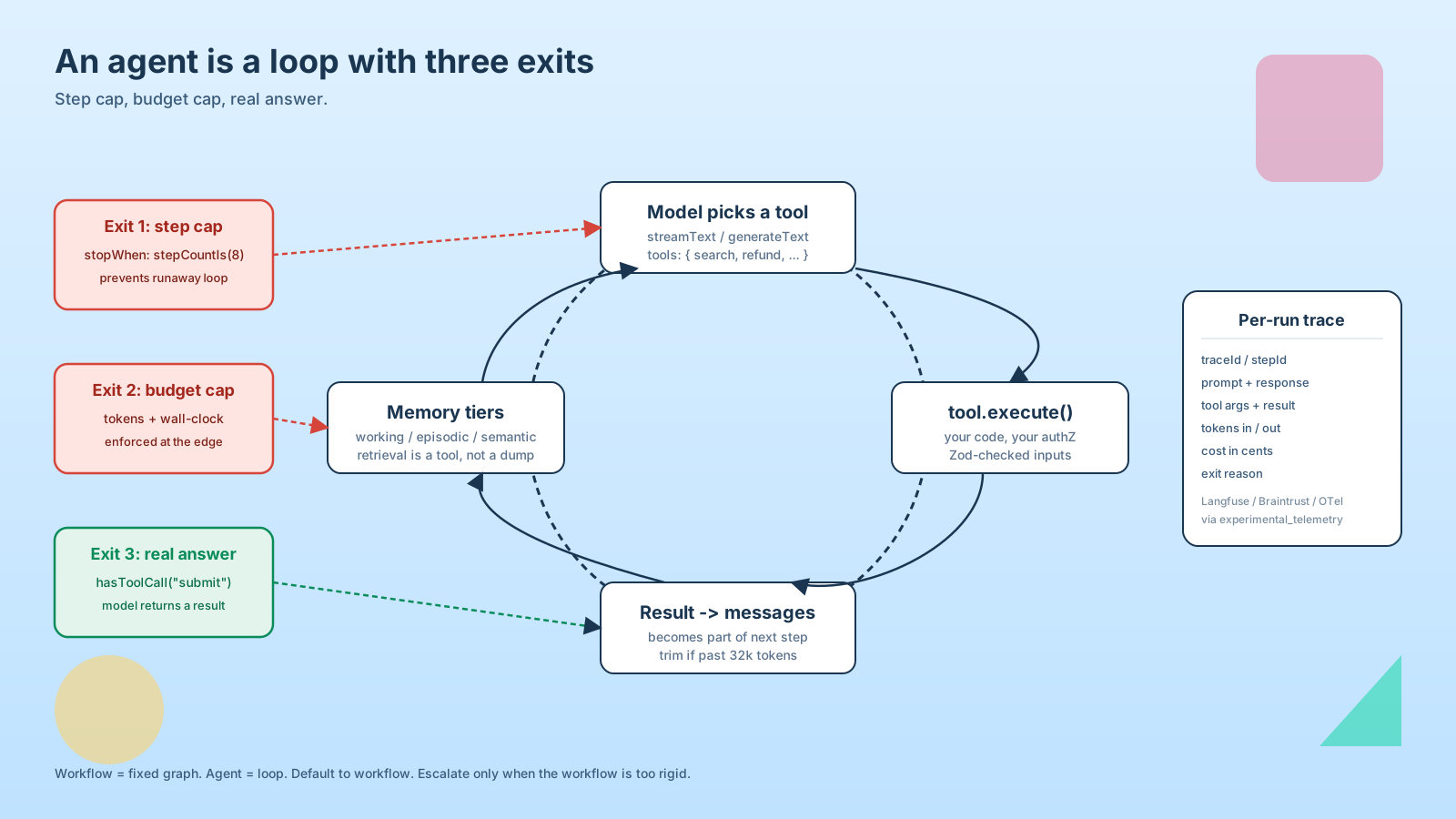
The Vercel AI SDK's streamText and generateText accept a stopWhen option that runs after each step (a step is one model call plus any tool executions). You can stop on step count, on a particular tool being called, or on a custom predicate. This is your guardrail against the runaway loop:
import { stepCountIs, hasToolCall, streamText } from "ai";

const result = streamText({
  model: openai("gpt-4o"),
  tools,
  messages,
  stopWhen: [stepCountIs(8), hasToolCall("submit_final_answer")],
});
Eight steps is a generous ceiling for most agents. If you're routinely hitting 15, the loop is doing the wrong job — either the prompt is unclear or the tools are shaped wrong. Increasing the cap is the lazy fix; reshaping the workflow is the real one.
Tools Need Real Schemas And Real Authorization
The biggest production-shaped mistake I see in agent code is treating tools like prompt suggestions. A tool is a function in your codebase that runs with your server's permissions. Treat it like you'd treat any other RPC — schema the inputs, enforce authorization inside the function, and never trust the values the model passed.
import { tool } from "ai";
import { z } from "zod";

const refundOrder = tool({
  description: "Issue a refund for an order. Only valid within 30 days of purchase.",
  inputSchema: z.object({
    orderId: z.uuid(),
    amountCents: z.number().int().positive(),
    reason: z.string().min(1).max(500),
  }),
  execute: async ({ orderId, amountCents, reason }, { messages }) => {
    const userId = messagesUserId(messages); // your own helper
    const order = await db.order.findUnique({ where: { id: orderId } });
    if (!order || order.userId !== userId) throw new Error("not found");
    if (Date.now() - order.createdAt.getTime() > 30 * 24 * 3600 * 1000) {
      return { ok: false, reason: "outside refund window" };
    }
    if (amountCents > order.totalCents) {
      return { ok: false, reason: "amount exceeds order total" };
    }
    return refundService.issue({ orderId, amountCents, reason });
  },
});
A few things worth pointing out. The model can lie about orderId, so the function re-fetches and re-checks ownership. The 30-day rule is in code, not in the prompt — putting business rules in prompts is asking for it. And when the rule is violated, the function returns a structured { ok: false } instead of throwing, so the model sees a useful signal and can apologize to the user instead of crashing the loop.
Memory: Three Tiers, Not One Vector Database
"Add memory" usually gets read as "drop everything in pgvector." That's one tier of memory. There are three:
- Working memory is the messages array for the current turn. The SDK keeps it for you. Trim it before it gets too long — once you're past 32k tokens, every step gets slower and more expensive, and the model's recall of the early turns degrades anyway.
- Episodic memory is the history of past sessions. Store summaries, not full transcripts. A 200-token rolling summary per conversation is usually enough to give the next session context.
- Semantic memory is your knowledge base — the docs, FAQs, schemas the agent might need to look up. This is where retrieval lives, and it should be a tool the agent calls, not data you stuff into every prompt.
Most "memory bugs" are tier-confusion bugs. The agent forgot something because you stuffed it into the prompt instead of giving it a searchMemory tool. Or it remembered something stale because you concatenated the entire conversation history without summarization.
Budget Caps Belong At The Edge
A step cap stops the model from looping forever. A token budget stops a single misbehaving step from costing $4. A wall-clock timeout stops a stuck tool from holding open a request. You want all three, set at the edge of the agent function:
const result = await Promise.race([
  runAgent(input),
  new Promise<never>((_, reject) =>
    setTimeout(() => reject(new Error("agent timed out")), 60_000),
  ),
]);
For real systems, push long-running agents into a job queue (Inngest, Trigger.dev, BullMQ) where the timeout, retry, and budget are first-class concepts and the user-facing request returns a job ID immediately.
When LangGraph Earns Its Place
For most apps, "a few typed functions and stopWhen" is enough. When you need real graph structure — checkpointing across steps, human-in-the-loop pauses, replayable runs, branching state machines — LangGraph (the JS package @langchain/langgraph) is the boring, correct choice. It's not magic; it's an explicit graph runner with persistence. Reach for it when your "loop" has real structure that's hard to express with stopWhen, not because the README looks impressive.
Logging Is Non-Negotiable
You cannot debug an agent you can't replay. For every run, log: the input, every step's prompt and response, every tool call's args and result, total tokens, total cost, exit reason. A traceId per run, a stepId per step. Tools like Langfuse and Braintrust are built for exactly this and integrate with the AI SDK via experimental_telemetry. Even structured console.log to your existing log pipeline is enough to start. The point is: when a user reports "the agent did the wrong thing," you can pull up exactly what happened, and not guess.
A One-Sentence Mental Model
An agent is a loop with a non-deterministic step in the middle — TypeScript and Zod give you the typed seams, stopWhen and a job queue give you the exits, and most of what looks like "agent quality" is really workflow design dressed up to look more autonomous than it is.