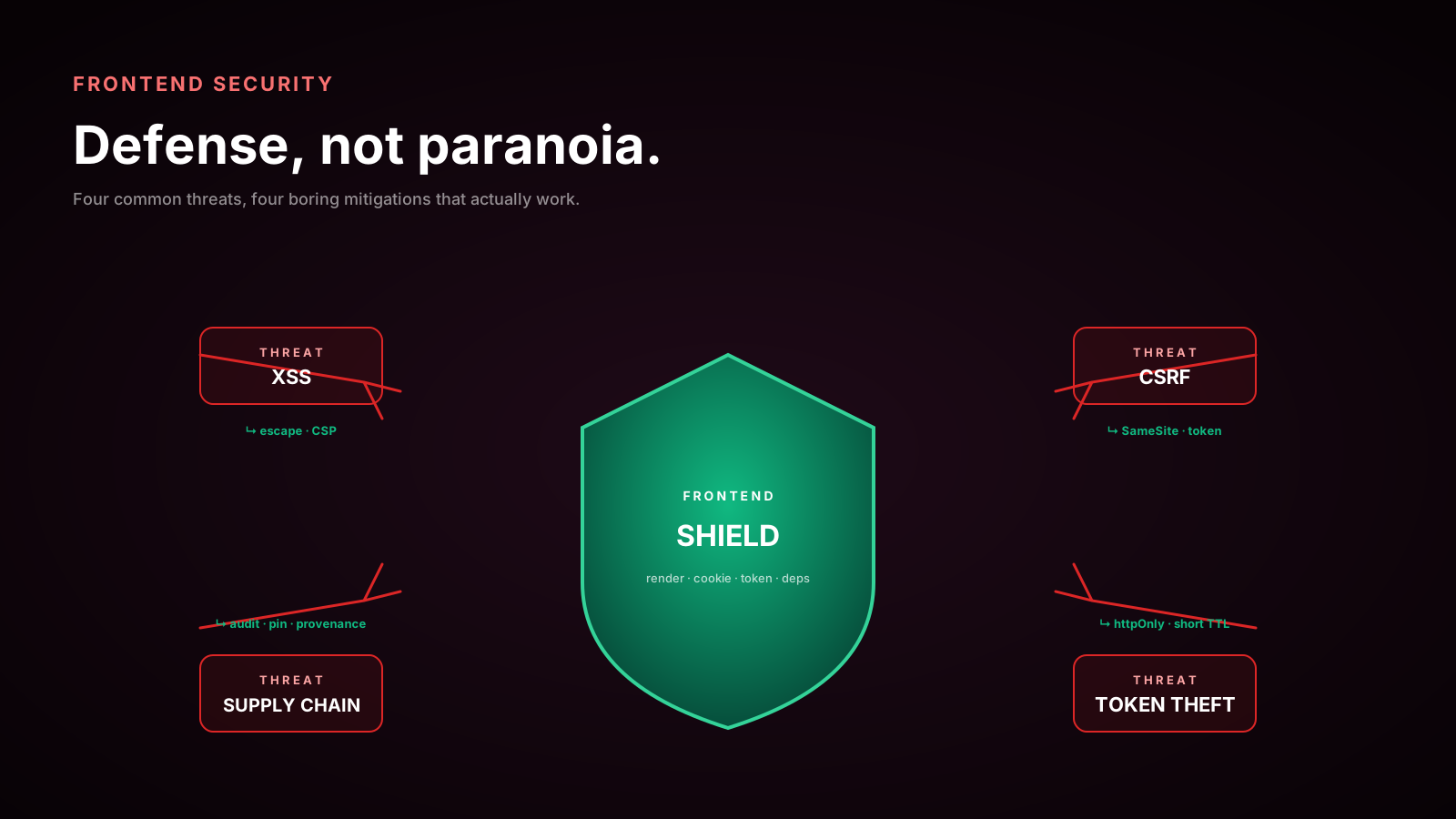
The first time I deployed a strict CSP, I broke production for about forty minutes. Stripe Elements stopped loading. Google Analytics went silent. Sentry's session replay dropped frames. My own React bundle worked fine — which made things worse, because the app looked alive while every third-party feature quietly fell over. The fix was straightforward once I understood the shape of the problem, but the experience taught me something I have repeated to every team I have worked with since: CSP is not something you ship. It is something you ramp.
This article is a tour of how to actually get a Content Security Policy live in front of a real product, in a real browser, without the version of CSP rollout that ends in a frantic Friday rollback.
What CSP Actually Does
CSP is an HTTP response header — Content-Security-Policy — that the browser reads on every page load. It is a per-origin allowlist of where scripts, styles, images, fonts, frames, and network requests may come from, and which inline patterns the page may execute.
Without CSP, the browser trusts anything the document points at. With CSP, the browser refuses to load or run anything that is not explicitly permitted.
A small, useful policy:
Content-Security-Policy:
  default-src 'self';
  img-src 'self' data: https://images.example.com;
  font-src 'self' https://fonts.gstatic.com;
  style-src 'self' 'unsafe-inline' https://fonts.googleapis.com;
  script-src 'self';
  connect-src 'self' https://api.example.com;
  frame-ancestors 'none';
  base-uri 'self';
  form-action 'self';
default-src 'self' is the catch-all. Everything else either narrows or specifically allows another origin. The browser enforces this before the resource is fetched. An XSS payload that injects <script src="https://evil.com/x.js"> will simply not execute — the browser refuses to fetch it.
That is the prize. The price is that everything legitimate has to be on the list, by design.
The unsafe-inline Trap
The fastest way to make CSP "work" is to add 'unsafe-inline' to script-src. The fastest way to make CSP useless is the same line. Inline scripts are exactly how XSS payloads execute in practice — <img src=x onerror=...>, <script>...</script> injected into a comment field, an onclick handler smuggled through a markdown renderer. Allow inline and you have given the attacker the same surface they had before the policy was there.
Modern build tools mostly do not need inline scripts. Webpack, Vite, Turbopack, esbuild — they all emit external .js files. The places inline still creeps in:
- Framework-injected hydration scripts (Next.js, Nuxt, Remix).
- Analytics snippets pasted into the HTML head.
- Stripe, Intercom, Cloudflare Turnstile, and the long tail of widget loaders.
- Custom inline
JSON-LDschemas for SEO.
You handle them with one of two CSP features.
Nonces, Hashes, And strict-dynamic
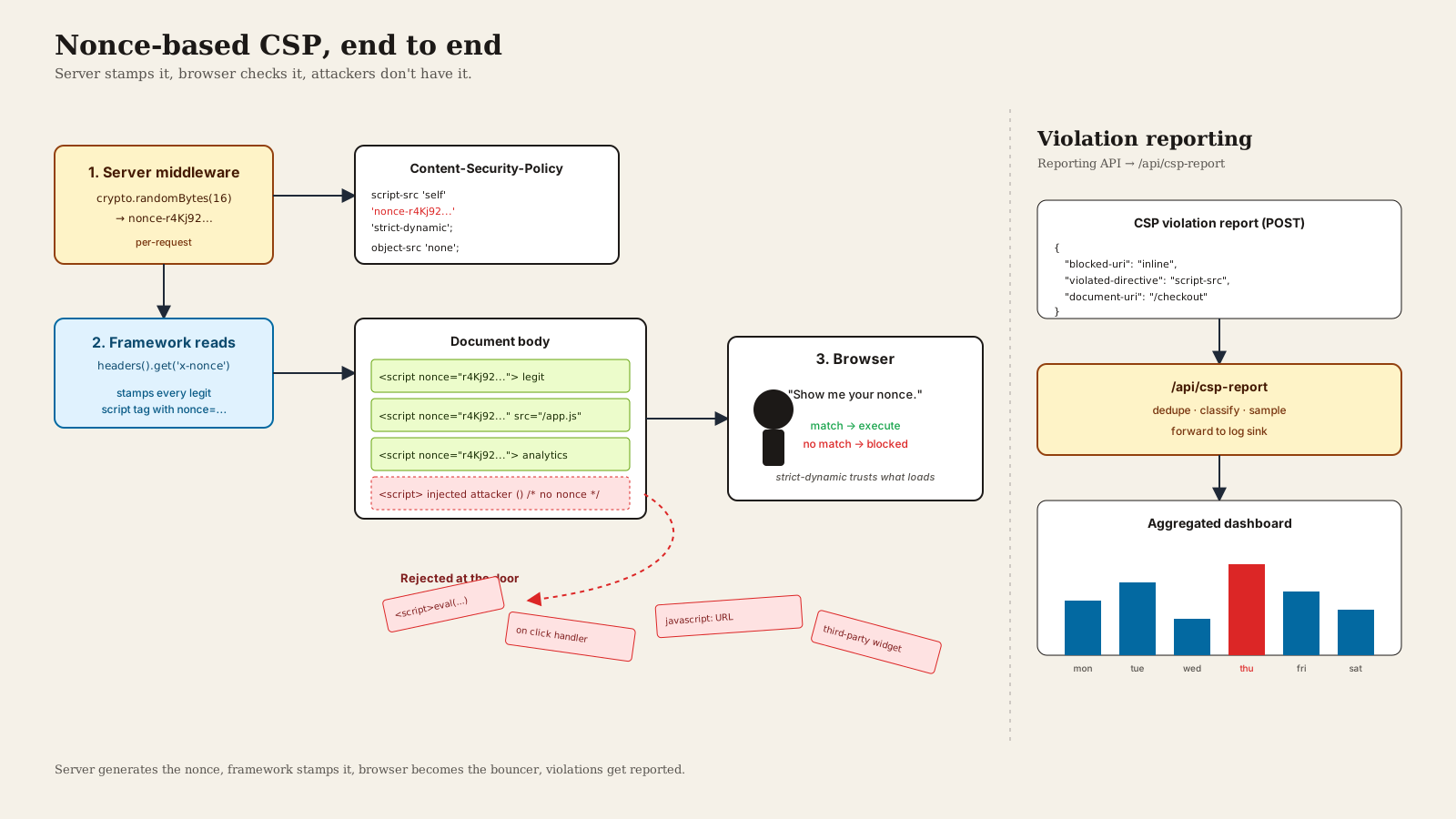
A nonce is a one-time random string the server generates per request and writes into both the CSP header and every inline <script> tag it owns. The browser executes only inline scripts whose nonce attribute matches the header.
Content-Security-Policy: script-src 'nonce-9F4cQ2k1' 'strict-dynamic';<script nonce="9F4cQ2k1">window.__INITIAL_DATA__ = { ... };</script>A hash is the SHA-256 of the inline script body, base64-encoded, and listed in the policy. Useful for static inline scripts you control entirely:
script-src 'sha256-cy0p1RvAr84I35yTm0mLTnvZ5mnLIWQHKr9D7T1S6tQ=';'strict-dynamic' is the keyword that makes nonce-based policies actually scale. With it, a script that the browser already trusted (because it carried a valid nonce, or the page is served as the document itself) is allowed to load further scripts dynamically without each new origin having to be allowlisted. That is what lets next/script lazy-load a third-party tag through a nonce'd loader without you maintaining a list of CDN hosts.
script-src 'nonce-9F4cQ2k1' 'strict-dynamic' 'unsafe-inline' https:;The trick: in CSP Level 3 browsers, 'strict-dynamic' overrides host expressions and 'unsafe-inline'. Older browsers ignore 'strict-dynamic' and fall back to the allowlisted hosts. This is the recommended Google strict CSP shape and it is genuinely the easiest path to a maintainable policy in 2025.
CSP In Next.js
Next.js (13.5 and up, including 14 and 15) has first-class nonce support through middleware. Generate a nonce per request, write it into both the CSP header and a request header, and next/script plus the App Router runtime read it from there.
// middleware.ts
import { NextResponse, type NextRequest } from 'next/server';

export function middleware(req: NextRequest) {
  const nonce = crypto.randomUUID().replace(/-/g, '');

  const csp = [
    `default-src 'self'`,
    `script-src 'self' 'nonce-${nonce}' 'strict-dynamic'`,
    `style-src 'self' 'unsafe-inline'`,
    `img-src 'self' data: blob:`,
    `connect-src 'self' https://api.example.com`,
    `frame-ancestors 'none'`,
    `base-uri 'self'`,
  ].join('; ');

  const reqHeaders = new Headers(req.headers);
  reqHeaders.set('x-nonce', nonce);

  const res = NextResponse.next({ request: { headers: reqHeaders } });
  res.headers.set('Content-Security-Policy', csp);
  return res;
}

export const config = { matcher: '/((?!_next/static|_next/image|favicon.ico).*)' };
In a server component, headers().get('x-nonce') gives you the nonce, which you can pass into <Script nonce={...} /> for any third-party loader. App Router's runtime injects the same nonce into its own bootstrap scripts automatically.
There are two specific failure modes to know about. First, caching: if a CDN caches the HTML response, every visitor gets the same nonce, which defeats the purpose. Either disable caching for HTML, or use edge middleware to mint the nonce per response. Second, preload links: scripts loaded via <link rel="modulepreload"> need 'strict-dynamic' to be respected, which is why the policy above uses it.
Roll Out With Report-Only First
Never enable enforcement on day one. Use the report-only counterpart:
Content-Security-Policy-Report-Only:
  default-src 'self';
  script-src 'self' 'nonce-9F4cQ2k1' 'strict-dynamic';
  report-to csp-endpoint;
The browser still evaluates the policy on every load. It still tells you about every violation. But it does not block anything — your page works exactly as before.
Pair it with the modern Reporting API:
Reporting-Endpoints: csp-endpoint="/api/csp-report"The older report-uri directive is deprecated in CSP Level 3 in favor of report-to plus the Reporting-Endpoints header. Most browsers still accept both, so list both during the transition:
Content-Security-Policy-Report-Only:
  default-src 'self';
  script-src 'self' 'nonce-9F4cQ2k1' 'strict-dynamic';
  report-uri /api/csp-report;
  report-to csp-endpoint;
Build the receiving endpoint to accept JSON application/csp-report and application/reports+json payloads, write them to a queryable store (Datadog, Loki, even a Postgres table will do), and let the data sit there for at least a week of real traffic before you flip from report-only to enforcing.
Reading The Reports
A report-only deployment will surface violations you did not predict. The ones I see most often:
- Marketing-tag origins. Whatever the marketing team added to GTM yesterday is now showing up in the report stream. Add what is legitimate, ignore what is not.
- Browser extensions. Lots of
chrome-extension://andmoz-extension://reports. These are users' own extensions injecting scripts. You do not control these and should not allowlist them — filter them out of the dashboard, do not chase them. - Inline event handlers in legacy partials.
onclick,onmouseoverleft over from a 2018 admin tool. Replace with properaddEventListenercalls. - Third-party iframes you forgot existed. A YouTube embed in a help article triggers a
frame-srcviolation. Decide whether to allowlist or remove. data:andblob:for fonts and images. Often legitimate (web fonts, generated thumbnails). Adddata:tofont-srcandimg-srcas needed.
The pattern: report-only collects the truth, you triage it for a week, you update the policy until the report stream is just noise (extensions and bots), and only then do you switch the header from Content-Security-Policy-Report-Only to Content-Security-Policy.
Beyond Script Source
CSP is more than script-src. Three directives in particular are worth setting on every site:
frame-ancestors 'none'(or'self') replaces the olderX-Frame-Optionsheader and prevents clickjacking by refusing to be embedded in another site's iframe.base-uri 'self'stops an injected<base href="https://evil.com">from rewriting the base URL of every relative path on the page.form-action 'self'stops a form-injection XSS from posting credentials to an attacker-controlled URL.
These cost nothing and close meaningful gaps.
A One-Sentence Mental Model
CSP is the browser's last line of defense against the XSS you did not catch in code review — ship it report-only first, watch what breaks for a week, move to nonces with strict-dynamic so you never have to touch the policy when marketing adds a new tag, and route violations through the Reporting API so you actually see what the browser is seeing.