Have you ever opened a controller, seen a beautiful three-line Eloquent query, and thought, "Nice, this code is clean"? Then production says hello, the endpoint slows down, memory spikes, and suddenly that clean code feels a little suspicious.
That's the funny thing about Eloquent. It's one of Laravel's biggest productivity wins, but it can also hide the database work that matters most. It's like driving an automatic car: smooth, comfortable, and great for most trips — until you need to understand why the engine is overheating.
Raw SQL is the opposite. Less elegant, more explicit, sometimes annoying, but brutally honest. It shows you exactly what the database is asked to do.
The Real Difference Is Not Syntax
Most comparisons start with syntax. Eloquent looks like PHP. SQL looks like SQL. That's true, but it's not the important part.
The real difference is visibility.
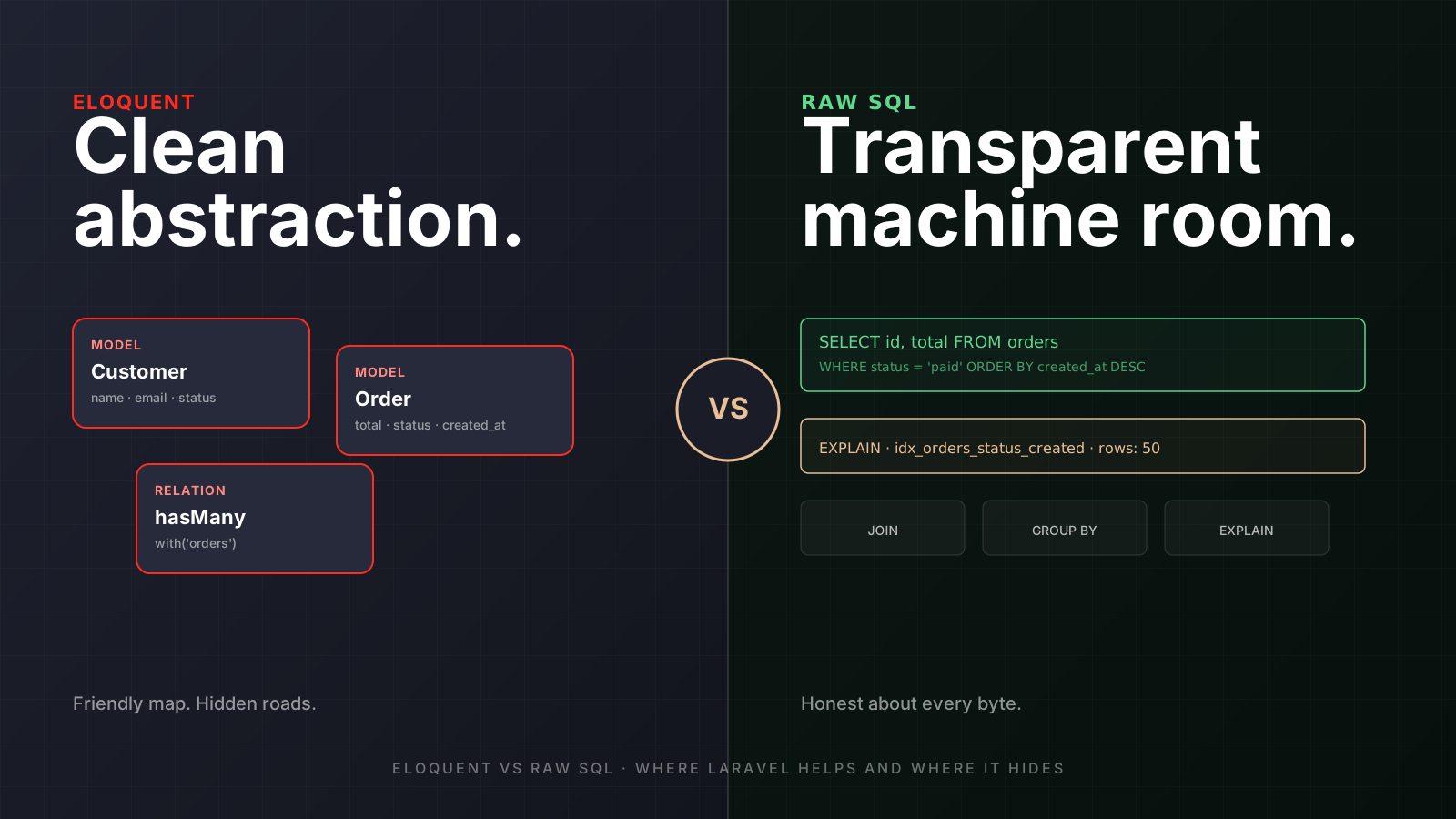
With Eloquent, you describe intent through models, relationships, scopes, and collections. With raw SQL, you describe the actual query shape. One is a map with friendly labels. The other is the road itself, potholes included.
Where Eloquent Helps
Eloquent is excellent when your code needs to express business concepts clearly.
This example shows a readable query for active customers with their latest orders:
$customers = Customer::query()
    ->where('status', 'active')
    ->with(['latestOrder'])
    ->latest()
    ->paginate(25);
The important part is not that it's short. The important part is that another Laravel developer can read it quickly and understand the business intent.
Eloquent shines in places like:
- Simple CRUD flows — Creating, updating, and deleting models is easier when the table maps cleanly to an entity.
- Relationship-heavy business code —
User,Order,Subscription, andPaymentMethodare easier to reason about as objects. - Reusable constraints — Local scopes like
active(),paid(), orvisibleTo()keep repeated rules out of controllers. - API serialization — Models work naturally with resources, policies, casts, and accessors.
- Developer onboarding — Eloquent makes the domain easier to navigate before someone knows every table.
Eloquent is like a well-designed dashboard in a car. You don't need to inspect the fuel pump every time you drive to the grocery store. You just need reliable signals.
Where Eloquent Starts Hiding Too Much
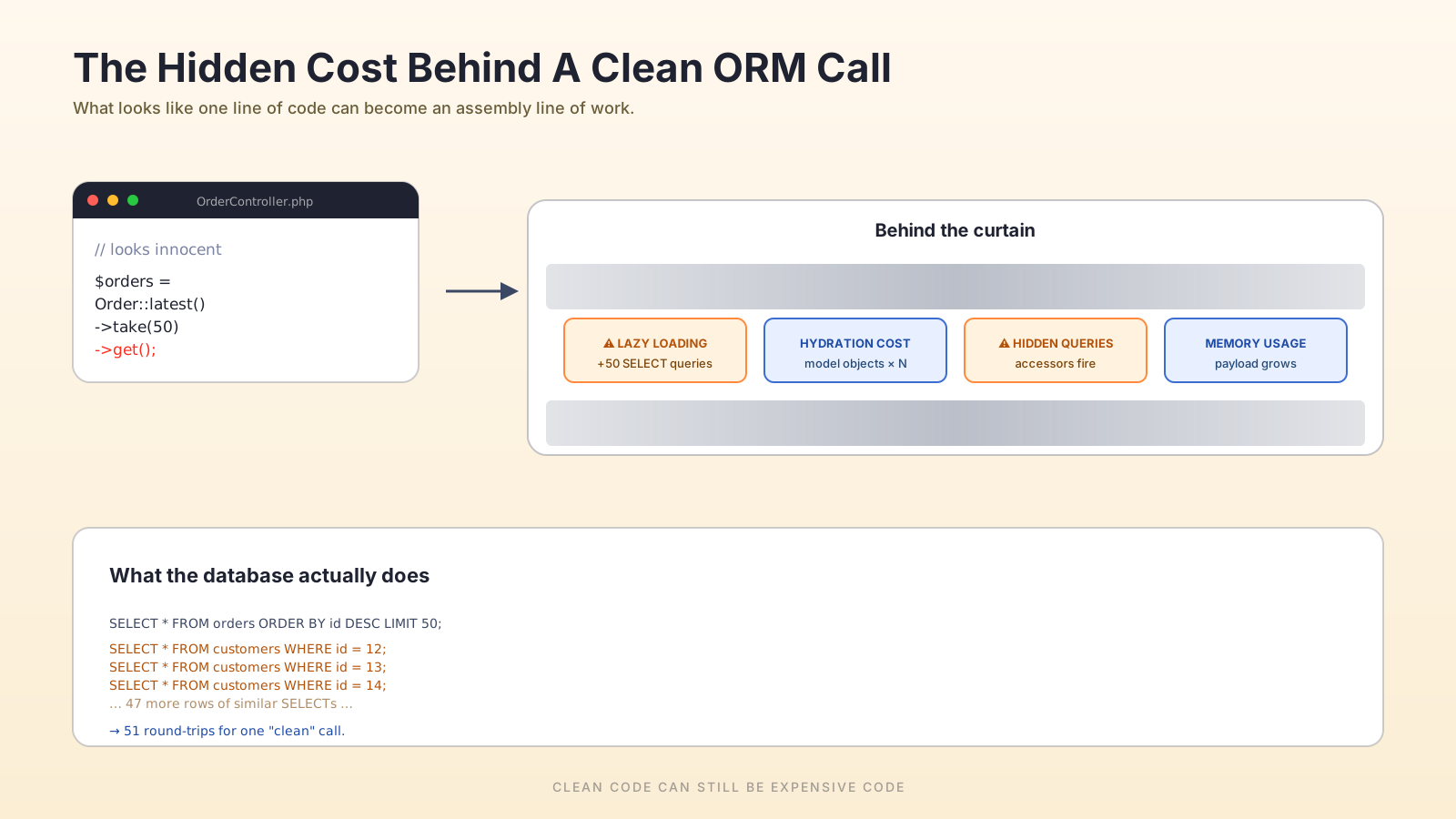
The trouble starts when the query is simple in PHP but expensive in SQL.
This is the classic N+1 query problem:
$orders = Order::latest()->take(100)->get();

foreach ($orders as $order) {
    echo $order->customer->email;
}
That code looks harmless, but it can run one query for the orders and then one extra query per customer. So 100 orders may become 101 queries.
The fix is small, but the production impact is huge:
$orders = Order::query()
    ->with('customer')
    ->latest()
    ->take(100)
    ->get();

foreach ($orders as $order) {
    echo $order->customer->email;
}
Now Laravel fetches the related customers in advance. The code still reads nicely, but the database work is controlled.
Common Eloquent Problems
- Hidden lazy loading — A relationship access can silently trigger more queries.
- Too much hydration — Turning thousands of rows into full PHP objects costs memory.
- Wide selects —
select *feels convenient until large JSON/text columns are loaded unnecessarily. - Collection filtering after the query — Filtering in PHP can move database work into application memory.
- Deep relationship chains —
$user->company->plan->featurescan hide multiple database trips.
The dangerous part is that none of this looks scary during code review. A slow SQL query often screams. A slow ORM query smiles politely.
When Raw SQL Is The Better Tool
Raw SQL is not a betrayal of Laravel. It's a tool. Senior engineers don't choose abstractions because they're pretty; they choose the clearest tool for the risk.
Raw SQL becomes attractive when you need exact control over:
- Aggregations — Reporting queries often need
GROUP BY, window functions, or derived tables. - Large exports — You may not want to hydrate every row into a model.
- Complex joins — The SQL shape matters more than model elegance.
- Database-specific features — PostgreSQL JSONB operators, MySQL optimizer hints, full-text search, or custom indexes.
- Performance debugging — It's easier to run
EXPLAINagainst a clear query.
This query is not "beautiful" PHP, but it is honest about what the database is doing:
$rows = DB::select(
    'SELECT DATE(created_at) as day, SUM(total_cents) as revenue
     FROM orders
     WHERE status = ?
       AND created_at >= ?
     GROUP BY DATE(created_at)
     ORDER BY day',
    ['paid', now()->subDays(30)]
);
You don't need an Order model here. You need a revenue report. Hydrating models would just add weight.
Raw SQL is like opening the hood. You don't do it for every drive, but when smoke appears, the dashboard is not enough.
The Middle Ground: Query Builder
Laravel's query builder is often the best compromise.
You get parameter binding, composability, and Laravel ergonomics without full model hydration.
This example fetches only the data needed for an admin table:
$orders = DB::table('orders')
    ->join('customers', 'customers.id', '=', 'orders.customer_id')
    ->select([
        'orders.id',
        'orders.total_cents',
        'orders.status',
        'customers.email as customer_email',
    ])
    ->where('orders.created_at', '>=', now()->subDays(7))
    ->orderByDesc('orders.id')
    ->limit(100)
    ->get();
You avoid model overhead, avoid accidental relationships, and still keep the query readable.
This is the "manual mode" of Laravel database work. You're still in the Laravel car, but now you choose the gear.
How To Decide In Real Projects
A useful rule: start with Eloquent when it expresses the domain clearly, then move down the abstraction stack when the database shape becomes more important than the model shape.
Here's a practical decision path:
- Use Eloquent for business entities — If you are enforcing model rules, policies, relationships, or lifecycle behavior, Eloquent fits.
- Use eager loading early — If a relationship appears inside a loop, assume it needs
with()until proven otherwise. - Use query builder for lists and dashboards — If the screen shows flat rows, don't hydrate full objects by default.
- Use raw SQL for specialized queries — Reports, analytics, window functions, and tuned database features deserve explicit SQL.
- Measure before rewriting — Use logs, Telescope, Pulse, slow query logs, or database
EXPLAINbefore guessing.
Guessing at performance is like tuning a guitar by staring at it. You might get lucky, but probably not.
Profiling Is The Habit That Saves You
The fastest way to keep Eloquent honest is to make it visible during development.
A few habits that pay back many times over:
- Log every query in dev. A
DB::listen()callback inAppServiceProvider::boot()can write each statement and bindings into a dedicated log channel. Open the log after a request, count the lines, and the N+1s usually show themselves. - Use Laravel Telescope or Debugbar locally. Both surface duplicate queries and hidden relationship loads next to the request that triggered them.
- Use Pulse and slow query logs in production. Pulse highlights slow endpoints and slow jobs at a glance, and the database's own slow query log captures the offenders that ORM tooling misses.
- Turn on
Model::preventLazyLoading()outside production. Wrap it inif (! app()->isProduction())insideAppServiceProvider::boot()so an accidental lazy load throws during tests instead of being a quiet production cost. - Check the explain plan, not just the timing. A query that's fast on dev data may scan millions of rows on production.
EXPLAINtells you which index is being used and which one is missing.
Here's a tiny snippet that turns invisible queries into a visible signal in dev:
public function boot(): void
{
    if (app()->isLocal()) {
        DB::listen(function ($query) {
            logger()->channel('queries')->debug($query->sql, [
                'time' => $query->time,
                'bindings' => $query->bindings,
            ]);
        });

        Model::preventLazyLoading();
    }
}
You're not optimizing here. You're refusing to fly blind.
Pro Tips
- Select only the columns you need —
select(['id', 'name'])can save memory when models have large payloads. - Prevent lazy loading locally — Laravel can help catch accidental relationship queries during development.
- Use
chunkById()for batch work — Avoid loading huge tables into memory at once. - Profile hydration cost — Sometimes the SQL is fast, but PHP object creation is slow.
- Keep raw SQL isolated — Put complex SQL in query objects or report classes, not random controllers.
This example shows a safer pattern for processing many users:
User::query()
    ->where('active', true)
    ->select(['id', 'email'])
    ->chunkById(500, function ($users) {
        foreach ($users as $user) {
            // Sync only the fields you actually need.
        }
    });
The lesson is simple: don't let a clean ORM line become a memory trap.
Final Tips
I've seen codebases where teams blamed "Laravel performance" when the real issue was hidden ORM behavior. One endpoint looked clean, but it loaded thousands of models, touched three relationships per row, and then filtered the result in PHP. The framework wasn't the villain. The abstraction was being used past its comfort zone.
Going forward, treat Eloquent like a powerful assistant, not a database invisibility cloak. Let it speed you up, but don't let it hide the cost of your queries.
Use the abstraction. Read the SQL. Ship faster without flying blind 👊