So, you've got a controller that started innocent. It created an order, charged a card, sent an email, updated inventory, logged analytics, notified Slack, and maybe kicked off a CRM sync.
Then one day you scroll through it and think, "Who did this?" And the answer is painful: probably all of us, slowly, one feature at a time.
Laravel gives you events, listeners, and jobs to prevent that slow collapse. Not because every app needs architecture cosplay, but because business logic needs clear boundaries before it turns into a junk drawer.
The Problem Is Usually Not The Controller
Controllers get blamed a lot, but they're often just the crime scene.
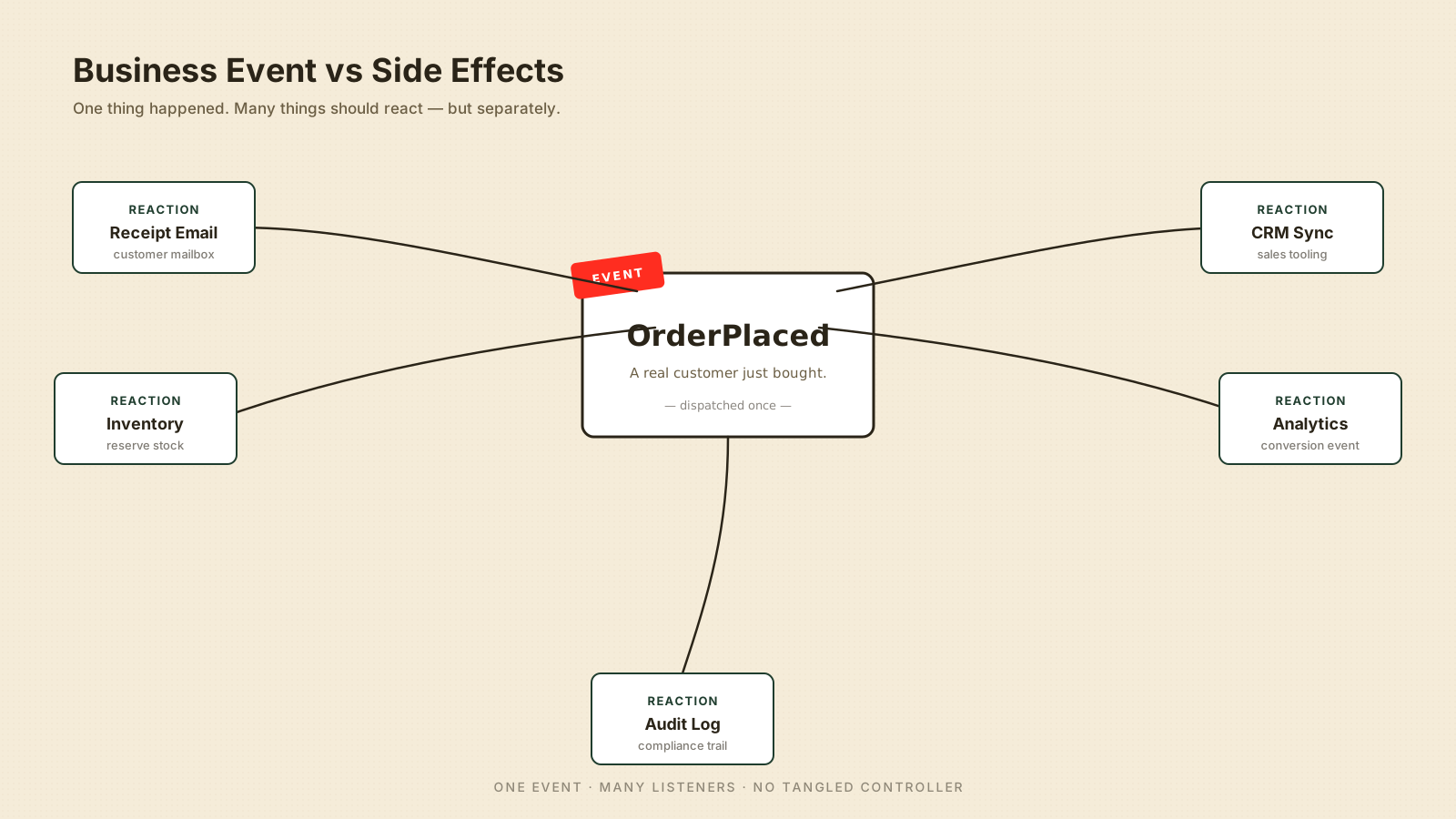
The real issue is mixing two different things:
- The business moment — Something meaningful happened, like
OrderPlaced. - The side effects — Send email, update search index, notify warehouse, track analytics.
When both live in the same method, the controller becomes a Christmas tree. Every new requirement hangs another ornament on it.
Here's the kind of code that grows too easily:
public function store(CheckoutRequest $request)
{
    $order = $this->checkout->placeOrder($request->user(), $request->validated());

    Mail::to($order->customer)->send(new OrderReceipt($order));
    Inventory::reserve($order);
    Analytics::track('order_placed', ['order_id' => $order->id]);
    Slack::notify(new NewOrderMessage($order));

    return new OrderResource($order);
}
The code works, but every line adds another reason this endpoint can fail. That's not a controller anymore. That's a tiny operations department.
Events Name The Business Moment
An event should describe something that already happened.
Not "send receipt." Not "sync CRM." Those are actions. The event is OrderPlaced, SubscriptionCancelled, InvoicePaid, or PasswordChanged.
This event carries the minimum useful context:
namespace App\Events;

use App\Models\Order;
use Illuminate\Foundation\Events\Dispatchable;

class OrderPlaced
{
    use Dispatchable;

    public function __construct(
        public readonly Order $order
    ) {}
}
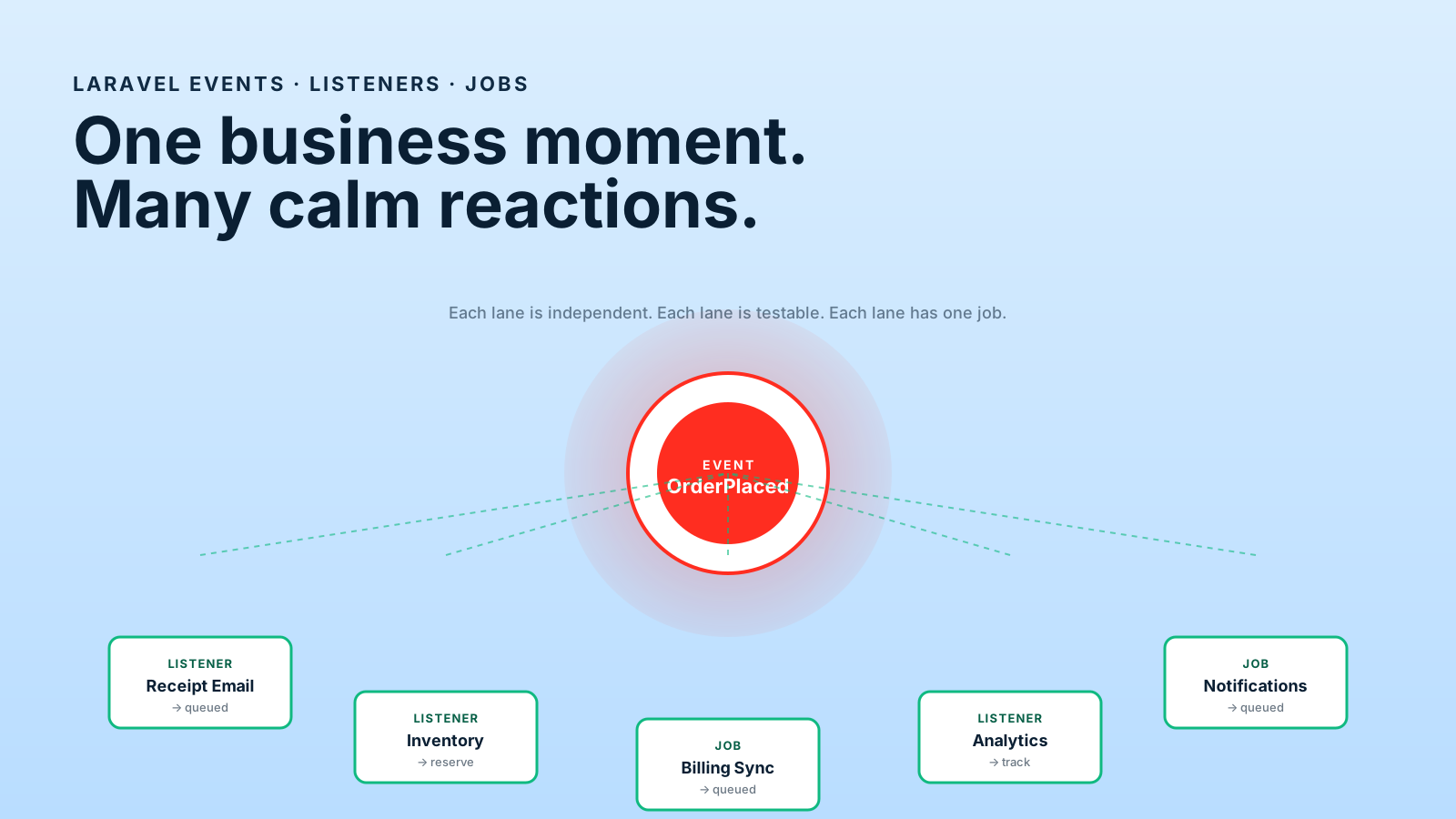
The name matters. A good event reads like a sentence from the business: "An order was placed."
Events are like ringing a bell in a hotel lobby. The bell does not carry luggage, clean rooms, and cook breakfast. It tells the right people that something needs attention.
Listeners Handle Independent Side Effects
A listener reacts to an event.
This is where you place behavior that should happen because the event happened, but is not the core transaction itself.
namespace App\Listeners;

use App\Events\OrderPlaced;
use App\Mail\OrderReceipt;
use Illuminate\Support\Facades\Mail;

class SendOrderReceipt
{
    public function handle(OrderPlaced $event): void
    {
        Mail::to($event->order->customer_email)
            ->send(new OrderReceipt($event->order));
    }
}
Now the checkout flow can stay focused:
public function placeOrder(User $user, array $data): Order
{
    $order = Order::create([
        'user_id' => $user->id,
        'total_cents' => $data['total_cents'],
        'status' => 'paid',
    ]);

    event(new OrderPlaced($order));

    return $order;
}
You've separated the moment from the reactions. That one move changes how the codebase feels.
Good Listener Candidates
- Emails and notifications — They matter, but they shouldn't clutter checkout logic.
- Analytics tracking — Useful, but usually not core business state.
- Search indexing — Important for discovery, but often asynchronous.
- CRM or webhook syncs — External systems should not dominate internal code.
- Audit logging — Useful across many business events.
Listeners are like departments in a company. Sales, finance, support, and warehouse all react to an order differently. The order shouldn't personally walk to every desk.
Jobs Move Slow Work Out Of The Request
A job is work that can run later, usually on a queue.
This matters because users should not wait for slow external calls when the main request is already complete.
A listener can dispatch a job:
namespace App\Listeners;

use App\Events\OrderPlaced;
use App\Jobs\SyncOrderToCrmJob;

class SyncOrderToCrm
{
    public function handle(OrderPlaced $event): void
    {
        SyncOrderToCrmJob::dispatch($event->order->id);
    }
}
The job can safely reload the model and talk to the external system:
namespace App\Jobs;

use App\Models\Order;
use Illuminate\Contracts\Queue\ShouldQueue;

class SyncOrderToCrmJob implements ShouldQueue
{
    public function handle(): void
    {
        $order = Order::findOrFail($this->orderId);

        // Send the order payload to the CRM.
    }

    public function __construct(
        public int $orderId
    ) {}
}
Notice the job receives an ID, not a giant object graph. That keeps serialization safer and avoids stale assumptions.
Jobs are like shipping labels. The request prints the label; the warehouse does the heavy lifting later.
Synchronous vs Queued Listeners
Not every listener should hit a queue. The right answer depends on what the listener actually does.
A synchronous listener runs inside the request that dispatched the event. It's the right call when the work is fast, must succeed before the response, or needs to share the same database transaction.
A queued listener implements ShouldQueue and runs on a worker. That's the right call when the work talks to a slow external API, sends email, processes files, or simply doesn't need to block the response.
class ReserveInventory
{
    // Synchronous: must complete before we tell the user "thanks for buying"
    public function handle(OrderPlaced $event): void
    {
        Inventory::reserveFor($event->order);
    }
}use Illuminate\Contracts\Queue\ShouldQueue;
class SyncOrderToCrm implements ShouldQueue
{
// Queued: the user shouldn't wait for an external API
public function handle(OrderPlaced $event): void
{
$this->crm->push($event->order->id);
}
}A useful test: if this fails, who needs to know within the next second? If the answer is "the user," keep it sync. If the answer is "the on-call engineer, eventually," queue it.
One subtle trap: a queued listener can run before the database transaction that dispatched the event commits. The fix is to use afterCommit() or ShouldDispatchAfterCommit so the listener only fires once the data is durable.
DB::transaction(function () use ($order) {
    $order->update(['status' => 'paid']);
    OrderPaid::dispatch($order); // listeners that read the row should see status=paid
});
In Laravel's modern config, queued listeners can be marked ShouldDispatchAfterCommit, or you can call ->afterCommit() when dispatching jobs. Either way, the rule is: don't ship side effects before the data they depend on.
Testing Events And Listeners
Events get easier to test once you separate the moment from the reaction.
Three small techniques cover most cases:
public function test_it_emits_order_placed(): void
{
    Event::fake([OrderPlaced::class]);

    $this->actingAs($this->user)->post('/checkout', $this->validPayload());

    Event::assertDispatched(OrderPlaced::class, function ($event) {
        return $event->order->status === 'paid';
    });
}
Event::fake() lets you assert that the moment happened without running every listener. That keeps the checkout test focused on checkout.
public function test_listener_sends_receipt(): void
{
    Mail::fake();

    (new SendOrderReceipt)->handle(new OrderPlaced(Order::factory()->create()));

    Mail::assertSent(OrderReceipt::class);
}
Listeners are just classes. Test them in isolation by constructing the event and calling handle() directly.
public function test_job_pushes_to_crm(): void
{
    Queue::fake();

    OrderPlaced::dispatch(Order::factory()->create());

    Queue::assertPushed(SyncOrderToCrmJob::class);
}
Queue::fake() proves the job was queued without actually running it. Combine that with a separate unit test for the job's handle() and you've covered the chain end to end without spinning up Redis.
What Should Stay Synchronous?
Not everything belongs in a queue. This is where senior judgment matters.
Some work must happen before you return success:
- Payment authorization — Don't say the order succeeded before the charge is confirmed.
- Inventory reservation — If overselling is dangerous, reserve before returning.
- Core database writes — The main business state should be durable.
- Validation and permission checks — Never push these into async work.
- User-facing result decisions — If the response depends on it, it probably stays synchronous.
A queue is not a trash can for hard problems. It's a delivery system for work that can happen after the business state is safe.
Avoiding Event Soup
Events can clean your code, but they can also create fog.
Event soup happens when nobody knows what runs after something happens. You dispatch one event and five hidden listeners change state across the app.
That's scary.
Practical Rules
- Name events after business facts — Use
OrderPlaced, notProcessOrderStuff. - Keep listeners small — A listener should do one reaction or dispatch one job.
- Avoid critical hidden mutations — If a listener changes core state, document it clearly.
- Use queues for slow side effects — Don't block requests with external APIs.
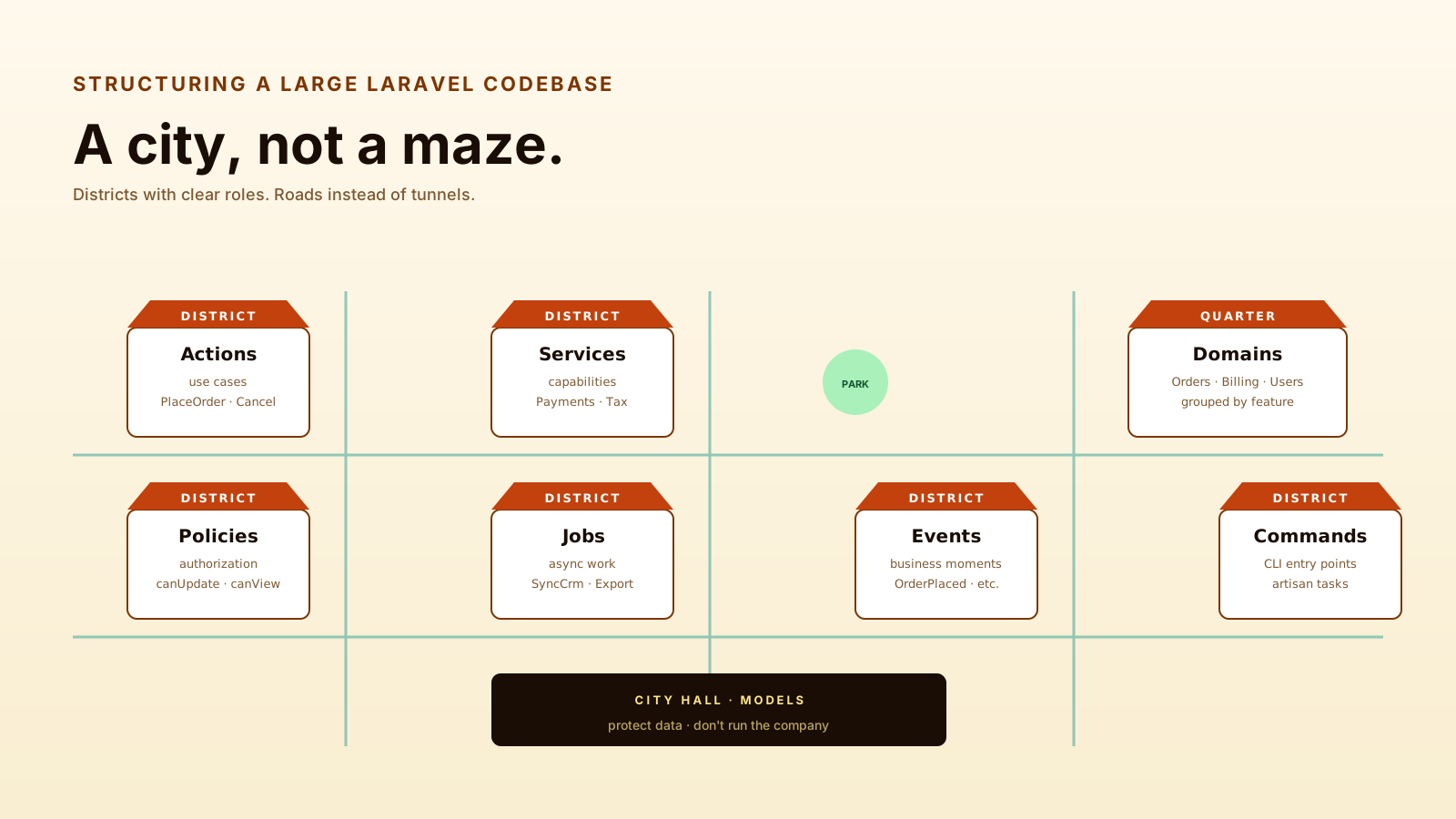
- Group by domain — Put order events near order logic when the app grows.
For example, a large app might use a domain-style folder:
app/
  Domain/
    Orders/
      Events/
        OrderPlaced.php
      Listeners/
        SendOrderReceipt.php
        ReserveInventory.php
      Jobs/
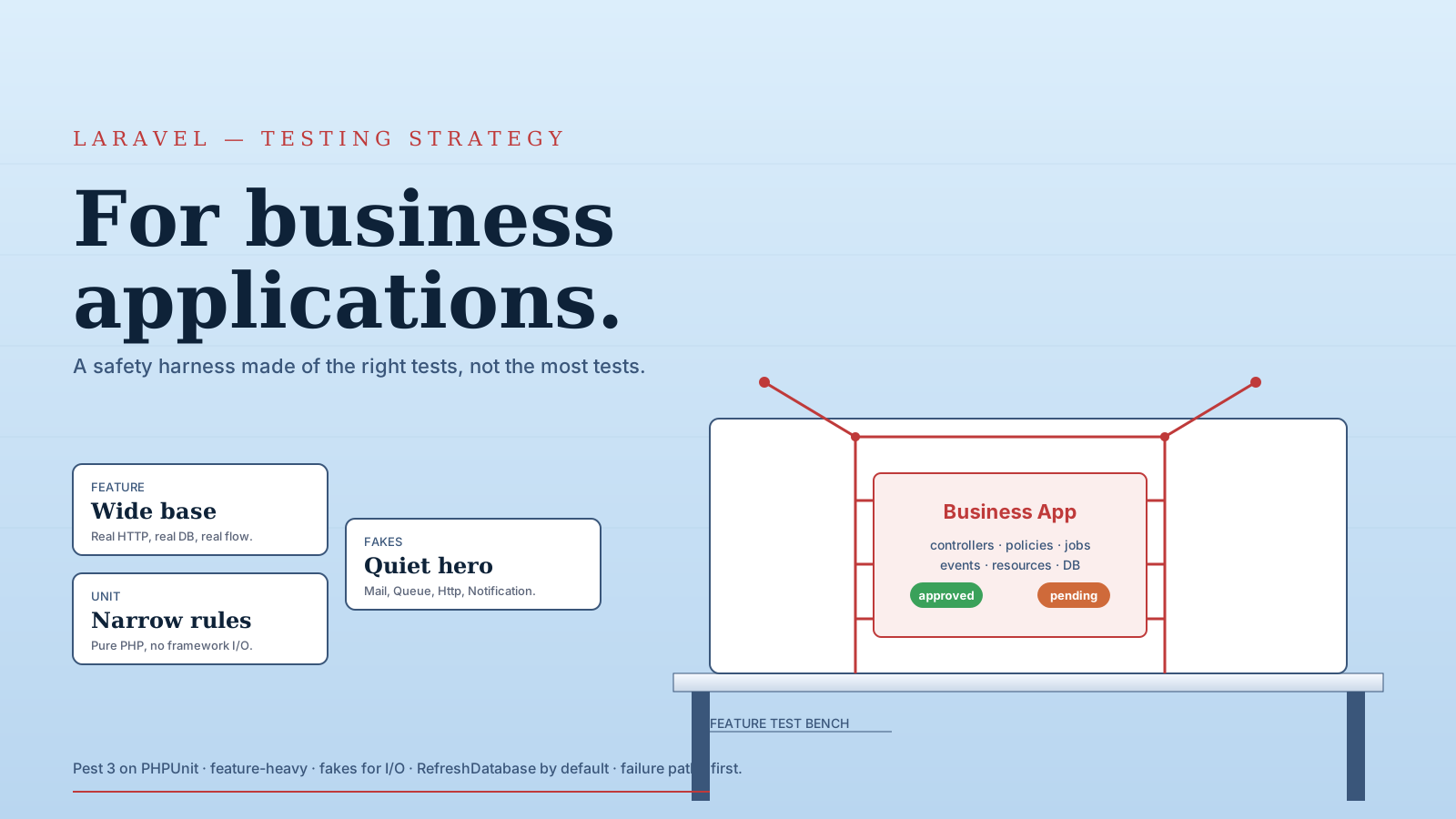
        SyncOrderToWarehouse.php
Laravel doesn't force this structure, but it can make the codebase easier to navigate.
Final Tips
I've worked in codebases where checkout logic became a museum of business decisions. Every old integration left a little fossil in the controller. Events and jobs didn't magically fix the design, but they gave us a way to move side effects into named, testable places.
Going forward, don't add events because architecture sounds fancy. Add them when a business moment has multiple reactions and you want the core flow to stay readable.
Keep the moment clear, move the side effects out, and your future self will owe you coffee ☕