Every large Laravel codebase eventually reaches the same awkward moment.
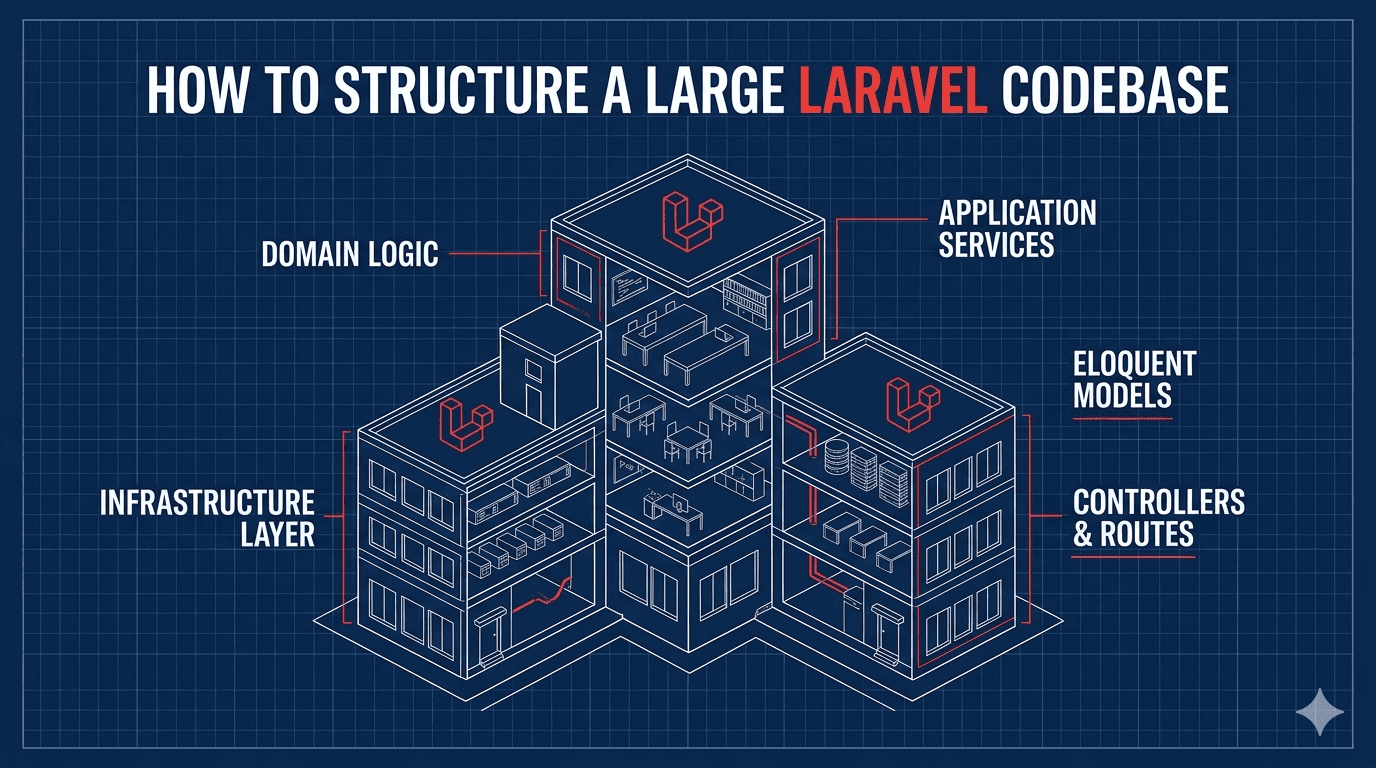
The app started clean. Controllers were small. Models made sense. Then product growth happened. Payments, subscriptions, admin tools, reports, permissions, integrations, queues, exports, webhooks, and feature flags all moved in.
Now the question appears: "Do we need a new architecture?"
Maybe. But the better question is: how do you add structure without fighting Laravel?
Laravel Gives You A Good Starting Point
Laravel's default structure is not childish. It's intentionally practical.
Controllers, models, requests, jobs, events, listeners, policies, commands, and resources are already meaningful places. You don't need to invent architecture on day one.
The problem is not Laravel's structure. The problem is letting every class do everything.
A controller should not be a checkout engine. A model should not be a payment gateway. A service should not become a 2,000-line basement where business logic disappears.
Laravel is like a well-organized garage. You can build serious things there, but only if you stop throwing every tool into the same drawer.
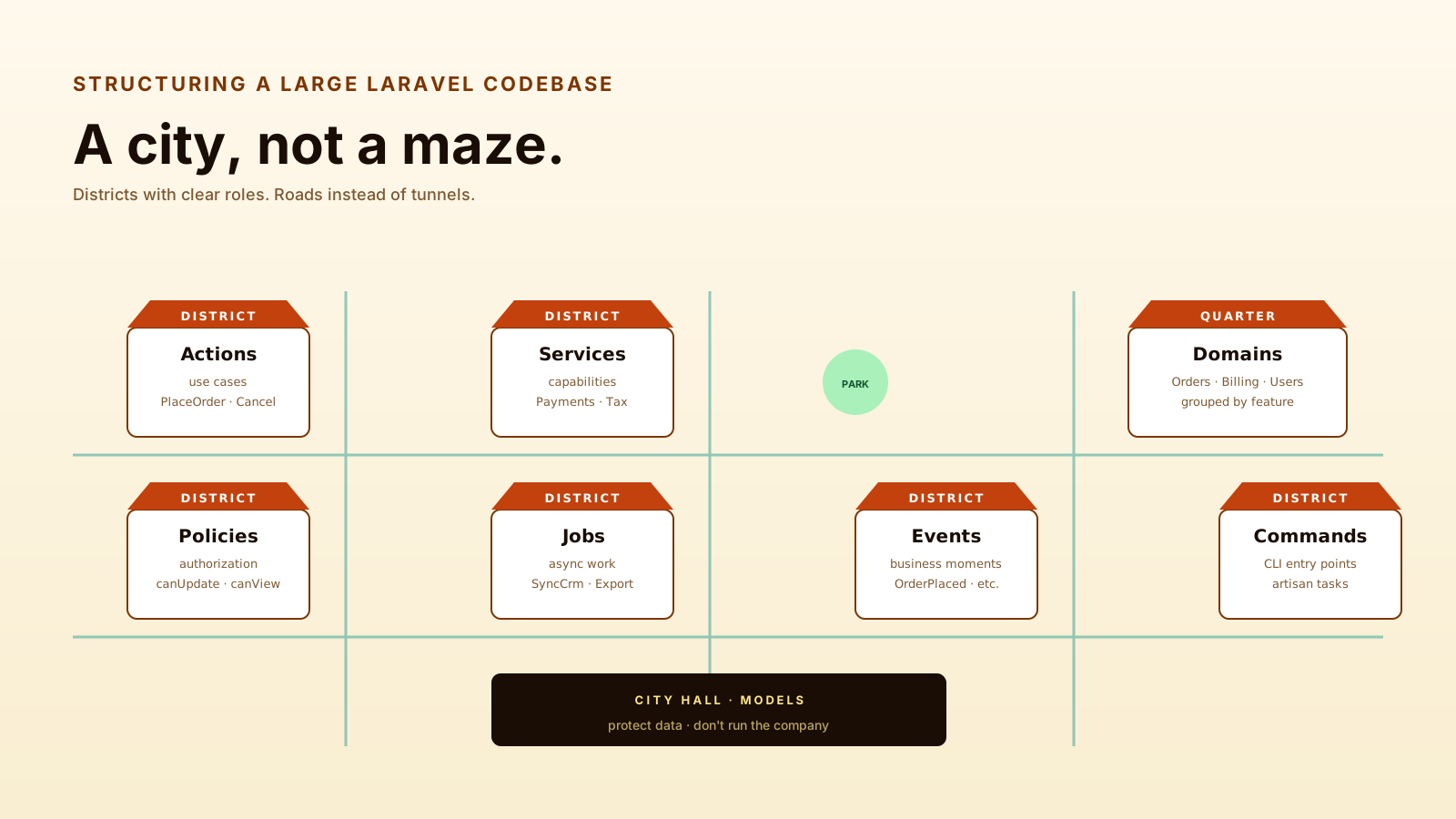
Start With Actions For Use Cases
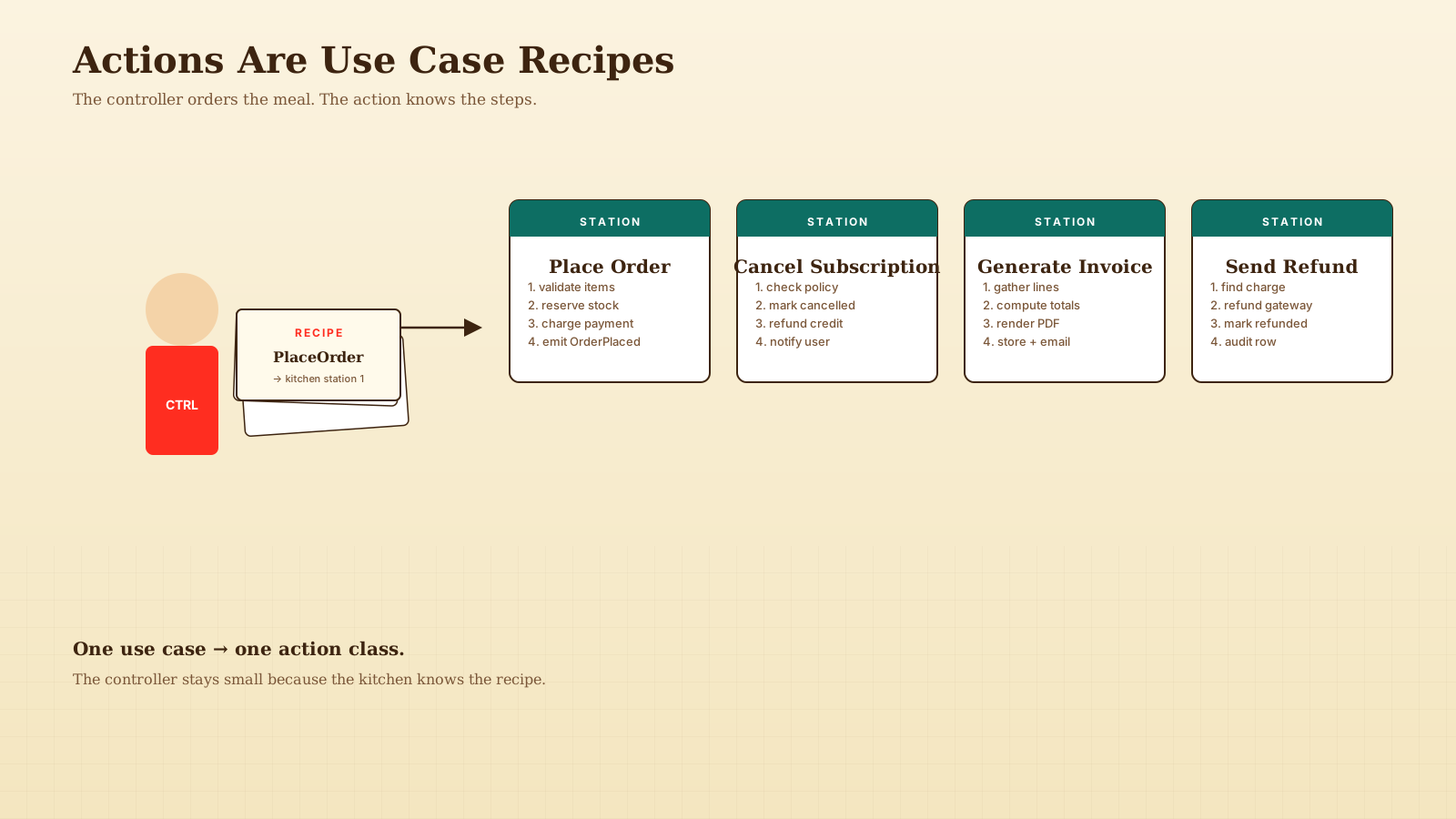
An action is a class that performs one business use case.
For example, placing an order is not just a model method and not just a controller detail. It's a use case.
namespace App\Actions\Orders;

use App\Models\Order;
use App\Models\User;

class PlaceOrder
{
    public function handle(User $user, array $data): Order
    {
        return Order::create([
            'user_id' => $user->id,
            'total_cents' => $data['total_cents'],
            'status' => 'pending',
        ]);
    }
}
Then your controller coordinates the request:
public function store(StoreOrderRequest $request, PlaceOrder $placeOrder)
{
    $order = $placeOrder->handle(
        $request->user(),
        $request->validated()
    );

    return new OrderResource($order);
}
The controller stays readable, and the business use case has a name.
Actions are like recipe cards. The controller says what meal to make; the action knows the steps.
Services Are For Capabilities, Not Everything
A service should represent a capability, integration, or reusable domain operation.
Good service examples:
- PaymentGateway — Talks to Stripe, Adyen, Braintree, or another provider.
- TaxCalculator — Calculates tax based on region and rules.
- AddressVerifier — Calls an address validation provider.
- ReportExporter — Creates CSV or PDF exports.
- FeatureFlagService — Centralizes feature flag decisions.
Bad service example: UserService with 85 unrelated methods.
That kind of service is just a junk drawer with a class name.
Here's a better integration service:
interface PaymentGateway
{
    public function charge(int $amountCents, string $token): PaymentResult;
}
Then your action depends on the contract:
class ChargeOrder
{
    public function __construct(
        private PaymentGateway $payments
    ) {}

    public function handle(Order $order, string $token): PaymentResult
    {
        return $this->payments->charge($order->total_cents, $token);
    }
}
This keeps infrastructure concerns away from the use case.
Domains Help When Features Become Large
When a feature area grows, grouping by technical type can become noisy.
A small app can live happily with:
app/
  Http/
  Models/
  Jobs/
  Events/
  Services/
A larger app may benefit from domain folders:
app/
  Domain/
    Orders/
      Actions/
      Events/
      Jobs/
      Models/
      Policies/
    Billing/
      Actions/
      Services/
      Webhooks/
    Users/
      Actions/
      Policies/
      Resources/
This is not mandatory. It's useful when developers spend more time jumping across folders than understanding the feature.
Domain structure is like organizing a library by topic instead of by book size. Both are valid. One becomes more useful as the library grows.
Modules vs Domains: Pick The Right Boundary
There's a related question that comes up around year two of a serious codebase: should each domain become a separate package (a private composer module) instead of a folder?
The answer depends on what kind of boundary you actually need.
A domain folder like app/Domain/Orders is a navigation boundary. It tells developers where Orders code lives. Imports across domains still work freely. PHP doesn't enforce anything; reviewers do.
A module package (a real composer.json inside packages/orders/) is a dependency boundary. The package declares what it depends on. Other packages can only import it through its public API. Static analysis can verify the boundary, and CI can fail a PR that crosses it.
Use domain folders when:
- One team owns the whole codebase. Coordination is informal and works.
- The cost of cross-domain imports is mostly social. Reviewers catch leaks.
- You want to refactor freely. Folders move easily; packages don't.
Use module packages when:
- Multiple teams own separate domains. Hard boundaries reduce stepping on each other.
- You need versioning between layers. Billing v2.x ships independently of Orders v3.x.
- You want to extract code into a real library later. Starting as a package makes that almost free.
A common pattern: start with domain folders, and only promote one to a package when its boundary actually hurts (cross-team contention, repeated accidental coupling, or a real reuse case across apps). Don't build module infrastructure for imaginary teams.
Models Should Protect Data, Not Run The Company
Eloquent models are powerful, but they shouldn't become business black holes.
Good model responsibilities include:
- Relationships —
orders(),customer(),lineItems(). - Casts — Money value objects, enums, dates, JSON fields.
- Small derived state —
isPaid(),isCancelled(),hasExpired(). - Scopes —
paid(),active(),visibleTo($user). - Database-related behavior — Things directly tied to the record.
Be careful with model methods that trigger emails, payments, external API calls, or complex workflows.
This is fine:
public function isExpired(): bool
{
    return $this->ends_at !== null && $this->ends_at->isPast();
}
This is suspicious:
public function cancelAndNotifyBillingAndSyncCrm(): void
{
    // Too much responsibility for a model.
}
A model should know what it is. It should not run the whole business.
Policies, Commands, Events, And Jobs Each Have A Job
Laravel already gives you architectural building blocks.
Use them.
Policies
Policies answer permission questions.
public function update(User $user, Project $project): bool
{
    return $project->team->users()
        ->whereKey($user->id)
        ->exists();
}
Permissions should not be copy-pasted into controllers.
Commands
Console commands are entry points for CLI work.
They should parse input, call actions, and report results.
Events
Events name business moments.
OrderPlaced is better than hiding five side effects inside checkout.
Jobs
Jobs handle async work.
They are excellent for emails, exports, syncs, image processing, and slow external APIs.
Think of these classes like a small engineering team. Each role should be clear. If one person is doing sales, accounting, deployments, and legal, something is wrong.
A Testing Strategy Across Layers
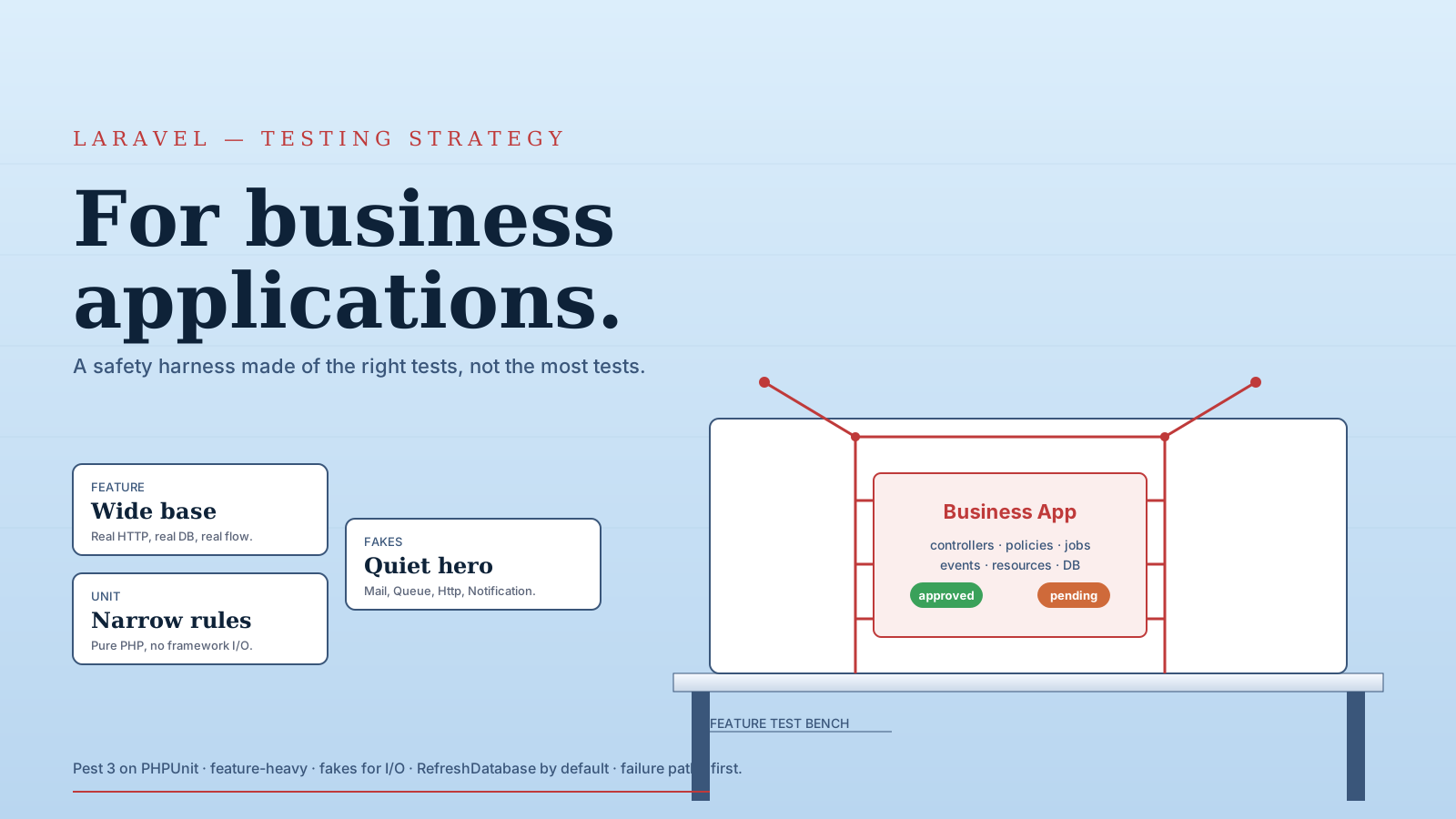
A large codebase falls apart when its tests don't match its layers. The fastest way to keep architecture honest is to test each layer the way it's used.
A pyramid that holds up well in Laravel apps:
- Unit tests for actions and services. No HTTP, no database when possible. Pass in dependencies, assert on the result. These run in milliseconds and tell you the use case is correct.
- Feature tests for HTTP and CLI entry points.
php artisan testwithRefreshDatabase. Hit the route, assert on the response, assert on database state. These tell you the wiring is correct. - Contract tests for external integrations. Wrap third-party APIs (
PaymentGateway,CrmClient) behind interfaces. The integration test runs against a fake; an optional nightly suite runs against a sandbox provider. - Browser/end-to-end tests for critical flows. Reserve these for checkout, signup, and other paths where a regression hurts revenue. They're expensive; don't write hundreds.
A useful rule: a test should fail for one reason. A unit test for PlaceOrder fails when the use case is wrong. A feature test for POST /orders fails when the route, validation, or controller is wrong. If they overlap too much, every failure tells you the same thing twice.
public function test_it_creates_a_pending_order(): void
{
    $action = new PlaceOrder();

    $order = $action->handle(
        User::factory()->create(),
        ['total_cents' => 4999, 'sku' => 'WIDGET-1']
    );

    $this->assertSame('pending', $order->status);
    $this->assertSame(4999, $order->total_cents);
}public function test_endpoint_calls_action_and_returns_resource(): void
{
$this->actingAs(User::factory()->create())
->postJson('/orders', ['total_cents' => 4999, 'sku' => 'WIDGET-1'])
->assertCreated()
->assertJsonPath('data.status', 'pending');
}The unit test owns the use case. The feature test owns the HTTP shape. Neither does both.
Don't Over-Architect Too Early
Structure helps when it reduces confusion. It hurts when it adds ceremony before the problem exists.
A five-endpoint CRUD app does not need twelve layers. A multi-year product with billing, permissions, integrations, and background jobs probably does.
Practical Rule
- Start with Laravel defaults — Don't create architecture for imaginary complexity.
- Extract actions when controllers grow — One use case, one class.
- Extract services for capabilities — Payments, search, tax, external APIs.
- Group by domain when navigation hurts — Let pain justify the folder structure.
- Keep Laravel concepts visible — Don't hide requests, policies, events, and jobs behind generic abstractions.
Architecture should feel like shelves, not a maze.
Final Tips
I've seen teams try to "enterprise-ify" Laravel by hiding everything Laravel gives them. The result was not cleaner. It was Laravel wearing a costume, and nobody knew where anything lived.
Going forward, add structure where the code is asking for it. Don't fight the framework. Extend its natural shape.
Large Laravel apps can stay elegant. You just need clear use cases, honest boundaries, and enough restraint to avoid building a cathedral for a garden shed. Go build it well 👊