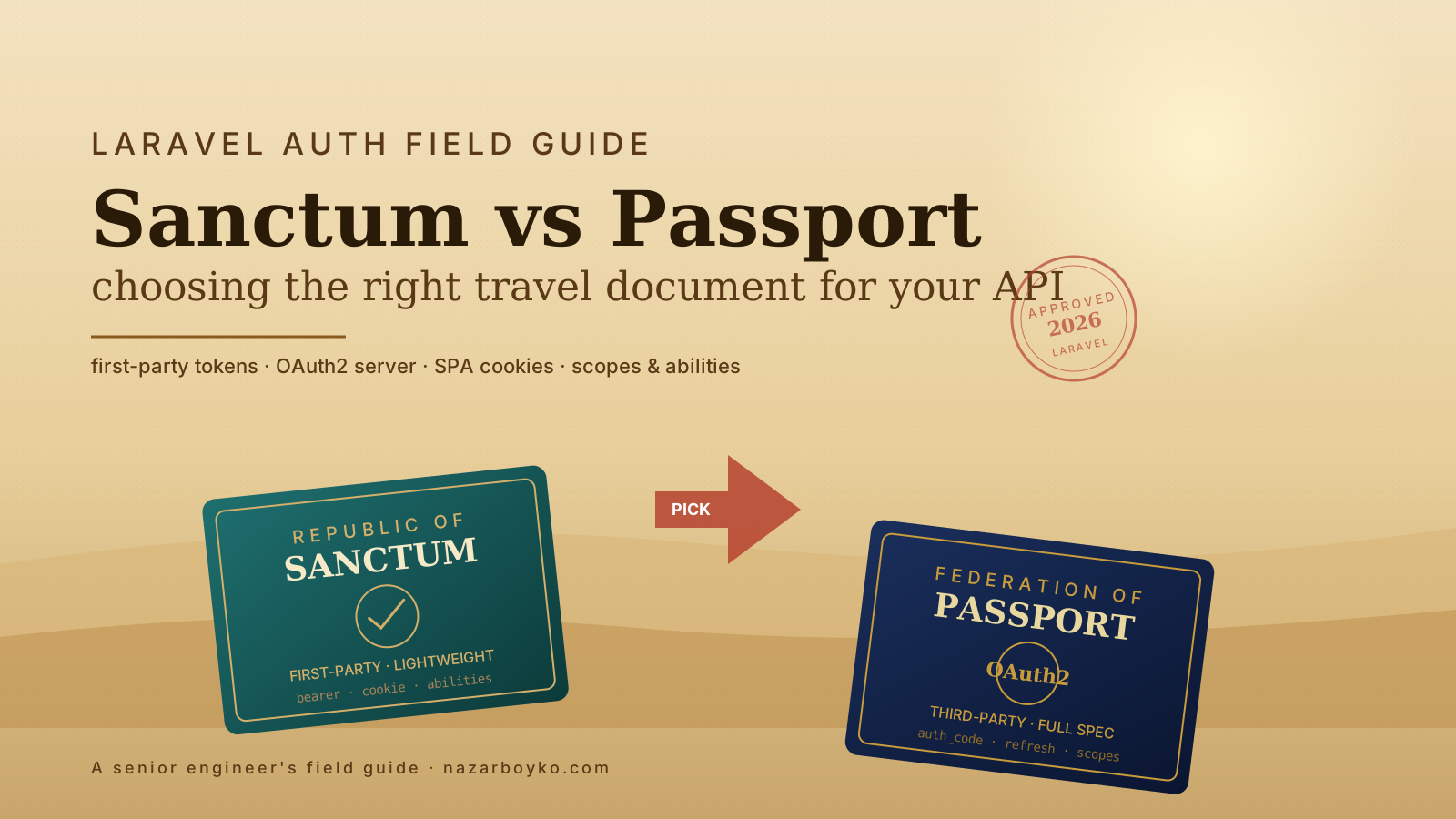
The question shows up in the kickoff meeting of every new Laravel API: "Sanctum or Passport?" Half the room votes for Passport because it is older and sounds more serious. The other half votes for Sanctum because the docs are shorter. Both halves are right about something and wrong about something.
The honest answer is that they solve different problems. Sanctum is a tool for first-party authentication — your own SPA, your own mobile app, simple API tokens for your own users. Passport is an OAuth2 server you can run yourself, for the case where you need to issue tokens to third-party clients you do not control. Most apps need the first. Almost no apps need the second.
What Sanctum Actually Is
Sanctum is two unrelated features behind one package name, which is why it confuses people on first read.
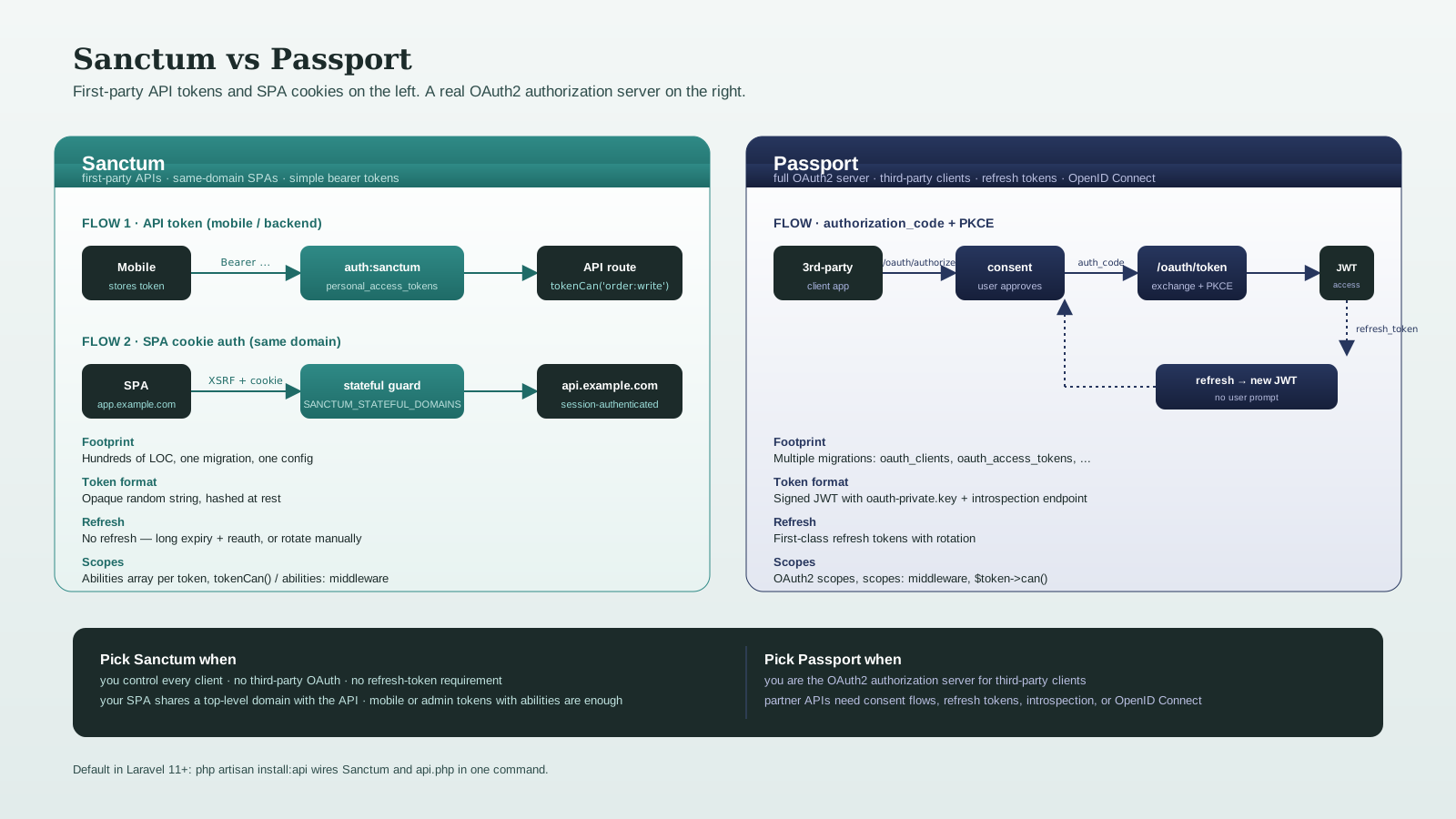
The first feature is API tokens. You call $user->createToken('Mobile App'), you get back a plain-text bearer token, the user sends it as Authorization: Bearer ... on every request, and the auth:sanctum middleware accepts it. The tokens are stored in a personal_access_tokens table, hashed. There is no expiry by default, but you can set one. There is no refresh flow.
The second feature is SPA cookie auth. If your single-page app lives on the same top-level domain as your API (app.example.com calling api.example.com), Sanctum lets you authenticate via the standard Laravel session cookie plus a CSRF token, with no Bearer token at all. The browser does the work the way it was always supposed to.
Both features ride on top of Laravel's existing session and authentication systems. Sanctum is small on purpose — it is hundreds of lines of code, not thousands.
php artisan install:api # Laravel 11+: installs Sanctum, sets up routes/api.php, publishes configPre-11 setups still work with composer require laravel/sanctum and php artisan vendor:publish --provider="Laravel\Sanctum\SanctumServiceProvider". The install:api command is just a polished version of the same thing.
What Passport Actually Is
Passport is a full OAuth2 server. It speaks the OAuth2 protocol — authorization code grant, client credentials grant, refresh tokens, token introspection, the whole spec. OpenID Connect is not in the box (Passport sits on top of the PHP League's OAuth2 server, which is OAuth2-only), but well-supported community packages bolt OIDC on if you need it. You install Passport when you need to be the authorization server that other applications (including your own services if you have a microservice mesh) authenticate against.
composer require laravel/passport
php artisan migrate
php artisan passport:install
The result is a database with oauth_clients, oauth_access_tokens, oauth_auth_codes, oauth_refresh_tokens, and oauth_personal_access_clients tables. You expose /oauth/authorize, /oauth/token, /oauth/personal-access-tokens, and a fleet of related endpoints. JWTs are signed with oauth-private.key. Token introspection works. There is a built-in Vue dashboard for managing clients (older versions) or you can wire your own.
This is heavy machinery. If you actually need it — third-party integrations, partner APIs, multi-tenant SaaS where customers issue tokens to their own users — it is a shockingly complete tool to get for free. If you do not need it, you have just imported a thousand things you will not use.
The password grant is deprecated by the OAuth2 working group and is still in Passport for backwards compatibility, but you should not be using it for new code. The authorization code grant with PKCE is the modern way to get tokens for first-party SPAs and mobile apps when you do need OAuth2 — and auth_code requires user-facing consent screens, which is rarely what you want for first-party apps anyway.
When Sanctum Is The Right Answer
Sanctum is the right tool when all three of these are true:
- You control every client that talks to your API. No third parties.
- You do not need refresh-token semantics, token introspection, or any other OAuth2-shaped feature.
- You want a small dependency that you can read in an afternoon.
Concretely, that covers:
- A SPA on
app.example.comcalling an API onapi.example.com. Use SPA cookie auth. - A mobile app calling your API. Issue an API token at login, store it, send it as Bearer.
- An admin panel issuing tokens for backend automation or webhooks.
personal_access_tokenswith abilities. - A scheduled task or background worker authenticating to your own service. A long-lived API token with a tightly scoped ability set.
The setup for SPA cookie auth has three knobs that matter:
// config/sanctum.php
'stateful' => explode(',', env('SANCTUM_STATEFUL_DOMAINS', 'localhost,localhost:3000,app.example.com')),
'guard' => ['web'],SANCTUM_STATEFUL_DOMAINS=app.example.com
SESSION_DOMAIN=.example.comThe SPA hits GET /sanctum/csrf-cookie once at startup to receive the XSRF-TOKEN cookie, then includes that token as the X-XSRF-TOKEN header on all subsequent requests. Login is a normal POST /login that creates a session cookie. From then on the SPA is authenticated like any web client. There is no Bearer token in this flow — the cookie does the work.
For mobile apps, the API token flow is straightforward:
public function login(LoginRequest $request)
{
    $user = User::where('email', $request->email)->first();
    if (! $user || ! Hash::check($request->password, $user->password)) {
        throw ValidationException::withMessages(['email' => ['Invalid credentials.']]);
    }

    $token = $user->createToken('mobile', ['order:read', 'order:write'], now()->addDays(30));

    return response()->json([
        'token' => $token->plainTextToken,
        'user'  => UserResource::make($user),
    ]);
}
The third argument is the abilities list — Sanctum's version of OAuth scopes. Check them per-route or per-action with $user->tokenCan('order:write') or with the abilities:order:write middleware.
When Passport Is The Right Answer
Passport earns its weight when you are running infrastructure that needs to be a real OAuth2 server:
- You expose a public API to third-party developers and you want them to register OAuth clients, redirect users for consent, and exchange auth codes for tokens.
- You run a partner program where partner systems authenticate via
client_credentialsfor server-to-server calls. - You are building an OpenID Connect identity provider for a portfolio of internal apps (Passport plus an OIDC layer like
jeremy379/laravel-openid-connect). - You need token introspection (
POST /oauth/introspect) for downstream services to verify tokens issued elsewhere. - You have refresh-token requirements that a plain
personal_access_tokensrow cannot satisfy.
If none of those describe your project, Passport is overkill. The auth code with PKCE flow exists for SPAs and mobile apps that need OAuth, but for your own SPA and your own mobile app, Sanctum's bearer tokens or SPA cookie auth are simpler and equally secure.
Abilities And Scopes — The Missing Difference
Both packages support per-token capability lists; they just call them different things and check them slightly differently.
// Sanctum
$token = $user->createToken('mobile', ['order:read', 'order:write']);
// later, in a controller
$request->user()->tokenCan('order:write'); // bool
// or middleware
Route::post('/orders', ...)->middleware('abilities:order:write');// Passport
// at token issue, scopes are part of the OAuth flow
// in code:
$user->token()->can('order:write'); // for the current token
// middleware
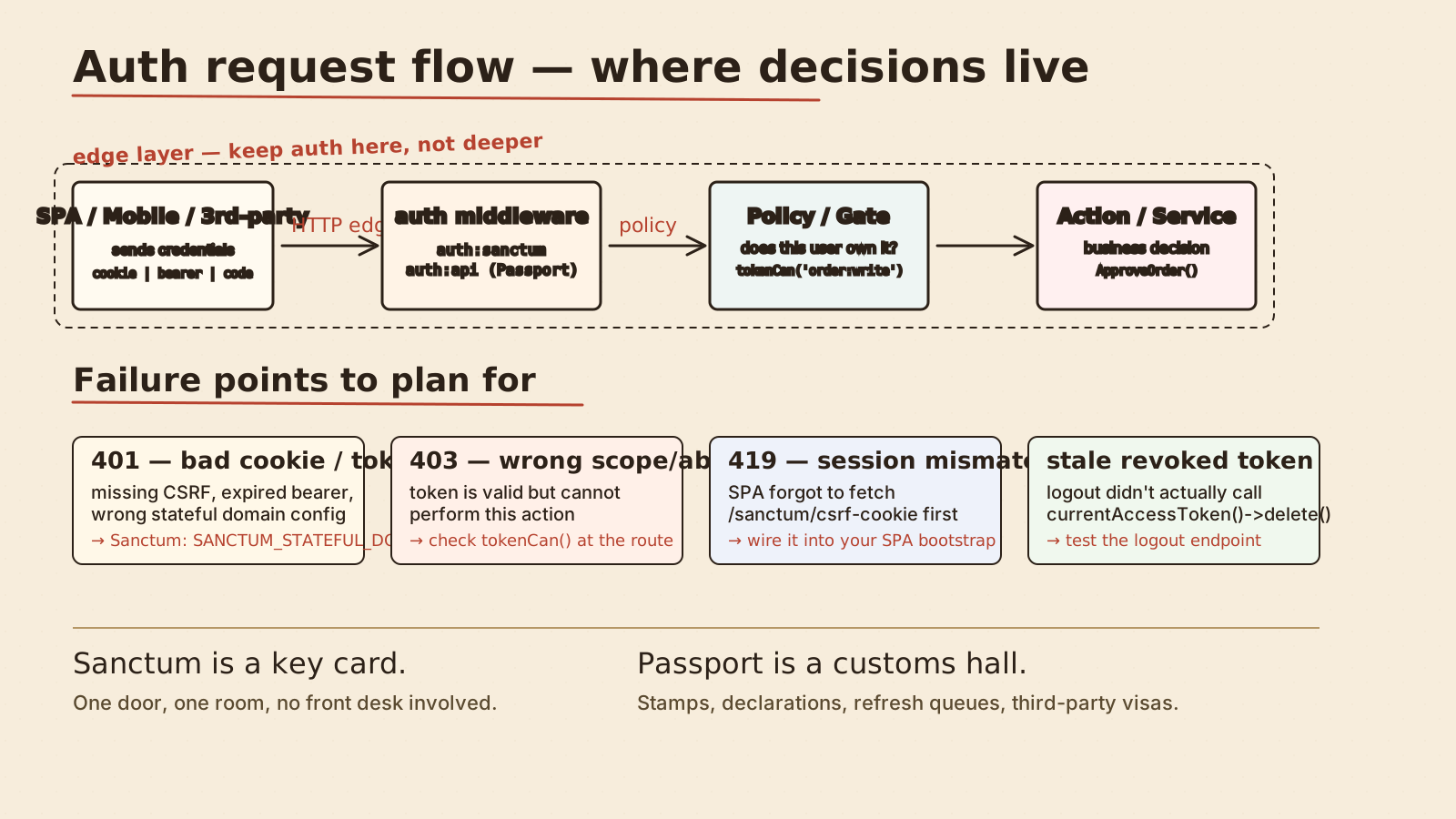
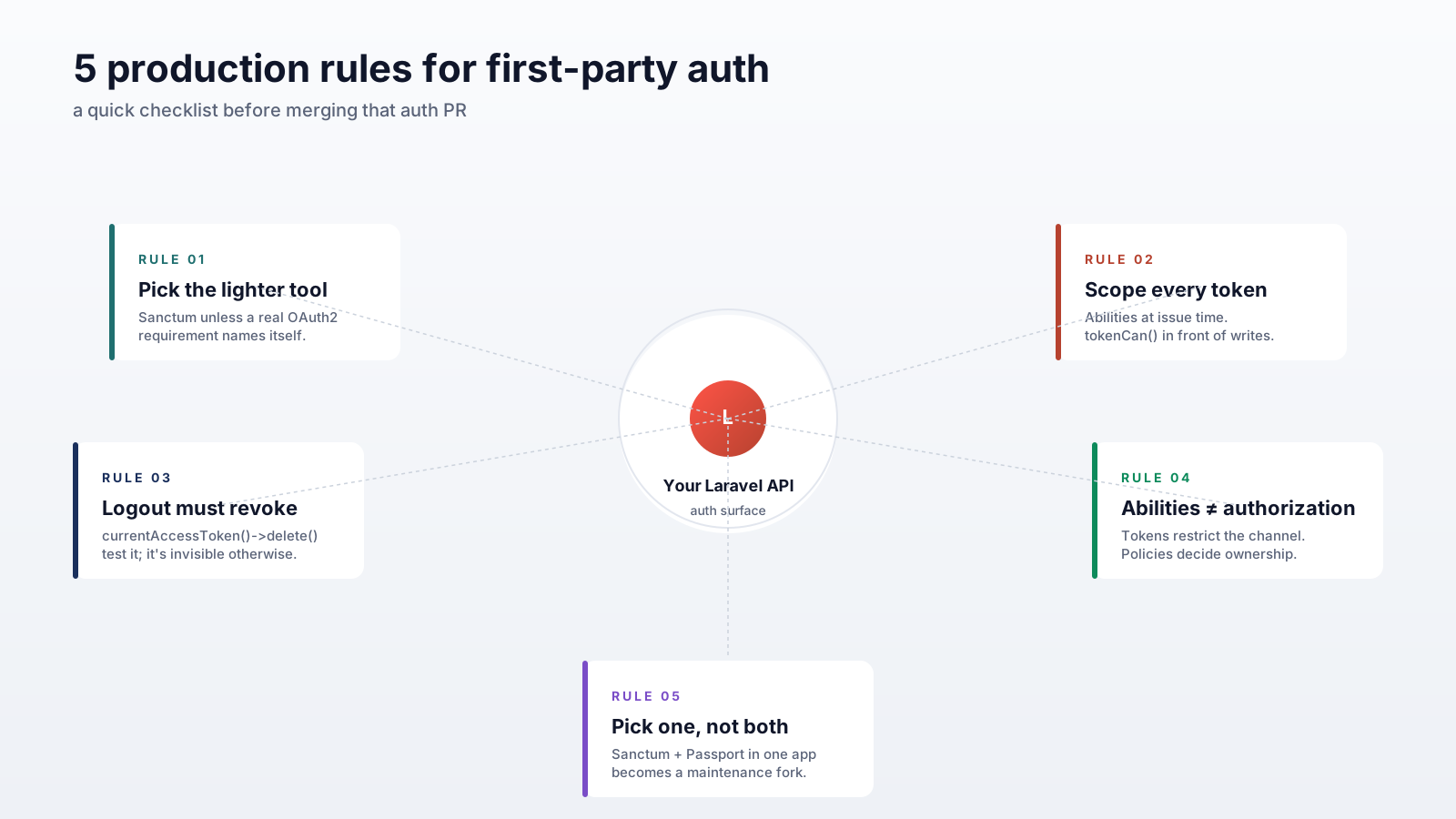
Route::post('/orders', ...)->middleware('scopes:order:write');Two design notes that matter in practice. First, abilities are claimed at issue time and never change — if you need to revoke an ability, you revoke and reissue the token. Second, abilities are not authorization. They restrict what this token can do; they do not replace a Policy that says whether this user is allowed to do it. A token with order:write for a user who does not own the order should still get a 403 from the policy, not a 200.
Token Lifetime, Refresh, And The Operational Reality
Sanctum tokens do not expire by default. You set 'expiration' in config/sanctum.php to a number of minutes for global expiry, or you pass an explicit expiresAt to createToken(). There is no refresh-token concept — when a token expires, the user reauthenticates. For mobile apps, this is usually fine: a 90-day expiry plus password reauth on expiry is acceptable UX.
Passport gives you proper refresh tokens. Access tokens are short-lived (typically 60 minutes); refresh tokens are long-lived (months). The client uses the refresh token to mint a new access token without prompting the user. This matters when access tokens are short-lived for security reasons and the UX cannot tolerate a re-login every hour.
Both packages support revoking tokens — $token->delete() for Sanctum, Passport::token($id)->revoke() (and refresh-token variant) for Passport. Make sure your logout endpoint revokes the current token; "logged out client still has a valid token" is the kind of bug that does not show up in tests.
Mixing Them Is Allowed (But Usually A Smell)
It is technically possible to install both packages and use Passport for OAuth2 endpoints while keeping Sanctum for your SPA. I have seen this work, and I have seen it become a maintenance nightmare. If you find yourself reaching for Passport because of one OAuth integration in an otherwise Sanctum codebase, look hard at whether the OAuth flow can be replaced with a server-to-server API key, a webhook secret, or a simple JWT issued by your existing auth system. The answer is yes more often than people expect.
The decision shape that holds up: pick one. Sanctum for first-party. Passport when you genuinely are an OAuth2 server. Do not migrate from Sanctum to Passport because something feels insufficient — figure out what the missing capability is and check whether Sanctum already does it (it usually does).
A Decision That Stays Boring
For 95% of new Laravel APIs in 2025-2026, the answer is Sanctum. The remaining 5% are projects where you have a specific, named reason to be an OAuth2 server — third-party developer ecosystem, partner APIs with consent flows, an identity provider with OpenID Connect (Passport plus an OIDC package) — and Passport is a credible production-ready answer for those.
Pick the lighter tool when you can. Pick the heavier tool only when something concrete demands it. The auth layer is the part of the system that is hardest to migrate later, but only because every other part depends on it — so the right call is to start with the smallest piece that does the job and add complexity when a real requirement names it.