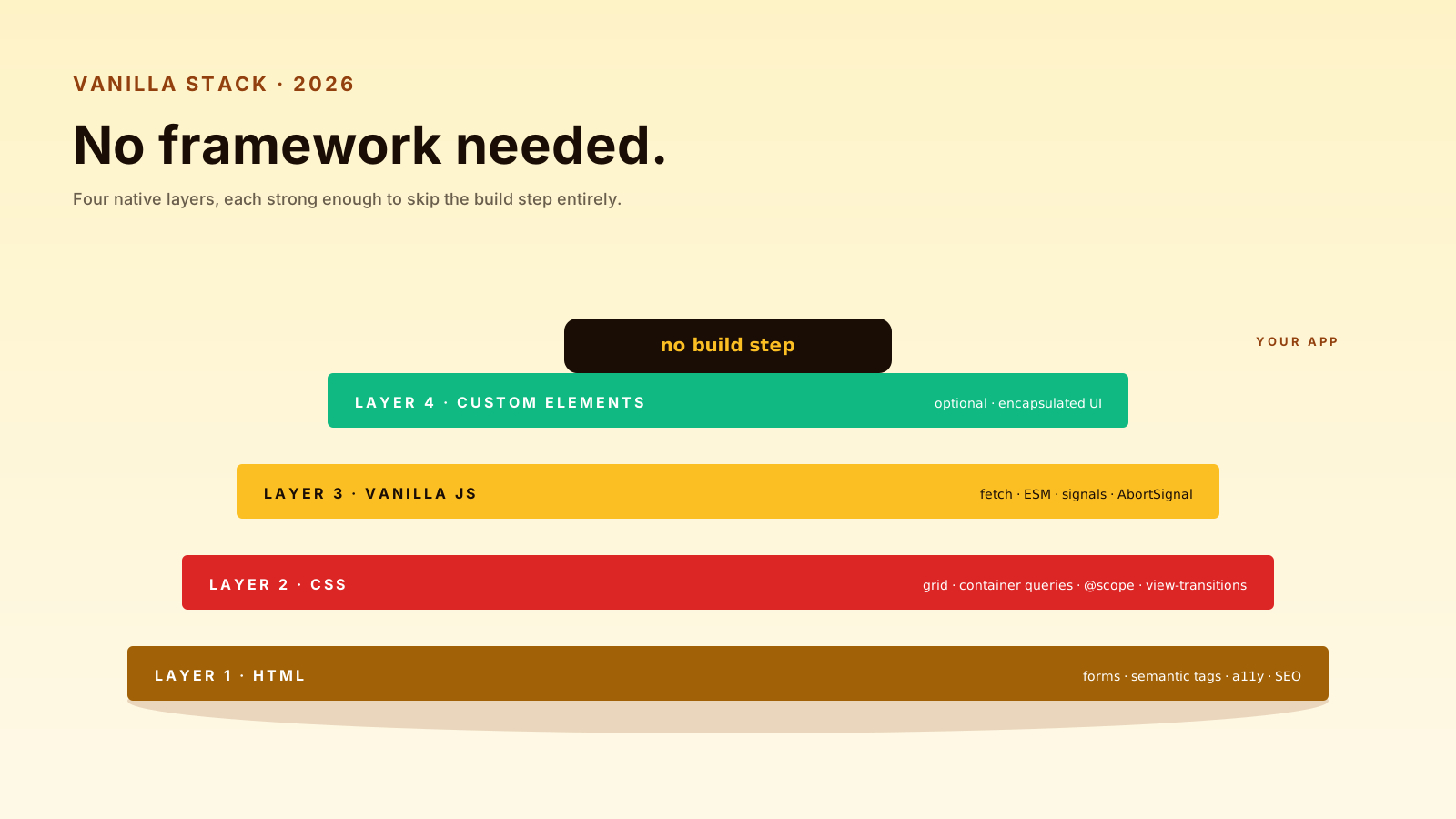
A common assumption in 2026: every web project starts with a framework. React, Vue, Svelte, SolidJS — pick one, scaffold, install 800 packages, write your first <App />. For complex apps, that's probably the right call.
For a lot of other projects, it's overkill. The browser has grown up. Modern JavaScript, modern CSS, and a small number of well-chosen primitives can ship real products without a build step.
Vanilla JS Is Enough For Some Products
A pricing calculator. A contact form with validation. A landing page with one interactive component. A documentation site with search. A small admin tool. A widget embedded in someone else's site. A presentation. A status page.
These are real, useful, shipping projects. They don't need a virtual DOM, a state management library, hydration, or 200KB of framework code on first load.
<input id="seats" type="number" value="5">
<output id="total"></output>

<script type="module">
  const seats = document.getElementById('seats');
  const total = document.getElementById('total');
  const update = () => total.value = `$${seats.valueAsNumber * 9}/mo`;
  seats.addEventListener('input', update);
  update();
</script>
That ships in milliseconds. No build. No hydration. No framework. The user gets a working calculator before a React app would have finished parsing its bundle.
Custom Elements Can Encapsulate UI
When a small project grows enough that you need reusable components, Custom Elements are the standard answer. They work without a build, they encapsulate styles via shadow DOM, they live in any HTML page.
class UserCard extends HTMLElement {
  static observedAttributes = ['name', 'email'];

  attributeChangedCallback() { this.render(); }
  connectedCallback() { this.render(); }

  render() {
    this.innerHTML = `
      <article>
        <h3>${this.getAttribute('name')}</h3>
        <p>${this.getAttribute('email')}</p>
      </article>
    `;
  }
}

customElements.define('user-card', UserCard);<user-card name="Nazar" email="hello@example.com"></user-card>Reusable, declarative, no framework. Lit (a tiny library on top of Custom Elements) makes them ergonomic without changing the model. For some teams, this is the entire UI layer.
Progressive Enhancement Keeps Forms Honest
The pre-framework rule that's making a comeback: server-render the HTML, enhance with JavaScript, work without it.
<form action="/subscribe" method="POST" data-enhance>
  <input name="email" type="email" required>
  <button>Subscribe</button>
</form>

<script type="module">
  document.querySelectorAll('form[data-enhance]').forEach(form => {
    form.addEventListener('submit', async (e) => {
      e.preventDefault();
      const res = await fetch(form.action, {
        method: 'POST',
        body: new FormData(form),
      });
      if (res.ok) form.replaceWith('Thanks!');
    });
  });
</script>
The form works without JavaScript (full page POST). With JavaScript, it submits async without a reload. If the script fails, nothing breaks — the browser falls back to the standard form behavior. This pattern is robust, fast, and accessibility-friendly by default.
The Modern Browser Is Underrated
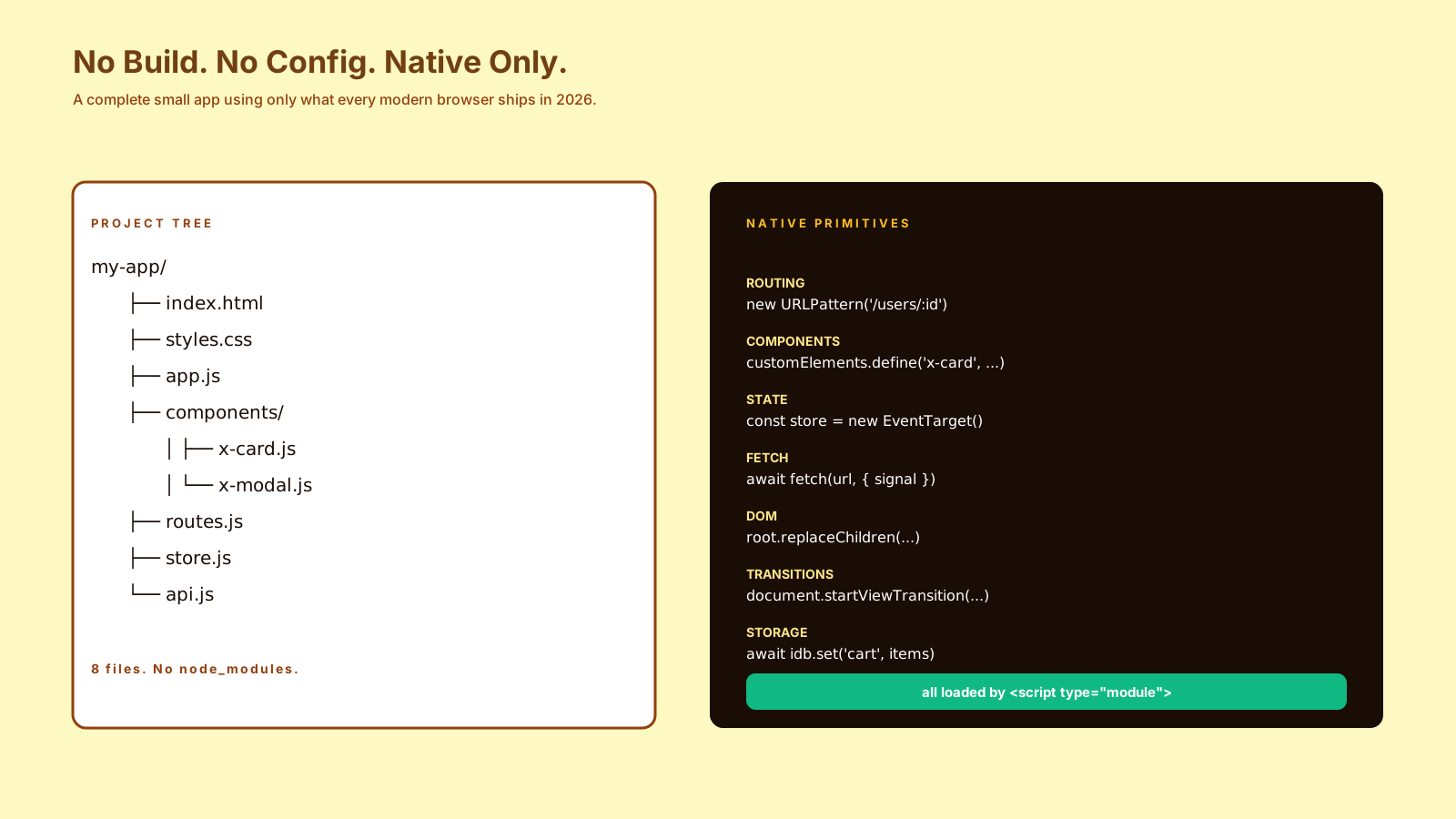
A few primitives that didn't exist or were unreliable a few years ago and now Just Work:
<dialog>— built-in modal with backdrop and focus trapAbortController— universal cancellation for fetch, listeners, timersstructuredClone— proper deep copyIntl.*— formatting, number, date, list, segmenter — all built in- CSS
:has()— parent selectors - CSS container queries — true component responsiveness
- CSS
@scope— style encapsulation without shadow DOM - View Transitions API — page animations without router gymnastics
fetchwith streams — chunk processing without libraries
Each of these used to require a library. Now they're shipping in browsers. A modest amount of vanilla JavaScript wired to these primitives covers a remarkable amount of UI.
Frameworks Still Help At Scale
Vanilla doesn't scale to every project. The reasons frameworks earn their place:
- Complex state coordination across many components
- Routing with code-splitting for large multi-page apps
- Server-side rendering with hydration for SEO + interactivity
- A team of 10+ engineers who all need shared conventions
- Forms with conditional fields and complex validation orchestration
If you're building a product with a long lifetime, complex state, and multiple developers, a framework gives you a shared model and pre-solved problems. The cost is real but worth it.
The honest version: most apps that use a framework would also work without one. Most apps that need a framework would not work without it. Knowing which side you're on saves a lot of build configuration.
Pro Tips
- Start without a framework — add one if the complexity earns it.
- Use Custom Elements for reusable widgets — no build step required.
- Progressive enhancement first — your form works even when JS fails.
- Leverage modern browser APIs —
<dialog>,Intl,structuredClone,:has(). - Measure bundle size from day one — a framework adds 50-200KB before your code.
Final Tips
The "framework or no framework" question is less interesting than "what's the smallest tool that solves my actual problem." Sometimes that's React. Sometimes it's 30 lines of vanilla JavaScript and one Custom Element.
The browser has spent a decade catching up to what frameworks invented. For a lot of projects, that catch-up is now enough.
Good luck — and may your bundle size shock new hires (in a good way) 👊