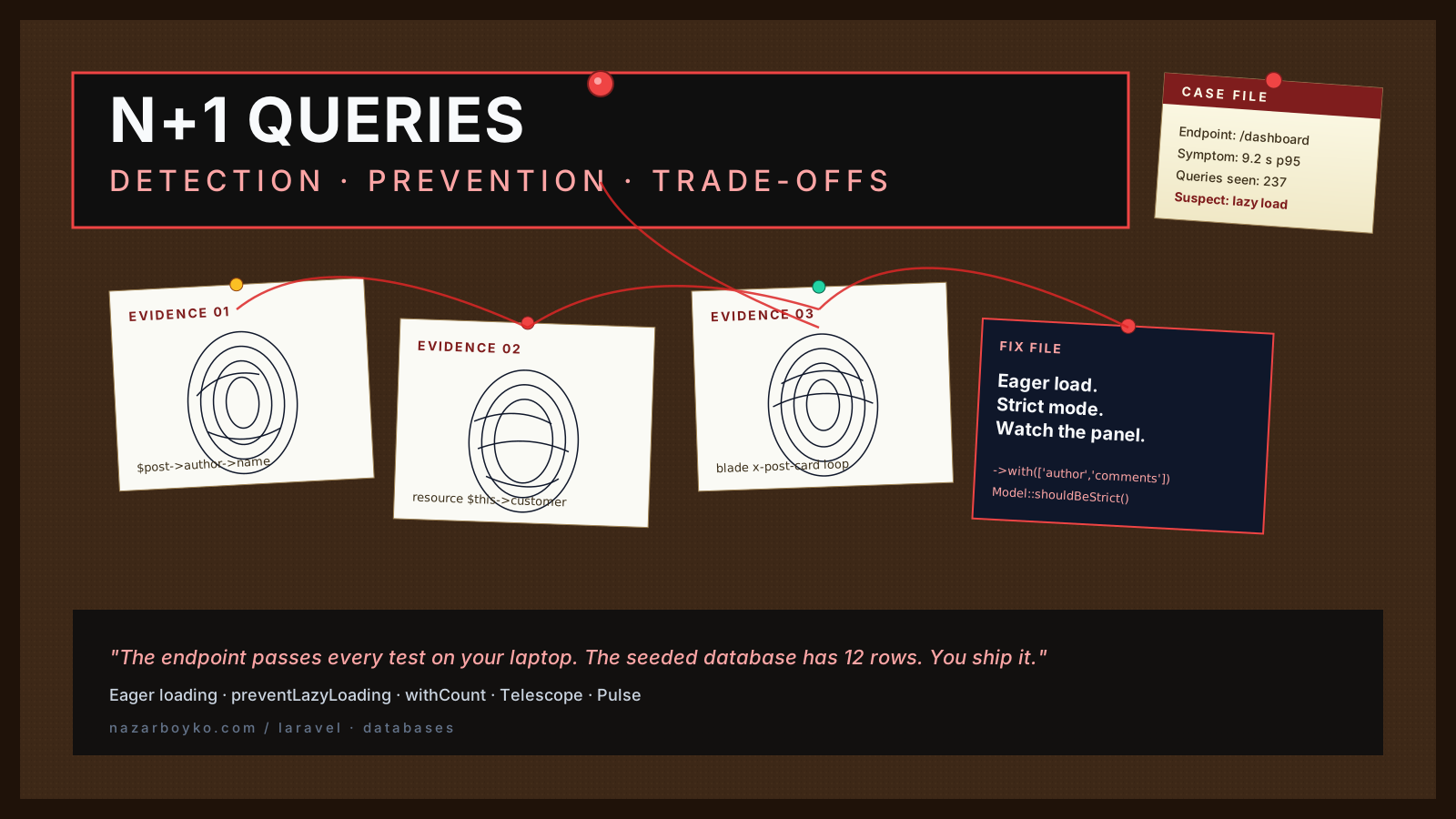
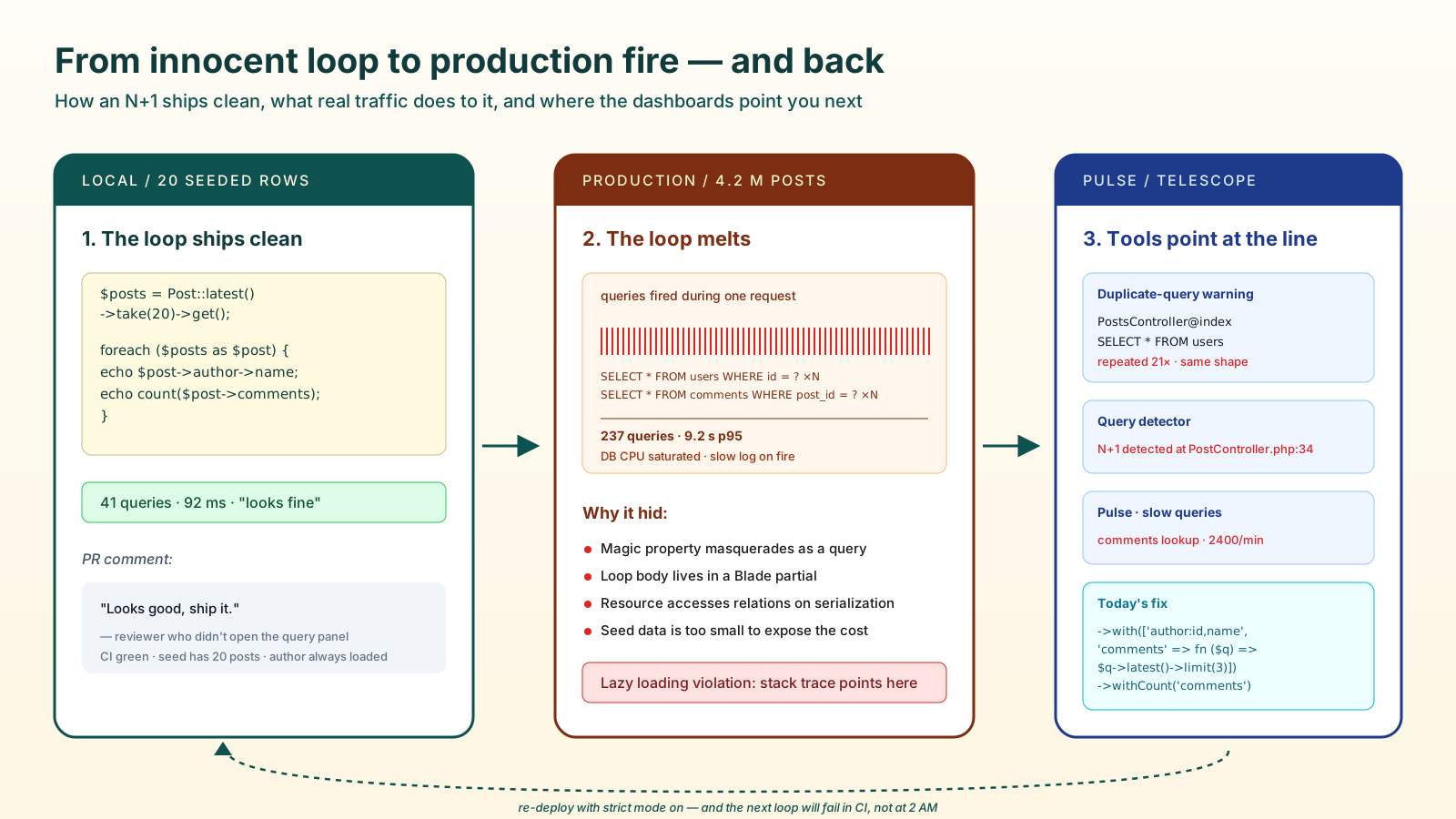
The first time an N+1 query bites you, the symptoms are confusing. The endpoint passes every test on your laptop. The seeded database has 12 rows. You ship it. A week later the dashboard takes nine seconds to load and the database CPU is on fire — and your slow query log is full of single-row SELECT * FROM comments WHERE post_id = ? lines, hundreds of them, all from the same request.
That is N+1. One query to fetch the parents, then one extra query for every parent to fetch its children. Eloquent makes it trivially easy to write, and almost as easy to miss in code review. The fix is well known — eager loading. The interesting question is how the bug gets into a healthy codebase in the first place, and how you keep it out without turning every controller into a with() puzzle.
How The Bug Actually Sneaks In
Nobody writes N+1 queries on purpose. They appear because Eloquent is polite enough to load a relation on demand the moment you touch it.
$posts = Post::latest()->take(20)->get();

foreach ($posts as $post) {
    echo $post->author->name; // one extra query per post
}
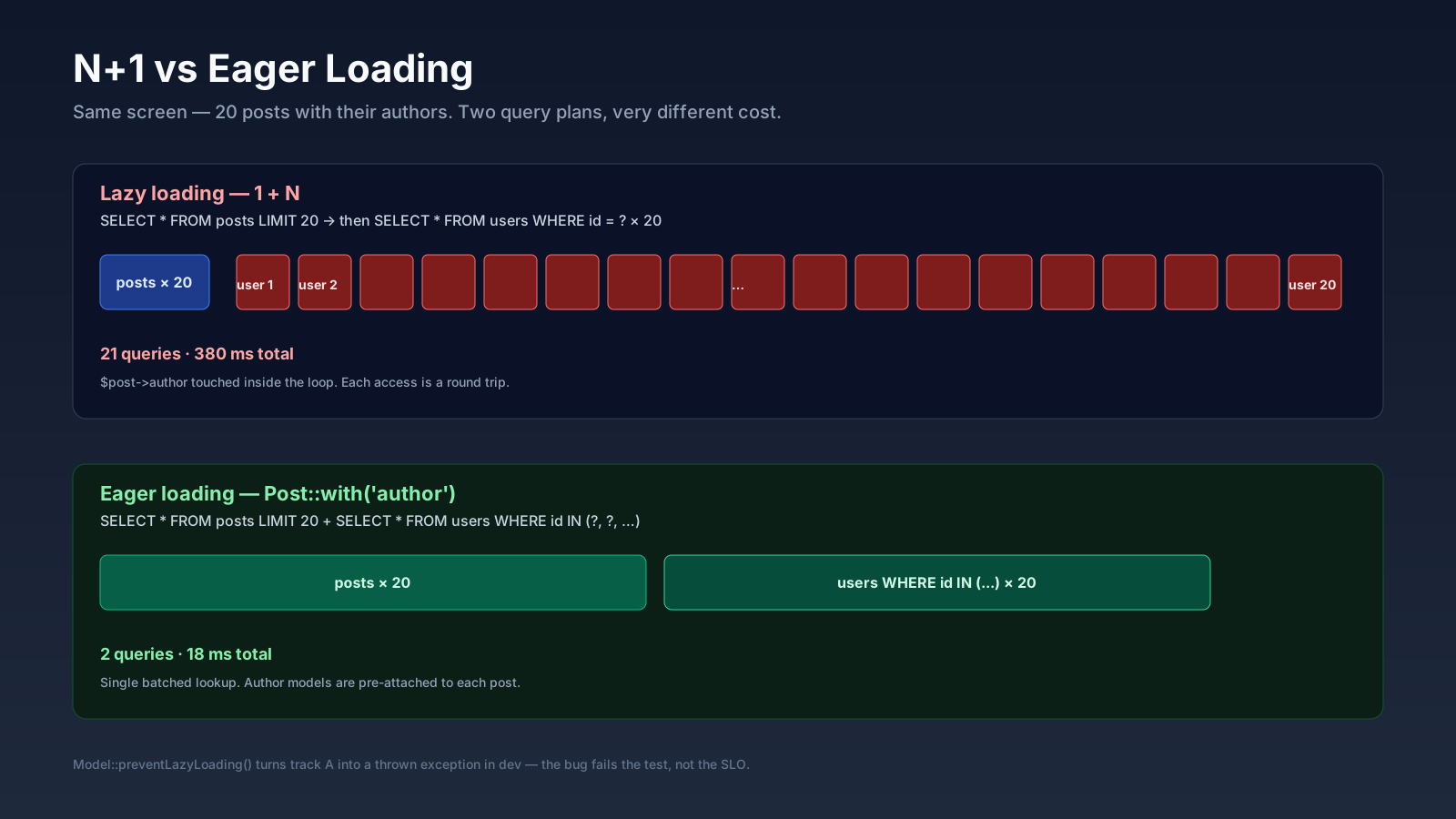
That $post->author looks like a property. It is actually a database call. Twenty posts, twenty-one queries. Add a ->comments access in the same loop and you are at sixty-one. Now imagine the loop is inside a Blade partial somewhere down the render tree, and the controller that started it has no idea the relation is being touched.
The reason this is hard to catch by reading code is that the foreach looks innocent. The query lives in a magic method called by an accessor called by a template call. By the time the page renders, the queries have been issued and forgotten.
Make Lazy Loading An Error In Development
The single highest-leverage habit you can build is forcing Eloquent to refuse lazy loading outside of explicit opt-ins. Laravel ships the switch:
// app/Providers/AppServiceProvider.php
use Illuminate\Database\Eloquent\Model;

public function boot(): void
{
    Model::preventLazyLoading(! app()->isProduction());
}
In Laravel 9+ you can flip the broader switch with Model::shouldBeStrict(), which also catches silent attribute access and silently discarded attributes. With this on, the moment any code path reaches for a relation that was not eager-loaded, you get a LazyLoadingViolationException — loud, in the test run, with the stack trace pointing exactly at the offending line.
You do not turn this on in production. The point is to fail noisily in dev and CI, where it is cheap to fix. Pair it with feature tests that exercise the slow endpoints and the violations surface before code review.
Eager Loading, From Simple To Surgical
Once the violation fires, the fix is almost always with():
$posts = Post::with(['author', 'comments'])->latest()->take(20)->get();Two queries instead of forty-one. The shape that holds up at scale is more selective, though. with() accepts column lists and constraint closures:
$posts = Post::query()
    ->with([
        'author:id,name,avatar_path',
        'comments' => fn ($q) => $q->latest()->limit(3)->select('id', 'post_id', 'body', 'created_at'),
    ])
    ->latest()
    ->paginate(20);
You are now telling Eloquent exactly which columns matter and limiting the joined rows to what the UI actually shows. On a list endpoint, the difference between with('comments') and the constrained version above is the difference between a 3 KB and a 300 KB JSON payload.
For counts, prefer withCount (and its sibling aggregates):
Post::query()
    ->withCount('comments')
    ->withSum('orders as total_revenue', 'amount')
    ->withAvg('reviews as avg_rating', 'score')
    ->paginate(20);
These compile into subqueries on the original SELECT, not extra round trips. The result is a virtual comments_count attribute on each model.
The Tools That Actually Find These In A Live Codebase
Strict mode catches what your tests reach. For everything else, you want a query log staring you in the face during dev.
- Laravel Debugbar (
barryvdh/laravel-debugbar) — the long-running default. Drops a panel at the bottom of every page showing total query count, duplicates, and timing. The duplicate-query warning alone pays for the install. - Telescope — Laravel's first-party request inspector. Group queries by request, replay them, see which were marked as slow. Heavier than Debugbar but built for any context — HTTP, queues, scheduled commands.
beyondcode/laravel-query-detector— narrowly scoped to N+1 detection. Fires a warning whenever it sees more than a threshold number of identical-shape queries in a request.- Pulse — the production-friendly dashboard. The "Slow Queries" panel surfaces real database hot spots from live traffic, which is the only signal that ever shows you the queries your tests missed.
Pick two: Telescope for local exploration and Pulse for production. The query detector is worth wiring into staging where the data is bigger than your seeders.
When with() Is The Wrong Answer
Eager loading is the right default. It is not the only tool.
If you only need two or three columns from a related table, a JOIN is often a better fit than hydrating a full Eloquent model:
Post::query()
    ->join('users', 'users.id', '=', 'posts.author_id')
    ->select('posts.id', 'posts.title', 'posts.created_at', 'users.name as author_name')
    ->latest('posts.created_at')
    ->paginate(20);
No model objects for the user — just a flat row with author_name already on it. Faster, less memory, and the SQL is obvious.
If you are streaming a large result set (a backfill, an export, a nightly job), lazy iteration with eager-loaded relations is what keeps memory flat:
Post::with('author')->lazyById(500)->each(function (Post $post) {
    // process one post at a time, in chunks of 500, with author preloaded
});
lazyById() paginates by primary key under the hood, which is safer than chunk() if the records are being modified during the iteration.
And sometimes the right answer is to denormalize. A posts.author_name column that updates via a model observer is a perfectly reasonable trade if 90% of your reads only need the name and the writes are rare. Not every relation needs to be re-fetched on every read.
A Quick Tour Of The Patterns That Hide N+1
Three places where the bug is especially good at hiding:
- Inside API resources.
OrderResourcecalls$this->customer->nameand$this->items->count(). The route looks clean —Order::paginate(50)— but every serialized order touches two relations the resource loader did not warn about. Eager-load in the controller, or pre-resolve intoArraywithwhenLoaded. - In Blade partials and Livewire components. A reusable
<x-post-card :post="$post"/>reaches for$post->author->avatar_path. The page that uses it twenty times pays the cost twenty times. The partial does not know what was eager-loaded; the page that includes it does. - Polymorphic relations.
morphTo()does not know which table to join until it sees the type column. Eager-loading a polymorphic relation can issue one query per distinct morph type. UsemorphTo()->morphWith([...])to tell Eloquent which sub-relations to load per type.
In every case, the bug is a boundary problem more than a syntax problem — the code that issues the query is far away from the code that knows what data is needed. Strict lazy loading turns that boundary into a compiler error.
What This Looks Like In A Pull Request
When reviewing a query-heavy change, three questions catch most of the regressions:
- Is anything iterating over a collection and touching a relation? If yes, is the relation in
with()upstream? - Does the request show a duplicate-query warning in Debugbar or Telescope under a realistic seeded dataset?
- Are we hydrating model objects we will never need? If the JSON only uses three columns from a relation, a
select+JOINmay beat a fullwith().
None of these questions need a senior engineer. They need someone willing to open the query panel before approving the PR. Build the habit and the bug stops shipping. Leave it on luck and you will be the one paged at 2 AM, watching the slow query log scroll.