Small TypeScript projects don't have a structure problem. Three folders, no rules, everything works. Around month six, the problem appears: changes that should be local touch six files, "shared" code is shared with everyone, and onboarding new engineers takes weeks because nothing is where they'd expect.
The fix isn't more folders. It's boundaries — places where one part of the codebase agrees not to reach into another.
Folders Should Reflect Boundaries
The naive layout groups by technical role: components, hooks, utils, services, types. It works at small scale because there are 10 files per folder. At large scale, the components folder has 400 files from 12 unrelated features and finding anything is a search problem.
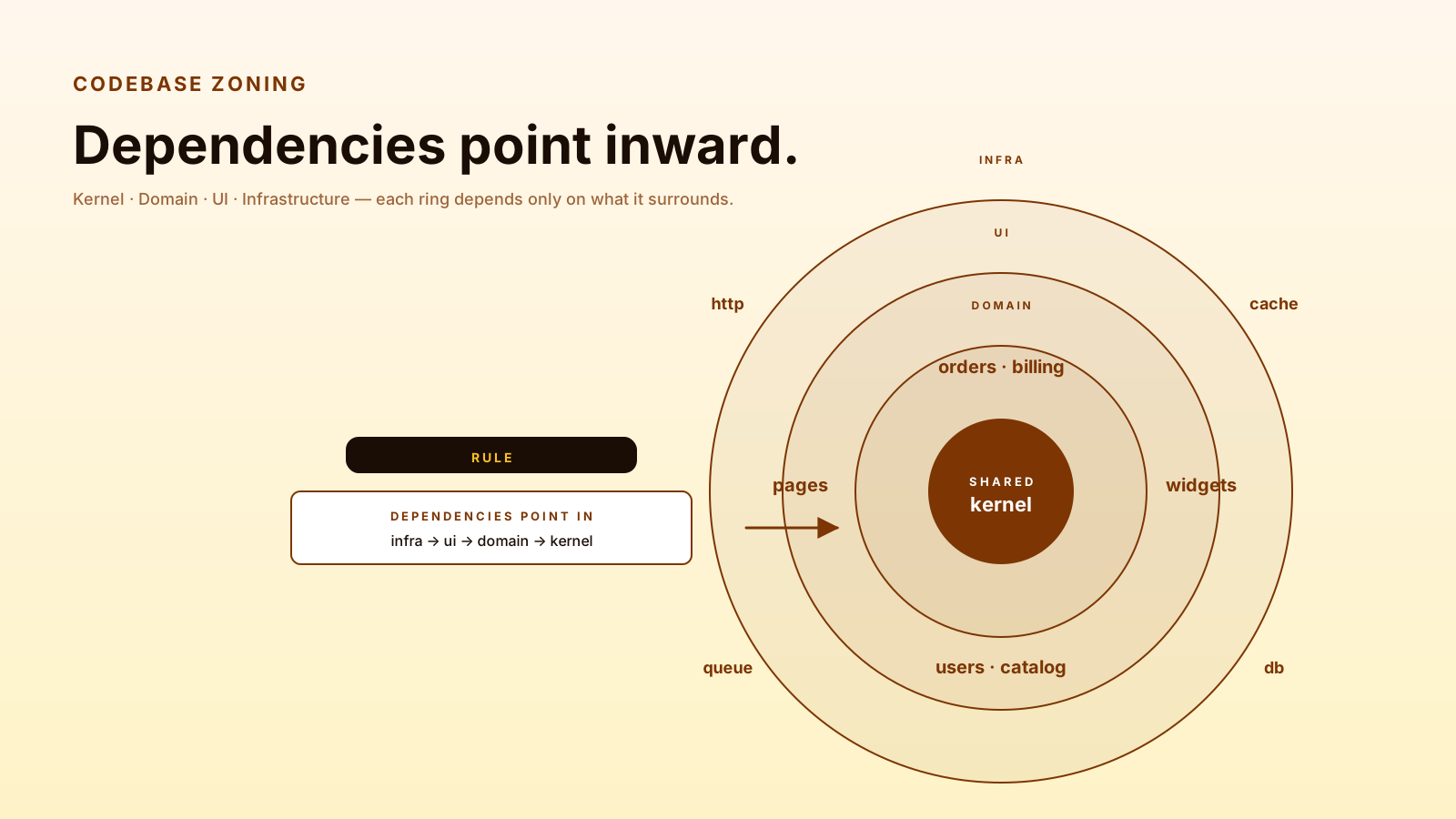
The boundary-first layout groups by concept:
src/
  shared/        # used by everything · stable contracts only
    types/
    utils/
    errors/
  domain/        # business logic · framework-agnostic
    orders/
    billing/
    users/
  ui/            # framework-specific UI · imports from domain
    pages/
    widgets/
    components/
  infra/         # adapters to the outside world
    http/
    cache/
    queue/
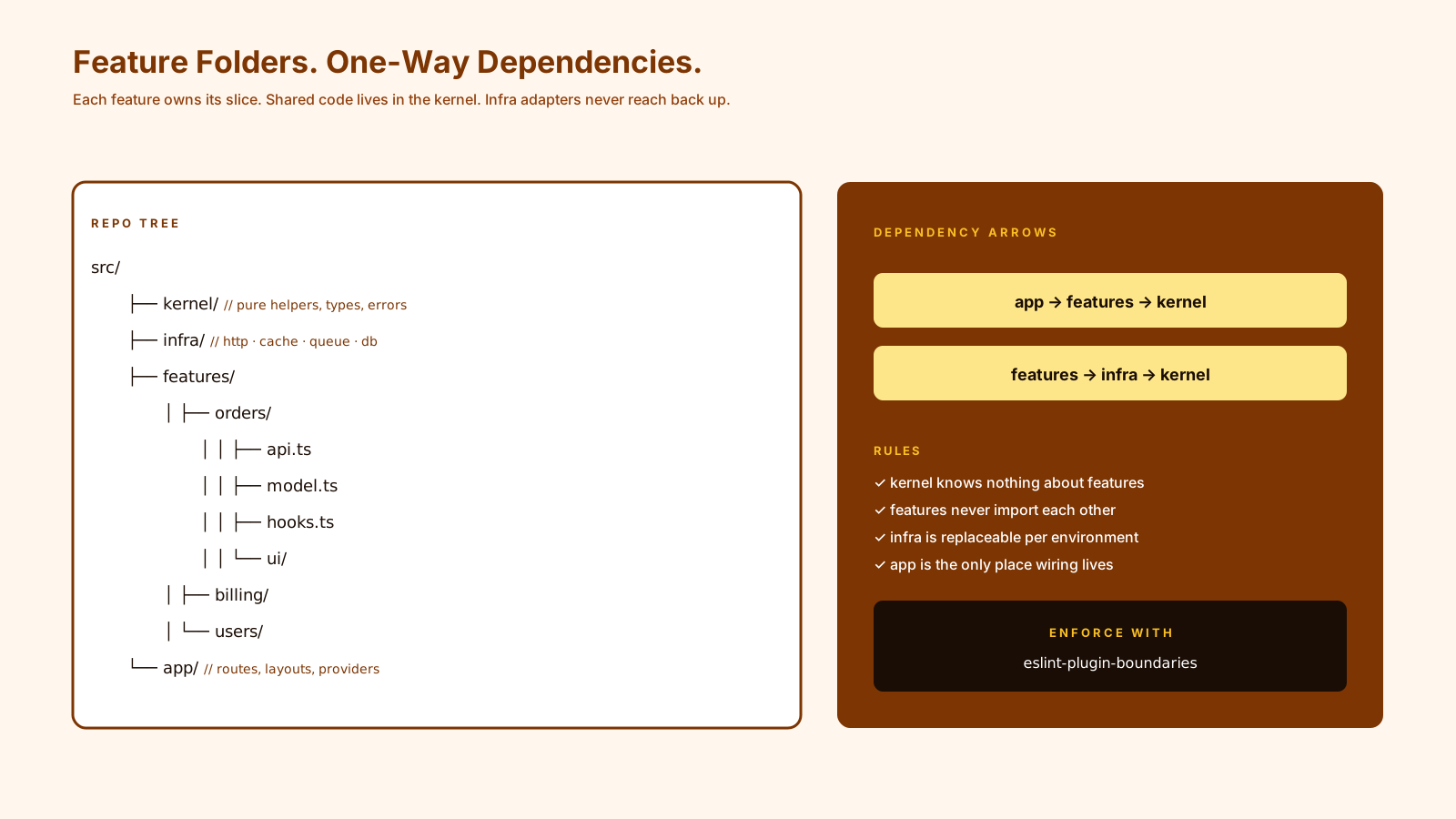
The rule that gives this its shape: dependencies flow downward. UI can import domain. Domain cannot import UI. Domain can use shared. Shared cannot use domain. Infra implements interfaces declared in domain.
That single rule, when enforced, keeps the codebase from devolving into spaghetti as it grows.
Shared Code Needs Ownership
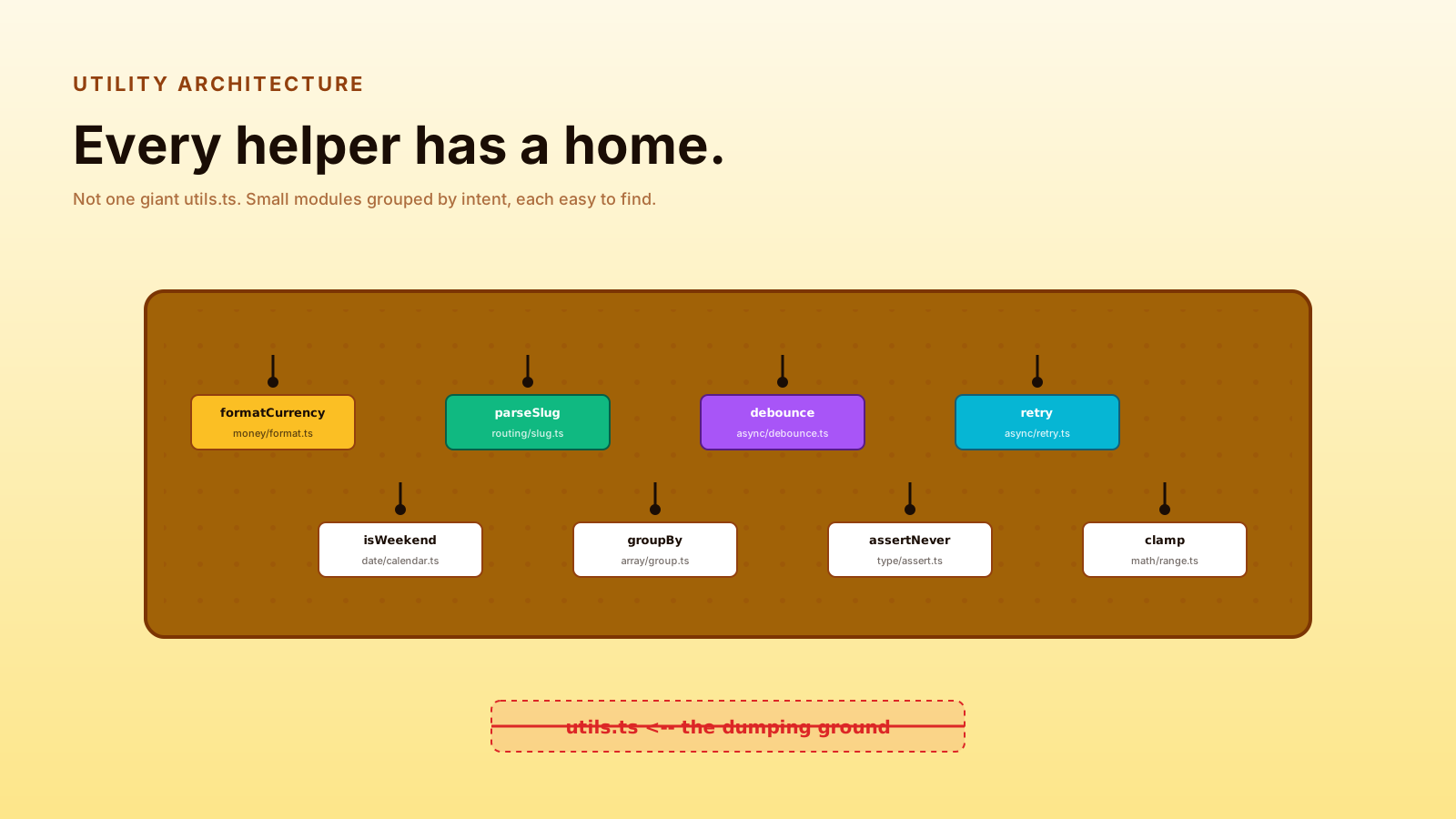
shared/ and utils/ are where bad codebases go to die. Everything ends up there. The folder grows to hundreds of files. Nobody owns it. Changing anything risks breaking three teams.
Three rules that keep shared code healthy:
- Shared = stable. A function joins
shared/only when it's used by 3+ unrelated places AND has stopped changing. Code that's still finding its shape stays in its origin folder. - Shared has a maintainer. A team or person owns it. PRs to
shared/get reviewed by them. - Shared has tests. It's load-bearing for the whole codebase. Untested shared code is a bus factor problem.
If you can't promise those three, the code doesn't belong in shared yet.
Aliases Should Clarify Not Hide
Path aliases (@/components/Button instead of ../../../../components/Button) are useful — when they make import lines say something meaningful. They're harmful when they hide where a dependency actually lives.
// good — alias clarifies the layer
import { OrderService } from '@/domain/orders/OrderService';
import { Button } from '@/ui/components/Button';

// bad — alias hides everything
import { stuff } from '@';
import { thing } from '@/utils';
A useful test: read an import line in isolation. Can you tell which layer the imported file belongs to? If yes, the alias is helping. If no, you've created opacity.
Lint Rules Protect Architecture
Architecture diagrams in Notion don't enforce themselves. ESLint rules can:
{
  "rules": {
    "import/no-restricted-paths": ["error", {
      "zones": [
        { "target": "./src/domain", "from": "./src/ui",   "message": "Domain cannot import UI." },
        { "target": "./src/domain", "from": "./src/infra","message": "Domain depends on interfaces, not infra." },
        { "target": "./src/shared", "from": "./src/domain","message": "Shared cannot depend on domain." }
      ]
    }]
  }
}
This makes architectural decisions automatic. A new engineer can't accidentally violate the layering — the lint fails before the PR opens. The rules become the architecture, not the diagram.
Tests Belong Where They Test
Two patterns work:
- Co-located:
src/domain/orders/PlaceOrder.tsnext tosrc/domain/orders/PlaceOrder.test.ts. Easy to find tests for the file you're editing. - Mirror tree:
tests/domain/orders/PlaceOrder.test.tsmatching the source layout. Easier to keep tests separate from production builds.
Pick one and apply it consistently. Mixed conventions are worse than either choice.
For test types, mirror your layers: unit tests for domain (no I/O), integration tests for infra (real DB, real HTTP mocked), feature/E2E tests for UI flows.
When To Split Into Packages
Folder boundaries scale to a few hundred files. Past that, or when multiple teams share a codebase, real package boundaries (Composer-style or pnpm workspaces) start earning their rent.
Signals it's time:
- Build time matters more than developer ergonomics. Splitting lets you build only what changed.
- Multiple teams have real ownership disputes. Hard package boundaries make ownership explicit.
- You want to publish a piece externally. Starting as a workspace package makes extraction free.
Don't split for theoretical reasons. The cost of monorepos is real and shows up in tooling complexity.
Pro Tips
- Folders by concept, not by technical role. "Orders" beats "components."
- Enforce boundaries with lint — diagrams alone don't ship.
- Keep
shared/small and owned. A junk drawer is not architecture. - Co-locate or mirror — pick one for tests.
- Stay flat where possible. Three levels deep beats five.
Final Tips
The codebases I've enjoyed working in for years all had the same trait: changes were local. A pricing tweak touched the pricing folder. An order rule touched the order folder. No one had to grep across the entire repo to make a small change.
Structure earns its rent when it makes change small. Anything else is decoration.
Good luck — and may your imports always tell you where you are 👊