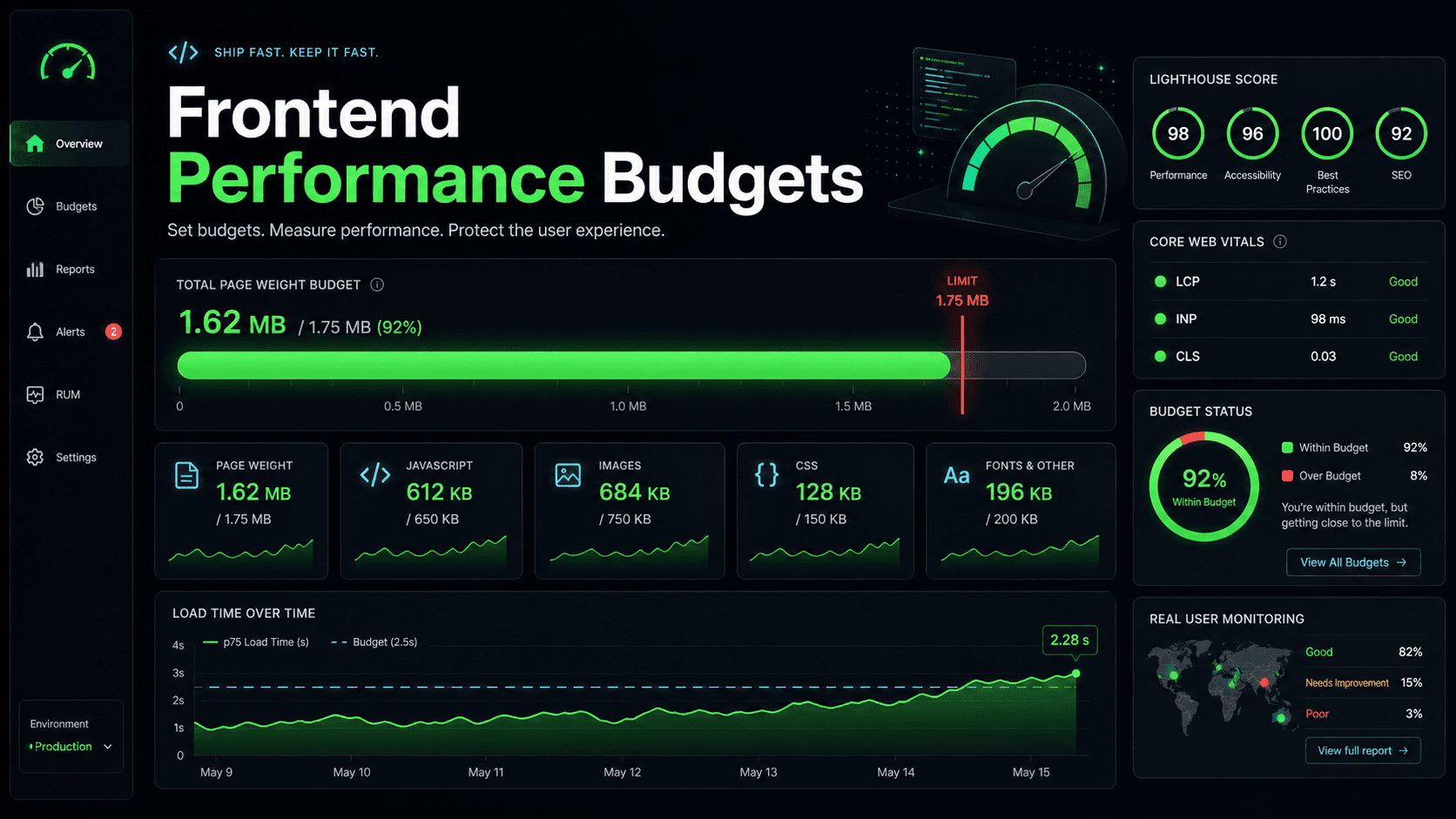
You finally get the Lighthouse score you wanted. Bundle size is down. LCP is under two seconds. INP is green on the staging URL. You merge to main, the deploy goes out, and someone in Slack pings you with the production score: 47, with a long red bar labeled "Reduce the impact of third-party code."
You did not regress. Marketing added GA4 last week. Sales asked for the Intercom widget on the landing page. Someone wired Hotjar to the dashboard for "session replay." Sentry is on every page. There is a Segment loader that fans out to four other tags. You are now running a small advertising network on top of your app, and the main thread is paying for it.
This is the most predictable performance regression in modern frontend, and the least talked about. You did all the right things in your own code, and someone else's code took the gains.
What These Scripts Actually Do To The Main Thread
When you drop a <script src="https://cdn.somevendor.com/loader.js"> into your page, you are not just paying for the bytes. You are paying for parse time, compile time, and execution time on the main thread — the same thread that handles every click, every scroll, every animation frame.
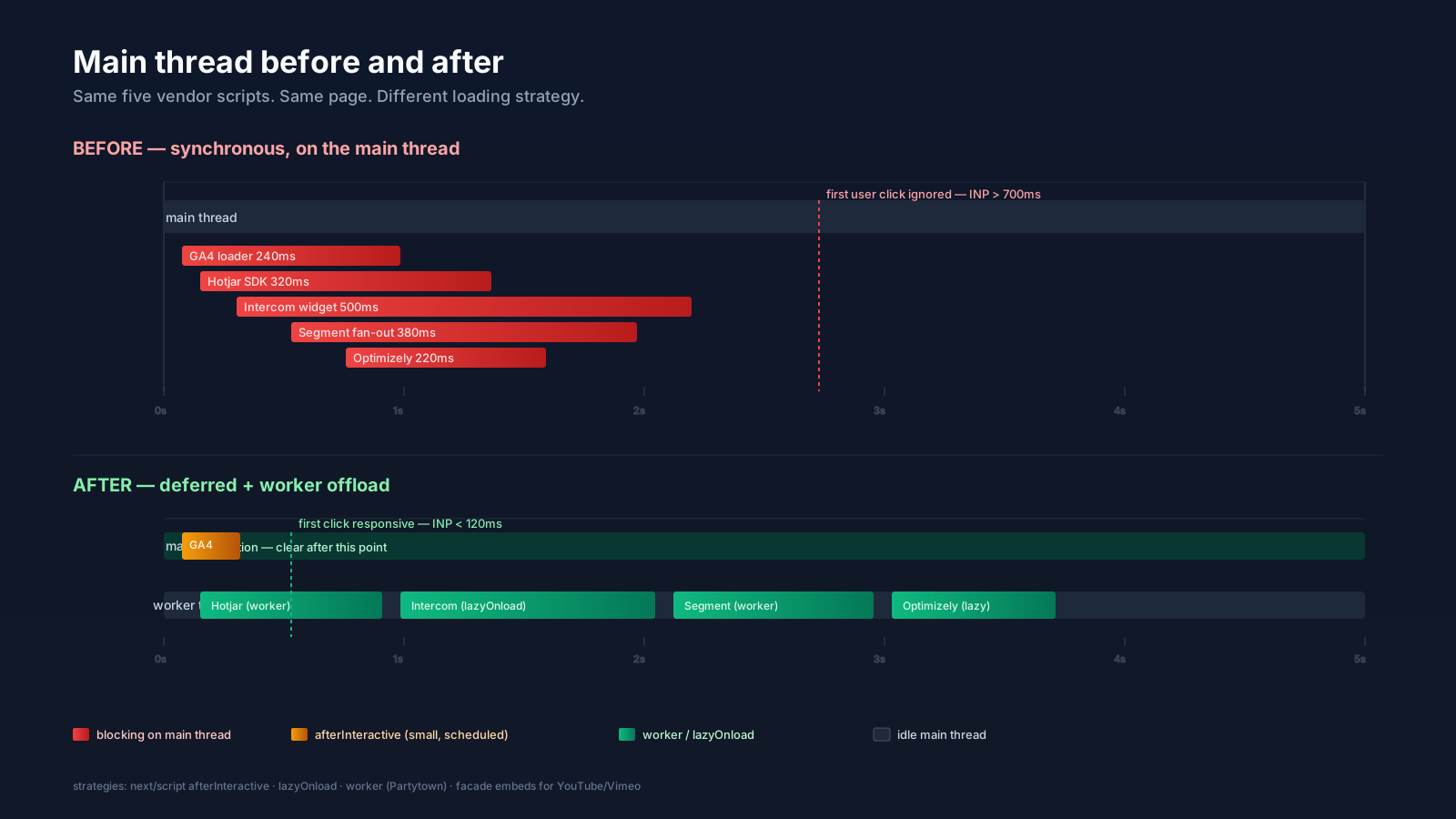
A typical chat widget ships 400-800 KB of compressed JavaScript, then synchronously sets up listeners, reads localStorage, mutates the DOM to inject its iframe, and pings its backend. While that is happening, your React tree is frozen. The user taps a button. Nothing happens for 600 ms. They tap again. Now you are queueing duplicate requests when hydration finishes.
The Chrome DevTools Performance panel makes this visible — long yellow blocks under the third-party origin, your code crammed into the gaps. A handful of vendors can eat the entire first three seconds.
You do not control the quality of that code. You inherit it.
Step One: Stop Loading Them Synchronously
The worst version of this is a synchronous <script> in <head> with no defer and no async. The HTML parser stops, downloads the file, executes it, and only then continues. If the vendor's CDN is slow that day, your TTFB inherits their bad day.
async lets the browser keep parsing while the script downloads, then runs it whenever it arrives — order is not guaranteed. defer also keeps parsing going but holds execution until after the document is parsed, in document order. For analytics and marketing, defer is almost always the right default. async only makes sense for genuinely independent, fire-and-forget scripts.
In Next.js, next/script exposes this contract through the strategy prop:
import Script from 'next/script';

export default function Layout({ children }) {
  return (
    <>
      <main>{children}</main>

      <Script
        src="https://www.googletagmanager.com/gtag/js?id=G-XXX"
        strategy="afterInteractive"
      />

      <Script
        src="https://widget.intercom.io/widget/abc123"
        strategy="lazyOnload"
      />
    </>
  );
}
afterInteractive is the Next default — the script loads early but after hydration. lazyOnload waits for the browser to be idle, which is the right place for chat widgets, session replay, and anything the user does not need in the first paint. There is also a worker strategy that uses Partytown under the hood, which is the next escalation.
Step Two: Move Heavy Scripts Off The Main Thread
Even lazyOnload eventually runs on the main thread. If the user happens to scroll or tap exactly when the chat widget decides to boot, they still feel the freeze.
The structural fix is to move the script to a Web Worker. That is what Partytown does. It loads third-party code in a worker, intercepts its DOM and window access, and proxies those calls back to the main thread synchronously. The vendor script believes it is running on the main thread. Your main thread is mostly free.
You opt in by changing the script type:
<script type="text/partytown" src="https://www.googletagmanager.com/gtag/js"></script>Or in Next.js you flip the strategy:
<Script
  src="https://www.googletagmanager.com/gtag/js?id=G-XXX"
  strategy="worker"
/>
Partytown is not free. It adds a service worker, a small runtime, and a synchronous proxy that has its own latency. Some scripts work flawlessly inside it. Others touch APIs the proxy does not implement and break in subtle ways. Test in production-like conditions, not just on your laptop.
The honest rule: try lazyOnload first. Reach for Partytown when a specific vendor is measurably stealing your INP and you cannot get rid of it.
Step Three: Audit What Is Actually There
Before you optimize loading, find out what is loading. The DevTools Network panel filtered by domain is the bluntest tool. Sort by transfer size. Sort by duration. Sort by initiator. You will almost always find one of these patterns:
The same vendor loaded twice — usually because someone added a tag manager that loads the SDK, and someone else hard-coded the SDK in the layout.
A "lightweight" pixel that pulls in a 200 KB SDK on initialization.
A Segment or GTM container that fans out to a dozen destinations, each with its own SDK, none of which the team remembers approving.
A heatmap tool collecting on every page when it was supposed to be on /checkout only.
The fix is often deletion, not optimization. Half the scripts on a typical site are there because someone asked for them in 2022 and nobody removed them when the project ended.
Step Four: Self-Host The Ones You Can
Many vendor scripts are static files. Google Analytics is. Hotjar's loader is. Some pixel SDKs are. If your CSP and the vendor's terms allow it, you can serve their script from your own CDN, which gives you control over caching, lets you compress aggressively, and removes the DNS + TLS + cold-cache cost of yet another origin.
Tools like the next-third-parties package wrap common vendors (GA, GTM, YouTube, Google Maps) with sensible loading defaults so you do not have to remember the right strategy each time. For embeds in particular — YouTube, Vimeo, Twitter — switching to a "facade" pattern (a static thumbnail that loads the real embed only on click) is one of the largest single wins available.
Step Five: Watch The Vitals That Actually Move
The metric to watch when you are doing this work is INP (Interaction to Next Paint), not LCP or CLS. LCP measures how fast the largest paint shows up; third-party scripts can push it but usually do not dominate it. CLS measures layout shift; relevant for ad embeds but rarely the main story.
INP is the one third parties wreck. It is the slowest interaction on the page across the whole session, and a 500 ms chat-widget bootup landing on the same animation frame as a user click is exactly the shape that pushes INP from "good" into "needs improvement." Track it in the field with web-vitals in production, not just in Lighthouse runs.
The other metric worth keeping an eye on is Total Blocking Time in lab tests. If TBT goes from 80 ms to 600 ms after a deploy, the chances are someone added a vendor tag.
import { onINP } from 'web-vitals';

onINP((metric) => {
  if (metric.value > 200) {
    // ship to your analytics — note which event target was slow
    sendToAnalytics({ name: 'INP', value: metric.value, target: metric.entries });
  }
});
The target gives you a hint at which interaction was slow, which is often a clue at which vendor was busy at that moment.
Step Six: Negotiate Like A Senior Engineer
The most effective performance work happens before the script ships. When the marketing lead asks for "just one more pixel," the right response is not to install it and then optimize it. The right response is to ask what question the pixel answers and whether you can answer it with what you already have.
A short list that has worked for me on real teams:
Server-side analytics for funnels you control. You already log API calls. You can derive most product metrics from those without a single client-side beacon.
One tag manager, owned by one person. Marketing teams love adding tags. Engineering teams hate auditing them. A single GTM container with named owners and a quarterly cleanup is the compromise that survives.
A budget. "We will not exceed 200 KB of third-party JavaScript on any page" is a number a non-engineer can understand. Lighthouse CI and bundle-size bots can enforce it.
Defaults that protect the user. New tags load lazyOnload. New embeds use facades. New widgets get reviewed against the budget before they merge.
You are not blocking marketing. You are protecting the thing they actually want, which is users who finish loading the page.
A One-Sentence Mental Model
Third-party scripts are a tax the rest of the company keeps voting for and you keep paying — defer what you can, worker-proxy what you must, delete what nobody remembers asking for, and put a written budget between the next request and the production main thread.