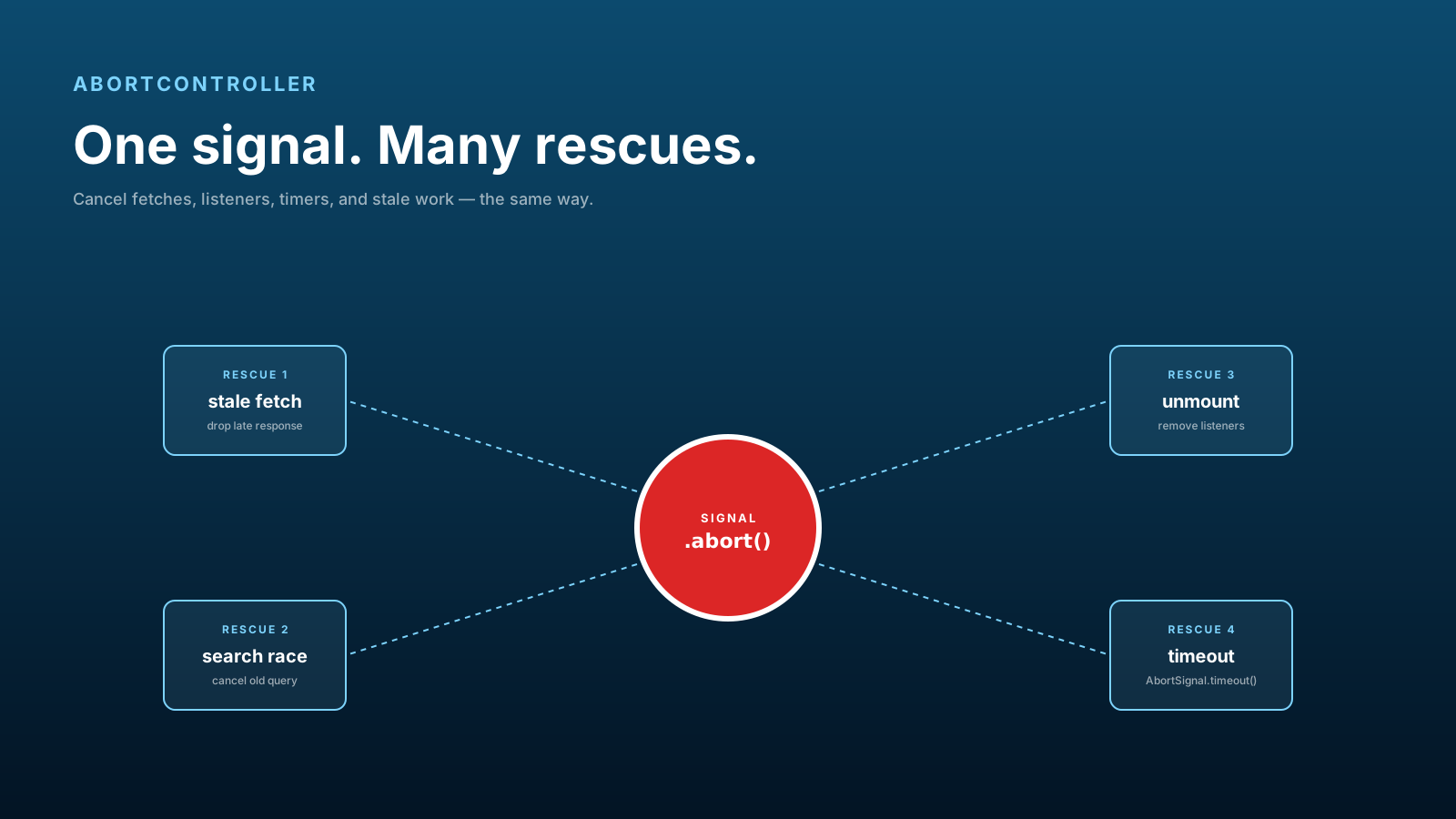
AbortController started as a way to cancel fetch. It's grown into one of the most useful primitives in modern JavaScript — a single signal that can cancel network requests, remove event listeners, abort streams, and time out async work, all with the same API.
If you only use it to cancel a fetch when a user clicks "stop," you're missing 80% of what it can do.
Cancellation Prevents Stale Work
The real value of AbortController isn't user-facing cancel buttons. It's preventing stale work from affecting state after the user has moved on.
let controller;

async function loadProfile(id) {
  controller?.abort();              // cancel previous in-flight request
  controller = new AbortController();
  try {
    const res = await fetch(`/api/users/${id}`, { signal: controller.signal });
    return await res.json();
  } catch (err) {
    if (err.name === 'AbortError') return; // expected, ignore
    throw err;
  }
}

loadProfile(1); // user navigates fast
loadProfile(2); // first request aborted
loadProfile(3); // second request aborted, only third's data lands
Without this, the response from loadProfile(1) might arrive after loadProfile(3) and overwrite the correct profile data. With it, the older requests don't even get a chance.
AbortController Fixes Search Races
A search input that hits the API on every keystroke is the textbook race-condition example. Type "abc" fast, three requests fire, they return out of order, the UI shows results for "ab" because that response came back last.
let controller;

input.addEventListener('input', async (e) => {
  controller?.abort();
  controller = new AbortController();

  try {
    const res = await fetch(`/search?q=${e.target.value}`, {
      signal: controller.signal,
    });
    renderResults(await res.json());
  } catch (err) {
    if (err.name !== 'AbortError') showError(err);
  }
});
Same pattern, applied to keystrokes. Combined with debouncing (don't fire on every keystroke, wait for a pause), it's the production-grade search input pattern.
Cleanup Matters In Components
In React (and any component framework), an unmounted component should not have in-flight requests, registered listeners, or active timers. Forgotten cleanup is a leading cause of memory leaks and "Can't perform a React state update on an unmounted component" warnings.
AbortController makes cleanup a one-liner:
useEffect(() => {
  const controller = new AbortController();

  fetch('/api/data', { signal: controller.signal })
    .then(r => r.json())
    .then(setData)
    .catch(err => err.name !== 'AbortError' && setError(err));

  window.addEventListener('resize', onResize, { signal: controller.signal });
  document.addEventListener('keydown', onKey, { signal: controller.signal });

  return () => controller.abort();
}, []);
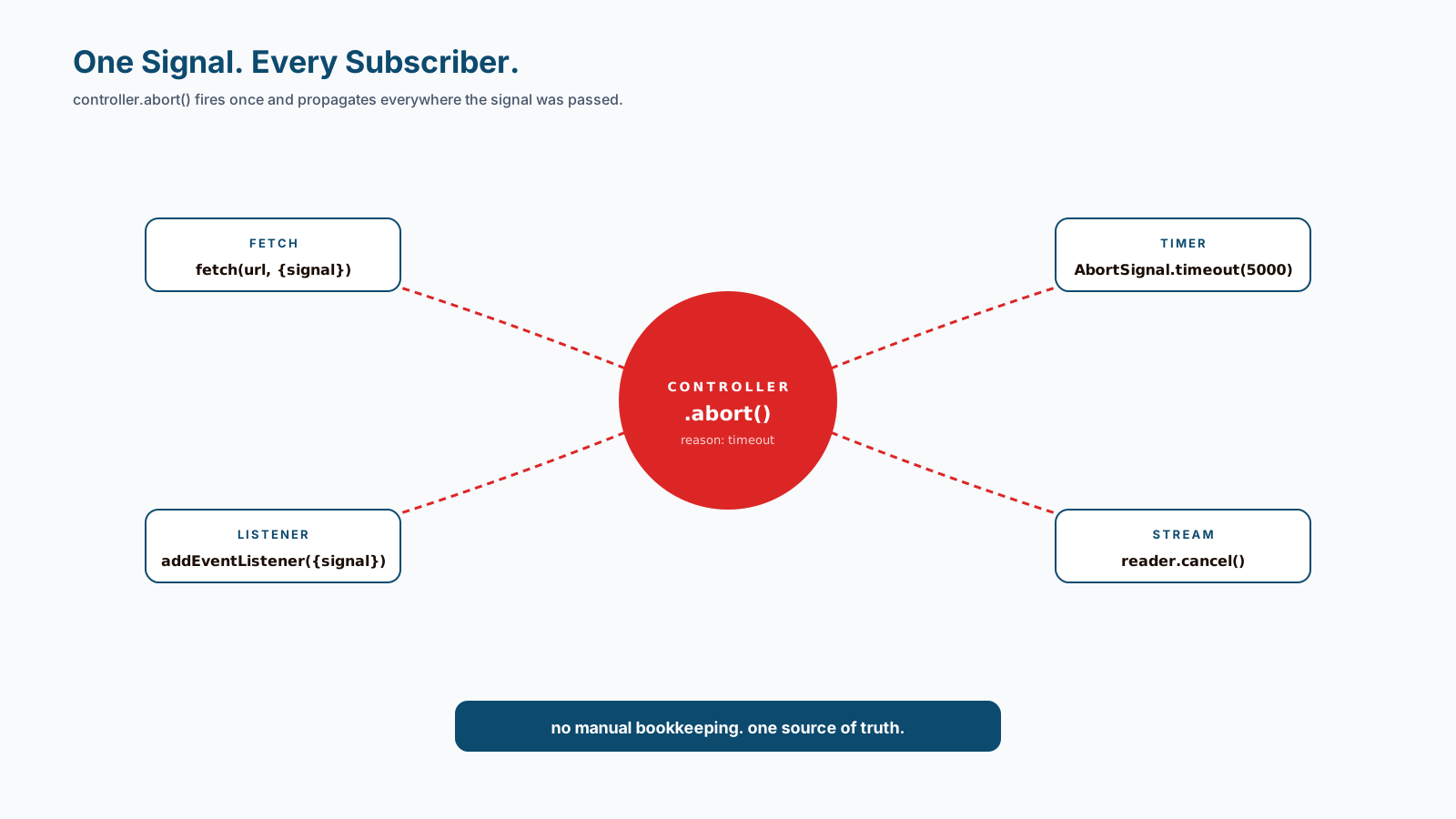
One controller, three cleanups. The signal option is supported by addEventListener in all modern browsers — when you abort, every listener registered with that signal is removed automatically. Same for the in-flight fetch. Cleanup goes from "remember every listener" to "abort the controller."
Timeouts Are Just Cancellation With A Clock
Need a request to time out after 5 seconds? AbortSignal.timeout() (modern browsers and Node) is the cleanest way:
async function fetchWithTimeout(url, ms) {
  try {
    const res = await fetch(url, { signal: AbortSignal.timeout(ms) });
    return await res.json();
  } catch (err) {
    if (err.name === 'TimeoutError') throw new Error('Request took too long');
    throw err;
  }
}

await fetchWithTimeout('/api/slow', 5000);
For older runtimes, you can compose your own:
const timeout = setTimeout(() => controller.abort(), 5000);
try {
  await fetch(url, { signal: controller.signal });
} finally {
  clearTimeout(timeout);
}
You can also combine multiple signals — AbortSignal.any([userSignal, timeoutSignal]) aborts if either fires. Useful for "cancel on user click OR after 30 seconds, whichever comes first."
Beyond Fetch
Things AbortSignal works with in 2026:
fetch(since forever)addEventListener(now everywhere)streams.pipeTofor stream cancellationIndexedDBrequests (some operations)- Most modern Node APIs (
readFile,writeFile, etc.) - Many third-party libraries that follow the convention
When you're picking up a new async API, look for signal in the options object. If it's there, you can cancel it. If it's not there but should be, file an issue — most maintainers will add it.
Pro Tips
- Always pair
fetchwith a signal. Cancellation should be the default, not an opt-in. - Use
AbortControllerin component cleanup. One controller, all the cleanups. - Reach for
AbortSignal.timeout()for the timeout pattern. - Combine with
AbortSignal.any()for "first to fire" cancellation. - Always handle
AbortErrorexplicitly — it's expected, not a bug.
Final Tips
The mental shift: AbortController isn't about cancellation — it's about ownership. Every async operation should belong to something (a component, a request, a screen) that can decide when it's no longer relevant. The controller is how you express that.
Once it clicks, you stop writing leaky cleanup code. Every component, every request, every listener gets a controller. Lifecycle and cancellation become one thing.
Good luck — and may your stale responses never overwrite fresh state again 👊