
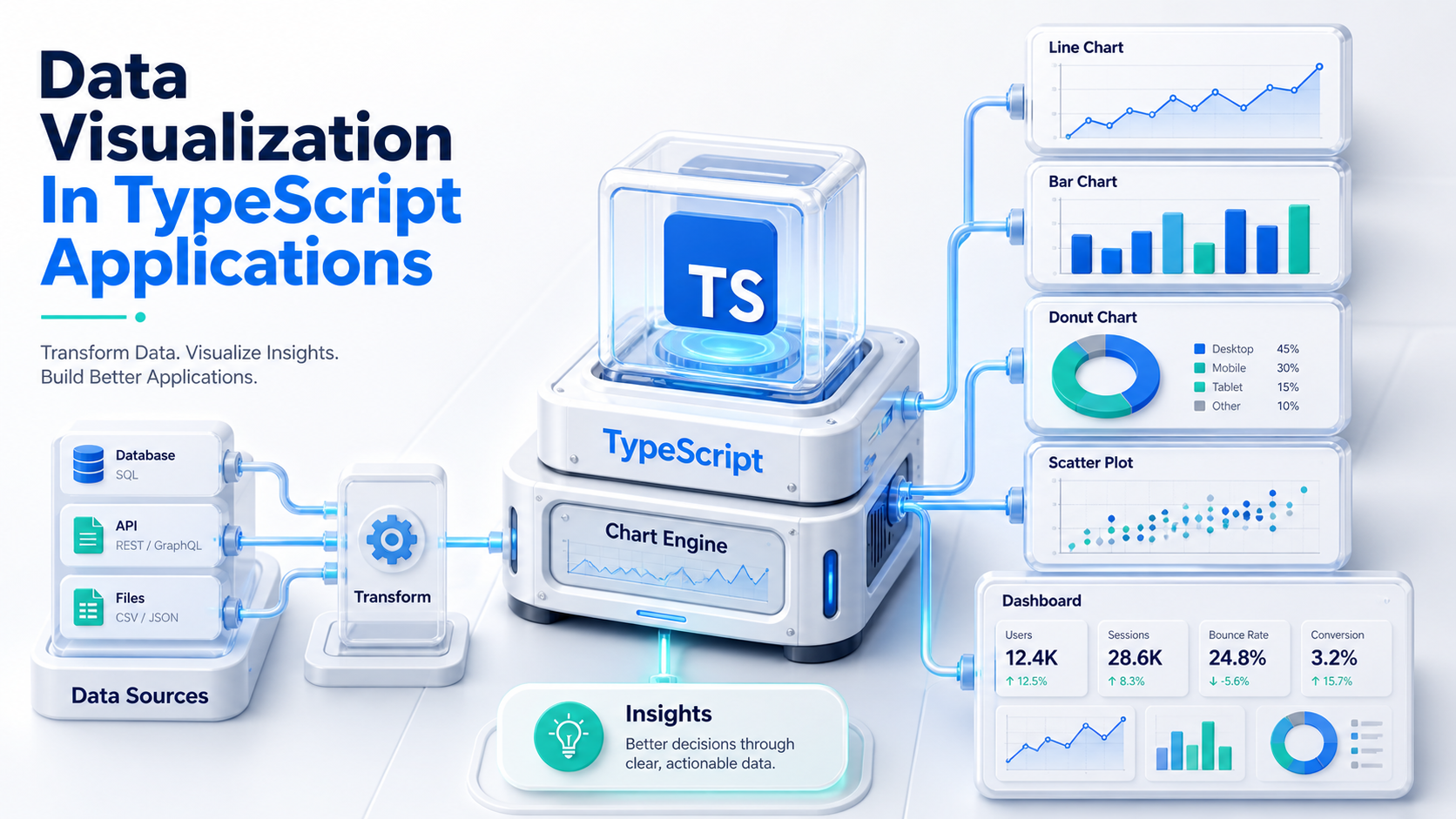
The First Chart Always Looks Easy
You drop a <LineChart> into a dashboard, pass it an array of points, and it renders. The product team says it looks great. Three months later the same chart is choking on 50,000 points, the design team wants a custom annotation layer, the accessibility audit flagged that it has zero keyboard support, and someone asks why hovering shifts the layout by two pixels.
That's the lifecycle of every data-viz feature in a TypeScript app. The first chart is a five-minute job. The second one is a library evaluation. By the fifth, you have an opinion.
Most of those opinions are not really about which library is "best." They are about which layer of abstraction matches your team. So let's talk about layers, then the libraries that live in them.
Three Layers, Four Common Mistakes
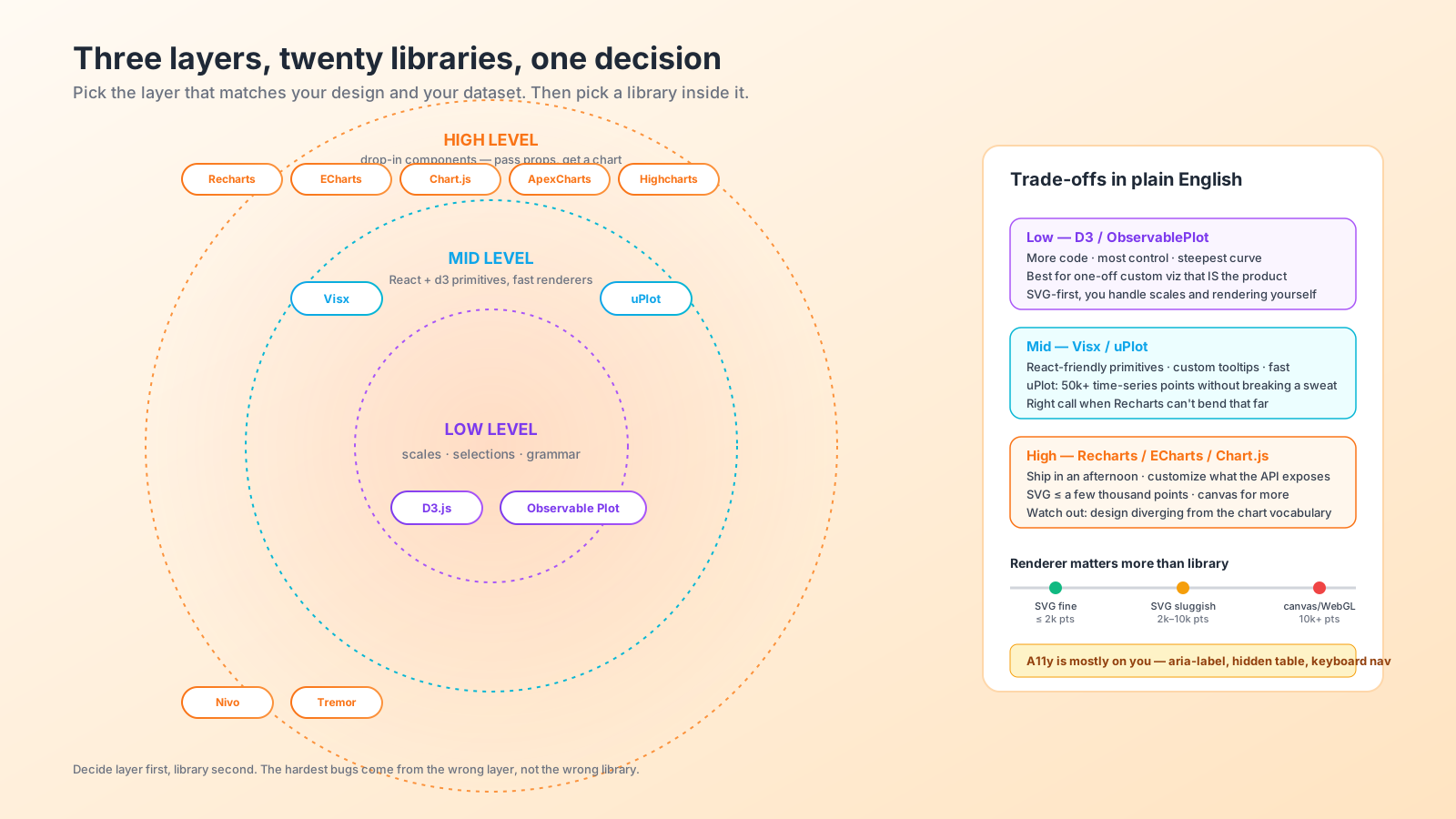
Charting libraries roughly fall into three layers.
Low level. D3.js is the canonical example. You get scales, axes, layouts, transitions, selections — the math and DOM toolkit, not the chart. You build the chart. Tons of control, lots of code, and the steepest learning curve of anything in the front-end ecosystem.
Mid level (React-friendly primitives). Visx (from Airbnb) is D3's primitives wrapped as React components. uPlot is a high-performance time-series renderer. ObservablePlot (from Mike Bostock) is a declarative grammar of graphics. You assemble your own chart from typed building blocks but skip the imperative D3 selection API.
High level (drop-in components). Recharts, Chart.js, ApexCharts, ECharts, Highcharts, Nivo, Tremor. Pass data and props, get a chart. Customization is what the library exposes. Anything outside the API gets either hard or ugly.
The four mistakes I see repeatedly:
- Reaching for D3 when Recharts would have shipped in an afternoon.
- Reaching for Recharts when the design has annotations, custom legends, brushing, and synced tooltips that the API doesn't expose, and then fighting it for weeks.
- Building a custom React chart in the name of "performance" without measuring the high-level option first.
- Picking a library because the demo gallery is pretty, then discovering it has no TypeScript types or its types are auto-generated and useless.
The decision is "which layer fits?" before "which library?"
The Library Map As Of 2025
The honest landscape, biased by what I've shipped:
Recharts is the pragmatic React default. Composable JSX (<LineChart><XAxis/><YAxis/><Line/></LineChart>), good TypeScript types, fine performance up to a few thousand points. Past that it slows down because everything is SVG and React. Best for product dashboards with familiar chart types and reasonable dataset sizes.
Visx is what you reach for when Recharts isn't flexible enough. It is a kit of React components — scales, axes, shapes — that you compose yourself. More code than Recharts, more control than D3. Strong types. The right call when your design diverges from the standard chart vocabulary.
Apache ECharts is the everything-included answer. Comes with maps, treemaps, parallel coordinates, sankey, gauge, sunburst, anything you can think of. Canvas-based, so it scales to tens of thousands of points without hand-wringing. The official echarts-for-react wrapper is fine; types are reasonable. The catch is bundle size and a configuration object that's its own little DSL.
Chart.js is the simple, no-nonsense option. Canvas, small API, decent performance, ages well. Less idiomatic in React than Recharts but react-chartjs-2 works.
Highcharts is excellent and battle-tested. Free for non-commercial use; paid for commercial. The license matters in product evaluations.
ApexCharts is in the same neighborhood as Chart.js — easy, flexible, decent docs.
uPlot is the answer when you have time-series data and you actually need it to be fast. Tens of thousands of points, multiple series, smooth panning and zooming on a laptop. The API is more imperative than React-native, but for live trading-style charts or system-metrics dashboards, nothing else competes.
Tremor is React + Tailwind chart components for dashboards. Built on Recharts under the hood with a strong opinion about styling. If your design system is Tailwind, evaluate it before Recharts.
Nivo is a pretty middle ground — composable React components with a good aesthetic out of the box. Bundle size is the trade-off.
D3 stands alone. It's still the right call for one-off custom visualizations — the kind that are the centerpiece of a product, not a side widget on a dashboard.
Performance Is About Renderer, Not Library
The single biggest performance variable is whether the library renders to SVG or canvas. SVG charts give you per-element styling and easy event handlers but slow down past a few thousand DOM nodes. Canvas charts have a flat rendering cost but you give up CSS and per-element listeners — you have to do hit-testing yourself or rely on the library's tooltip layer.
Rough thresholds I have observed in real apps:
- Up to ~2,000 points across all series — SVG is fine and you barely notice.
- 2,000 to ~10,000 points — SVG starts to feel laggy on hover and resize. Time to consider canvas.
- 10,000+ points — SVG is a bad idea. Canvas, WebGL, or downsampling on the way in.
If your library is SVG-based and you're hitting walls, you have three options before swapping libraries: downsample (LTTB algorithm gives you a representative sample), aggregate into time buckets, or virtualize the chart into windows.
For live streaming time-series, uPlot's incremental update model (setData with new points) is what you want. Recharts re-rendering 10,000 points every tick will burn a CPU.
TypeScript Types Are Not Optional
A specific senior-team pain point: not every charting library ships first-class TypeScript types. Some have community-maintained @types/... packages that lag the library. Some auto-generate types from JSDoc and they end up as any for the most useful parts.
Before adopting a library, check three things:
- Does it ship its own types or are they community-supplied?
- Are the types for chart props as strict as the runtime behavior, or do they fall back to
Record<string, any>for anything customizable? - Are event handler arguments typed? Many libraries type the chart props well and then return
anyfromonPointClick.
The libraries that score well on this in 2025: Recharts, Visx, Tremor, ECharts (via the official typings), Chart.js. The ones where you'll write your own type narrowing: most of the older or smaller libraries.
Accessibility Is Mostly On You
Charts are the worst-served part of most accessibility stories. The typical SVG chart from a high-level library is a black box to a screen reader: a <svg> with no role, no labels, no keyboard navigation, no alternative text representation.
The minimum viable a11y for a production chart:
- A descriptive
aria-labelor<title>on the<svg>root. - A visually hidden
<table>with the same data, so screen readers can read the values. - Keyboard navigation for hover/focus states — at least Tab to move between series, arrow keys to step through points.
- A
prefers-reduced-motioncheck before playing entrance animations.
Some libraries (Highcharts, ECharts) have accessibility modules you can opt into. Most don't. If accessibility matters to your product — and it should — include it in the library evaluation. The chart that ships in two days with zero a11y will cost you weeks to fix later.
Server-Rendering And Hydration
Charts and SSR are an awkward couple. Most libraries assume window exists. In Next.js or Nuxt, you either render on the client only (dynamic import with ssr: false, <ClientOnly> in Vue) or pick a library with SSR support and pay attention to hydration.
The cleanest experience I've had: dynamic(() => import('./Chart'), { ssr: false }) with a sized skeleton placeholder so the layout doesn't shift. Honest about the trade-off — first paint shows a skeleton, the chart hydrates after JS. For dashboards behind login, that's almost always the right call. For public marketing pages with charts, look at libraries that emit static SVG on the server.
What I Reach For By Default
When someone asks me what to start with on a new TypeScript dashboard:
- Generic product dashboard, React, ≤ a few thousand points per chart: Recharts. Ship it. Replace later if you need to.
- Lots of chart types or rich interactions out of the box: ECharts. The bundle size is the tax.
- Time-series, lots of points, panning and zooming: uPlot. Wrap it once for your app and reuse.
- Custom one-off visualization that is the product: Visx or D3 directly. Plan for the time.
- Tailwind-styled dashboard: Tremor.
The point isn't that any of these is universally right. It's that picking the layer first — low, mid, high — and then picking inside that layer narrows the decision from "which of twenty libraries" to "which of three." That's the kind of decision a senior team can make in a meeting, instead of a half-built proof-of-concept that a junior developer carried alone for a sprint.
A Closing Thought On Customization
The single biggest predictor of "we will regret this library choice" is wanting to customize something the library didn't expose. Recharts is great until you want a custom legend that interacts with brush selection. ApexCharts is great until you want an annotation layer with arbitrary HTML.
Before you pick high-level, look at the design and ask: are any of these annotations, callouts, custom tooltips, or interactions outside the documented API? If yes, save yourself by going one layer down. The two extra days of build time you spend on Visx now will buy you a year of "no, this is easy" instead of "no, the library doesn't let us."

![World map dissolving into folder tabs for en, de, uk, ja, fr feeding a /[locale] route, with Accept-Language, NEXT_LOCALE cookie, and URL prefix chips routed into a best-fit matcher.](/_next/image?url=%2Fassets%2Fimgs%2Farticles%2Finternationalization-in-nextjs-apps%2Fcover.png&w=2048&q=75)



