
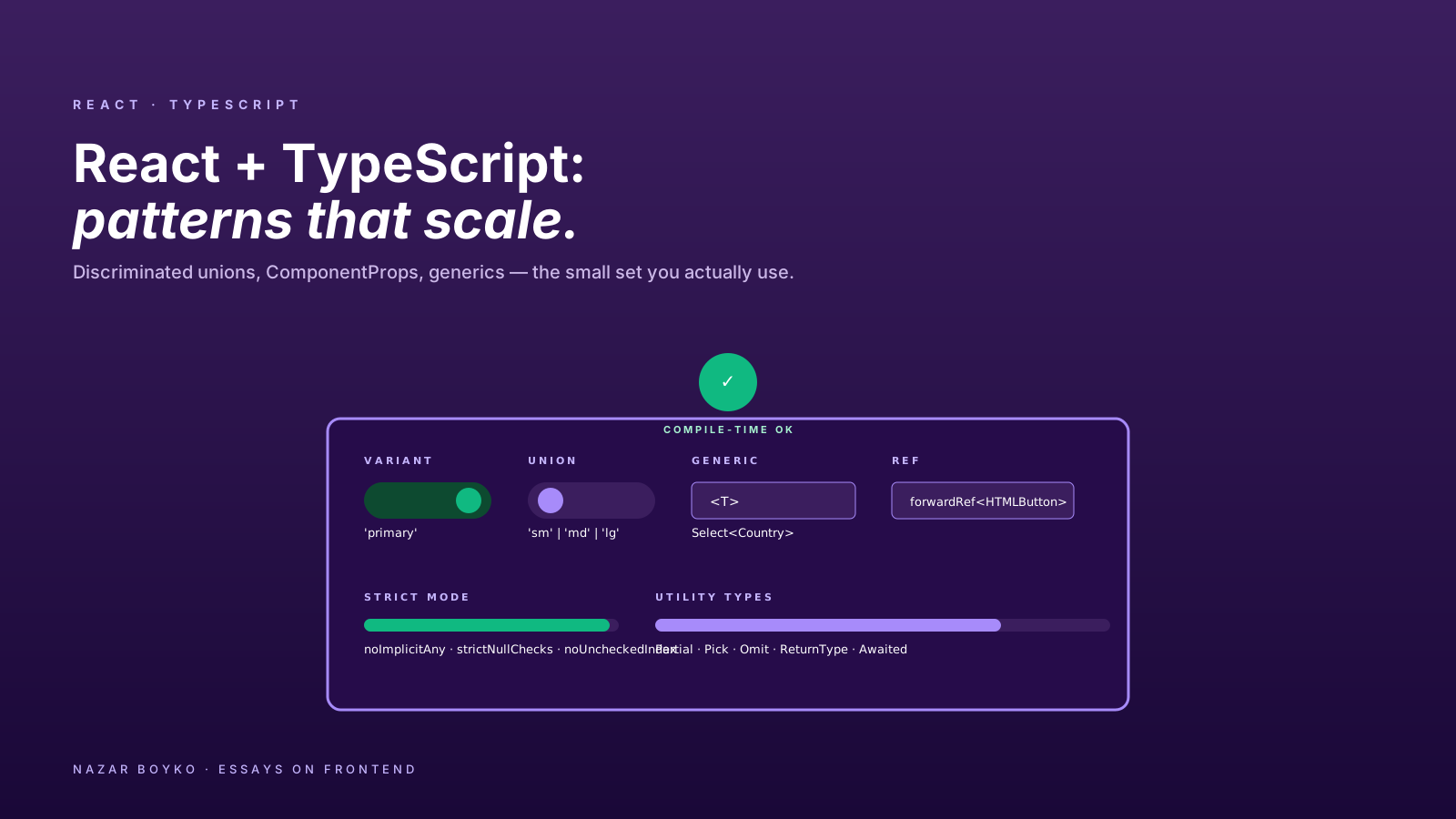
There's a phase every React + TypeScript project goes through where the types stop helping and start fighting back. Generic interfaces with five extends. as any showing up in PRs. Wrapper components whose only job is to convince the compiler that the props are valid. The types feel like the obstacle, not the safety net.
Almost always, the issue is patterns — using the wrong shape for the job. Once you know the half-dozen patterns that scale, TypeScript with React becomes invisible. You stop noticing it most of the time, and when you do notice it, it's usually catching a real bug at compile time.
This article is the practical short list. The patterns I reach for, in order of how often they earn their keep.
Pattern 1: Discriminated Unions For Variants
A Button with three variants — primary, ghost, link — where one of them needs an extra prop:
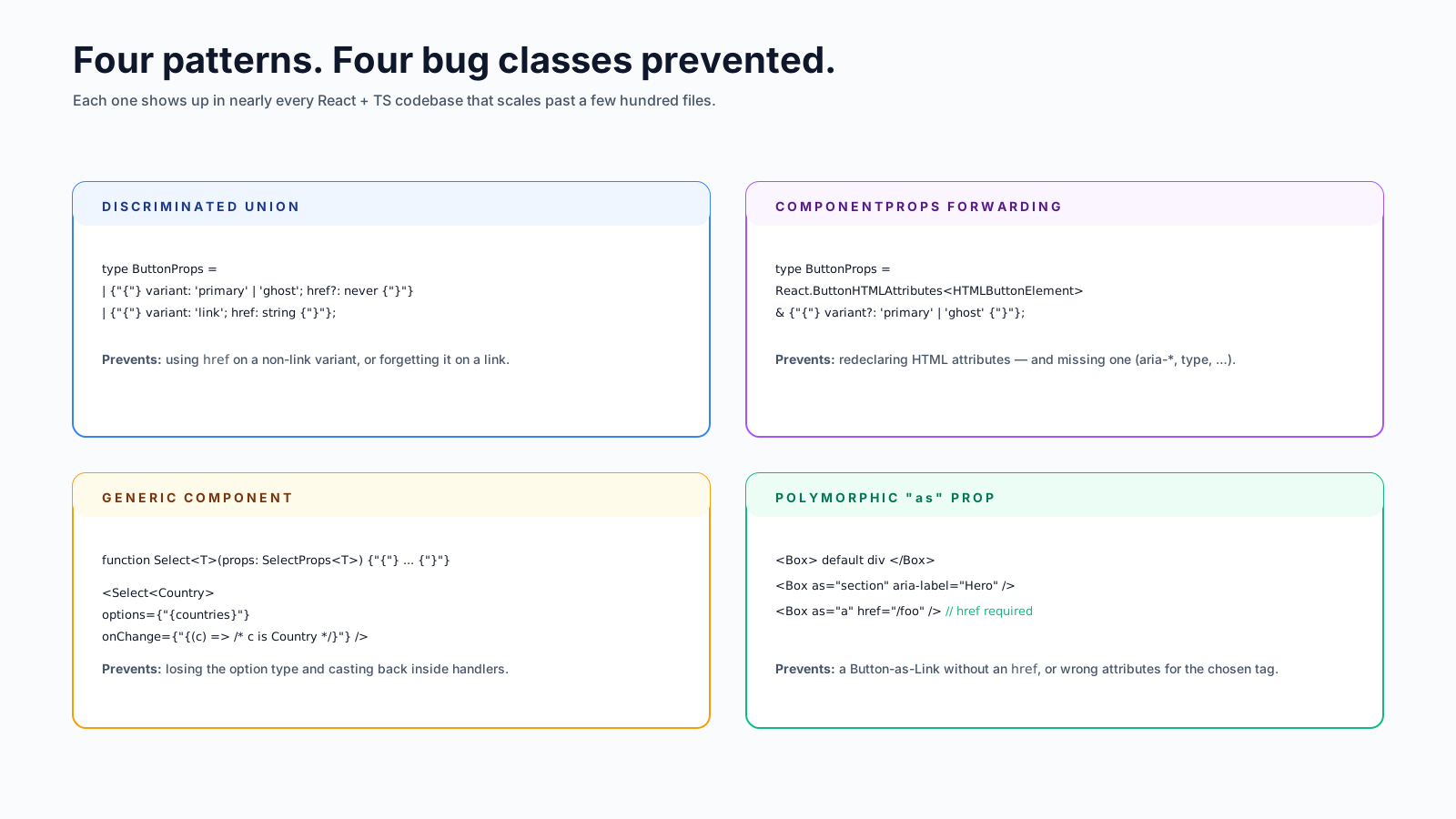
type ButtonProps =
  | { variant: 'primary' | 'ghost'; href?: never }
  | { variant: 'link'; href: string };

function Button(props: ButtonProps) {
  if (props.variant === 'link') {
    return <a href={props.href}>{/* ... */}</a>;
  }
  return <button>{/* ... */}</button>;
}
<Button variant="link"> requires href. <Button variant="primary" href="..."> is a compile error. The compiler enforces what would otherwise be a runtime assertion or, worse, a bug nobody noticed.
This is the single most useful TypeScript pattern in React. Use it for anything where one prop's type depends on another. The "discriminator" is just a string field the compiler can branch on; once you've branched, the rest of the type narrows automatically.
Pattern 2: ComponentProps For Forwarding
When you wrap a native element, don't redeclare its props — extend them:
type ButtonProps = React.ButtonHTMLAttributes<HTMLButtonElement> & {
  variant?: 'primary' | 'ghost';
};

function Button({ variant = 'primary', className, ...rest }: ButtonProps) {
  return (
    <button
      className={cn(buttonStyles({ variant }), className)}
      {...rest}
    />
  );
}
Consumers get autocomplete for onClick, disabled, type, aria-*, every standard button attribute — without you typing one of them out. The same pattern works for InputHTMLAttributes, AnchorHTMLAttributes, HTMLAttributes (for div), and others.
For wrapping another component, use ComponentProps:
type IconButtonProps = React.ComponentProps<typeof Button> & {
  icon: React.ReactNode;
};
IconButton now accepts everything Button does, plus icon. If Button's props change, IconButton's props update automatically.
Pattern 3: Generic Components
A Select that returns the actual type of the chosen option, not just a string:
type SelectProps<T> = {
  options: T[];
  value: T;
  onChange: (next: T) => void;
  getLabel: (option: T) => string;
};

function Select<T>({ options, value, onChange, getLabel }: SelectProps<T>) {
  return (
    <select
      value={getLabel(value)}
      onChange={(e) => {
        const next = options.find(o => getLabel(o) === e.target.value);
        if (next) onChange(next);
      }}
    >
      {options.map(o => (
        <option key={getLabel(o)} value={getLabel(o)}>{getLabel(o)}</option>
      ))}
    </select>
  );
}type Country = { code: string; name: string };
const countries: Country[] = [...];
<Select<Country>
options={countries}
value={selected}
onChange={(c) => console.log(c.code)} // c is fully typed as Country
getLabel={(c) => c.name}
/>The component works for any data shape. The consumer gets full type safety on the value and the change handler. No casting, no any.
Generic components feel intimidating the first time, but they're how the best component libraries (TanStack Table, react-hook-form, react-select) get their ergonomics. Once you've written one, the rest are easy.
Pattern 4: Polymorphic Components — The "as" Prop
A Box (or Text, or Link) that can render as different HTML elements without losing type safety on the props of whichever one you picked:
type AsProp<C extends React.ElementType> = { as?: C };

type PolymorphicProps<C extends React.ElementType, P = {}> =
  AsProp<C> & P & Omit<React.ComponentPropsWithoutRef<C>, keyof (AsProp<C> & P)>;

function Box<C extends React.ElementType = 'div'>({
  as,
  children,
  ...rest
}: PolymorphicProps<C, { children?: React.ReactNode }>) {
  const Component = as || 'div';
  return <Component {...rest}>{children}</Component>;
}

<Box>default div</Box>;
<Box as="section" aria-label="Hero">section</Box>;
<Box as="a" href="/foo">link</Box>;       // href required because "a"
This is the fiddliest pattern in this article. Most teams reach for libraries that ship it (Radix's Slot, MUI's component prop). But understanding it unlocks a lot — most "I want my Button to be a link" requests are this pattern in disguise.
Pattern 5: Event Types You'll Actually Need
The event types in React's typings are unfriendly until you know the names. The short list:
// Form events
function onChange(e: React.ChangeEvent<HTMLInputElement>) {
  e.target.value;       // typed string
}

function onSubmit(e: React.FormEvent<HTMLFormElement>) {
  e.preventDefault();
}

// Click events
function onClick(e: React.MouseEvent<HTMLButtonElement>) {
  e.currentTarget;      // the button
}

// Keyboard events
function onKey(e: React.KeyboardEvent<HTMLInputElement>) {
  if (e.key === 'Enter') { /* ... */ }
}

// Focus events
function onBlur(e: React.FocusEvent<HTMLInputElement>) {
  e.relatedTarget;      // the next focused element, if any
}
The shape is always React.SomethingEvent<HTMLElementType>. The element type narrows currentTarget and target so you don't have to cast.
When you forward a handler to a child component, use React.ComponentProps:
type Props = {
  onSelect: React.ComponentProps<'select'>['onChange'];
};
This way you don't have to remember the event type — the compiler infers it from the underlying element.
Pattern 6: useState Initialisers And Setter Types
Two common mistakes that bite even seasoned TypeScript users.
Initialising state to null without telling the compiler what it'll become:
const [user, setUser] = useState(null);  // type is null forever
setUser({ id: 1 });                       // ❌ error, can't assign object to null

// fix:
const [user, setUser] = useState<User | null>(null);
The setter that takes a function:
const [count, setCount] = useState(0);
setCount(c => c + 1);    // c is correctly typed as number, no annotation needed
But once the state is a union, the function form needs a hint:
const [theme, setTheme] = useState<'light' | 'dark'>('light');
setTheme((t) => t === 'light' ? 'dark' : 'light');     // works
If the result of the function isn't a literal narrow enough, you'll get an error. as 'light' | 'dark' casts as a last resort, but rewriting to be type-safe is usually one extra check.
Pattern 7: Useful Utility Types
You don't need to memorise the whole utility-type catalogue. Five carry their weight:
Partial<T>— every property optional. Useful for "patch" objects.Pick<T, K>— narrow to a subset of fields. Useful for "what does this component actually need?"Omit<T, K>— remove fields. Useful when wrapping components and overriding a prop.ReturnType<typeof fn>— infer the return of a function. Useful for typing what a custom hook returns.Awaited<T>— unwrap a promise. Useful for typing async results.
function useUser() {
  const [user, setUser] = useState<User | null>(null);
  return { user, setUser };
}

type UserHook = ReturnType<typeof useUser>;       // { user: User|null; setUser: ... }
The "when in doubt, infer" rule applies. If TypeScript can derive a type from your code, let it — explicit types are for boundaries (props, public functions, API responses), not for things the compiler can already see.
A Few Habits That Don't Help
The other half of the discipline:
- Don't use
React.FCorReact.FunctionComponent. It implicitly addschildrenand makes generics awkward. Plain function declarations with explicit prop types are clearer:TypeScriptfunction Button(props: ButtonProps) { ... } // ✅ const Button: React.FC<ButtonProps> = (props) => ... // ❌ avoid - Don't
anyyour way out of a problem. If the type is hard to express, the design is usually trying to tell you something. Reach forunknownif you genuinely need an opaque value. - Don't redeclare HTML element props.
React.ButtonHTMLAttributes<HTMLButtonElement>is shorter than the list of things you'd type. - Don't write generic types you don't need. Most components don't need generics. Reach for them when there's a real dependency between the input and output type.
- Don't fight
strict: true. It catches real bugs. The pain in the first week is repaid for the next two years.
Type-First, Not Type-Last
A small habit shift: write the type before the implementation, when you can. For a new component, sketch the props interface first. For a new hook, write its return type. The implementation often becomes shorter and simpler — because the type forces you to make the interface honest before you start solving the problem.
// before any implementation
type UseUploadResult =
  | { state: 'idle';                              start: (f: File) => void }
  | { state: 'uploading'; progress: number;       cancel: () => void       }
  | { state: 'done';     url: string;             reset: () => void        }
  | { state: 'error';    error: string;           retry: () => void        };

function useUpload(): UseUploadResult { /* ... */ }
Now the consumer's code is provably correct: in the 'uploading' branch, progress exists and cancel is callable; in the 'idle' branch, only start is. The hook's behaviour is encoded in the type. Bugs that try to access url from the idle state never compile.
The One-Sentence Mental Model
TypeScript with React earns its keep when types describe what's possible rather than what's allowed in general. Discriminated unions for variants, ComponentProps for forwarding, generics for relationships between input and output — these patterns turn the type system from a tax into a tool that catches bugs you didn't have to think about. Most of the time, when types feel painful, the fix is one of the patterns above.


![World map dissolving into folder tabs for en, de, uk, ja, fr feeding a /[locale] route, with Accept-Language, NEXT_LOCALE cookie, and URL prefix chips routed into a best-fit matcher.](/_next/image?url=%2Fassets%2Fimgs%2Farticles%2Finternationalization-in-nextjs-apps%2Fcover.png&w=2048&q=75)



