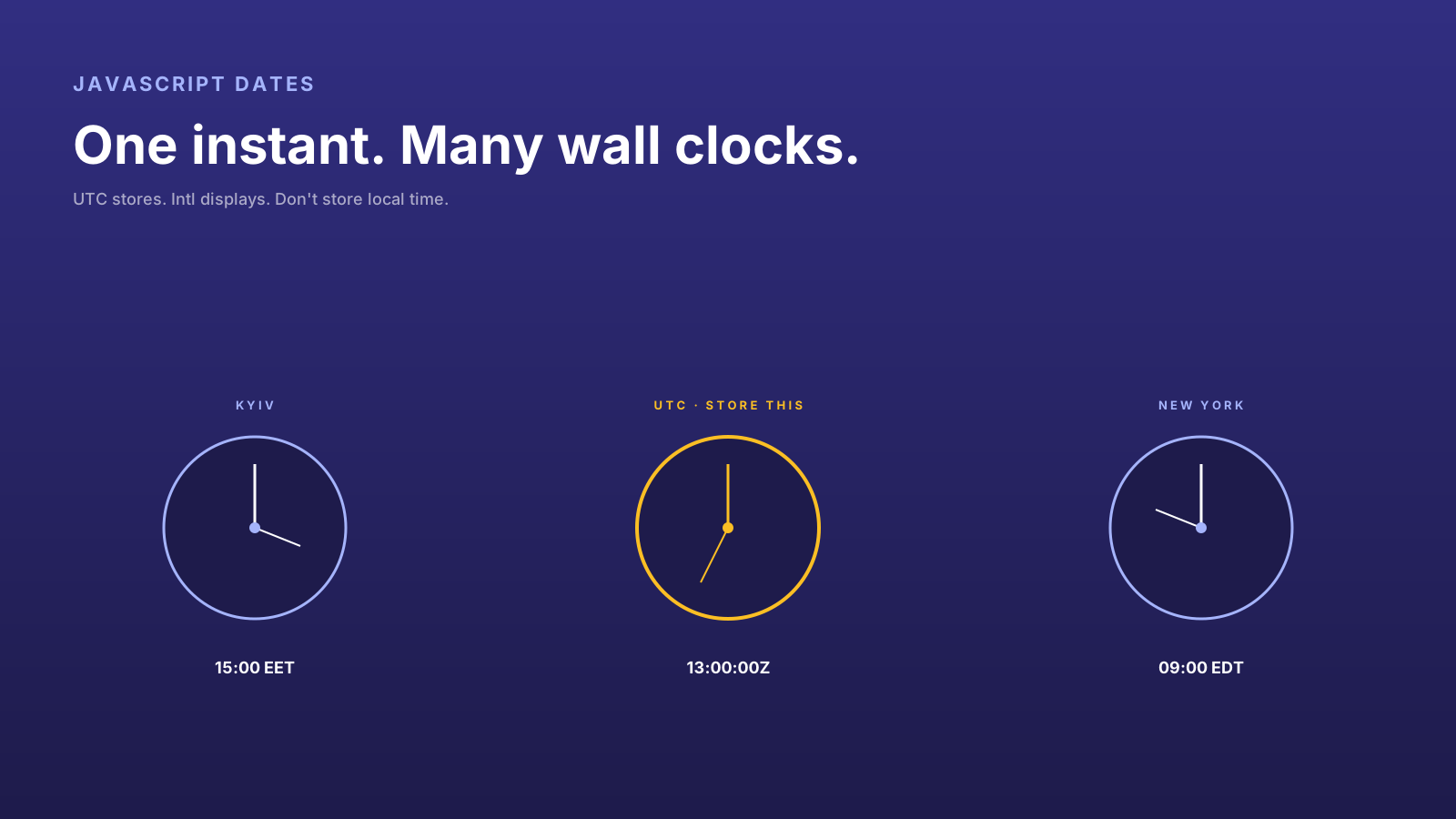
JavaScript's Date is the API that everyone learns to fear. It mutates. It mixes UTC and local time. It accepts ambiguous string formats. It silently produces "Invalid Date" instead of throwing. The same code can show one user "Jan 1" and another user "Dec 31" depending on their browser's timezone.
The good news: 2026 has Temporal (now stabilizing in browsers), better Intl support everywhere, and a clearer playbook for handling time. The bad news: most production code still uses Date, so the playbook still has to cover the pitfalls.
Dates Are Instants Plus Human Meaning
The first concept worth getting right: a "date" is two different things conflated.
- An instant — a single point on the universal timeline. "1738339200 seconds since Unix epoch." Unambiguous. UTC. Stored in databases, sent across networks.
- A wall-clock representation — what a human reads on a clock or calendar. "January 31, 2025 at 4:00 PM in Kyiv." Depends on timezone. Used for display.
The same instant displays as different wall-clock times for users in different cities. A meeting at "3 PM your time" is not the same data as "3 PM in Kyiv" — those become different instants for users elsewhere.
Date blurs the distinction. Pick which one you mean every time.
const instant = new Date('2026-01-31T15:00:00Z');  // unambiguous UTC
const local = new Date('2026-01-31T15:00:00');     // local timezone — different per user!
The first is safe. The second is a bug waiting to manifest the next time someone logs in from a different city.
UTC Is Storage, Not Display
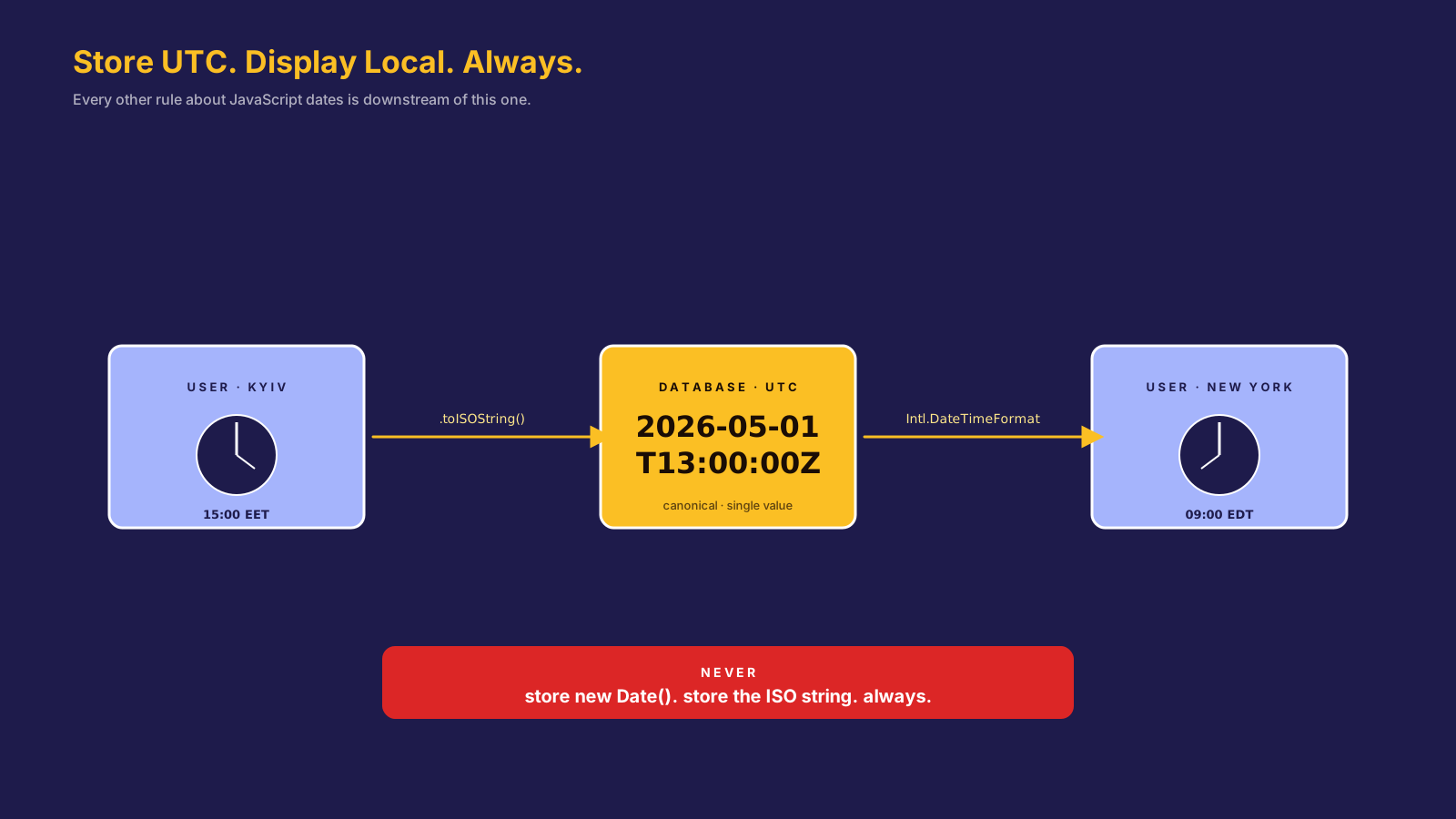
The single rule that prevents most timezone bugs: store instants in UTC, display in the user's locale, never mix the two.
// storage — always UTC
const instant = Date.now();              // milliseconds since epoch, UTC
const iso = new Date(instant).toISOString(); // '2026-01-31T13:00:00.000Z'

// display — user's locale
const display = new Intl.DateTimeFormat(navigator.language, {
  dateStyle: 'long',
  timeStyle: 'short',
}).format(instant);
// 'January 31, 2026 at 3:00 PM' for Kyiv users
// 'January 31, 2026 at 9:00 AM' for New York users
Save the ISO string in your database. Send the ISO string over the network. Format it with Intl.DateTimeFormat only when you render to the user. Do not store local strings; do not parse local strings without a timezone.
A "2025-01-31" in your database without a time and timezone is ambiguous. Is it midnight Kyiv? Midnight UTC? Midnight where the user lived when they entered it? Sometimes the answer matters (a birthday is timezone-independent; a meeting is not). Be explicit per field.
Intl Is Your Friend
A surprising amount of date code in production exists because someone didn't realize the browser could do it natively. Intl.DateTimeFormat covers most needs:
const formatter = new Intl.DateTimeFormat('uk-UA', {
  weekday: 'long',
  year: 'numeric',
  month: 'long',
  day: 'numeric',
  hour: 'numeric',
  minute: 'numeric',
  timeZone: 'Europe/Kyiv',
});

formatter.format(new Date());
// "пʼятниця, 31 січня 2026 р. о 15:00"
Specify timeZone explicitly when you need to format for a known location (a server-rendered "events in Kyiv" page). Omit it to use the user's browser timezone (a "your activity" page).
Intl.RelativeTimeFormat handles "3 minutes ago," "in 2 hours," etc. without a date library. Intl.DurationFormat (now widely available) handles duration display ("1 hour 30 minutes"). For most apps, you can ship without date-fns or dayjs entirely.
APIs Need Explicit Date Contracts
The contract between client and server should pick one format and enforce it. The least surprising choice in 2026 is ISO 8601 strings with the offset:
{
  "createdAt": "2026-01-31T13:00:00.000Z",
  "scheduledAt": "2026-02-15T15:30:00+02:00"
}
Both formats are valid ISO 8601. The Z form is UTC; the +HH:MM form is the local offset at that instant (preserving timezone intent). Store either; parse with new Date(string) or Temporal.
Avoid: Unix timestamps as numbers (the resolution is ambiguous — seconds vs milliseconds), bare date strings without timezone, and locale-dependent formats like "01/31/2026" (is that January 31 or March 1? depends on locale).
Temporal Is The Long-Term Fix
The Temporal proposal is finally landing in browsers in 2026. It splits the conflated Date into separate types: Temporal.Instant, Temporal.PlainDate, Temporal.PlainDateTime, Temporal.ZonedDateTime, Temporal.Duration. Each type does one thing and refuses to do the others.
// once Temporal is widely available
const meeting = Temporal.ZonedDateTime.from('2026-02-15T15:30:00+02:00[Europe/Kyiv]');
const inLocal = meeting.toLocaleString('en-US');
const tomorrow = meeting.add({ days: 1 });
Until Temporal ships everywhere, libraries like date-fns and dayjs are the practical answer for non-trivial date math. For trivial display, Intl.* is enough.
Pro Tips
- Always store UTC. ISO strings or timestamps. Never local time.
- Always display via
Intl. PasstimeZonewhen you mean a specific location. - Avoid timezone-naive date strings. "2026-01-31" is ambiguous; "2026-01-31T00:00:00Z" isn't.
- Validate dates after parsing.
Date.parsereturnsNaNfor invalid input — check it. - Watch for Temporal — when it lands in your runtime, migrate critical date code first.
Final Tips
The shortest mental model: time has two layers, one for storage (UTC instants), one for display (locale-aware formatting). Most date bugs come from blurring them.
Pick which layer you're at, every time. The next user who logs in from Tokyo will thank you.
Good luck — and may your dates never lie about which day they mean 👊