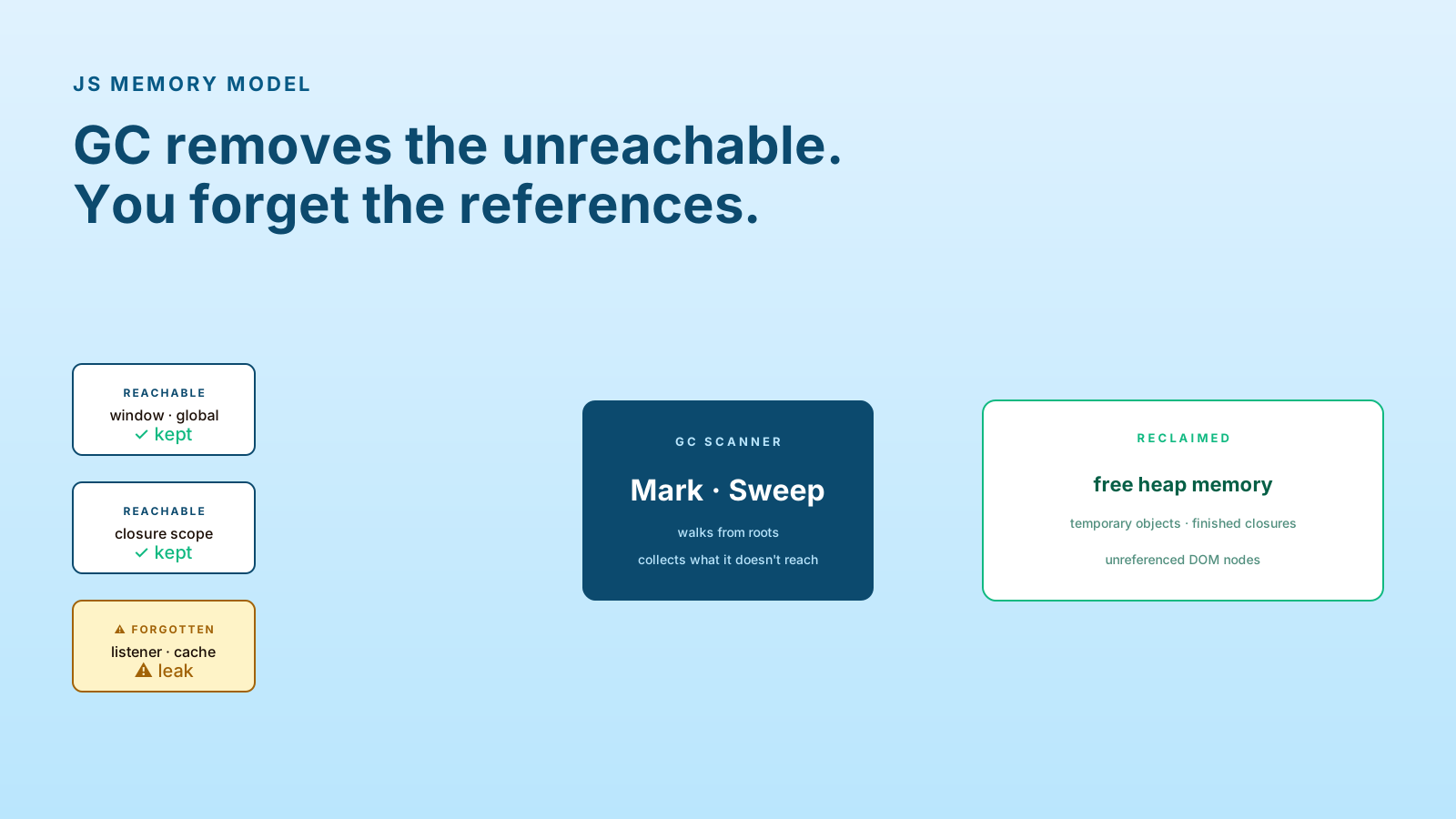
JavaScript memory feels free. There's no delete or free() to remember. The garbage collector handles it. Right?
Mostly. But "mostly" is doing heavy lifting in that sentence. The GC can only collect what's unreachable. If your code keeps a reference to something — even an obscure one — it stays. And the place that reference is hiding is rarely where you'd think to look.
Garbage Collection Follows Reachability
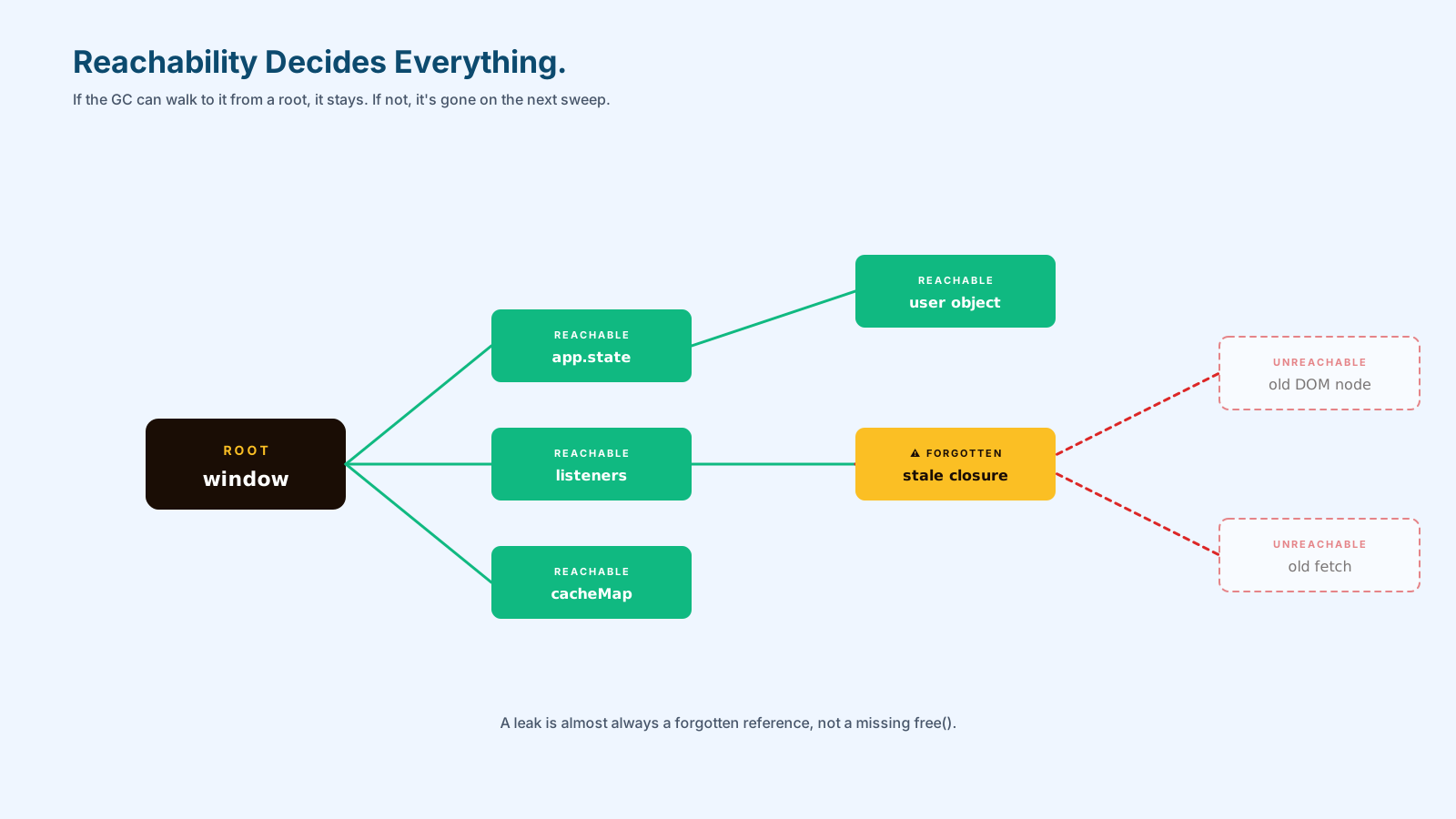
V8 (the engine in Chrome and Node) uses a reachability-based GC. Roots include the global object, the call stack, and CPU registers. Anything reachable from a root through references is kept. Anything else is collected.
That sounds simple. The trick is that "reachable" includes:
- Global variables and properties on
window/globalThis - Variables captured by closures still in scope
- Items in still-alive arrays, maps, sets
- DOM nodes referenced from JavaScript
- Event listeners attached to those DOM nodes
- Timers (
setInterval,setTimeout) that haven't fired yet - Subscriptions, observers, promises waiting to resolve
Any one of those can keep a 100MB object graph alive when you thought it was dead.
Leaks Are Usually Forgotten References
The classic leak pattern in modern apps:
const cache = new Map();

function loadUser(id) {
  if (!cache.has(id)) {
    cache.set(id, fetch(`/api/users/${id}`).then(r => r.json()));
  }
  return cache.get(id);
}
Looks fine. Cache is fast, requests are deduplicated. Three months later the page has been open in someone's tab for a week, the cache holds 50,000 user objects, the tab uses 2GB of memory.
The cache is a root. Everything in it is reachable. The GC will never collect it because nothing has told the GC it's safe to.
Two fixes:
// 1. WeakMap — keys can be GC'd if no other reference holds them
const cache = new WeakMap();

// 2. LRU with size limit
class LRU {
  constructor(max) { this.max = max; this.map = new Map(); }
  get(k) { /* refresh */ }
  set(k, v) { if (this.map.size >= this.max) this.map.delete(this.map.keys().next().value); this.map.set(k, v); }
}
WeakMap and WeakSet are the under-used part of the JavaScript memory toolkit — references that don't prevent GC.
Detached DOM Nodes Are Classic Trouble
A "detached" DOM node is one that's no longer in the document but is still referenced from JavaScript. Memory profilers flag these as a leak because they're typically a bug.
// 🐛 leak: button removed from DOM, but listener still references closure
const btn = document.createElement('button');
const largeData = new Array(100_000).fill('x');
btn.addEventListener('click', () => console.log(largeData.length));
document.body.appendChild(btn);
// ...
btn.remove(); // DOM gone, but `btn` is still in scope, listener still attached, largeData still alive
The fix is removing the listener (or using AbortController). The pattern shows up in single-page apps when components mount/unmount many times — every unmount that doesn't clean up its listeners leaks one closure's worth of state.
Caches Need Size And Lifetime
Any in-memory cache without bounds is a future memory bug. Three rules:
- Cap by size. Use an LRU or capped Map.
- Cap by time. Stale entries expire automatically.
- Cap by usage pattern. A cache for one user session shouldn't outlive that session.
// time-based cache with capped entries
class TtlCache {
  constructor(maxEntries = 1000, ttlMs = 5 * 60_000) {
    this.max = maxEntries;
    this.ttl = ttlMs;
    this.map = new Map();
  }
  set(k, v) {
    if (this.map.size >= this.max) this.map.delete(this.map.keys().next().value);
    this.map.set(k, { v, exp: Date.now() + this.ttl });
  }
  get(k) {
    const e = this.map.get(k);
    if (!e) return undefined;
    if (Date.now() > e.exp) { this.map.delete(k); return undefined; }
    return e.v;
  }
}
Boring, predictable, free of mysterious bloat. The cache pays back its discipline.
How To Find Real Leaks
Chrome DevTools Memory tab is the answer. Two techniques cover most cases:
- Heap snapshot diff: take a snapshot, perform the suspect action, take another. Compare. Objects that grew without good reason are your leaks.
- Performance trace with memory enabled: shows allocation rate over time. A sawtooth pattern (allocate, GC, allocate, GC) is healthy. A staircase climbing without dropping is a leak.
The "Detached HTMLDivElement" or similar in the comparison view is almost always a leak — a DOM node that was removed from the document but is still referenced.
Pro Tips
- Use
WeakMap/WeakSetfor caches keyed by objects — let GC do its job. - Cap every cache. Time, size, or both.
- Always pair listeners with cleanup.
AbortControllermakes it one line. - Take heap snapshots. Don't guess about memory.
- Measure long-running pages. Single-page apps and Node services are where leaks compound.
Final Tips
JavaScript memory is one of those topics that doesn't matter until it suddenly matters a lot. The moment users complain about a slow tab, or a Node service starts OOM-killing, or a React app reloads itself in production — you'll wish you'd been thinking about reachability earlier.
The shortcut: anything you allocate, ask "what holds this alive?" If the answer is "I'm not sure," that's the next leak.
Good luck — and may your heap snapshots stay flat 👊