JavaScript looks single-threaded and simple until you write setTimeout(fn, 0) and discover it doesn't run "right after" the current code. Or you await a Promise and the next line runs before a setTimeout you scheduled before it. The runtime model is doing exactly what it should — but the rules are not obvious until someone explains them.
The Call Stack Is The Main Road
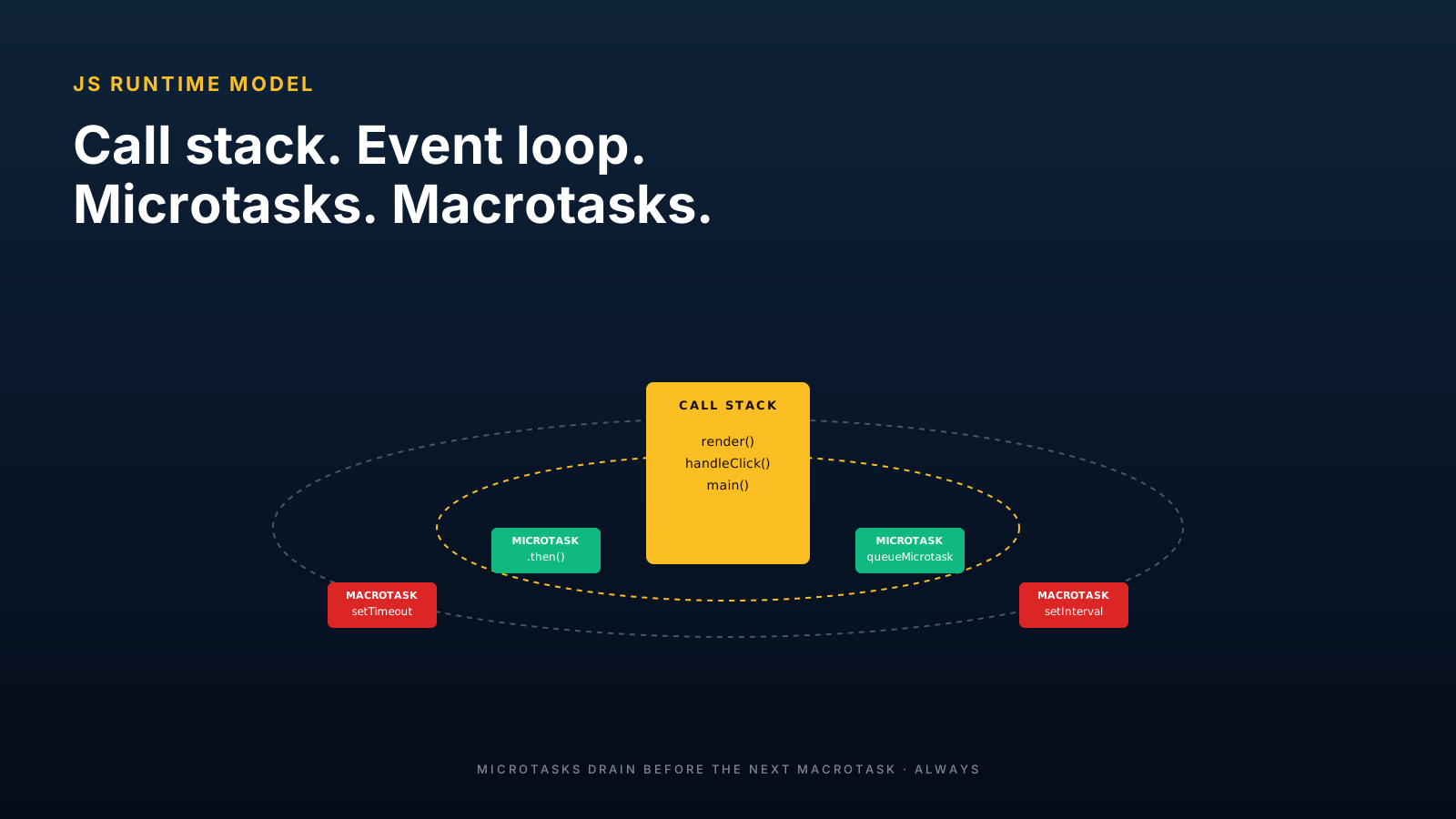
Every function call goes on the call stack. Every return pops it off. Synchronous code runs to completion before anything else — including microtasks and macrotasks — gets to run.
console.log('A: sync');

setTimeout(() => console.log('D: timeout'), 0);

queueMicrotask(() => console.log('C: microtask'));

Promise.resolve().then(() => console.log('B: promise'));

console.log('E: sync');
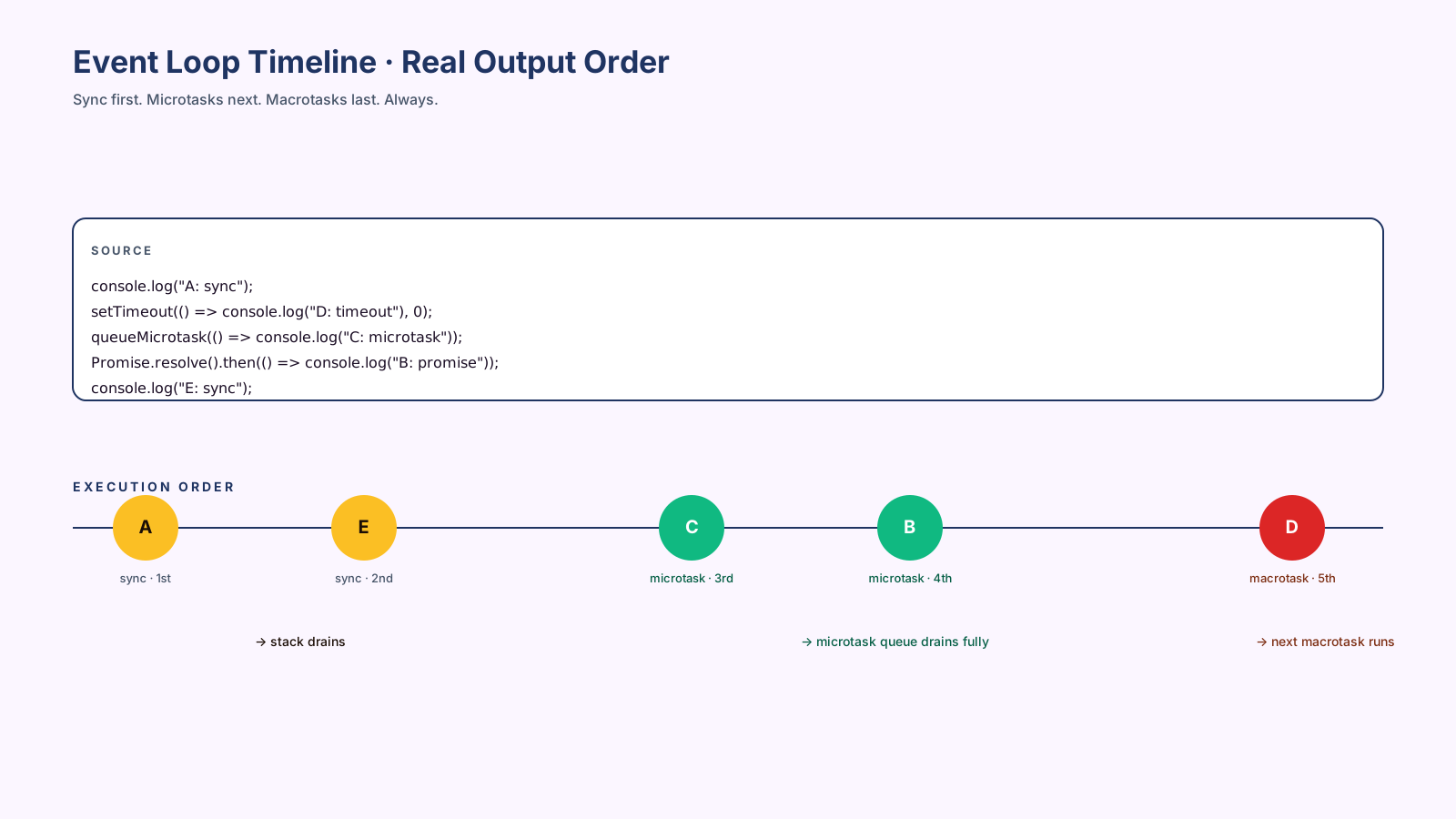
What does this print? Not the order it's written. The actual output is:
A: sync
E: sync
C: microtask
B: promise
D: timeout
Why? Because the runtime drains the call stack first (A, E), then the microtask queue (C, B), then the next macrotask (D). Each phase completes fully before the next one starts.
Microtasks Run Before The Next Task
The microtask queue is special. It runs after every task and drains completely before the next task. So a microtask that schedules another microtask runs immediately after the first — without yielding to a setTimeout.
That's why Promise.resolve().then() is faster than setTimeout(fn, 0), even though the timeout says zero.
It also means a runaway chain of microtasks can starve macrotasks indefinitely. If you write:
function recurse() {
  Promise.resolve().then(recurse);
}
recurse();
// → setTimeout callbacks never fire, UI freezes
The browser has nothing to render between microtasks. Use this knowledge: microtasks for "do this right after the current code" (state updates, cleanup), macrotasks for "do this in a future tick" (yield to UI, debouncing).
Timers Are Not Immediate Guarantees
setTimeout(fn, 100) does not mean "run fn 100ms from now." It means "after 100ms, put fn on the macrotask queue, which will run when the call stack and microtask queue are clear." If the page is busy, the actual delay can be much longer.
Browsers also clamp setTimeout(fn, 0) to a minimum (4ms in many cases) for nested timers, so back-to-back zero-delay timers run slower than you'd expect. For "as soon as possible after current code," queueMicrotask is what you want.
Starvation Is Possible
The event loop has a fairness problem you should know about: a long synchronous task blocks everything (UI rendering, input events, animations). A long microtask chain blocks everything (including UI rendering, animations, and macrotasks).
Two practical patterns:
// break long work into chunks that yield to the macrotask queue
async function processInChunks(items, work) {
  for (let i = 0; i < items.length; i++) {
    work(items[i]);
    if (i % 100 === 0) await new Promise(r => setTimeout(r, 0));
  }
}

// or use scheduler.yield() in modern browsers
async function processInChunksModern(items, work) {
  for (const item of items) {
    work(item);
    if ('scheduler' in window) await scheduler.yield();
  }
}
The scheduler.yield() API (modern browsers) is the cleanest answer for "let the browser breathe between work items." For older browsers, setTimeout(0) is the fallback.
Pro Tips
- Drain order is sync → microtasks → one macrotask → microtasks → one macrotask. Memorize it.
- Use
queueMicrotaskfor "after current code" cleanup. Faster and more predictable thansetTimeout(0). - Use
setTimeoutto yield to UI. Microtasks never yield; macrotasks do. - Watch for microtask starvation. A
.thenthat schedules another.thencan lock the UI. - Read DevTools Performance traces. The Microtasks lane shows what actually happened.
Final Tips
The runtime model isn't theoretical — it explains real bugs. "Why did my UI freeze when I was just doing async work?" Microtask starvation. "Why didn't my setTimeout(fn, 0) run before this Promise?" Microtasks drain before macrotasks. "Why is my React state update racing?" The order is determined by where in the queue your callbacks land.
Once you can predict the output of that 5-line demo without running it, the language stops surprising you in production.
Good luck — and may your microtasks always know when to yield 👊