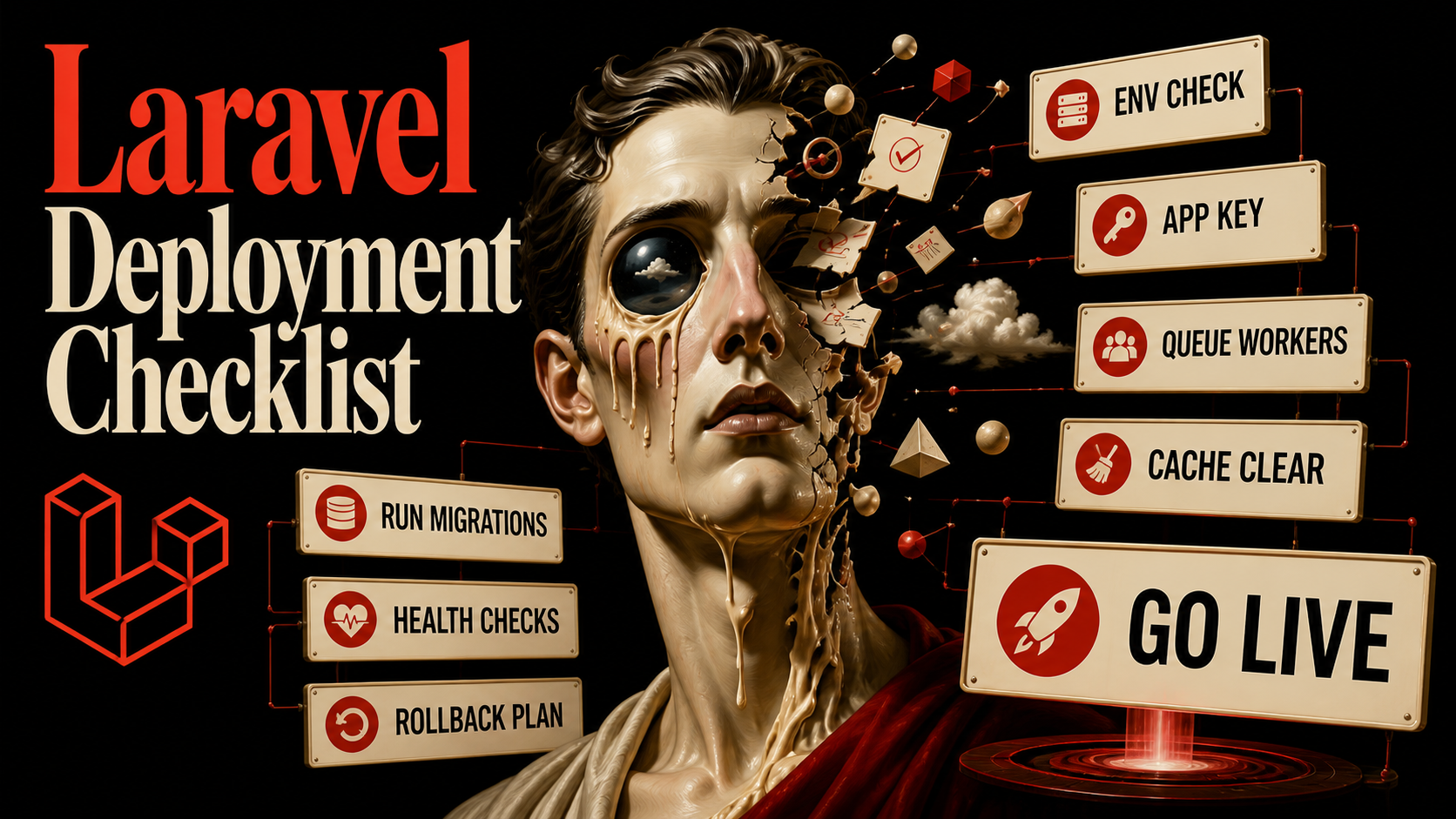
The first deploy of a Laravel project is always fine. It's the fortieth deploy, on a Friday, with a database migration and a queue change and a new environment variable nobody documented, that breaks. The point of a deploy checklist isn't to look thorough — it's to make the fortieth deploy as boring as the first.
I've watched teams treat "deployment" as one big step labeled "ship it." Then a migration locks a table, the queue worker keeps running yesterday's code, and somebody manually chmods storage/ at 11pm to fix the white screen. Deployments are several steps with very different rules, and the difference between a calm deploy and a panicked one is mostly knowing which step you're in.
The Three Phases That Actually Exist
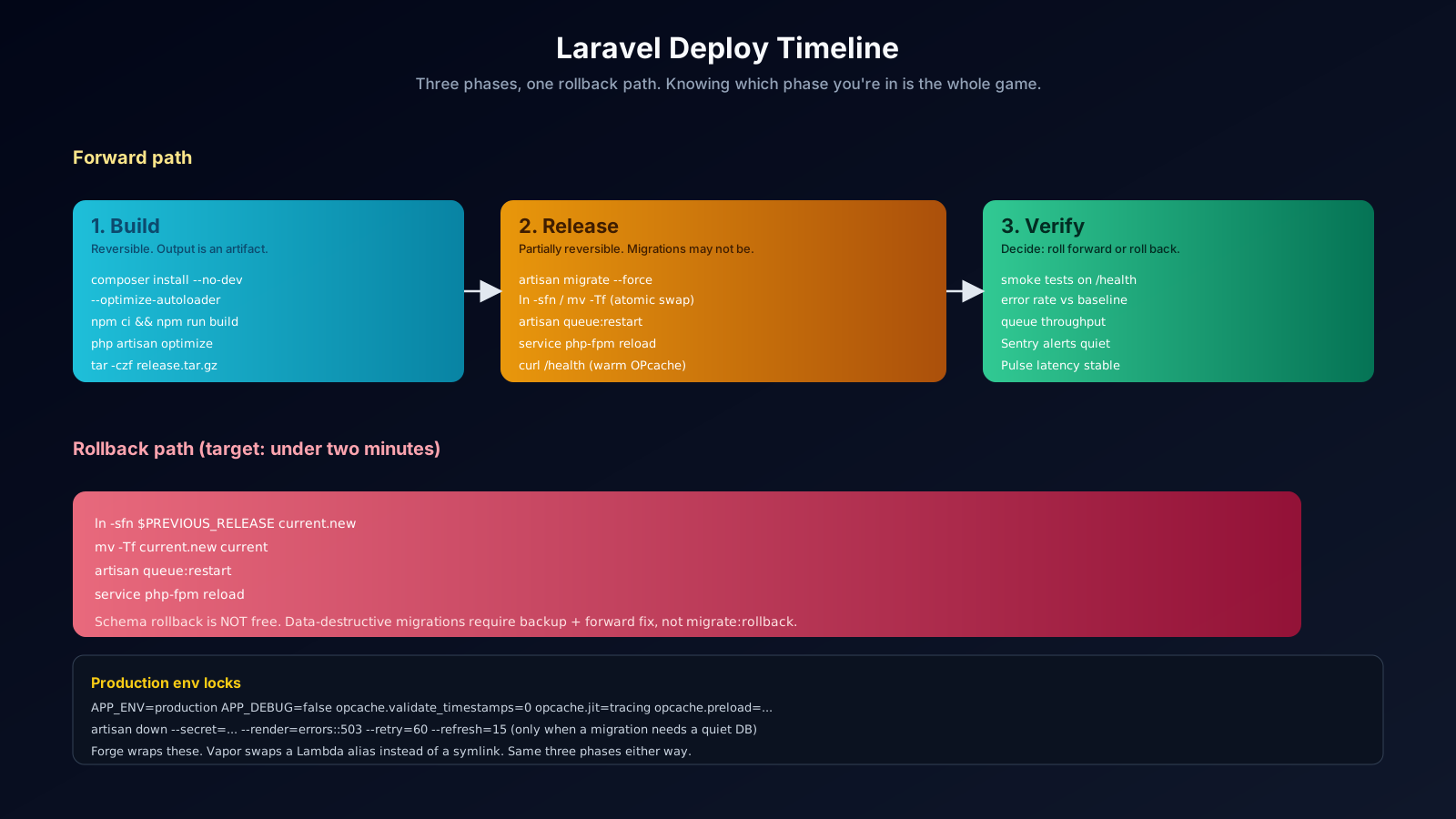
Every Laravel deploy splits into three phases with different reversibility properties:
- Build. Produce an artifact. Composer install,
npm run build, asset hashes pinned. Fully reversible — if the build fails, nothing changed. - Release. Apply the artifact to production. Migrate the database, swap the symlink, restart workers. Partially reversible — the migration may not be.
- Verify. Confirm the new release is healthy. Smoke tests, error rates, queue throughput. If something is wrong, this is where you decide to roll forward or roll back.
The mistake teams make is folding all three into one shell script. When step 14 of 22 fails, nobody knows whether the database is half-migrated or the new code is half-deployed. Keep the phases separate, name them in your deploy log, and you'll always know what state production is in.
Build: Produce A Stamped Artifact
The build phase happens in CI, not on the production server. The output is a signed tarball, a Docker image, or a Git tree at a specific SHA — something you could ship a year from now and get the same bytes.
# CI build script (runs in a clean container)
composer install \
  --no-dev \
  --no-interaction \
  --prefer-dist \
  --optimize-autoloader

npm ci
npm run build               # Vite/webpack -> public/build with hashed assets

php artisan optimize        # config + route + event + view caches in one go
# (optimize calls config:cache, route:cache, event:cache, view:cache)

# storage symlink — only needed once per release directory
php artisan storage:link

tar --exclude='./node_modules' --exclude='./tests' \
    -czf "$ARTIFACT" .
A few specific things matter:
--no-dev. Production should not ship dev dependencies. They aren't loaded, but they bloat the image and pull in extra trust surface.--optimize-autoloader. Composer's classmap dump that turns autoload fromO(n)filesystem lookups to a single PHP array. Cheap and worth it.php artisan optimize. Single command that wrapsconfig:cache,route:cache,event:cache, andview:cache. After this runs,.envis not re-read at request time. Anything you change in.envrequires a new release.
The artifact is the contract. If you can't roll back to a previous artifact in 30 seconds, you don't have a deployable system.
Release: The Five Steps That Hurt If You Skip Them
The release phase is where mistakes become customer-visible. The shape that survives, in order:
- Run database migrations with
--force. - Swap the live symlink to the new release directory.
- Restart the queue workers.
- Reload PHP-FPM (or restart the FrankenPHP/Octane server).
- Warm up OPcache and the route cache by hitting a health endpoint.
# 1. migrate, on the new code, before traffic sees it
php "$NEW_RELEASE/artisan" migrate --force

# 2. atomic symlink swap (Forge / Envoyer pattern)
ln -sfn "$NEW_RELEASE" "$DEPLOY_PATH/current.new"
mv -Tf "$DEPLOY_PATH/current.new" "$DEPLOY_PATH/current"

# 3. tell the workers to pick up the new code
php "$DEPLOY_PATH/current/artisan" queue:restart

# 4. graceful PHP-FPM reload (or `systemctl reload frankenphp`)
sudo nginx -s reload
sudo service php8.3-fpm reload

# 5. warm caches
curl -fs "https://app.example.com/health" > /dev/null
The --force on migrate is required in production — the command refuses to run interactively on a non-local environment without it. That refusal exists because migrations on a busy table can lock for tens of seconds. Two rules that have saved me: never include data-mutating SQL in the same migration as a schema change, and never add a non-nullable column without a default in one step (split it: add nullable, backfill, set not null).
The atomic symlink swap is the trick Forge and Envoyer use, and it's worth knowing even if a tool does it for you. The swap is a single filesystem operation — at any moment, requests are either entirely on the old release or entirely on the new one. There is no half-state.
queue:restart doesn't kill workers. It signals them to gracefully exit after their current job, so Supervisor (or systemd) restarts them with the new code. If you skip this step, the queue keeps running yesterday's version of the job class, and the bug you "fixed" is still in production.
OPcache And JIT: The Free Performance That Most Teams Misconfigure
PHP 8.x with OPcache and JIT properly configured is genuinely fast — fast enough that Octane is rarely the first lever you reach for. The settings that matter live in php.ini:
opcache.enable=1
opcache.enable_cli=0                  ; CLI doesn't benefit, just costs RAM
opcache.memory_consumption=256        ; bigger if your codebase is large
opcache.max_accelerated_files=20000   ; raise if you have many files
opcache.validate_timestamps=0         ; THE production setting
opcache.preload=/var/www/html/preload.php
opcache.preload_user=www-data
opcache.jit=tracing
opcache.jit_buffer_size=128M
The line that trips people up is opcache.validate_timestamps=0. With it off, PHP never re-checks whether files have changed — which is exactly what you want, because deploys produce a brand-new release directory rather than mutating files in place. With it on, PHP stats every included file on every request, which is wasted IO on a server where files don't change between deploys.
If you set validate_timestamps=0, your deploy must trigger an OPcache reset. The php-fpm reload above does it because PHP-FPM resets OPcache on graceful reload. If you run FrankenPHP or another server that doesn't reset OPcache automatically, add opcache_reset() to your warmup endpoint — or better, switch to opcache.preload and a release-aware preload script.
Maintenance Mode, And The Modern Flags You Probably Missed
php artisan down puts the app into maintenance mode. The modern flags make it actually usable:
php artisan down \
  --secret="$ONE_TIME_BYPASS_SECRET" \
  --render="errors::503" \
  --retry=60 \
--refresh=15--secret=...— visiting/{secret}once sets a cookie that bypasses maintenance mode for that browser. You and the QA team get to test in production while everyone else sees the 503 page.--render=errors::503— render a real Blade view (with your branding, a status page link, whatever) instead of the default plain message.--retry=60— sets theRetry-Afterheader so well-behaved bots and load balancers know when to come back.--refresh=15— adds a meta refresh so the browser auto-reloads when you bring it back up.
Most modern deploys (atomic symlink, blue-green, Vapor) skip maintenance mode entirely because the swap is fast enough. Reach for down only when a migration genuinely needs a quiet database, or during a structural release that can't be done online.
The Production Settings You Lock In Before First Deploy
A short list of .env values that should be set before traffic ever lands and never change in production:
APP_ENV=production
APP_DEBUG=false
APP_KEY=<generated once with key:generate, then preserved>

LOG_CHANNEL=stack
LOG_STACK=single,sentry           # local file + external

SESSION_DRIVER=redis
CACHE_DRIVER=redis
QUEUE_CONNECTION=redis

# Trusted proxy if you're behind a load balancer
TRUSTED_PROXIES=*
APP_DEBUG=false is the single most important line on this list. With it on, an exception leaks your stack trace, environment variables, and database credentials to whoever triggered it. Put it in a CI check that reads the deployed env and refuses to release if it's true.
Rollback Is A Path, Not A Plan B
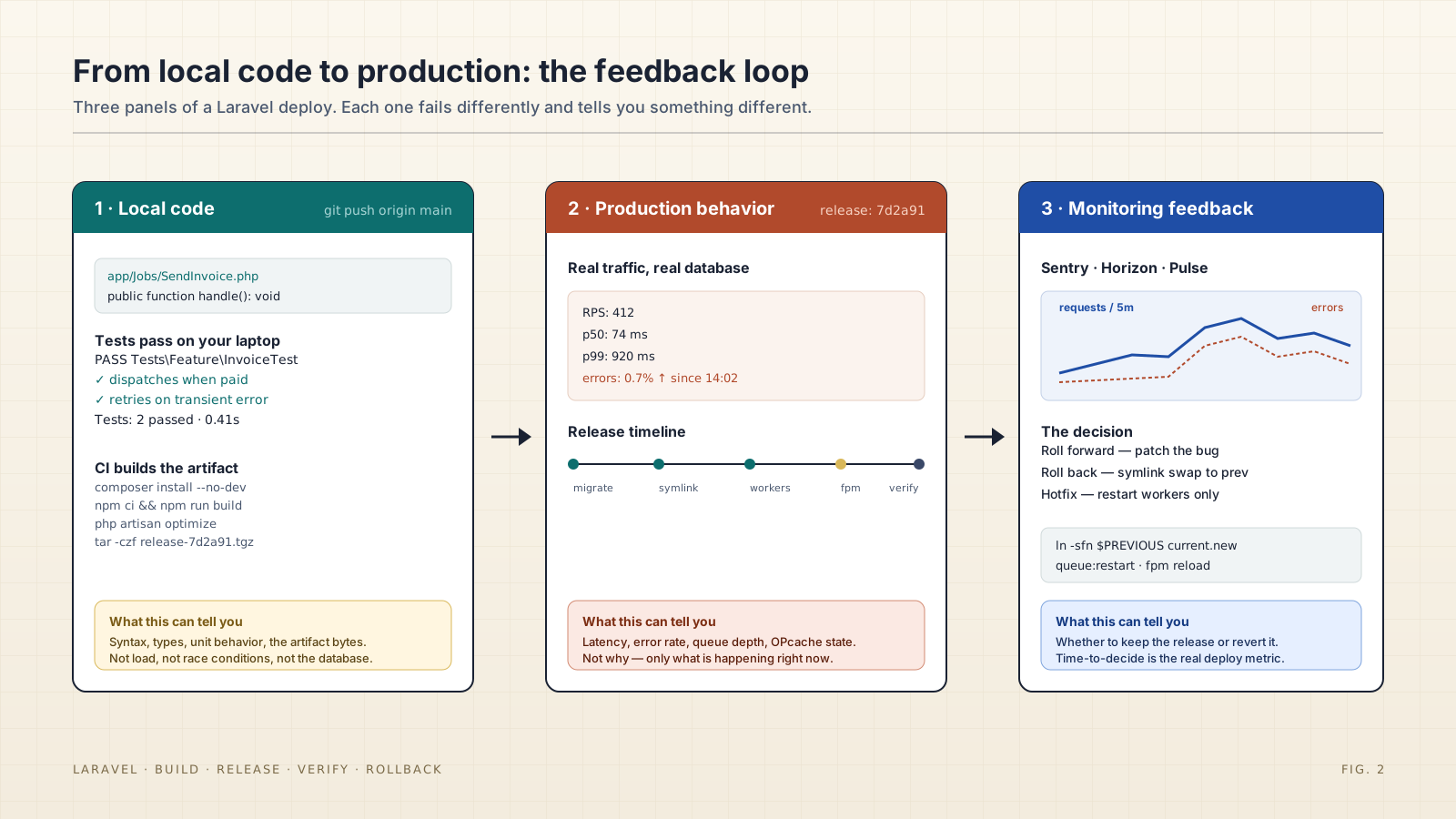
The rollback path is part of the deploy, not an afterthought. With atomic symlinks, rollback is one command:
ln -sfn "$PREVIOUS_RELEASE" "$DEPLOY_PATH/current.new"
mv -Tf "$DEPLOY_PATH/current.new" "$DEPLOY_PATH/current"
php "$DEPLOY_PATH/current/artisan" queue:restart
sudo service php8.3-fpm reload
That works for code rollbacks. Database rollbacks are a different problem — migrate:rollback exists, but it only works for schema changes, and only if the migration down() method is correct. A migration that drops a column drops the data with it. The honest rule is: for any migration that destroys data, the rollback is a fresh up() migration that re-adds the column, plus a backup restore for the data. Plan that before you deploy, not during.
For zero-downtime deploys with shared databases, the safe pattern is expand-then-contract: deploy a release that supports both the old and new schema, migrate, deploy a second release that uses only the new schema, then drop the old columns in a third migration. It's three steps instead of one, and it's the only way to roll back a schema change without a data window where neither version of the code works.
What Vapor And Forge Hide From You
If you're on Laravel Forge, the tools above are still what's running — Forge is wrapping atomic symlinks, php artisan optimize, queue:restart, and FPM reload behind a friendly UI. Knowing what's underneath means knowing why something failed when the friendly UI shows red.
If you're on Vapor, the model is different — each deploy is a new Lambda image, the symlink swap is replaced by an alias swap on the Lambda function, and there's no FPM to reload. But the same phases exist: build (the deployment archive), release (Lambda alias swap + database migrations on a separate runtime), verify (the warmup pings Vapor sends after each deploy). The vocabulary changes; the discipline doesn't.
The Quiet Test Of A Good Deploy
The real measure of a deployment process isn't the happy path — it's the rollback. Time the next "we need to revert" from the moment someone says it to the moment production is back. If it takes longer than two minutes, the process needs work. If it takes longer than ten, the process is the actual problem, not whatever bug you're trying to revert.
Boring deploys are how teams ship on Friday afternoon without flinching.