There's a specific moment when running php artisan queue:work on a server stops being enough. You shipped a feature that dispatches three jobs per request. Traffic doubled. Half the jobs are now sitting in default for two minutes before a worker picks them up. The other half — the ones that send mail — finished fine, but you can't tell because the worker is just a process logging "Processed: ..." into a file you'll never read.
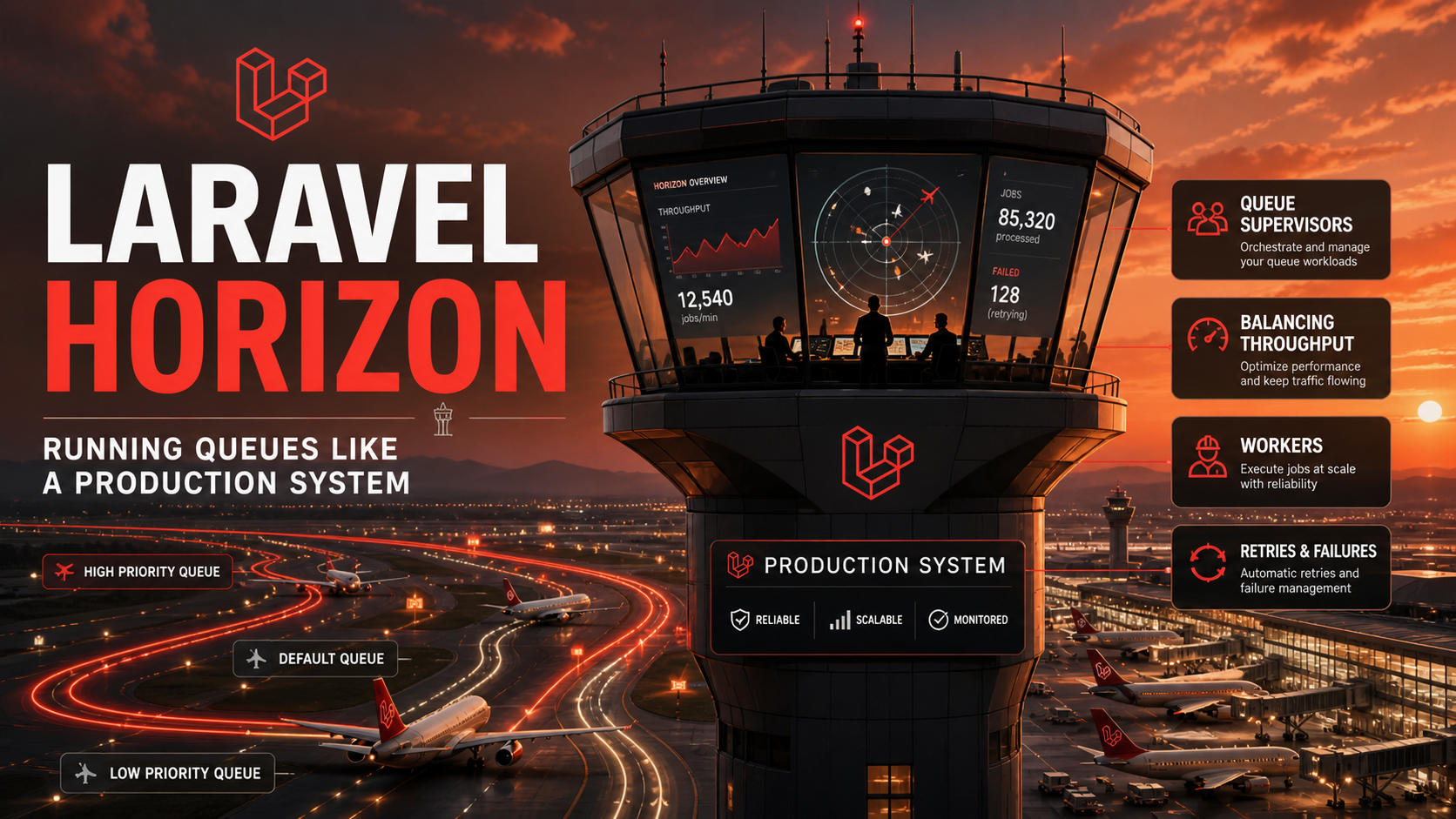
That's the gap Horizon was built for. It's a dashboard, a supervisor framework, and a metrics collector for Redis-backed Laravel queues. It doesn't replace the queue — it gives you eyes and hands.
What Horizon Actually Is
Horizon installs as a composer package, ships a /horizon admin route, and runs as a single artisan command that supervises queue workers across your configured queues.
composer require laravel/horizon
php artisan horizon:install
After install you have:
- A
/horizondashboard (gated by a gate you define inApp\Providers\HorizonServiceProvider). - A
config/horizon.phpconfig file withproductionandlocalenvironments, each with its ownsupervisorsblock. - A single
php artisan horizoncommand that starts all configured supervisors. - Per-job, per-queue, per-tag metrics — runtime, throughput, wait time, recent failures.
It only works with the Redis queue connection. Database, SQS, Beanstalkd are not supported. If you're on Redis already this is invisible; if you aren't, switching to Redis specifically to use Horizon is usually worth it.
Supervisors, Workers, And The Auto Strategy
A supervisor is a configuration block that says "spawn N workers, point them at these queues, with these settings." config/horizon.php looks like this:
'environments' => [
    'production' => [
        'supervisor-default' => [
            'connection' => 'redis',
            'queue' => ['high', 'default', 'low'],
            'balance' => 'auto',
            'minProcesses' => 3,
            'maxProcesses' => 20,
            'balanceMaxShift' => 1,
            'balanceCooldown' => 3,
            'tries' => 3,
            'timeout' => 60,
        ],
        'supervisor-mail' => [
            'connection' => 'redis',
            'queue' => ['mail'],
            'balance' => 'simple',
            'processes' => 4,
            'tries' => 5,
            'timeout' => 30,
        ],
    ],
],
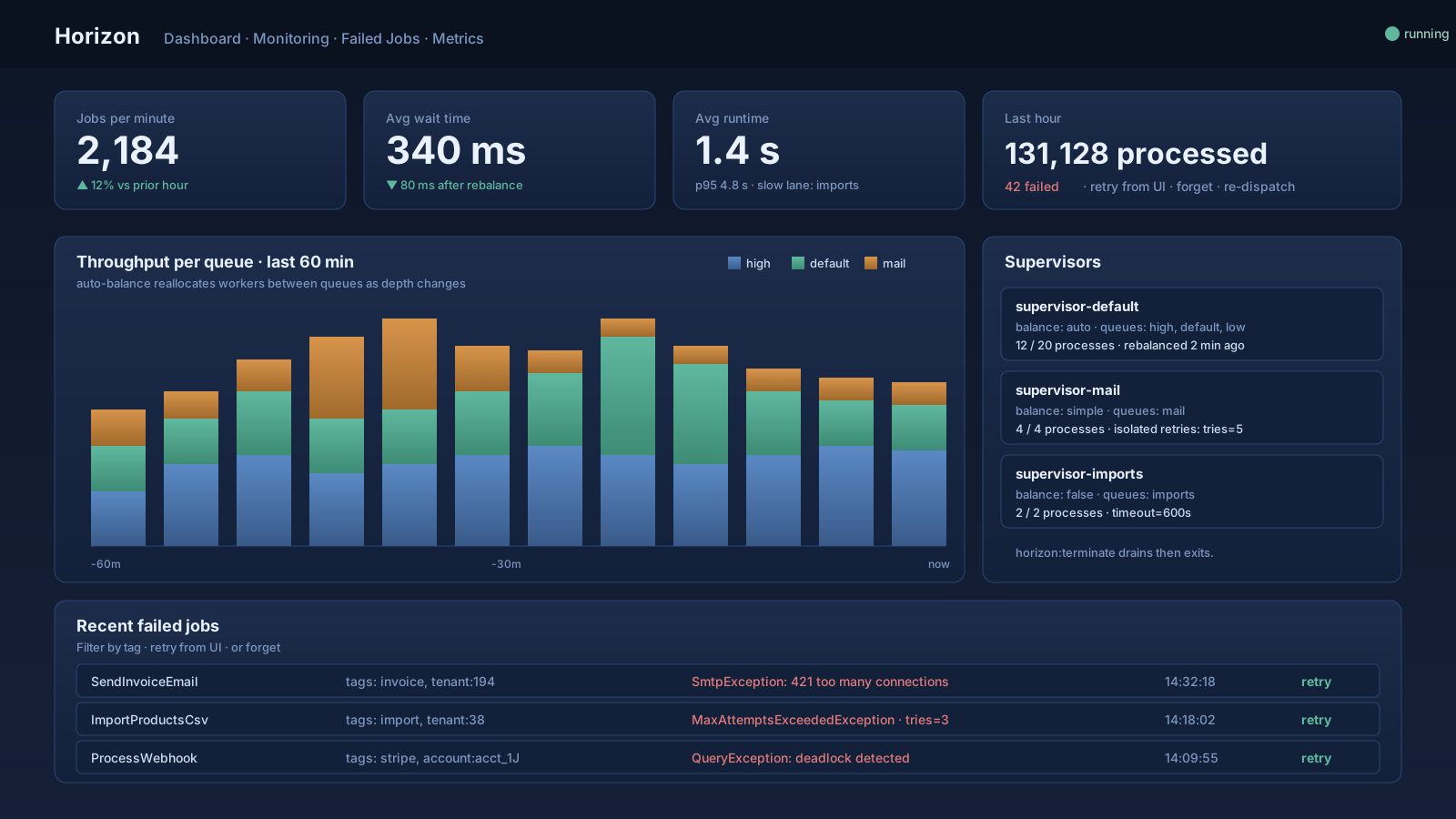
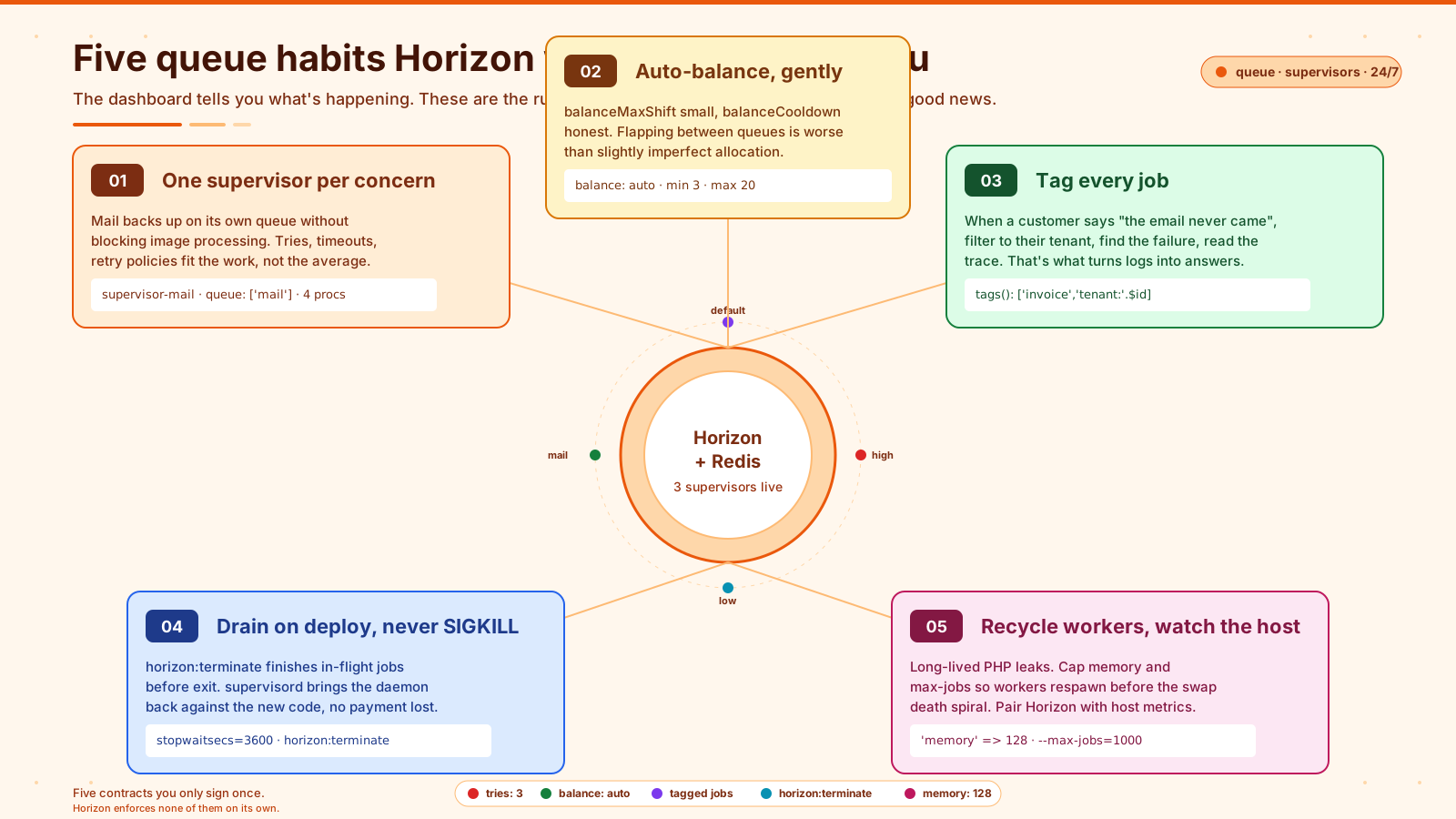
Two supervisors, one per concern. The mail supervisor has its own four workers, its own retry policy, its own timeout. If the mail provider goes down, mail jobs back up on their own queue without blocking image processing on the default queue — and Horizon shows you that backup as a separate line on the dashboard.
The interesting setting is balance. Three modes:
simple— splits the configuredprocessesevenly across the listed queues. Predictable, dumb.auto— watches queue depth and dynamically reallocates workers between queues every few seconds. The queue with the longest wait time gets more workers.false— disable balancing. All workers serve all queues in priority order.
auto is the right default for shared supervisors that handle multiple queues with different load shapes. You set minProcesses and maxProcesses and Horizon scales workers between those bounds based on observed work. balanceMaxShift is how many workers can be moved per check; balanceCooldown is how often it checks. Don't set these aggressively — flapping between queues is worse than slightly imperfect allocation.
What The Dashboard Tells You
Open /horizon in production and you get something queue:work cannot give you:
- Throughput. Jobs per minute, per hour, broken down by queue and by job class.
- Runtime. Median and p95 runtime per job class. The slow outliers on the same job class are usually the most interesting graph.
- Wait time. How long jobs sat in the queue before being picked up. This is the metric that tells you to add workers.
- Failed jobs. With full payload, exception, and stack trace. Retry from the UI. Forget. Bulk operations.
- Recent jobs. A live feed of the last few thousand jobs and their outcome.
- Tags. Anything you tag a job with shows up filterable in the UI. Which leads to the most underused feature.
class SendInvoiceEmail implements ShouldQueue
{
    use Queueable;

    public function __construct(public Invoice $invoice) {}

    public function tags(): array
    {
        return ['invoice', 'tenant:'.$this->invoice->tenant_id];
    }

    public function handle(): void { /* ... */ }
}
Now /horizon lets you filter to jobs for a single tenant. When a customer reports "the email never came" you can pull up exactly the jobs for their account, see which one failed, and read the stack trace. That's the difference between "we'll look into it" and "your email failed because the SMTP relay returned 421, retried at 14:32, succeeded — check your spam folder."
The Deployment Shape That Holds Up
Horizon is a long-running process. If it dies, jobs stop processing. The shape that holds up:
- Process supervisor at the OS level. On Linux that's
supervisord. Forge sets it up for you. The supervisor restarts Horizon if it crashes. horizon:terminateon deploy. Don't kill -9 the daemon.php artisan horizon:terminatesends a signal that drains the current jobs and exits cleanly. Your supervisor brings it back up against the new code.horizon:pauseandhorizon:continuefor incidents. When the database is on fire, pause the queues so you don't pile failures on top of failures. Continue them once the underlying issue is fixed.- One Horizon process per node. Multiple machines? Run one
horizonper machine, all pointing at the same Redis. The supervisor blocks coordinate naturally. - Memory limits. Workers leak. Set
--max-jobsormemoryin the supervisor block ('memory' => 128) so workers recycle before they leak themselves into a swap death spiral. PHP processes that have been running for hours are unhealthy by definition.
A working supervisord config for Horizon is six lines:
[program:horizon]
process_name=%(program_name)s
command=php /var/www/app/artisan horizon
autostart=true
autorestart=true
user=www-data
stopwaitsecs=3600
stopwaitsecs=3600 matters — when supervisord is asked to stop the program, it gives Horizon up to an hour to finish current jobs before force-killing. Anything less and you risk killing in-flight payment processing.
Where Horizon Is Honest, And Where It Lies
Horizon's metrics are real-time and accurate for the queues it manages. What it doesn't tell you:
- Job logic correctness. A job that "succeeds" by silently swallowing an exception looks green on the dashboard. Failed-job statistics only count jobs that threw.
- Cross-system bottlenecks. If your jobs are slow because the database is slow, Horizon shows you "runtime is high" without explaining why. Pair Horizon with database query profiling (Pulse, Telescope, or actual APM).
- Memory and CPU on the worker host. Horizon tracks job timing, not host health. The day workers OOM, your dashboard shows a normal throughput drop and not the cause. You need separate host monitoring.
The right reading of Horizon is "job-level operational state." For everything else — request latency, DB query plan, queue worker host load — pair it with another tool.
When To Reach For It (And When Not To)
Horizon is the right tool when:
- You're on Redis queues already (or willing to switch).
- You have more than one queue, or more than one worker per queue.
- You want dashboard-driven retry/forget for failed jobs instead of
queue:retryfrom a shell. - You want to see what jobs are running right now.
It's overkill when you have one worker on one queue running one type of job. A supervisord block running queue:work and a daily log review will serve you fine — and you don't owe your future self the operational overhead of an extra dashboard until the work demands it.
For most production Laravel apps, the moment you have a second queue or a second worker is the moment Horizon starts paying for itself. The dashboard is small. The peace of mind during incidents is not.
A One-Sentence Mental Model
Horizon is a supervisor and dashboard for Redis-backed Laravel queues — supervisors define how workers are spawned and balanced across queues, the auto strategy reallocates them under load, and the dashboard finally lets you see throughput, wait time, and failure mode per job class instead of staring at a tail of the worker log.