The slowest Laravel app I ever inherited didn't have a single dramatic problem. It had forty small ones. Two unindexed columns on a hot query. An N+1 in the dashboard endpoint that loaded eight relations per row. php artisan optimize had never run on the deploy. OPcache was off because nobody had checked. The cache driver was file on a four-server cluster. None of it was a bug. All of it was a tax.
Performance work in Laravel is rarely about clever rewrites. It's about working through a checklist in the right order, measuring as you go, and resisting the urge to skip ahead to the part that sounds fancy. The order matters because the cost is exponential — a slow query is worse than a slow PHP request, which is worse than a slow asset, which is worse than a slow third-party widget.
Here's the pass I run when I take over a Laravel app that needs to get faster.
Start At The Database — That's Where The Time Lives
Most slow Laravel endpoints are not slow because PHP is slow. They're slow because one query underneath does a sequential scan over half a million rows.
Three things to check first:
Indexes on the columns you actually filter and join on. Open the slow endpoint in php artisan tinker and prefix the query with EXPLAIN (or use Laravel Debugbar's query panel in dev). Anything reading Seq Scan or type: ALL in the explain output is a candidate.
EXPLAIN SELECT * FROM orders WHERE status = 'pending' AND created_at > NOW() - INTERVAL '7 days';If that's a sequential scan, add a composite index on (status, created_at). The migration is one line:
Schema::table('orders', function (Blueprint $table) {
    $table->index(['status', 'created_at']);
});
Eager loading instead of N+1. The most common Laravel performance bug. Loop over a collection, touch a relation in the loop, watch your endpoint fire 200 queries. The fix is with():
$orders = Order::with(['customer', 'lines.product'])->latest()->paginate(25);Install Laravel Debugbar in development (composer require barryvdh/laravel-debugbar --dev) and watch the query count next to every page. If you see "237 queries", the problem is N+1, not the database.
select() only the columns you need. A User::all() that powers a list view and pulls 30 columns when 4 are rendered is throwing money at the wire and the serializer:
User::select(['id', 'name', 'email', 'avatar_url'])->paginate();chunkById for jobs that touch a lot of rows. Anything that loops over more than a few hundred records — re-indexing, exports, batch updates — should chunk:
User::query()->where('needs_reindex', true)->chunkById(500, function ($users) {
    foreach ($users as $user) {
        ReindexUser::dispatch($user);
    }
});
chunkById is preferable to chunk here — it uses keyset pagination and won't lose rows when the inner loop modifies the data being iterated.
Bake The Framework Before You Boot It
Laravel parses every config file, scans every route, compiles every Blade template, and registers every event listener on each cold request. In production, you compile all of that once at deploy time:
php artisan optimizeThat single command runs config:cache, route:cache, event:cache, and view:cache together. On a typical app, it shaves 30–80ms off every cold request.
Two caveats. First, config:cache means env() calls outside of config files stop working — by design, since the cache is supposed to freeze your config. Read your config from config() everywhere; restrict env() to inside config/*.php. Second, run php artisan optimize:clear between deploys (or as part of your deploy script) so a stale route cache doesn't outlive the code that produced it.
For pure asset performance: npm run build for production Vite builds, gzip/brotli at the edge, and an HTTP cache header on /build/* so browsers don't re-fetch the bundle on every navigation.
OPcache And The PHP Runtime
PHP without OPcache enabled is a parser. PHP with OPcache enabled is a runtime. The difference is roughly 2–4x on real workloads. Check php -i | grep opcache on your production servers; if opcache.enable is Off, that's your single biggest free win.
; php.ini — production
opcache.enable=1
opcache.memory_consumption=256
opcache.max_accelerated_files=20000
opcache.validate_timestamps=0
opcache.preload=/path/to/your-preload.php
opcache.validate_timestamps=0 means PHP won't check whether your files have changed on disk — fastest, but you must run opcache_reset() (or restart PHP-FPM) on every deploy. Most modern deployers do this automatically.
JIT (PHP 8.x) is worth turning on for a typical web app — opcache.jit=tracing and opcache.jit_buffer_size=128M in php.ini is the safe default. The gains are real on CPU-bound code (image processing, heavy serialization) and modest on I/O-bound CRUD, but it's free and the regression risk is low.
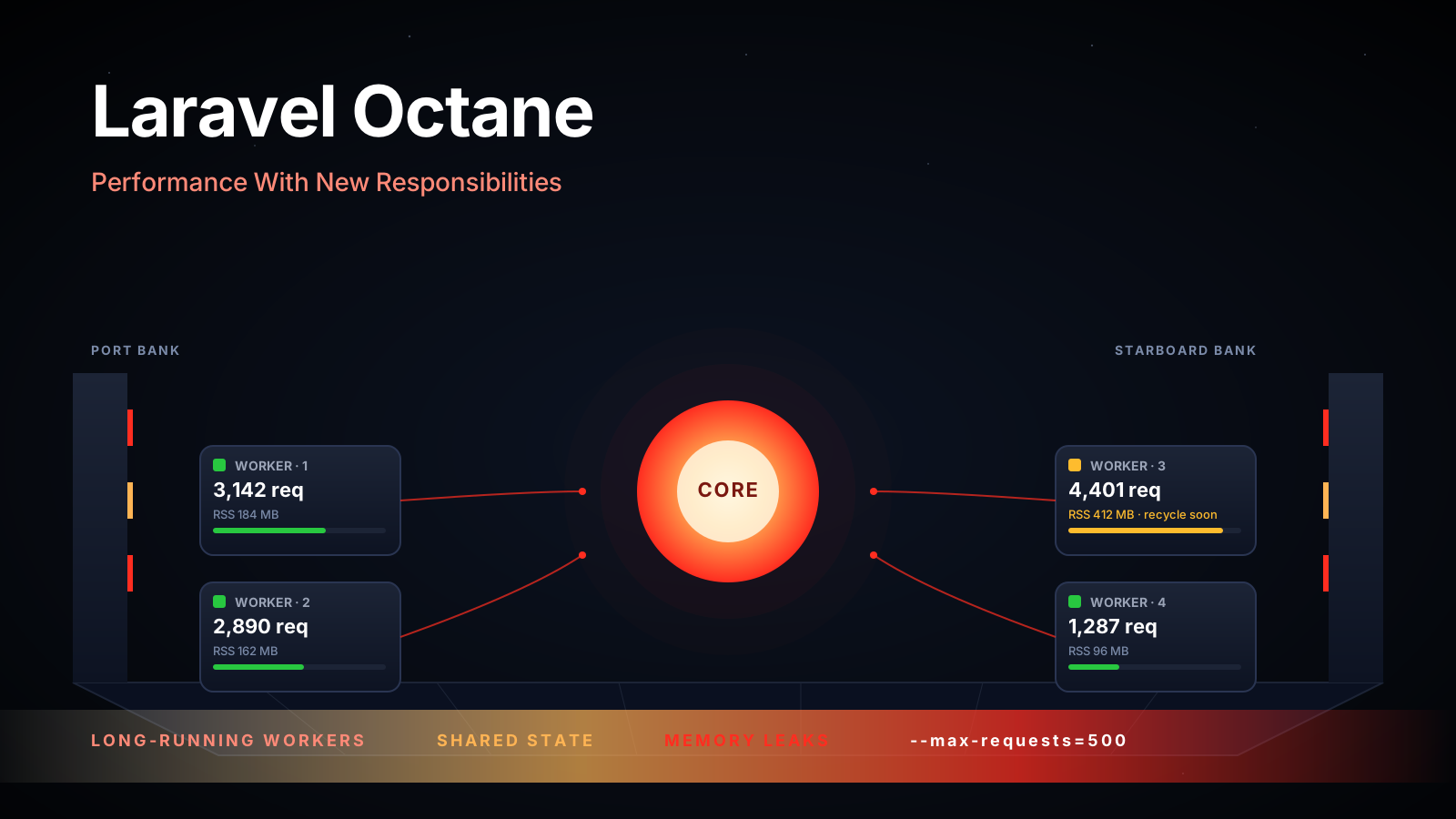
For another order-of-magnitude bump, look at FrankenPHP or Laravel Octane. Both keep the framework booted between requests instead of bootstrapping on every hit. Octane (Swoole or RoadRunner backend) is more mature in the Laravel world; FrankenPHP (built on Caddy) is gaining ground because it's simpler to operate. Either one cuts request time roughly in half on a typical app, at the cost of needing to be careful about static state — anything you mutate in a long-lived process leaks into the next request.
Queues, Not Synchronous Wait
If your endpoint sends an email, calls Stripe, generates a PDF, or hits any external API in the request lifecycle, your latency is now bounded by their latency. Move it to a queue:
ProcessInvoice::dispatch($invoice)->onQueue('invoices');
SendWelcomeEmail::dispatch($user)->afterCommit();
afterCommit() is a small detail with a big payoff — it defers the dispatch until the surrounding DB transaction actually commits, so a job never tries to read a row that hasn't been written yet.
Run a Redis queue (QUEUE_CONNECTION=redis) and front it with Horizon (composer require laravel/horizon) the moment you have more than one worker. Horizon gives you a dashboard, configurable per-queue concurrency, automatic balancing, and metrics. Without it you're guessing about which queue is backed up.
HTTP Caching: Free Performance For Public Endpoints
The fastest response is the one you don't compute. For any endpoint that returns the same thing for everyone (public catalog, blog index, RSS feed, sitemap), set proper cache headers:
return response()
    ->json($payload)
    ->header('Cache-Control', 'public, max-age=300, s-maxage=600, stale-while-revalidate=86400');
Browsers will reuse the response for 5 minutes. CDNs (Cloudflare, Fastly, Bunny) will hold it for 10. The stale-while-revalidate directive lets the edge serve stale content for up to a day while it refreshes in the background — equivalent to Cache::flexible but at the network layer.
For semi-static content — anything that changes occasionally and is expensive to generate — ETags are worth the wiring:
return Response::make($html, 200)
    ->header('Content-Type', 'text/html')
    ->setEtag(md5($html));
When the client sends If-None-Match with a matching ETag, Laravel returns a 304 Not Modified and skips the body. Bandwidth savings are nice; serializer-skipping is real.
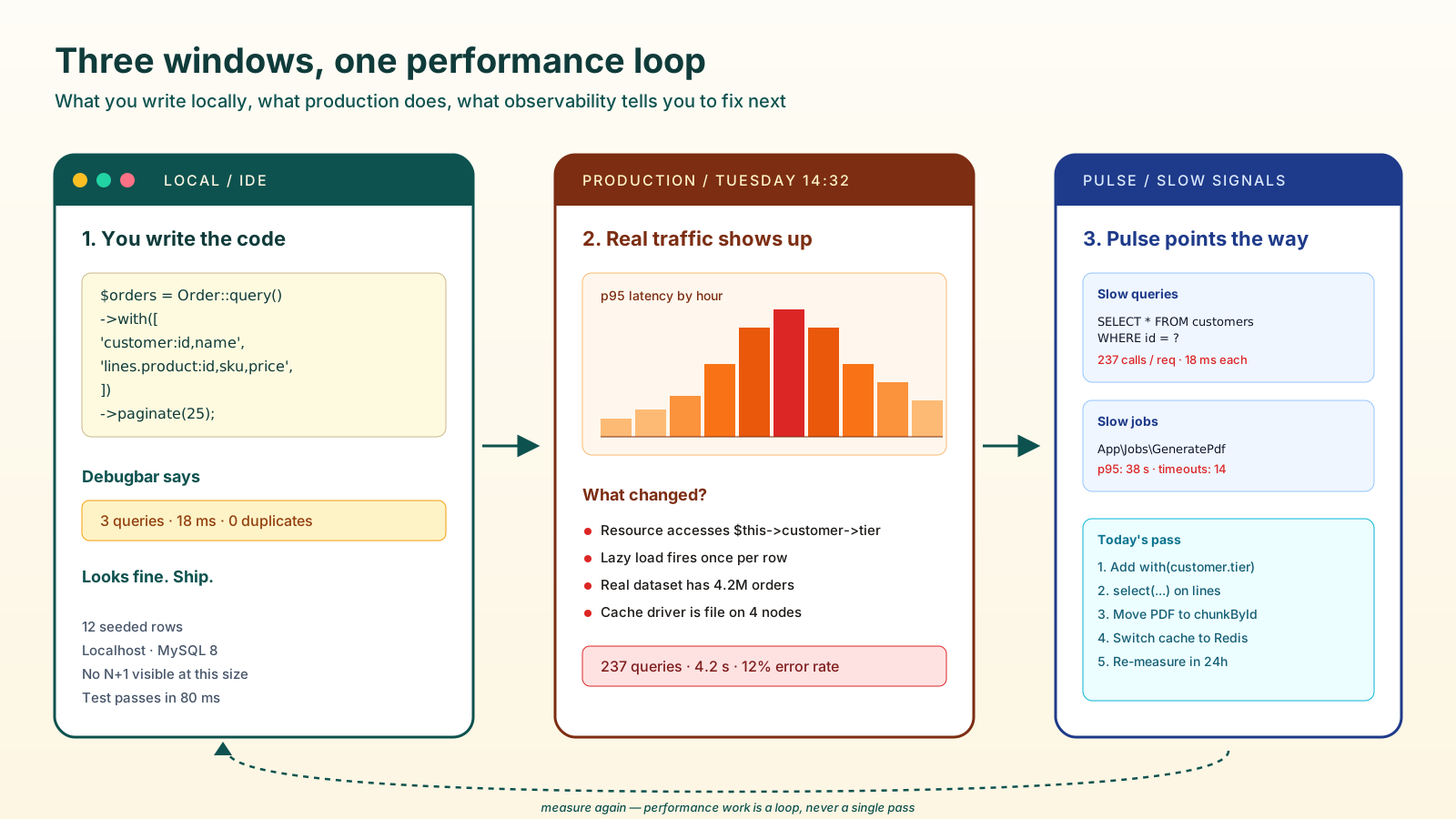
Observability — You Cannot Optimize What You Cannot See
Laravel ships three observability tools that cover most of what you need:
- Laravel Debugbar — development only, attaches to every page, shows queries, models, views, timing. Catch N+1 in code review.
- Telescope — local/staging dashboard for requests, queries, jobs, exceptions, mail. Heavy enough that you don't want it in production at full volume; lightweight enough to leave on in staging.
- Pulse — designed for production. Tracks slow queries, slow jobs, slow requests, exceptions, server stats. Ten minutes to install, gives you the "what's actually slow right now" answer that no amount of code reading will.
For deeper traces, Sentry, Datadog, or a self-hosted OpenTelemetry pipeline. The point isn't which tool — it's that you have one external signal so you don't lose visibility on the day Pulse's database is on fire because the database is what got slow.
The Mistakes That Show Up In Code Review
A few patterns I push back on every time:
->get()followed by->count(). Pulls every row, hydrates every model, then asks PHP how many there are. Use->count()directly — it generates aCOUNT(*)query.Cache::rememberinside a loop. Re-fetches the same cached value N times instead of fetching it once outside the loop.- Pagination with
->all()or->get(). Defeats the whole point. Use->paginate()or->cursorPaginate()and let the client ask for the next page. - No
uniqueindex wherewhereExistsruns constantly. Idempotency checks, dedup, "have we already imported this?" — these are the queries that get hit a thousand times a minute and need an index more than your dashboard does.
A One-Sentence Mental Model
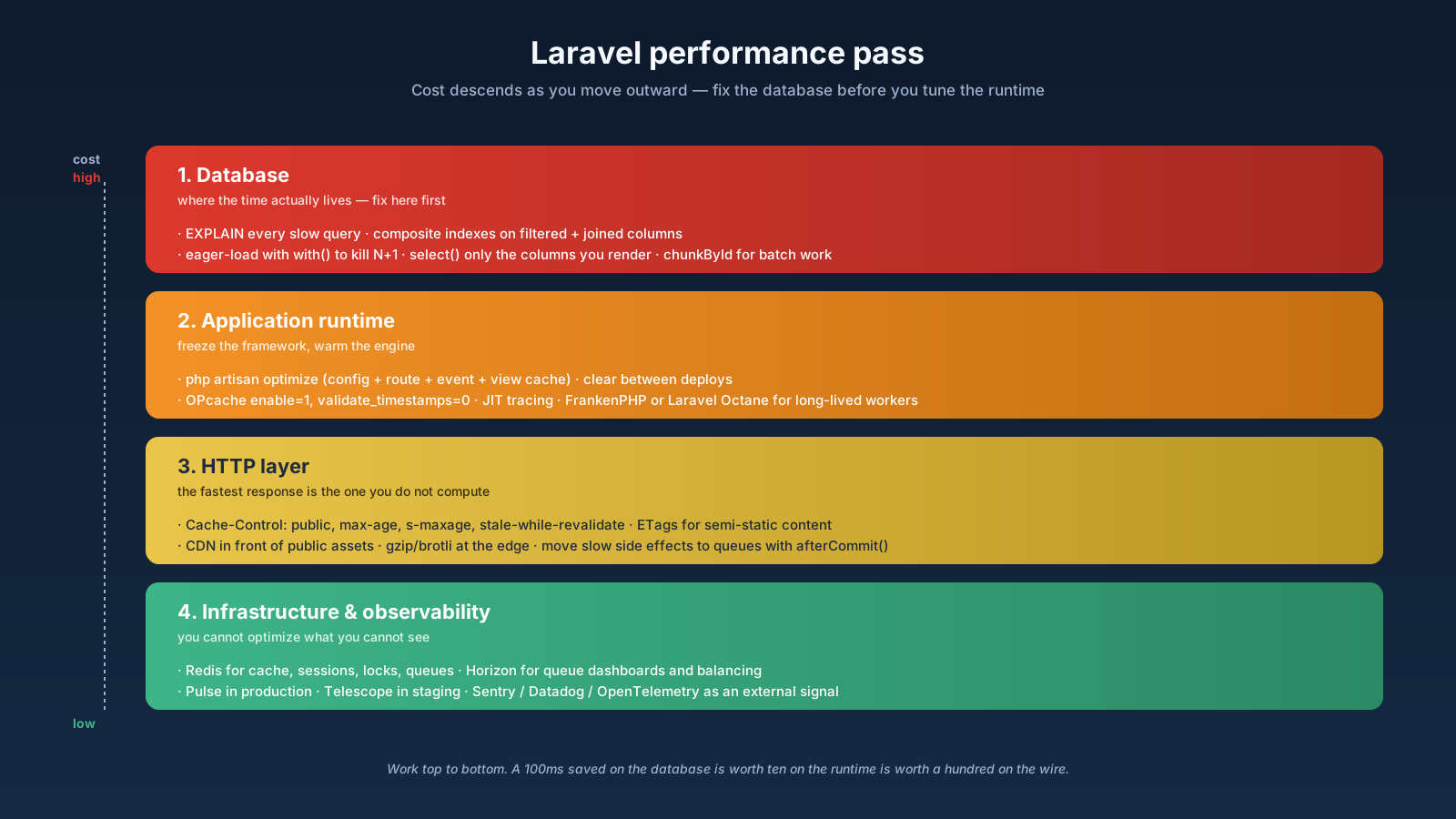
A Laravel performance pass is a downward sweep — fix the database first (indexes, eager loading, select, chunkById), then the framework (optimize, OPcache, JIT, Octane), then the queues, then the HTTP layer (Cache-Control, ETags, CDN), with Pulse on the side telling you what to look at next.