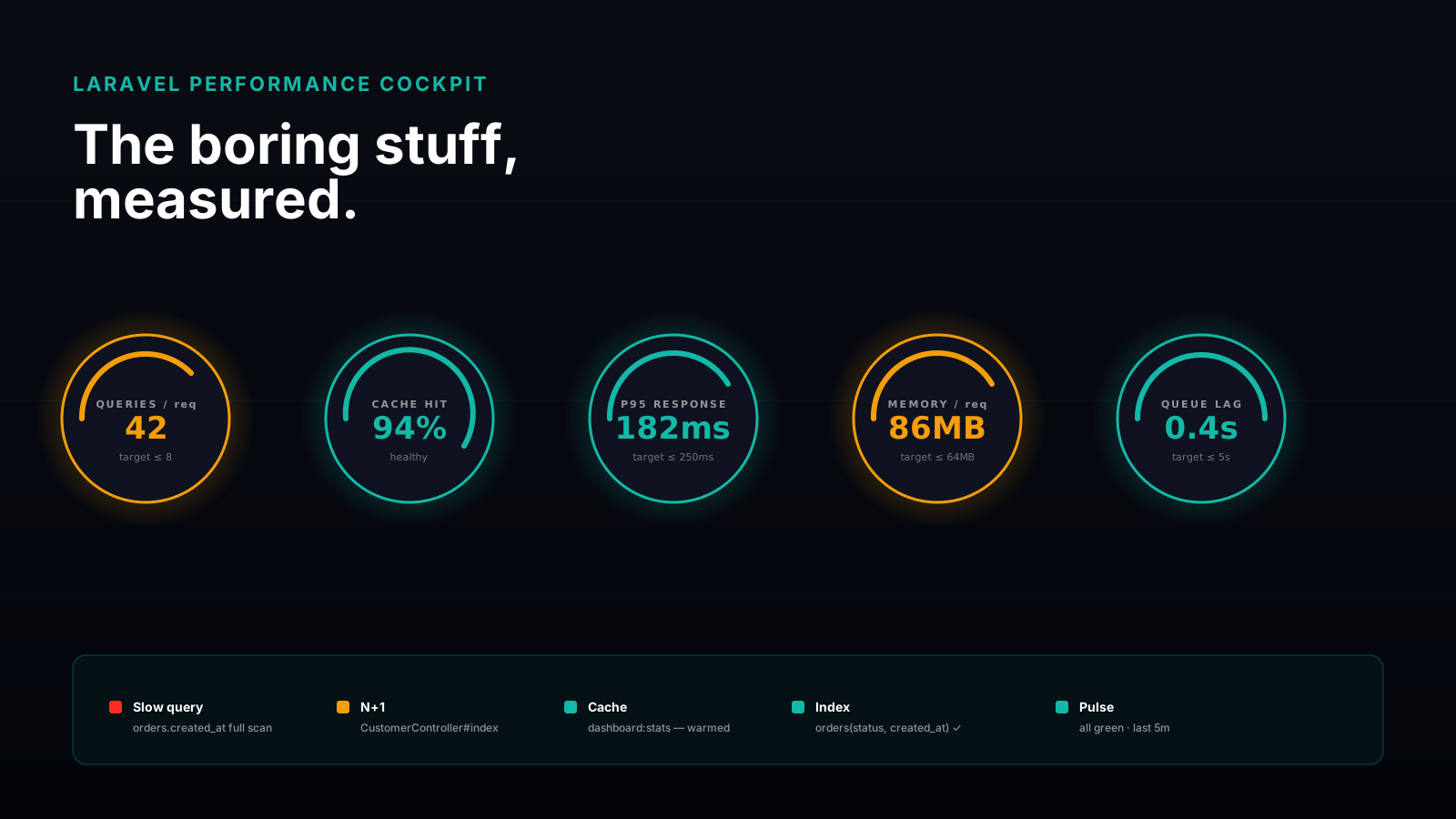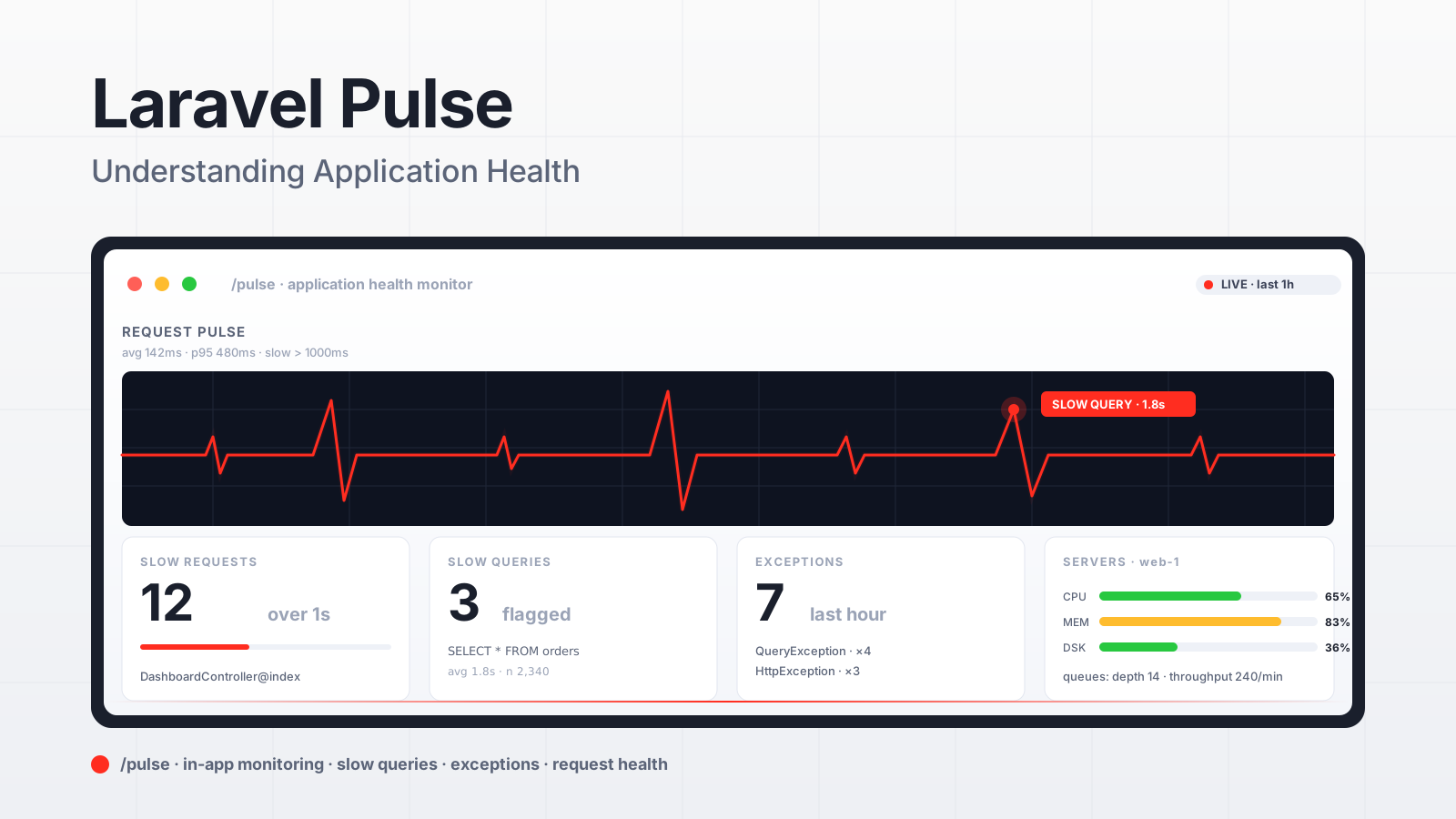
It's 9:47 AM, your phone buzzes with a "the dashboard feels slow" message from the customer success team, and you have about three minutes before someone in product asks the same question in a different channel. You don't have time to spin up a tracing tool you've never used. You need a single page that says "yes, here's what's slow, here's how slow it has been for the last hour, here's the SQL behind it."
That's the question Pulse was built to answer. Released in April 2024, it's Laravel's first-party in-app monitoring dashboard. It runs alongside your application, records lightweight samples of every request and queue job, and shows you the result on /pulse without you needing a separate Datadog account.
What Pulse Actually Is
Pulse is a composer package that adds a /pulse route, a set of "recorders" that hook into the framework's events, and a configurable storage backend. Install:
composer require laravel/pulse
php artisan vendor:publish --provider="Laravel\Pulse\PulseServiceProvider"
php artisan migrate
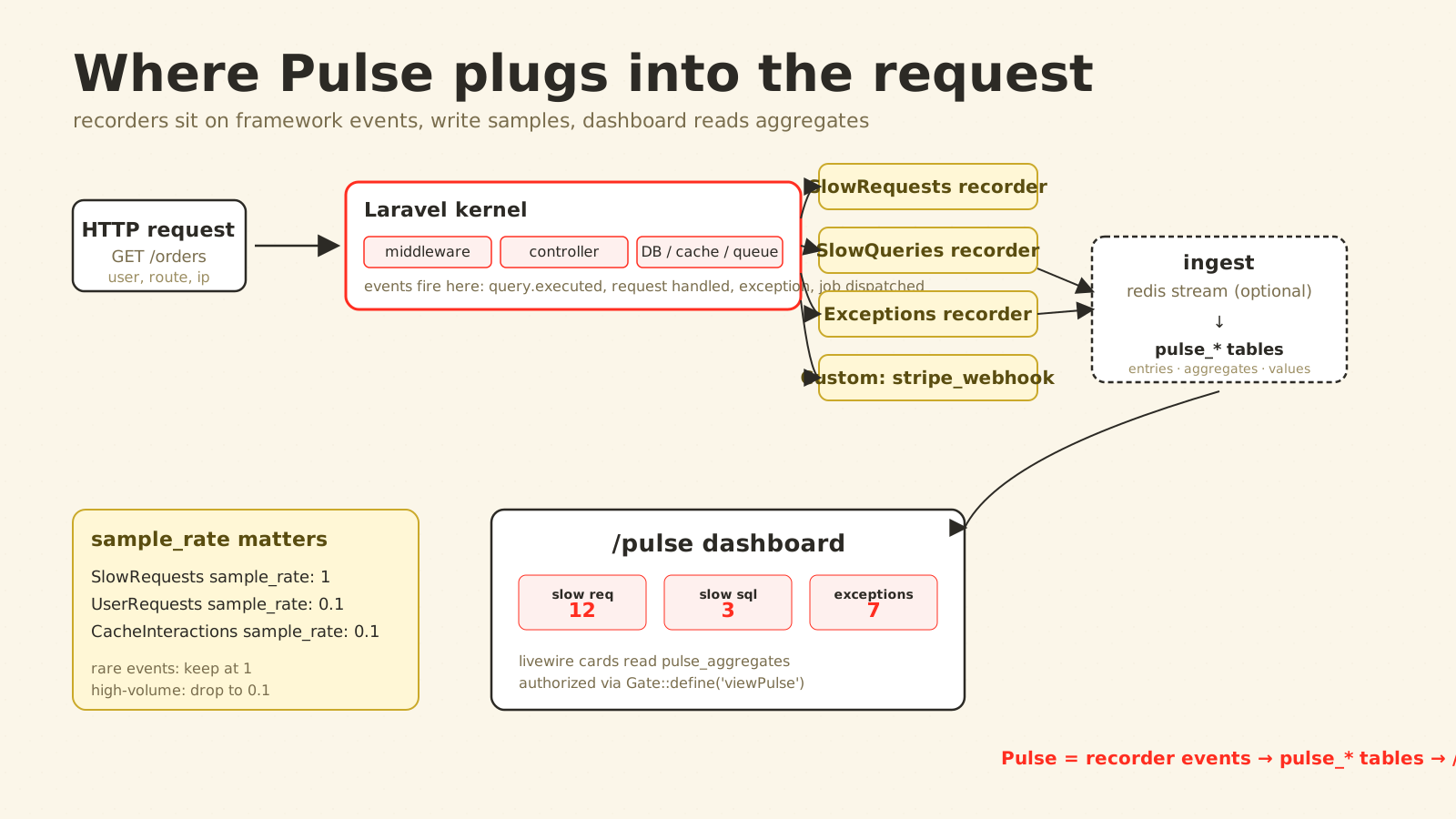
After install you have a dashboard at /pulse, gated by a Gate::define('viewPulse', ...) you set up in your service provider. The dashboard is composed of cards. Each card reads from pulse_* tables that the recorders write to.
Built-in cards in the default layout:
- Application Usage — top users by request count, top routes, top dispatchers of jobs.
- Slow Requests — requests whose duration exceeds a configurable threshold (1,000ms by default).
- Slow Jobs — same idea, queue side.
- Slow Queries — SQL statements taking longer than the threshold, with the call site.
- Slow Outgoing Requests — Guzzle calls that took too long, grouped by host.
- Cache — hit/miss ratios per cache key prefix.
- Exceptions — recent thrown exceptions, grouped by class and location.
- Queues — depth and throughput per queue (similar to Horizon, smaller surface).
- Servers — CPU, memory, disk for each host running Pulse's
pulse:checkdaemon.
You don't have to use all of them. The dashboard layout lives in a Livewire component you can copy into your app and edit — drop the cards you don't care about, add custom ones, reorder, resize. That's the part most teams miss: Pulse is opinionated about what to record, not about how to display it.
The Sampling Knob That Matters
Every request that Pulse touches writes a few rows. On a low-traffic app this is invisible. On a high-traffic app it can quietly become your second-largest source of database write volume.
The lever is sample_rate in config/pulse.php, configurable per recorder. The default is 1 (record everything). Set it to 0.1 and Pulse keeps statistical fidelity by extrapolating from 10% of requests:
'recorders' => [
    Recorders\UserRequests::class => [
        'enabled' => env('PULSE_USER_REQUESTS_ENABLED', true),
        'sample_rate' => env('PULSE_USER_REQUESTS_SAMPLE_RATE', 1),
        'ignore' => [
            '#^/horizon#',
            '#^/pulse#',
            '#^/health#',
        ],
    ],
    Recorders\SlowRequests::class => [
        'sample_rate' => 1,
        'threshold' => 1000,
        'ignore' => [
            '#^/horizon#',
            '#^/pulse#',
        ],
    ],
],
Note the asymmetry. Slow-request recording stays at sample_rate: 1 — the events are rare and the rare ones are exactly what you want — while high-volume recorders like cache hits or user requests can drop to a tenth and lose nothing useful. Most teams that complain about Pulse "slowing the app down" left every recorder at default rate on a 5,000-RPS API.
The other lever is storage. Pulse's first-party storage requires MySQL, MariaDB, or PostgreSQL — there's no SQLite-backed mode. Production-shape configurations:
- Same database, separate tables — fine for low-volume apps, simplest setup.
- Separate MySQL/Postgres database — point
PULSE_DB_CONNECTIONat its own connection so Pulse writes don't contend with your app's writes. - Redis ingest in front of the DB — set
PULSE_INGEST_DRIVER=redisand Pulse buffers entries in a Redis stream. Apulse:workdaemon consumes the stream and writes to the database. That smooths out the write rate on a high-traffic app and keeps individual requests cheap.
What The Slow Queries Card Actually Tells You
The single card most worth setting up correctly is Slow Queries. It captures the SQL string, the configured threshold (default 1000ms), and — critically — the file and line number of the PHP code that issued the query.
SELECT * FROM orders WHERE status = ? AND created_at >= ?
  app/Http/Controllers/DashboardController.php:42
  Avg: 1.8s · Count: 2,340 · 1h
That last line is what turns a graph into a fix. You're not staring at "some SELECT is slow" — you're staring at the controller method that issued it 2,340 times in the last hour. From there it's usually one of three things: missing index, N+1, or a query that needs a redesign. All three are answerable in minutes once you have the call site.
A small operational note: enabling slow-query capture pulls SQL strings into your Pulse database. If those queries embed sensitive parameters, you have a privacy concern. Pulse strips bound parameters by default — verify in your environment, and use the ignore config to exclude routes or queries you don't want stored.
The Servers Card Has A Quiet Requirement
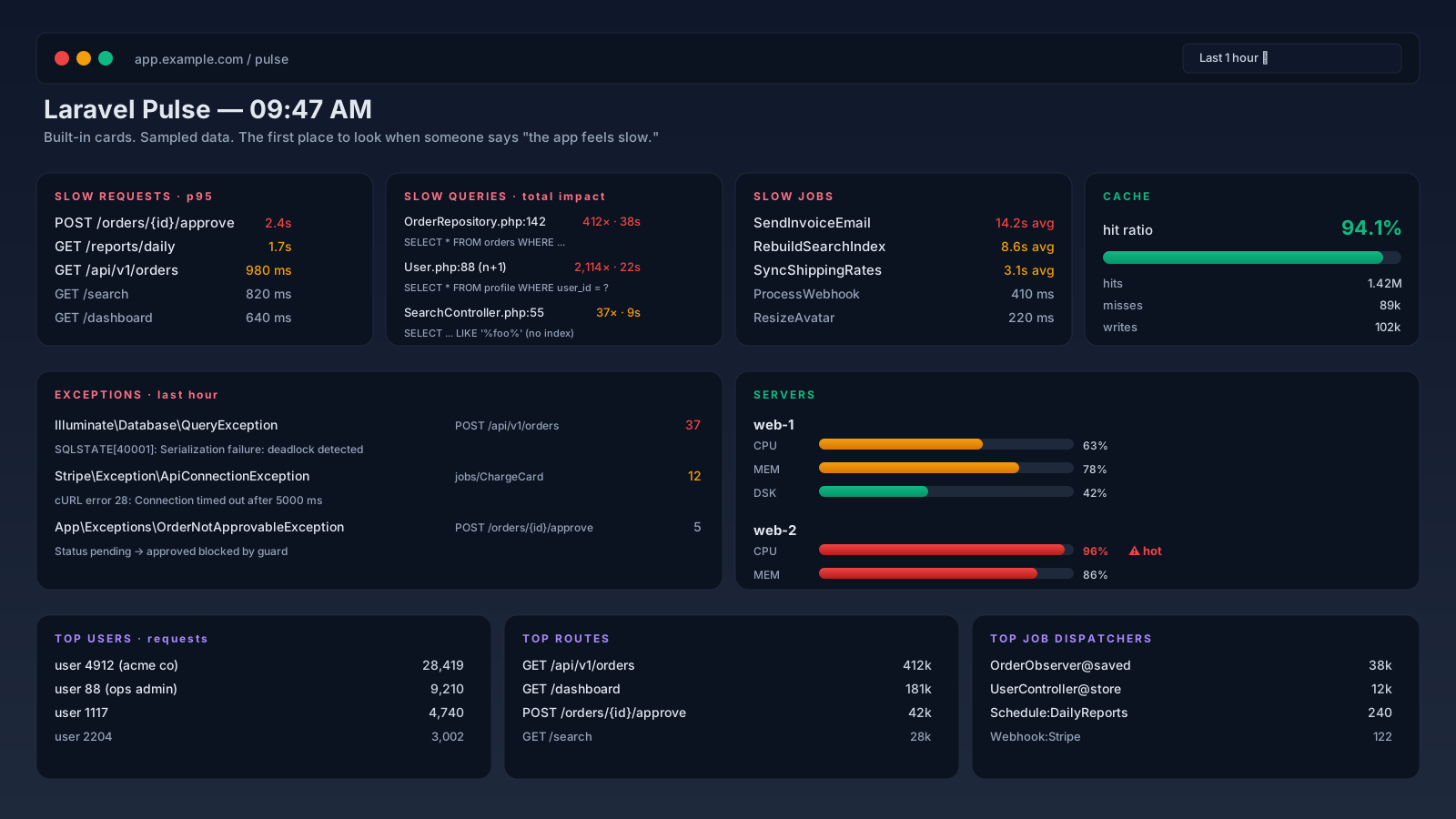
Servers shows live CPU, memory, and disk per host. To populate it, each host needs a running php artisan pulse:check daemon. It's a long-running process — same shape as Horizon, same supervisor pattern.
[program:pulse-check]
process_name=%(program_name)s
command=php /var/www/app/artisan pulse:check
autostart=true
autorestart=true
user=www-data
Forget this and the card sits empty. It's the most common "Pulse doesn't work for me" report. The web server alone cannot record server stats — there's no request hook for "ambient CPU usage when nobody is hitting an endpoint."
Custom Cards For Domain Metrics
The recorder API is the part that turns Pulse from a generic monitor into something useful for your specific app. You record arbitrary samples with Pulse::record():
use Laravel\Pulse\Facades\Pulse;

class StripeWebhookController
{
    public function __invoke(Request $request)
    {
        $event = StripeEvent::constructFrom($request->all());

        $startedAt = $request->server('REQUEST_TIME_FLOAT');
        $durationMs = $startedAt
            ? (microtime(true) - $startedAt) * 1000
            : 0;

        Pulse::record('stripe_webhook', $event->type, $durationMs)
            ->count()
            ->avg();

        ProcessStripeWebhook::dispatch($event);

        return response()->noContent();
    }
}
Pulse::record() takes three arguments — the type, the key the rows should aggregate by, and the value to aggregate. count() and avg() are aggregation methods you chain on; avg() averages whatever value you handed to record().
Then a thin Livewire card reads from the pulse_aggregates table for that key and renders the breakdown. Now you have a "Stripe events processed in the last hour" card next to your slow queries — same dashboard, same place you check at 9:47 AM, same sampling and storage configuration.
The trap with custom recorders is forgetting they go through Pulse's storage. A high-cardinality key (Pulse::record('user_action', $userId) with millions of users) will produce millions of rows. Aggregate before recording — record per type, not per id — unless you genuinely need per-user breakdowns.
Pulse vs Horizon vs Telescope vs External APM
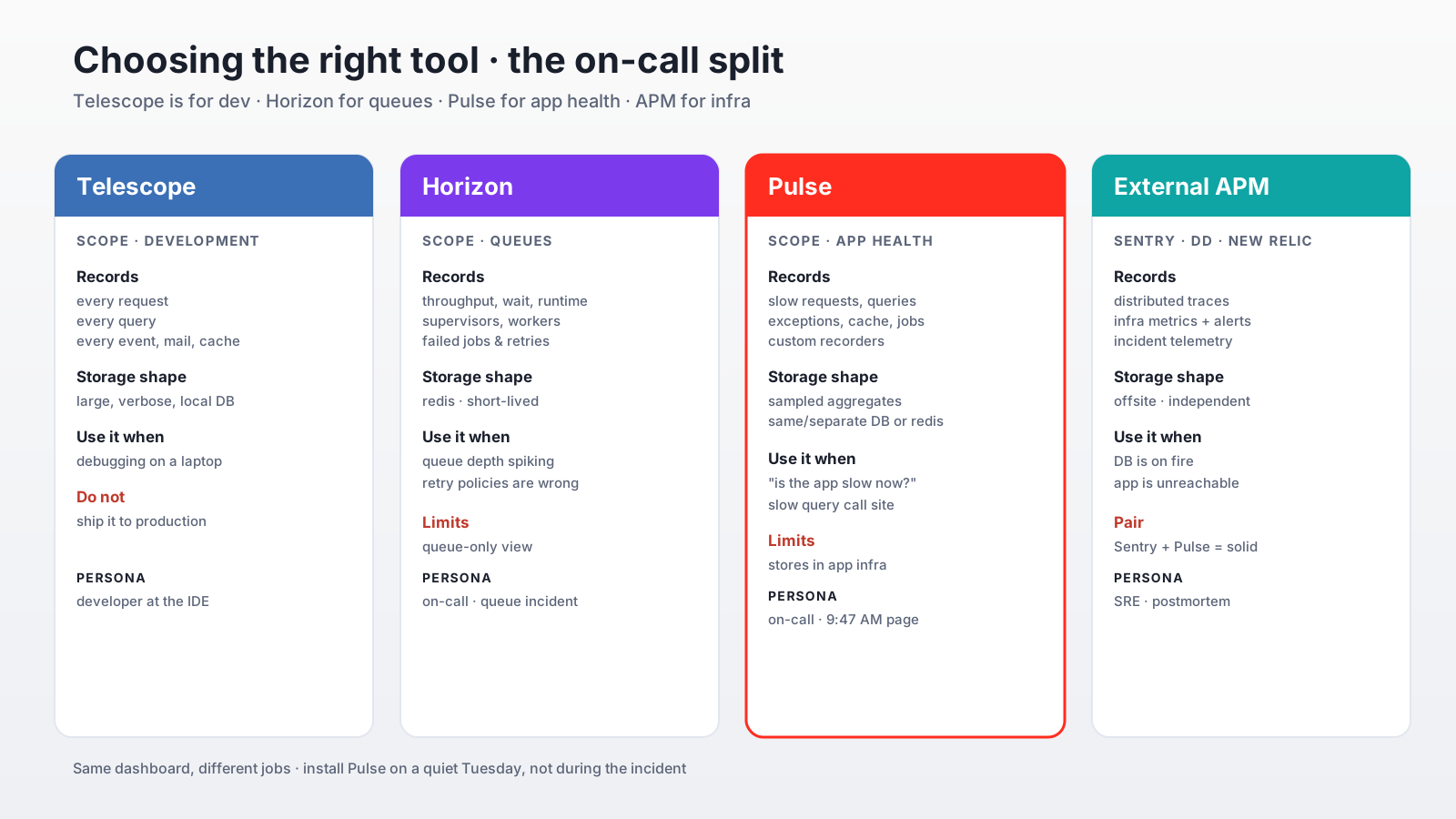
These four tools overlap, and teams sometimes install all of them and use none well. The split that holds up:
- Telescope is for development. It records every query, every request, every event in a way that would crush production. Don't ship it.
- Horizon is for queues. Throughput, wait time, supervisors, retry/forget for failed jobs. Pulse can show queue depth but Horizon goes deeper.
- Pulse is the in-app dashboard for "is anything slow right now?" — the on-call view. Cheap, lives next to the app, gives you call sites for slow queries.
- External APM (Sentry, Datadog, New Relic) is for the day your database is on fire. Pulse stores its data in the same infrastructure as the app it's watching — fine 99% of the time, useless when that infrastructure is the problem. Sentry plus Pulse is a solid pair: Sentry for exceptions and incident telemetry, Pulse for the sub-second "what does the app feel like" view.
The mistake is treating Pulse as a Datadog replacement. It isn't — it's a great in-process companion to one. Pair them; don't replace one with the other.
Worth Installing Early
Unlike most observability tools, Pulse is small enough to install on day one of a project without future regret. The recorders are off-by-default for several cards, the storage is local, and the dashboard is genuinely useful even on a side project. You see your own slow endpoints before users do, you see N+1 queries the first time you exercise a list view, and you get a /pulse page that's already wired up the day a customer says "the app feels slow."
That last benefit is the underrated one. The cost of installing Pulse during an incident is much higher than installing it on a quiet Tuesday. Do the latter.
A One-Sentence Mental Model
Pulse is an in-app, opinionated, sampled dashboard for Laravel — recorders sit on framework events, write samples to a small set of tables, and a Livewire dashboard at /pulse shows you slow requests, slow queries with their call sites, queue depth, and any custom metrics you record yourself, which is enough to answer "what's slow right now" without leaving the framework.