You ship a Laravel feature on a Tuesday. It's clean. It uses Eloquent the way the docs use Eloquent. The code reviewer approves it in six minutes. Two weeks later the customer support channel lights up because the dashboard takes nine seconds to load, and when you open the slow query log you find one endpoint firing 412 queries against a table that only has 30,000 rows.
This is the universal Laravel story. The framework makes MySQL feel like a list of method calls. Most of the time that's a gift. The day it stops being a gift is the day you need to know exactly what's happening underneath.
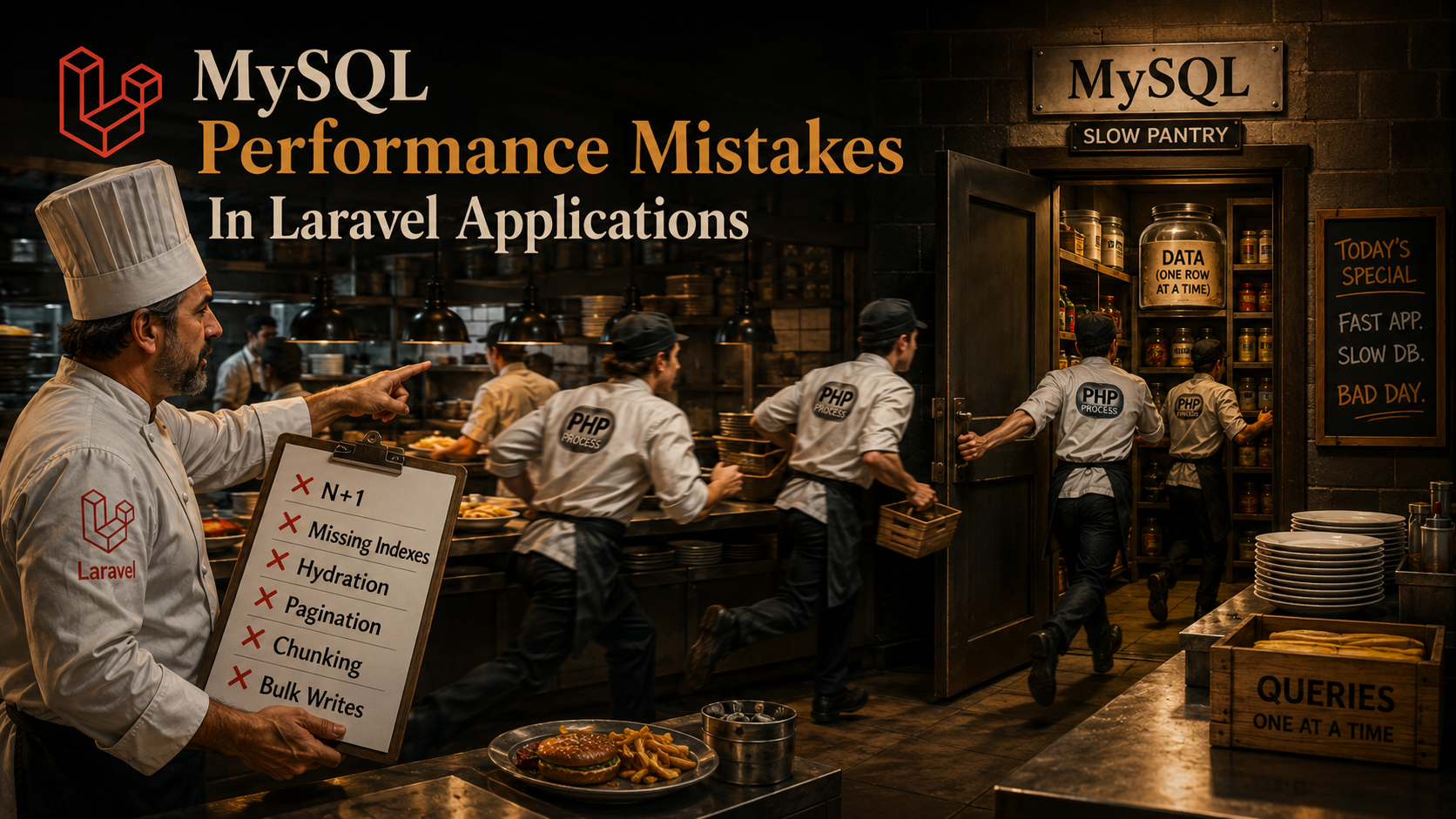
The patterns are repeating. Once you've seen them, you stop being surprised. Let's walk through the ones that hit Laravel apps the hardest, why they hide so well, and what to actually do about them.
N+1 Is Still The Default Failure Mode
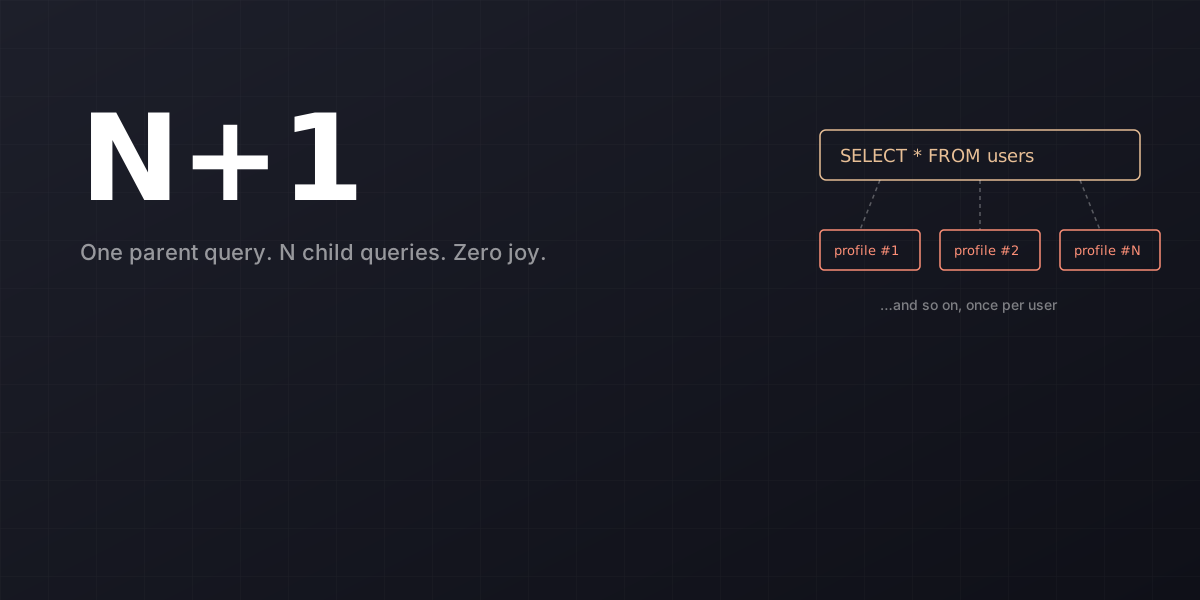
If Laravel had a national dish, it would be the N+1 query. The setup is always innocent:
$orders = Order::latest()->take(50)->get();

return view('orders.index', [
    'rows' => $orders->map(fn ($o) => [
        'id'       => $o->id,
        'customer' => $o->customer->name,
        'total'    => $o->total,
    ]),
]);
That's one query for the orders plus 50 more for the customers, and nothing in the syntax warns you. Eager loading is one keyword:
$orders = Order::with('customer:id,name')
    ->latest()
    ->take(50)
    ->get();
Two queries total. You've seen this fix a hundred times. The article you're reading isn't the place to relitigate it. The piece worth saying is the defense: don't catch N+1 by reading code. Catch it by making lazy loading impossible in non-production environments.
use Illuminate\Database\Eloquent\Model;

public function boot(): void
{
    Model::preventLazyLoading(! app()->isProduction());
}
Now any accidental $order->customer outside an eager-loaded set throws a LazyLoadingViolationException in dev and CI. You stop relying on humans to notice; you let the framework yell at the developer who just typed the bug.
The other place this hides is inside Blade partials. A @foreach over a paginated collection that calls $post->author->name will N+1 just as cheerfully from a .blade.php file as from a controller. Eager loading lives at the query, not at the view, and partials are the easiest place to forget that.
Missing And Wrong Indexes
Laravel's migration DSL is so friendly that people forget it doesn't add indexes for them. Foreign key columns, the things you query against most often, get an index only if you ask:
Schema::table('orders', function (Blueprint $table) {
    $table->index('customer_id');
});
If you used $table->foreignId('customer_id')->constrained(), you got an index for free because the constraint requires one. If you used $table->unsignedBigInteger('customer_id') and added the foreign key separately, or didn't add a foreign key at all, there's no index unless you wrote one. A 200,000-row table without an index on customer_id will scan the whole thing every time a user opens their order history.
Two index mistakes that show up over and over.
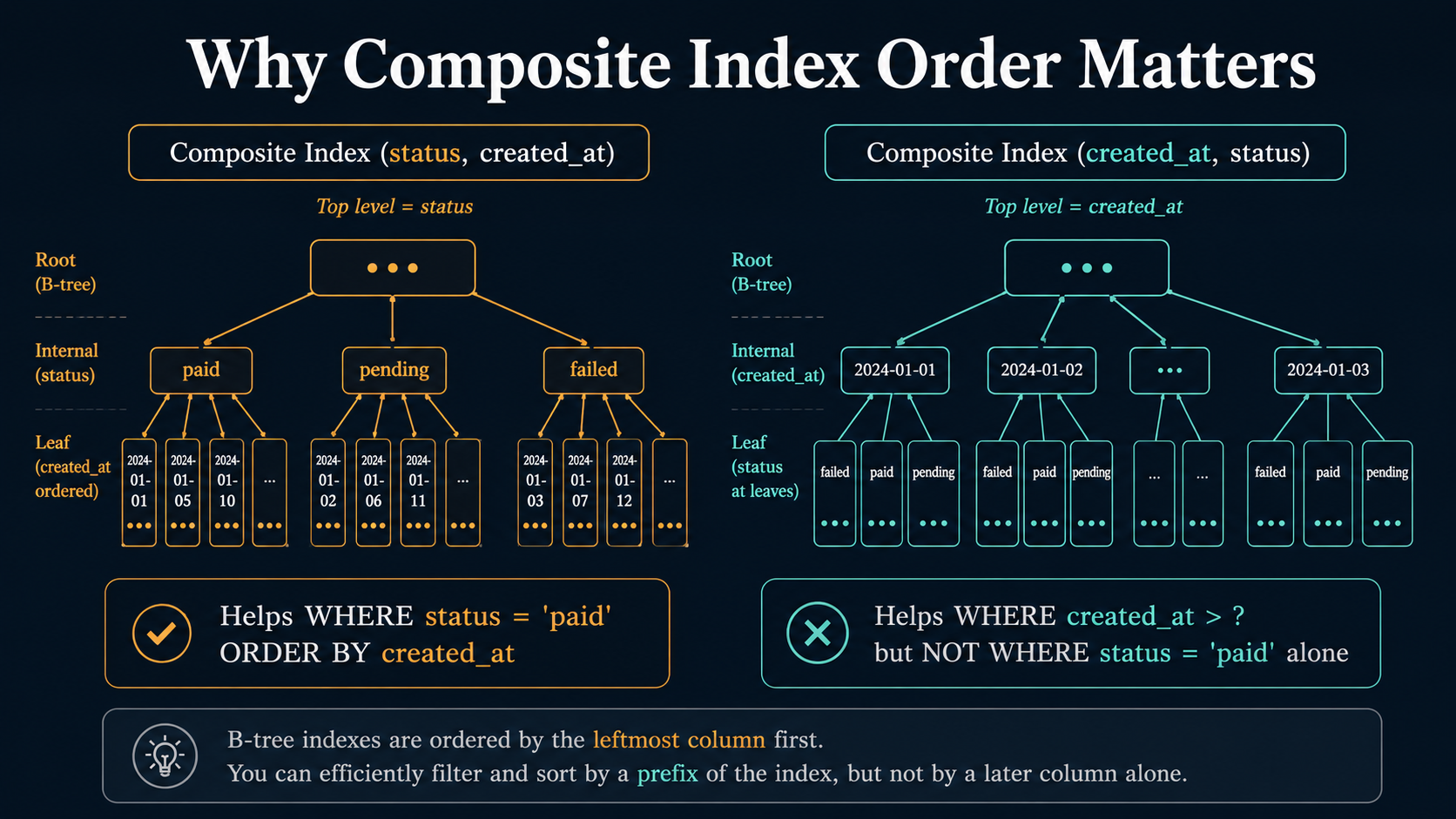
The first is wrong column order in composite indexes. MySQL uses a B-tree, and the leftmost prefix of that tree is what queries can use. An index on (status, created_at) helps WHERE status = 'paid' ORDER BY created_at and helps WHERE status = 'paid' alone, but does almost nothing for WHERE created_at > ? ORDER BY created_at. The order isn't cosmetic. It decides which queries get a fast plan and which fall back to a full scan. Pick the column you filter on most aggressively first, then the one you sort or range-filter on.
The second is functions on indexed columns. This is a query-side mistake but it shows up so often in Laravel that it deserves the index section:
// Index on created_at — and yet…
Order::whereYear('created_at', 2023)->get();
whereYear compiles to WHERE YEAR(created_at) = 2023. That YEAR(...) wraps the column, and MySQL can't use the index on created_at once the column is wrapped in a function. The fix is to express the same intent as a range:
Order::whereBetween('created_at', [
    '2023-01-01 00:00:00',
    '2023-12-31 23:59:59',
])->get();
Same answer, full index use. The same trap hits whereDate, whereMonth, LOWER(email) = ?, and casting columns inside WHERE. If you're indexing a column, query it the way you indexed it.
Eloquent Hydration Is Not Free
This is the one nobody mentions in the docs. When you call User::all(), Laravel doesn't just run the query. It instantiates a User model for every row, fills its attributes, casts everything declared in $casts, attaches global scopes, and registers each instance with the model's event system. For 50 rows that's invisible. For 200,000 rows it's a CPU-bound operation that runs after the database has already done its work, and it's the reason your "MySQL is fast but the request is slow" report doesn't make sense.
The trap is iterating over a huge collection like it's free:
foreach (Order::all() as $order) {
    $exporter->write($order);
}
Three things hurt here. First, all() loads every row into memory before the loop body runs. Second, every row becomes a hydrated Order model. Third, every model fires the retrieved event. On a hot machine that loop will burn far more time on hydration than on the actual export.
There's a small ladder of fixes depending on what you actually need.
If you genuinely need every row but want to keep memory bounded, use chunk or, better, chunkById:
Order::orderBy('id')->chunkById(1000, function ($orders) use ($exporter) {
    foreach ($orders as $order) {
        $exporter->write($order);
    }
});
chunk paginates with LIMIT/OFFSET, which gets slower as you walk deeper into the table. chunkById keeps a WHERE id > ? cursor and stays fast at any depth.
If you don't need model behavior, meaning no events, no accessors, no casts, drop to the query builder via toBase:
DB::table('orders')->orderBy('id')->chunkById(1000, function ($rows) {
    // $rows are stdClass — no hydration, no events
});
Or even better for streaming workloads, use lazy() / cursor():
foreach (Order::lazy() as $order) {
    $exporter->write($order);
}
lazy() uses chunking under the hood and yields one model at a time without loading the rest. cursor() streams rows one at a time via PDOStatement::fetch() and holds the connection open during iteration. It can't be wrapped in a transaction that does other work, so pick it when you understand the trade.
The general rule: if you're touching more than a few hundred rows and you don't need the full Eloquent model, the cheapest hydration is the one that doesn't happen.
Pagination Is The Quiet Killer
paginate() is the most-called method in Laravel that has a hidden second query. Every call runs your query and a separate SELECT COUNT(*) to compute the total page count. On small tables that count is invisible. On a 50M-row table with a WHERE clause that doesn't sit on an index, the count alone can take two seconds. The user paginating page 47 of their order list pays for it on every click.
The fix depends on what you're showing the user.
If they don't actually need a total page count (most infinite-scroll feeds, mobile dashboards, internal admin tools), use simplePaginate(). It does no count, runs LIMIT page_size + 1 to know whether there's a next page, and that's it.
$orders = Order::latest()->simplePaginate(20);If you need stable ordering for very deep pages, switch to cursorPaginate(). Offset pagination has a second cost beyond the count: deeper pages are slower because MySQL has to walk through the rows it's about to skip. OFFSET 100000 LIMIT 20 reads 100,020 rows and throws away 100,000.
$orders = Order::orderBy('id')->cursorPaginate(20);Cursor pagination uses WHERE id > ? (or whatever you ordered by) and stays at the same speed on page 1 and page 5,000.
If you absolutely need the total count and the table is huge, cache the count separately. Show "showing 20 of ~412,000 results" with a cached number that refreshes once an hour. Most users don't care whether it's 412,118 or 412,140. They care whether the page loads.
SELECT * Is The Default, Not The Right Default
Order::all() compiles to SELECT * FROM orders. That * is doing more work than it looks. If your orders table has a notes column with multi-kilobyte text, or a serialized JSON metadata column, every row pulls all of that across the wire even when the controller only renders id, total, and status. The wire cost shows up as latency. The PHP cost shows up as memory. The MySQL cost shows up as cache pressure, since large rows evict more useful data from the buffer pool.
Project columns explicitly when you can:
Order::select(['id', 'total', 'status', 'customer_id'])
    ->with('customer:id,name')
    ->latest()
    ->take(50)
    ->get();
The customer:id,name syntax projects columns on the eager-loaded relation too. Most people learn the relation projection long after they've been writing eager loads for a year.
There's a related Laravel-specific gotcha: API resources. If you use Eloquent API Resources, the resource controls the output shape but not the query shape. A UserResource that exposes id, name, email will still get every column from the database unless the underlying query selects only those columns. The resource is a filter on the way out, not a query optimizer.
Bulk Writes Skip Model Events (And That Is Sometimes Wrong)
This isn't strictly a MySQL mistake but it's the one that turns into a MySQL mistake the fastest. People reach for update() and delete() on a query when they want to be fast:
Order::where('status', 'pending')
    ->where('created_at', '<', now()->subDays(30))
    ->update(['status' => 'expired']);
That's one efficient SQL statement. It also fires zero model events. updating, updated, saving, saved. None of them run. If your application relies on those events to push to a queue, invalidate a cache, write an audit log, or call a webhook, the bulk update silently breaks all of it. Worse, it doesn't fail loudly: the rows update, the related side-effects don't, and you find out three weeks later when a customer notices the audit log is missing entries.
You have two choices.
If the side-effects are mandatory, iterate with chunkById and call save():
Order::where('status', 'pending')
    ->where('created_at', '<', now()->subDays(30))
    ->chunkById(500, function ($orders) {
        foreach ($orders as $order) {
            $order->status = 'expired';
            $order->save(); // events fire
        }
    });
That's slower than a single UPDATE, but it's correct.
If the side-effects can be replicated outside the model events, do the bulk update and dispatch the side-effect work explicitly:
$ids = Order::where('status', 'pending')
    ->where('created_at', '<', now()->subDays(30))
    ->pluck('id');

Order::whereIn('id', $ids)->update(['status' => 'expired']);

OrdersExpired::dispatch($ids); // event the listener cares about
Either way, the choice should be deliberate. The bug is making the choice silently by reaching for the fast method without thinking about the events you just skipped.
whereIn Has A Sharp Edge On Big Lists
This one shows up in batch jobs. You have a list of 50,000 IDs and you want all the matching rows:
Order::whereIn('id', $ids)->get();That compiles to a single SELECT ... WHERE id IN (?, ?, ?, ...) with 50,000 placeholders. Two things go wrong. MySQL has a max_allowed_packet ceiling and a planner cost that gets weird past a few thousand IN values. PHP has to bind 50,000 parameters into a single PDO statement, which is slower than people expect.
The fix is the chunking primitive again:
collect($ids)->chunk(1000)->each(function ($chunk) use (&$results) {
    $results = $results->merge(
        Order::whereIn('id', $chunk)->get()
    );
});
Or, if the IDs come from a table you control, replace whereIn with a join. A join on a temporary table or a subquery uses the same index as the IN list and scales better.
Counting And Existence Are Different Questions
People reach for count() when what they want is exists():
if (User::where('email', $email)->count() > 0) {
    // ...
}
That runs SELECT COUNT(*) FROM users WHERE email = ? which, if there's an index on email, walks every matching row to count them. The shape you wanted is:
if (User::where('email', $email)->exists()) {
    // ...
}
exists() runs SELECT EXISTS(SELECT 1 FROM users WHERE email = ?) and stops on the first match. On a unique index it's identical performance, but on a non-unique column with many matches the difference is real, and the intent is clearer for the next reader of the code.
The mirror image is withCount on relations. Post::withCount('comments')->get() adds a correlated subquery per post and is fine for 50 rows. On 50,000 rows it's a per-row subquery that's probably slower than a single grouped join. If you find yourself adding withCount to a hot endpoint, check what the SQL looks like and consider whether a manual selectRaw with JOIN ... GROUP BY is the version you actually wanted.
What Catches These In Practice
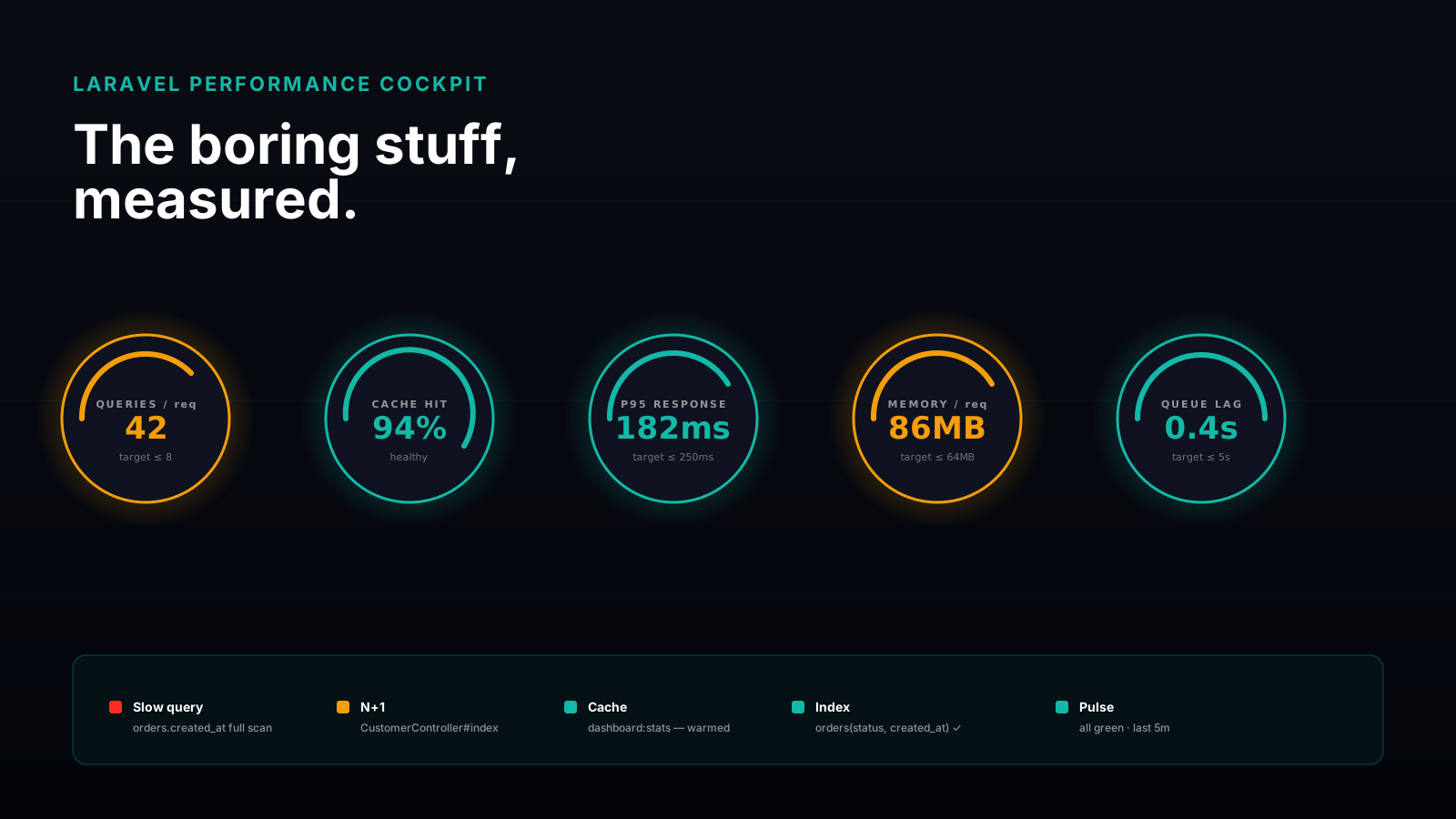
You don't fix performance by reading code. You fix it by measuring. The Laravel ecosystem has decent tools for this and most teams use one of them:
- Telescope in development: every query, every duration, the originating route, the call stack. Great for catching N+1 because the count of identical queries jumps out visually.
- Clockwork if you want a browser devtools-style panel without the full Telescope database.
- Laravel Debugbar for the cheapest setup: it lives in the response footer and shows query count, duration, and bound parameters per page.
- The slow query log on the MySQL side, with a low-ish threshold like 200ms in non-production. The queries that show up here are the ones EXPLAIN should look at next.
Model::preventLazyLoading(),preventSilentlyDiscardingAttributes(), andpreventAccessingMissingAttributes()in yourAppServiceProvider. They turn "subtle performance bug" into "loud exception" in dev and CI.
Pick one query-visibility tool, one slow query log, and one set of prevent* guards. That stack will catch most of what's in this article before the customer support channel does.
The bigger point, and the one worth taking with you, is that Laravel's job is to make the easy 80% of database work feel painless. It does. The remaining 20% is where the real cost lives, and it's the part where the framework's friendliness becomes a liability if you don't see through it. None of these mistakes are exotic. They show up in nearly every Laravel app that grows past its first big customer. The good news is that boring, repeating mistakes are also the easiest ones to fix once you can name them.