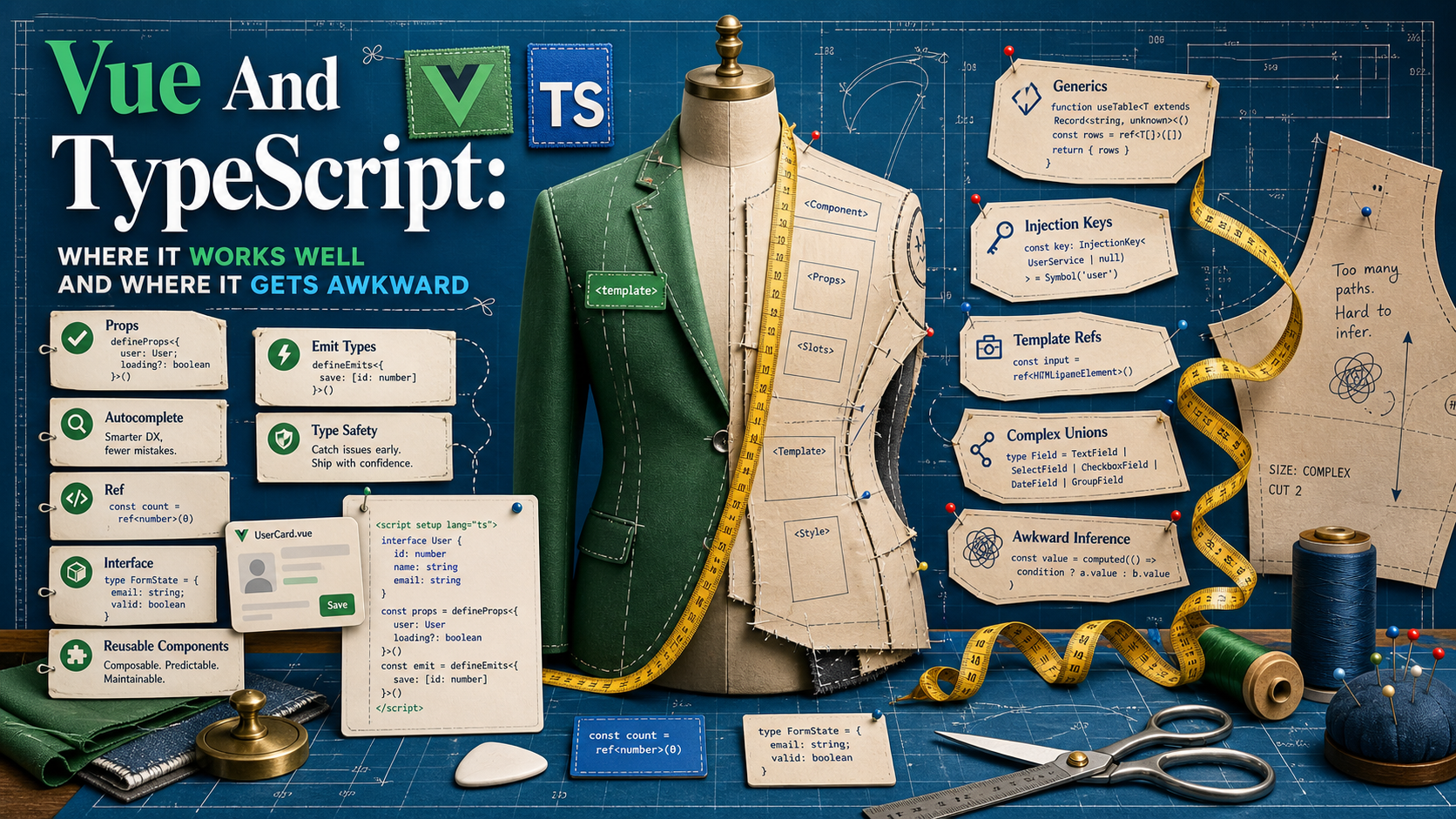
The Vue + TypeScript story has changed a lot since Vue 3.4. defineProps, defineEmits, and defineModel are first-class generic macros now. defineSlots exists. useTemplateRef (3.5+) actually gives you a sensible typed ref to a DOM element or component. For day-to-day component code, the experience is genuinely good.
But there's a but. The moment you reach for generic components, scoped slots with non-trivial payloads, or a wrapper around a third-party UI library, the type story gets noticeably harder than the equivalent in React. Most of the friction comes from the same place: Vue's API was designed around a template language, and templates aren't TypeScript expressions.
This post walks through the parts that genuinely work well, and the parts where you should know what shape of bug to expect.
Props And Emits Are Where TypeScript Pays Off Fastest
The simplest possible win. defineProps<T>() and defineEmits<T>() give you full inference inside the template, in the IDE, and in Volar's diagnostics.
<script setup lang="ts">
type Props = {
  user: { id: string; name: string }
  size?: 'sm' | 'md' | 'lg'
}

const props = withDefaults(defineProps<Props>(), { size: 'md' })

const emit = defineEmits<{
  select: [userId: string]
  remove: [userId: string, reason?: string]
}>()
</script>
The tuple form for emits is the modern one — each event is name: [args...]. The IDE catches a typo in emit('selct', ...) immediately, and props.size is narrowed to the literal union when you read it. This is the boring, lovely part.
A real gotcha: until Vue 3.5, destructuring props in <script setup> lost reactivity. As of 3.5, reactive props destructure is stable, so const { user, size } = defineProps<Props>() actually works inside computed/watch. If you're on an older Vue, keep using props.user directly or wrap with toRefs.
defineModel Removes The v-model Boilerplate
Vue 3.4 made defineModel stable. It returns a writable ref bound to the parent's v-model, with the type inferred from the generic.
<script setup lang="ts">
const value = defineModel<string>({ required: true })
const open = defineModel<boolean>('open', { default: false })
</script>

<template>
  <input v-model="value" />
  <button @click="open = !open">toggle</button>
</template>
No more props.modelValue + emit('update:modelValue', ...) pair. The types flow from the generic argument to the parent's v-model:open="..." binding. This is one of those small APIs that adds up — every form control becomes meaningfully shorter.
Stores And Composables Infer Cleanly
Pinia setup-style stores infer return types from the function body, which means you almost never write a store interface by hand:
import { defineStore } from 'pinia'
import { ref, computed } from 'vue'

export const useCartStore = defineStore('cart', () => {
  const items = ref<CartItem[]>([])
  const total = computed(() => items.value.reduce((s, i) => s + i.price, 0))

  function add(item: CartItem) { items.value.push(item) }
  function clear() { items.value = [] }

  return { items, total, add, clear }
})
The same shape works for composables. Return refs and functions; let the caller's TypeScript infer everything. The one rule: if you destructure a store at the call site, use storeToRefs(store) for the reactive bits and grab actions directly off store. Plain destructuring breaks reactivity, and TypeScript can't catch that for you.
useTemplateRef Is The 3.5 Upgrade Worth Knowing
Before 3.5, you'd write const el = ref<HTMLInputElement | null>(null) and bind it as <input ref="el" />. It worked, but the typing was always a little off — the ref started null, you'd guard with el.value?.focus(), and there was no link between the template attribute name and the variable.
useTemplateRef ties them together:
<script setup lang="ts">
import { useTemplateRef, onMounted } from 'vue'

const inputEl = useTemplateRef<HTMLInputElement>('input-el')

onMounted(() => inputEl.value?.focus())
</script>

<template>
  <input ref="input-el" />
</template>
The key passed to useTemplateRef matches the ref="..." attribute. For a child component, pass the component type as the generic — you get its public exposed surface (anything in defineExpose).
Where It Gets Awkward: Slots With Real Payloads
Scoped slot typing is the first place the experience drops. You can use defineSlots (Vue 3.3+) to declare the contract:
<script setup lang="ts" generic="T">
defineProps<{ items: T[] }>()
defineSlots<{
  default(props: { item: T; index: number }): any
  empty?(): any
}>()
</script>

<template>
  <ul v-if="items.length">
    <li v-for="(item, index) in items" :key="index">
      <slot :item="item" :index="index" />
    </li>
  </ul>
  <slot v-else name="empty" />
</template>
This works, but the return type is just any — there's no expressive way to constrain what a slot is allowed to render, the way React's ReactNode does. If you misspell a slot name in the parent template, you'll get a runtime "no slot named X" with no compile-time error. That's the genuine gap.
Generic Components Work, With Caveats
The generic attribute on <script setup> is real and useful — that T in the example above flows from items: T[] into the slot payload. The caveat: you can't constrain generics with where clauses, default params behave oddly with complex constraints, and the syntax for multi-generic components (generic="T extends Item, K extends keyof T") is exactly the TS syntax you'd expect, no more.
For most cases (a typed list, a typed select), this is fine. For a polymorphic "render any element" component (the as prop pattern from Radix Vue / Reka UI), the types start fighting back. The honest move there is to use a battle-tested headless library and not roll your own.
The Awkward Edges Worth Knowing
A few specific places types thin out:
provide/inject. You can useInjectionKey<T>to make this typed, but it's still your responsibility to callinject(key)with the right key, and the default value branch can quietly widen the return type toT | undefined. Always pass a default or assert.- Dynamic components.
<component :is="X" />resolves at runtime; the props you pass aren't checked againstX'sdefineProps. Nothing to do but accept it. $attrs. Fallthrough attributes are typed asRecord<string, unknown>— useful, but if your component forwards them to a typed child, you're on your own.- Third-party UI library wrappers. Wrapping a Quasar/Vuetify/PrimeVue component and passing through its props with full type fidelity is doable but verbose. Most teams accept some
anyat this seam and move on.
What I Reach For In A Real Project
The setup that consistently works:
<script setup lang="ts">for every component. Always.defineProps<T>()with an inlinetype Props. UsewithDefaultsonly for required-with-defaults — for plain optionals, the?in the type plus a default in the template is fine.defineEmits<{...}>()with the tuple form.defineModel<T>()for any control that participates inv-model.useTemplateRefover plainreffor any DOM/component reference.- Setup stores in Pinia, return refs, never write a manual store interface.
defineSlotsonly when the slot has a non-trivial payload — otherwise skip it.- For polymorphic / "render-as" components: use Reka UI / Headless UI Vue rather than rolling your own.
The Honest Summary
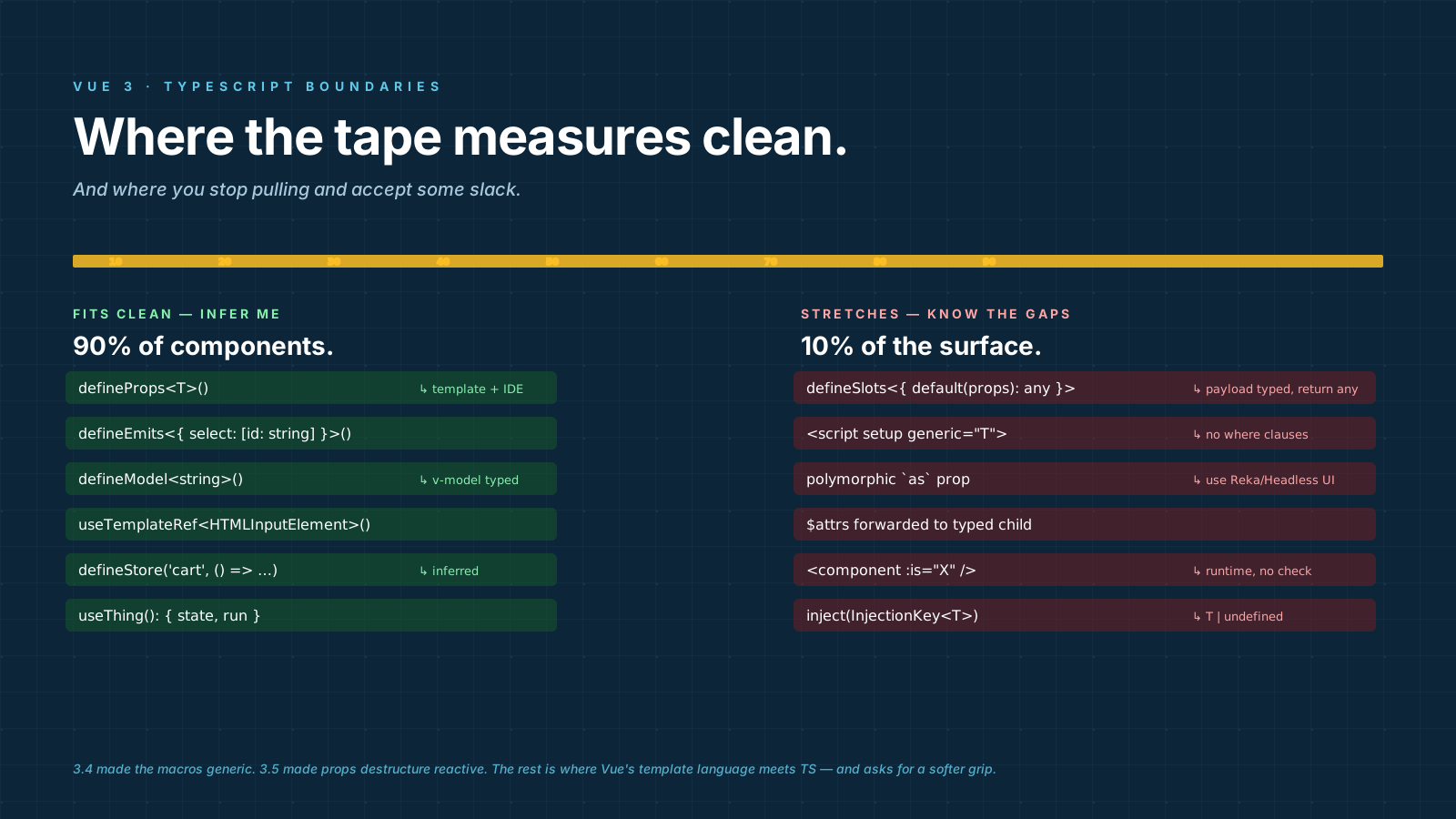
For 90% of the components in a real Vue 3 app, TypeScript adds no friction and catches real bugs. The macros are good, the IDE story (Volar) is solid, and Pinia's setup stores infer better than most state libraries.
The remaining 10% — generic slot payloads, component-of-component generics, fallthrough attribute forwarding — is genuinely harder than React's equivalent. Knowing where that line sits is the whole point: stop fighting the type system inside a slot, accept some any at library boundaries, and let the rest of the app benefit from the parts that work.