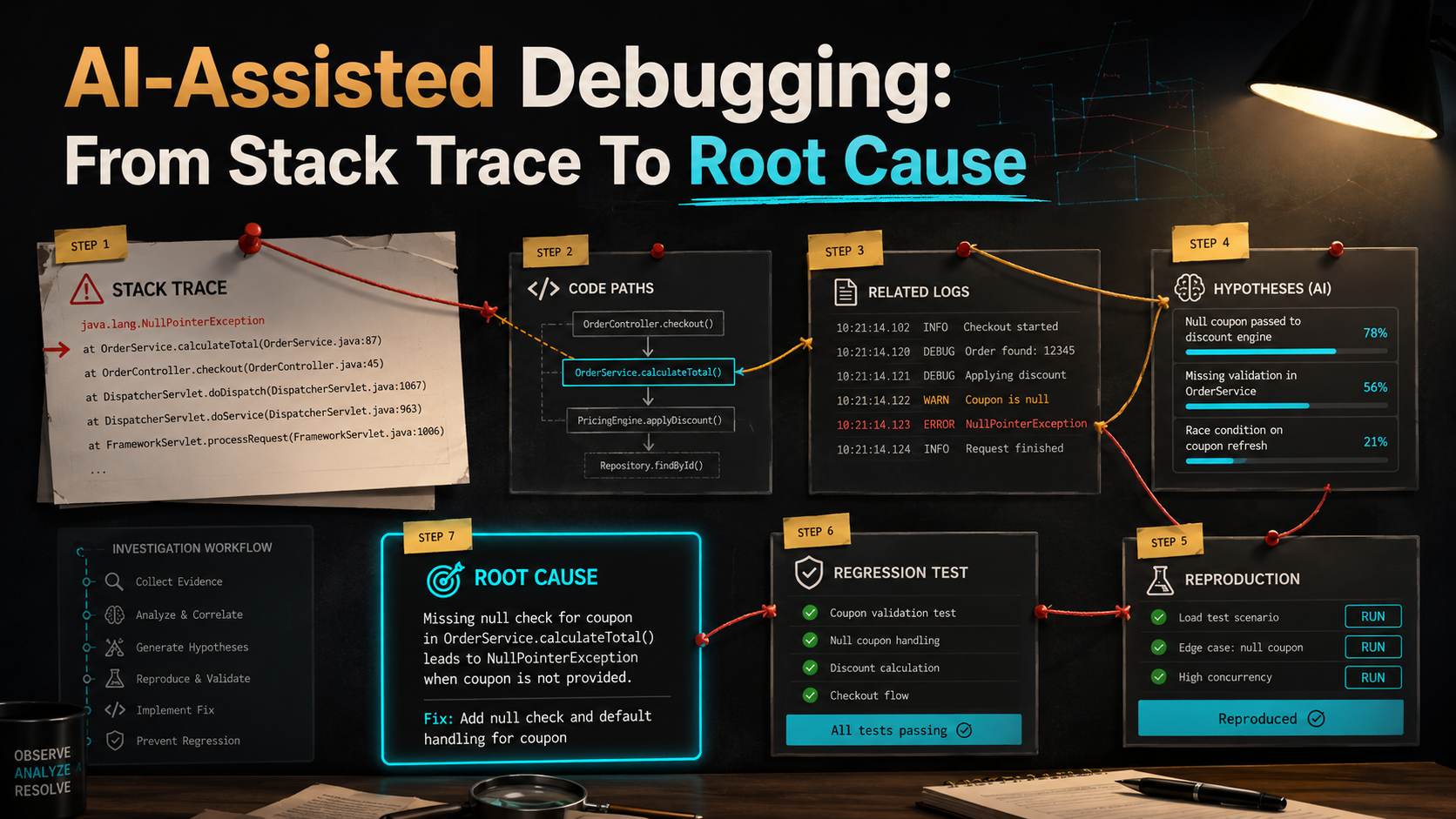
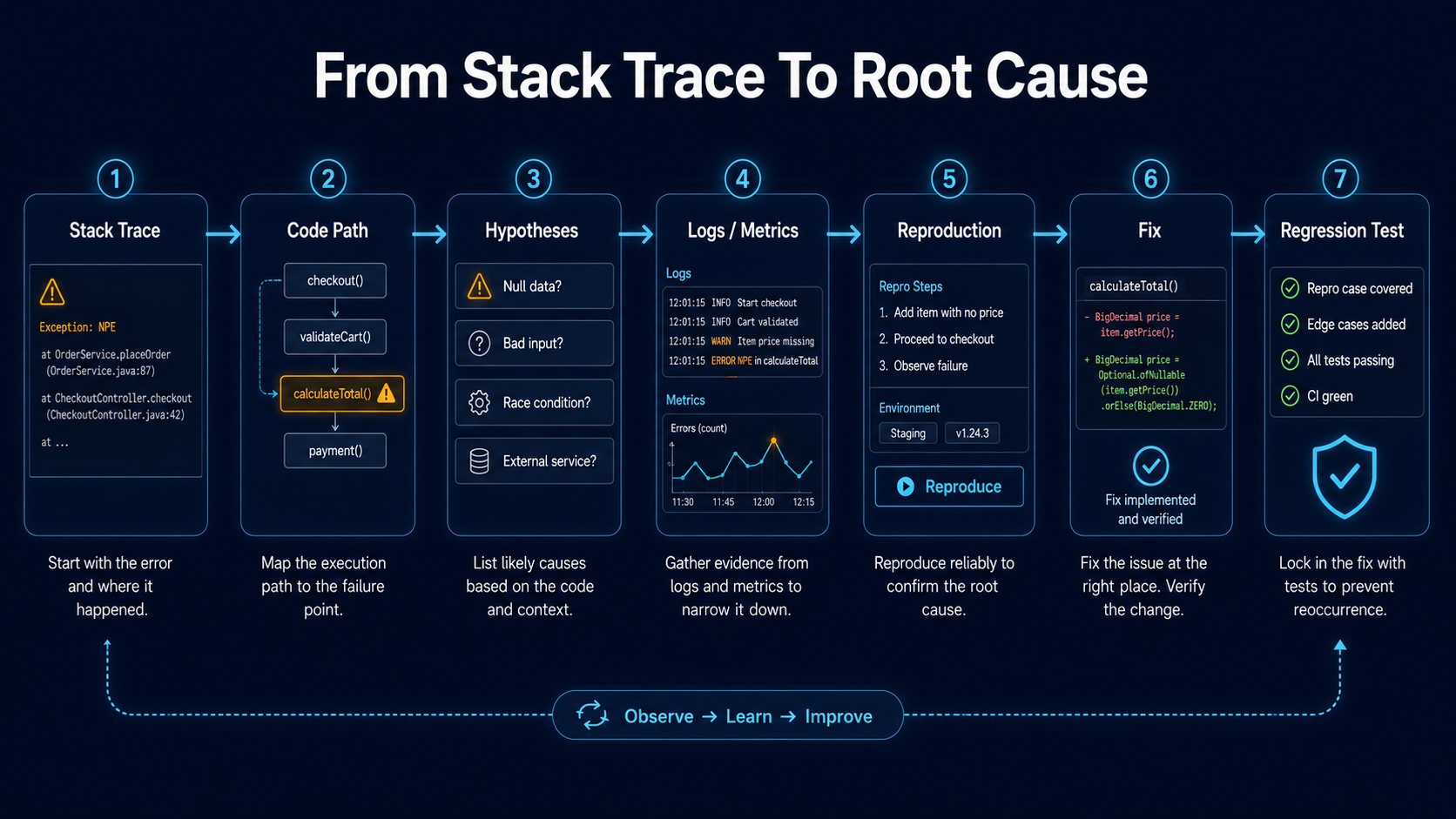
Debugging is not guessing — good debugging is a process. You start with a symptom, collect evidence, read the stack trace, find the related code path, generate hypotheses, test them, add logs if needed, reproduce the issue, fix the root cause, and write a regression test. AI can help with every step of that, but it should not replace the process.
The worst AI-assisted debugging workflow is the three-line one:
Paste error.
Accept random fix.
Hope production is fine.
The better workflow is longer and slower, and pays off every single time:
Paste error.
Ask AI to explain the stack trace.
Find related code.
Generate hypotheses.
Verify one by one.
Create reproduction.
Fix.
Add regression test.
That's much safer. AI is good at connecting clues, summarizing unfamiliar code, and suggesting possible causes — you still need to verify each one.
Start With The Stack Trace
A stack trace is not just an error message — it's a path. Take this:
TypeError: Cannot read properties of null (reading 'email')

at InvoiceReminderService.sendReminder (src/services/InvoiceReminderService.ts:42:31)
at SendInvoiceRemindersJob.handle (src/jobs/SendInvoiceRemindersJob.ts:18:22)
at QueueWorker.process (src/queue/QueueWorker.ts:61:18)
A weak prompt is "fix this error." A better prompt keeps the AI in analysis mode:
Analyze this stack trace.

Please explain:
- where the error happens,
- what value is probably null,
- which code path triggered it,
- what upstream assumptions may be wrong,
- what files I should inspect first,
- what hypotheses I should verify.

Do not suggest a code patch yet.
It might respond with something like: "The error likely happens because invoice.customer is null, but InvoiceReminderService assumes every invoice has a customer with an email. Inspect invoice loading logic and job payload creation." Now you have a direction — and crucially, a direction is not a fix.
Add The Relevant Code
The stack trace alone is not enough — give the AI the code around the failing line:
export class InvoiceReminderService {
  async sendReminder(invoice: Invoice): Promise<void> {
    await this.emailClient.send({
      to: invoice.customer.email,
      subject: "Your invoice is overdue",
      template: "invoice-reminder",
      data: {
        invoiceId: invoice.id,
      },
    });
  }
}
Now ask:
Here is the failing code.

Explain:
- what assumption fails,
- where that assumption should be enforced,
- whether the fix belongs here or upstream,
- what tests should be added.
A good answer should not immediately say to: invoice.customer?.email. That may hide the problem. Maybe an invoice without a customer should never be queued. Maybe the job should skip deleted customers. Maybe the query forgot to eager load the customer. Maybe the database allows orphan records. The right fix depends on the domain — and a careful analysis pass forces that choice to be intentional, not silent.
Find Related Code Paths
Ask AI to search or reason about related paths:
Find all code paths that create or process invoice reminder jobs.

Look for:
- job dispatch,
- scheduled commands,
- event listeners,
- queue handlers,
- invoice queries,
- customer relation loading,
- tests.

For each path, explain how an invoice reaches InvoiceReminderService.
In a Laravel project, that might surface:
final class SendInvoiceRemindersCommand extends Command
{
    public function handle(): int
    {
        Invoice::query()
            ->where('status', 'overdue')
            ->chunkById(100, function ($invoices) {
                foreach ($invoices as $invoice) {
                    SendInvoiceReminderJob::dispatch($invoice->id);
                }
            });

        return self::SUCCESS;
    }
}
And the job:
final class SendInvoiceReminderJob implements ShouldQueue
{
    public function handle(InvoiceReminderService $service): void
    {
        $invoice = Invoice::query()->findOrFail($this->invoiceId);

        $service->sendReminder($invoice);
    }
}
Now you can see a possible issue: the job loads the invoice with findOrFail, but never the customer relation. If the project disables lazy loading in production (a common safety setting), the access to $invoice->customer will throw — and if the customer was deleted or was always null, it'll be null. A better query is the obvious one:
$invoice = Invoice::query()
    ->with('customer')
    ->findOrFail($this->invoiceId);
But verify the domain rule first. Maybe an orphan invoice means something specific in your system; eager loading silently doesn't change that.
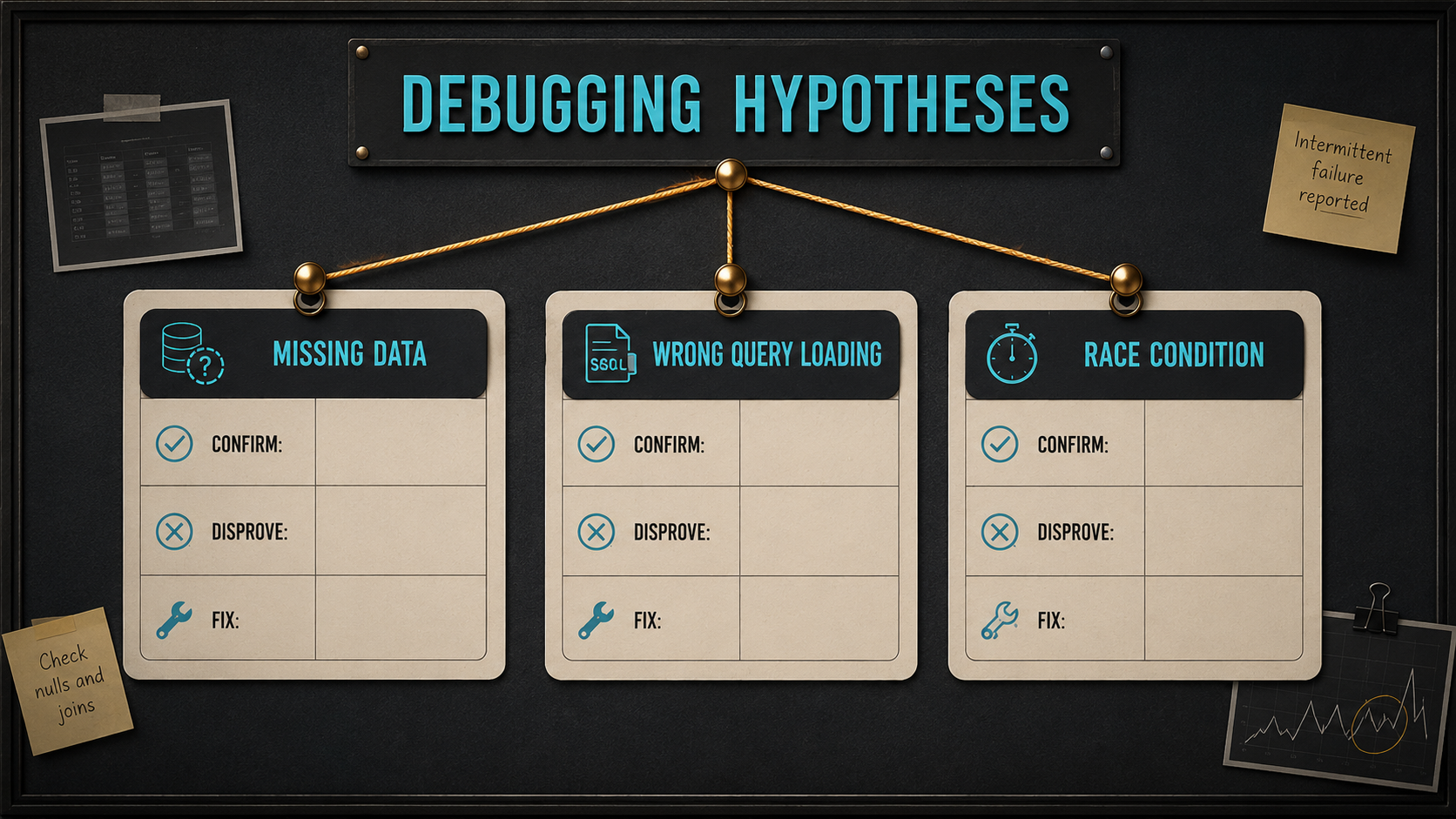
Generate Hypotheses
AI is very useful for hypothesis generation — it doesn't have your blind spots:
Based on the stack trace and code path, generate possible root cause hypotheses.

For each hypothesis, include:
- why it could be true,
- how to confirm it,
- what evidence would disprove it,
- likely fix if confirmed.
A typical output:
Hypothesis 1:
Some overdue invoices have no customer_id.
Confirm with SQL query checking overdue invoices where customer_id is null.

Hypothesis 2:
Some customers were deleted after the reminder job was queued.
Confirm by checking invoice customer_id values that no longer exist in customers.

Hypothesis 3:
The job loads invoice without customer relation and lazy loading is disabled.
Confirm by checking runtime config and logs.
This is a strong debugging workflow — it turns confusion into a checklist you can knock out one item at a time.
Use SQL To Verify Data Assumptions
If the bug involves database state, ask AI for verification queries:
Write safe read-only SQL queries to verify these hypotheses.

Constraints:
- SELECT only.
- Do not modify data.
- Include comments explaining each query.
- Keep queries production-safe.
A useful pair:
-- Check overdue invoices without a customer_id.
SELECT id, customer_id, status, created_at
FROM invoices
WHERE status = 'overdue'
  AND customer_id IS NULL
LIMIT 50;

-- Check overdue invoices whose customer_id no longer exists.
SELECT i.id, i.customer_id, i.status, i.created_at
FROM invoices i
LEFT JOIN customers c ON c.id = i.customer_id
WHERE i.status = 'overdue'
  AND i.customer_id IS NOT NULL
  AND c.id IS NULL
LIMIT 50;
These queries don't fix the bug — they help you understand it. The first answers "is the data corrupt?", the second answers "is the data stale?". Often the answer is both, and the fix is different for each.
Add Logs Carefully
Sometimes the error doesn't contain enough context. Add structured logs — not the bare Log::info('Reminder failed') kind, but the kind that lets you join evidence later:
Log::warning('Invoice reminder skipped because customer is missing', [
    'invoice_id' => $invoice->id,
    'customer_id' => $invoice->customer_id,
    'job_id' => $this->job?->getJobId(),
]);
Ask AI to think about what to log AND what not to log:
Suggest safe structured logs for debugging this issue.

Rules:
- Do not log secrets.
- Do not log full customer PII.
- Include IDs and state needed for debugging.
- Include enough context to connect job, invoice, and customer.
Good logs answer "which invoice, which job, which state, which branch of logic?" without exposing sensitive data.
Create Reproduction Steps
A bug is much easier to fix when you can reproduce it on demand. Ask AI to write the recipe:
Create minimal reproduction steps for this bug.

Include:
- database state needed,
- command/job/request to run,
- expected failure,
- how to verify the error,
- how to turn it into a regression test.
A typical reproduction recipe:
1. Create an overdue invoice with `customer_id = null`.
2. Run `php artisan invoices:send-reminders`.
3. Observe that `SendInvoiceReminderJob` fails when accessing customer email.
4. Add a regression test that verifies invoices without customers are skipped and logged.
Then you turn step 4 into a real test:
public function testReminderJobSkipsInvoiceWithoutCustomer(): void
{
    Mail::fake();
    Log::spy();

    $invoice = Invoice::factory()->create([
        'status' => 'overdue',
        'customer_id' => null,
    ]);

    SendInvoiceReminderJob::dispatchSync($invoice->id);

    Mail::assertNothingSent();

    Log::shouldHaveReceived('warning')
        ->withArgs(fn (string $message, array $context) =>
            $message === 'Invoice reminder skipped because customer is missing'
            && $context['invoice_id'] === $invoice->id
        );
}
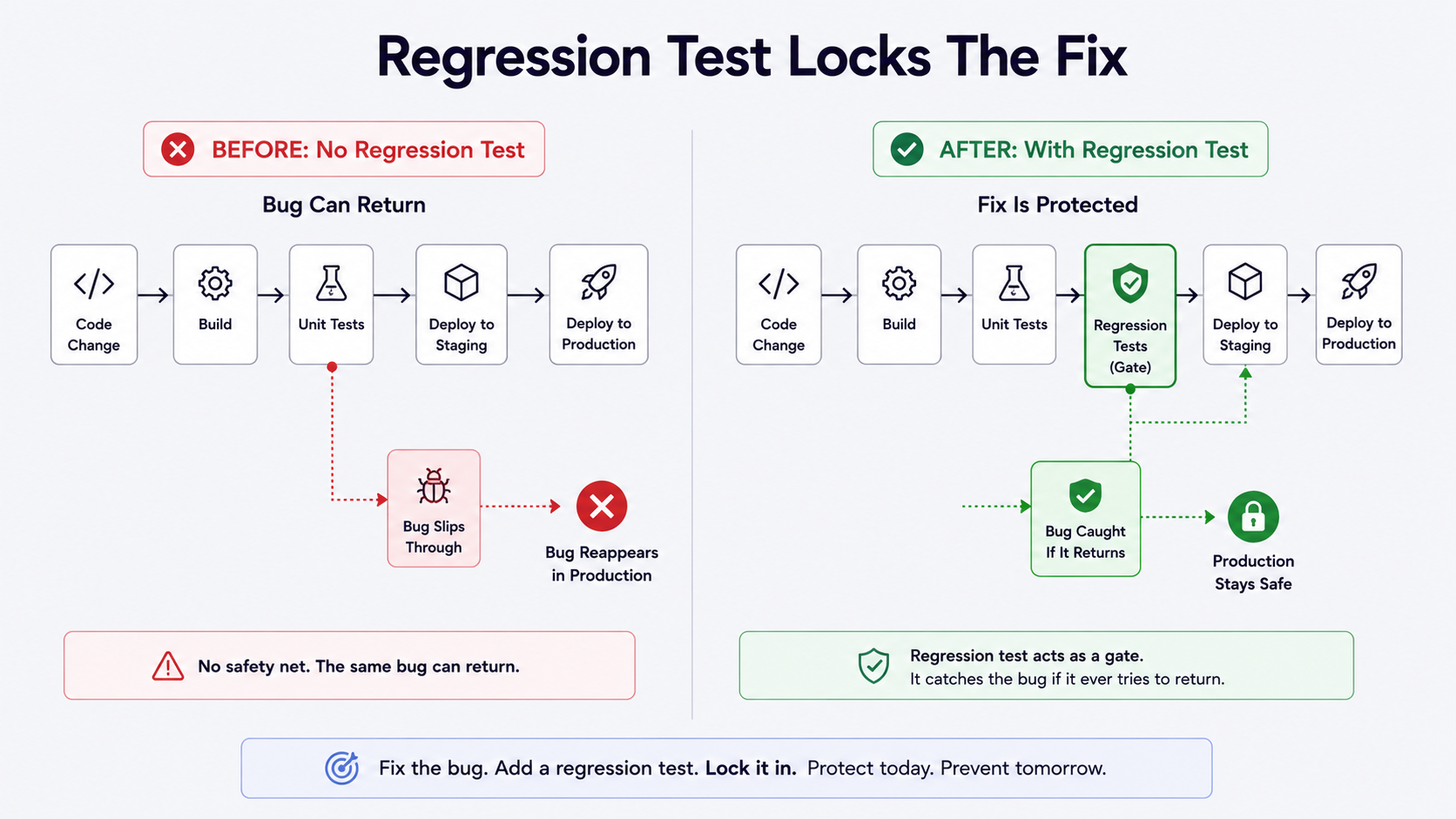
Now the bug becomes a protected behavior — the next refactor can't accidentally undo the fix without the test failing.
Fix The Root Cause, Not The Symptom
The easiest fix may be wrong. The symptom-fix version:
$email = $invoice->customer?->email;

if (!$email) {
    return;
}
Maybe that's correct — but maybe it silently hides data corruption. A better prompt forces the trade-offs out into the open:
Compare possible fixes for this bug.

Options:
1. Null-check in InvoiceReminderService.
2. Filter invoices without customers in the command.
3. Enforce database foreign key.
4. Restore missing customer data.
5. Fail the job with a domain-specific exception.

For each option:
- what behavior changes,
- risk,
- observability,
- whether it hides data problems,
- tests needed.
This helps you choose intentionally. You may decide the command should never queue invoices without customers, the service should still guard and log, the database constraints should be reviewed separately, and regression tests should cover both command and job. Five places, one root cause, no silent corner.
Write The Regression Test After The Fix
Every production bug deserves a regression test if possible:
Generate a regression test for the confirmed root cause.

Confirmed root cause:
[paste explanation]

Fix:
[paste patch]

The test should fail before the fix and pass after it.
Avoid testing implementation details.
A regression test should prove the bug doesn't return — not just prove the new code exists. The "fail before, pass after" framing is the easiest way to know you wrote the right test.
A Practical AI Debugging Prompt
Save this. It's the prompt that keeps a debugging session in analysis mode and out of "guess a patch" mode:
Act as a senior engineer helping me debug this issue.

Error / stack trace:
[paste]

Relevant code:
[paste]

Known facts:
[paste]

Please:
1. Explain the stack trace in plain English.
2. Identify the failing assumption.
3. List related code paths to inspect.
4. Generate root-cause hypotheses.
5. For each hypothesis, explain how to confirm or disprove it.
6. Suggest safe logs or read-only queries.
7. Suggest minimal reproduction steps.
8. Suggest regression tests.
9. Do not provide a patch until the root cause is confirmed.
That last line matters. Don't patch too early.
What AI Can Miss
AI can miss production-only configuration, race conditions, stale queues, feature flags, data migrations, environment differences, clock and timezone issues, external service behavior, retry behavior, and rare data states. So always verify — use logs, metrics, traces, SQL, tests, and local reproduction. AI can help you think faster, but it cannot magically observe your production system unless you provide the evidence.
Final Thoughts
AI-assisted debugging is powerful when it follows a real debugging process. Start with the stack trace, add relevant code, map the code path, generate hypotheses, verify with evidence, reproduce the bug, fix the root cause, add a regression test. That's the workflow.
Don't ask AI to guess a patch from an error message. Ask it to help you investigate. The best debugging assistant is not the one that gives the fastest answer — it's the one that helps you ask better questions until the root cause becomes obvious.