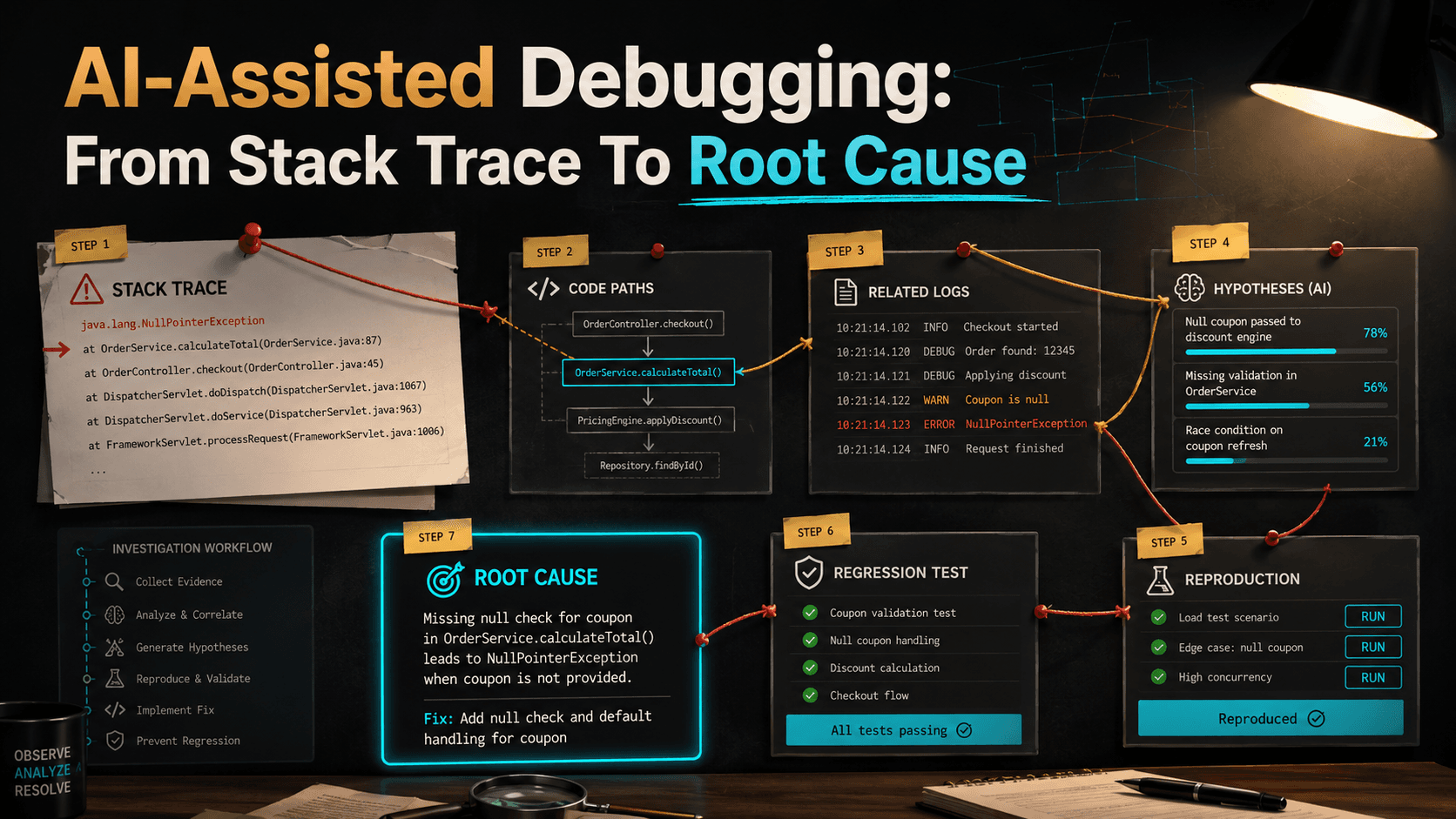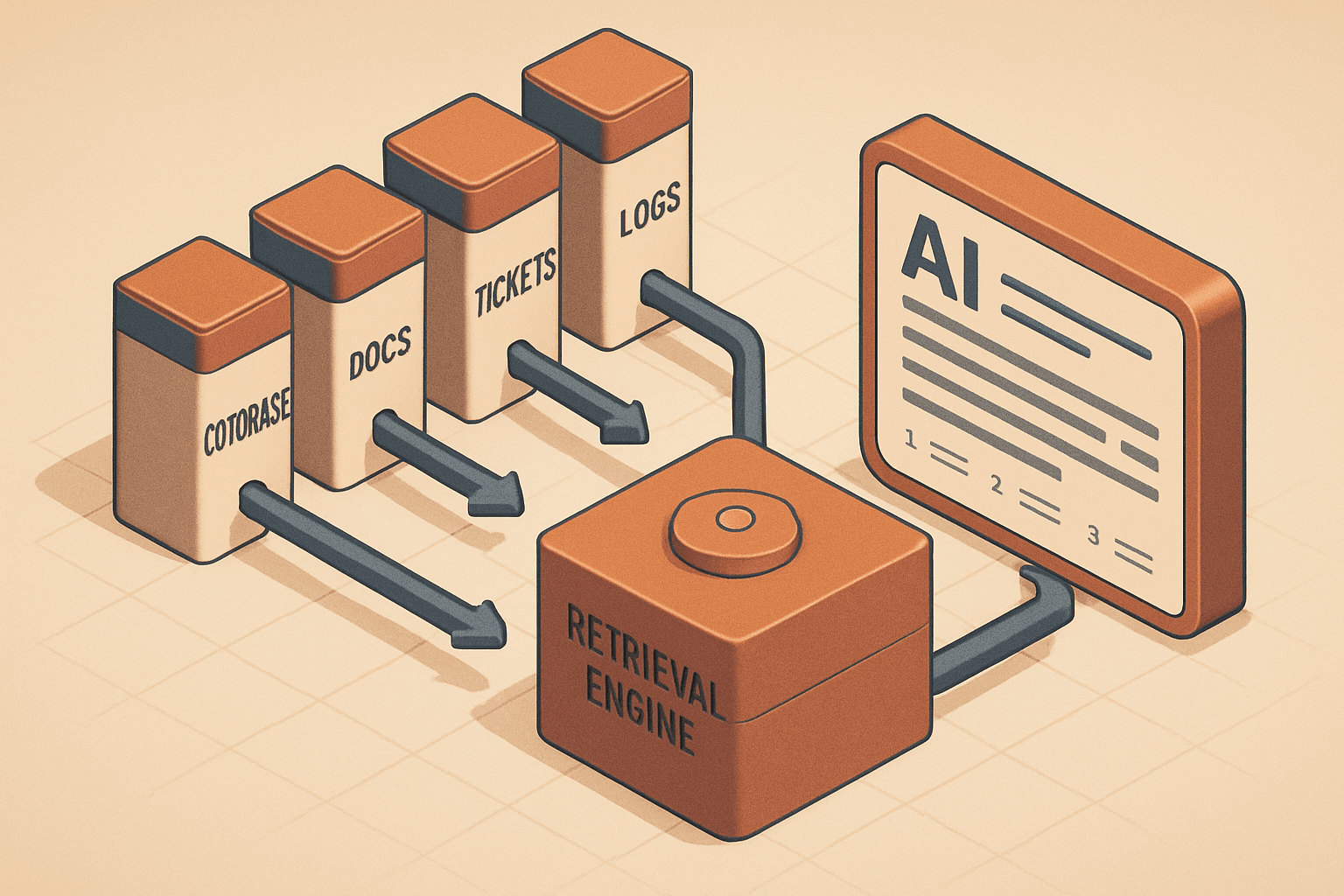
AI coding tools can be incredibly useful.
They can explain legacy code. They can generate test ideas. They can draft boilerplate. They can help you compare approaches. They can speed up repetitive tasks. They can even help you notice security or performance risks that you missed.
But they are not free just because they feel fast.
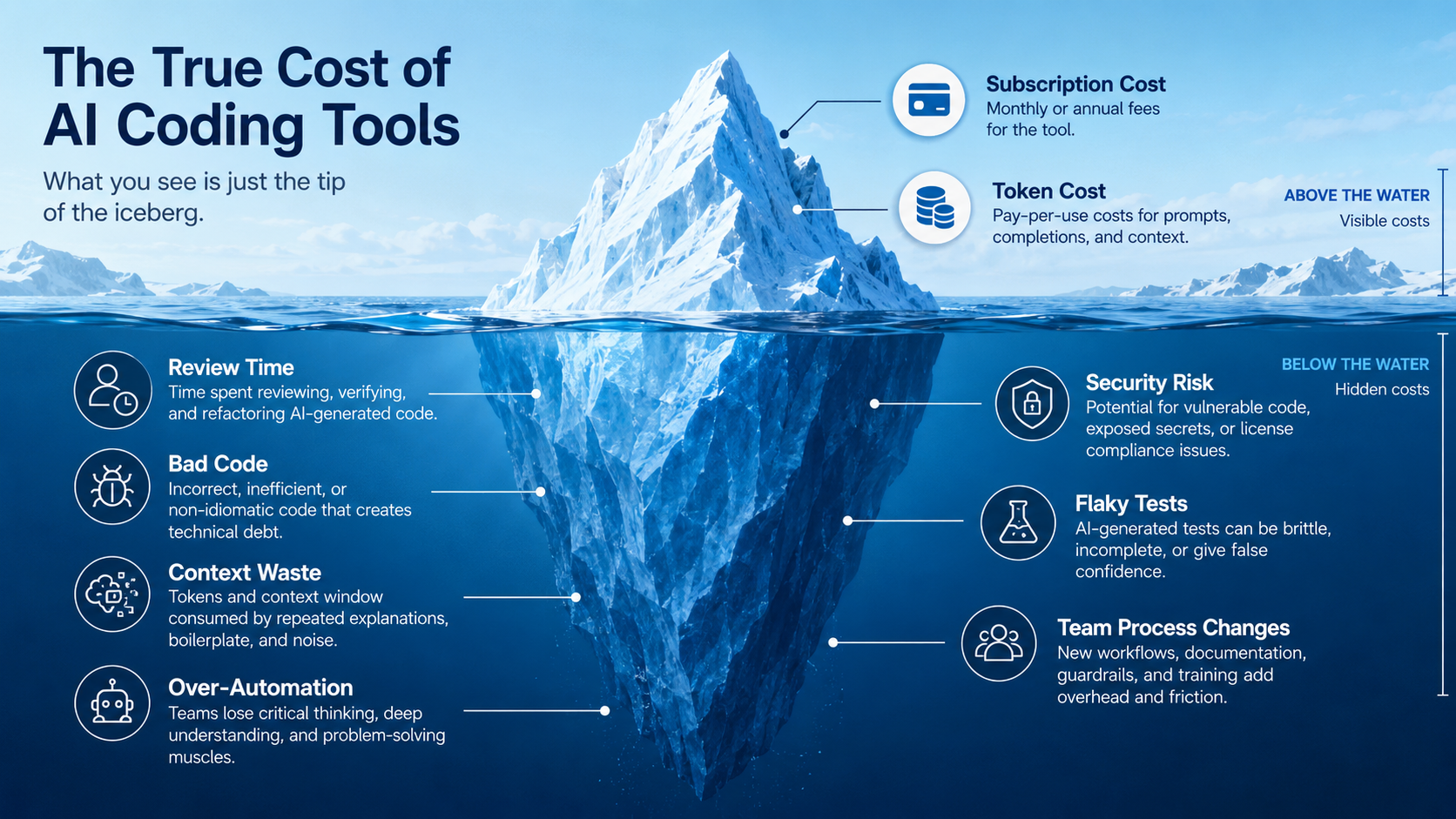
The obvious cost is the monthly subscription or API bill.
The hidden cost is everything around it: review time, bad generated code, wasted context, wrong assumptions, noisy pull requests, prompt maintenance, security checks, and team workflow changes.
This does not mean AI coding tools are bad. It means we should measure them like engineers, not like fans.
A tool that saves one hour but creates two hours of review debt is not a productivity win.
A tool that writes 500 lines quickly but introduces a subtle authorization bug is not cheap.
A tool that helps a senior developer understand a legacy service in 20 minutes instead of two hours may be extremely valuable.
The real question is not "Should we use AI coding tools?"
The better question is: "Where do they create net value, and where do they create hidden debt?"
The visible cost: subscriptions and tokens
The easiest cost to understand is the direct one.
You pay for a coding assistant subscription, IDE integration, model API usage, or enterprise plan. For individuals, this may look small. For teams, it adds up quickly.
A team of 40 engineers using multiple tools may have:
40 developers
x $20 to $60 per developer per month
= $800 to $2,400 per month
That is not automatically expensive. If the tools save real engineering time, it can be a great deal.
API-based usage is different because the cost depends on input tokens, output tokens, model choice, caching, retries, and workflow design.
A naive internal coding agent may send huge context repeatedly:
{
  "workflow": "legacy_code_analysis",
  "files_sent": 84,
  "input_tokens": 180000,
  "output_tokens": 12000,
  "retries": 3
}
That is where token cost becomes a design problem.
You can reduce cost by sending smaller context:
type ContextFile = {
  path: string;
  content: string;
  relevanceScore: number;
};

function selectContext(files: ContextFile[], maxFiles = 12): ContextFile[] {
  return files
    .filter(file => file.relevanceScore >= 0.65)
    .sort((a, b) => b.relevanceScore - a.relevanceScore)
    .slice(0, maxFiles);
}
This simple step can be more valuable than switching models. A smaller, more relevant prompt is usually cheaper and easier for the model to use.
Review time is the biggest hidden cost
AI-generated code still needs review.
Sometimes it needs more review than human-written code because the reviewer must check not only style and logic, but also whether the generated code misunderstood the business context.
Consider this generated Laravel middleware:
final class EnsureUserCanAccessAccount
{
    public function handle($request, Closure $next)
    {
        $accountId = $request->route('account');

        if (! $request->user()->accounts()->where('id', $accountId)->exists()) {
            abort(403);
        }

        return $next($request);
    }
}
It looks reasonable.
But review questions matter:
Does route('account') return an ID or an Account model?
Does this create an extra database query on every request?
Does it handle admin users?
Does it handle suspended accounts?
Does the route use account slug instead of ID?
Does the relationship include soft-deleted accounts?
The code may be syntactically correct and still be behaviorally wrong.
That review time is real cost.
A useful metric is not "lines generated." It is "accepted change after review."
Track this:
type AiCodeChangeMetric = {
  pullRequestId: string;
  generatedLines: number;
  acceptedLines: number;
  humanEditedLines: number;
  reviewComments: number;
  defectsFoundBeforeMerge: number;
  defectsFoundAfterMerge: number;
};

function acceptanceRate(metric: AiCodeChangeMetric): number {
  if (metric.generatedLines === 0) {
    return 0;
  }

  return metric.acceptedLines / metric.generatedLines;
}
This is not a perfect metric, but it is better than pretending generation equals productivity.
Bad generated code is expensive because it looks finished
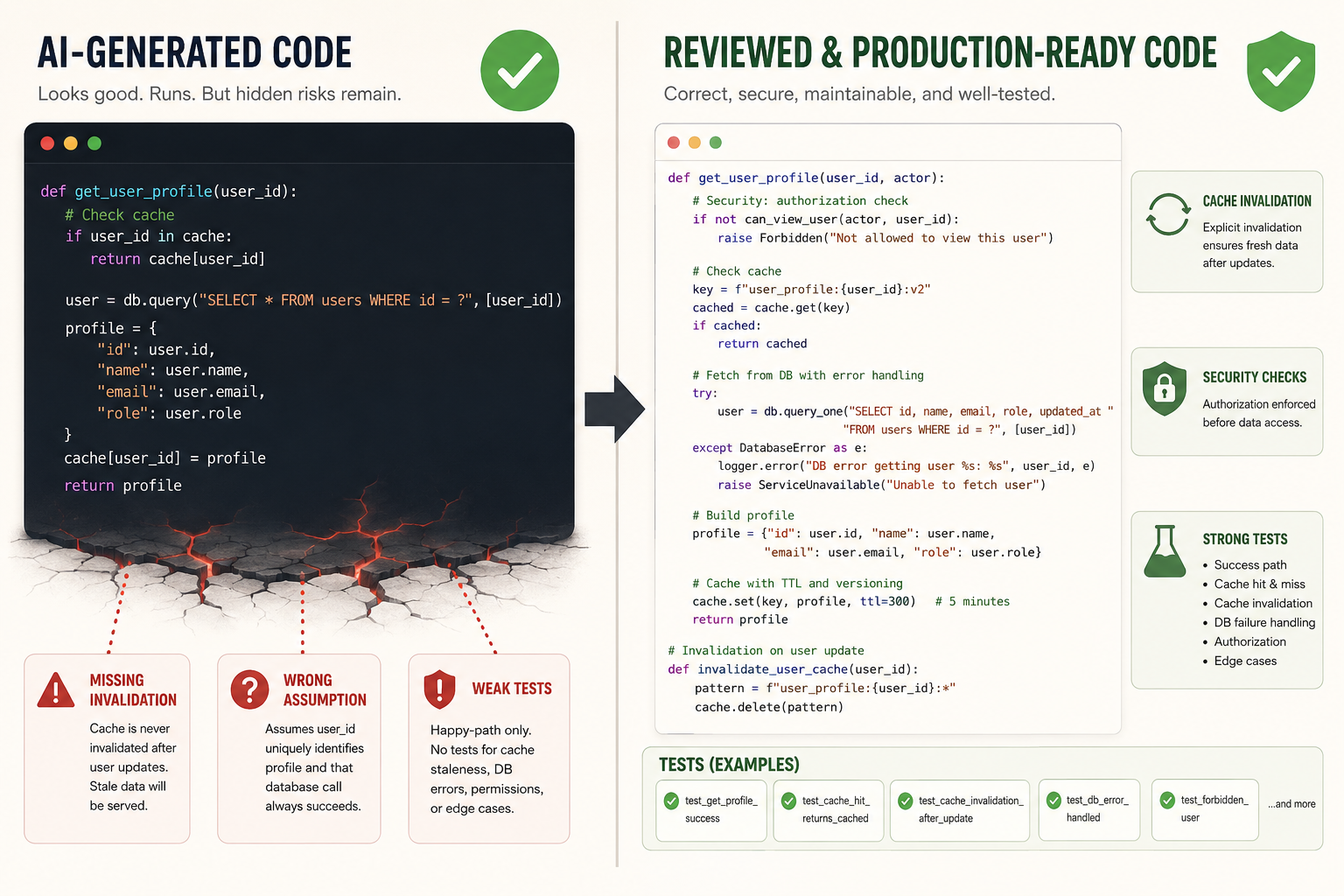
The dangerous thing about AI-generated code is that it often looks clean.
It may have nice names. It may have comments. It may follow common patterns. It may compile. It may pass shallow tests.
But it can still be wrong.
Here is a classic example: caching user permissions without considering invalidation.
final class PermissionService
{
    public function getPermissions(User $user): array
    {
        return Cache::remember("user_permissions_{$user->id}", 3600, function () use ($user) {
            return $user->roles()
                ->with('permissions')
                ->get()
                ->flatMap(fn ($role) => $role->permissions)
                ->pluck('name')
                ->unique()
                ->values()
                ->all();
        });
    }
}
Looks fine, right?
But what happens when an admin removes a role?
For up to one hour, the user may keep permissions they should no longer have.
A safer design may need event-based invalidation:
final class PermissionService
{
    public function getPermissions(User $user): array
    {
        return Cache::remember(
            $this->cacheKey($user),
            now()->addMinutes(10),
            fn () => $this->loadPermissions($user)
        );
    }

    public function forgetPermissions(User $user): void
    {
        Cache::forget($this->cacheKey($user));
    }

    private function cacheKey(User $user): string
    {
        return "user_permissions:{$user->id}:v1";
    }

    private function loadPermissions(User $user): array
    {
        return $user->roles()
            ->with('permissions')
            ->get()
            ->flatMap(fn ($role) => $role->permissions)
            ->pluck('name')
            ->unique()
            ->values()
            ->all();
    }
}
And role changes should call invalidation:
Event::listen(RoleChangedForUser::class, function (RoleChangedForUser $event): void {
    app(PermissionService::class)->forgetPermissions($event->user);
});
The hidden cost here is not writing the code. The hidden cost is noticing the missing business rule.
Context waste: the silent budget killer
AI tools love context. Developers love giving them context. But more context is not always better.
Large context can create three problems.
First, it costs more.
Second, it may distract the model.
Third, it can leak information if sent to the wrong place or stored incorrectly.
A common mistake is pasting entire files when the model only needs one function.
A better approach is context packaging:
{
  "task": "Find why weekly reminders are sent too often",
  "relevant_files": [
    {
      "path": "app/Console/Commands/SendWeeklyReminders.php",
      "reason": "main command logic"
    },
    {
      "path": "app/Services/ReminderHistoryService.php",
      "reason": "tracks previous reminders"
    },
    {
      "path": "tests/Feature/WeeklyReminderCommandTest.php",
      "reason": "expected behavior"
    }
  ],
  "constraints": [
    "Do not modify BaseReminderCommand",
    "Existing notification channels must continue working"
  ]
}
This kind of context is cheaper and more useful than a massive code dump.
Over-automation creates workflow debt
There is a big difference between AI assistance and AI automation.
Assistance helps a developer think faster.
Automation changes the workflow.
For example, this is assistance:
Ask AI to explain a legacy method before refactoring it.This is automation:
AI reads a Jira ticket, creates a branch, edits code, writes tests, updates docs, opens a PR, and responds to review comments.Automation can be powerful. It can also create workflow debt.
You now need rules for:
- who can trigger the agent
- which repositories it can access
- which files it can edit
- whether it can run commands
- whether it can call external tools
- who reviews its output
- how failures are logged
- how prompts are versioned
- how cost is tracked
If you skip this, you may create a system nobody fully understands.
A safe automation policy can be simple:
ai_agent_policy:
  allowed_actions:
    - read_repository
    - create_branch
    - edit_non_sensitive_files
    - run_tests
    - open_pull_request
  blocked_actions:
    - deploy_production
    - edit_secrets
    - modify_payment_gateway_config
    - change_database_backups
  requires_human_approval:
    - database_migrations
    - authentication_changes
    - billing_changes
    - infrastructure_changes
This is boring. Boring is good.
Productivity measurement is harder than it looks
Teams often ask: "Did AI make us faster?"
That sounds simple, but it is tricky.
If developers ship more pull requests but reviewers spend more time reviewing, the team may not be faster.
If code volume increases but defect rate increases, the team may be worse.
If junior developers generate code they do not understand, the team may accumulate knowledge debt.
Measure multiple signals:
Useful metrics:
- cycle time from ticket start to merged PR
- review time per PR
- number of review comments
- escaped defects
- test coverage for changed behavior
- developer satisfaction
- reviewer satisfaction
- cost per merged PR
- AI-generated code acceptance rate
Do not use lines of code as the main metric. More code is not automatically more value.
Team-level trade-offs
AI coding tools affect team behavior.
Some developers become faster at exploration. Some become too dependent. Some reviewers become overloaded. Some teams start accepting AI-generated code because it "looks good enough."
The best teams create norms.
For example:
AI usage guidelines:

1. You may use AI for explanation, exploration, test ideas, refactoring plans, and draft implementations.
2. You own all code you submit, even if AI generated it.
3. Do not submit code you cannot explain.
4. Do not paste secrets, customer data, or private credentials into AI tools.
5. Use tests, static analysis, and security scans as safety rails.
6. Mention meaningful AI assistance in the PR notes when it affects review scope.
These guidelines are not anti-AI. They protect the team.
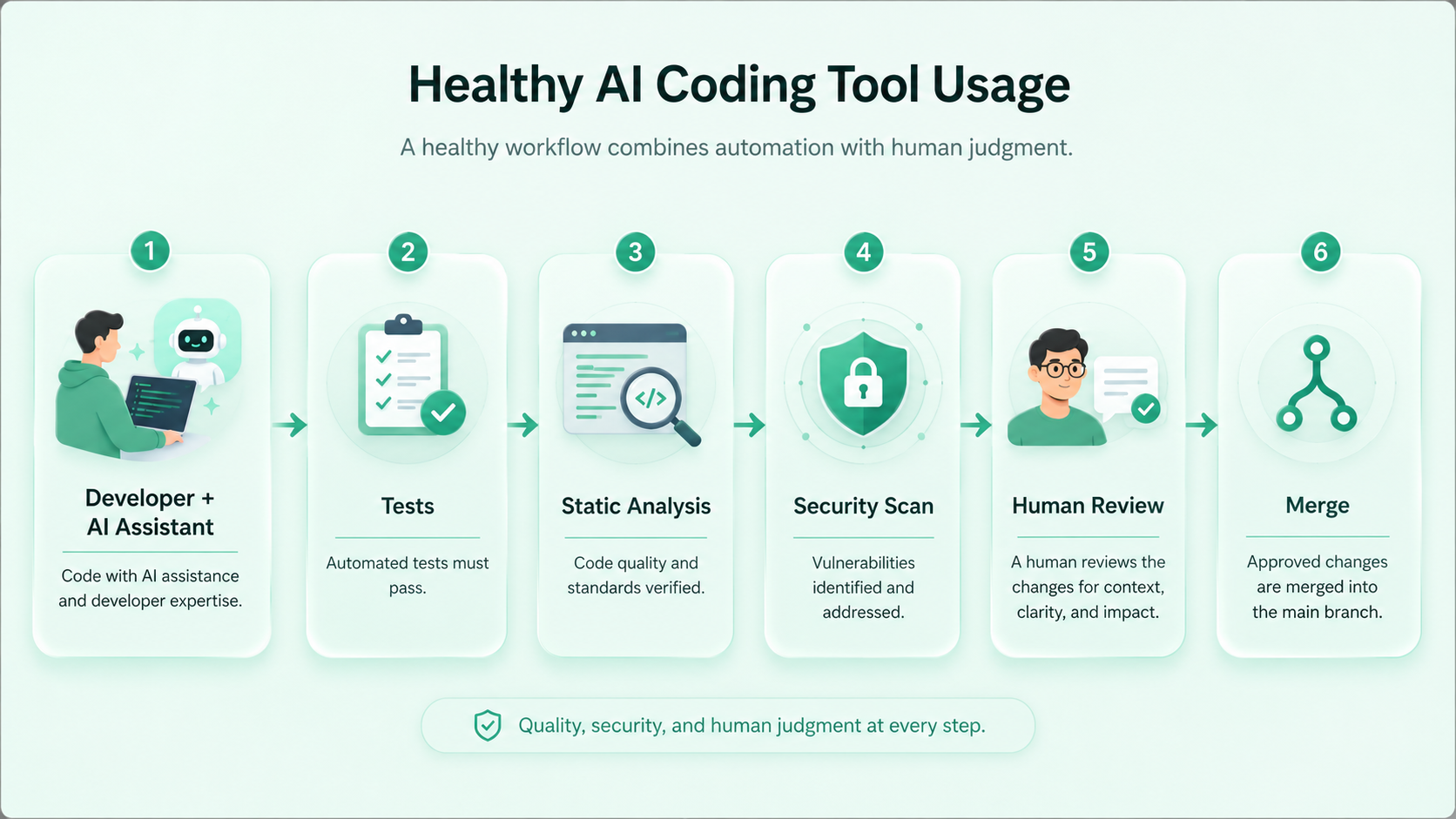
Where AI coding tools are usually worth it
AI tools are often valuable for:
- explaining unfamiliar code
- generating test case ideas
- drafting repetitive boilerplate
- converting examples between languages
- summarizing diffs
- writing first-pass documentation
- finding possible edge cases
- comparing implementation approaches
- creating migration checklists
- reviewing code for common mistakes
These tasks benefit from language understanding and pattern recognition.
For example, asking AI to explain a legacy method can save time:
Explain this method in plain English.
Identify hidden business rules, database side effects, external service calls, and possible edge cases.
Do not suggest a refactor yet.
That is a great use case because it supports human understanding before action.
Where AI coding tools are risky
Be careful with:
- authentication and authorization logic
- payment flows
- data deletion
- migrations on large tables
- concurrency-sensitive code
- cryptography
- legal or compliance logic
- infrastructure changes
- production incident response
AI can still help here, but it should not operate freely.
Use it for analysis, checklists, and review support. Keep final decisions human-owned.
A practical cost checklist
Before adopting a coding tool at team level, ask:
1. What tasks will we use it for?
2. What tasks are off-limits?
3. How will we measure value?
4. How will we measure review cost?
5. How will we protect secrets and customer data?
6. How will we version prompts and instructions?
7. How will we handle generated code ownership?
8. Which CI checks must pass before merge?
9. Who reviews AI-generated pull requests?
10. When do we stop using the tool for a workflow?
The last question matters. If a workflow creates more problems than it solves, stop it.
Final thoughts
AI coding tools are not magic productivity machines.
They are accelerators.
An accelerator can help you move faster in the right direction. It can also help you hit the wall faster.
The difference is engineering discipline.
Use AI where it improves understanding, reduces repetitive work, and strengthens review. Avoid using it as a substitute for thinking, testing, or ownership.
The real cost of AI coding tools is not only the subscription or token bill.
It is the total cost of generated work: review, correction, context, security, process, and long-term maintainability.
When you measure that honestly, AI can still be worth it.
But you will use it differently.
You will use it like a senior engineer uses any powerful tool: carefully, deliberately, and with tests.
Further reading
- OpenAI production best practices: https://developers.openai.com/api/docs/guides/production-best-practices
- GitHub Copilot documentation: https://docs.github.com/copilot
- OpenAI Codex prompting guide: https://developers.openai.com/cookbook/examples/gpt-5/codex_prompting_guide