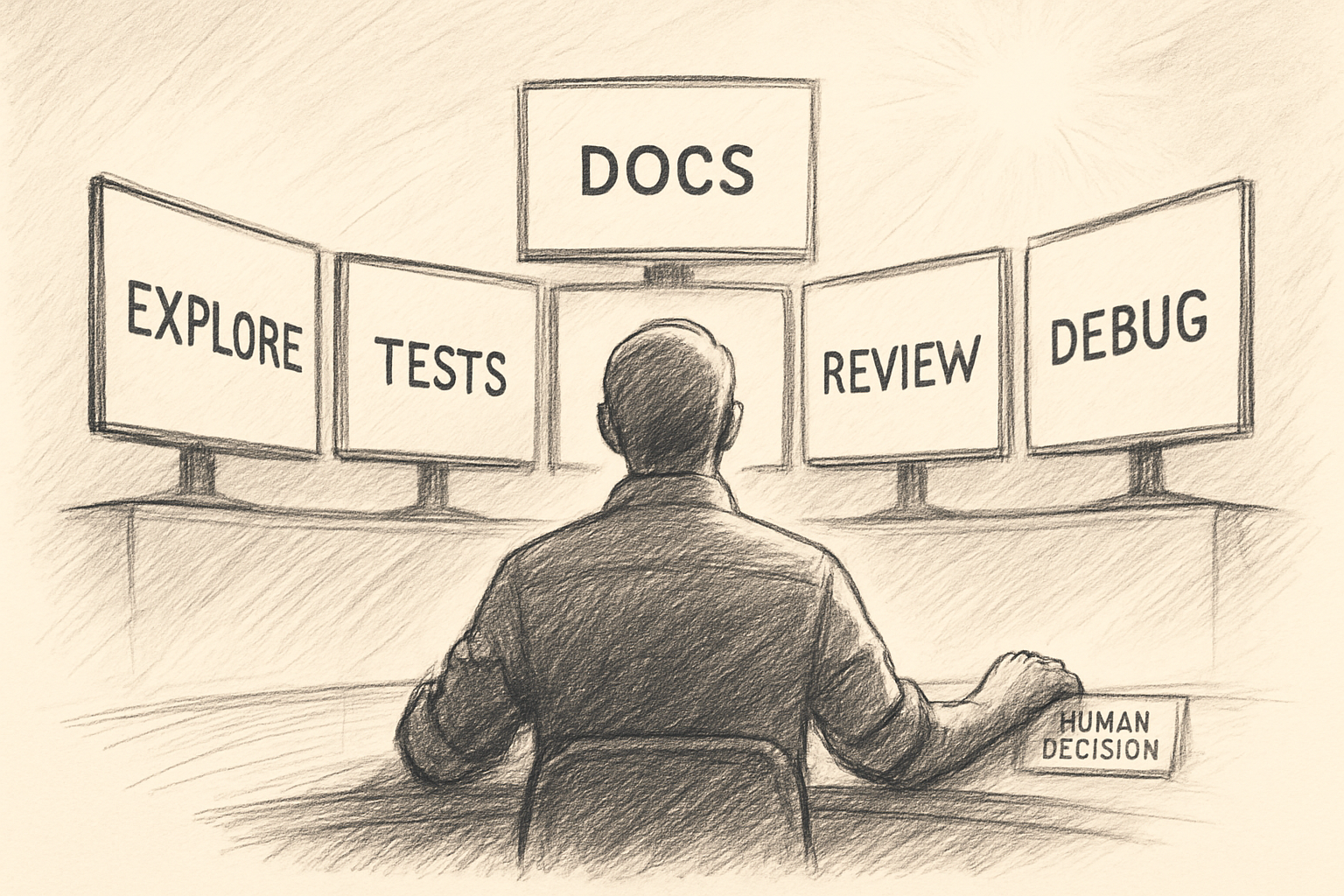
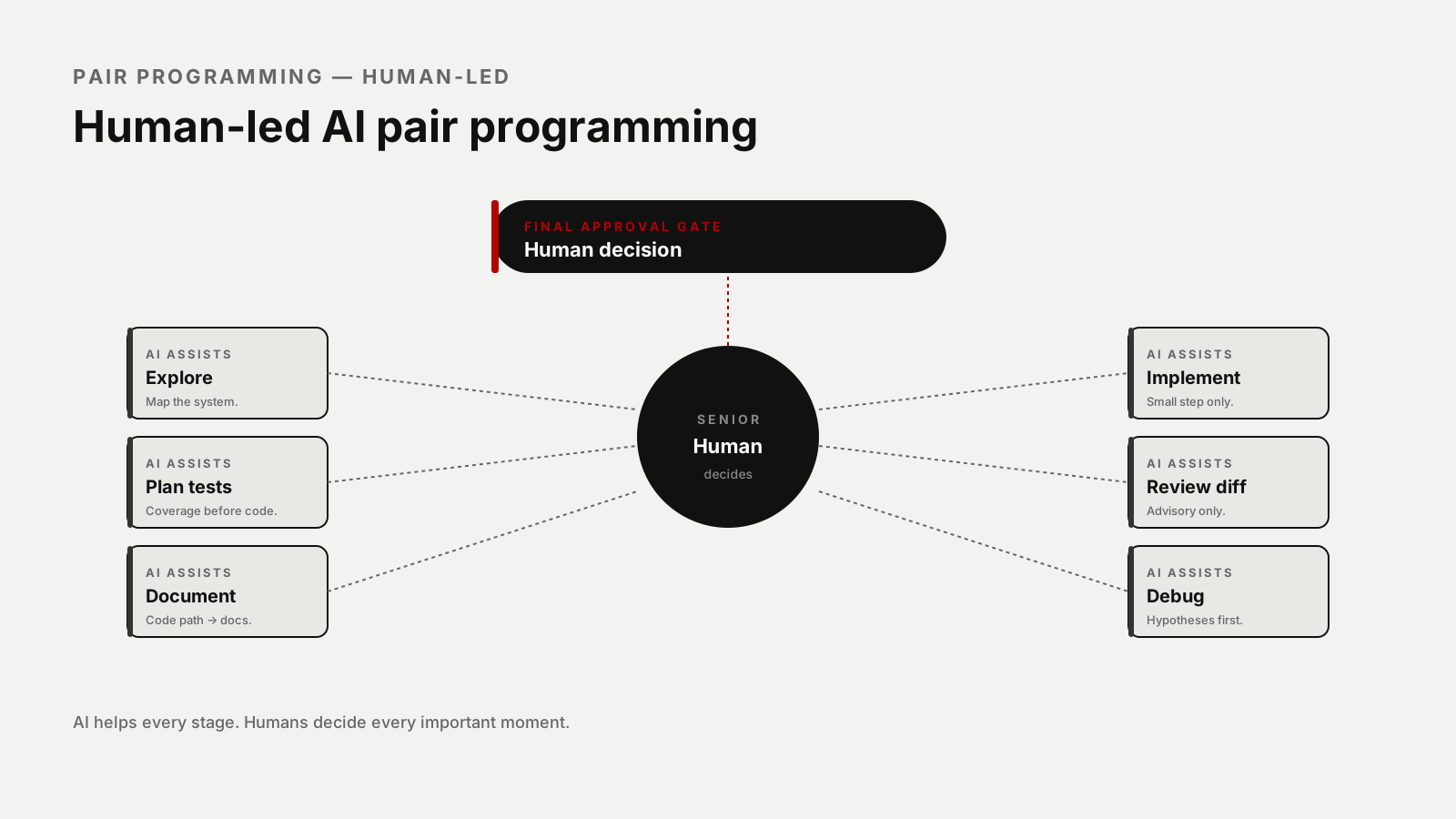
AI pair programming is not about letting AI drive — at least not for senior engineers. A realistic workflow looks different. The human keeps control, and the AI helps with exploration, test planning, documentation, code review, debugging, and repetitive analysis.
The senior engineer still decides what problem matters, which trade-offs are acceptable, whether behavior should change, whether tests are meaningful, whether the design fits the system, and whether the code is safe to merge. AI is a powerful pair — it is not the final decision-maker, and that distinction is everything.
Use AI For Exploration
Senior engineers spend a lot of time understanding systems. AI can reduce that time:
Help me understand this feature area.

Do not suggest code yet.

Explain:
- entry points,
- data flow,
- main services,
- side effects,
- database tables,
- events/jobs,
- tests,
- risky assumptions.
This is useful when joining a new project or touching legacy code — AI can quickly create a map. You still read the important files yourself; the workflow that holds up over time:
AI maps.
Human verifies.
AI clarifies.
Human decides.
Four small loops, every time. The AI is fast at the first; the senior engineer is irreplaceable at the last.
Use AI For Test Planning
Before implementation, ask AI for tests:
Before writing code, create a test plan for this change.

Include:
- current behavior to protect,
- new behavior to verify,
- edge cases,
- authorization cases,
- failure cases,
- regression tests,
- what to mock and what not to mock.
This is one of the best uses of AI — it helps you avoid missing cases. A typical output:
Change:
Prevent duplicate invoice reminder emails.

Test plan:
- sends first reminder successfully,
- does not send second reminder within 24 hours,
- sends reminder after allowed interval,
- handles scheduled command path,
- handles event listener path,
- does not send reminder if customer email is missing,
- logs skipped reminder.
Now implementation is safer. The plan exists before the code, which means you implement against a target, not toward an impression.
Use AI For Documentation
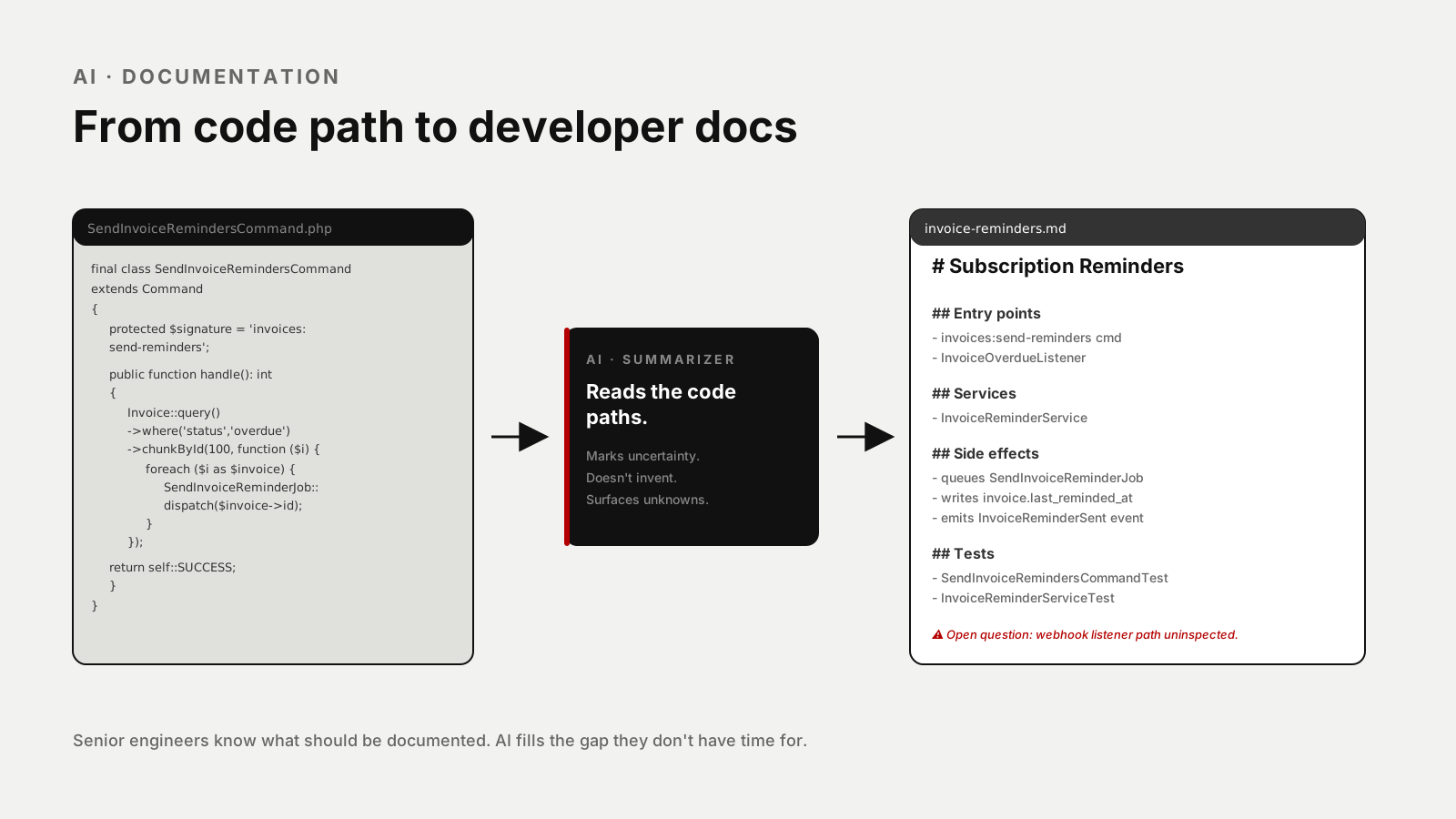
AI is excellent at turning code paths into readable docs.
Create developer documentation for this backend flow.

Include:
- entry points,
- request parameters,
- services,
- database tables,
- jobs/events/emails,
- external APIs,
- failure modes,
- tests,
- open questions.

Do not invent behavior.
Mark uncertainty clearly.
Good documentation saves future debugging time. Senior engineers often know what should be documented but don't have time to write it — AI helps close that gap. The "mark uncertainty clearly" line matters: a doc that confidently describes behavior the AI didn't actually see is worse than no doc at all.
Use AI For Code Review
AI can be a helpful extra reviewer:
Review this diff as an advisory reviewer.

Focus on:
- behavior changes,
- missing tests,
- security issues,
- authorization,
- database performance,
- N+1 queries,
- migration safety,
- API compatibility,
- unclear code.

Do not approve or reject.
Group findings by severity.
AI review is especially useful for catching obvious missing validation, spotting possible N+1 queries, asking about authorization, identifying risky migrations, and summarizing large diffs. But it should not replace human review — AI may miss domain-specific behavior, and a senior engineer must still read the diff. The advisory framing is what keeps the AI honest about its own limits.
Use AI For Debugging
AI-assisted debugging is strongest when you use it to reason, not guess:
Help me debug this issue.

Stack trace:
[paste]

Relevant code:
[paste]

Known facts:
[paste]

Please:
1. Explain the stack trace.
2. Identify the failing assumption.
3. List possible root causes.
4. Suggest how to confirm or disprove each one.
5. Suggest logs or read-only SQL queries.
6. Suggest reproduction steps.
7. Suggest regression tests.
8. Do not provide a patch yet.
The key is the last line: "Do not provide a patch yet." You want investigation first, patch later. The fastest fix for a confusing bug is rarely the correct one.
Use AI For Small Implementation Steps
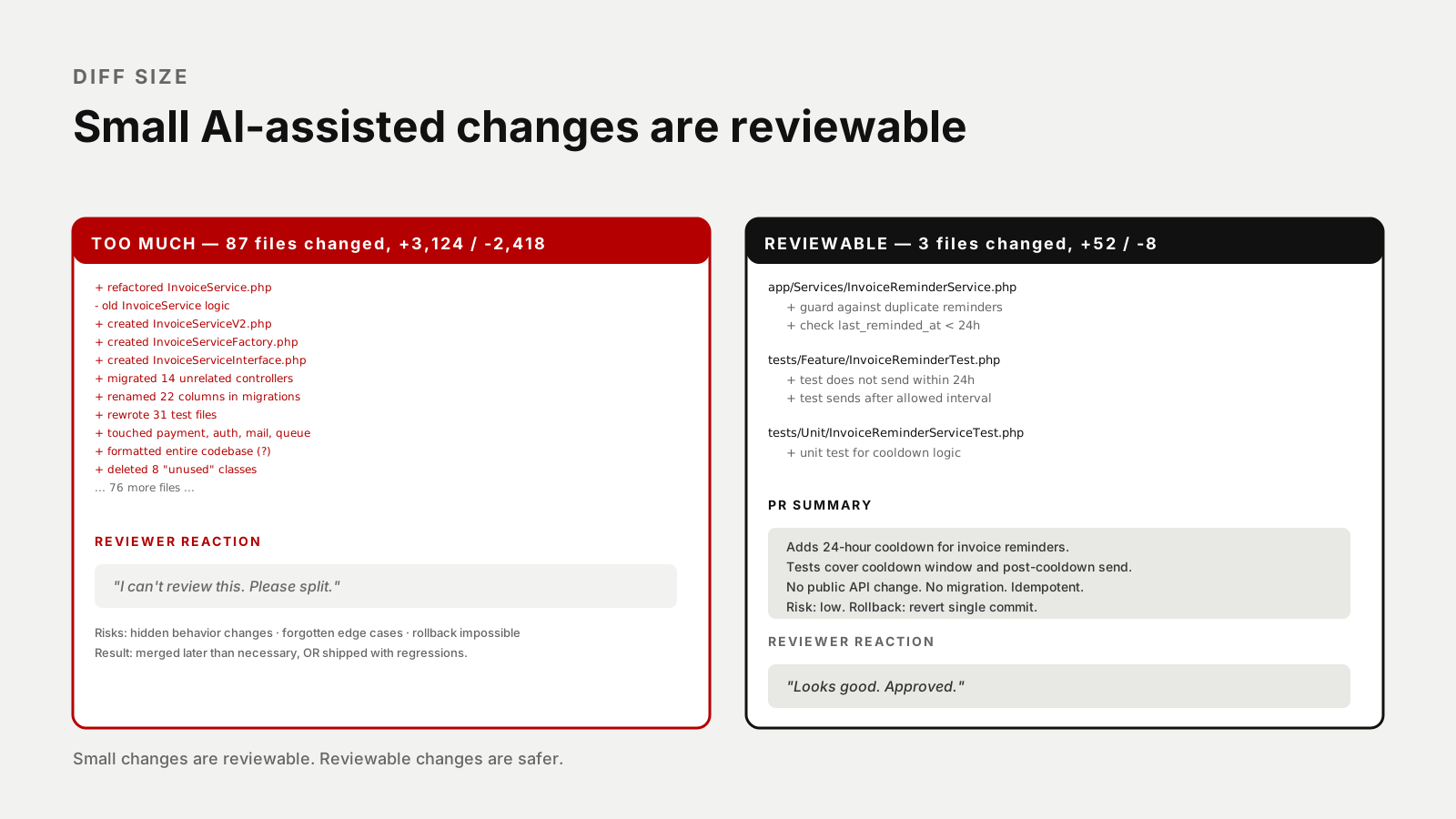
AI can write code, but keep tasks small. The bad version: "build the entire billing refactor." The constrained version that produces a reviewable diff:
Implement only the duplicate-reminder guard in InvoiceReminderService.

Constraints:
- Preserve public API behavior.
- Do not edit migrations.
- Do not change email templates.
- Add or update tests.
- Keep diff small.
Then review the diff:
Explain the diff you just made.
List behavior changes, tests, and risks.
Small changes are reviewable. Reviewable changes are safer. Anything that doesn't fit on one screen probably needs to become two changes.
Human Decision-Making Is The Final Layer
AI can suggest, summarize, warn, generate. But the human engineer owns the decision. This matters most for architecture, security, payments, authentication, data migrations, production configs, public APIs, and customer-facing behavior.
For risky areas, use this rule:
AI may prepare.
Human must approve.
In practice it looks like:
AI prepares a migration plan.
Human reviews locking risk.
AI suggests tests.
Human decides rollout strategy.
AI writes PR summary.
Human approves merge.
That's a good partnership. The AI does the heavy preparation; the human carries the responsibility.
A Realistic Daily Workflow
Here's a practical senior workflow — eleven steps that fit a normal day:
1. Ask AI to map the feature area.
2. Read the important files yourself.
3. Ask AI for risks and missing tests.
4. Add characterization tests.
5. Ask AI for a small implementation plan.
6. Implement one small step.
7. Run tests.
8. Ask AI to review the diff.
9. Review the diff yourself.
10. Ask AI for PR summary.
11. Human reviewer approves.
This isn't slower — it often saves time because you catch issues earlier. The cost of fixing a bug at step 7 is much lower than fixing it after step 11.
What Senior Engineers Should Not Delegate
Don't delegate:
- final architecture decisions,
- security judgment,
- production rollout strategy,
- merge approval,
- domain rule interpretation without verification,
- customer impact decisions,
- incident response ownership.
AI can help analyze these things. But you own them.
Practical Prompt Library
Exploration
Map this feature area.
Do not edit files.
Find entry points, services, jobs, events, database tables, tests, and side effects.
Test Planning
Create a test plan before implementation.
Include regression, edge, failure, authorization, and side-effect tests.
Code Review
Review this diff as an advisory reviewer.
Focus on behavior changes, security, performance, missing tests, and API compatibility.
Debugging
Generate hypotheses from this stack trace.
For each hypothesis, explain how to confirm or disprove it.
Do not patch yet.
Documentation
Document this backend flow using only inspected files.
Mark uncertainty clearly.
Include entry points, services, side effects, and tests.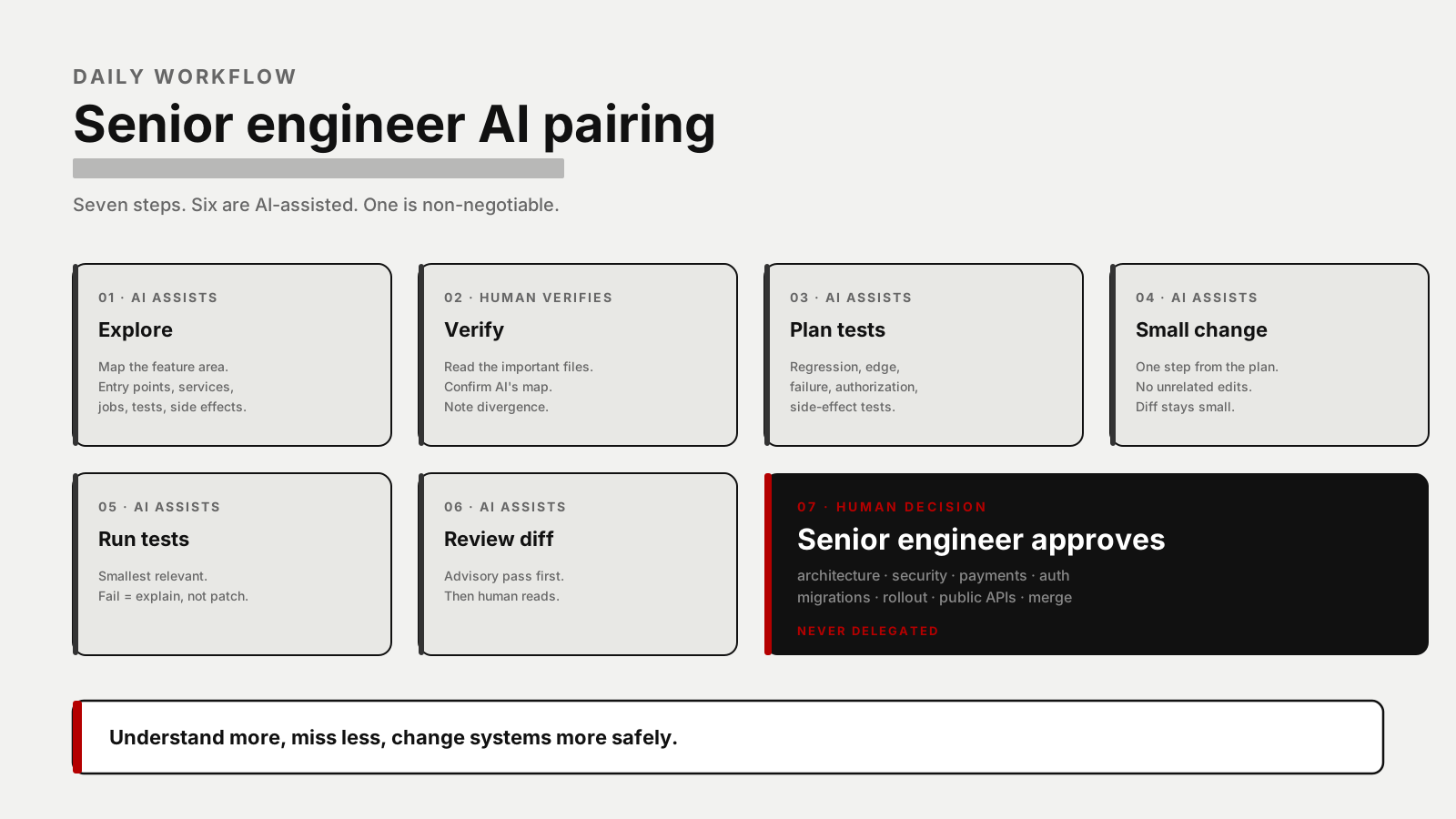
Final Thoughts
AI pair programming works best when the senior engineer stays in control. Use AI to explore faster, plan tests better, document more consistently, review diffs more carefully, and debug with more hypotheses — but keep human judgment as the final layer.
The goal is not to write code faster at any cost. The goal is to understand more, miss less, and change systems more safely. That's a realistic AI workflow for senior engineers.