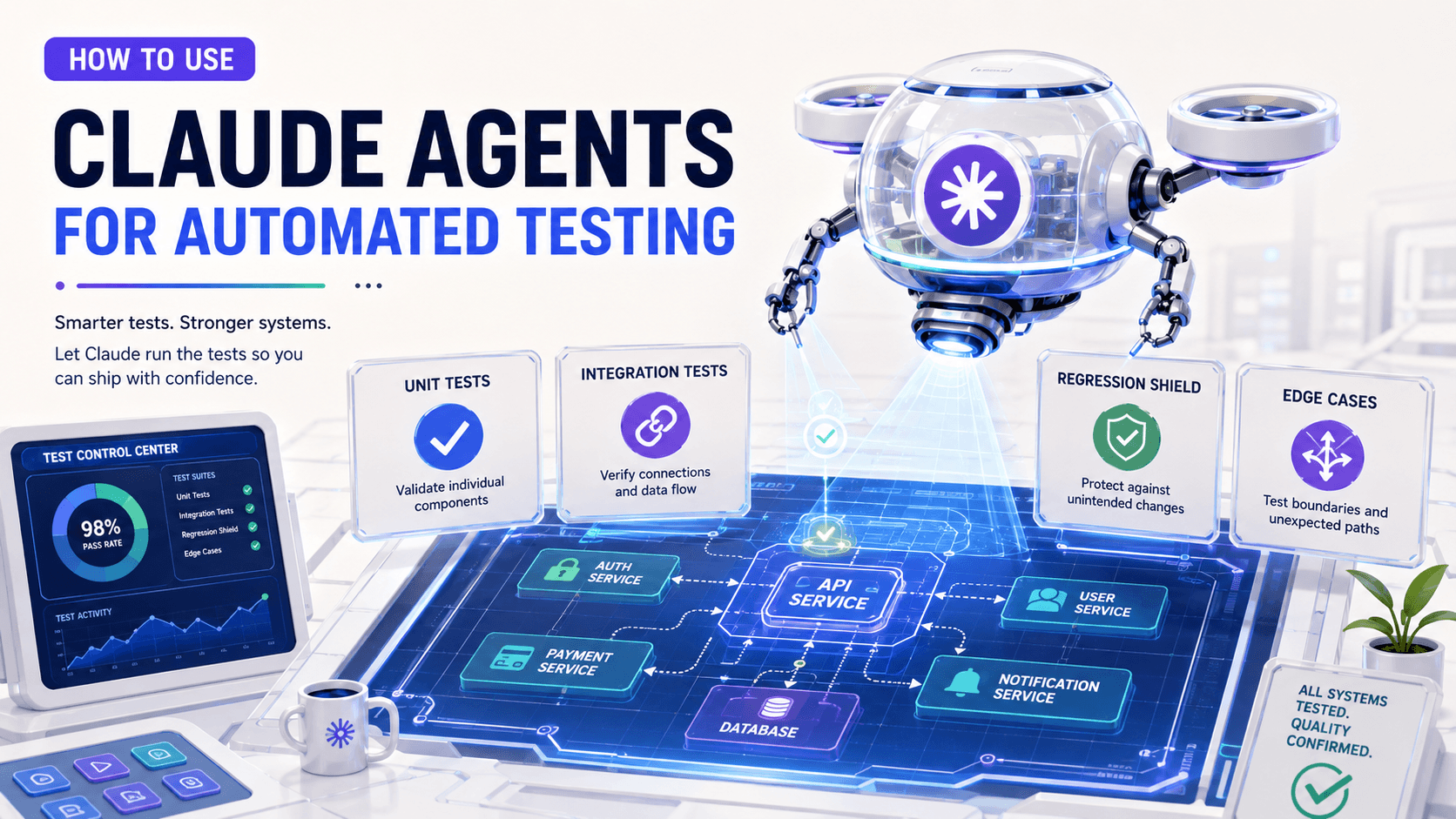
A few years ago, most developers used AI like a smarter autocomplete or a chat window beside the editor.
You asked a question. It answered. You copied a snippet. You adapted it. Maybe it helped you understand a confusing method or write a small unit test.
That was useful, but it was still mostly conversation.
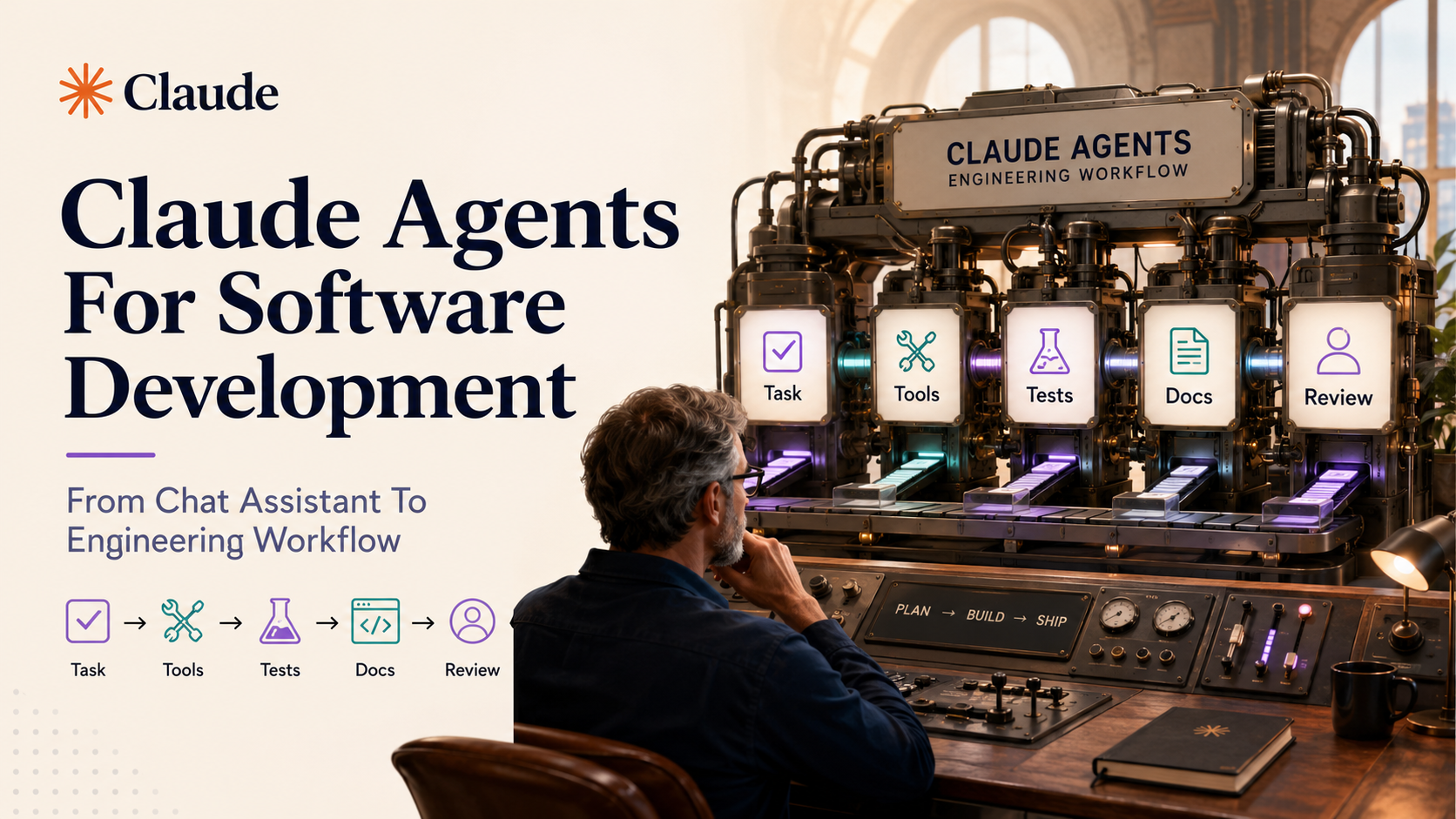
Claude-style agents move the model closer to an actual engineering workflow. Not magic. Not a replacement for a software engineer. More like a controlled workflow executor that can read files, call tools, run commands, inspect errors, make edits, and report what changed.
That difference matters a lot.
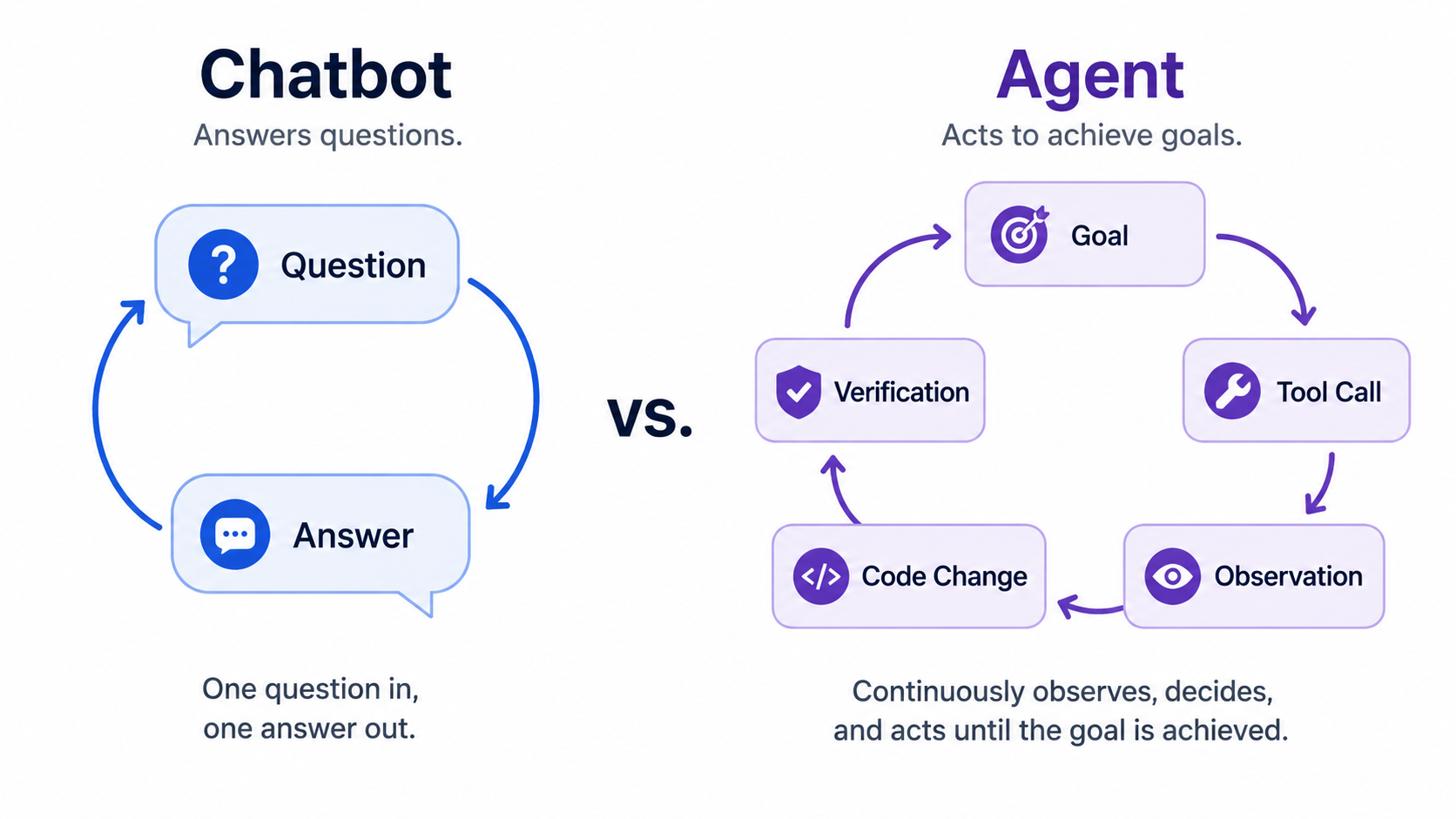
A chatbot can explain how to fix a bug. An agent can inspect the repository, find the bug, write a failing test, patch the code, run the test suite, update the README, and produce a pull request summary.
Same intelligence layer. Very different operating model.
A chatbot answers. An agent acts.
A normal chat assistant works mainly with text.
You paste code. It gives advice. You ask follow-up questions. It answers again.
An agent still uses language, but it also has a loop:
Goal
  ↓
Reason about next step
  ↓
Choose a tool
  ↓
Run the tool
  ↓
Observe result
  ↓
Decide next step
  ↓
Continue until done or blocked
That loop is the heart of agentic software development.
For example, instead of asking:
Can you explain why this Laravel test is failing?You might ask:
Find why the invoice retry test is failing, fix the smallest safe issue,
run the related tests, and summarize the change.
The second request requires action. The agent needs access to files, shell commands, maybe Git, maybe test runners, and maybe documentation.
That is why tool access is not a small implementation detail. It is the boundary between "AI as advisor" and "AI as workflow participant".
What tools does an engineering agent need?
A useful coding agent does not need unlimited power. In fact, unlimited power is dangerous.
It needs a carefully selected toolset.
For a software project, that usually means tools like these:
read_file(path)
write_file(path, content)
search_code(query)
run_command(command)
list_directory(path)
create_branch(name)
create_pull_request(title, body)
read_jira_issue(key)
update_documentation(path, content)
The exact names do not matter. The idea matters: the model should not "pretend" it changed code. It should call a real tool, receive a real result, and continue from that result.
Here is a simplified tool interface in TypeScript:
type ToolResult = {
  ok: boolean;
  output: string;
};

type Tool = {
  name: string;
  description: string;
  execute(input: unknown): Promise<ToolResult>;
};

const runTestsTool: Tool = {
  name: "run_tests",
  description: "Run a safe test command inside the project workspace.",
  async execute(input) {
    const { command } = input as { command: string };

    if (!command.startsWith("npm test") && !command.startsWith("php artisan test")) {
      return {
        ok: false,
        output: "Command is not allowed by policy.",
      };
    }

    // In real code, run this in a sandbox with timeouts and resource limits.
    return {
      ok: true,
      output: `Pretend we executed: ${command}`,
    };
  },
};
Notice the guardrail. The tool does not blindly execute any command. The tool owns the boundary.
That is an important rule: the model decides what it wants to do, but the system decides what it is allowed to do.
Reading code is different from understanding code
Agents are powerful because they can inspect a repository directly. But reading files is not the same as understanding the system.
A good agent needs to build context in layers:
1. Read the task.
2. Search for related names, routes, services, tests, and docs.
3. Identify the smallest relevant slice of the codebase.
4. Build a hypothesis.
5. Verify the hypothesis with tests or static analysis.
6. Make a small change.
7. Run checks again.
This is very similar to how senior engineers work.
You usually do not open a random file and start editing. You trace the behavior.
In a Laravel app, an agent might inspect a route, controller, service, model, policy, request validator, queue job, and test file.
rg "InvoiceRetry" app tests routes
rg "retry invoice" app tests database
php artisan test --filter=InvoiceRetryTest
Then it can connect the dots.
Maybe the test fails because a queue job now uses a new enum value. Maybe a feature flag changed. Maybe an old factory creates invalid data.
The agent should not guess. It should investigate.
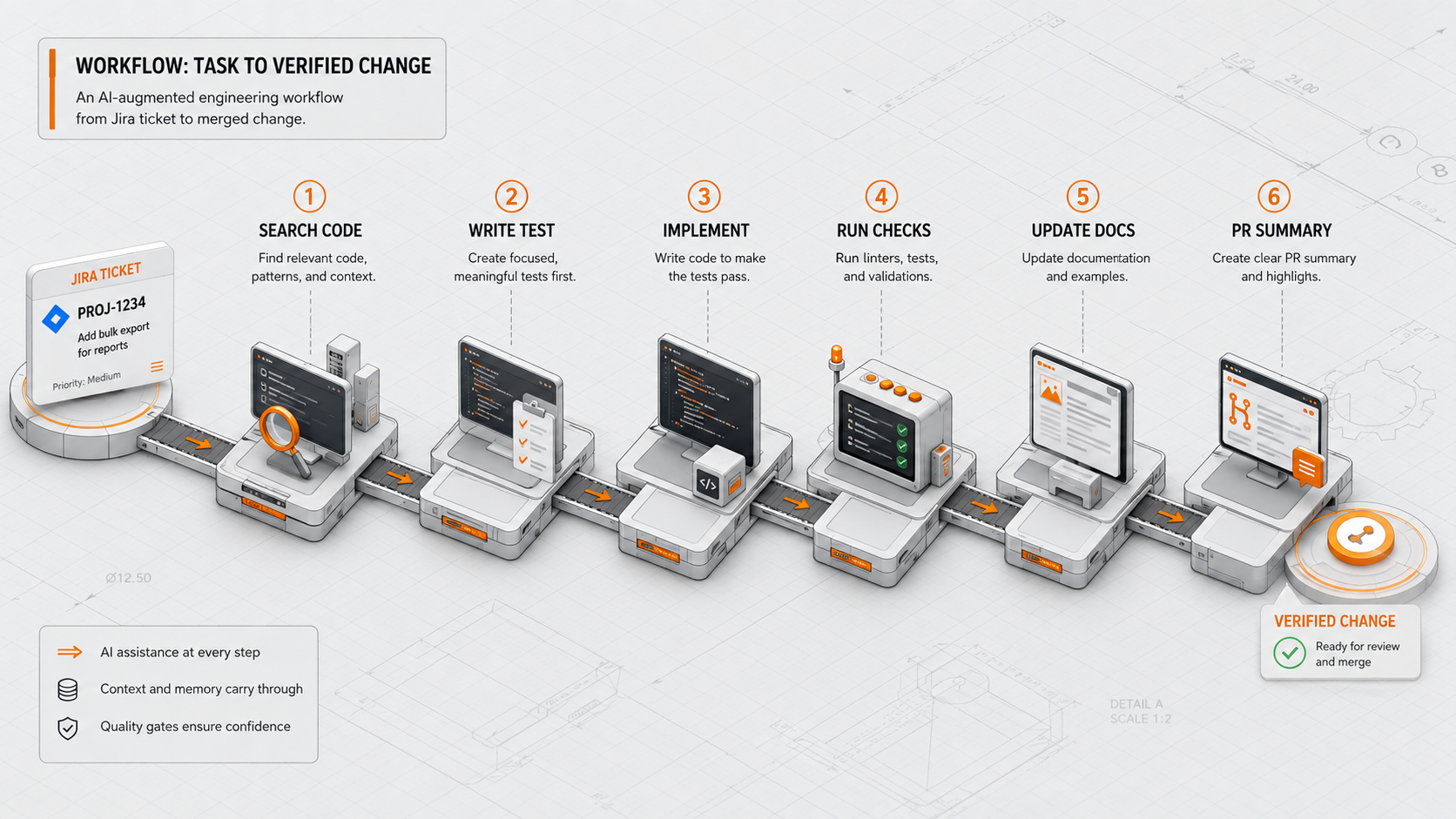
A practical workflow: task to verified change
Let's imagine a Jira ticket:
Users should not receive duplicate weekly check-in reminders
when they already submitted the weekly form.
A weak agent might jump straight into implementation.
A better agent follows a workflow:
Read ticket
  ↓
Find reminder command and notification history tables
  ↓
Read existing tests
  ↓
Write failing test for duplicate reminder case
  ↓
Implement smallest logic change
  ↓
Run focused tests
  ↓
Run related test suite
  ↓
Update docs or command comments
  ↓
Generate PR summary
Here is a simplified PHP example of the kind of business rule an agent may need to protect:
final class WeeklyReminderPolicy
{
    public function shouldSendReminder(User $user, CarbonImmutable $now): bool
    {
        if ($user->weeklyForms()->forWeek($now)->exists()) {
            return false;
        }

        $lastReminder = $user->notifications()
            ->where('type', WeeklyCheckInReminder::class)
            ->latest('created_at')
            ->first();

        if ($lastReminder === null) {
            return true;
        }

        return $lastReminder->created_at->diffInDays($now) >= 7;
    }
}
The agent should not only produce this code. It should also create a test that proves the behavior:
public function test_it_does_not_send_weekly_reminder_after_form_submission(): void
{
    $user = User::factory()->create();

    WeeklyForm::factory()->for($user)->create([
        'submitted_at' => now(),
    ]);

    $policy = app(WeeklyReminderPolicy::class);

    $this->assertFalse($policy->shouldSendReminder($user, now()));
}
This is where agents become useful: not because they type code faster, but because they can follow a repeatable engineering process.
Why permissions are not optional
The moment an agent can run commands or edit files, permissions become a core architecture concern.
A coding agent may need to run:
npm test
composer test
php artisan test
rg "some query"
git diff
But it probably should not freely run:
rm -rf /
curl unknown-script.sh | bash
php artisan migrate:fresh --env=production
aws s3 rm s3://production-bucket --recursive
This is why agent systems need allow, ask, and deny rules.
A simple policy could look like this:
{
  "allow": [
    "rg *",
    "git status",
    "git diff",
    "npm test *",
    "php artisan test *",
    "composer test *"
  ],
  "ask": [
    "git commit *",
    "gh pr create *",
    "npm install *",
    "composer require *"
  ],
  "deny": [
    "rm -rf *",
    "php artisan migrate:fresh *",
    "aws *",
    "kubectl delete *"
  ]
}
This is not bureaucracy. This is engineering safety.
An AI agent is probabilistic. It may misunderstand an instruction. It may choose the wrong file. It may over-optimize. It may do something dangerous if the tool layer allows it.
The permission system is the seatbelt.
Agents should produce evidence, not confidence
A human-sounding answer is not enough.
When an agent completes a task, it should show evidence:
Changed files:
- app/Policies/WeeklyReminderPolicy.php
- tests/Feature/WeeklyReminderPolicyTest.php

Checks run:
- php artisan test --filter=WeeklyReminderPolicyTest ✅
- vendor/bin/phpstan analyse app/Policies ✅

Risk notes:
- No database schema changes
- No production commands executed
- Reminder interval logic changed only for submitted weekly forms
This kind of report is far more useful than:
I fixed it!Good agents reduce trust requirements. They do not ask you to believe them. They show what they did.
Controlled workflow executor, not autonomous engineer
The wrong way to think about agents is:
We can now let AI build features alone.The better way is:
We can encode parts of our engineering workflow and let AI execute them under constraints.That distinction keeps teams safe.
An agent can be excellent at repetitive, structured work:
- exploring code paths;
- generating test cases;
- updating documentation;
- summarizing pull requests;
- checking for risky patterns;
- running standard project commands;
- preparing migration plans.
But the team still owns the system design, product judgment, security model, and final review.
Where Claude-style agents fit best
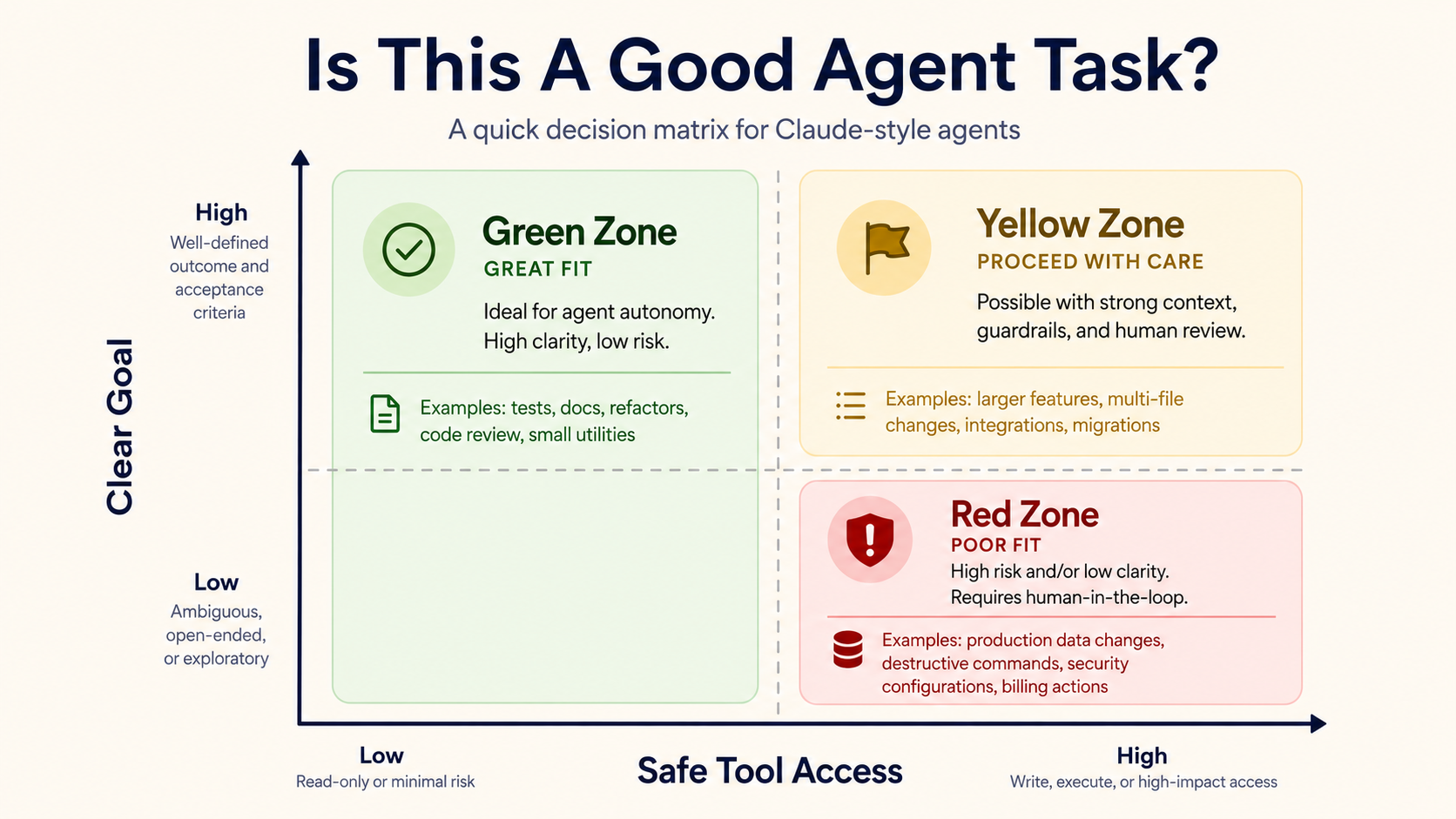
Agents are especially useful when the task has a clear goal and a repeatable process.
For example:
Good fit:
- Add missing tests for this service.
- Explain this legacy method and find side effects.
- Update docs after this API change.
- Find similar bugs across the codebase.
- Generate a PR summary from git diff.

Poor fit:
- Redesign our entire architecture with no context.
- Make production database changes automatically.
- Decide business priorities.
- Handle sensitive secrets without isolation.
The pattern is simple: the more bounded the task, the better the agent.
Final thought
Claude-style agents are not just better chatbots. They are a new interface for engineering workflows.
The valuable part is not that the model can write code. We already had that.
The valuable part is that the model can participate in a loop: inspect, act, observe, verify, and explain.
That loop turns AI from "answer generator" into "controlled workflow executor".
And that is where the real productivity gains start.
Sources used
- Anthropic Claude tool use documentation: https://platform.claude.com/docs/en/agents-and-tools/tool-use/overview
- Anthropic Claude Code permissions documentation: https://code.claude.com/docs/en/permissions
- Anthropic Claude Code product page: https://www.anthropic.com/product/claude-code
- Anthropic Model Context Protocol announcement: https://www.anthropic.com/news/model-context-protocol