
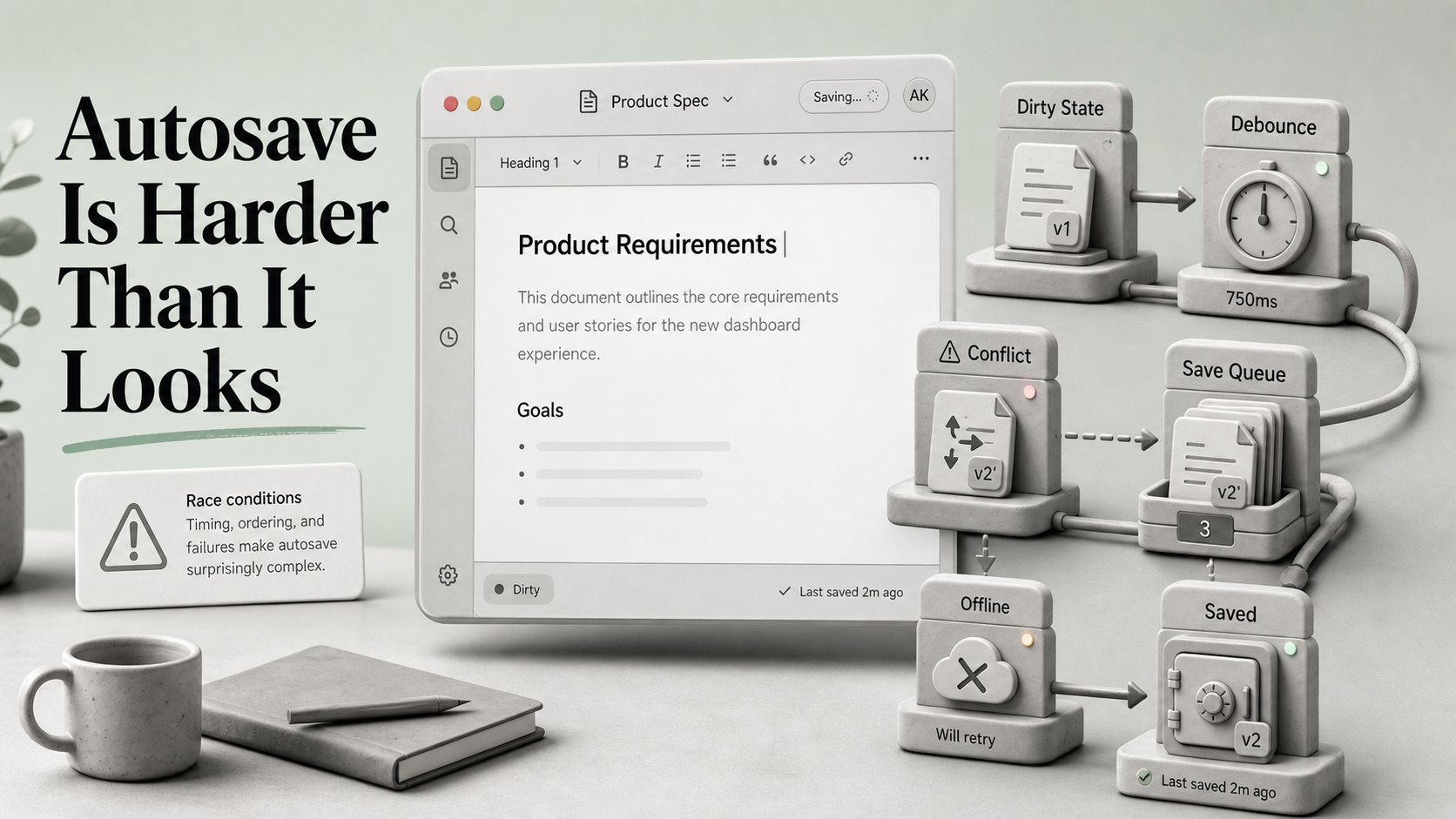
A junior engineer adds autosave on a Tuesday afternoon. It looks like ten lines: a useEffect, a setTimeout, a fetch. Stage, push, ship. The PR description says "saves automatically as you type." Everyone's happy.
A week later support gets a ticket: "I lost three paragraphs of writing." Then another: "It says Saved but it didn't save." Then the bad one — two users editing the same record, one of them just blew away the other's changes and there's no version history to recover from.
Autosave is one of those features where the demo and the production version are not the same feature. The demo is a debounce and a fetch. The production version is debouncing plus request dedup, plus conflict resolution, plus an offline queue, plus an indicator that has to tell the truth even when the network is lying. Worth slowing down on each layer.
The Debounce Is Where Everyone Starts
The first version is always something like this:
import { useEffect } from "react";
import { debounce } from "lodash-es";

function useAutosave(value: string, save: (v: string) => Promise<void>) {
  useEffect(() => {
    const debounced = debounce(save, 800);
    debounced(value);
    return () => debounced.cancel();
  }, [value, save]);
}
This is fine in a single tab, on a fast network, with one user, where saves never fail. It is also wrong in subtle ways:
- The debounce is recreated on every render because it lives inside the effect. The
cancel()works, but the trailing save fires every time the value changes, which is mostly what you want — until you realize a fast typer can have three saves in flight at once because each one waited 800ms from a different keystroke. - If
saveitself is recreated each render (and it almost always is, because it closes over component state), you get an even messier picture. - There's no awareness of whether the previous save finished. You can absolutely have request 2 land before request 1, and now your "latest save" is whichever the server happened to write last.
The fix isn't a fancier hook. The fix is recognizing that "send a request after the user stops typing" is two problems pretending to be one: when to attempt a save, and how to make sure only the most recent attempt wins.
Dedup Is Not Optional
The cleanest pattern I've found uses a sequence number plus an AbortController:
function useAutosave<T>(value: T, save: (v: T, signal: AbortSignal) => Promise<void>) {
  const seqRef = useRef(0);
  const ctrlRef = useRef<AbortController | null>(null);

  useEffect(() => {
    const handle = setTimeout(async () => {
      ctrlRef.current?.abort();
      const ctrl = new AbortController();
      ctrlRef.current = ctrl;
      const mySeq = ++seqRef.current;
      try {
        await save(value, ctrl.signal);
      } catch (e) {
        if ((e as Error).name === "AbortError") return;
        // surface error to UI
      }
      if (mySeq !== seqRef.current) return; // a newer save started
    }, 800);
    return () => clearTimeout(handle);
  }, [value, save]);
}
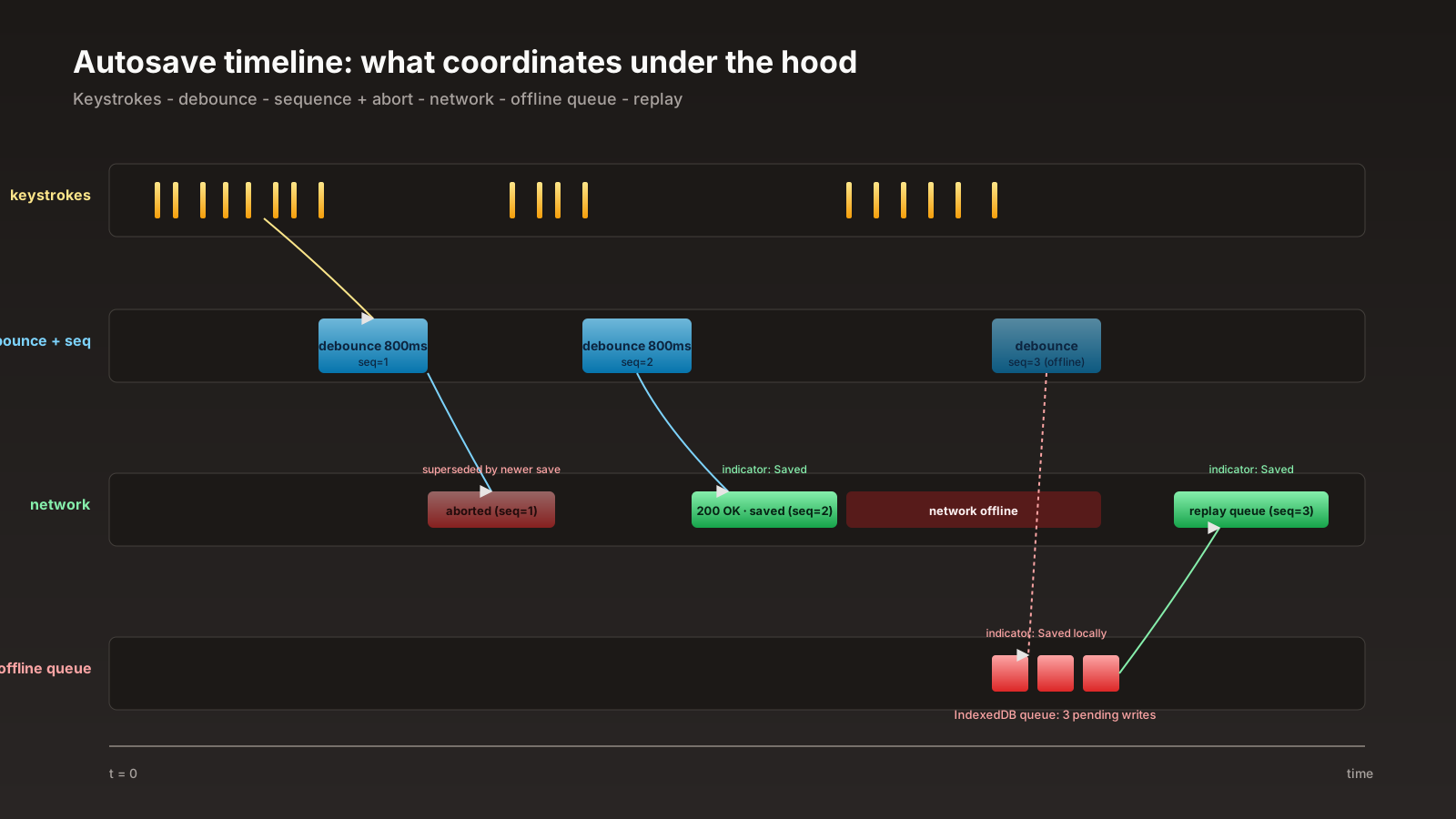
Two things happen here. First, every new attempt aborts the previous in-flight request — your network panel stops looking like a slot machine. Second, even if a stale request somehow lands first, the sequence check prevents it from updating "saved at" state with old information.
Server-side you want a matching idempotency key per save attempt, so retries don't double-write. A simple monotonically increasing client revision field plus a server-side check that the incoming revision is greater than the one stored is enough for most CRUD-shaped data.
Conflicts Are A Product Decision, Not A Technical One
Here's the question that nobody wants to answer in the design doc: when two users edit the same record at the same time, who wins?
There are basically three honest answers, and you have to pick one:
- Last write wins. Whoever submits last overwrites the other's changes. Simple, fast, awful for collaborative editing. Acceptable for "edit your own profile" where two-user concurrency is rare.
- Reject conflicts. The server stores a version number. If the client sends a stale version, the server returns 409 and the client has to merge or pick. Good for forms with structured fields. Painful for free-form text.
- Merge automatically. Use a CRDT like Yjs or Automerge so two concurrent edits to the same paragraph produce a deterministic, sensible merge without a server-side referee. This is what Notion, Linear, Figma, and friends do under the hood. Liveblocks and PartyKit are managed services that wrap this story so you don't have to host the sync server yourself.
CRDTs are not free. They change the shape of your data — every document is now a CRDT document, not a JSON blob — and they require you to think about presence, awareness, and ordering. But for any text editor, kanban board, or document where two people might edit at once, anything other than CRDT is going to bite eventually.
The worst answer is "we'll figure it out when it happens." When it happens, someone has already lost data.
Offline Is Not An Edge Case
If your app is a mobile-friendly web app — which is to say, any web app in 2026 — autosave needs to think about what happens when the network drops mid-keystroke. The bad version: the indicator says "Saving..." forever and the user closes the tab. Three paragraphs gone.
The good shape:
- Keep an IndexedDB-backed queue of pending writes per document.
- The
savefunction writes to the queue first, then attempts the network. - A background worker (or a
visibilitychangelistener if you're not using a service worker) replays the queue when the network is healthy. - The UI indicator reads from the queue, not from the in-flight fetch.
async function save(value: Doc) {
  await db.queue.add({ docId: value.id, payload: value, createdAt: Date.now() });
  void flushQueue(); // fire and forget
}
Now "Saved" can mean two different things, both honest: "saved locally, will sync when online" and "saved on the server." Pick which one you show. Most apps that get this right show both — a small dot for local, a checkmark for server.
The trickier piece is handling the queue when the user opens the same document on a second device. The queue is per-device, so a write that's still pending on the laptop hasn't reached the phone. The server has to be the eventual arbiter.
The Indicator Has To Tell The Truth
A surprising amount of autosave bad-feel comes from indicators that lie. "Saved" is a strong word. It should mean "the bytes are durable on the server." Anything weaker should say something weaker.
A vocabulary that holds up:
- Editing. The user is typing. No save attempt yet.
- Saving... A request is in flight.
- Saved. The server confirmed.
- Saved locally. The queue accepted the write but hasn't synced.
- Reconnecting. Network is down, queue has unsent writes.
- Conflict. Server rejected because of a version mismatch.
- Failed. Server returned a real error and we've stopped retrying.
Every state needs an action the user can take. "Conflict" without a "review changes" button is just a dead end. "Failed" without "retry" or "copy text to clipboard" can make a user lose work they can see on their screen.
This is the part that requires actual product thought, not just engineering. The engineering is the easy half.
React 19 Did Not Make Autosave Trivial, But It Helped
useActionState and form Actions in React 19 give you ergonomics that were painful before — pending state, error state, optimistic updates without writing your own reducer. For form-shaped autosave (one record, structured fields) the Actions API plus a debounce on requestSubmit() cleans up a lot of code.
const [state, action, pending] = useActionState(saveProfileAction, { ok: false });
// debounce a ref to formRef.current?.requestSubmit()
For document-shaped autosave (free text, large blobs, collaborative) Actions don't really apply — you want a long-lived sync engine, and Yjs or Automerge plus a transport like Liveblocks/PartyKit/y-websocket is the pattern.
Match the tool to the shape. Forms are not documents. Documents are not forms. If you reach for the same autosave hook for both, one of them is going to have a bad time.
What I Tell Teams Before They Start
Autosave looks like a 200-line problem and ends up being a 2,000-line problem if you don't draw the lines on day one. The lines I draw, in order:
The schema and the version field come first. The dedup-and-abort behavior is next, because without it the rest of the system is built on a lie. The offline queue follows, because the moment you have one, your indicator vocabulary has to grow up. The conflict story is last and it is a product call — pick the cheapest honest answer for the kind of data you're saving.
Get those four right and the feature feels boring, in the good way. Skip any of them and you'll be reading a support ticket about three lost paragraphs by the end of the quarter.






