Large codebases are not hard because they contain many files. They are hard because they contain history.
A large repository usually has old decisions, hidden business rules, framework conventions, half-finished migrations, background jobs, helper classes, naming patterns, and code that only makes sense if you know the production story behind it.
That is why using Claude only as a code generator misses the best part.
Claude is often more valuable as a codebase exploration partner.
You can ask it to read files, explain flows, map dependencies, identify risky areas, and help you build a mental model before you touch anything.
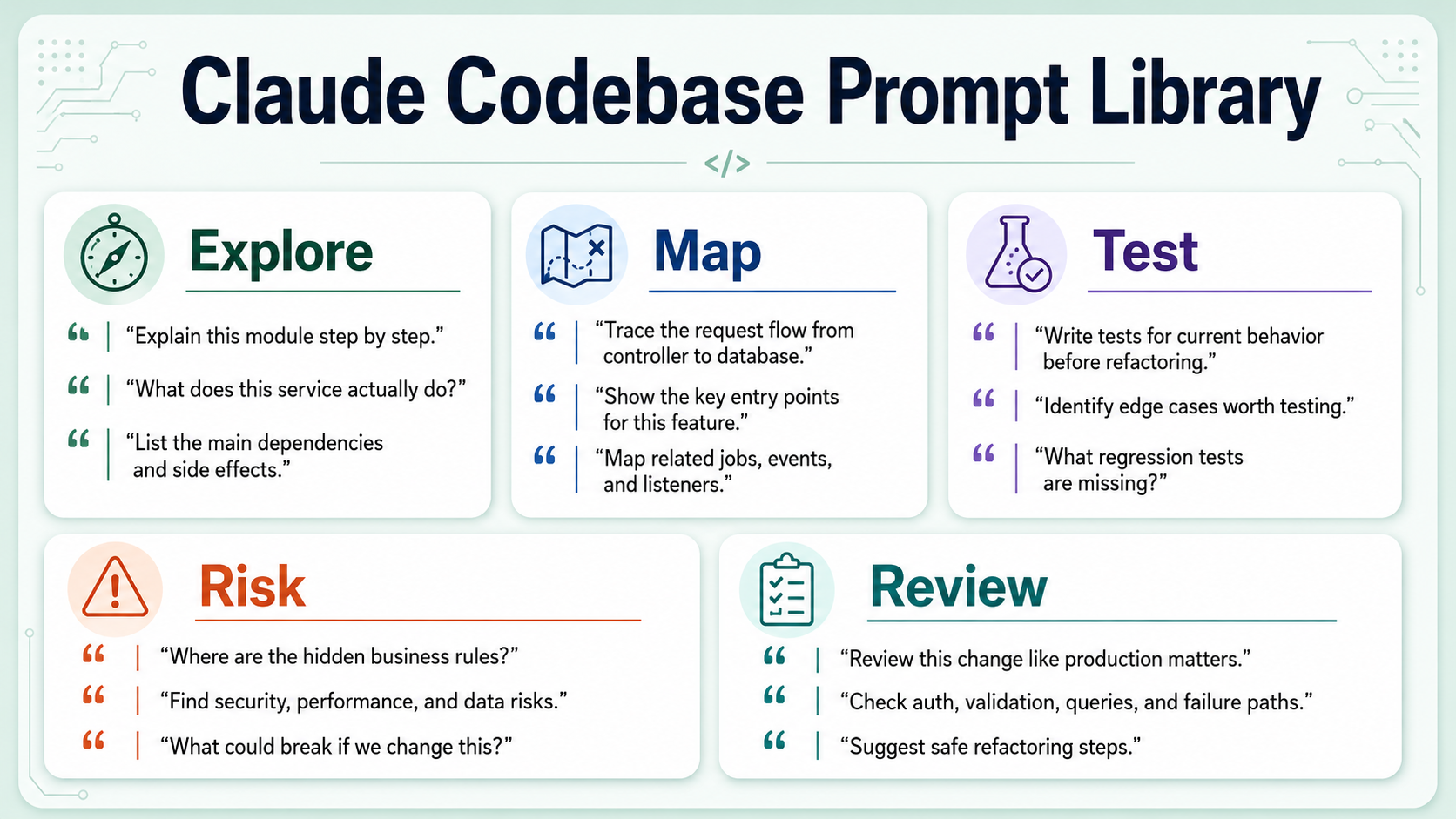
This article is a practical prompt library for that work.
The prompts are written for real developers working inside real repositories. You can use them with Claude Code, the Claude app, Cursor, Windsurf, or any AI coding assistant that can inspect project files.
The goal is simple:
Understand first. Change later.That one rule prevents many painful refactors.
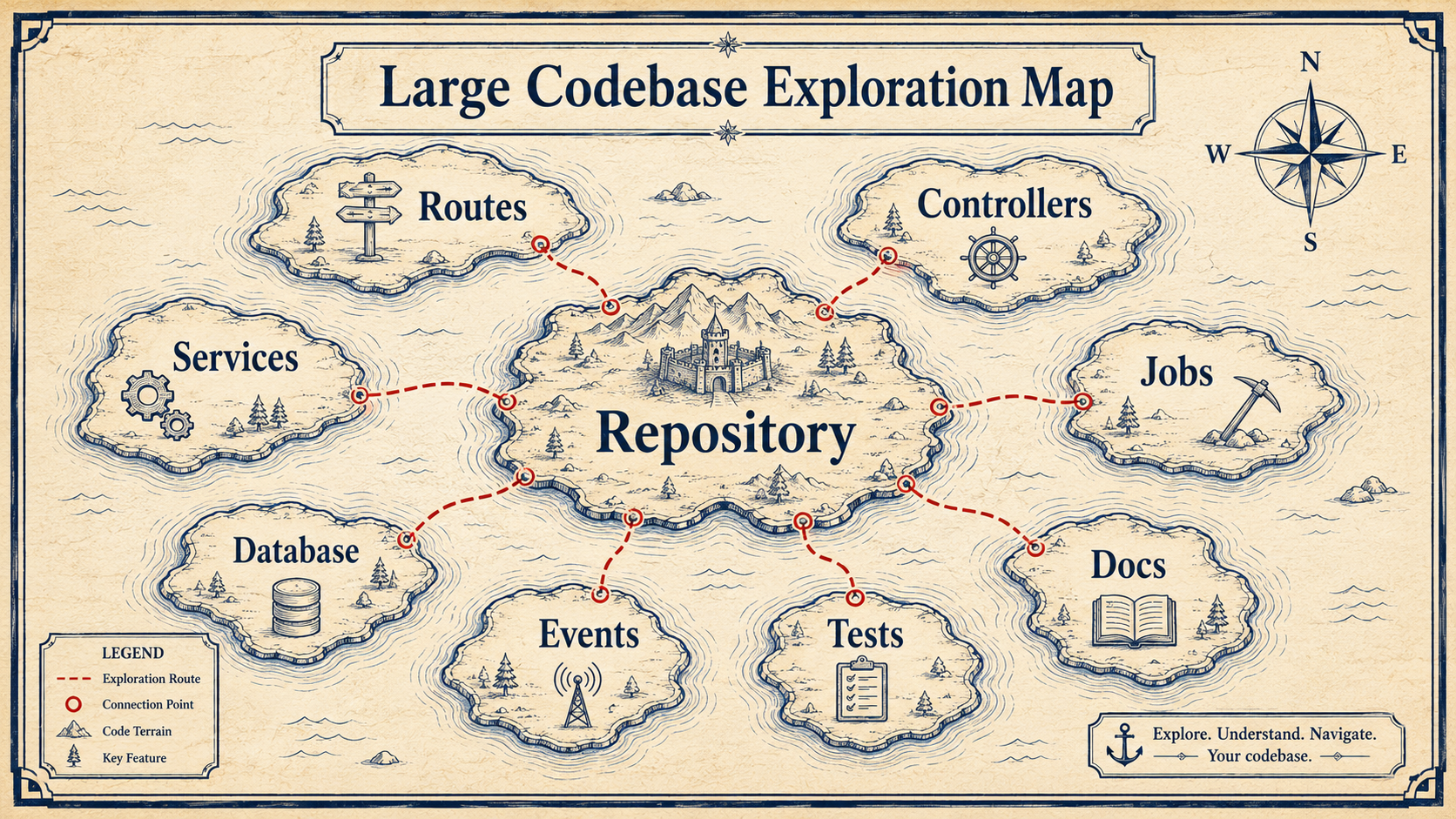
Start With The Repository Tour
When you open a new codebase, do not start by asking:
What should I change?Start by asking:
What is this system?Use this prompt:
Act as a senior engineer onboarding into this repository.

Give me a high-level repository tour.

Please explain:
- the main application type,
- the framework and runtime,
- the most important directories,
- where HTTP entry points are located,
- where background jobs or queues are located,
- where database models or migrations live,
- where tests are located,
- where configuration is stored,
- any naming conventions you notice.

Do not suggest changes yet.
Focus only on helping me understand the structure.
This is useful because the AI must organize the repository before it gives advice.
For a Laravel app, you might get an explanation like:
app/Http/Controllers contains request entry points.
app/Services contains business workflows.
app/Jobs contains queued work.
app/Models contains Eloquent models.
database/migrations defines schema changes.
routes/api.php defines API routes.
tests/Feature contains integration-style tests.
That sounds basic, but it gives you orientation.
In a legacy codebase, the result is often more interesting:
Some payment logic lives in app/Services, but older gateway-specific logic is still inside controllers.
Invoice status transitions are split between InvoiceService and webhook handlers.
Several jobs update the same orders table asynchronously.
That is the good stuff.
Find The Entry Points
When you need to work on a feature, your first job is to find where execution starts.
Use this prompt:
I need to understand the entry points for this behavior:

[describe behavior]

Search the codebase and identify:
- HTTP routes,
- controllers,
- commands,
- queue jobs,
- event listeners,
- scheduled tasks,
- webhooks,
- frontend entry points if relevant.

For each entry point, explain:
- what triggers it,
- which files are involved,
- what data enters the system,
- where the flow goes next.

Do not refactor yet.
Example behavior:
I need to understand how invoice reminder emails are sent.Claude might find:
- routes/web.php -> admin manual resend route
- app/Console/Commands/SendInvoiceReminders.php -> scheduled command
- app/Jobs/SendInvoiceReminderJob.php -> queued email sending
- app/Listeners/InvoiceOverdueListener.php -> event-triggered reminder
Now you know something important: there may be multiple paths producing the same outcome. That matters before you change anything.
Here is a more focused version:
Find every path that can call `sendInvoiceReminder`.

Group results by:
- direct calls,
- queued jobs,
- event listeners,
- scheduled commands,
- tests.

For each caller, explain whether it looks production-facing, admin-only, test-only, or deprecated.
This is great for avoiding the classic mistake:
"I changed the controller, but production uses the queue job."
Map The Data Flow
After entry points, you need data flow.
Use this prompt:
Map the data flow for this feature:

[feature name]

Explain step by step:
- where input enters,
- how it is validated,
- which services transform it,
- which database tables are read,
- which database tables are written,
- which events/jobs/emails are triggered,
- what response is returned,
- where errors are handled.

Return the answer as a numbered flow.
Also list files involved at each step.
Example output format:
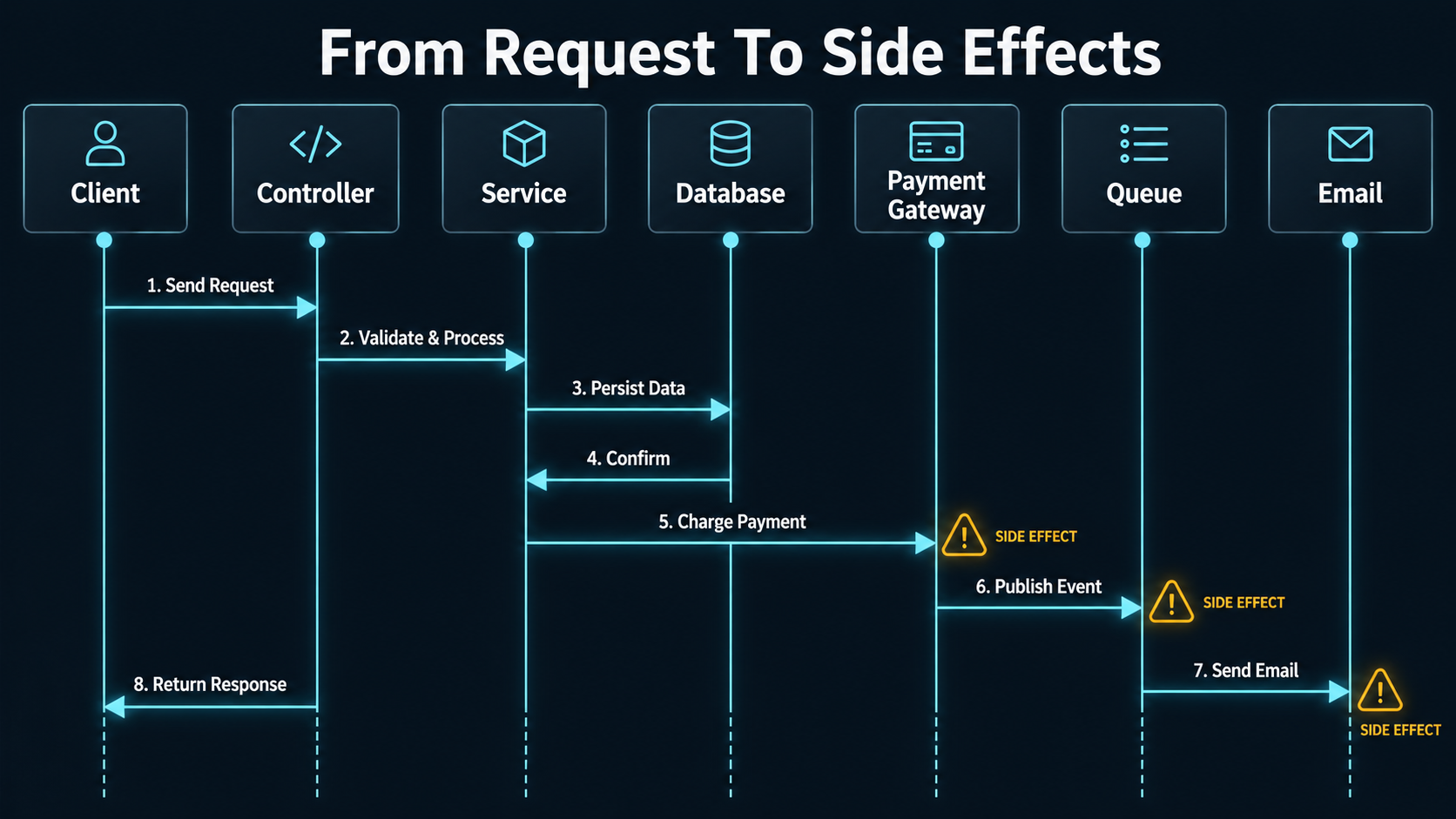
1. API request enters through POST /api/orders.
   File: routes/api.php

2. OrderController validates the request.
   File: app/Http/Controllers/OrderController.php

3. CheckoutService creates the order and payment attempt.
   File: app/Services/CheckoutService.php

4. PaymentGatewayClient charges the card.
   File: app/Payments/PaymentGatewayClient.php

5. OrderCreated event is dispatched.
   File: app/Events/OrderCreated.php

6. SendOrderConfirmationEmail job is queued.
   File: app/Jobs/SendOrderConfirmationEmail.php
This creates a map you can keep open while coding.
For complex systems, ask for a diagram prompt too:
Based on this data flow, create a Mermaid sequence diagram.
Keep labels short and readable.
Example:
sequenceDiagram
    participant Client
    participant API as OrderController
    participant Service as CheckoutService
    participant DB as MySQL
    participant Gateway as PaymentGateway
    participant Queue

    Client->>API: POST /api/orders
    API->>Service: createOrder(payload)
    Service->>DB: insert order
    Service->>Gateway: charge card
    Gateway-->>Service: payment result
    Service->>Queue: dispatch confirmation email
    Service-->>API: order result
    API-->>Client: JSON response
This is often more useful than a long text explanation.
Explain Domain Rules
Domain rules are the hardest part of a codebase. They are rarely documented in one place. They hide in conditionals.
Example:
if ($user->is_vip && $order->total > 10000) {
    $discount = 20;
} elseif ($coupon->code === 'WELCOME' && !$user->has_orders) {
    $discount = 15;
} elseif ($order->total > 5000) {
    $discount = 5;
}
You can ask Claude to extract rules:
Analyze the selected files and extract domain rules.

Focus on:
- conditions,
- thresholds,
- statuses,
- permissions,
- time windows,
- special cases,
- feature flags,
- external service behavior,
- error handling rules.

Return the rules in plain English.
For each rule, include the file and method where it appears.
Do not suggest refactoring yet.
Example result:
Rule: VIP users receive a 20% discount when cart total is greater than 10000.
Location: DiscountService::calculateDiscount

Rule: WELCOME coupon applies only if the user has no previous orders.
Location: DiscountService::calculateDiscount

Rule: Generic large-cart discount applies when total is greater than 5000.
Location: DiscountService::calculateDiscount
This is powerful because you can turn extracted rules into tests.
Follow-up prompt:
Turn these domain rules into characterization test cases.

For each test, include:
- scenario name,
- input setup,
- expected result,
- why the test matters.
Now Claude is helping you create a safety net.
Identify Side Effects
Side effects are where bugs hide.
A method that "updates an order" may also send an email, dispatch an event, write an audit log, invalidate cache, update analytics, notify a webhook, or enqueue a background job.
Use this prompt:
Analyze this code path for side effects.

List every side effect you can find:
- database writes,
- queue jobs,
- events,
- emails,
- external API calls,
- cache writes/deletes,
- logs,
- metrics,
- file uploads,
- notifications,
- webhooks.

For each side effect, explain:
- where it happens,
- whether it is synchronous or asynchronous,
- whether failure is handled,
- what might break if it is removed or reordered.
This prompt is especially useful before refactoring service methods.
Example in PHP/Laravel:
public function cancelSubscription(Subscription $subscription): void
{
    $subscription->update(['status' => 'canceled']);

    $this->billingClient->cancel($subscription->gateway_id);

    event(new SubscriptionCanceled($subscription));

    Cache::forget("user:{$subscription->user_id}:subscription");

    Mail::to($subscription->user)->send(new SubscriptionCanceledEmail($subscription));
}
The same shape in TypeScript / Node:
async function cancelSubscription(subscription: Subscription): Promise<void> {
  await db.subscriptions.update(subscription.id, { status: "canceled" });

  await billingClient.cancel(subscription.gatewayId);

  events.emit("subscription.canceled", subscription);

  await cache.delete(`user:${subscription.userId}:subscription`);

  await mailer.send(subscription.user.email, new SubscriptionCanceledEmail(subscription));
}
A simple refactor might move lines around. But order matters.
Should you cancel locally before gateway cancellation? Should email be sent if the gateway fails? Should cache be cleared before or after event dispatch? Should mail be queued?
Ask AI to explain those risks before changing code.
Summarize Important Files
When the repository is huge, you cannot understand everything at once.
Ask for file summaries:
Summarize these files for a developer who needs to modify this feature.

For each file, provide:
- responsibility,
- important public methods,
- dependencies,
- side effects,
- domain rules,
- tests that cover it if visible,
- risk level for changing it: low, medium, or high.
Example output:
File: app/Services/PaymentRetryService.php
Responsibility: Decides when failed payment attempts should be retried.
Important methods: scheduleRetry, markFinalFailure
Dependencies: PaymentAttempt model, Queue, BillingGatewayClient
Side effects: database writes, queued retry jobs, payment_failed events
Risk level: High, because it affects billing and customer access
This gives you a working inventory.
You can also ask for a table:
Return the file summary as a Markdown table with columns:
File, Responsibility, Main Dependencies, Side Effects, Risk Level.
That can go directly into internal documentation.
Find Tests Related To A Feature
Before changing code, find tests.
Use this prompt:
Find tests related to this behavior:

[describe behavior]

Search for:
- test class names,
- test method names,
- factories,
- fixtures,
- mocks,
- snapshots,
- integration tests,
- feature tests.

Group the results by:
- tests that directly cover the behavior,
- tests that indirectly cover it,
- missing tests that should exist.
This helps you avoid false confidence. Sometimes the test suite has many tests, but none for the behavior you are changing.
Follow-up prompt:
Based on the current tests, what regressions could still slip through?
Suggest the minimum additional tests before refactoring.
This is one of the best uses of AI in daily development.
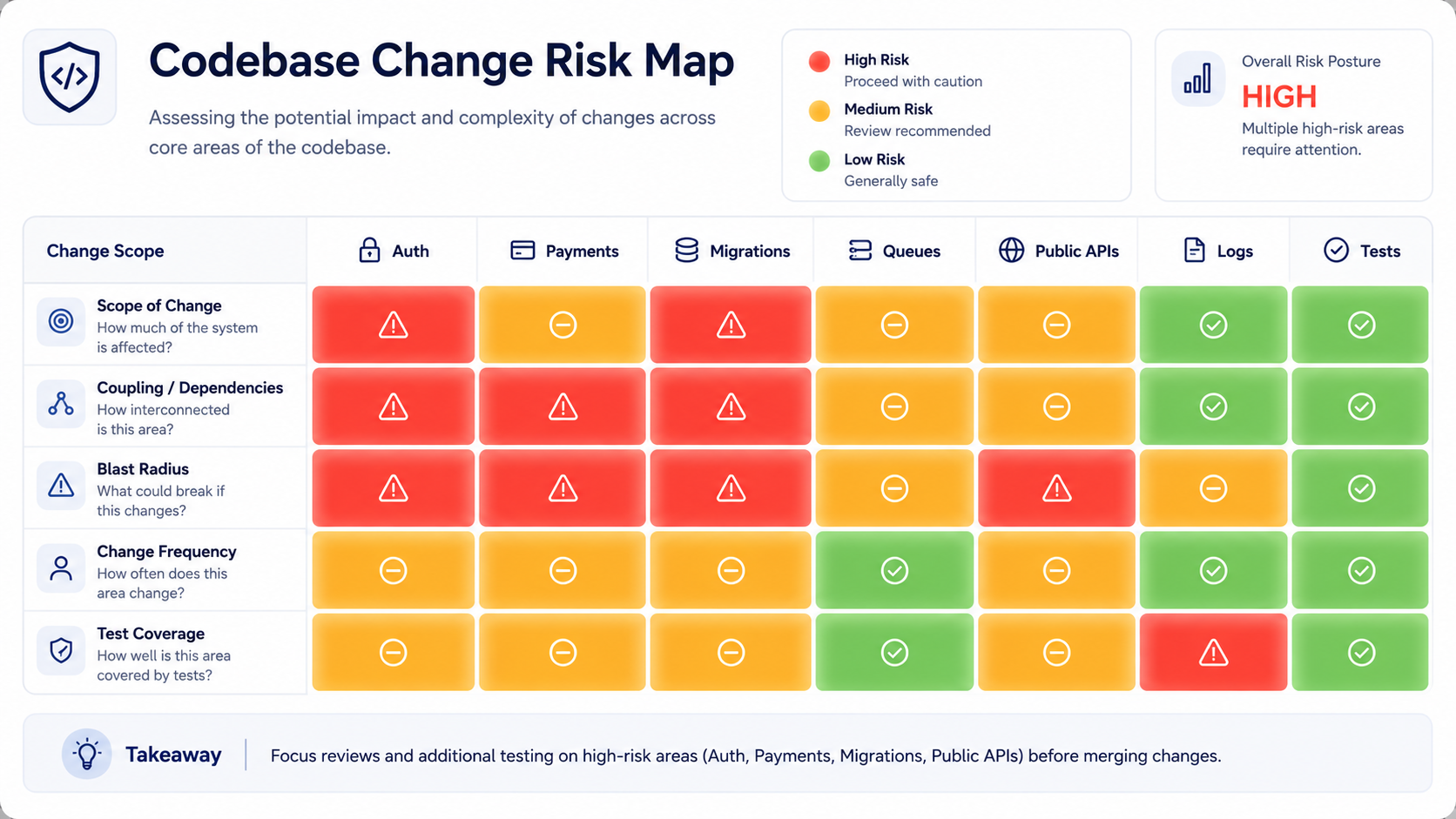
Ask For A Risk Map
Before touching auth, payments, migrations, permissions, or background jobs, ask for a risk map.
Create a risk map for changing this area of the codebase.

Consider:
- customer-facing behavior,
- security,
- authorization,
- billing,
- data integrity,
- backward compatibility,
- deployment risk,
- observability,
- rollback difficulty.

Classify risks as High, Medium, or Low.
For each high-risk item, explain how to reduce the risk before implementation.
Example:
High risk: Payment retry behavior may double-charge if idempotency keys are not preserved.
Mitigation: Add tests around retry idempotency and verify gateway request keys.

Medium risk: Email notification order may change.
Mitigation: Add tests for event dispatching and notification queue.
This is exactly the kind of thinking senior developers need.
Onboarding Prompt For A New Project
Here is a complete onboarding prompt you can reuse:
Act as a senior engineer helping me onboard into this repository.

Please analyze the project and explain:

1. What kind of application this is.
2. Main technologies and frameworks.
3. Important directories.
4. Main runtime entry points.
5. How data flows through the system.
6. How background work is handled.
7. How authentication and authorization appear to work.
8. How database access is organized.
9. Where tests live and what style they use.
10. Which areas look risky or business-critical.
11. What documentation exists.
12. What I should read first before making changes.

Do not suggest refactoring yet.
Keep the explanation practical and file-based.
This prompt is great when joining a new team or opening a legacy repo.
It turns a scary codebase into a guided tour.
Debugging Prompt
When something breaks, use Claude to narrow the search.
Help me debug this issue:

[describe issue]

Known facts:
- [fact 1]
- [fact 2]
- [fact 3]

Please:
1. Identify likely code paths involved.
2. List files to inspect first.
3. Explain possible causes.
4. Suggest logs, queries, or tests to confirm each cause.
5. Do not make code changes yet.
Example:
Issue:
Customers sometimes receive duplicate invoice reminder emails.

Known facts:
- It happens mostly on Monday morning.
- Reminders are sent by a scheduled command.
- We also have invoice overdue events.
- The email provider does not show duplicate API calls for every case.
Claude may suggest checking scheduled tasks, event listeners, idempotency keys, queue retry behavior, and database flags. That gives you a debugging path.
Refactoring Readiness Prompt
Before refactoring, ask if the code is ready.
Analyze whether this code is ready to refactor safely.

Please check:
- existing test coverage,
- hidden side effects,
- public contracts,
- unclear domain rules,
- shared dependencies,
- database writes,
- async behavior,
- deployment compatibility.

Return:
- Ready / Not Ready / Ready with conditions
- Required tests before refactor
- Suggested first small refactor
- Things not to touch yet
Sometimes the best answer is:
Not ready.
Add characterization tests first.
That is not a failure. That is good engineering.
Pull Request Summary Prompt
After you make changes, ask Claude to explain them.
Create a pull request summary for these changes.

Include:
- what changed,
- why it changed,
- behavior impact,
- tests added or updated,
- migration/deployment notes,
- risks and rollback notes.

Keep it clear for reviewers.
Do not overstate confidence.
A good PR summary saves reviewer time.
It also forces you to explain the change in human terms.
Important Rule: Do Not Let Prompts Replace Reading
Claude can help you understand a large codebase faster.
But you still need to read important files.
AI can miss details. It can misunderstand dynamic behavior. It can overlook runtime configuration. It can overgeneralize from names.
Use it as a map, not as proof.
A good workflow is:
1. Ask Claude for the map.
2. Read the important files yourself.
3. Ask Claude for risks.
4. Add tests.
5. Make a small change.
6. Compare behavior.
7. Ask Claude to review the diff.
This is a strong senior workflow.
Final Prompt Library
Here is a compact version you can save.
Repository tour:
Explain the structure, entry points, important directories, tests, config, and conventions.

Entry points:
Find every route, command, job, event listener, webhook, or frontend path for this behavior.

Data flow:
Map input, validation, services, database reads/writes, side effects, response, and errors.

Domain rules:
Extract conditions, statuses, thresholds, permissions, time windows, and special cases.

Side effects:
List database writes, jobs, events, emails, external APIs, cache, logs, metrics, files, and webhooks.

File summary:
For each file, explain responsibility, dependencies, public methods, side effects, tests, and risk level.

Test discovery:
Find direct and indirect tests. Identify missing tests.

Risk map:
Classify risks across security, billing, data integrity, compatibility, deployment, and rollback.

Refactoring readiness:
Decide whether the code is ready to refactor safely and what tests are needed first.

PR summary:
Explain what changed, why, behavior impact, tests, deployment notes, and risks.
Large codebases are easier when you stop treating AI as a code machine.
Use it as an analysis partner.
Ask it to map, explain, classify, compare, and warn.
Then you write the code with a much better understanding of the system.