
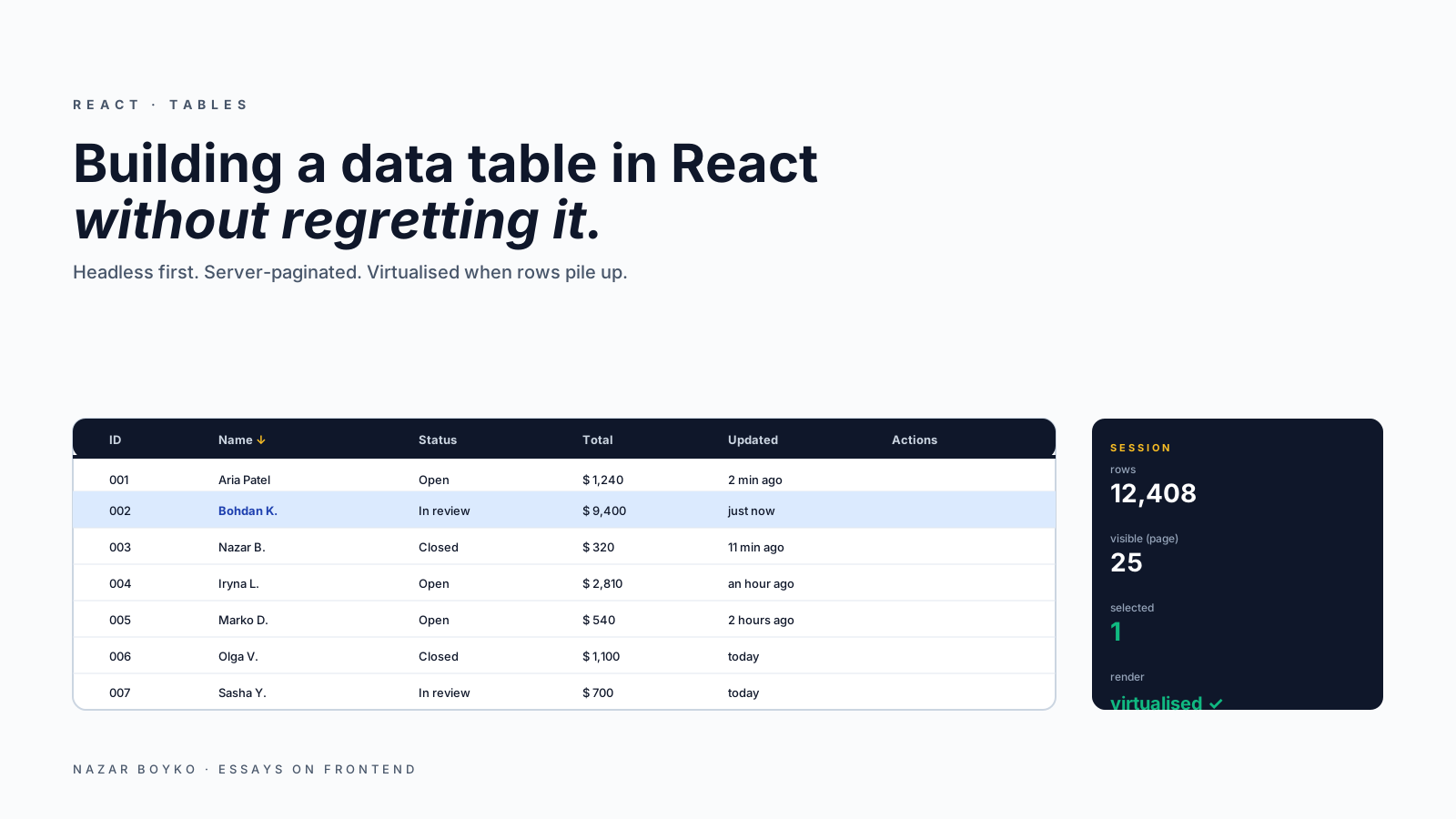
A data table looks like a small UI element until you actually build one. By the time someone asks for sortable columns, filters, search, pagination, multi-row selection, sticky headers, column resizing, and "can it handle 50,000 rows", you're three weeks in and your component is a small framework.
The honest answer for most teams in 2026: don't write the table from scratch. Reach for TanStack Table if you want full control of the markup, or AG Grid if you need spreadsheet-grade features. This article is about why, what each one solves, and the architectural choices that decide whether the table stays fast or becomes the slowest screen in the app.
Why "I'll Just Build A Table" Goes Wrong
The naive starting point looks fine:
function ProductTable({ products }) {
  return (
    <table>
      <thead>
        <tr><th>Name</th><th>Price</th><th>Stock</th></tr>
      </thead>
      <tbody>
        {products.map(p => (
          <tr key={p.id}>
            <td>{p.name}</td><td>${p.price}</td><td>{p.stock}</td>
          </tr>
        ))}
      </tbody>
    </table>
  );
}
Then the requirements arrive:
- Sort by clicking a column header → state for sort field + direction.
- Filter by category → state for filters.
- Pagination → state for page + page size.
- Search → state for query, with debouncing.
- Multi-row selection → state for selected IDs, with shift-click range select.
- Sticky header → CSS that breaks if the table is in a scrollable container.
- Column resizing → mouse handlers, drag state, persistence.
- 50,000 rows → virtualisation.
- "Can it work on mobile" → horizontal scroll or layout shift.
- Keyboard navigation → arrow keys to move between cells.
- Accessibility → ARIA roles for sortable, selected, expanded.
Each one is a few hours by itself. Together they're a quarter of someone's time. And when you're done, you have one team's bespoke table that nobody else can use.
The hard part isn't any single feature — it's the combinations. Sort + filter + pagination + virtualisation interact in non-obvious ways. Selection that survives across pages needs careful state. Resizing that doesn't break virtualisation needs measurement coordination.
The Two Real Options
TanStack Table (formerly React Table) is the de facto standard for headless tables. It gives you all the state and logic — sort, filter, paginate, group, expand, select — and lets you render any markup you want. You write the JSX; it handles the bookkeeping.
import {
  useReactTable, getCoreRowModel, getSortedRowModel, flexRender,
} from '@tanstack/react-table';

const columns = [
  { accessorKey: 'name', header: 'Name' },
  { accessorKey: 'price', header: 'Price', cell: (info) => `$${info.getValue()}` },
  { accessorKey: 'stock', header: 'Stock' },
];

function ProductTable({ products }) {
  const table = useReactTable({
    data: products,
    columns,
    getCoreRowModel: getCoreRowModel(),
    getSortedRowModel: getSortedRowModel(),
  });

  return (
    <table>
      <thead>
        {table.getHeaderGroups().map(group => (
          <tr key={group.id}>
            {group.headers.map(header => (
              <th
                key={header.id}
                onClick={header.column.getToggleSortingHandler()}
              >
                {flexRender(header.column.columnDef.header, header.getContext())}
                {{ asc: ' ↑', desc: ' ↓' }[header.column.getIsSorted()] ?? null}
              </th>
            ))}
          </tr>
        ))}
      </thead>
      <tbody>
        {table.getRowModel().rows.map(row => (
          <tr key={row.id}>
            {row.getVisibleCells().map(cell => (
              <td key={cell.id}>
                {flexRender(cell.column.columnDef.cell, cell.getContext())}
              </td>
            ))}
          </tr>
        ))}
      </tbody>
    </table>
  );
}
You wrote the <table>. The library wrote the sort. Add getFilteredRowModel, getPaginationRowModel, getExpandedRowModel as you need them — opt-in, tree-shakeable, no surprises.
AG Grid is the other end: a fully-built table with hundreds of features. Inline cell editing, Excel-like keyboard navigation, server-side row models, pivoting, range selection, master-detail. The free Community version covers most needs; the Enterprise version covers the rest. Use it when "looks like Excel" is a requirement.
For most product apps, TanStack Table wins because you keep control of the markup, accessibility, and styling. AG Grid wins when you're shipping a power-user spreadsheet inside your app.
Server-Side Vs Client-Side
The single most important architectural decision for a table is where the data lives.
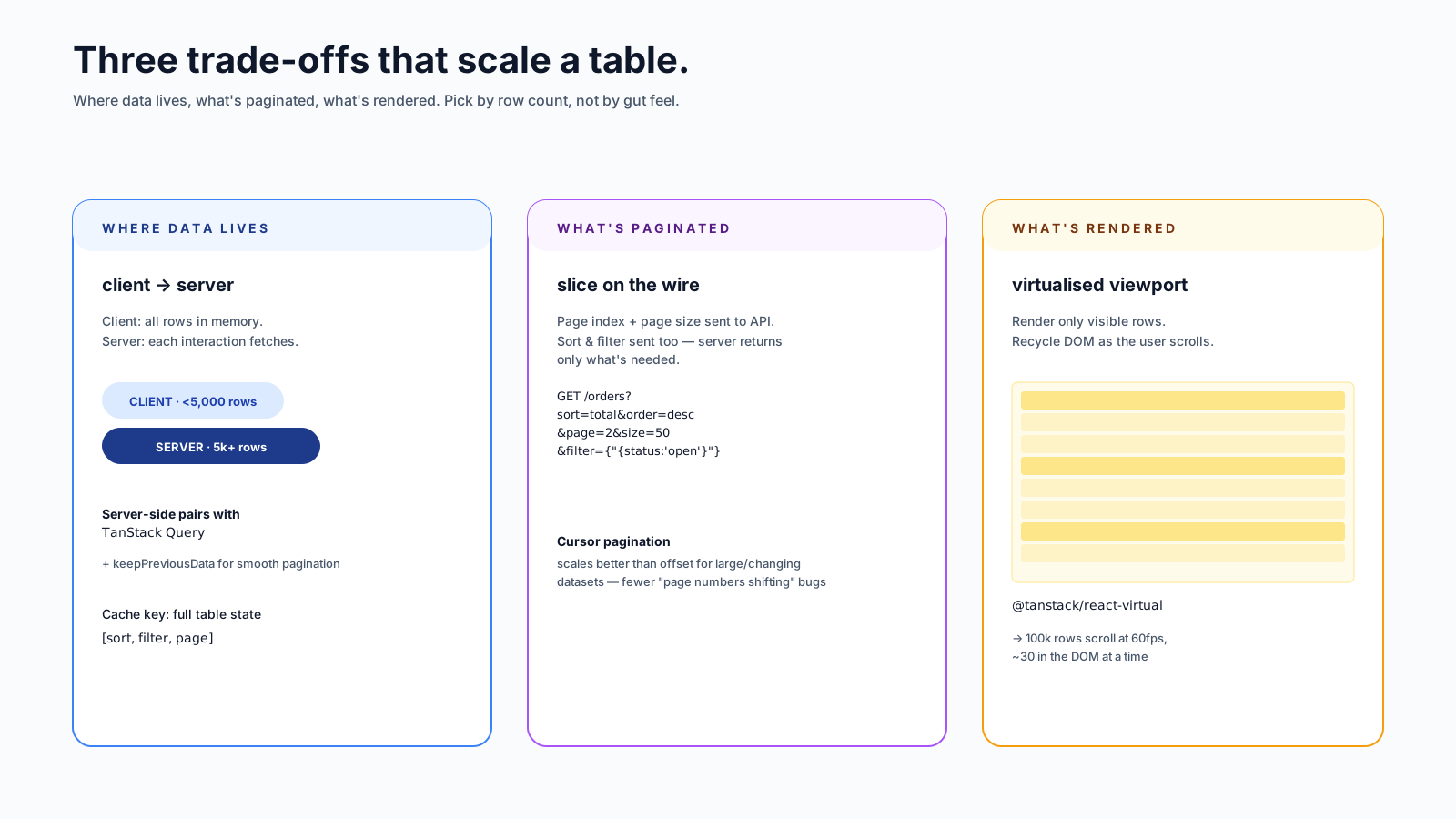
Client-side: you fetch all the rows, the table sorts/filters/paginates locally. Works great up to ~5,000 rows. Above that, the JS gets slow and the bundle size of the data alone hurts.
Server-side: every interaction (sort change, filter change, page change) sends a request, and the server returns the slice the user needs. Scales to millions of rows. Trades local responsiveness for server work.
// server-side with TanStack Query + TanStack Table
import { useQuery, keepPreviousData } from '@tanstack/react-query';

function useTableData({ sorting, columnFilters, pagination }) {
  return useQuery({
    queryKey: ['orders', sorting, columnFilters, pagination],
    queryFn: () =>
      fetch('/api/orders?' + new URLSearchParams({
        sort: sorting[0]?.id ?? '',
        order: sorting[0]?.desc ? 'desc' : 'asc',
        page: String(pagination.pageIndex),
        size: String(pagination.pageSize),
        filter: JSON.stringify(columnFilters),
      })).then(r => r.json()),
    placeholderData: keepPreviousData,    // smooth pagination (v5 syntax)
  });
}
The cache key is the full query state. Each interaction is a cached fetch. Going back to a page you already viewed is instant; going to a new page shows a smooth transition because placeholderData: keepPreviousData keeps the old rows on screen while the new ones load. (In TanStack Query v4 this was a boolean keepPreviousData: true; v5 replaced it with the function-as-placeholder pattern shown above.)
There's a hybrid: client-side sorting and filtering on a server-paginated set. Works if the page size is small (a few hundred rows) and you only need quick reordering of what's currently on screen.
Virtualisation: When Every Row Costs
If you genuinely have to render thousands of rows on the client at once, virtualisation is the only path. Render only the rows visible in the viewport, recycle DOM nodes as the user scrolls.
import { useVirtualizer } from '@tanstack/react-virtual';

function VirtualBody({ rows, parentRef }) {
  const rowVirtualizer = useVirtualizer({
    count: rows.length,
    getScrollElement: () => parentRef.current,
    estimateSize: () => 44,
    overscan: 8,
  });

  return (
    <div style={{ height: rowVirtualizer.getTotalSize(), position: 'relative' }}>
      {rowVirtualizer.getVirtualItems().map(virtualRow => {
        const row = rows[virtualRow.index];
        return (
          <div
            key={row.id}
            style={{
              position: 'absolute',
              top: 0,
              left: 0,
              transform: `translateY(${virtualRow.start}px)`,
              height: virtualRow.size,
            }}
          >
            {/* render row cells */}
          </div>
        );
      })}
    </div>
  );
}
@tanstack/react-virtual and TanStack Table are designed to work together — there's an official example for combining them. Once it's set up, a 100,000-row table scrolls at 60fps because the DOM only ever holds ~30 rows.
The trade-off is that virtualisation breaks <table> semantics — you end up with <div>s and ARIA grid roles instead. AG Grid handles this for you; with TanStack Table you do it yourself, but the headless model makes it manageable.
Selection That Doesn't Lie
Multi-row selection sounds easy: a Set of IDs, toggle on click. Two real-world quirks:
Selection across pages. If a user selects rows on page 1, then navigates to page 2, then comes back — are page 1's selections still there? Almost always yes (otherwise the UX is hostile). Store selection by stable IDs, not by row index, and make sure your data layer keeps them across page transitions.
Shift-click range select. Standard expectation in any spreadsheet-y context. Track the anchor of the last single-click; on shift-click, select everything between anchor and current row.
function toggleWithAnchor(rows, clickedId, anchorId, currentSelection) {
  if (!anchorId) return new Set([clickedId]);
  const startIdx = rows.findIndex(r => r.id === anchorId);
  const endIdx = rows.findIndex(r => r.id === clickedId);
  const [from, to] = startIdx < endIdx ? [startIdx, endIdx] : [endIdx, startIdx];
  const range = rows.slice(from, to + 1).map(r => r.id);
  return new Set([...currentSelection, ...range]);
}
TanStack Table has built-in selection state but doesn't ship the shift-click pattern by default — it's a few lines on top.
Sticky Headers, Resizable Columns, And Other Visual Plumbing
A few patterns that quietly take half a day each if you implement them yourself:
- Sticky table header:
position: sticky; top: 0on<thead> <tr> <th>. Watch for the parent'soverflow: hidden— sticky breaks inside it. - Sticky first column:
position: sticky; left: 0, withz-indexhigher than the rest. Works in modern browsers; expect to fight for it. - Column resizing: TanStack Table has a
enableColumnResizingflag. Wire the visual handle yourself; the math is in the library. - Horizontal scrolling on mobile: an outer container with
overflow-x: auto. The simplest answer is also the right one.
Accessibility For Tables
Native <table> is highly accessible by default. The pieces to add:
<caption>for a table summary.scope="col"on<th>in the header.aria-sort="ascending|descending|none"on sortable headers.- For divs (after virtualisation):
role="grid",role="row",role="gridcell". Less ideal than native, but workable.
Keyboard navigation in tables (arrow keys to move between cells) is genuinely complex. If users will use it heavily, AG Grid's built-in implementation is hard to beat. For most apps, getting Tab to focus interactive cells (links, buttons) is enough.
When To Reach For Each Option
Three rough decision points:
- Under ~500 rows, simple needs (sort + filter + pagination): TanStack Table, client-side, no virtualisation.
- Up to ~10k rows, server-side data: TanStack Table + TanStack Query, server-side mode, optional virtualisation.
- Spreadsheet-grade features (cell editing, pivoting, range select, exports): AG Grid.
If your product is a spreadsheet — Airtable-style, ad analytics dashboards — start with AG Grid Enterprise. If you have a list of users, orders, products with the standard features, TanStack Table is faster to integrate and keeps your design system intact.
The Mistakes I See Most
A short list of patterns that bite teams later:
- Re-creating columns on every render. TanStack Table memoises by reference. Define
columnsoutside the component or wrap inuseMemo. - Storing selection by row index instead of by ID. Breaks the moment data is reordered.
- Local sorting/filtering on server-paginated data. Sorts the visible page only, looks broken to the user.
- Forgetting
placeholderData: keepPreviousData. Pagination flicker is a uniquely irritating UX bug. - Custom table from scratch "because TanStack feels heavy". It's about 18kb gzipped and saves you weeks. The math doesn't work out.
- Skipping virtualisation "because the list is short". It is until product asks to "remove pagination because users want to see everything at once".
A Single-Line Recommendation
For 90% of React teams in 2026 building a non-trivial table, the answer is TanStack Table + TanStack Query, server-paginated, with react-virtual if rows go above a few thousand. Reach for AG Grid when the requirements look more like Excel than like a list. Don't write the state machine from scratch — that's where regret comes from.






