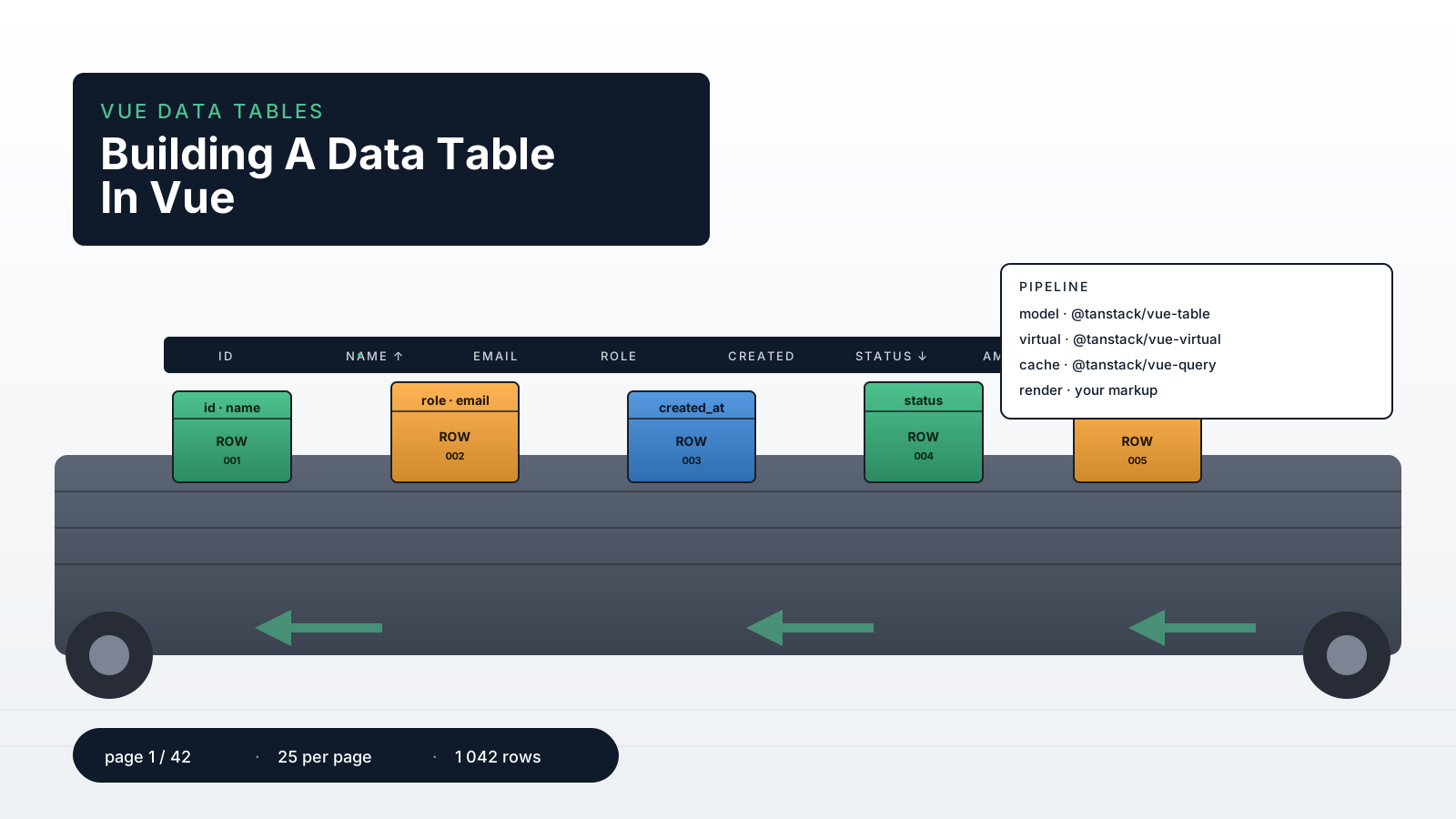
A data table looks like a UI component until the requirements arrive. Then it becomes a mini application: sorting, multi-column filtering, server pagination, row selection, expandable rows, sticky headers, column resizing, virtualization, CSV export, and accessibility. By the time you've shipped the third iteration, the table file is the largest component in the codebase, and any change risks breaking three other features.
The honest version is that a production data table is not one component. It's a small system with clear responsibilities — model, data source, columns, rendering, interaction — and the cleanest implementations split those layers explicitly.
This piece walks through the structure that holds up. The libraries I reach for, the lines I draw between them, and the parts I refuse to build myself anymore.
A <table> Is Fine. Until It Isn't.
For lists with under a few hundred rows, no sorting, and no pagination, native <table> markup is the right answer. Use v-for, lean on the browser, ship the feature, move on.
<script setup lang="ts">
const rows = ref<User[]>([])
</script>

<template>
  <table>
    <thead>
      <tr><th>Name</th><th>Email</th><th>Role</th></tr>
    </thead>
    <tbody>
      <tr v-for="r in rows" :key="r.id">
        <td>{{ r.name }}</td>
        <td>{{ r.email }}</td>
        <td>{{ r.role }}</td>
      </tr>
    </tbody>
  </table>
</template>
The temptation is to start adding sorting state, filter state, and pagination state as refs on the same component. That works for one column. It survives two. It collapses around column three because every interaction now needs to know about every other interaction's state, and the component grows tentacles.
The moment you add sort and filter and pagination together, lift the table model out of the component.
Headless Tables: TanStack Table
@tanstack/vue-table is the headless table model from the TanStack family — same author as TanStack Query, similar design sensibility. It owns the logic (sorting, filtering, pagination, grouping, selection) and gives you back rows and headers as plain data. You render whatever markup you want.
import { useVueTable, getCoreRowModel, getSortedRowModel, type ColumnDef } from '@tanstack/vue-table'
import { ref } from 'vue'

interface User { id: number; name: string; email: string; role: string }

const data = ref<User[]>([])
const sorting = ref([])

const columns: ColumnDef<User>[] = [
  { accessorKey: 'name', header: 'Name' },
  { accessorKey: 'email', header: 'Email' },
  { accessorKey: 'role', header: 'Role' },
]

const table = useVueTable({
  get data() { return data.value },
  columns,
  state: { get sorting() { return sorting.value } },
  onSortingChange: updater => {
    sorting.value = typeof updater === 'function' ? updater(sorting.value) : updater
  },
  getCoreRowModel: getCoreRowModel(),
  getSortedRowModel: getSortedRowModel(),
})
The render side stays small:
<table>
  <thead>
    <tr v-for="hg in table.getHeaderGroups()" :key="hg.id">
      <th v-for="h in hg.headers" :key="h.id"
          @click="h.column.getToggleSortingHandler()?.($event)">
        <FlexRender :render="h.column.columnDef.header" :props="h.getContext()" />
      </th>
    </tr>
  </thead>
  <tbody>
    <tr v-for="row in table.getRowModel().rows" :key="row.id">
      <td v-for="cell in row.getVisibleCells()" :key="cell.id">
        <FlexRender :render="cell.column.columnDef.cell" :props="cell.getContext()" />
      </td>
    </tr>
  </tbody>
</table>
FlexRender is the helper exported from @tanstack/vue-table that renders either a string, a component, or a function. The structural payoff: the table model is one object, the markup is whatever you want, and adding a feature (filtering, grouping) is changing config rather than rewriting the component.
Server-Side Everything For Big Tables
The default pattern in tutorials is "load all rows, sort and filter in the browser." That works to about 1,000 rows. Past that, the browser starts to feel it; past 10,000, the page is unusable; past 100,000, you've shipped a memory leak.
Real production tables push sorting, filtering, and pagination to the server. The frontend's job is to translate UI state into a query and render whatever the server returns.
import { useQuery, keepPreviousData } from '@tanstack/vue-query'
import { computed, ref } from 'vue'

const page = ref(0)
const pageSize = ref(25)
const sorting = ref<{ id: string; desc: boolean }[]>([])
const search = ref('')

const queryParams = computed(() => ({
  page: page.value,
  pageSize: pageSize.value,
  sort: sorting.value[0]?.id,
  order: sorting.value[0]?.desc ? 'desc' : 'asc',
  q: search.value.trim(),
}))

const usersQuery = useQuery({
  queryKey: ['users', queryParams],
  queryFn: () => api.users.list(queryParams.value),
  placeholderData: keepPreviousData,
})
placeholderData: keepPreviousData is the small detail that makes the table feel fast. While the next page loads, the previous page stays on screen instead of flashing to a skeleton, and the user perceives the change as instant.
Tell TanStack Table that pagination, sorting, and filtering are manual — meaning the data is already in the right state, don't process it again:
const table = useVueTable({
  get data() { return usersQuery.data.value?.rows ?? [] },
  columns,
  pageCount: computed(() => usersQuery.data.value?.pageCount ?? -1).value,
  manualPagination: true,
  manualSorting: true,
  manualFiltering: true,
  state: { /* sorting, pagination, filters */ },
  getCoreRowModel: getCoreRowModel(),
})
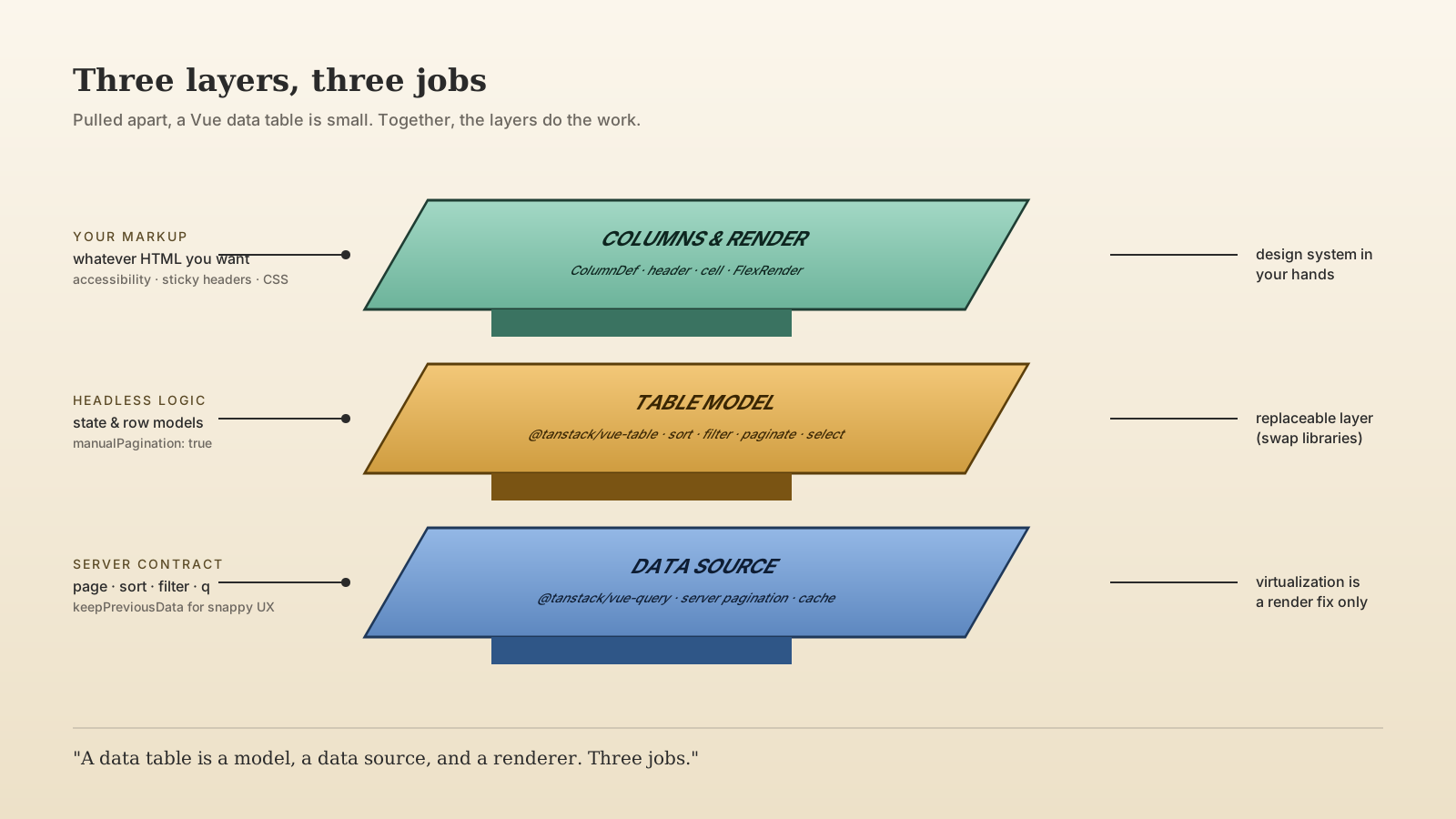
The boundary is suddenly visible: the table model knows about UI state, the query layer knows about server fetching, and the column definitions know about presentation. Three layers, each replaceable.
Virtualization Is For Rendering, Not For Slow Queries
If your server hands you 5,000 rows and you really do need to render them all (think: financial blotters, log viewers, audit tables), virtualization keeps the DOM small. @tanstack/vue-virtual is the matching library — same TanStack family, same composable shape.
import { useVirtualizer } from '@tanstack/vue-virtual'

const tableContainer = ref<HTMLElement | null>(null)

const rowVirtualizer = useVirtualizer({
  get count() { return table.getRowModel().rows.length },
  getScrollElement: () => tableContainer.value,
  estimateSize: () => 48,
  overscan: 8,
})
In the template you render only the virtual items inside a spacer that has the full virtual height. The DOM holds maybe 30 rows at a time, the scroll position behaves correctly, and the page stays responsive.
What virtualization does not fix: a 5-second SQL query, an unindexed sort column, or an API that ships 50MB of JSON. Virtualization is purely a rendering optimization. If the data layer is slow, virtualization just hides the slowness behind a fast-feeling scroll bar — the user still waits, they just wait at a different moment.
When AG Grid Earns Its Keep
TanStack Table is headless and free. AG Grid Community is a full table component, also free, with built-in rendering, virtualization, and a long list of features. AG Grid Enterprise is a commercial license that adds pivoting, integrated charting, server-side row models, and the kind of features banks and analytics platforms need.
The decision is honest: if the product needs Excel-like features (cell editing with validation, copy-paste, range selection, pivoting, grouping with drag-and-drop), AG Grid is faster to ship than building those features on top of a headless table. If the product needs a clean table with sorting, filtering, and pagination styled to match the design system, TanStack Table wins because you keep full control of the markup and CSS.
The wrong move is mixing them. Pick one for a project, learn it deeply, build a thin wrapper component that hides the library so you can swap it in five years. The library boundary is not a place for clever abstractions.
Selection, Expansion, And The Other Long Tail
The features that show up in the second iteration:
- Row selection. TanStack Table has built-in row selection state. Wire a checkbox column to
row.getToggleSelectedHandler()and read selected rows fromtable.getSelectedRowModel().rows. The model handles "select all on this page" vs "select all matching the filter" — but you have to decide which one your product means. - Expandable rows.
getExpandedRowModel()plus an "expander" column. The detail content is a separate component; the table just provides the toggle. - Column resizing and reordering.
enableColumnResizing: trueandgetCanResize()on the column. Persist the widths to localStorage with VueUse'suseStorageso the user's choice survives a refresh. - Sticky headers. CSS, not JavaScript.
position: sticky; top: 0;on the<th>elements, with a<thead>that stays inside the scroll container. The hard part is the box-shadow that appears only when scrolled —useScrollfrom VueUse gives you the scroll position cheaply. - Accessibility. Real
<table>markup gives you most of it for free. Screen readers announce columns and rows correctly. The two things to add:aria-sort="ascending|descending|none"on sortable headers, and a visible focus style on interactive cells.
What I Refuse To Build From Scratch
Three pieces I no longer write by hand: the table model (TanStack Table), the row virtualizer (TanStack Virtual), and the server-state cache (TanStack Query or Pinia Colada). The interactions between sorting, filtering, pagination, and selection are subtle, and the off-by-ones in a hand-rolled implementation are genuinely awful to debug. The libraries are small, well-tested, and let you keep full control of the markup — which is the only thing worth controlling.
A One-Sentence Mental Model
A data table is a model, a data source, and a renderer — three layers, three jobs. Headless libraries handle the model so you can spend your time on the renderer and the contract with the server, which is where the actual product lives.