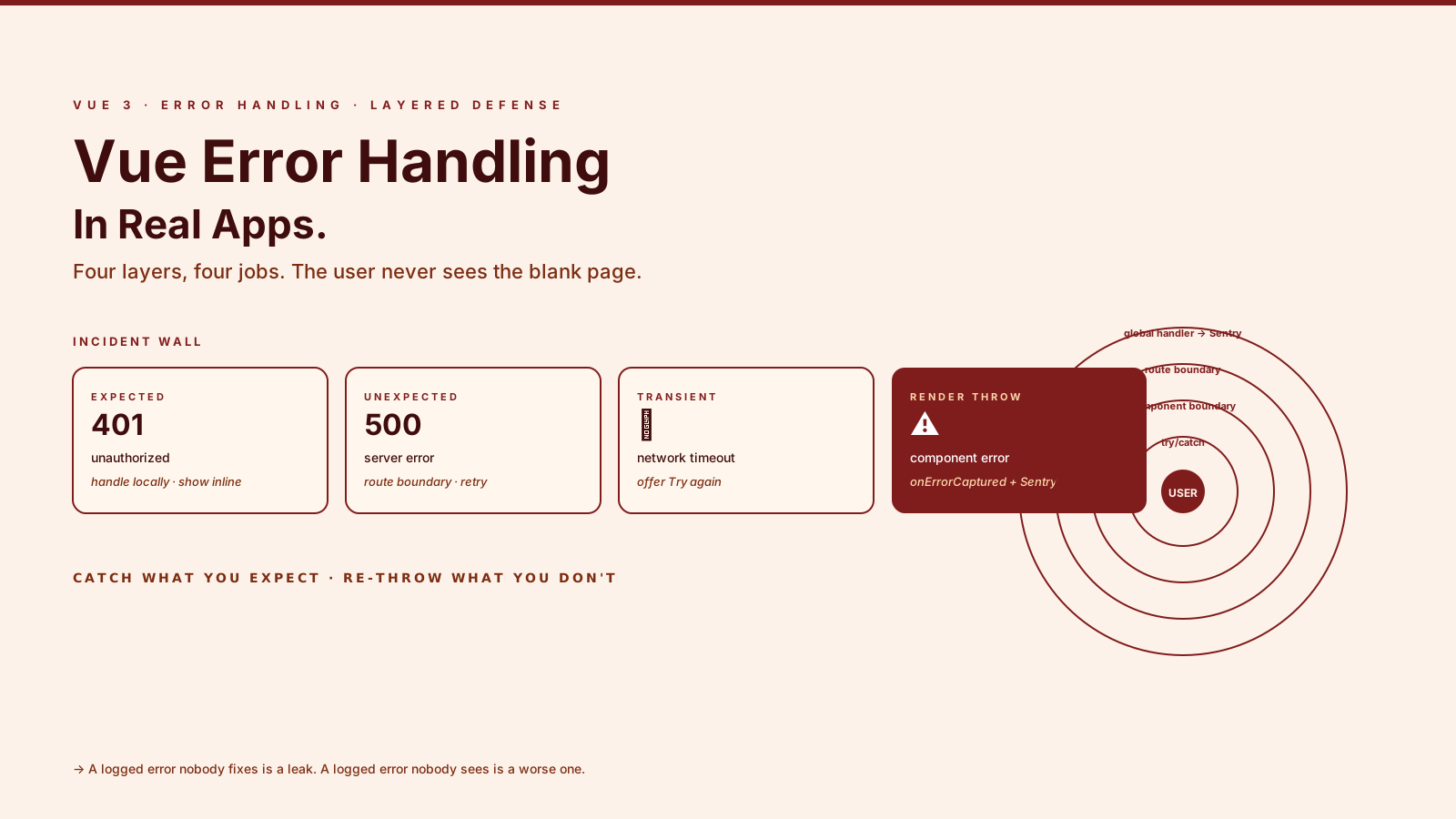
Error handling in a Vue tutorial looks like a try/catch around a fetch. Error handling in a real Vue app looks like four cooperating layers, each catching what the others can't, plus a reporting pipeline so you actually find out when production breaks.
The reason teams get this wrong is that the easy errors are obvious — a 401 on a login form, a validation message on a required field — and the hard errors are silent. A setTimeout callback throws into the void. An async setup function rejects and the component just renders blank. A user-triggered render throws and the whole app unmounts because nobody installed a boundary. By the time customer support pings you, three weeks of users have hit the same broken page.
This article walks through the layered approach that holds up in production: where each layer fits, what it catches, and the small set of Vue 3 APIs that make the whole thing tractable.
Four Layers, Four Jobs
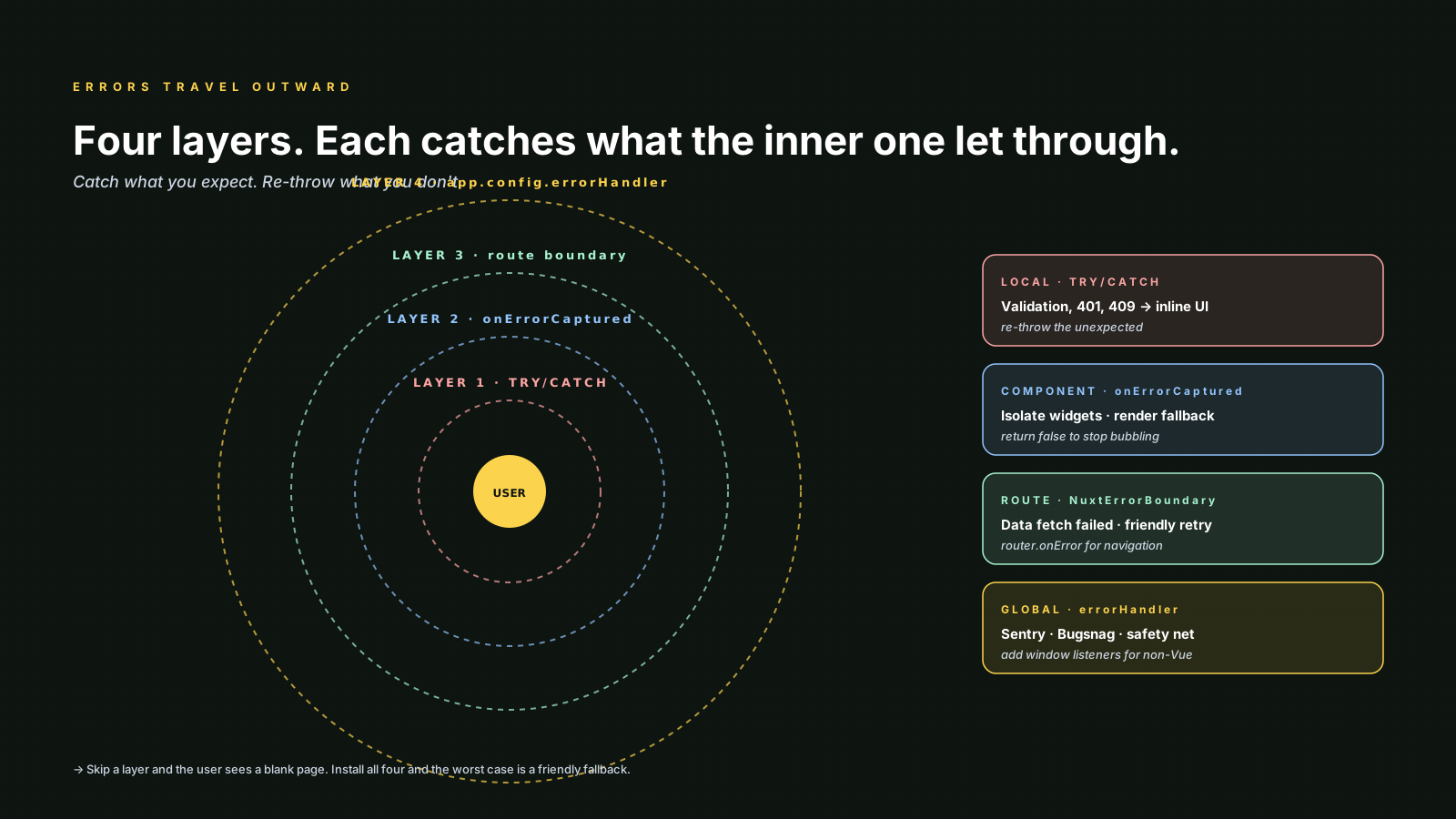
Real Vue apps need four error layers, in roughly the order errors travel:
- Local handlers —
try/catchinside a function or composable that knows what to do with a specific failure. - Component boundaries —
onErrorCapturedwalls between feature areas, so one broken widget doesn't kill the page. - Route-level fallbacks —
<NuxtErrorBoundary>or a manual error route that shows a useful page when a route's data fails. - The global handler —
app.config.errorHandlerthat catches anything that escaped the layers above and ships it to your error tracker.
Skipping any layer is a choice. Skipping all of them is what produces the "the app went blank and I don't know why" support ticket.
Local Handlers Live Where The User Is
Predictable errors — validation failures, 401s on a sign-in form, 409 conflicts on save — are not "errors" in the engineering sense. They're UI states. Handle them where they happen, with a try/catch and a clear message.
// src/composables/useSignIn.ts
import { ref } from 'vue'

export function useSignIn() {
  const submitting = ref(false)
  const error = ref<string | null>(null)

  async function signIn(email: string, password: string) {
    submitting.value = true
    error.value = null
    try {
      await api.signIn({ email, password })
    } catch (e) {
      if (e instanceof ApiError && e.status === 401) {
        error.value = 'That email and password do not match.'
        return
      }
      throw e // unexpected — let the global handler see it
    } finally {
      submitting.value = false
    }
  }

  return { signIn, submitting, error }
}
The pattern that matters: catch what you expect, re-throw what you don't. A blanket catch (e) { error.value = e.message } swallows real bugs and shows users the wrong thing. Be specific about which errors are "expected and handled" and let the rest bubble up.
onErrorCaptured Is Vue's Error Boundary
React has <ErrorBoundary> as a class component. Vue 3 doesn't ship a built-in one, but onErrorCaptured is the same idea — a lifecycle hook that catches errors thrown by descendants. You build the boundary yourself, in about 30 lines:
<!-- src/components/ErrorBoundary.vue -->
<script setup lang="ts">
import { ref, onErrorCaptured } from 'vue'

const props = defineProps<{
  fallback?: (err: unknown) => unknown
}>()

const error = ref<unknown>(null)

onErrorCaptured((err) => {
  error.value = err
  // returning false prevents the error from bubbling up
  return false
})

const reset = () => { error.value = null }
defineExpose({ reset })
</script>

<template>
  <slot v-if="!error" />
  <slot v-else name="fallback" :error="error" :reset="reset">
    <div role="alert" class="error-boundary">
      <p>Something went wrong here.</p>
      <button type="button" @click="reset">Try again</button>
    </div>
  </slot>
</template>
Drop it around feature areas you want to isolate:
<template>
  <DashboardLayout>
    <ErrorBoundary>
      <RevenueChart :range="range" />
    </ErrorBoundary>
    <ErrorBoundary>
      <RecentActivityFeed />
    </ErrorBoundary>
  </DashboardLayout>
</template>
If RevenueChart throws, the activity feed still renders. The user sees a localized "this widget broke" instead of a blank page. Critically, the error is not silenced — onErrorCaptured still fires the global handler, so your error tracker still gets notified.
The return false is the important detail. Without it the error continues bubbling, which usually means the parent boundary catches it too, and you end up handling the same error twice.
Route-Level Fallbacks Catch Data Failures
The error that ruins a session most often is "the page failed to load its data." A 500 from your API on the dashboard route, a transient timeout on the user profile fetch. You don't want a blank screen with a flickering spinner; you want a useful error UI.
In Nuxt 3, <NuxtErrorBoundary> is the dedicated primitive:
<template>
  <NuxtErrorBoundary>
    <Dashboard />
    <template #error="{ error, clearError }">
      <ErrorState
        title="We couldn't load your dashboard."
        :detail="error.message"
        @retry="clearError"
      />
    </template>
  </NuxtErrorBoundary>
</template>
For a vanilla Vue 3 + Vue Router app, the equivalent is a router-level error route plus the ErrorBoundary from above wrapping the <RouterView>. When a route's setup throws, the boundary catches it; when navigation itself fails, router.onError catches it.
// src/router/index.ts
router.onError((err) => {
  // log it, then route to a friendly page
  reportError(err, { phase: 'router' })
  router.replace({ name: 'error', params: { reason: 'navigation' } })
})
If you use TanStack Query or Pinia Colada for data fetching, both expose per-query error state and <Suspense>-friendly retry helpers, which often makes per-route boundaries redundant. But you still want a top-level boundary as the safety net.
The Global Handler Is The Safety Net
app.config.errorHandler is the single function Vue calls for every unhandled error from the component tree, watchers, computed getters, and lifecycle hooks. This is where Sentry, Bugsnag, or your in-house tracker gets installed.
// src/main.ts
import { createApp } from 'vue'
import * as Sentry from '@sentry/vue'
import App from './App.vue'
import router from './router'

const app = createApp(App)

Sentry.init({
  app,
  dsn: import.meta.env.VITE_SENTRY_DSN,
  integrations: [Sentry.browserTracingIntegration({ router })],
  tracesSampleRate: 0.1,
})

app.config.errorHandler = (err, instance, info) => {
  // info is a string like "render function" or "v-on handler"
  Sentry.captureException(err, {
    extra: { component: instance?.$options?.name, hook: info },
  })

  if (import.meta.env.DEV) {
    console.error('[vue]', info, err)
  }
}

app.mount('#app')
Sentry's @sentry/vue integration installs the errorHandler for you, so in practice you rarely write the function above by hand. The point is the contract: by the time an error reaches this layer, you've already failed to handle it gracefully — log it, let the user see a fallback (from one of the layers above), and move on.
app.config.errorHandler does not catch errors thrown outside the Vue lifecycle — fetch promises that reject without an await, setTimeout callbacks, event handlers attached to window. For those you still need window.addEventListener('error', ...) and window.addEventListener('unhandledrejection', ...). Sentry installs these globally, which is most of why people use it.
Async Errors Inside setup Need <Suspense>
A common confusion: an async setup() (or top-level await in <script setup>) that throws will not be caught by onErrorCaptured unless the component is wrapped in <Suspense>. Without Suspense, the rejection becomes an unhandled promise rejection and your global handler may or may not see it depending on the runtime.
<template>
  <Suspense>
    <UserDashboard />
    <template #fallback>
      <Skeleton />
    </template>
  </Suspense>
</template><!-- UserDashboard.vue -->
<script setup lang="ts">
const user = await api.fetchCurrentUser() // can throw
</script>Wrap the suspending component in an ErrorBoundary outside the Suspense, and rejections from the async setup propagate cleanly. Nuxt does this for you under the hood with its useAsyncData and useFetch composables, which is why Nuxt apps tend to have better error UX out of the box.
Tell The User Something Useful
A logged error nobody fixes is a leak. A logged error nobody sees is a worse one. The corollary: your fallback UI has to be useful, not generic.
- Distinguish transient vs. terminal. A network blip should offer a "Try again" button. A 404 should not.
- Preserve work. A form that throws on submit should not lose what the user typed.
- Log a reference. When your error handler catches something, generate a short ID, log it with the report, and show it in the fallback. Support tickets with "error 7f3a-2c1b" save hours.
- Don't show stack traces in production. They scare users and leak implementation detail.
These are product decisions, not framework ones. But they only become possible once the layers above are in place, because you have to catch the error before you can tell the user anything about it.
A One-Sentence Mental Model
Errors travel outward through four layers — local try/catch, component boundaries, route fallbacks, the global handler — and good error handling is making each layer catch only what it can do something useful with, and re-throwing the rest so the next layer gets a chance. Skip a layer and the user sees a blank page; install all four and the worst case becomes a friendly "this widget broke, try again" with a logged report waiting for you.