The first time you open a Vue 3 project after spending months elsewhere, the first thing that hits you is how little ceremony there is. A <template>, a <script setup>, a <style scoped>, and you're done. No factory function, no forwardRef, no provider wrapper to wire up. The friendliness is real, and it's not because Vue is "simpler" — it's because the team has spent years making the defaults coherent.
Developer experience is one of those words that gets used to mean almost anything. In Vue's case I'll be specific. It means the surface area you touch every day — files, syntax, the type checker, the dev server, the devtools — and how often that surface gets in your way. Vue 3 in 2025 gets in the way less than most things I use. That's the whole pitch.
This article walks the parts that make the day-to-day feel good, with real APIs and the version numbers that matter. No magic. No "Vue is easy because templates," because that's not the answer.
Single File Components Keep Related Code Close
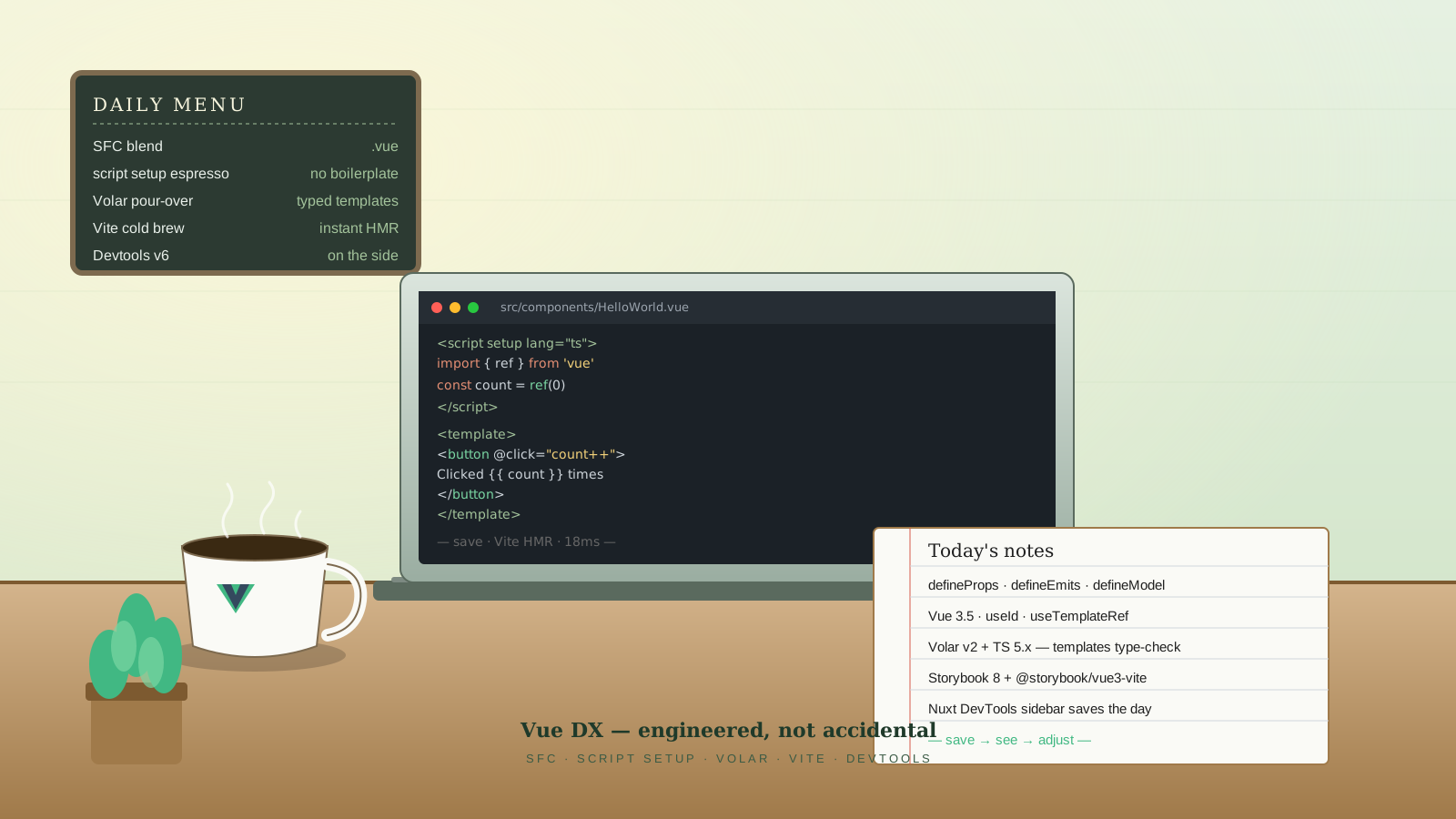
A .vue file holds the template, the script, and the styles for one component. That's the whole format, and after a decade of arguments about colocation, it still aces the readability test. You don't tab between three files to understand a button. You don't write a className and hunt for it in another file. The component fits in your head because it fits on your screen.
The ergonomic win shows up when you're reading code, not writing it. A reviewer can scan a .vue file top-to-bottom and know what state exists, what events fire, and what it looks like — without needing to hold a mental map of which utility file owns which class.
<script setup lang="ts">
import { ref } from 'vue'

const count = ref(0)
</script>

<template>
  <button @click="count++">Clicked {{ count }} times</button>
</template>

<style scoped>
button { padding: 0.5rem 1rem; }
</style>
That is a complete, working component. No build hookup. No runtime registration. The scoped attribute on the style block scopes the CSS to this component only. You don't need a styling library to avoid leaks.
script setup Removes The Boilerplate Tax
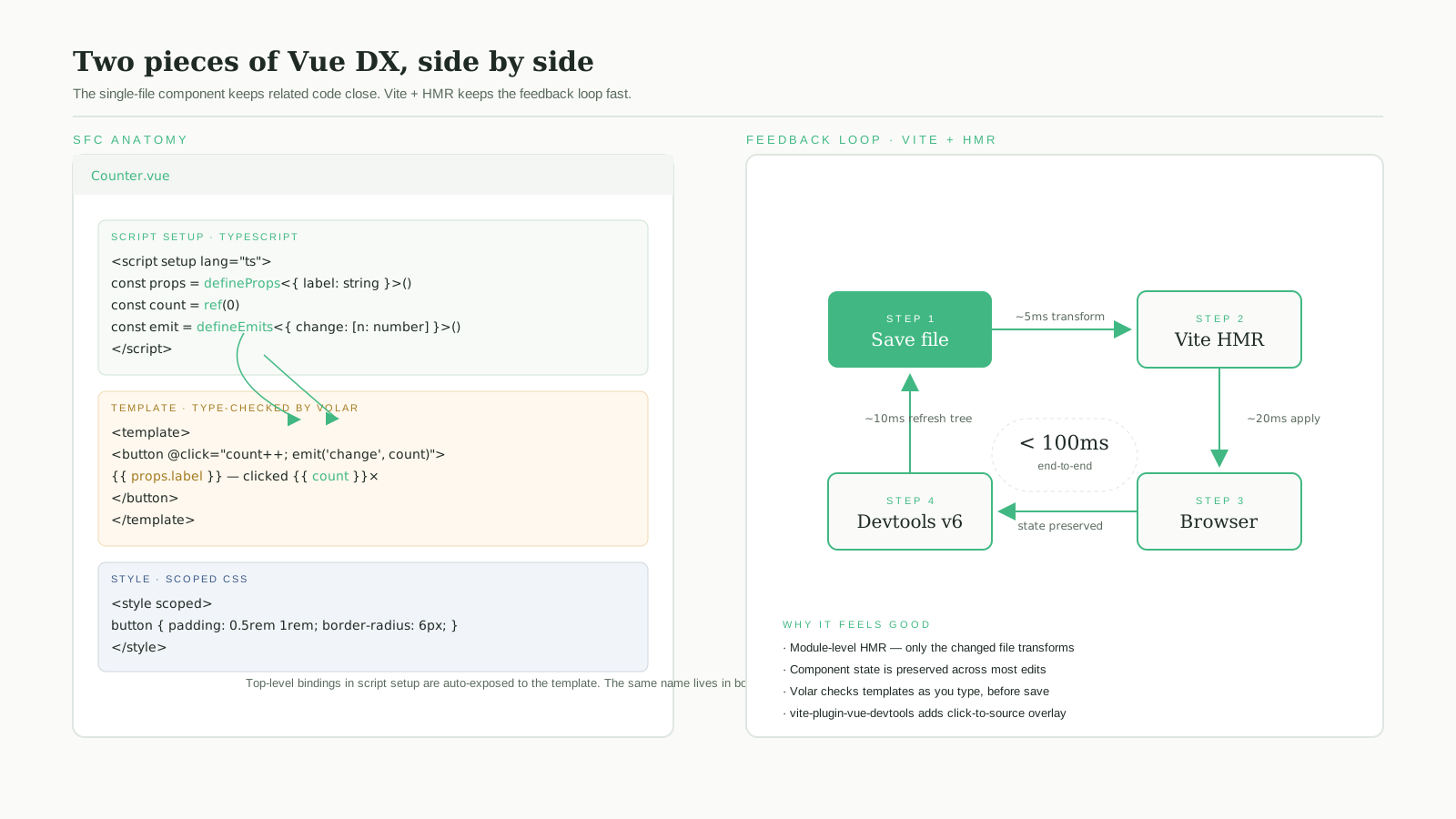
The Composition API was a leap. <script setup> was the polish that made it feel native. Inside <script setup>, top-level bindings are automatically exposed to the template, imports register as components, and the lifecycle of the function is the component's setup. There's no setup() function, no return object, no defineComponent wrapper.
<script setup lang="ts">
import { ref, computed } from 'vue'
import GreetingCard from './GreetingCard.vue'

const name = ref('')
const greeting = computed(() => name.value ? `Hello, ${name.value}` : 'Type your name')
</script>

<template>
  <input v-model="name" placeholder="Your name" />
  <GreetingCard :message="greeting" />
</template>
The mental cost of writing this versus an Options API equivalent or a function-component-with-hooks equivalent is genuinely smaller. The thing you import is the thing you use, and the thing you declare is the thing the template sees.
The Compiler Macros Earn Their Keep
Vue 3.4 (released late December 2023) made defineModel stable, joining defineProps, defineEmits, and defineSlots (which landed in 3.3). They look like function calls but they're compiler macros — the build step replaces them with the right runtime code, and the TypeScript types come from the call.
<script setup lang="ts">
const props = defineProps<{
  label: string
  required?: boolean
}>()

const emit = defineEmits<{
  submit: [value: string]
}>()

const value = defineModel<string>({ required: true })
</script>

<template>
  <label>
    {{ props.label }}
    <input v-model="value" @keydown.enter="emit('submit', value)" />
  </label>
</template>
defineModel is the one I missed for years. It replaces the old modelValue prop plus update:modelValue emit dance with a single ref that the parent can v-model against. The type comes from the generic, the binding is two-way, and the component file stops repeating the same five lines for every form input.
Vue 3.5 (September 2024) added more polish on top: useId for stable IDs across SSR, useTemplateRef for typed template refs, and stable reactive props destructuring (const { label } = defineProps<...>() now keeps reactivity instead of breaking it).
Volar v2 And TypeScript In Templates
The Vue Language Tools extension (Volar / vue-tsc, currently v2.x) is what turns <template> from "string of magic" into "a thing your IDE understands." It type-checks template expressions against your script's types, autocompletes prop names with their types, flags missing required props at the call site, and does it on TypeScript 5.x without the project-references gymnastics earlier versions needed.
The win is most visible when you rename a prop. The IDE updates every consumer in templates, not just in script. The compiler error appears at the right line. Refactors stop being scary.
For projects mixing Vue and TypeScript, this is the single biggest upgrade in the last few years. Templates are no longer second-class citizens.
Vite Plus HMR Is The Feedback Loop
Vite is Vue's default dev server, and the reason "save the file, see the change" feels instant is its module-level HMR. When you save Button.vue, Vue's HMR plugin patches the component in place — state inside the component is preserved when possible, and only that file's transform runs. No bundle rebuild. No router reset. No "lost my form data again."
// vite.config.ts
import { defineConfig } from 'vite'
import vue from '@vitejs/plugin-vue'

export default defineConfig({
  plugins: [vue()],
})
That's the entire config for a Vue + Vite app. Plugins compose well — vite-plugin-pwa for offline support, unplugin-vue-router for filesystem-based routing if you want a Nuxt-flavored layer without all of Nuxt, vite-plugin-vue-devtools for the in-browser inspector overlay.
Devtools v7 Is Better Than You Remember
The Vue Devtools browser extension has gone through a rough decade and a half — Vue 1, Vue 2, Vue 3, Composition API, Pinia, the rewrite. As of v7 (the current line for Vue 3 — v6 is the legacy build for Vue 2) it's stable, fast, and actually pleasant. The component tree shows reactive state, computed values, and the source of every piece. The Pinia panel shows store state and lets you time-travel actions. The Router panel shows the current route, matched components, and the params and query stripped out.
Combined with Vue's in-browser devtools overlay (loaded by vite-plugin-vue-devtools), you get a click-to-inspect experience that points you at the file and line of any element on the page. That's the kind of small thing you don't notice until it's gone.
Storybook 8 Works With Vue Without Friction
Storybook 8 supports Vue 3 with @storybook/vue3-vite. Stories are CSF 3 — plain .stories.ts files that export a default with the component and named consts for each story. Args, controls, and actions all map to Vue props and emits without ceremony.
// Button.stories.ts
import type { Meta, StoryObj } from '@storybook/vue3'
import Button from './Button.vue'

const meta: Meta<typeof Button> = {
  component: Button,
  args: { label: 'Click me' },
}

export default meta

export const Primary: StoryObj<typeof Button> = {
  args: { variant: 'primary' },
}
For a component-library project, Storybook plus Vite gives you isolated component development that boots in seconds, and the stories themselves become a kind of executable documentation that designers can browse without running the full app.
Nuxt And Nuxt DevTools When You Want More
Nuxt 3 (with Nuxt 4 stable since 2025) sits on top of Vue and adds the things a real production app eventually needs: file-based routing, SSR and SSG, server routes (server/api/), modules for analytics, auth, content, and a deploy story that targets every major platform.
Nuxt DevTools deserves a separate mention. It runs alongside the dev server and shows you the file tree of your routes, the components rendered on the current page, the modules installed, the server routes, and a performance timeline — all from a sidebar in the browser. The first time you debug a slow page in Nuxt with this open, the cost of bouncing between the terminal and the browser drops to almost nothing.
For SPA-flavored apps where Nuxt feels heavy, alternatives exist. TanStack Start is positioning itself as a Nuxt-style framework with a different runtime model, and unplugin-vue-router plus a few VueUse pieces gets you most of Nuxt's ergonomics on a plain Vite project.
The Honest Summary
Vue's DX isn't the result of a single feature. It's the cumulative effect of choices that all point in the same direction: keep related code close, remove ceremony, type the templates, make the dev loop fast, and ship devtools that actually help. Each piece is small. Together they make a workday feel less expensive than it has any right to be — and that's the part developers keep coming back for.