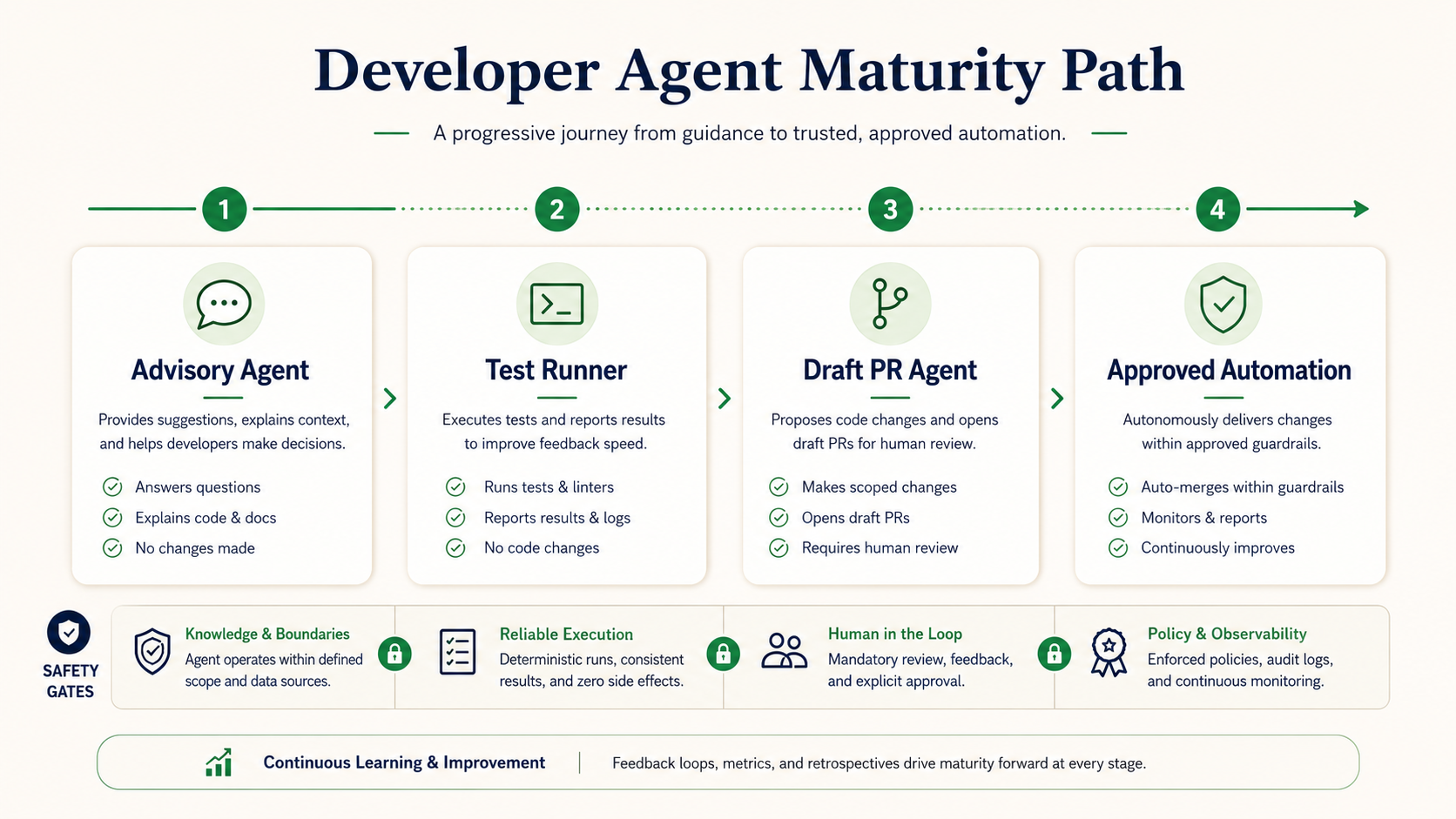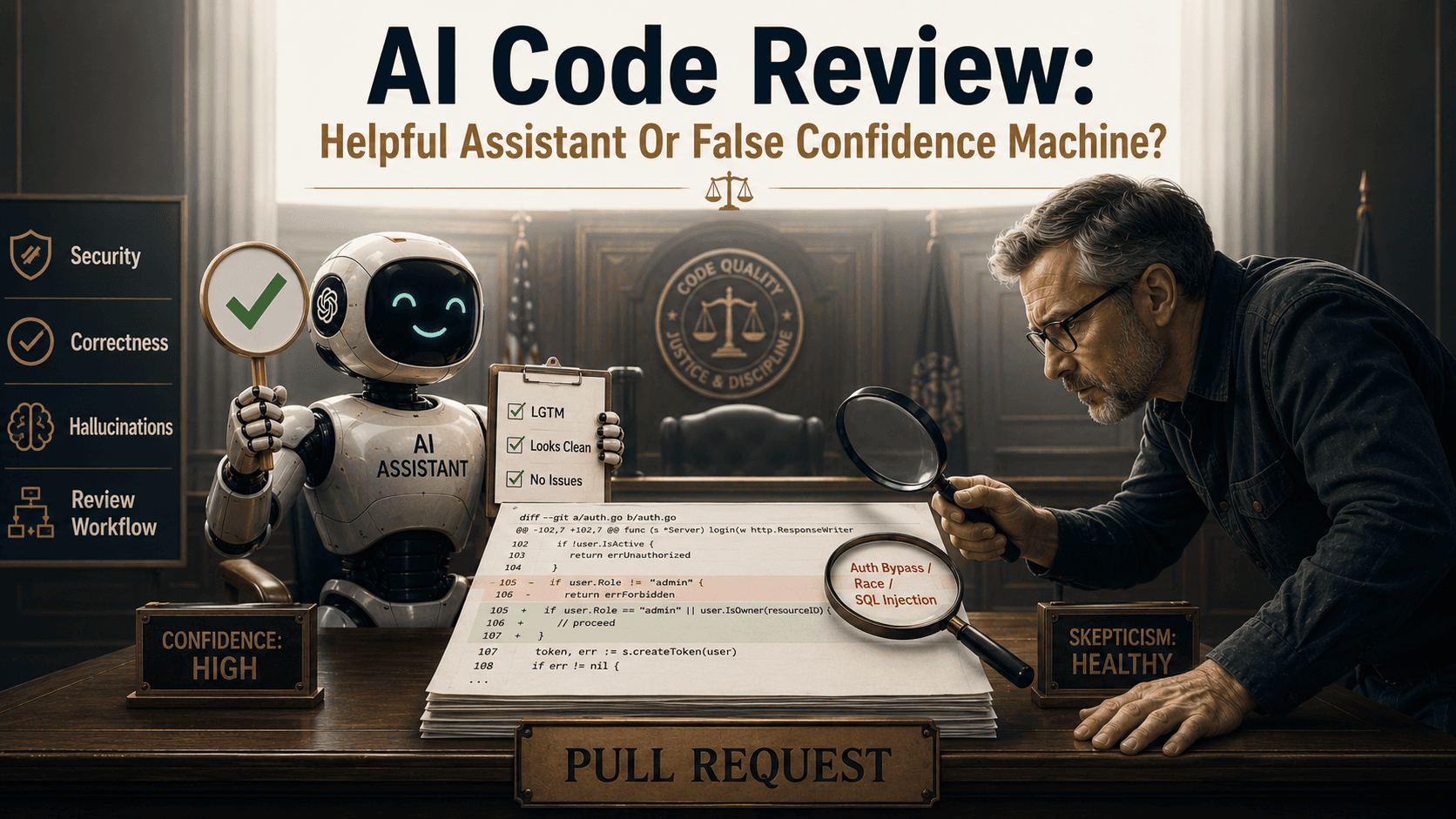
A developer agent should not start by writing code. That may sound strange, but if you are building an agent for real engineering work, the first version should be cautious. It should read an issue, inspect the codebase, create a plan, suggest tests, and generate a pull request summary. Only later should it edit files. That is how you build trust.
In this article, we will build a small developer agent using the OpenAI Agents SDK. The goal is not to create a fully autonomous engineer. The goal is to build a useful workflow executor with tools, safety rules, and approval gates.
The agent will be able to read a GitHub issue, search a local codebase, inspect relevant files, create an implementation plan, run tests, generate a pull request summary, and stop before risky actions.
The examples use Python because the OpenAI Agents SDK has a Python package. Keep the code as a learning template, not a production-ready drop-in system.
What We Are Building
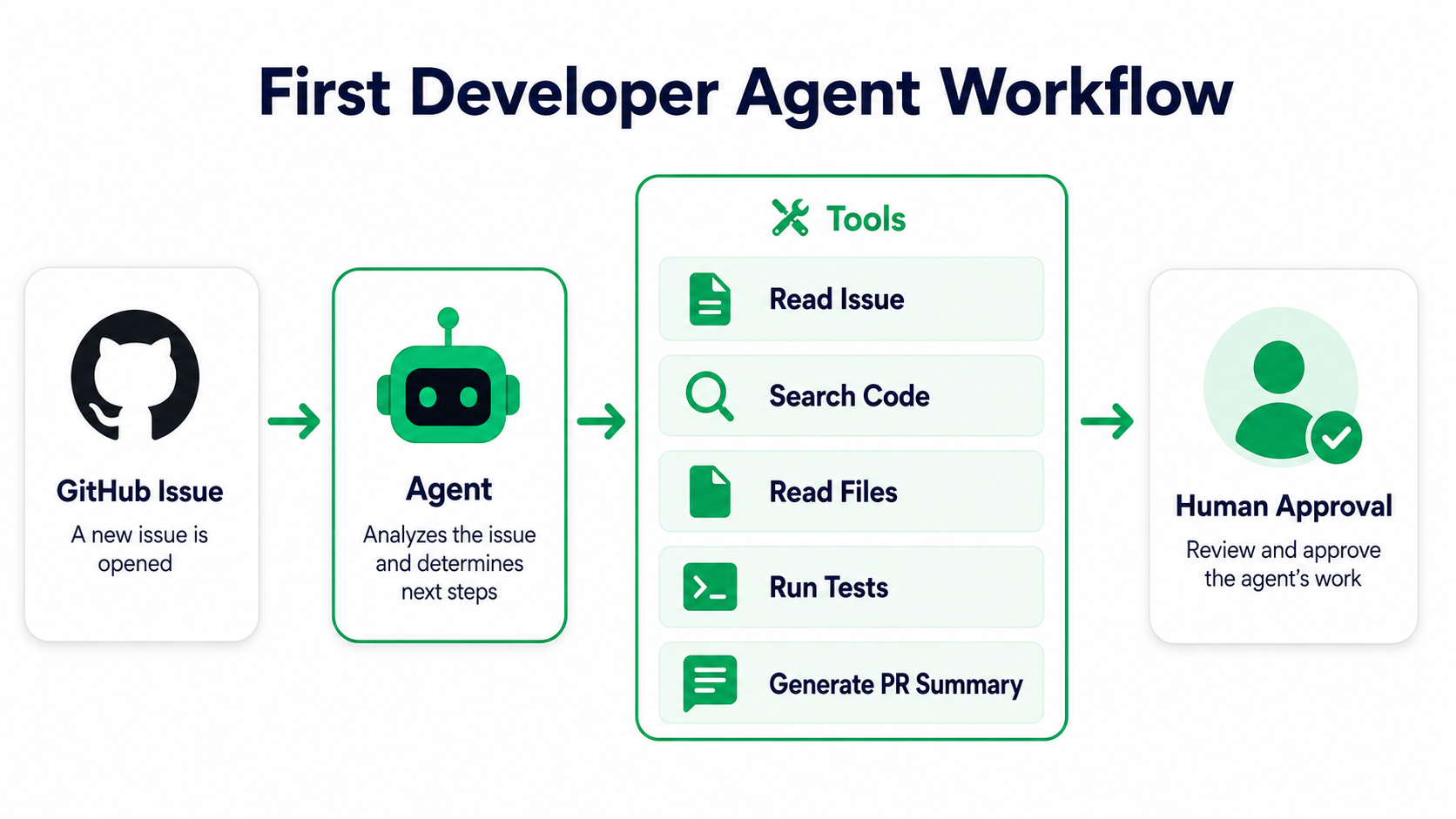
The workflow looks like this:
GitHub Issue
    |
Read issue details
    |
Search codebase
    |
Read relevant files
    |
Create implementation plan
    |
Suggest tests
    |
Run selected tests
    |
Generate PR summary
    |
Human approval before any write action
That is intentionally conservative. A first developer agent should be advisory. It should help you understand and plan before it touches code.
Install The SDK
Create a new Python project:
mkdir developer-agent-demo
cd developer-agent-demo

python -m venv .venv
source .venv/bin/activate

pip install openai-agents
Set your API key:
export OPENAI_API_KEY="your-api-key"A simple project structure:
developer-agent-demo/
  agent.py
  tools.py
  github_client.py
  safety.py
  target-repo/
For the tutorial, target-repo/ is the repository your agent will inspect.
Define The Tool Boundary
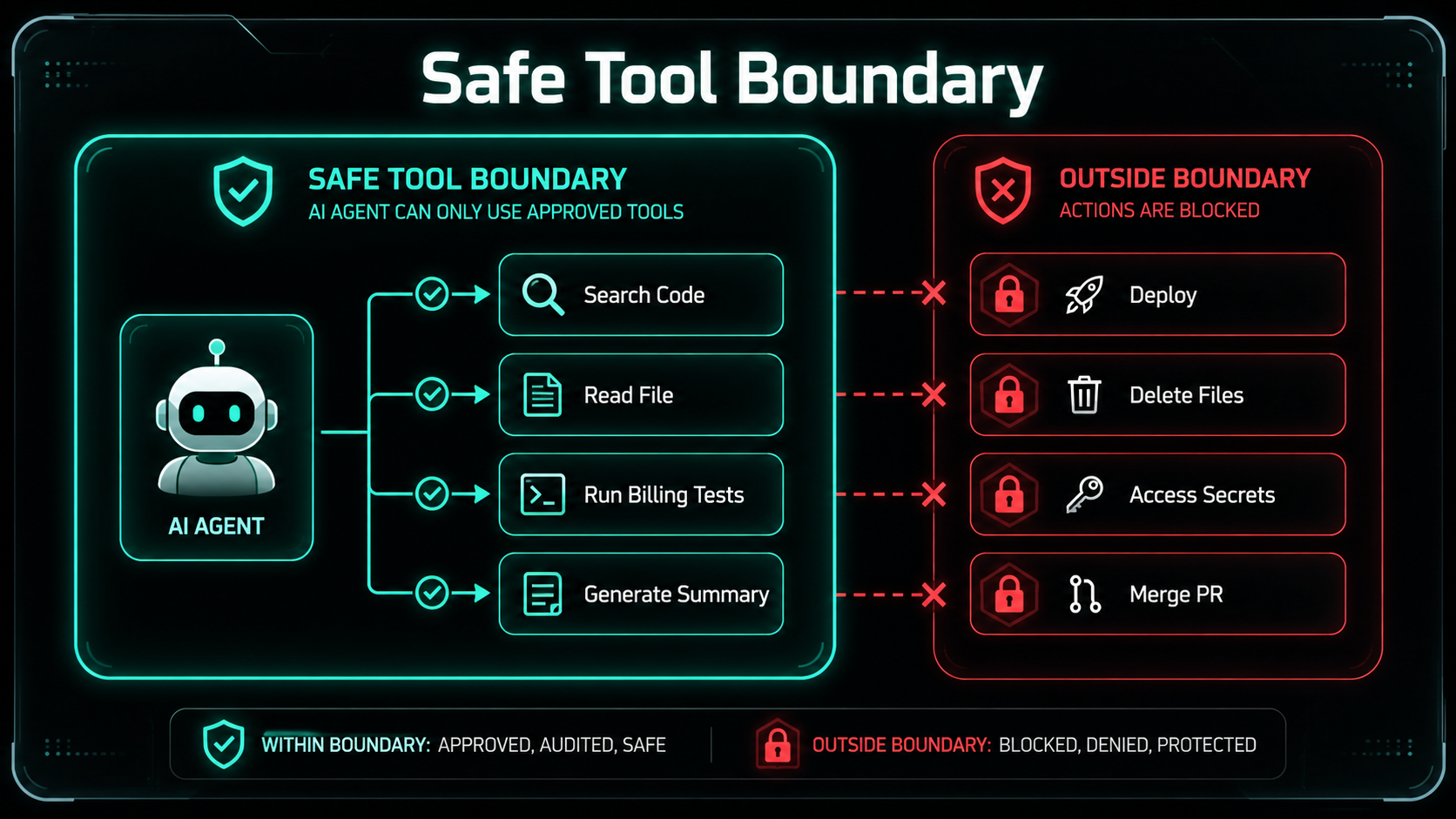
Tools are the most important part of an agent. The model should not get unlimited shell access. It should get specific tools.
Create tools.py:
from pathlib import Path
import subprocess
from typing import List

REPO_ROOT = Path("target-repo").resolve()


def safe_path(relative_path: str) -> Path:
    path = (REPO_ROOT / relative_path).resolve()

    if not str(path).startswith(str(REPO_ROOT)):
        raise ValueError("Path is outside the repository.")

    return path


def search_codebase(query: str, max_results: int = 20) -> List[str]:
    """
    Search the repository using grep.
    In production, you may replace this with ripgrep, embeddings,
    or a code search service.
    """
    result = subprocess.run(
        ["grep", "-R", "-n", query, str(REPO_ROOT)],
        text=True,
        capture_output=True,
    )

    lines = result.stdout.splitlines()

    return lines[:max_results]


def read_file(relative_path: str, max_chars: int = 12000) -> str:
    path = safe_path(relative_path)

    if not path.is_file():
        raise FileNotFoundError(relative_path)

    content = path.read_text(errors="replace")

    return content[:max_chars]


def run_tests(test_command: str) -> str:
    """
    Run only approved test commands.
    Keep this strict. Do not let the model run arbitrary shell commands.
    """
    allowed_commands = {
        "pytest": ["pytest"],
        "phpunit": ["vendor/bin/phpunit"],
        "npm-test": ["npm", "test"],
    }

    if test_command not in allowed_commands:
        raise ValueError(f"Test command is not allowed: {test_command}")

    result = subprocess.run(
        allowed_commands[test_command],
        cwd=REPO_ROOT,
        text=True,
        capture_output=True,
        timeout=120,
    )

    return result.stdout + "\n" + result.stderr
This file shows the main safety idea:
The agent can only do what your tools allow.It can search, read, and run approved test commands. It cannot delete files, push commits, or deploy.
Create A Small GitHub Issue Reader
For a real GitHub integration, you would call the GitHub REST API or use an SDK. For this tutorial, keep it simple.
Create github_client.py:
from dataclasses import dataclass


@dataclass
class GitHubIssue:
    number: int
    title: str
    body: str
    labels: list[str]


def read_issue(issue_number: int) -> GitHubIssue:
    """
    Demo implementation.

    In production, replace this with a GitHub API call.
    Keep authentication and rate limits in mind.
    """
    return GitHubIssue(
        number=issue_number,
        title="Fix duplicate invoice reminder emails",
        body=(
            "Customers sometimes receive duplicate invoice reminder emails. "
            "This seems to happen when the scheduled reminder command and "
            "the invoice overdue event run close together."
        ),
        labels=["bug", "billing"],
    )
This gives the agent a realistic issue.
Build The Agent
Now create agent.py. The exact API shape may evolve over time, so treat this as a practical learning example. The important concepts are stable: define instructions, expose tools, run the agent, and inspect the result.
from agents import Agent, Runner, function_tool

from github_client import read_issue
from tools import search_codebase, read_file, run_tests


@function_tool
def get_github_issue(issue_number: int) -> str:
    issue = read_issue(issue_number)

    return f"""
Issue #{issue.number}: {issue.title}

Labels: {", ".join(issue.labels)}

Body:
{issue.body}
"""


@function_tool
def search_repo(query: str) -> str:
    results = search_codebase(query)

    if not results:
        return "No matches found."

    return "\n".join(results)


@function_tool
def read_repo_file(path: str) -> str:
    return read_file(path)


@function_tool
def run_approved_tests(command: str) -> str:
    return run_tests(command)


developer_agent = Agent(
    name="Developer Planning Agent",
    instructions="""
You are a careful senior software engineering assistant.

Your job is to analyze GitHub issues and create safe implementation plans.

Rules:
- Do not edit files.
- Do not invent files you have not inspected.
- Use repository search before making claims about code.
- Prefer tests before implementation.
- Preserve public APIs unless the issue explicitly requires changing them.
- Explain risks and assumptions.
- Ask for human approval before any write action.
- If context is missing, say what is missing.

Output format:
## Issue Summary
## Relevant Code Areas
## Current Behavior Hypothesis
## Implementation Plan
## Tests To Add Or Run
## Risks And Approval Gates
## Pull Request Summary Draft
""",
    tools=[
        get_github_issue,
        search_repo,
        read_repo_file,
        run_approved_tests,
    ],
)


if __name__ == "__main__":
    result = Runner.run_sync(
        developer_agent,
        "Analyze GitHub issue #123 and create an implementation plan.",
    )

    print(result.final_output)
This agent is intentionally not allowed to write files. That is the right first step.
Give The Agent A Better Task
The prompt you pass to the agent matters.
Weak task:
Fix issue #123.Better task:
Analyze GitHub issue #123.

Steps:
1. Read the issue.
2. Search the repository for related invoice reminder code.
3. Inspect the most relevant files.
4. Explain the likely duplicate email paths.
5. Suggest characterization tests.
6. Create a small implementation plan.
7. Do not edit files.
This keeps the workflow safe.
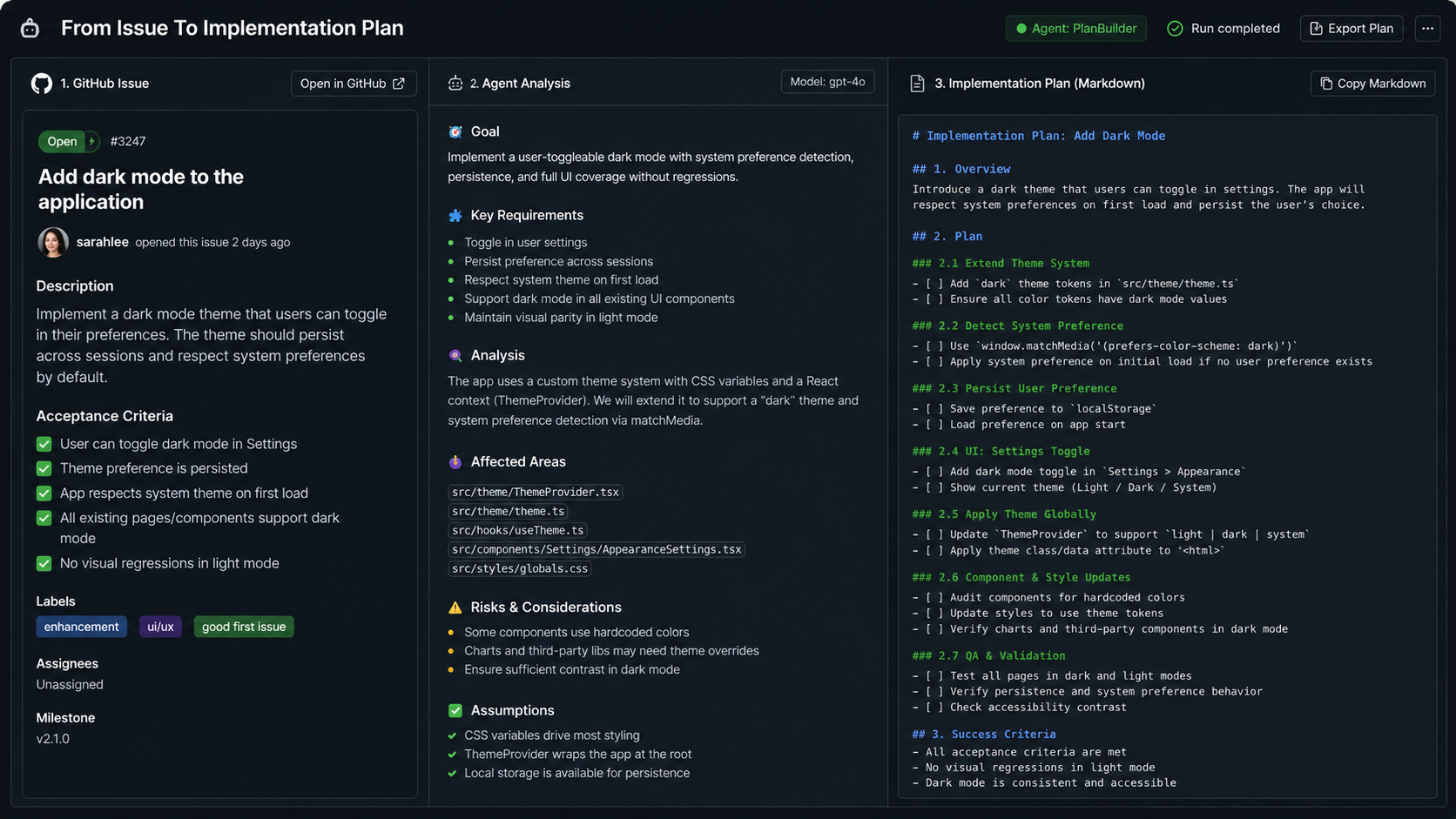
Example Agent Output
A good output might look like this:
## Issue Summary

Issue #123 reports duplicate invoice reminder emails. The description suggests
that both a scheduled command and an invoice overdue event may send reminders.

## Relevant Code Areas

- app/Console/Commands/SendInvoiceReminders.php
- app/Listeners/InvoiceOverdueListener.php
- app/Jobs/SendInvoiceReminderEmail.php
- app/Models/Invoice.php

## Current Behavior Hypothesis

The scheduled command scans overdue invoices and dispatches reminder jobs.
The event listener may also dispatch the same reminder when an invoice status
changes to overdue. If both paths run close together, the same invoice can
receive two reminder jobs.

## Implementation Plan

1. Add characterization tests for the scheduled command path.
2. Add characterization tests for the event listener path.
3. Introduce an idempotency check using `last_reminder_sent_at` or an existing reminder log.
4. Ensure both paths use the same reminder service.
5. Keep event names and email payload shape unchanged.
6. Run billing-related tests.

## Tests To Add Or Run

- test_scheduled_command_does_not_send_duplicate_reminder
- test_invoice_overdue_event_does_not_duplicate_recent_reminder
- test_reminder_can_be_sent_again_after_allowed_interval

## Risks And Approval Gates

High risk: Billing/customer communication.
Approval required before changing reminder send conditions.

## Pull Request Summary Draft

This change centralizes invoice reminder duplicate prevention so scheduled
commands and invoice overdue events share the same idempotency rule.
That is useful before any code is generated.
Add Approval Gates
Now let's define a simple approval gate. Create safety.py:
from dataclasses import dataclass


@dataclass
class ApprovalRequest:
    action: str
    reason: str
    risk_level: str


def require_human_approval(request: ApprovalRequest) -> bool:
    print("\nApproval required")
    print(f"Action: {request.action}")
    print(f"Reason: {request.reason}")
    print(f"Risk level: {request.risk_level}")

    answer = input("Approve? Type 'yes' to continue: ")

    return answer.strip().lower() == "yes"
If you later add file-writing tools, wrap them:
from agents import function_tool
from pathlib import Path

from safety import ApprovalRequest, require_human_approval
from tools import safe_path


@function_tool
def write_repo_file(path: str, content: str, reason: str) -> str:
    approved = require_human_approval(
        ApprovalRequest(
            action=f"write file {path}",
            reason=reason,
            risk_level="medium",
        )
    )

    if not approved:
        return "Write action was not approved."

    file_path = safe_path(path)
    file_path.write_text(content)

    return f"Updated {path}"
This is the line between helpful automation and dangerous automation. The agent may propose a write. Your software decides whether it is allowed.
Add Risk-Based Rules
Some files should always require approval. For example:
HIGH_RISK_PATTERNS = [
    "database/migrations/",
    "app/Auth/",
    "app/Payments/",
    "app/Billing/",
    ".github/workflows/",
]


def classify_file_risk(path: str) -> str:
    if any(pattern in path for pattern in HIGH_RISK_PATTERNS):
        return "high"

    return "medium"
Then use it before writes:
@function_tool
def write_repo_file(path: str, content: str, reason: str) -> str:
    risk_level = classify_file_risk(path)

    approved = require_human_approval(
        ApprovalRequest(
            action=f"write file {path}",
            reason=reason,
            risk_level=risk_level,
        )
    )

    if not approved:
        return "Write action was not approved."

    file_path = safe_path(path)
    file_path.write_text(content)

    return f"Updated {path}"
This is simple, but very practical. You can evolve it later into policy rules.
Generate A Pull Request Summary
A developer agent does not need to create the PR itself to be useful. It can generate the summary.
Prompt:
Based on the implementation plan and test results, generate a pull request summary.

Include:
- problem,
- solution,
- files changed,
- behavior impact,
- tests,
- risks,
- rollback notes.
Example summary:
## Problem

Invoice reminder emails could be dispatched by both the scheduled reminder
command and the invoice overdue event listener, causing duplicate customer emails.

## Solution

This change centralizes reminder dispatch through a shared service and adds
an idempotency check before sending reminder jobs.

## Behavior Impact

Customers should receive at most one reminder within the configured reminder
window. Existing email payloads and event names are unchanged.

## Tests

- Added coverage for scheduled command reminder dispatch.
- Added coverage for invoice overdue event dispatch.
- Added duplicate-prevention test for recent reminders.

## Risks

Billing communication behavior is customer-facing. This PR should be reviewed
carefully before deployment.

## Rollback

Revert the shared reminder service change and restore previous dispatch paths.
This saves reviewer time. It also forces the agent to explain behavior impact.
Running Tests Safely
The earlier run_tests tool only accepts named commands. That is not as flexible as a shell, but it is safer.
You can extend it:
ALLOWED_TEST_TARGETS = {
    "billing": ["vendor/bin/phpunit", "tests/Feature/Billing"],
    "unit": ["vendor/bin/phpunit", "tests/Unit"],
    "frontend": ["npm", "test"],
}


def run_test_target(target: str) -> str:
    if target not in ALLOWED_TEST_TARGETS:
        raise ValueError(f"Unknown test target: {target}")

    result = subprocess.run(
        ALLOWED_TEST_TARGETS[target],
        cwd=REPO_ROOT,
        text=True,
        capture_output=True,
        timeout=180,
    )

    return result.stdout + "\n" + result.stderr
Then expose run_test_target as a tool. The model can choose "billing" or "unit", but it cannot run arbitrary commands like:
rm -rf /That is the whole point.
Add Tracing And Logs
A developer agent should be auditable. At minimum, log issue number, tools called, files read, tests run, approvals requested, final output, and errors.
Simple example:
import json
from datetime import datetime


def log_agent_event(event_type: str, payload: dict) -> None:
    record = {
        "time": datetime.utcnow().isoformat(),
        "event_type": event_type,
        "payload": payload,
    }

    with open("agent.log", "a") as file:
        file.write(json.dumps(record) + "\n")
Use it inside your tools:
def search_codebase(query: str, max_results: int = 20) -> list[str]:
    log_agent_event("search_codebase", {"query": query})

    ...
Logs turn agent behavior from mystery into inspectable workflow.
What To Avoid In Version One
Do not give your first developer agent broad shell access. Do not let it push branches without approval. Do not let it merge pull requests. Do not let it edit migrations, auth, payment, or security files without a human checkpoint. Do not let it access production secrets. Do not let it decide whether its own work is safe.
Start with advisory behavior:
Read -> Analyze -> Plan -> Suggest Tests -> SummarizeThen slowly add:
Edit low-risk files -> Run tests -> Create draft PRThen maybe:
Open PR with human approvalThat progression is much safer.
A Better Production Architecture
For a real internal developer agent, you may eventually have:
Frontend UI
  |
Agent service
  |
Policy engine
  |
Tool layer
  |
GitHub API / Code search / CI / Docs / Ticket system
  |
Audit logs and traces
You can also split responsibilities by purpose: an issue triage agent, a codebase search agent, a test planning agent, a PR summary agent, and a documentation update agent.
A single giant agent is harder to control. Small agents with clear tools are easier to trust.
Final Thoughts
Your first developer agent does not need to be autonomous. It needs to be useful. A useful first version can read an issue, inspect the code, explain likely behavior, suggest tests, create a safe implementation plan, and write a good PR summary. That alone can save real time.
The most important principle is simple:
Give the agent tools, but keep the boundaries.Agents become powerful when they can act. They become safe when your software controls how they act. Start small. Log everything. Add approval gates. Treat the agent like a workflow executor, not a magical developer.
That is how you build something your team can actually use.