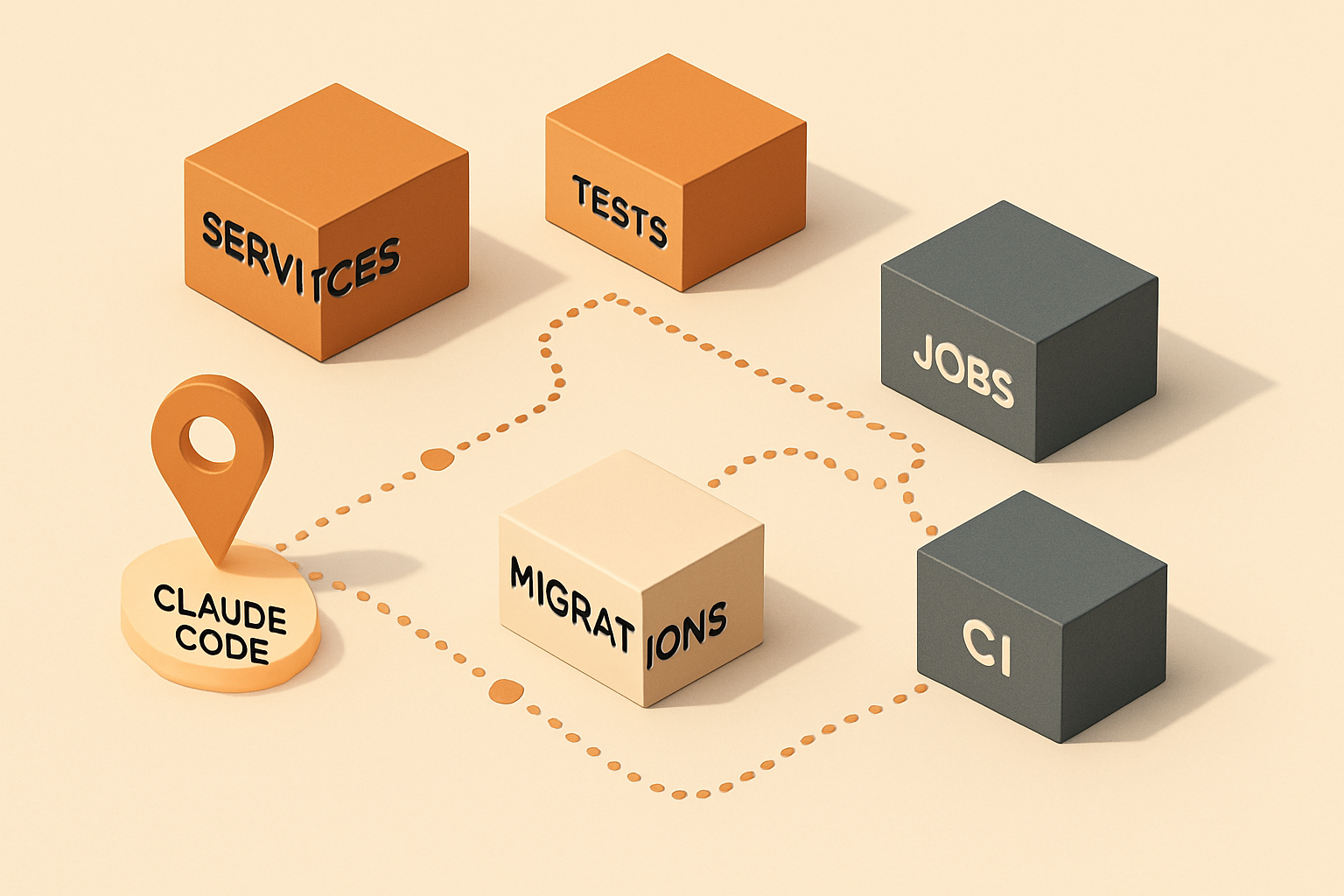
Large repositories are not just bigger small repositories. They have more history, more hidden rules, more owners, more tests, more old patterns, more build commands, and more ways to break something accidentally. Claude Code can be very useful in those environments — it can inspect files, reason across code paths, edit multiple files, run commands, and help automate development tasks — but large repositories require discipline.
If you ask Claude to "refactor this whole module," you may get a huge diff that's hard to review. If you let it edit too many files at once, you may lose control. If you don't manage context, it may focus on the wrong part of the system.
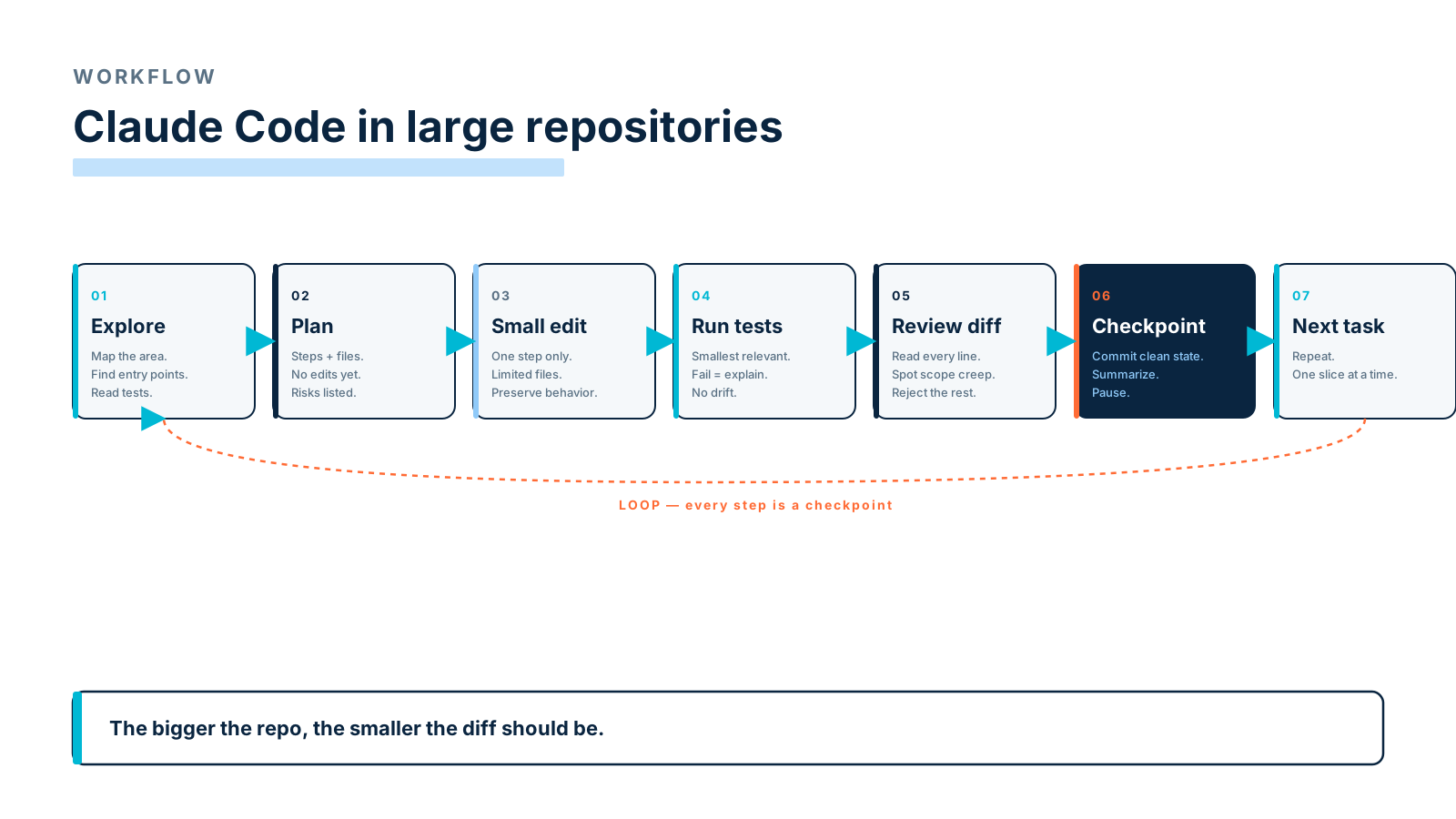
So the best workflow is not "give Claude a huge task and hope." It's:
Ask for understanding.
Ask for a plan.
Make small changes.
Run tests often.
Review diffs carefully.
Commit in checkpoints.
That's how Claude Code becomes useful without becoming chaotic.
Start With A Repository Map
Before changing anything, ask Claude to map the area:
Explore this repository area before making changes.

Goal:
I need to understand how invoice reminders work.

Please identify:
- entry points,
- controllers or commands,
- services,
- jobs,
- events/listeners,
- database models,
- tests,
- docs,
- risky side effects.

Do not edit files yet.
Return a concise map with file paths.
This prevents random editing. A good response might come back with:
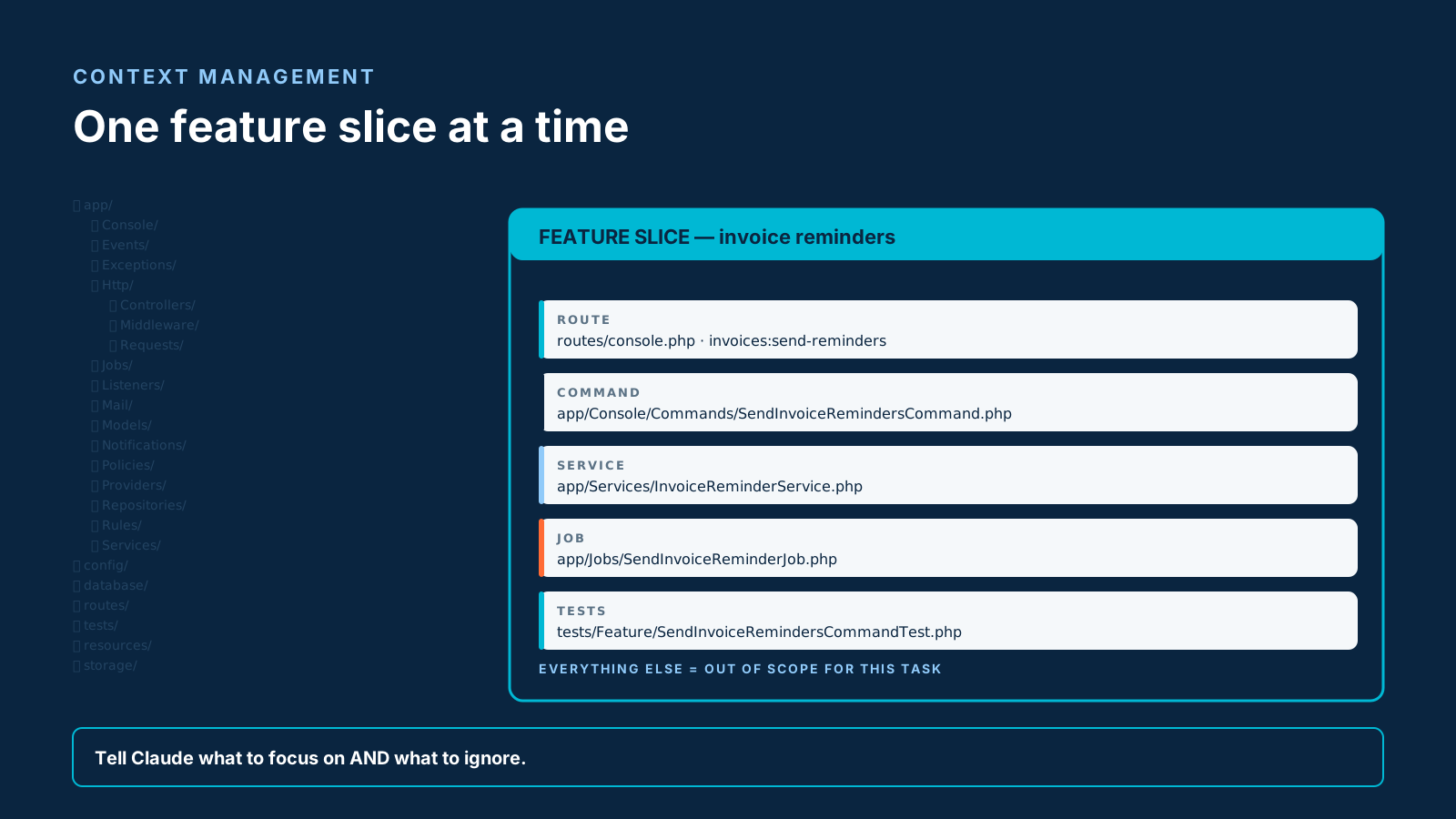
Entry points:
- app/Console/Commands/SendInvoiceRemindersCommand.php
- app/Listeners/InvoiceOverdueListener.php

Core service:
- app/Services/InvoiceReminderService.php

Async work:
- app/Jobs/SendInvoiceReminderJob.php

Tests:
- tests/Feature/SendInvoiceRemindersCommandTest.php
- tests/Unit/InvoiceReminderServiceTest.php
Now you have a map — and any subsequent edit can be evaluated against it.
Manage Context Carefully
Large repos have too much code for one conversation. Claude may understand your codebase, but context still matters — give it the smallest relevant area. Good prompt:
Focus only on invoice reminder behavior.
Ignore unrelated billing features unless they call this service.
Bad prompt:
Analyze the entire billing module and improve it.Context management means naming the feature, providing entry points, telling Claude what to ignore, asking it to list unknowns, avoiding mixing unrelated tasks, and keeping one conversation per major task. If the task grows, split it.
Use CLAUDE.md For Stable Context
A CLAUDE.md file can explain the project — keep it concise:
# Claude Project Guide

This is a Laravel backend for subscription billing.

## Architecture
- Controllers are thin.
- Business logic lives in `app/Services`.
- Queue jobs live in `app/Jobs`.
- Commands live in `app/Console/Commands`.
- Policies handle authorization.
- FormRequests handle validation.

## Testing
- Run `vendor/bin/phpunit` for backend tests.
- Add regression tests for bug fixes.
- Use `Queue::fake()` and `Mail::fake()` in feature tests.

## Safety
- Ask before editing migrations, auth, payments, or production config.
- Do not edit `.env`.
- Preserve public API response shapes unless explicitly asked.
This gives Claude useful project context without overloading each prompt — the architecture, testing, and safety rules stay loaded for free.
Ask For Plans Before Edits
For large repos, always ask for a plan first:
Do not edit files yet.

Create a safe implementation plan.

Include:
- files likely to change,
- tests to add or update,
- behavior that must be preserved,
- risky assumptions,
- steps split into small commits,
- commands to run after each step.
A good plan looks like a sequence of reviewable commits:
Step 1:
Add characterization tests for current duplicate reminder behavior.

Step 2:
Extract duplicate-prevention logic into InvoiceReminderPolicy.

Step 3:
Update command and event listener to use the same policy.

Step 4:
Run invoice reminder tests and full billing test suite.

Step 5:
Update docs.
This is reviewable. A direct giant patch is not.
Split Work Into Smaller Tasks
Large AI-generated changes are hard to review. Use small tasks:
Task 1: Add tests for current behavior.
Task 2: Extract helper method.
Task 3: Replace duplicate logic in command.
Task 4: Replace duplicate logic in listener.
Task 5: Update docs.
Each task should produce a small diff. The prompt that keeps tasks honest:
Implement only Step 1 from the plan.
Do not modify production code.
Add tests that capture current behavior.
After editing, summarize exactly what changed.
Then:
Run the relevant tests.
If tests fail, explain the failure before changing anything else.
This keeps control. The moment you let one prompt cover three steps, you also let one prompt cover three risks.
Use Checkpoints
A checkpoint is a clean state after a small successful step. In Git terms:
git status
git diff
vendor/bin/phpunit tests/Feature/InvoiceReminderTest.php
git add tests/Feature/InvoiceReminderTest.php
git commit -m "Add invoice reminder characterization tests"
Even if you don't commit after every step, think in checkpoints. Ask Claude to mark them:
Before continuing, summarize the current checkpoint:
- files changed,
- tests added,
- tests run,
- behavior protected,
- remaining steps.
This helps prevent drift — a five-step task that lost track of its second step is cheaper to recover when each step has a name.
Run Tests Frequently
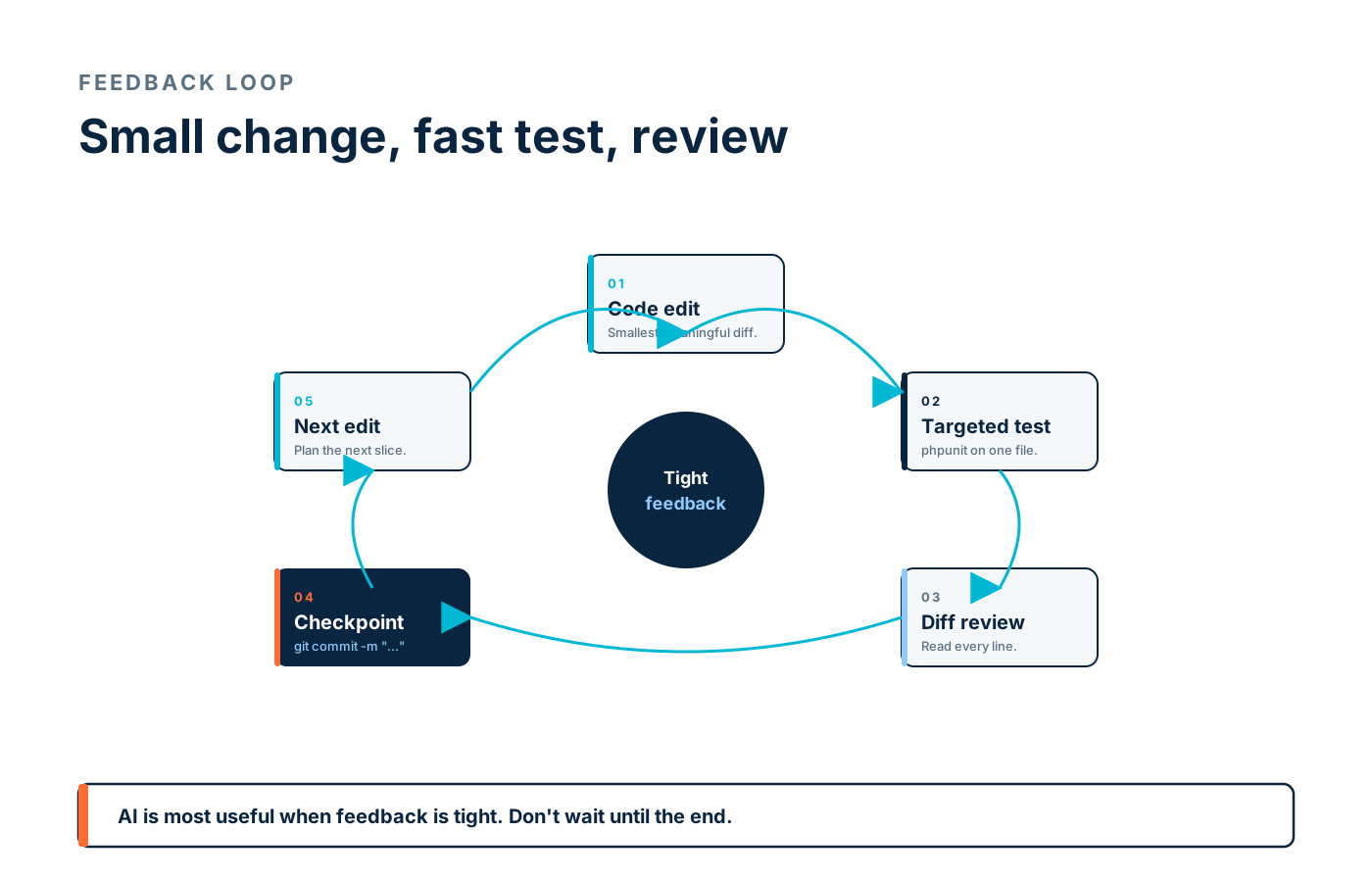
Don't wait until the end. After each small change, run relevant tests:
Run the smallest relevant test command for this change.
If it fails, explain the failure and propose the smallest fix.
Do not continue to unrelated changes.
The actual commands are short:
vendor/bin/phpunit tests/Feature/InvoiceReminderTest.php
vendor/bin/phpunit tests/Unit/InvoiceReminderPolicyTest.php
npm test -- InvoiceReminderPanel.test.tsx
For larger changes, run broader tests later:
vendor/bin/phpunit tests/Feature/Billing
vendor/bin/phpunit
AI is most useful when feedback is tight. A 90-second test run is better than a 10-minute test run, every time.
Review Diffs Carefully
Never accept a large diff without reading it. Ask Claude to explain the diff first:
Review the current diff.

Explain:
- every file changed,
- why it changed,
- whether behavior changed,
- public API impact,
- database impact,
- tests added,
- risks,
- anything that should be reverted.
Then read the diff yourself. Look for unrelated formatting changes, deleted edge cases, changed response shape, changed exception type, missing authorization, changed query behavior, modified migrations, and hidden breaking changes. A good AI workflow still requires human review — the speed comes from the AI doing the typing, not from skipping the read.
Avoid Large Unreviewable AI Changes
This is one of the biggest rules. Bad task: "refactor the whole billing module." Better:
Find duplicate invoice reminder logic.
Suggest a small extraction.
Do not edit until I approve the plan.
Large unreviewable changes create risk and they make rollback harder. If Claude produces too much, stop and narrow:
This diff is too large.

Revert unrelated changes.
Focus only on extracting duplicate reminder eligibility logic.
Keep public behavior unchanged.
A "this is too big" prompt is one of the most useful tools you have.
Use Hooks And Deterministic Checks
Claude Code supports hooks that run deterministic commands at specific lifecycle events. This is useful because instructions are advisory, but hooks can enforce checks:
- run formatter after file edit,
- block editing `.env`,
- run tests before final response,
- require confirmation before modifying migrations,
- log tool activity,
- run static analysis after PHP changes.
A simple safety idea:
If changed file matches database/migrations/*,
require explicit approval before continuing.
Hooks and CI are how you turn "please remember" into "this always runs."
Ask Claude To Identify Unknowns
Large repos always contain unknowns. Surfacing them up front prevents the "I assumed this didn't matter" failure mode:
Before implementing, list unknowns.

Include:
- files you have not inspected,
- assumptions you are making,
- behavior that may depend on runtime config,
- tests that may be missing,
- areas needing human confirmation.
A good answer might say:
Unknown:
I have not inspected the webhook listener.
If webhooks also dispatch invoice reminders, the refactor may be incomplete.
That's useful — it gives you a thread to pull on before the change ships.
Practical Prompt Templates
Exploration Prompt
Explore this feature area.

Do not edit files.

Find entry points, services, jobs, events, models, tests, docs, and side effects.
Return a concise map with file paths.
Plan Prompt
Create a safe plan before edits.

Split into small steps.
List files likely to change.
List tests needed.
Identify public contracts and risks.
Wait before implementation.
Small Edit Prompt
Implement only Step [number].
Keep the diff small.
Do not touch unrelated files.
Preserve behavior.
After editing, summarize changed files and tests to run.
Diff Review Prompt
Review the current diff.
Explain every file changed, behavior impact, risks, tests, and anything unrelated.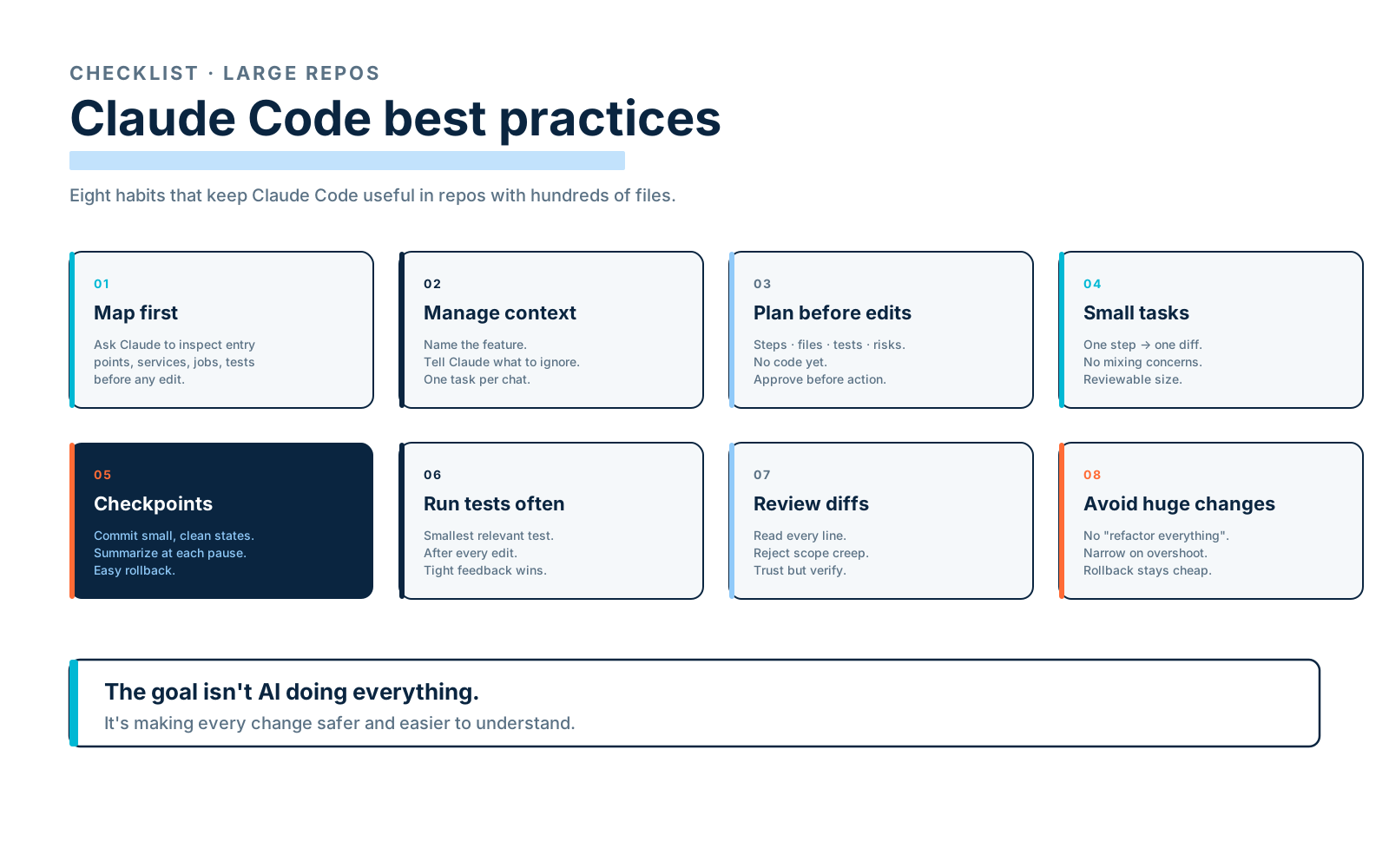
Final Thoughts
Claude Code can be very effective in large repositories, but the bigger the repo, the more disciplined the workflow must be. Use Claude to explore, map, plan, test, summarize, and review — don't let it create giant unreviewable patches.
Manage context. Split work. Use checkpoints. Run tests frequently. Review diffs carefully. Use hooks and CI for deterministic guardrails. The goal isn't to make Claude do everything. The goal is to make every change safer and easier to understand.