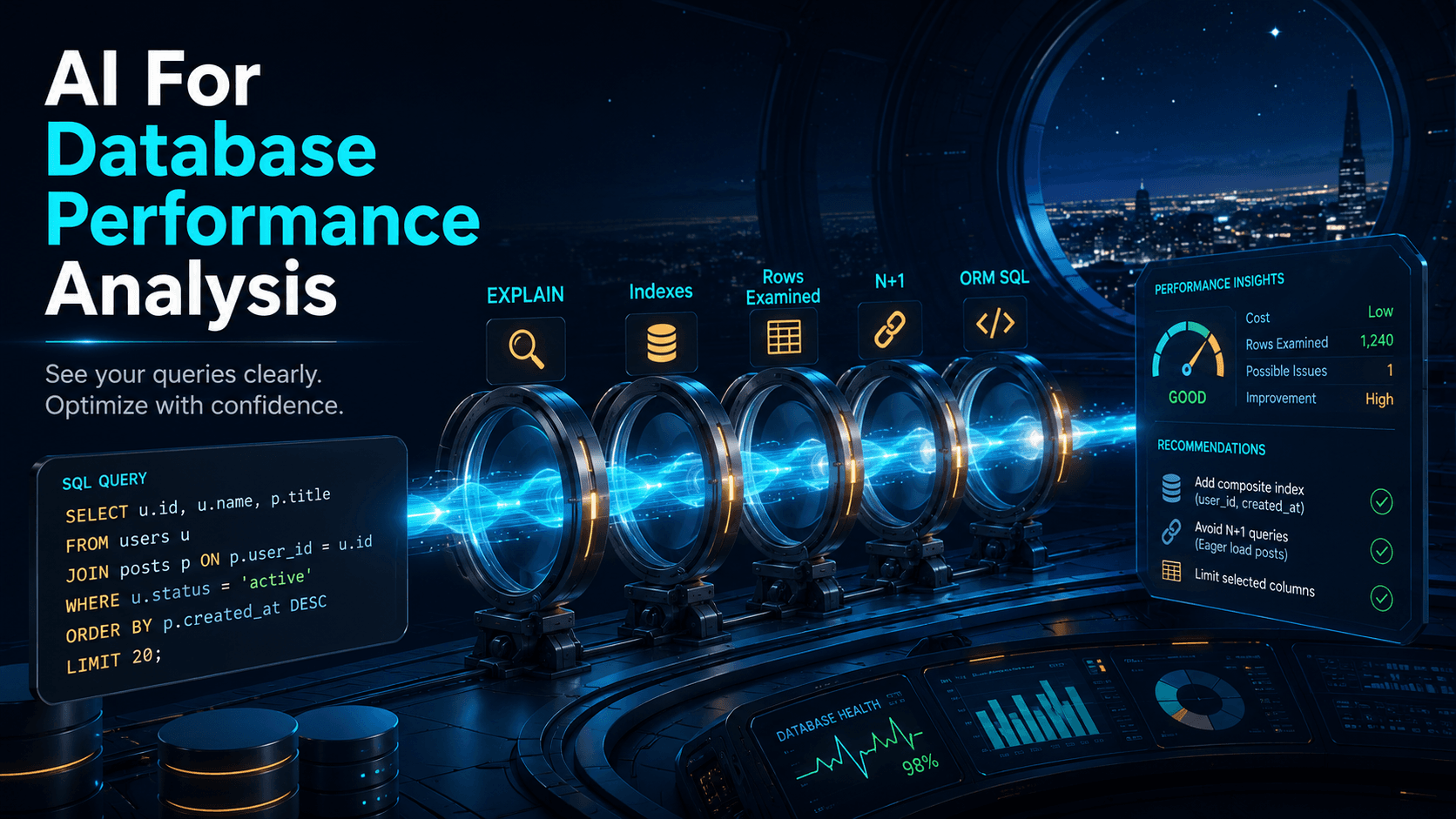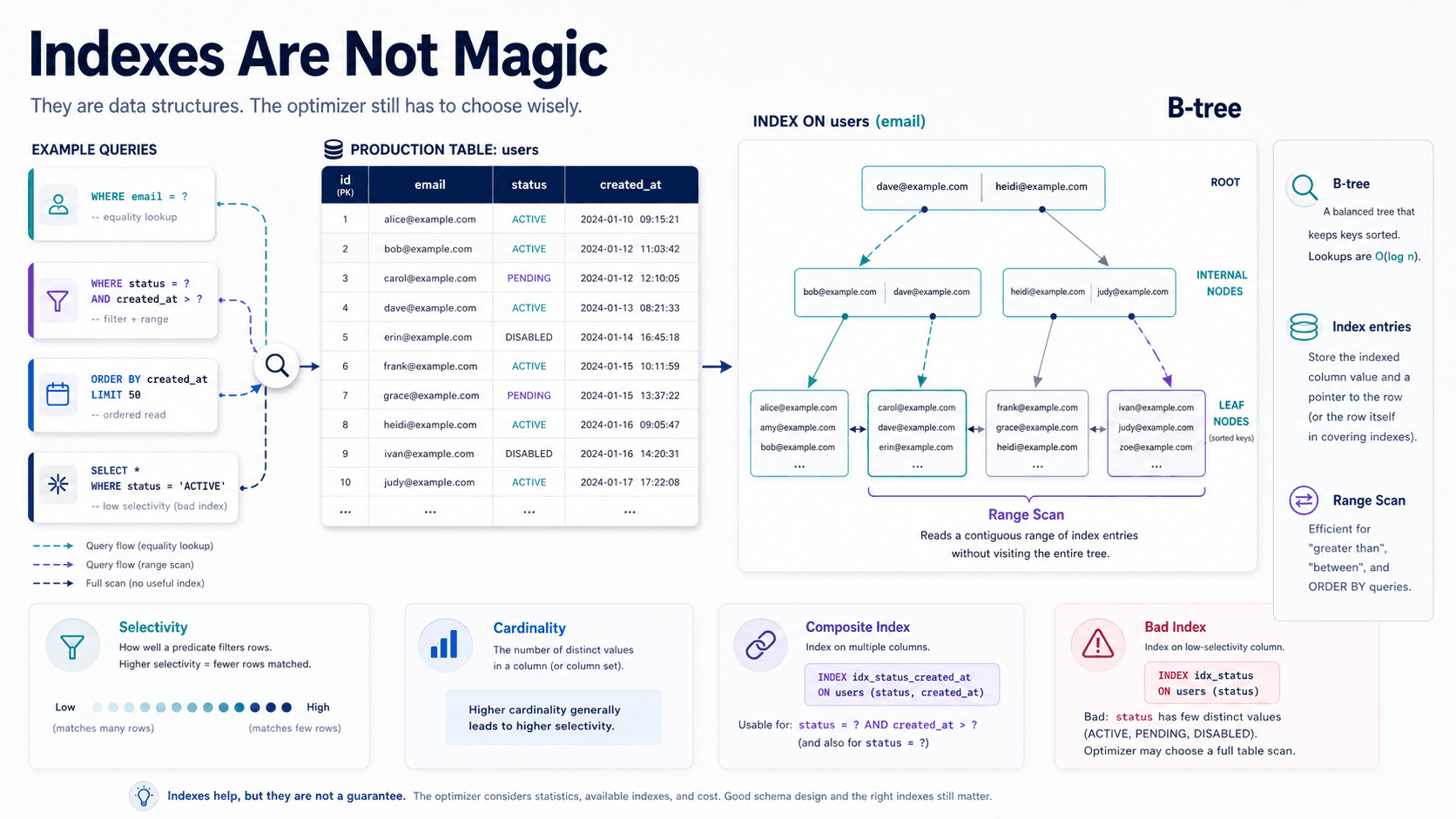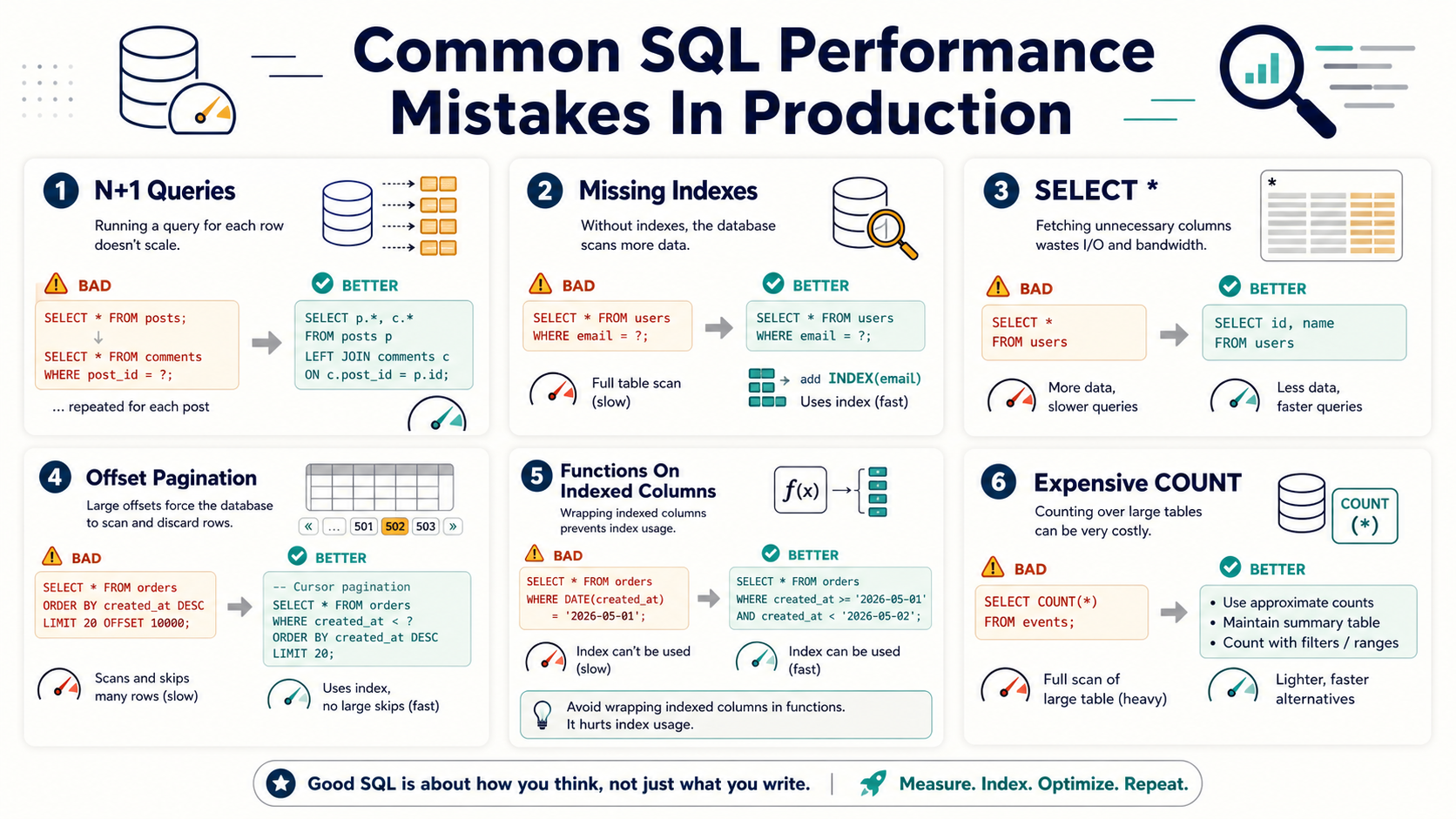
You know that moment when a page works perfectly in development, passes review, ships to production, and then starts timing out because real data exists?
Yeah. SQL has a sense of humor.
Most production SQL problems are not exotic. They're usually boring patterns repeated in enough places to become expensive. The good news is that boring problems are fixable once you can recognize them.
Let's walk through the common mistakes that quietly hurt performance.
N+1 Queries Are The Classic Trap
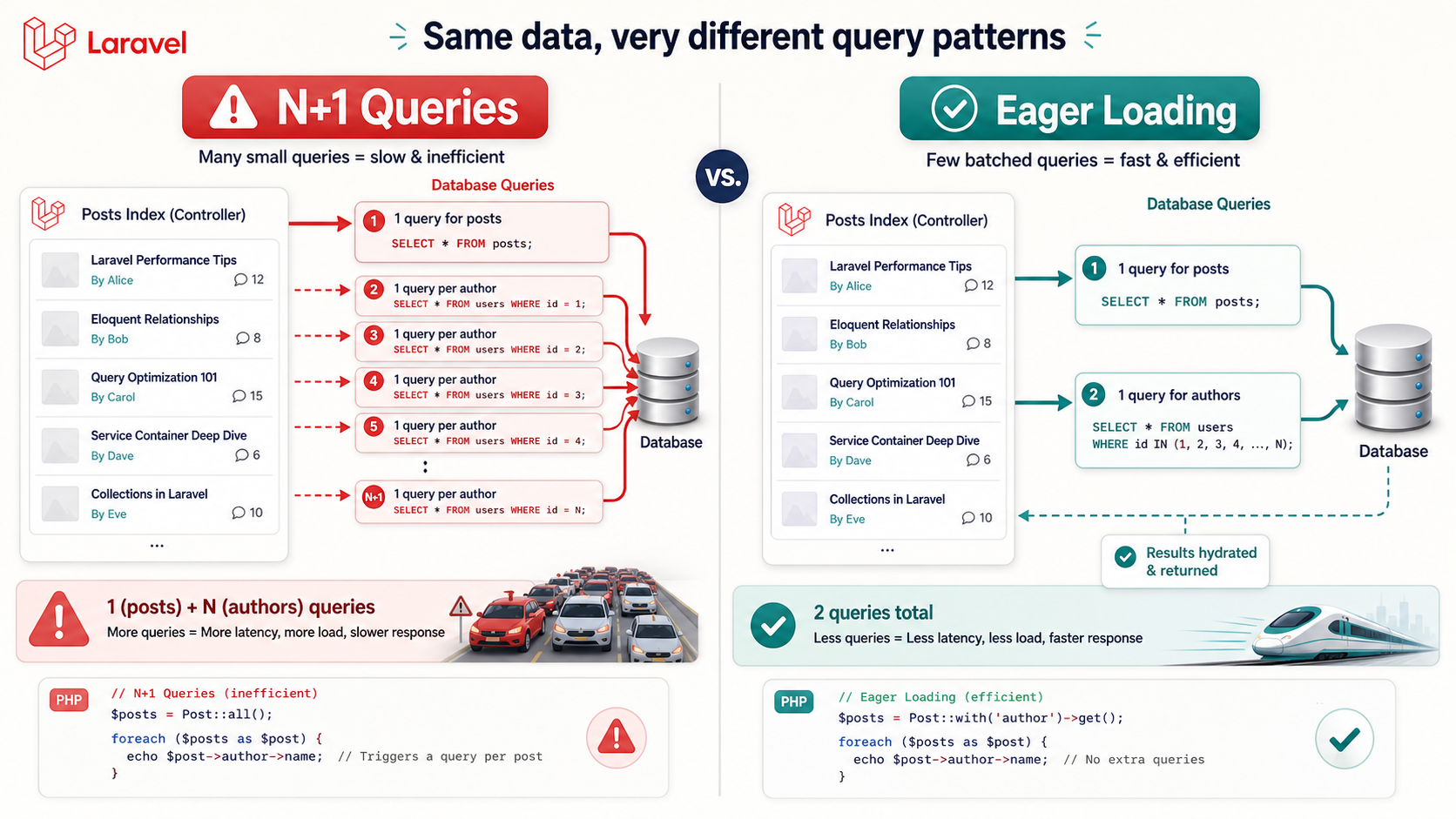
The N+1 query problem happens when your application loads one set of records, then runs another query for each record.
It's like going grocery shopping and driving home after every single item. Milk? Drive home. Bread? Drive home. Eggs? Drive home. Technically it works. Emotionally, no.
The Problem
In Laravel, this can happen when you loop over models and access a relationship that was not eager loaded:
$orders = Order::latest()->take(50)->get();

foreach ($orders as $order) {
    echo $order->customer->name;
}
This may run one query for orders, then 50 more queries for customers.
The Fix
Use eager loading when you know you need the relationship:
$orders = Order::with('customer')
    ->latest()
    ->take(50)
    ->get();

foreach ($orders as $order) {
    echo $order->customer->name;
}
Now the database work is batched instead of repeated record by record.
Missing Indexes Turn Filters Into Full Scans
A missing index can force the database to scan far more rows than necessary.
If a table has 20 million orders and you query by customer_id, you probably want an index on that access path. Otherwise the database may inspect a huge amount of data just to find one customer's records.
That's like searching for one receipt in a warehouse where nobody sorted the boxes.
The Problem
SELECT id, total, status
FROM orders
WHERE customer_id = 12345
ORDER BY created_at DESC
LIMIT 20;
Without a useful index, this can become expensive as the table grows.
The Fix
CREATE INDEX idx_orders_customer_created
ON orders (customer_id, created_at DESC);
This index matches the filter and sort pattern. That's usually much better than indexing customer_id and hoping the sort takes care of itself.
SELECT * Pulls More Than You Need
SELECT * feels harmless until rows get wide.
If a table has JSON columns, text fields, metadata, blobs, or many nullable columns, selecting everything can increase disk reads, memory usage, network transfer, and hydration cost.
It's like ordering the whole menu because you wanted fries.
The Problem
SELECT *
FROM users
WHERE status = 'active'
LIMIT 100;
Maybe the page only needs id, name, and email, but the database returns everything.
The Fix
SELECT id, name, email
FROM users
WHERE status = 'active'
LIMIT 100;
Specific columns make the query cheaper and make the code's intent clearer.
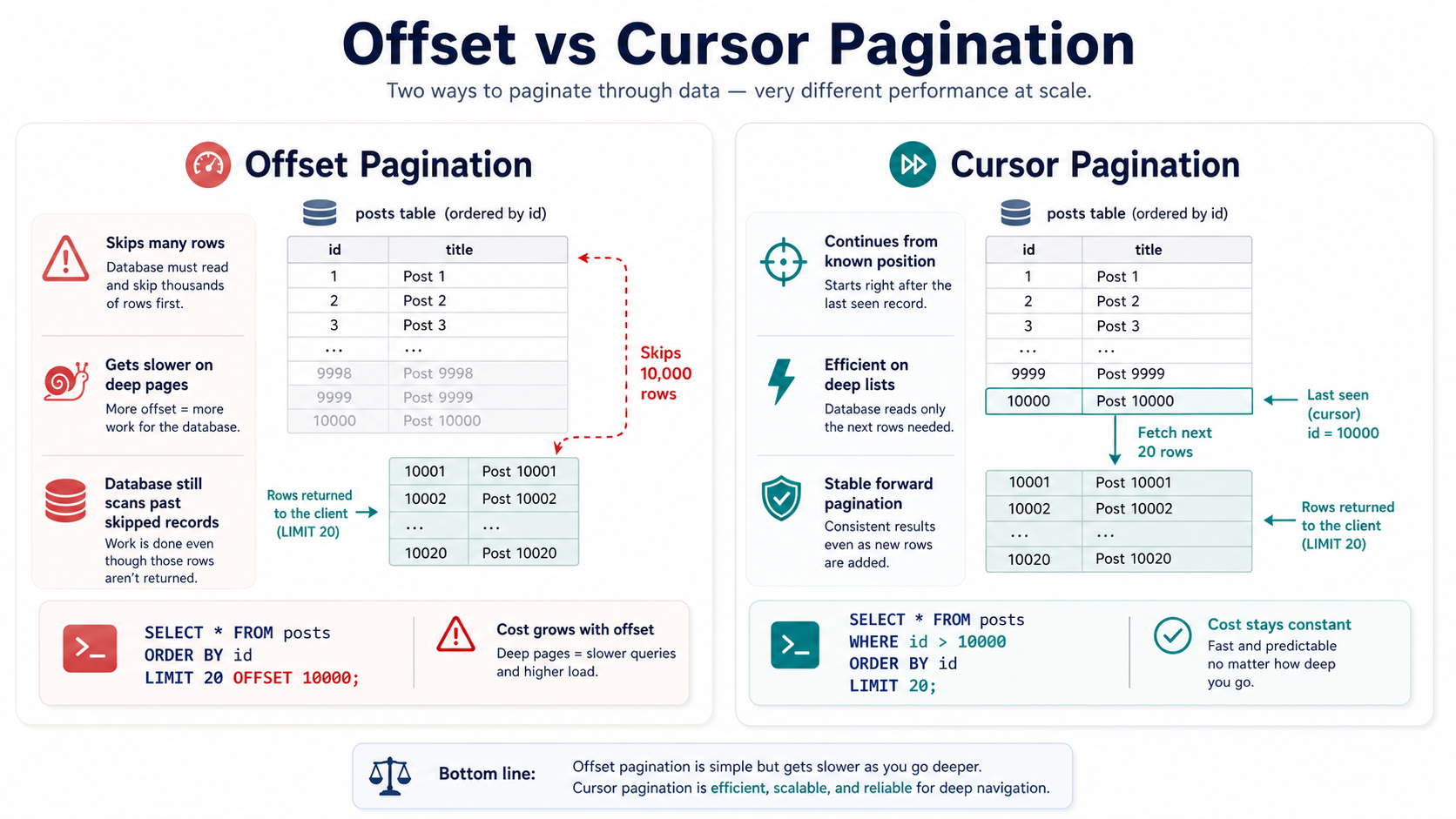
Offset Pagination Gets Worse With Distance
Offset pagination is common:
SELECT id, title, created_at
FROM articles
ORDER BY created_at DESC
LIMIT 20 OFFSET 100000;
The problem is that large offsets can force the database to walk past many rows before returning the page you asked for.
That's like asking a librarian for books 100,001 through 100,020, but making them count from book one every time.
A Better Pattern: Cursor Pagination
For large datasets, cursor-style pagination is often better:
SELECT id, title, created_at
FROM articles
WHERE created_at < '2026-05-01 12:00:00'
ORDER BY created_at DESC
LIMIT 20;
Instead of saying "skip 100,000 rows," you're saying "continue from this known position." That can be much more index-friendly.
Functions On Indexed Columns Can Break Index Usage
This one is sneaky.
You add an index on email, then write a query like this:
SELECT id
FROM users
WHERE LOWER(email) = 'nazar@example.com';
The database may not be able to use the plain email index efficiently because you're applying a function to the column.
Better Options
- Store normalized values. Save lowercase email in a normalized column.
- Use case-insensitive data types or collations. This depends on the database.
- Use expression indexes. Some databases support indexes on expressions like
LOWER(email). - Avoid transforming indexed columns in the filter. Transform the input instead when possible.
The key idea: don't make the database calculate a new value for every row before it can compare.
Sorting Without The Right Index Hurts
Filtering is not the only expensive part. Sorting can be painful too.
A query can find the right rows, then still spend time sorting them. If your access pattern always filters and sorts together, your index should often reflect both.
The Problem
SELECT id, event_type, created_at
FROM activity_logs
WHERE user_id = 88
ORDER BY created_at DESC
LIMIT 50;
An index on user_id helps filter. But an index on (user_id, created_at) may help filter and read in order.
The Fix
CREATE INDEX idx_activity_user_created
ON activity_logs (user_id, created_at DESC);
Now the database has a path that matches the way your application asks for data.
Counting Can Be More Expensive Than You Think
COUNT(*) sounds simple, but on large filtered datasets it can be expensive.
This becomes a problem in admin tables, dashboards, exports, and paginated APIs where the UI wants exact totals on every request.
Sometimes exact counts are necessary. Sometimes they're just a habit.
Smarter Options
- Cache expensive counts. Especially for dashboards that don't need second-perfect accuracy.
- Use approximate counts where acceptable. Analytics screens often don't need exact numbers.
- Avoid total counts in infinite scroll. Cursor pagination can remove the need.
- Pre-aggregate reporting data. Don't force OLTP tables to act like analytics stores.
Counting is work. Make sure the business actually needs the exact answer.
Common SQL Performance Problems
- N+1 queries. Your app talks to the database too many times.
- Missing indexes. The database scans too much data.
- Wrong composite indexes. The index exists but doesn't match the query shape.
SELECT *. The query returns more data than the feature needs.- Large offset pagination. Deep pages become increasingly expensive.
- Functions on indexed columns. Indexes become harder to use.
- Unbounded queries. A missing
LIMITturns a small feature into a table dump.
None of these are rare. That's why they're worth learning deeply.
Pro Tips
- Use query logging in development. You should see when one page runs 80 queries.
- Read
EXPLAINplans. The database will tell you how it thinks. - Test with realistic data. Tiny local databases lie politely.
- Measure before and after. Performance work without measurement is storytelling.
- Review ORM-generated SQL. ORMs are helpful, but they don't remove responsibility.
Final Tips
The biggest SQL performance improvement often isn't a clever trick. It's noticing the obvious thing everyone got used to ignoring.
A page runs 101 queries. A report selects every column. A dashboard counts millions of rows on every refresh. A search applies functions to indexed columns. These are not glamorous problems, but fixing them feels very glamorous when response time drops.
Make your database do less unnecessary work. That's the whole game. Go tune something 👊