Search Starts As One Ticket And Becomes A Product
The first search ticket sounds harmless.
"Add search by name."
So you write a LIKE query, ship it, and move on.
Then the next requests arrive.
Can it search descriptions? Can it handle typos? Can results be ranked? Can users filter by category and price? Can we boost sponsored products? Can we support synonyms? Can it be fast with 2 million records?
Congratulations, your search box grew teeth.
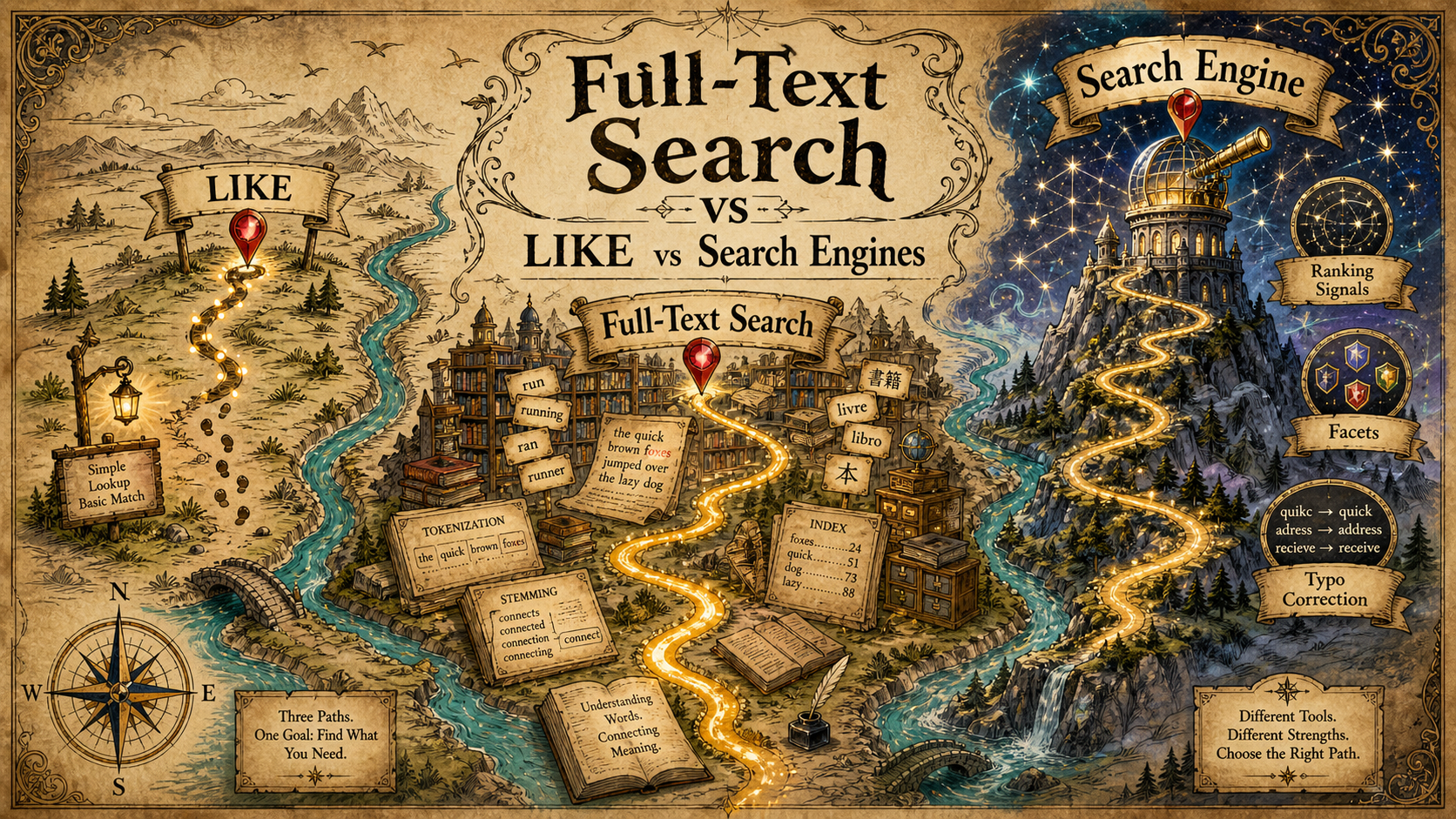
Choosing between LIKE, database full-text search, and a dedicated search engine is not about using the fanciest tool. It's about matching the tool to the product expectation.
LIKE Is Fine For Small, Simple Search
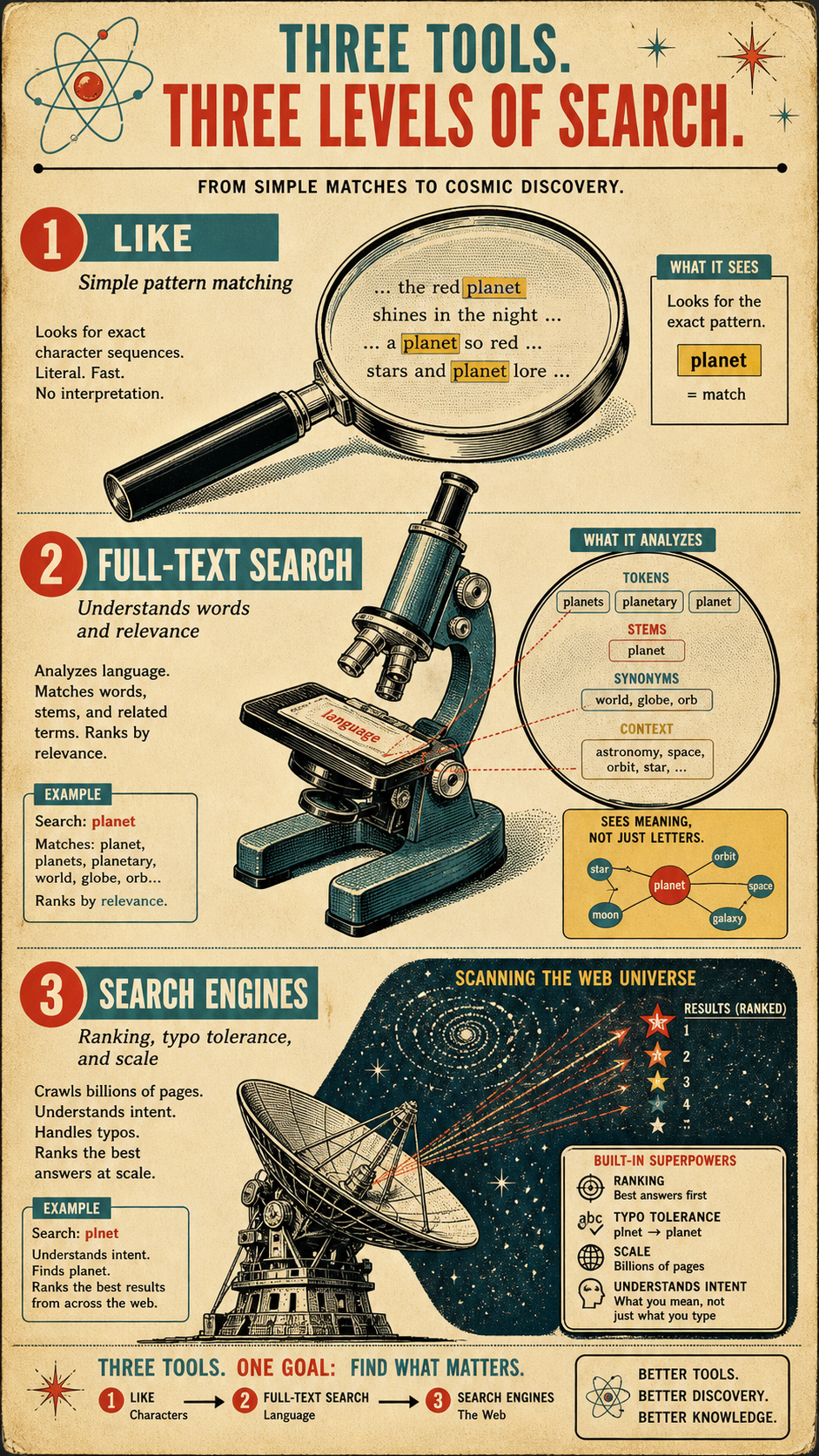
LIKE is the simplest option.
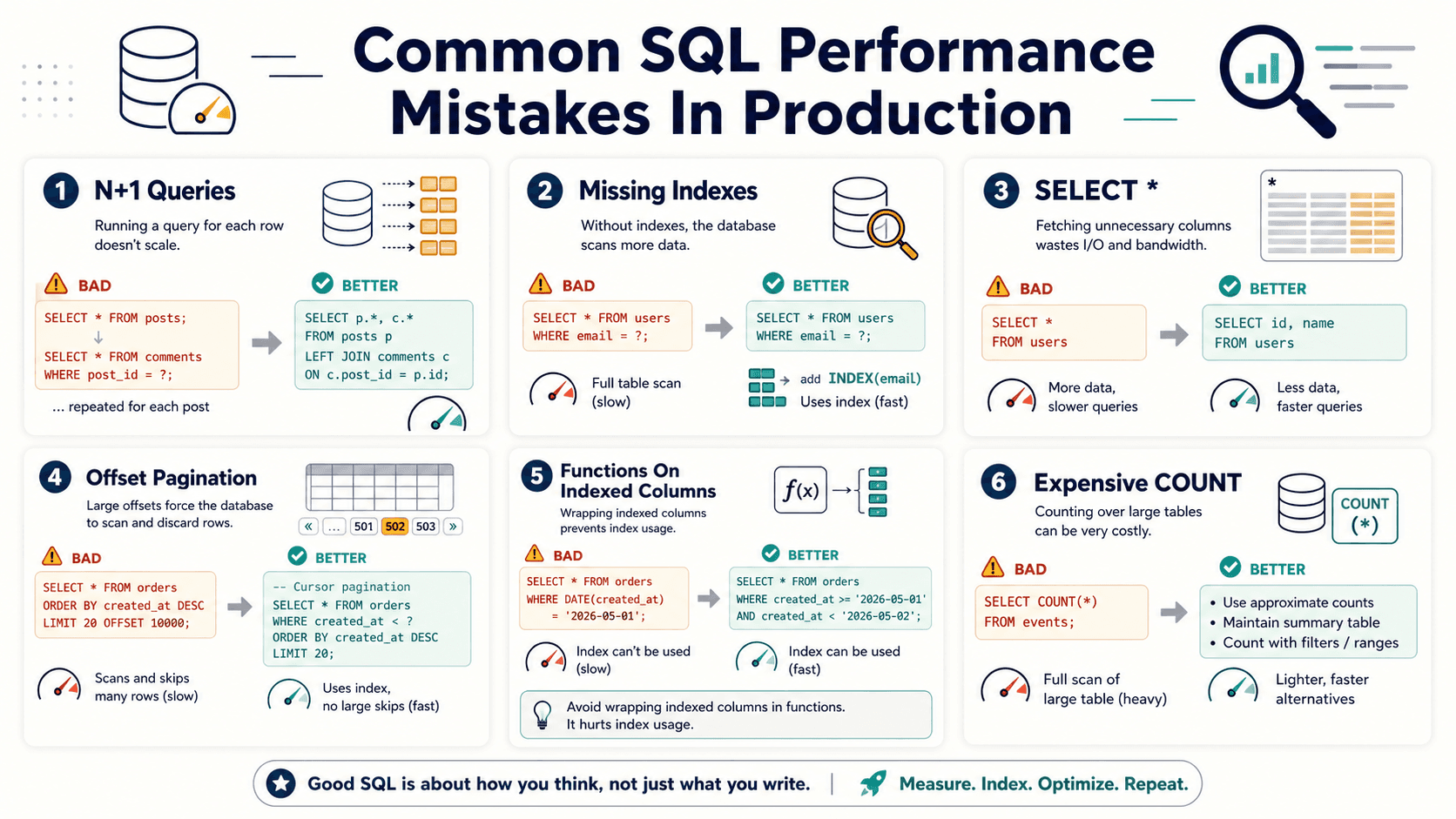
SELECT id, name
FROM products
WHERE name LIKE '%keyboard%'
LIMIT 50;
This works for small tables, internal admin screens, exact-ish matching, and simple filters.
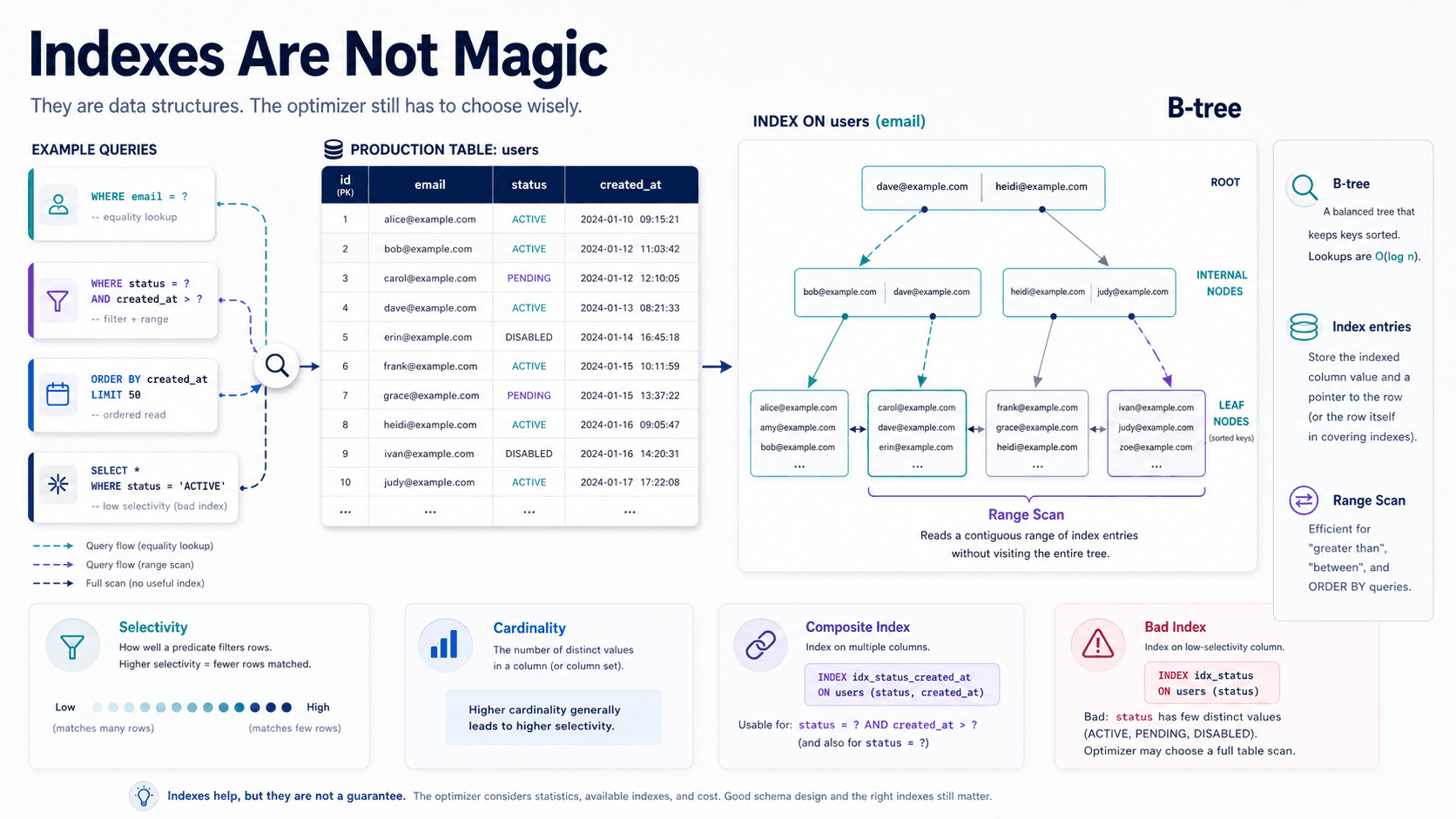
But %keyword% often prevents a normal B-tree index from being used efficiently because the wildcard starts at the beginning. The database cannot jump to a known prefix.
This version is more index-friendly:
SELECT id, name
FROM products
WHERE name LIKE 'key%'
LIMIT 50;
Prefix search can use an index in many cases. Contains search is harder.
Use LIKE when:
- The table is small. Simple wins.
- The search is internal. Admin tools can tolerate rough edges.
- Exact matching is acceptable. No ranking, synonyms, or typo tolerance needed.
- You need speed of development. Early product discovery matters.
LIKE is like a flashlight. Great for finding your keys in one room. Not great for searching a warehouse.
Full-Text Search Understands Words Better
Full-text search treats text as searchable language, not just characters.
MySQL example:
SELECT id, title
FROM articles
WHERE MATCH(title, body) AGAINST ('database indexes');
PostgreSQL example:
SELECT id, title
FROM articles
WHERE to_tsvector('english', title || ' ' || body)
      @@ plainto_tsquery('english', 'database indexes');
Full-text search can tokenize text, ignore common words, rank matches, and search across longer content more effectively than basic LIKE.
It's useful for:
- Articles and blog posts. Natural language content.
- Knowledge bases. Support docs, help centers, internal docs.
- Product descriptions. When simple name search is not enough.
- Database-contained apps. When you want better search without running a new service.
Full-Text Search Still Has Limits
Database full-text search is powerful, but it may not satisfy product-search expectations.
Common missing or harder features:
- Typo tolerance. Users type "iphnoe" and expect "iPhone".
- Synonyms. "Sneakers" should match "running shoes".
- Custom ranking. Boost in-stock products, popularity, freshness, margin, or user behavior.
- Faceting. Filter counts by brand, size, color, category.
- Autocomplete. Search-as-you-type with low latency.
- Analytics. Track zero-result searches and conversion impact.
Some of this can be built in the database. The question is whether you should.
At some point, search becomes its own subsystem.
Search Engines Are Built For Search As A Product
Dedicated search engines like Elasticsearch, OpenSearch, Meilisearch, Typesense, or Algolia-style hosted search are designed for richer search experiences.
A typical flow looks like this:
Primary Database -> Indexing Job -> Search Engine -> API ResultsYour database remains the source of truth. The search engine becomes a read-optimized projection.
In Laravel, Scout-style abstractions often model this idea nicely:
$products = Product::search($query)
    ->where('is_active', true)
    ->paginate(20);
That code is simple, but the architecture behind it matters. You now have indexing delay, reindexing jobs, mapping configuration, failure handling, and consistency trade-offs.
A search engine is like hiring a specialist. Great when you need specialist work. Overkill when you only needed someone to hold a flashlight.
The Consistency Trade-Off
Search engines are usually eventually consistent.
You update a product in the database. Then a job updates the search index. For a short period, search results may show old data.
That may be fine for a blog. It may be risky for product availability or pricing.
A common pattern is to use search for discovery, then load final details from the database:
$productIds = SearchService::searchProductIds($query);

$products = Product::query()
    ->whereIn('id', $productIds)
    ->where('is_active', true)
    ->get();
Search finds candidates. The database confirms current truth.
This is especially important for permissions, prices, inventory, and deleted records.
Choosing The Right Tool
Use LIKE when:
- You need simple matching. Name, email, slug, reference number.
- The dataset is small. Performance is acceptable.
- The feature is internal. Rough relevance is okay.
Use database full-text search when:
- Text search matters, but search is not the whole product. Articles, docs, simple catalog search.
- You want fewer moving parts. Keeping search inside the database simplifies operations.
- Ranking needs are moderate. Built-in ranking is enough.
Use a search engine when:
- Search quality affects revenue or user experience. E-commerce, marketplace, documentation search.
- You need typo tolerance and synonyms. Users expect forgiving search.
- You need faceting and custom ranking. Product search usually gets here.
- You need scale beyond database comfort. Search traffic should not overload your primary DB.
A Practical Evolution Path
A healthy search system often evolves like this:
- Start with exact filters. IDs, emails, slugs, reference numbers.
- Add prefix or simple LIKE search. Good enough for admin tools.
- Move to full-text search. Better for content-heavy fields.
- Introduce a search engine. When product expectations justify the operational cost.
- Keep database validation. Search results should still respect permissions and current state.
The mistake is not starting with LIKE. The mistake is pretending LIKE will stay enough after product requirements clearly outgrow it.
Final Tips
Search is one of those features that starts as a textbox and quietly becomes a ranking system, data pipeline, analytics source, and product-quality problem.
I'd start simple almost every time. But I'd also design the API so the search backend can change later without rewriting the frontend.
Choose the smallest tool that honestly satisfies the requirement — and be ready to upgrade when the search box becomes part of the business.
Good luck building search that users actually trust 👊