
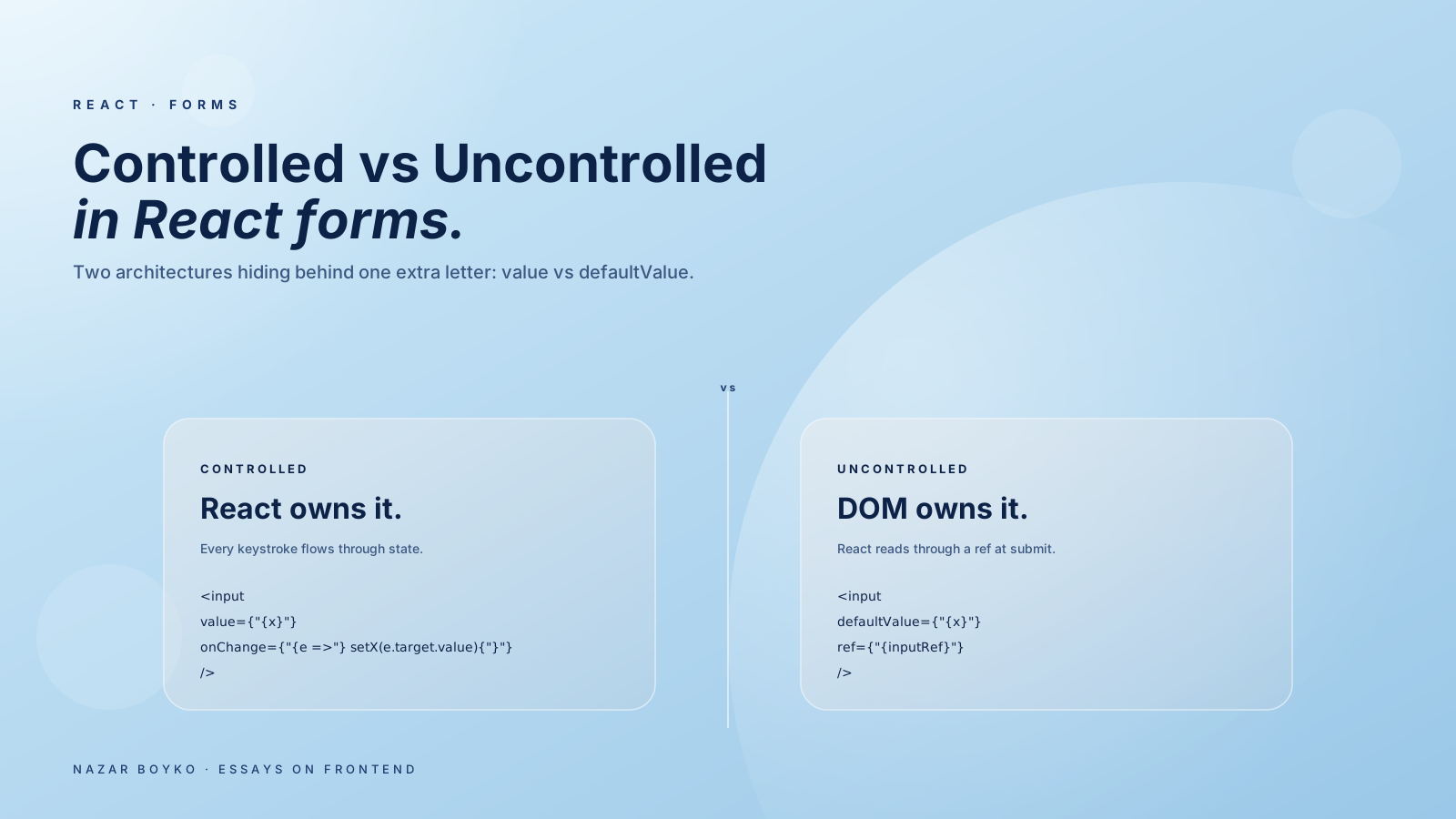
If you've worked with React forms long enough, you've probably written <input value={x} onChange={...} /> a hundred times without thinking. That's a controlled component. And if you've ever reached for <input defaultValue={x} ref={inputRef} /> to avoid the re-renders, that's uncontrolled. They look similar. They behave very differently. Picking the wrong one is one of those decisions that quietly costs you for years.
This article is the practical breakdown — what each one actually does, when each one fits, and the surprising amount of nuance hiding behind one extra letter (value vs defaultValue).
Controlled: React Owns The Value
A controlled component has its current value driven by React state. Every keystroke goes through the component:
function NameInput() {
  const [name, setName] = useState('');
  return (
    <input
      value={name}
      onChange={(e) => setName(e.target.value)}
    />
  );
}
The DOM input never holds a value React doesn't know about. The single source of truth is name. This is what most React tutorials teach because it's predictable and integrates well with everything else (validation, derived UI, conditional rendering).
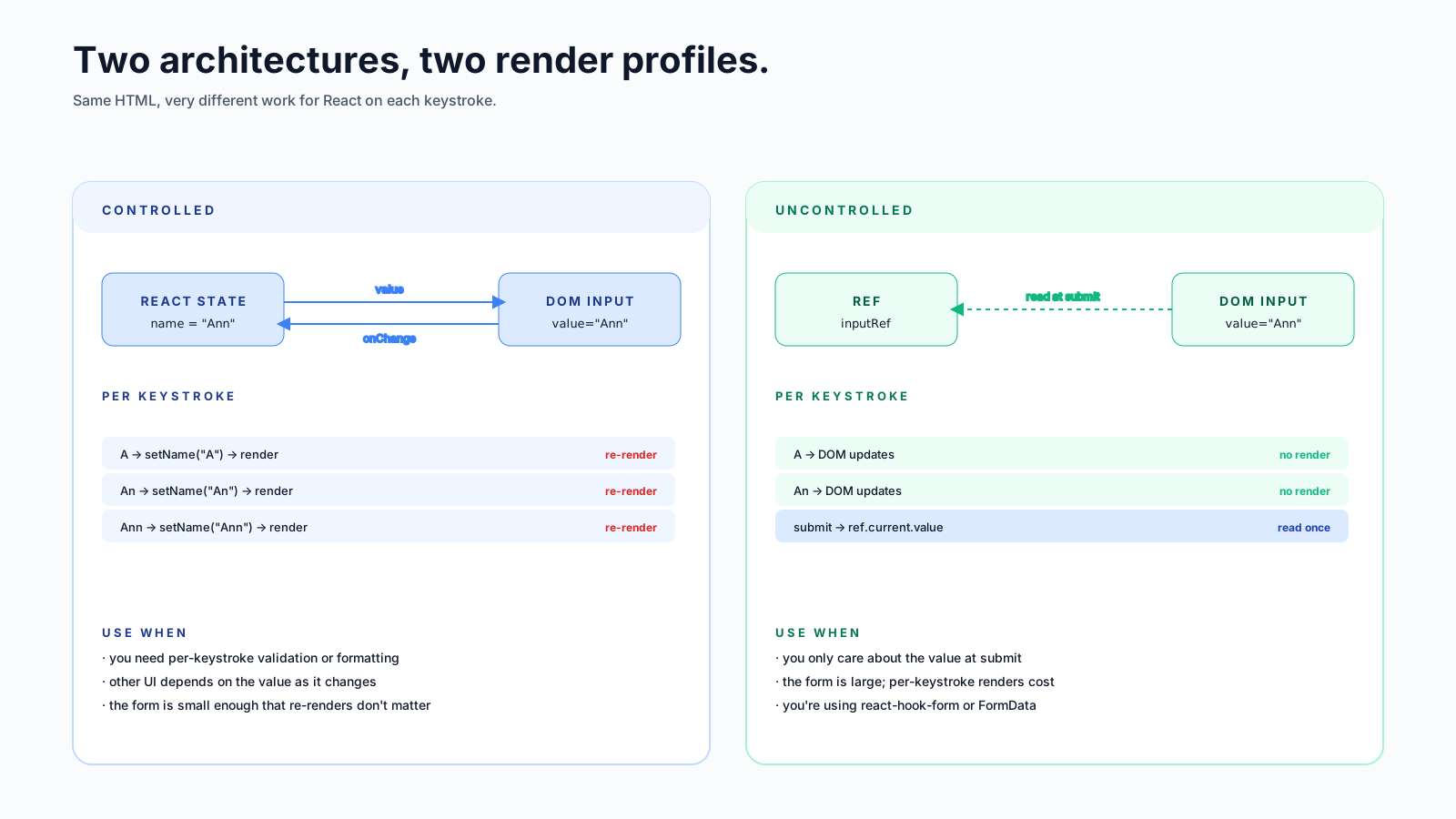
The trade-off: every keystroke triggers a re-render of the component. For one input, that's nothing. For a form with thirty fields, where each component re-renders the whole form, it can become noticeable on slow devices.
Uncontrolled: The DOM Owns The Value
An uncontrolled component lets the DOM hold the value. React supplies an initial value (defaultValue) and reads the current value through a ref when it needs it:
function NameInput() {
  const inputRef = useRef(null);

  const handleSubmit = () => {
    console.log('Name:', inputRef.current.value);
  };

  return (
    <>
      <input defaultValue="" ref={inputRef} />
      <button onClick={handleSubmit}>Submit</button>
    </>
  );
}
Notice: no useState. No onChange. The user types, React doesn't re-render, and the value lives entirely in the input element. When you need it, you read ref.current.value.
This is closer to how forms work in plain HTML, and it's quietly excellent when you don't need to react to every keystroke.
The defaultValue vs value Trap
This is one of React's all-time best footguns. Mix the two and the input behaves in a way that confuses everyone:
// Bug: this input is "stuck" — looks like a controlled input but isn't
<input value="initial" />
Without onChange, React keeps overwriting the typed value back to "initial" on every render — so the input appears read-only even though the underlying DOM element is editable. You'll also get a dev warning about "a controlled input without an onChange handler". Either give it onChange, or change value to defaultValue.
// Either:
<input value={x} onChange={(e) => setX(e.target.value)} />

// Or:
<input defaultValue="initial" ref={ref} />
The general rule: if you spell the prop value, you've signed up to also handle onChange. If you spell it defaultValue, you haven't. There's no middle ground.
When To Pick Which One
A practical decision tree:
Pick controlled when:
- You need to validate as the user types (red border on invalid email).
- Other UI depends on the current value (a confirm-password field comparing to password).
- You need to format on the fly (phone numbers, currency).
- You're filtering a list as the user types (
<SearchInput value={q} />). - You're using a form library that wants controlled inputs (Formik, MUI's TextField).
Pick uncontrolled when:
- The form is large and you only care about the value at submit time.
- You're using a library that expects uncontrolled inputs (react-hook-form, in particular).
- Performance on slow devices matters more than per-keystroke logic.
- The form is fundamentally just an HTML form being submitted.
Most non-trivial forms in modern apps land in the second bucket, which is why react-hook-form became the dominant form library — it leans on uncontrolled inputs for performance and only re-renders the components that have to.
A Trick You'll Reach For: FormData
If you're reading values at submit time only, you don't even need refs. The native FormData API reads every named input in a form:
function ContactForm() {
  const handleSubmit = (e) => {
    e.preventDefault();
    const data = new FormData(e.currentTarget);
    const payload = Object.fromEntries(data);
    save(payload); // { name: '...', email: '...', message: '...' }
  };

  return (
    <form onSubmit={handleSubmit}>
      <input name="name" defaultValue="" />
      <input name="email" type="email" defaultValue="" />
      <textarea name="message" defaultValue="" />
      <button type="submit">Send</button>
    </form>
  );
}
Zero useState calls. Zero refs. The form re-renders only when the parent does — typically never. Native HTML validation works (type="email", required, minLength). This is the simplest correct shape for a form that submits and doesn't need fancy UX.
In Next.js App Router and React 19, FormData is also the default shape for Server Actions:
'use server';
async function save(formData) {
  const name = formData.get('name');
  // ... write to DB
}

// in a client component:
<form action={save}>
  <input name="name" />
  <button>Save</button>
</form>
Same FormData, no client state, runs on the server. Worth knowing about even if you're not using Server Actions yet — it's where forms in React are heading.
What react-hook-form Is Actually Solving
The most popular form library in React is react-hook-form. The reason it's popular is straightforward: it gives you the ergonomics of controlled inputs with the performance of uncontrolled ones.
import { useForm } from 'react-hook-form';

function ContactForm() {
  const { register, handleSubmit, formState: { errors } } = useForm();

  return (
    <form onSubmit={handleSubmit(save)}>
      <input {...register('name', { required: true })} />
      {errors.name && <span>Required</span>}

      <input {...register('email', { pattern: /^\S+@\S+$/ })} />
      <button>Send</button>
    </form>
  );
}
register('name') returns props for an uncontrolled input. The library subscribes to changes through refs, only re-renders the parts of the form that need to (the field that just got an error, the submit button when validity changes), and gives you a typed onSubmit that hands you a clean object. For forms with more than five fields, it's hard to beat.
If you're choosing between rolling your own with useState and reaching for react-hook-form, the answer is almost always the library — unless the form is genuinely tiny.
A Few Subtle Bugs To Know About
- Switching between controlled and uncontrolled on the same input triggers a warning. Decide once and stick with it. If you need a controlled input that starts empty,
value=""(notvalue={undefined}). - A controlled input loses focus on parent re-render if the parent recreates the input element (different
key, different position). Keep keys stable. - Number inputs behave oddly with
value={0}vsvalue={''}. For controlled number inputs, usevalue={count ?? ''}to allow the empty state. - Selects, radios, checkboxes have their own quirks —
checkedfor radio/checkbox,valuefor select. The controlled / uncontrolled rules still apply, just for the right prop.
The One-Sentence Summary
Use controlled inputs when the journey matters (every keystroke, every change). Use uncontrolled inputs when only the destination matters (the value at submit). Reach for a form library when there's more than five fields and you want both.
The value vs defaultValue distinction is small. The performance and ergonomic difference is large. Pick deliberately, and most React form pain disappears.






