The Bug That Looks Impossible
You open production logs and see something weird.
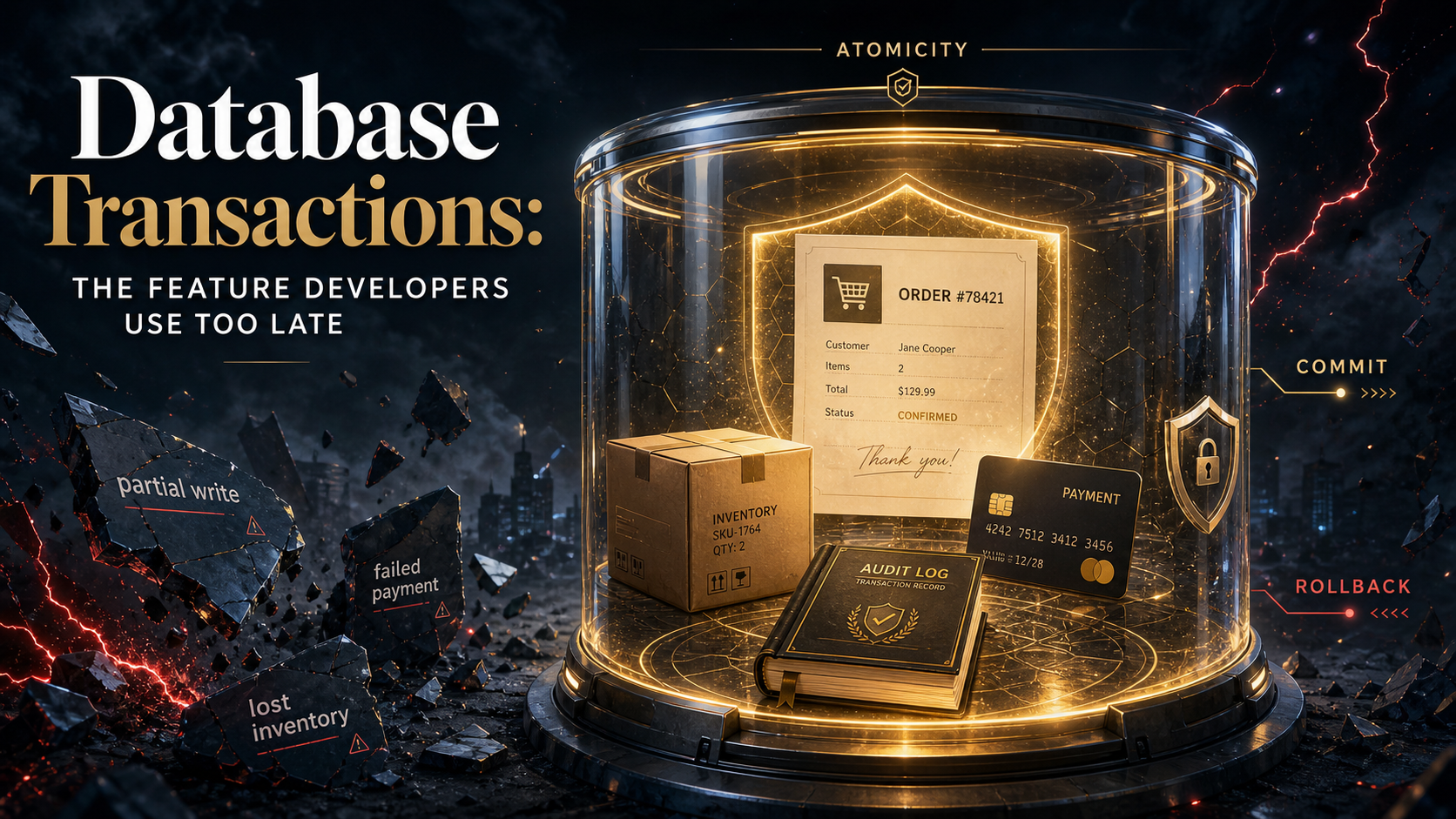
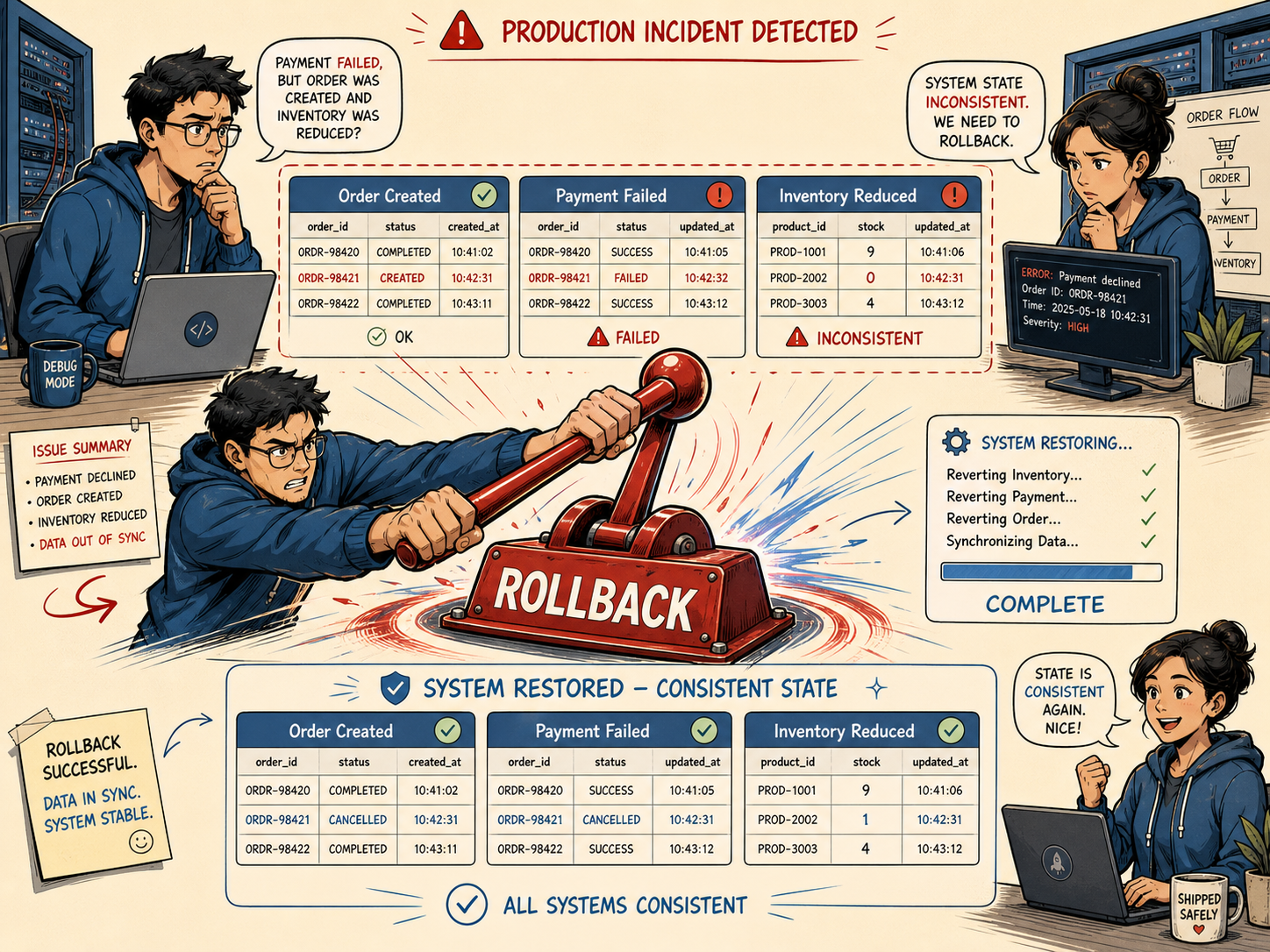
The customer has an order. The payment failed. Inventory was reduced. The confirmation email was sent. Support is asking what happened. Finance is asking a different version of the same question.
The code looked clean. Every line made sense on its own.
That's the trap.
Business workflows are not just a list of database queries. They're promises. Either the whole promise succeeds, or the system should roll back to a safe state.
That's what database transactions are for.
A Transaction Is A Safety Box
A database transaction wraps multiple operations into one unit of work.
The basic idea is simple:
- Begin. Start a protected unit of work.
- Do several changes. Insert rows, update balances, reserve inventory.
- Commit. Make all changes permanent.
- Rollback. Undo everything if something fails.
Think of it like moving apartments. You don't want half your furniture in the old place and half in the truck because someone lost the keys. A transaction says: either the move completes, or we put everything back.
The Classic Broken Checkout
Here's a simplified checkout flow without a transaction:
$order = Order::create([
    'user_id' => $user->id,
    'status' => 'pending',
]);

Inventory::where('sku', $sku)->decrement('quantity');

$paymentGateway->charge($user, $amount);

$order->update(['status' => 'paid']);
This reads nicely, but it has a serious problem. If the payment fails after inventory is decremented, your database now contains a partial story.
A transaction improves the database part:
DB::transaction(function () use ($user, $sku, $amount, $paymentGateway) {
    $order = Order::create([
        'user_id' => $user->id,
        'status' => 'pending',
    ]);

    Inventory::where('sku', $sku)->decrement('quantity');

    $paymentGateway->charge($user, $amount);

    $order->update(['status' => 'paid']);
});
Now if an exception is thrown, Laravel rolls back the database changes.
But there's a catch: external systems do not roll back just because your database does.
The Payment Gateway Problem
A transaction can undo database writes. It cannot un-send an HTTP request. It cannot erase an email from someone's inbox. It cannot make a third-party payment gateway forget a charge.
That means this is risky:
DB::transaction(function () use ($paymentGateway, $user, $amount) {
    $order = Order::create([...]);

    $paymentGateway->charge($user, $amount);

    $order->update(['status' => 'paid']);
});
If the payment succeeds but the database commit fails, you may have charged a customer without marking the order as paid.
For payments, you often want a safer pattern:
- Create a pending order inside a transaction. Keep local state consistent.
- Call the payment provider with an idempotency key. Avoid duplicate charges.
- Store the payment result in another transaction. Make the final state explicit.
- Use webhooks as a reconciliation path. Assume networks fail.
Transactions are powerful, but they're not time machines.
Isolation Levels: Why Two Correct Queries Can Still Fight
Transactions do not run in a vacuum. Multiple requests hit your database at the same time.
That's where isolation levels matter.
The common levels are:
- Read Uncommitted. A transaction may see uncommitted changes from another transaction.
- Read Committed. A query sees only committed data.
- Repeatable Read. Re-reading the same row in a transaction gives a stable result.
- Serializable. The database behaves as if transactions ran one at a time.
Higher isolation can protect correctness, but it may reduce concurrency. It's like traffic control: no traffic lights is fast until cars crash; one-at-a-time traffic is safe but slow.
MySQL InnoDB supports the four standard isolation levels and commonly defaults to REPEATABLE READ. PostgreSQL exposes the standard levels too, though its implementation maps READ UNCOMMITTED behavior to READ COMMITTED because of MVCC behavior.
The Inventory Race Condition
Imagine two customers buying the last item at the same time.
This is unsafe:
$product = Product::find($productId);

if ($product->stock > 0) {
    $product->decrement('stock');
}
Both requests can read stock = 1 before either decrement commits.
A safer approach is to make the update conditional:
$updated = Product::where('id', $productId)
    ->where('stock', '>', 0)
    ->decrement('stock');

if ($updated === 0) {
    throw new OutOfStockException();
}
This lets the database enforce the condition at update time.
For more complex workflows, you may need row locks:
DB::transaction(function () use ($productId) {
    $product = Product::where('id', $productId)
        ->lockForUpdate()
        ->firstOrFail();

    if ($product->stock <= 0) {
        throw new OutOfStockException();
    }

    $product->decrement('stock');
});
lockForUpdate() tells the database: "I'm touching this row; don't let another transaction modify it until I'm done."
Deadlocks Are Not Always A Disaster
A deadlock happens when two transactions wait on each other forever.
Example:
- Transaction A locks order 1. Then it tries to lock order 2.
- Transaction B locks order 2. Then it tries to lock order 1.
- Both are stuck. The database kills one transaction so the other can continue.
Deadlocks sound scary, but they're normal in busy systems. The mistake is treating them as impossible.
Practical defenses:
- Lock rows in a consistent order. Always lock lower IDs before higher IDs.
- Keep transactions short. Don't do slow API calls while holding locks.
- Retry deadlock failures. A retry often succeeds immediately.
- Index your lock conditions. Locking through bad queries can lock more rows than expected.
A transaction should be a quick handshake, not a long meeting.
What Belongs Inside A Transaction?
Put these inside:
- Related database writes. Order + order items + inventory reservation.
- State transitions. Pending to paid, active to canceled.
- Ledger-style changes. Wallet debit and credit.
- Audit rows. Especially when the audit must match the write.
Keep these outside or carefully separated:
- Emails. Use jobs after commit.
- HTTP calls. Use idempotency and reconciliation.
- Long file operations. They hold locks too long.
- Expensive calculations. Precompute before the transaction when possible.
After Commit Matters
If you dispatch a job inside a transaction, the job may run before the transaction commits. That can create weird bugs where the job cannot find the row that triggered it.
A safer pattern is to dispatch after commit:
DB::transaction(function () use ($order) {
    $order->update(['status' => 'paid']);

    SendReceiptEmail::dispatch($order)->afterCommit();
});
This keeps side effects aligned with committed database state.
Final Tips
The first time you fix a partial-write bug, transactions stop feeling like "database theory" and start feeling like seatbelts. You don't need them because you plan to crash. You need them because production has a sense of humor.
Start using transactions around business workflows before the incident report teaches you why. Keep them short, make external calls idempotent, and treat rollback behavior as part of your feature design.
Go ship safer workflows 👊