Your First Schema Is Usually Too Optimistic
When a product is young, the database looks clean.
A user has one address. An order has one payment. A subscription has one status. A product has one price. A team has one owner.
Then real life arrives.
Users move. Orders get partially refunded. Subscriptions pause. Products need regional prices. Teams need multiple admins. Finance asks who changed the billing address and when.
The schema that looked elegant on day one starts feeling like a tiny apartment after your family buys three bicycles, a piano, and a dog.
Good table design is not about predicting every future feature. It's about leaving enough structure so future features don't require database surgery every sprint.
Normalize The Core, Not Every Breath The Product Takes
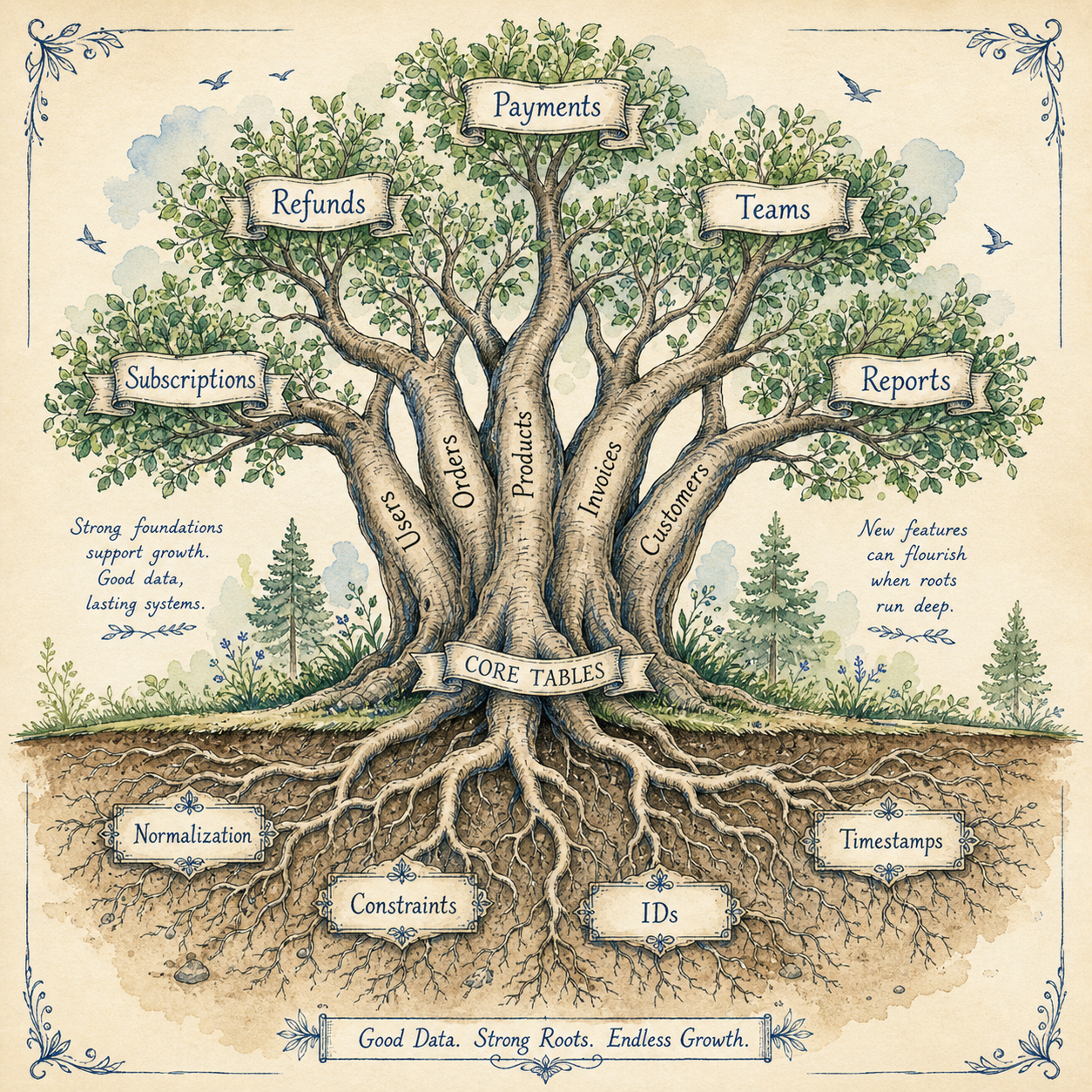
Normalization means separating data into logical tables to reduce duplication and protect consistency.
A clean order schema usually does not store everything in one table:
CREATE TABLE orders (
    id BIGINT PRIMARY KEY,
    user_id BIGINT NOT NULL,
    status VARCHAR(40) NOT NULL,
    total_amount DECIMAL(10, 2) NOT NULL,
    created_at TIMESTAMP NOT NULL
);

CREATE TABLE order_items (
    id BIGINT PRIMARY KEY,
    order_id BIGINT NOT NULL,
    product_id BIGINT NOT NULL,
    quantity INT NOT NULL,
    unit_price DECIMAL(10, 2) NOT NULL
);
This structure lets one order have many items. That seems obvious, but many production headaches start when a table assumes "one" where the business later needs "many".
The practical rule: normalize things that represent real independent concepts.
Users, orders, order items, payments, refunds, addresses, subscriptions, invoices, and audit events usually deserve their own tables.
Denormalization Is A Tool, Not A Crime
Denormalization means storing derived or duplicated data intentionally.
For example, orders.total_amount may duplicate the sum of order_items.quantity * unit_price.
That's okay if you treat it as a controlled snapshot.
CREATE TABLE orders (
    id BIGINT PRIMARY KEY,
    user_id BIGINT NOT NULL,
    subtotal_amount DECIMAL(10, 2) NOT NULL,
    tax_amount DECIMAL(10, 2) NOT NULL,
    discount_amount DECIMAL(10, 2) NOT NULL,
    total_amount DECIMAL(10, 2) NOT NULL
);
Why store totals? Because historical orders should not change when product prices change later.
Denormalization is like keeping a receipt. Yes, the store has a product catalog, but your receipt captures what was true at the moment of purchase.
Use denormalization when:
- You need historical snapshots. Prices, names, taxes, and addresses often change.
- You need performance. Precomputed counters can avoid expensive joins.
- You need reporting stability. Finance reports should not mutate retroactively.
But document it. Future developers should know whether a column is source-of-truth or derived.
Constraints Are Product Rules In Steel
Application validation is useful, but database constraints protect you when another code path forgets the rule.
This is weak by itself:
$request->validate([
    'email' => ['required', 'email'],
]);
This is stronger:
ALTER TABLE users
ADD CONSTRAINT users_email_unique UNIQUE (email);
Now the database protects uniqueness even if a CLI command, queue job, import script, or future API endpoint skips validation.
Common constraints worth using:
- NOT NULL. Required means required.
- UNIQUE. Emails, slugs, external IDs, and idempotency keys.
- FOREIGN KEY. Relationships that should not point to ghosts.
- CHECK. Positive amounts, valid percentages, allowed ranges.
Example:
ALTER TABLE order_items
ADD CONSTRAINT order_items_quantity_positive
CHECK (quantity > 0);
A constraint is not just a database feature. It's a business rule with a lock on the door.
Audit Fields Are Cheap Until You Need Them
Many teams add created_at and updated_at. That's a good start.
But growing products often need more:
created_at
updated_at
deleted_at
created_by
updated_by
deleted_by
source
external_id
You don't need every column everywhere. But on business-critical tables, audit fields can save hours during incidents.
For example, if a subscription was canceled, support may ask:
- Who canceled it? User, admin, system job, payment provider?
- When did it happen? Exact timestamp matters.
- Why did it happen? Failed payment, user request, fraud rule?
- What was the previous state? Audit trail or event log.
Without audit data, debugging becomes archaeology.
Soft Deletes Are Useful, But They Are Not Free
Soft deletes usually mean a deleted_at column marks a row as deleted without physically removing it.
ALTER TABLE users
ADD deleted_at TIMESTAMP NULL;
They're useful for recovery, compliance workflows, and preserving relationships.
But they also complicate queries:
SELECT *
FROM users
WHERE deleted_at IS NULL;
Now every "active row" query needs that condition or a framework-level global scope.
Soft deletes can also create uniqueness problems. Should two deleted users be allowed to share the same email? Should a new active user reuse an email from a deleted account?
There is no universal answer. There is only a product rule.
Design For Status Changes
A single status column is often fine:
status VARCHAR(40) NOT NULLBut don't let it become a junk drawer.
If your order status can be pending, paid, shipped, refunded, partially_refunded, chargeback_opened, and fraud_review, you need clear transitions.
A status history table can help:
CREATE TABLE order_status_changes (
    id BIGINT PRIMARY KEY,
    order_id BIGINT NOT NULL,
    from_status VARCHAR(40),
    to_status VARCHAR(40) NOT NULL,
    changed_by BIGINT NULL,
    reason VARCHAR(255) NULL,
    created_at TIMESTAMP NOT NULL
);
This turns "what is the status?" into "how did we get here?"
That second question is where production debugging lives.
Tables Should Match Questions The Product Will Ask
Before creating a table, ask:
- Will this thing have many versions? Addresses, prices, plans, and contracts often do.
- Will support need to explain it? Then audit fields matter.
- Will finance report on it? Then snapshots matter.
- Will users delete it? Then soft delete rules matter.
- Will it be queried by time? Then indexes and timestamps matter.
Good schema design is not about making the ERD beautiful. It's about making future product questions answerable.
Final Tips
I've regretted under-designed tables more often than slightly boring ones. The painful schemas are usually the ones that assumed the product would stay simple forever.
Design your tables like the product will grow, but don't build a cathedral for a landing page. Normalize the core, snapshot what history needs, enforce rules with constraints, and leave a trail for future debugging.
Good luck building tables your future self won't curse 👊