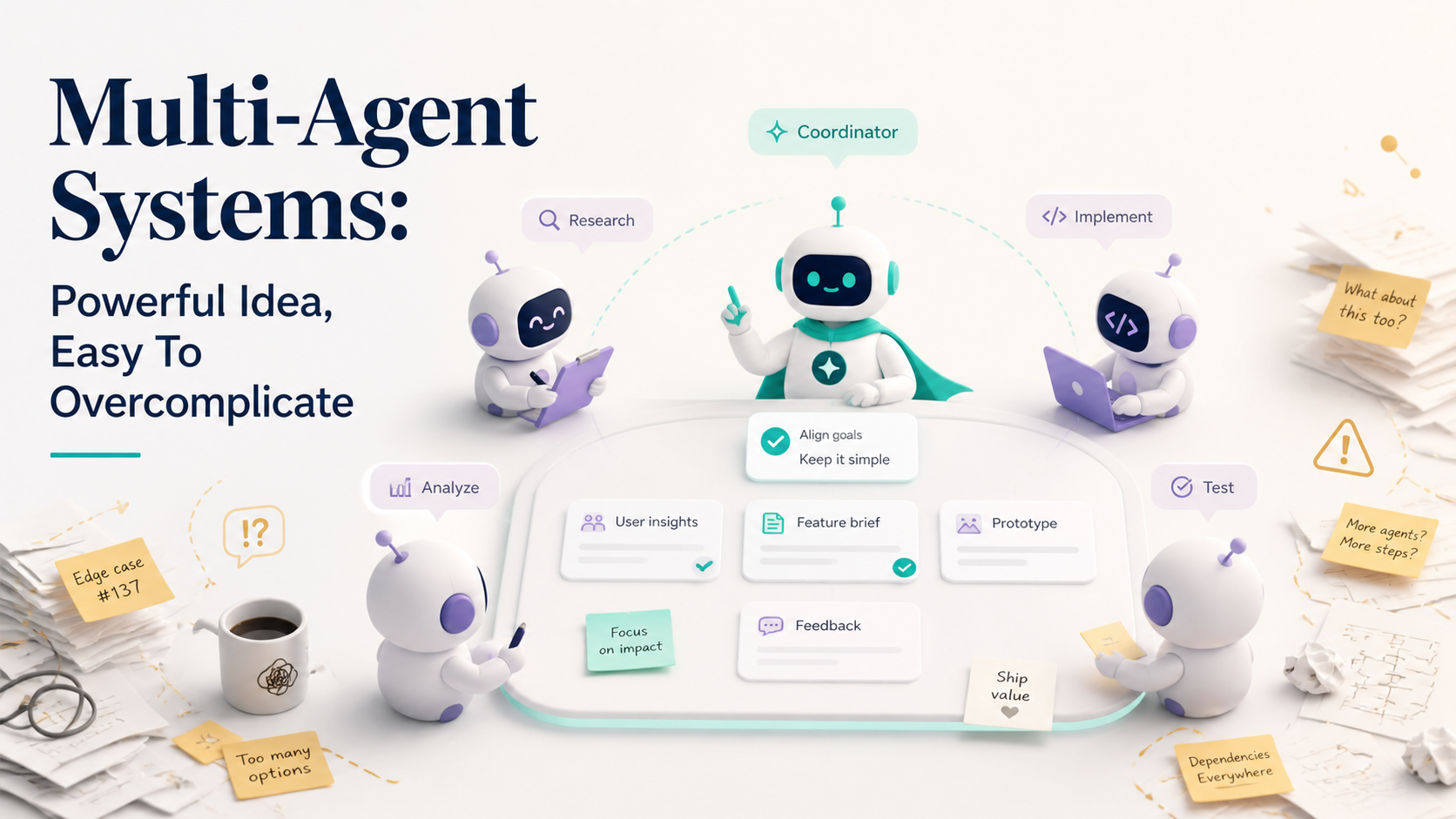
Have you ever seen an AI demo where five agents talk to each other, assign tasks, debate plans, write code, review code, fix bugs, and declare victory?
It looks futuristic. It also looks suspiciously like a meeting with no manager, no agenda, and everyone speaking confidently at once.
Multi-agent systems can be useful. Specialized agents can divide work, check each other, and handle complex workflows. But they're also very easy to overcomplicate. More agents do not automatically mean more intelligence. Sometimes it just means more places for confusion to hide.
One Good Agent Beats Five Confused Agents
Before adding multiple agents, ask whether one well-instructed agent with good tools can solve the problem.
A lot of "multi-agent" workflows are really just one workflow wearing a costume. Planner agent, coder agent, reviewer agent, tester agent, manager agent — impressive names, but if they all see the same context and produce unchecked text, you may have added latency without adding quality.
It's like hiring a full restaurant staff to make toast. Technically possible. Not necessarily smart.
Use One Agent When
- The task is narrow. A single bug fix or small refactor doesn't need a committee.
- The tools are simple. Reading files, editing code, and running tests can often live in one loop.
- The context is shared. If every role needs the same information, separation may not help.
- Review is human-led. A human reviewer can handle final judgment.
- Latency matters. More agents usually mean more calls, more cost, and more waiting.
A simple single-agent workflow might be enough:
Analyze the bug, write a failing test, propose the smallest fix,
run the approved verification command, and summarize the diff.
That's not boring. That's efficient.
When Multiple Agents Actually Help
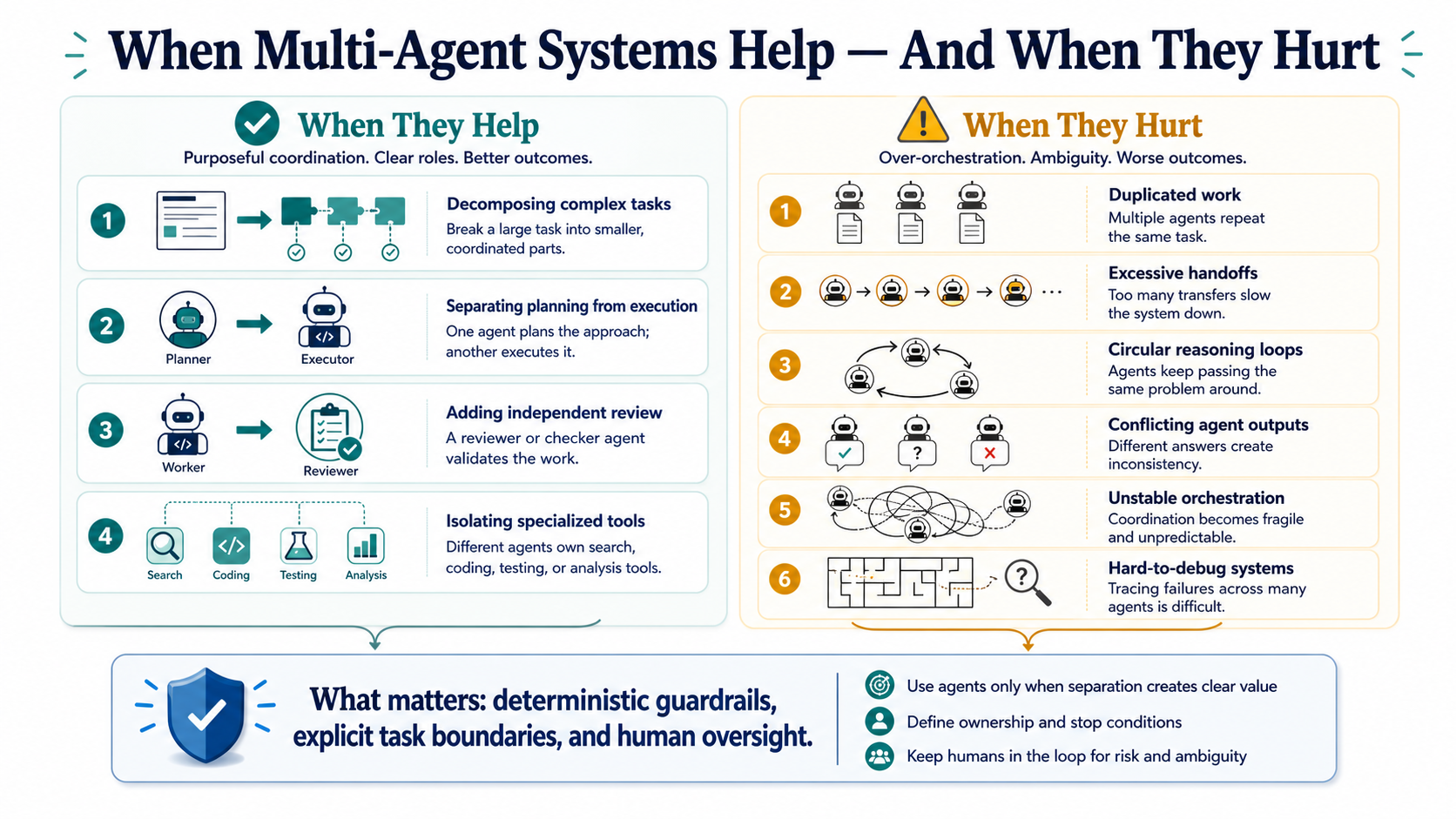
Multi-agent systems become useful when different roles need different tools, context, or evaluation criteria.
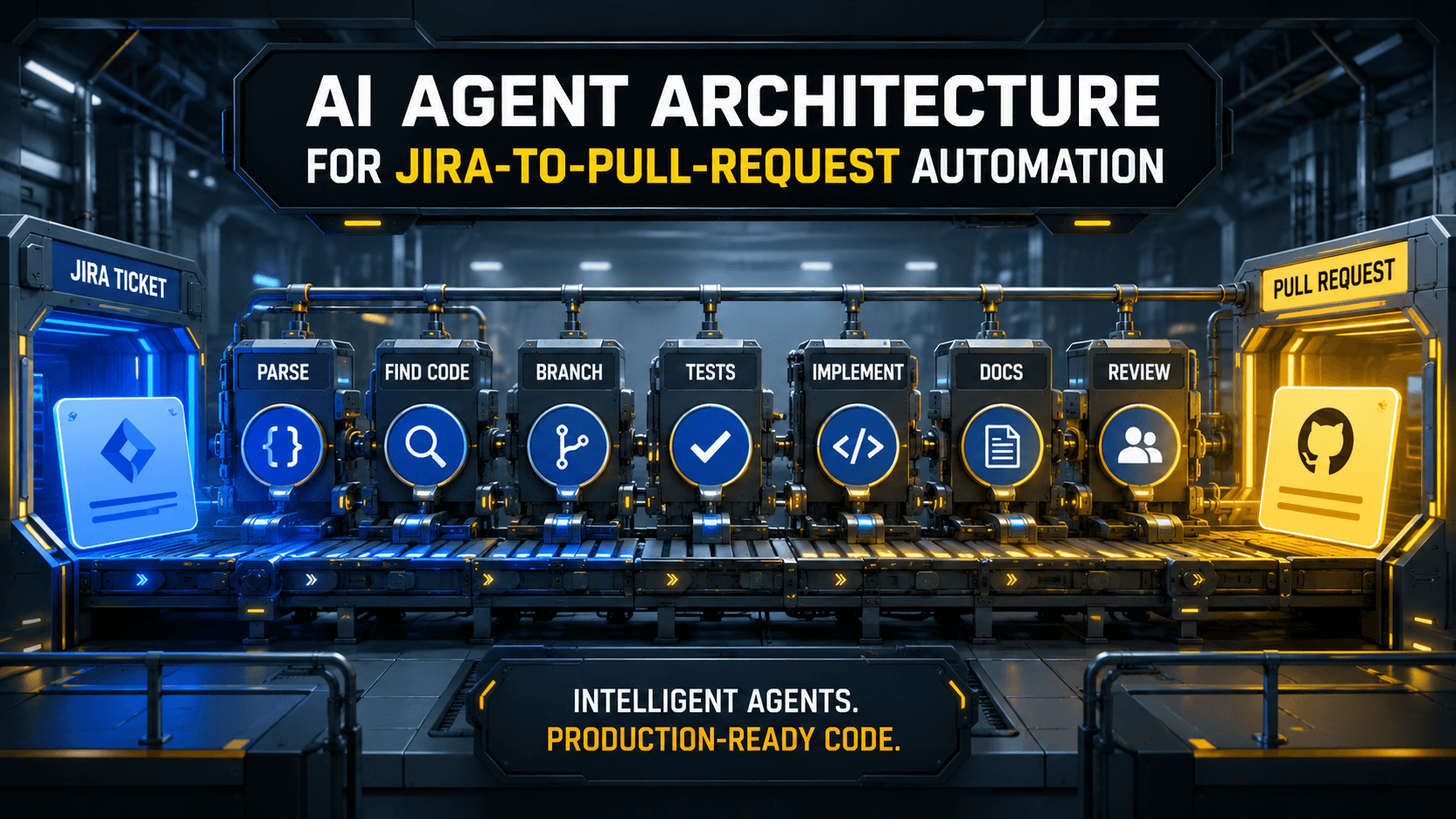
For example, a research agent may gather docs, a planning agent may create implementation steps, a coding agent may modify files, and a review agent may check security risks. The value comes from separation of concerns, not from agent theater.
Think of it like a hospital. You don't want five random doctors shouting. You want clear specialists, each with a role, chart access, and escalation rules.
Good Multi-Agent Use Cases
- Research plus implementation. One agent collects context while another writes code from approved findings.
- Generator plus critic. One agent proposes, another checks against rules or tests.
- Security review. A specialized reviewer looks for auth, injection, secrets, and data exposure.
- Large document workflows. Extraction, normalization, validation, and summarization can be separate.
- Ops workflows. One agent investigates logs while another drafts a remediation plan for approval.
The important part is that agents should not all have equal authority. Some can suggest. Some can verify. Few should write. Almost none should deploy.
The Chaos Problem
Multi-agent systems fail in interesting ways.
Agents can repeat each other, contradict each other, pass bad assumptions downstream, or generate long conversations that feel productive but produce no reliable artifact. The system can also become hard to debug because nobody knows which agent made the bad decision.
A multi-agent workflow without observability is like a group chat where someone changed production but everyone only remembers "we discussed it."
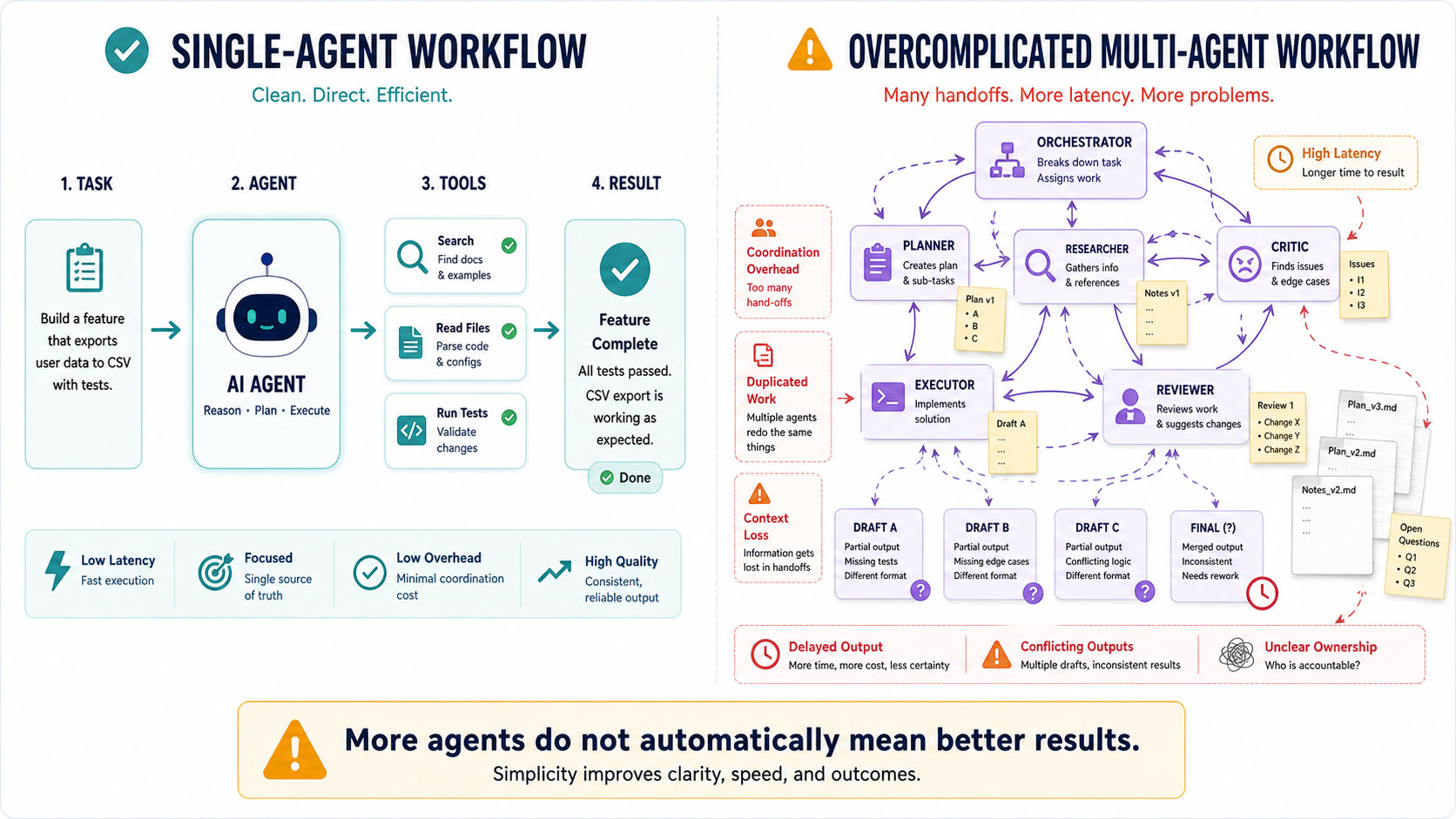
Common Multi-Agent Problems
- Role overlap. Two agents do the same job and produce conflicting outputs.
- Context drift. Each agent works from a slightly different understanding.
- No authority model. The system doesn't know whose answer wins.
- Unbounded loops. Agents keep asking each other for revisions.
- Weak verification. The final answer sounds reviewed but was never tested.
This is why deterministic guardrails matter. You need hard rules outside the model: tests, schemas, approvals, budgets, timeouts, and permission boundaries.
Design Roles Like Interfaces
A good agent role should be as clear as a software interface.
Inputs, outputs, tools, permissions, and success criteria should be explicit. If you can't describe what an agent is allowed to do, it's probably too vague.
A Simple Role Contract
name: security_reviewer
input:
  - git_diff
  - task_summary
allowed_tools:
  - read_files
  - static_analysis_report
output_schema:
  risk_level: low|medium|high
  findings: list
  approval_required: boolean
rules:
  - Do not edit files.
  - Focus on auth, injection, secrets, and data exposure.
This is boring configuration, but it matters. It turns an agent from "vibes with a name" into a controlled component.
A coding agent might have write access. A reviewer agent should probably not. A research agent may access docs but not credentials. These boundaries are the system.
Verification Should Be Deterministic
Agents can review each other, but deterministic checks should still decide important gates.
Tests, linters, static analysis, type checks, schema validation, security scanners, and human approval are not old-school obstacles. They're how you keep agent workflows grounded.
AI can tell you a change looks good. A test can prove one behavior still works. Both are useful, but they are not the same thing.
Pro Tips
- Start with one agent. Add more only when a role has a clear reason to exist.
- Define ownership. Each agent needs a specific job and output.
- Limit tools. Do not give every agent every permission.
- Use schemas. Structured outputs are easier to validate and route.
- Add timeouts and budgets. Prevent endless agent loops.
- Keep human approval for high-risk actions. Especially deploys, deletes, migrations, and security-sensitive changes.
A workflow gate might be as simple as:
#!/usr/bin/env bash
set -euo pipefail

npm test
npm run lint
npm audit --audit-level=high
That script is not impressed by persuasive explanations. It passes or fails. Sometimes that's exactly what you need.
Final Tips
I like multi-agent systems when each agent has a boring, clear job. I get nervous when the architecture diagram has more agents than actual constraints. That usually means complexity arrived before evidence.
My opinion: the best multi-agent systems will feel less like autonomous committees and more like carefully wired workflows with AI inside specific steps.
Use multiple agents when they reduce confusion, not when they make the demo cooler. Good luck keeping the robots organized 👊