Have you ever shipped a clean-looking feature, only to watch production logs trickle with a familiar error?
Deadlock found when trying to get lock; try restarting transactionThe code looks fine. The query plan looks fine. Two engineers look at it and shrug.
That's a deadlock. It's not exactly a bug in your code. It's a fingerprint of how MySQL locks rows behind your back, and how two harmless-looking transactions can step on each other in just the wrong order.
Let's break it down.
What A Deadlock Actually Is
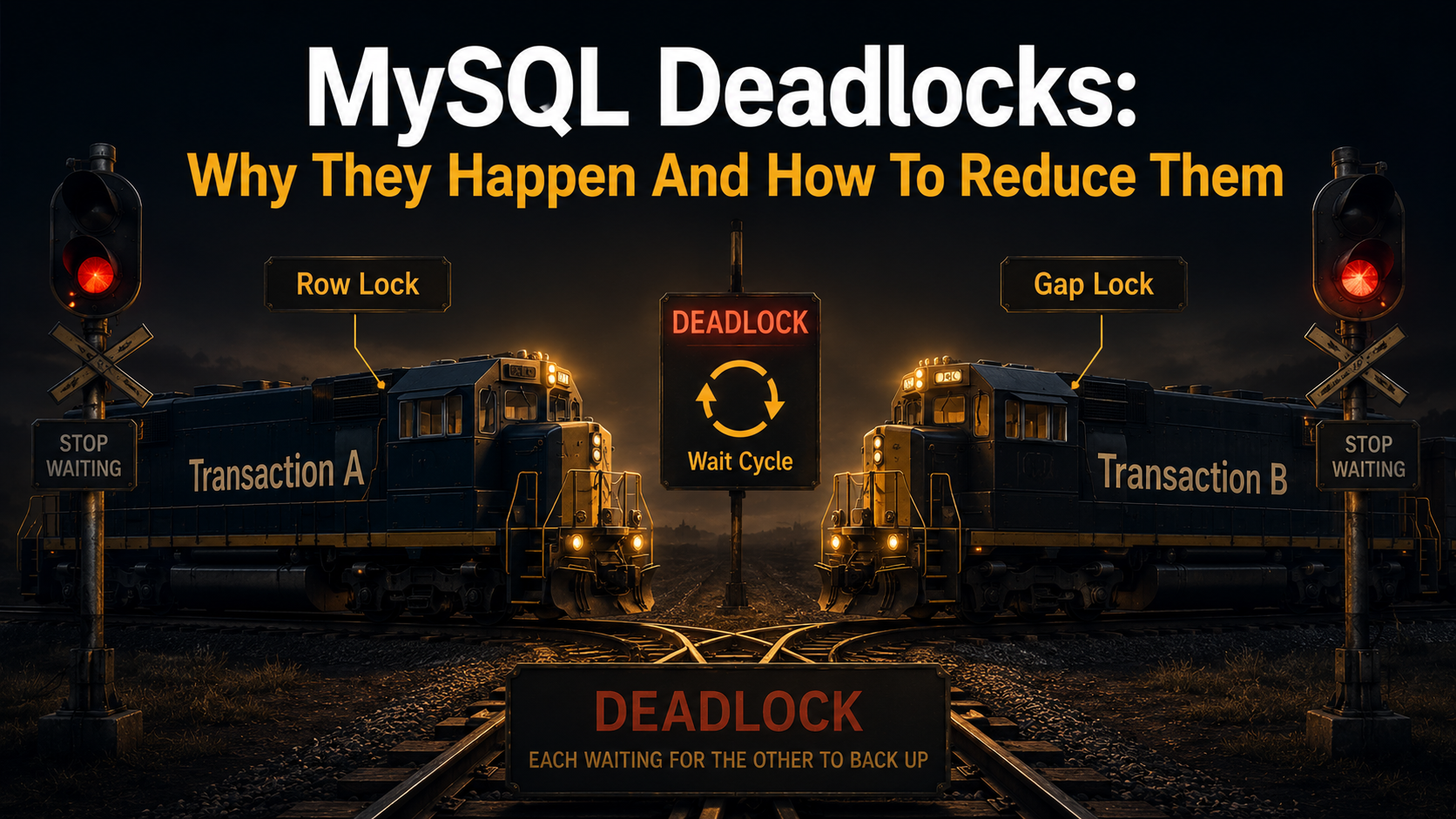
Picture two people walking down a narrow hallway from opposite ends. Both step left at the same time. Both apologise. Both step right at the same time. Repeat forever.
That's a deadlock. Each person is waiting for the other to move first, and neither is willing to commit.
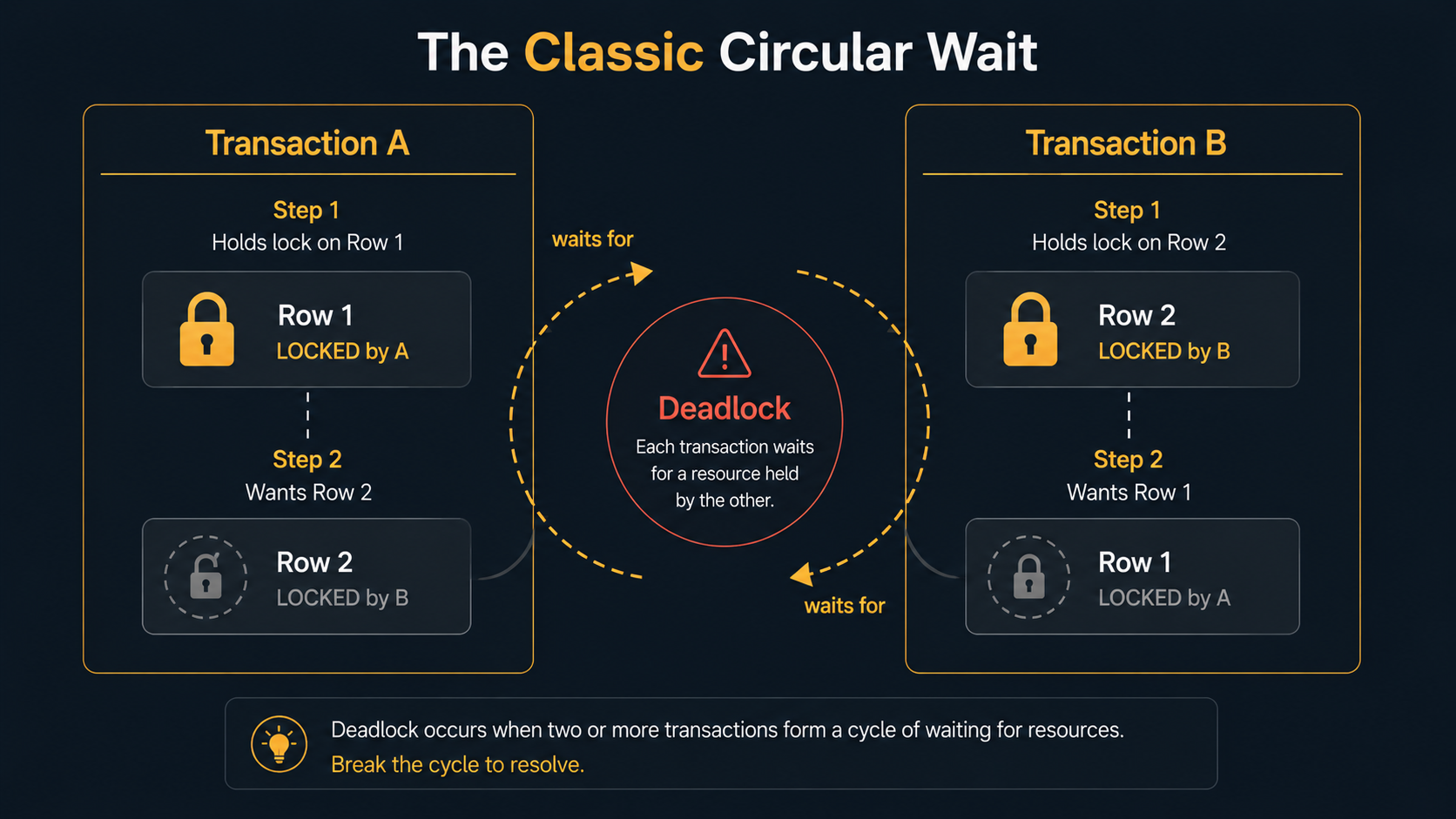
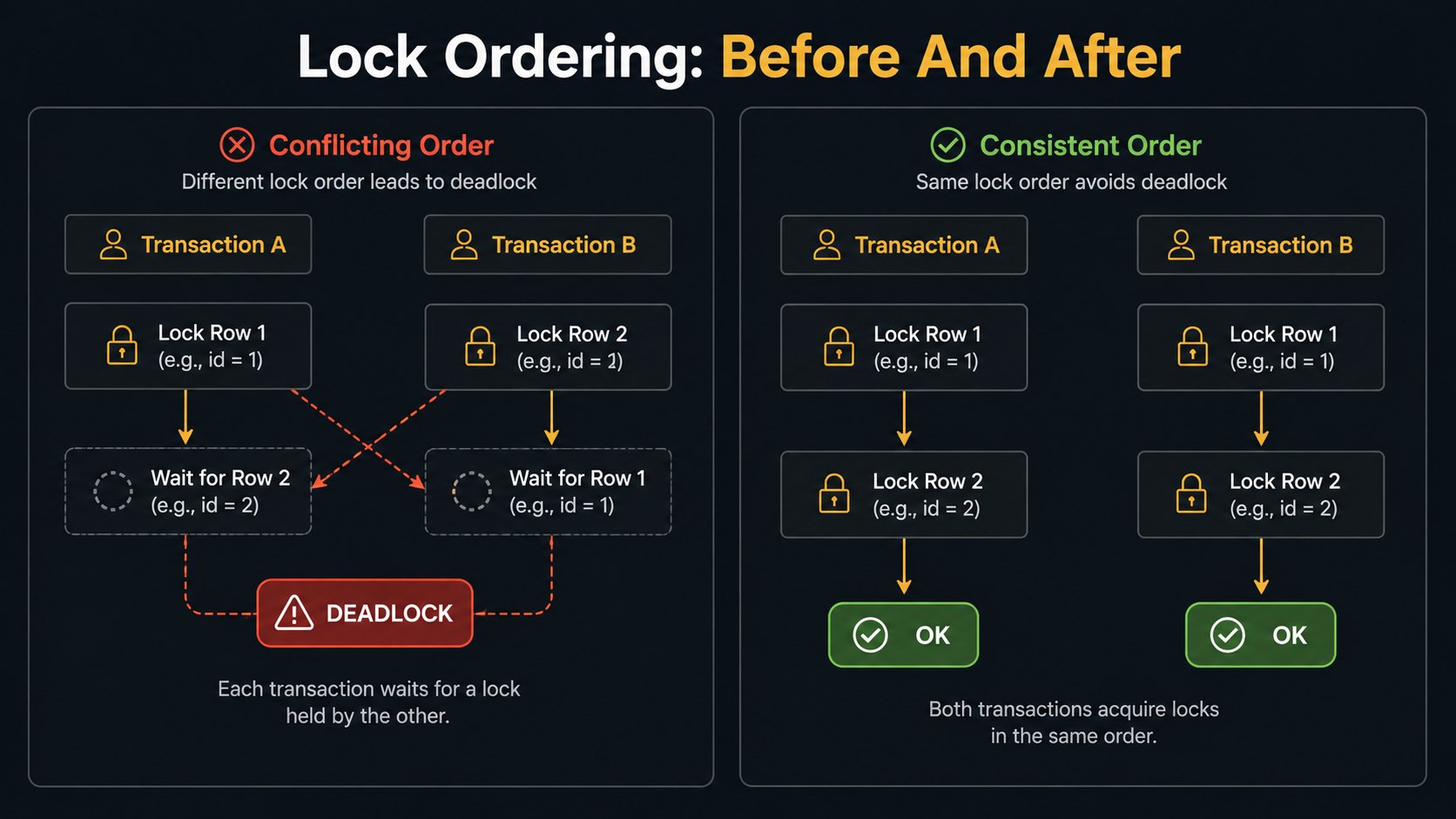
In MySQL, the people are transactions and the hallway is a row. Transaction A holds a lock on row 1 and wants row 2. Transaction B holds a lock on row 2 and wants row 1. Neither can finish without the other releasing first. Without intervention, they'd wait until the heat death of the universe.
InnoDB doesn't let that happen. It runs a small detector that watches the wait-for graph between transactions. The moment it sees a cycle (A waits for B, B waits for A), it picks one transaction (usually the cheaper one to undo) and rolls it back. The other one continues. Your application sees the rollback as Deadlock found when trying to get lock.
So a deadlock isn't a crash. It's a fairness mechanism. The price is one transaction's work; the alternative is the whole database wedged up forever.
The Locks You Don't See
To understand why deadlocks happen in normal-looking code, you have to know what InnoDB locks when you write a query, because it locks more than just the row you touched.
There are three lock shapes that matter.
Row locks are exactly what they sound like. A row in a table is locked while a transaction reads or writes it under the right conditions. SELECT ... FOR UPDATE, UPDATE, and DELETE all take row locks.
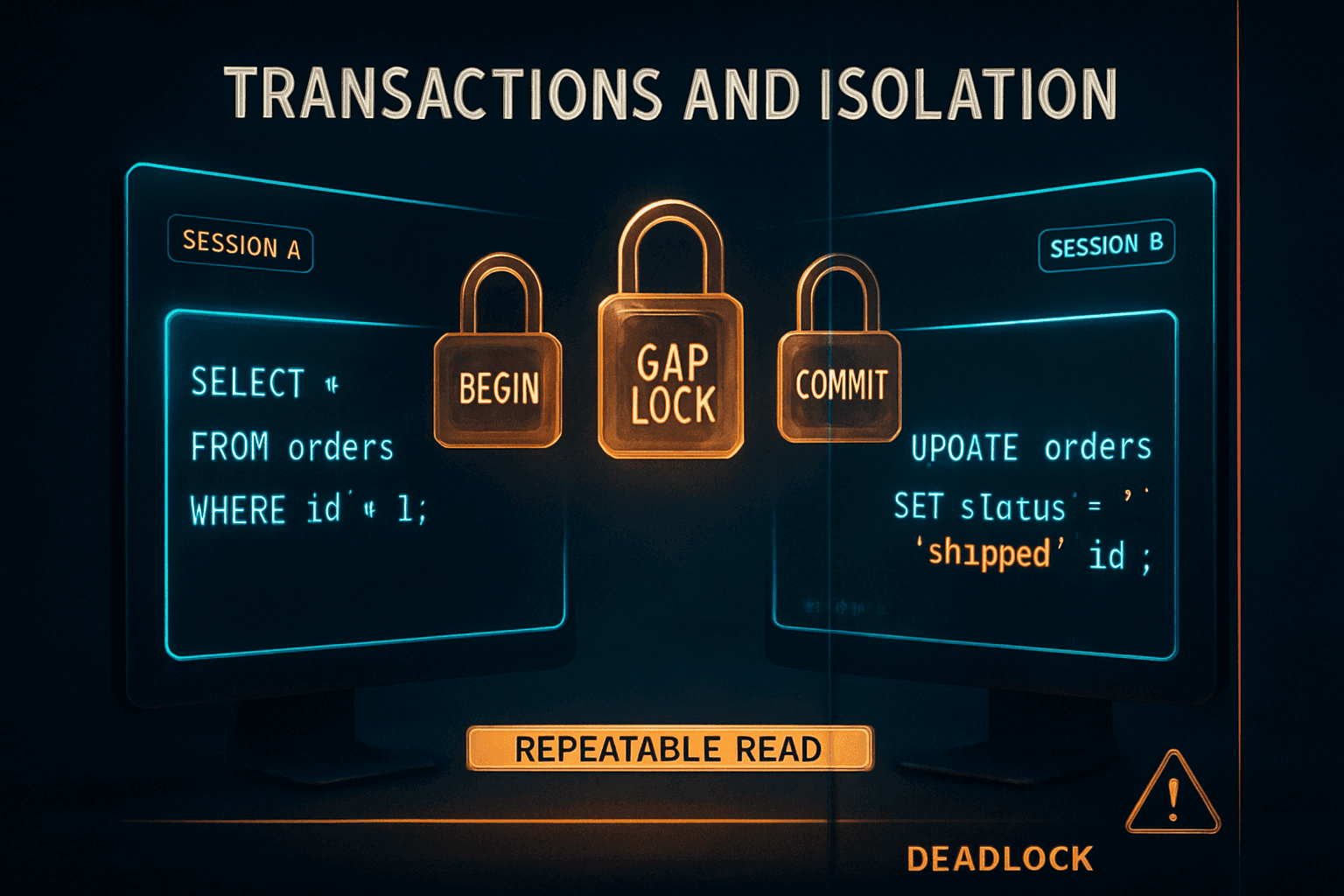
Gap locks are a lock on the empty space between two indexed values. They exist to prevent phantom rows from appearing inside a range a transaction has already scanned. If you run SELECT * FROM orders WHERE created_at BETWEEN '2026-01-01' AND '2026-01-31' FOR UPDATE, InnoDB locks not only matching rows but the gaps before and after them, so nobody can INSERT a January row while you're reading.
Next-key locks are the combination of a row lock and the gap before the row. The default lock InnoDB takes for a range scan in REPEATABLE READ isolation is a next-key lock. This is where most surprising deadlocks come from.
Two facts are worth burning in.
The other fact: indexes change what gets locked. A query without a useful index doesn't only get slow. It locks more rows, sometimes the whole range it walked to filter the result. That's why "add an index" is a deadlock fix as often as it's a performance fix.
A Two-Transaction Deadlock You'll Hit In Production
Imagine a wallets table where users transfer money between each other.
CREATE TABLE wallets (
  user_id BIGINT PRIMARY KEY,
  balance DECIMAL(12,2) NOT NULL
);
A naive transfer inside one transaction:
START TRANSACTION;
UPDATE wallets SET balance = balance - 50 WHERE user_id = 1;
UPDATE wallets SET balance = balance + 50 WHERE user_id = 2;
COMMIT;
Now imagine two transfers running at the same time.
- Transaction A: user 1 → user 2 (locks row 1, wants row 2).
- Transaction B: user 2 → user 1 (locks row 2, wants row 1).
That's a perfect circle. Whichever statement arrives first wins its row lock. The second statement of each transaction blocks. InnoDB's detector spots the cycle and kills one of them. Your application logs the error, your retry logic kicks in (you do have retry logic, right?), and the transfer eventually goes through.
This is the textbook deadlock. The fix is also textbook: lock things in a consistent order. We'll get there.
Less Obvious Deadlocks
Most deadlocks aren't this clean. They come from gap locks, secondary indexes, and the fact that one statement can lock more than you think.
Range scans and gap locks
START TRANSACTION;
SELECT * FROM orders
WHERE customer_id = 42 AND status = 'pending'
FOR UPDATE;
Under REPEATABLE READ on a table without a (customer_id, status) index, this can take next-key locks across the customer's entire row range, including the gap after the last pending order. Another transaction trying to INSERT a new pending order for that customer will block on the gap lock, even though the new row doesn't conflict with anything you've already read.
Two of these running on different customers can interleave their gap locks badly enough to deadlock, especially through shared secondary index entries. The trigger is rarely the row itself; it's the gap.
Secondary index surprises
When you UPDATE a row, InnoDB locks the row in the clustered index and in any secondary index that covers a column you changed. Two updates on the same row from two transactions can deadlock through a secondary index, because they're acquiring locks in slightly different orders without realising it.
That's why UPDATE wallets SET balance = ?, last_seen_at = NOW() WHERE user_id = ? plays differently than UPDATE wallets SET balance = ? WHERE user_id = ?. The extra column changes which secondary indexes participate.
Foreign key checks
A foreign key check takes a shared lock on the referenced row. If two child inserts in two transactions point at the same parent row, and either of them also updates the parent in the same transaction, you can deadlock through that parent row. The SQL doesn't look like it's writing to the parent, but the FK validation does.
You don't need to memorise every shape. Just remember: the lock set is wider than the rows in your WHERE clause, and the wider it is, the more likely two overlapping transactions collide.
Reading SHOW ENGINE INNODB STATUS
When a deadlock fires, MySQL writes a diagnostic block called LATEST DETECTED DEADLOCK. You read it with:
SHOW ENGINE INNODB STATUS;The output is dense, but you only need to find three things:
- Transaction (1): the SQL it was running and which lock it held.
- Transaction (2): the SQL it was running and which lock it held.
- WE ROLL BACK TRANSACTION (N): which one InnoDB killed.
A trimmed shape:
*** (1) TRANSACTION:
TRANSACTION 421...; ACTIVE 0 sec, updating or deleting
mysql tables in use 1, locked 1
LOCK WAIT 3 lock struct(s), heap size 1136, 2 row lock(s)
UPDATE wallets SET balance = balance + 50 WHERE user_id = 2

*** (1) HOLDS THE LOCK(S):
RECORD LOCKS space id N page no N n bits 72 index PRIMARY of table `app`.`wallets`
trx id 421...; lock_mode X locks rec but not gap

*** (1) WAITING FOR THIS LOCK TO BE GRANTED:
RECORD LOCKS space id N page no N n bits 72 index PRIMARY of table `app`.`wallets`
trx id 421...; lock_mode X waits

*** (2) TRANSACTION:
... mirror image ...

*** WE ROLL BACK TRANSACTION (2)
Notice three things from this kind of output.
The index name tells you whether the lock was on the primary key, a secondary index, or a foreign key check. That alone often points at the fix. The lock mode (X locks rec but not gap, X locks gap before rec, X locks rec and gap) tells you whether gap locks were involved, which means isolation level matters. And the statements are the current statements at the moment of the deadlock, not the full transaction history. The real cycle often started two queries earlier.
That last one trips people up. You need to understand the full transaction, not just the statement that died.
How To Reduce Them
You won't eliminate deadlocks completely, and you shouldn't try. A small steady rate is a sign your database is doing its job under contention. What you want is for them to be rare and recoverable. There are a handful of moves that buy you most of the reduction.
1. Lock Things In A Consistent Order
Most deadlocks are circular waits. If every transaction always acquires locks in the same order, a cycle is impossible.
In the wallet transfer example, sort the IDs before locking:
START TRANSACTION;
SELECT user_id, balance FROM wallets
WHERE user_id IN (1, 2)
ORDER BY user_id
FOR UPDATE;

UPDATE wallets SET balance = balance - 50 WHERE user_id = 1;
UPDATE wallets SET balance = balance + 50 WHERE user_id = 2;
COMMIT;
The ORDER BY user_id FOR UPDATE acquires both row locks in ascending ID order, every time, from every transaction. There's no way for two transfers to lock in opposite orders, so the textbook deadlock disappears.
The same idea generalises. Lock parents before children. Lock alphabetically. Lock by primary key ascending. The rule isn't which order; it's the same order, everywhere.
2. Use Indexes That Narrow The Lock Set
A query without a useful index doesn't only run slowly. It locks more.
If you run UPDATE orders SET status = 'cancelled' WHERE customer_id = 42 AND created_at < NOW() - INTERVAL 1 DAY and there's no good index on (customer_id, created_at), InnoDB has to scan a big chunk of the table to find the matching rows, and the lock set covers what it scanned along the way, not just the rows that match.
Add the right composite index, and the lock set shrinks to roughly the matching rows plus their gaps. The same statement, on the same data, with a fitting index, has a fraction of the deadlock surface.
That's why an index review is often a deadlock review. They're the same conversation.
3. Keep Transactions Short
The longer a transaction holds locks, the more chances another transaction has to overlap with it badly.
Bad:
START TRANSACTION;
SELECT ... FROM accounts WHERE id = 7 FOR UPDATE;
-- ... call an external payment API ...
-- ... do some heavy CPU work ...
UPDATE accounts SET balance = ? WHERE id = 7;
COMMIT;
The FOR UPDATE locked the row, then the transaction sat on that lock for the duration of an HTTP call. The lock window stretched from milliseconds to seconds. That window is where deadlocks live.
Better. Do the slow stuff outside, then open the transaction only when you're ready to write:
-- Outside the transaction (no DB locks held)
--   external_data = await paymentApi.fetch(...)
--   computed      = heavyWork(external_data)

START TRANSACTION;
SELECT ... FROM accounts WHERE id = 7 FOR UPDATE;
UPDATE accounts SET balance = :computed WHERE id = 7;
COMMIT;
A transaction that lives for 5 milliseconds is much harder to deadlock than one that lives for 500. Aim for the small one.
4. Be Careful With SELECT ... FOR UPDATE On Ranges
Range locks cause more deadlocks than point locks. If you can replace SELECT ... FOR UPDATE WHERE created_at < ? with a more selective approach (pick the IDs first with a normal SELECT, then UPDATE by primary key), you trade a wide gap-locking statement for narrow row locks.
-- Step 1, no transaction needed yet, no locks held
SELECT id FROM orders
WHERE customer_id = 42 AND status = 'pending'
ORDER BY id;

-- Step 2, in a transaction, lock by primary key
START TRANSACTION;
UPDATE orders SET status = 'cancelled' WHERE id IN (101, 105, 117);
COMMIT;
Yes, between step 1 and step 2 a row could disappear or a new pending order could appear. If that's a problem, you handle it explicitly: re-check inside step 2 or use a stricter approach. Often it isn't a problem, and the trade is worth it.
5. Consider READ COMMITTED For Hot Tables
If you don't strictly need REPEATABLE READ semantics (and a lot of web applications don't), switching the session or transaction to READ COMMITTED removes most gap locks:
SET SESSION TRANSACTION ISOLATION LEVEL READ COMMITTED;You lose phantom-read protection within a transaction, but you also lose a category of deadlocks that are very hard to explain. Many deadlock-heavy systems get a real reduction just from this one change, applied to the right sessions.
Don't do this globally without thinking. Some workloads (financial reconciliation, audit batches, anything that scans and acts on a stable snapshot) really do depend on REPEATABLE READ. Move with intention.
6. Retry, Don't Fight
Even after every fix above, you'll still see occasional deadlocks. The right reaction at the application layer is a small, bounded retry loop, not a panic.
A safe shape:
async function withDeadlockRetry<T>(
  fn: () => Promise<T>,
  maxAttempts = 3,
): Promise<T> {
  let lastErr: unknown;
  for (let attempt = 1; attempt <= maxAttempts; attempt++) {
    try {
      return await fn();
    } catch (err: any) {
      // MySQL deadlock error number is 1213
      if (err?.errno === 1213 && attempt < maxAttempts) {
        lastErr = err;
        await sleep(50 * Math.pow(2, attempt - 1));
        continue;
      }
      throw err;
    }
  }
  throw lastErr;
}
import time
from functools import wraps
def with_deadlock_retry(max_attempts=3):
def decorator(fn):
@wraps(fn)
def wrapper(*args, **kwargs):
for attempt in range(1, max_attempts + 1):
try:
return fn(*args, **kwargs)
except Exception as exc:
# MySQL deadlock errno is 1213
if getattr(exc, "errno", None) == 1213 and attempt < max_attempts:
time.sleep(0.05 * (2 ** (attempt - 1)))
continue
raise
return wrapper
return decoratorimport (
"errors"
"time"
"github.com/go-sql-driver/mysql"
)
func WithDeadlockRetry(fn func() error, maxAttempts int) error {
var lastErr error
for attempt := 1; attempt <= maxAttempts; attempt++ {
err := fn()
if err == nil {
return nil
}
var me *mysql.MySQLError
if errors.As(err, &me) && me.Number == 1213 && attempt < maxAttempts {
lastErr = err
time.Sleep(time.Duration(50<<(attempt-1)) * time.Millisecond)
continue
}
return err
}
return lastErr
}A few things matter about this loop.
Retry the whole transaction, not just the statement that failed. Once MySQL rolls back, you have to start over from the first statement.
Bound the attempts. If you hit the limit, surface the error and let the caller decide. An infinite loop on deadlocks is how you turn a small contention problem into an outage.
Back off slightly. A few milliseconds is enough to break the synchronisation between two clashing transactions. You're not trying to be clever. You're just nudging them off the same beat.
Make the wrapped function idempotent at the transaction boundary. Reading inputs from the request and writing to the database is fine. Sending a webhook from inside the retried block is not.
The MySQL error code for a deadlock is 1213 and the SQLSTATE is 40001. Your driver will surface one of those. Match the one your stack exposes cleanly.
They're A Signal, Not Just A Failure
A deadlock is the database telling you, very precisely, that two pieces of code touched the same data in conflicting orders at the same time. That's useful information.
If you see them at a steady, low rate and your retry loop swallows them, that's healthy. If you see them spiking, find the two SQL statements in the InnoDB status output, look at the indexes they're hitting, and ask whether those two transactions need to overlap as much as they do.
Most deadlocks aren't bugs. They're a coordination problem with a name. Now you know the moves.