So you've got a table that's too big.
Maybe it's events, or audit_log, or orders, or whatever your business calls the thing that just keeps growing. A few hundred million rows. The indexes are fine, mostly. Queries against last week's data are quick. Queries against the whole history are not. Backups take forever. Dropping old data with DELETE locks the world for an hour and produces a binlog the size of a small country.
Someone on the team says the magic word.
Partitioning.
Everyone nods. It sounds like the right tool. The table is big, partitioning is the thing you do to big tables, the docs have a whole chapter about it. Done.
Then six months later the partitioned table is somehow slower than the old one, every query is doing a full table scan, and your senior DBA is sending you Stack Overflow links from 2014.
Let's untangle this. Partitioning in MySQL is genuinely useful, but also one of the most overprescribed features in the engine. The gap between "it helps" and "it hurts" is narrow, and which side you land on depends almost entirely on the queries you run, not on how big the table is.
What MySQL Partitioning Actually Is
Forget for a second what the word partition means in your head. In MySQL, a partitioned table is one logical table that the engine stores as several physical sub-tables behind the scenes. You write a normal INSERT or SELECT, but the engine routes each row to a specific partition based on a function you defined when you created the table.
Here's the simplest possible version:
CREATE TABLE events (
  id BIGINT NOT NULL,
  user_id BIGINT NOT NULL,
  created_at DATETIME NOT NULL,
  payload JSON,
  PRIMARY KEY (id, created_at)
)
PARTITION BY RANGE (YEAR(created_at)) (
  PARTITION p2020 VALUES LESS THAN (2021),
  PARTITION p2021 VALUES LESS THAN (2022),
  PARTITION p2022 VALUES LESS THAN (2023),
  PARTITION p2023 VALUES LESS THAN (2024),
  PARTITION pmax  VALUES LESS THAN MAXVALUE
);
To you, it's still events. To InnoDB, it's five separate tablespaces on disk, one per partition. A row with created_at = '2022-04-12' lives in p2022. A row from January 2023 lives in p2023. The router never crosses partitions to find a single row.
That's the whole mechanism. Everything good about partitioning, and everything bad about it, falls out of that one fact.
The One Optimisation That Pays For Everything
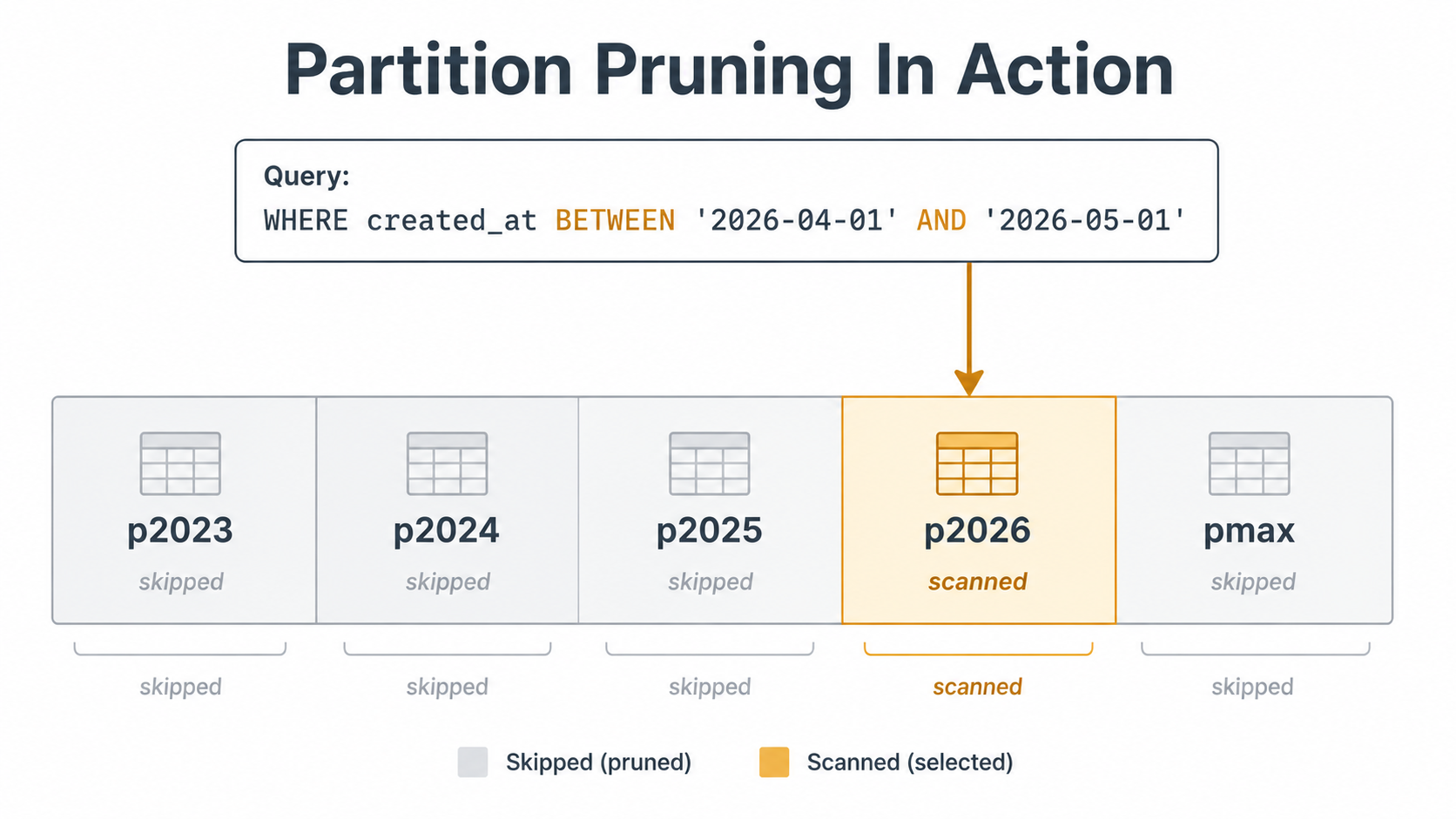
When MySQL plans a query, the optimiser tries to figure out which partitions can possibly contain matching rows. If it can rule any out, it doesn't open them. This is called partition pruning, and it's the only reason you'd ever partition a table.
SELECT * FROM events
WHERE created_at >= '2023-01-01'
  AND created_at <  '2023-02-01';
Run that against the table above and the optimiser sees the YEAR(created_at) partition function, narrows the search to p2023, and ignores the four older partitions completely. You can confirm it with EXPLAIN:
EXPLAIN
SELECT * FROM events
WHERE created_at >= '2023-01-01'
  AND created_at <  '2023-02-01';
The partitions column in the output tells you which partitions the query actually touches. If you see one partition listed, you got pruning. If you see all of them, you didn't.
That's the whole game. Partitioning helps when you can prune. It hurts when you can't.
When Partitioning Actually Helps
There are a few patterns where partitioning earns its keep. They almost all come down to the partition column being something the database, the query, and the operations team all care about together.
Time-Based Data With Time-Bounded Queries
This is the canonical case. You have a write-heavy log of things that happened: events, orders, sensor readings, audit trails. The vast majority of your reads are scoped by time. Yesterday's events. This month's orders. Last week's audit entries.
Partition by date or month, and every dashboard query, every export, every "show me the last seven days" admin screen prunes down to one or two partitions. The fact that the table contains five years of history stops mattering, because you never read more than one slice at a time.
The other thing that becomes free here is deleting old data. If you keep 13 months of events for compliance and then drop the rest:
ALTER TABLE events DROP PARTITION p2021;That's a metadata operation. The partition file is removed. No DELETE, no row-by-row cleanup, no binlog flood, no row locks held for hours, no autovacuum-style aftermath. On a billion-row table it takes seconds. The same retention policy implemented as DELETE FROM events WHERE created_at < ? would chew up an entire weekend and probably trip a replication alert.
Cold/Hot Data Separation
If most queries hit recent data and old data is mostly there for compliance, partitioning lets you keep the hot partition small and snappy while the cold ones sit on slower storage. The buffer pool only really has to cache the hot partition. Backups can be partition-aware. Some teams use ALTER TABLE ... EXCHANGE PARTITION to move old partitions into a separate archive table without copying rows:
ALTER TABLE events EXCHANGE PARTITION p2020 WITH TABLE events_archive_2020;This swaps the partition's tablespace with an empty staging table in one metadata operation. Same row count, no copy, no locks beyond a brief metadata exchange.
Bulk Loads And Bulk Drops
Anything where you'd otherwise be saying "drop a billion rows" or "load a billion rows in one go" becomes easier with partitions. You can build a whole partition's data in a staging table, exchange it in, and you've added a billion rows without anybody noticing. You can drop a fiscal quarter in two seconds.
This isn't a query-speed argument. It's an operations argument, and on big tables, operations are usually the limiting factor anyway.
When Partitioning Doesn't Help (Or Actively Hurts)
Now the part that gets skipped in most blog posts.
When Your Queries Don't Use The Partition Column
The whole point is pruning. If your queries don't filter by the partition column, the engine has to open every partition and scan each one. You've taken one big table and turned it into N smaller tables that all get touched on every read. That's worse, not better. Each partition has its own indexes, its own buffer pool warm-up cost, its own statistics, and the optimiser spends time stitching results together.
-- Partition column is created_at.
SELECT * FROM events WHERE user_id = 12345;
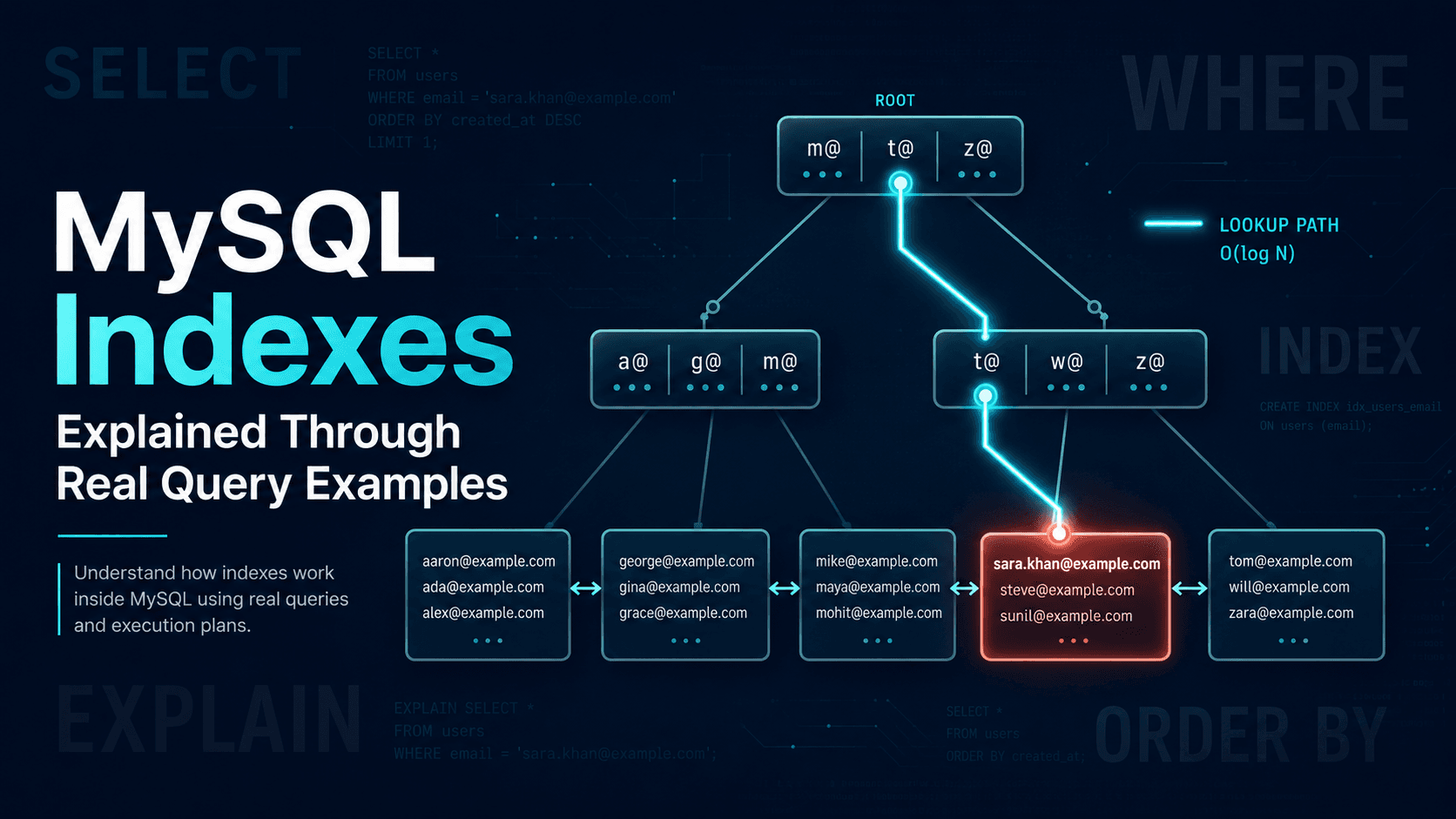
This query has no idea which partition the user's events live in. The engine fans out across all of them. If you had a plain (non-partitioned) table with a (user_id) index, this would be a simple B-tree lookup. With partitioning, you've got the same lookup repeated five times.
That's the most common partitioning anti-pattern: partitioning by a column the application doesn't filter on.
When A Better Index Would Have Done The Job
A 200-million-row table with a good covering index isn't slow. It's a 200-million-row table that does a B-tree lookup in microseconds. Partitioning is sometimes proposed as a cure for problems that an index would have fixed for free, with no operational complexity, no foreign-key drama, and no risk of getting the partition function wrong.
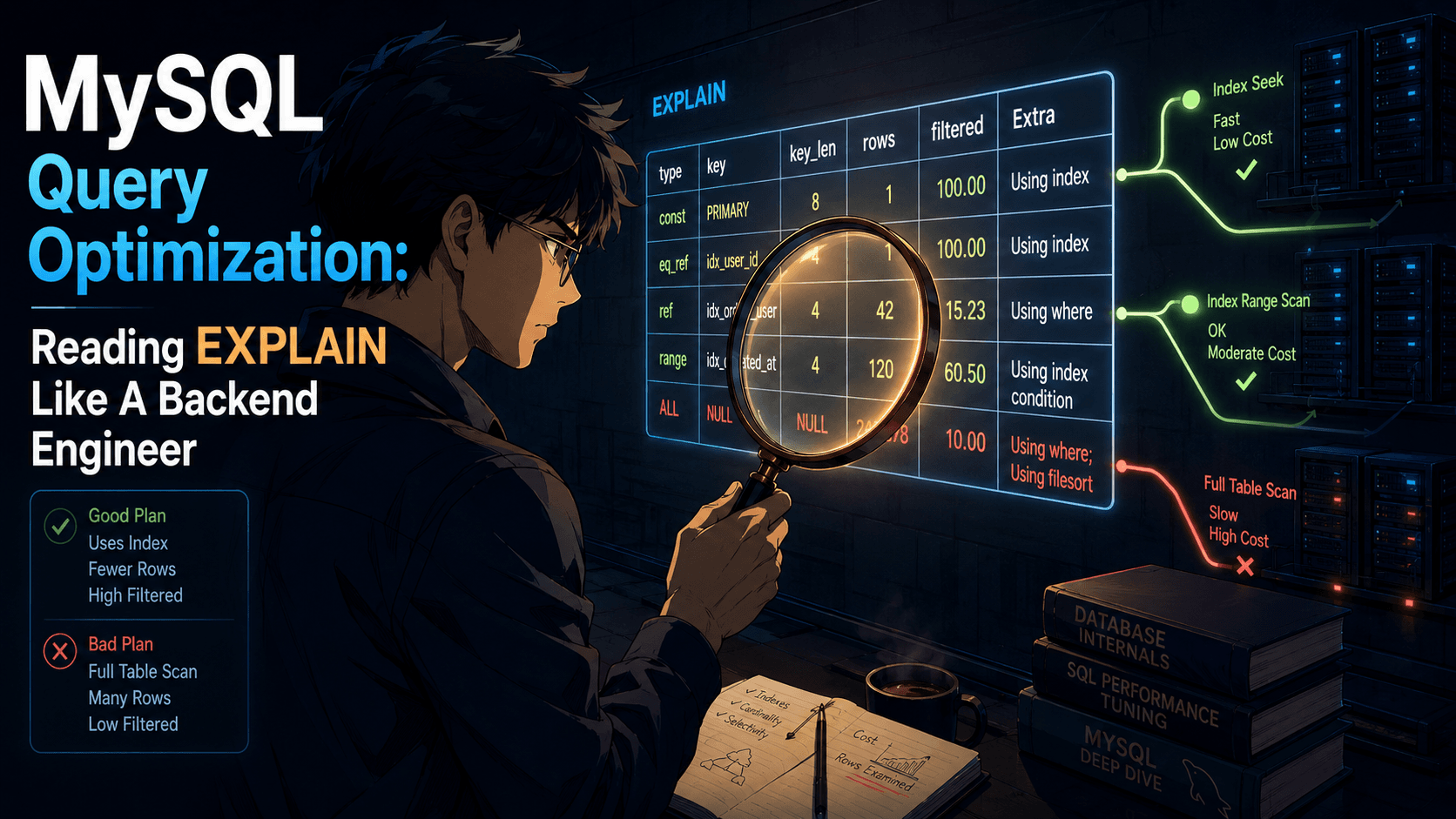
Before you partition, ask the boring question: is the slow query slow because the table is big, or because it's missing an index? An EXPLAIN will tell you. A type: ALL row in the explain plan is the engine telling you it's doing a full scan, and full scans don't get faster when you split the table; they get slower.
When You Need Foreign Keys
This one catches teams off guard. MySQL does not support foreign keys on partitioned tables. You can't have a foreign key from a partitioned table to anything, and you can't have a foreign key from anything else pointing into a partitioned table. The engine just won't let you.
If your orders table is the centre of a foreign-key graph, with order_items, payments, shipments, and refunds all referencing it, partitioning it means tearing those foreign keys out. You're now enforcing referential integrity in the application layer, or you're not enforcing it at all. That's a real architectural decision, not a footnote.
When Your Primary Key Doesn't Include The Partition Column
This is the constraint that makes a lot of would-be partitioning schemes fall apart on the first try.
So if your table has PRIMARY KEY (id) and you want to partition by created_at, you can't. You have to change the primary key to PRIMARY KEY (id, created_at). That sounds harmless until you remember that primary keys are how InnoDB clusters rows on disk, how every secondary index points back at the row, and how every foreign key from another table identifies the parent row. Changing the primary key on a live table is a heavy operation with cascading consequences.
It also breaks the implicit assumption that id is unique by itself. If your application code does SELECT * FROM events WHERE id = 42, that query no longer guarantees a single row at the schema level. Only (id, created_at) is unique. In practice, your id column is probably still unique because it's an AUTO_INCREMENT. But the database doesn't know that, and the optimiser doesn't either, which means lookups by id alone don't get the single-row optimisation they used to.
When Your Table Isn't Big Enough Yet
A 10-million-row table doesn't need partitioning. A 50-million-row table probably doesn't need partitioning. The threshold isn't a number; it's "the indexes I want to have on this table are too big to fit in the buffer pool, and queries are starting to hit disk on every lookup". Until you're there, you're paying the complexity cost of partitioning to solve a problem you don't have.
When You Pick The Wrong Partition Function
PARTITION BY HASH (user_id) sounds clever. It distributes writes evenly across N partitions, no skew, perfect balance. The trap is that the partition column is now user_id, which means only queries that filter by user_id get pruning. Queries by created_at (your reporting, your retention, your dashboards) fan out to every partition. If those are your dominant query pattern, you've optimised for the wrong axis.
The same trap shows up with PARTITION BY KEY and any non-time partition function. The function determines which queries can prune. Pick it to match the queries you actually run, not the column with the prettiest distribution.
A Decision Frame, Not A Checklist
Here's the way I think about it before reaching for partitioning. Three questions, in order.
One. What query is slow, and why? If the answer involves a full scan, fix the index first. Partitioning a table with bad indexes just gives you several smaller tables with bad indexes. If the answer is "the table is too big to back up in our maintenance window" or "deleting old data takes 14 hours and locks writes", that's a partitioning problem, not an indexing problem.
Two. What's the dominant filter on this table? Look at your slow query log. Look at the application code. Find the column that 80% of queries scope by. If it's a timestamp and queries are time-bounded, partitioning by time is a real fit. If 80% of queries are "by user", and user is the partition column, fine. If your queries are scattered across columns with no dominant filter, partitioning will help one query pattern at the expense of others.
Three. What architectural cost am I paying? Foreign keys you have to drop. Primary keys you have to extend. Schema changes that now require partition-by-partition rewrites. A new failure mode where someone adds a query without the partition column and silently scans the whole table. Operational tooling that has to know about partition layout. Partitioning is permanent in a way that indexing isn't. You can drop an index in a heartbeat; un-partitioning a table is a full rebuild on a billion rows.
If the answer to all three points the same way, partition. If the third question makes you wince more than the first one made you panic, don't.
What To Try Before You Split The Table
A few moves that solve a lot of the same problems with less commitment.
Add the right composite index. If queries filter by user_id and order by created_at, an index on (user_id, created_at) will turn most pain queries into clean range scans. This solves the "table is big" problem for any query that hits the index, without any partitioning at all.
Archive instead of partition. If the goal is "old data slows things down and is rarely read", consider moving rows older than N months into a separate events_archive table on a schedule. Same hot/cold separation, no partitioning constraints, foreign keys still work, queries against events get smaller for free.
Move to summary tables. If you're partitioning so dashboards over five years of data don't time out, the real fix is often a daily/weekly aggregate table that the dashboard queries instead. The raw table can stay enormous; the dashboard hits a million-row summary.
Use generated columns + indexing. Sometimes "we need to filter by month" is a missing index, not a partitioning problem. A generated column for event_month plus an index on (event_month, user_id) turns a slow group-by into a fast lookup, no schema upheaval required.
Separate hot from cold at the application level. Two tables: events_recent for the last 90 days and events for the long tail, written through the same code path. Recent queries hit the small table, occasional historical queries union both. Less elegant, more honest, easier to reason about than getting partition pruning right.
None of these are better than partitioning in principle. They're cheaper to try, easier to undo, and they don't take foreign keys hostage. Reach for them first.
When Partitioning Is The Right Answer
I'm not going to pretend partitioning is always wrong. There's a clean version of it where everything lines up.
Big append-only table. Time-based primary read pattern. Hard retention policy that runs on calendar boundaries. Few or no foreign keys (or a clear plan for application-level enforcement). Operations team that already understands InnoDB tablespace files. A created_at partition by month, sliding the oldest off and the newest on with a scheduled job. This is the shape partitioning was built for, and on a table like that it's hard to beat.
The mistake isn't partitioning when this shape fits. The mistake is partitioning when it doesn't and hoping the performance gain shows up anyway because the table is big and the docs say partitioning is for big tables.
Big tables aren't a problem. Big tables with the wrong query plan are.
Fix the query plan first. Reach for partitioning when you've actually got the time-based, retention-driven, mostly-pruning workload it's good at. When you do, write down the partition column in the same comment as the schema so the next person who adds a query knows which WHERE clause keeps the database honest.