The 1.4 GB Image That Should Be 120 MB
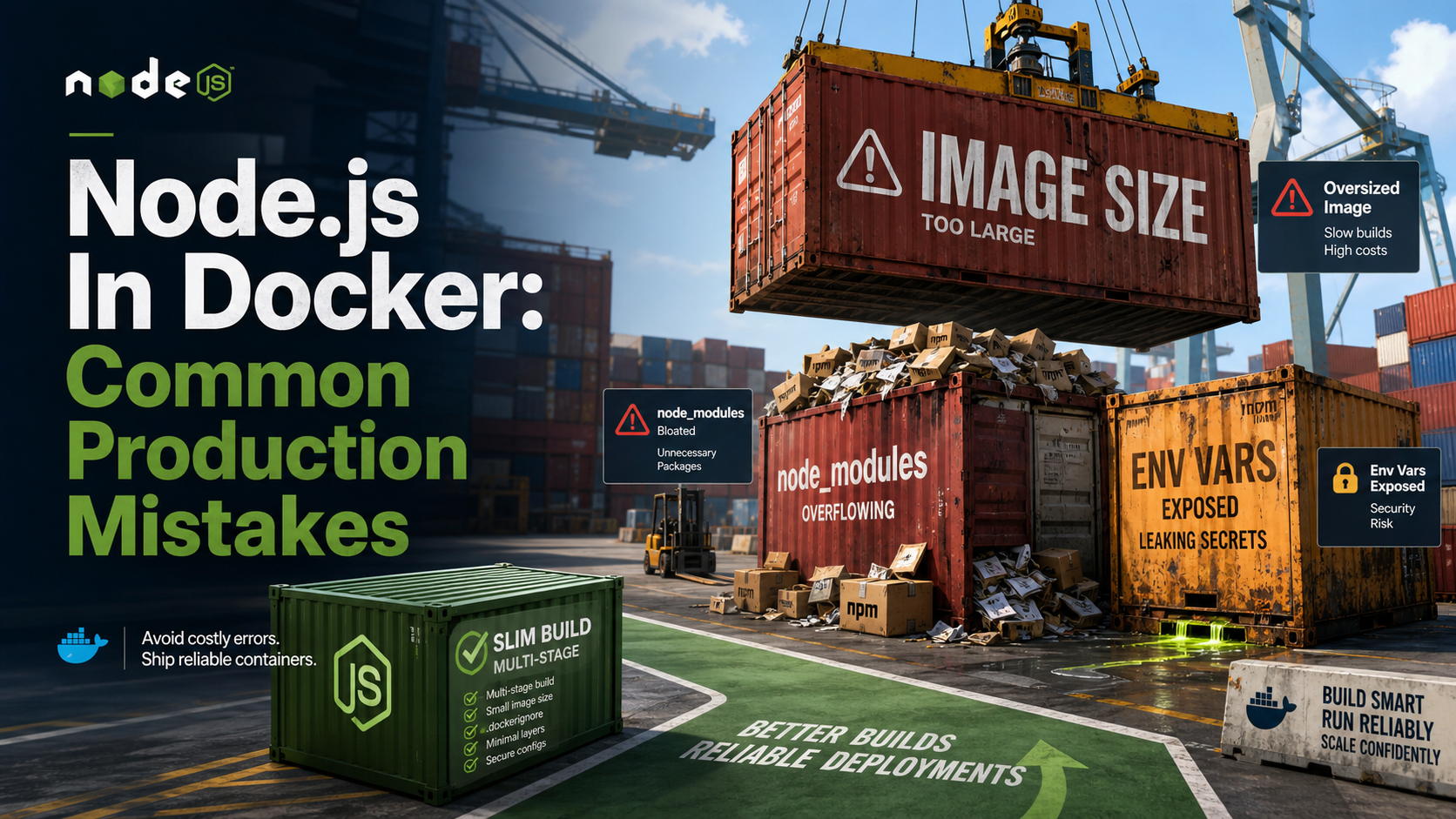
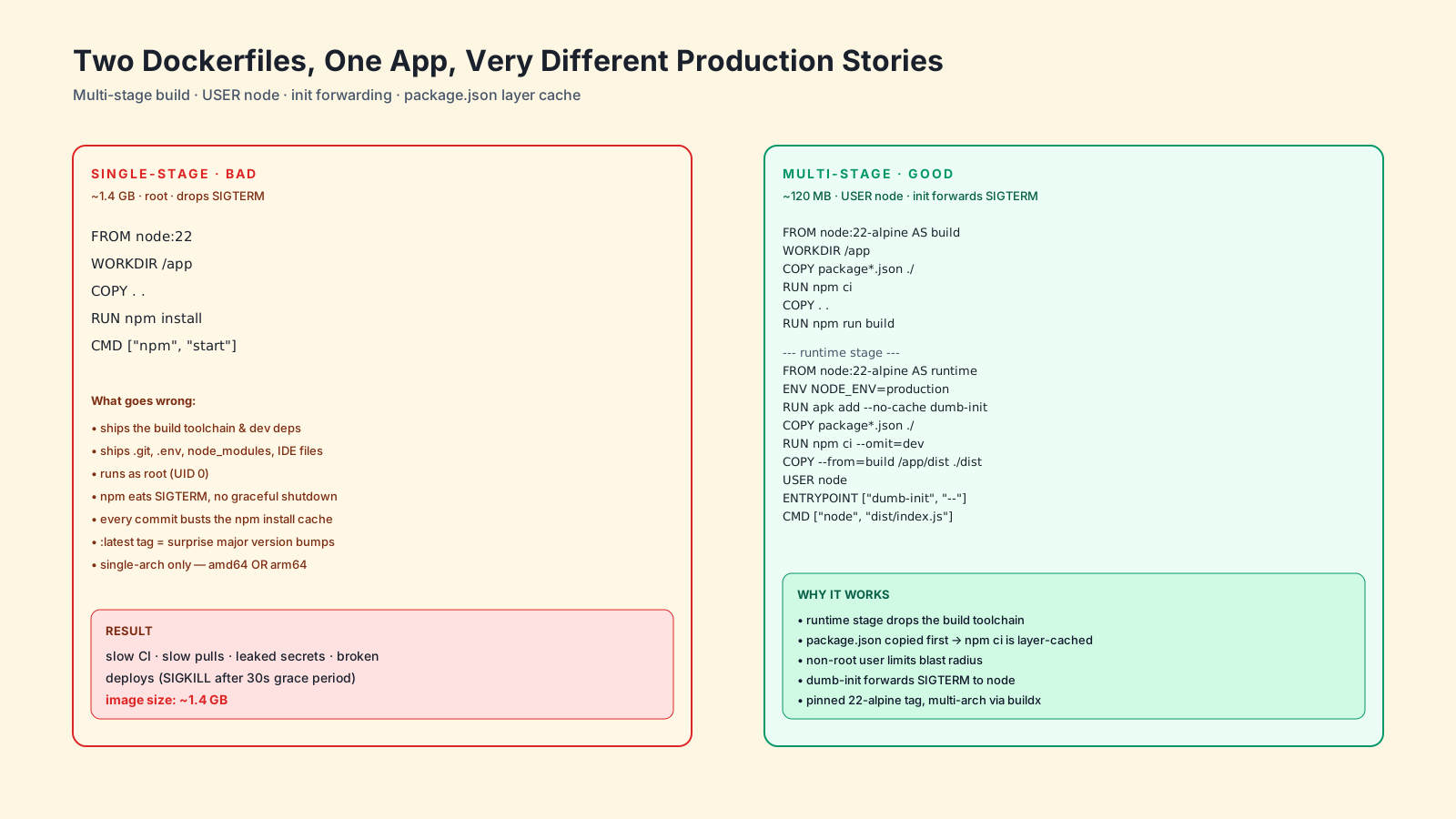
You SSH into the build machine. The image for a small Express API is 1.4 GB. It contains Git, the entire node_modules from npm install (including dev deps), a copy of your .env, and — somehow — your local .vscode/ folder.
Worst part: it runs as root, ignores SIGTERM, and rebuilds from scratch every time someone touches a comment in README.md.
This is the most common shape of "Node.js in Docker" I see in real codebases. The container works. It just isn't doing any of the things containers are supposed to do for you.
Mistake One: A Single-Stage Image
The classic broken Dockerfile:
FROM node:22
WORKDIR /app
COPY . .
RUN npm install
CMD ["node", "src/index.js"]
It works. It also ships your build toolchain, your test framework, your TypeScript compiler, and every dev dependency to production. The fix is a multi-stage build — one stage to compile, one stage to run.
# --- build stage ---
FROM node:22-alpine AS build
WORKDIR /app
COPY package.json package-lock.json ./
RUN npm ci
COPY . .
RUN npm run build

# --- runtime stage ---
FROM node:22-alpine AS runtime
WORKDIR /app
ENV NODE_ENV=production
COPY package.json package-lock.json ./
RUN npm ci --omit=dev && npm cache clean --force
COPY --from=build /app/dist ./dist
USER node
EXPOSE 3000
CMD ["node", "dist/index.js"]
The runtime stage only contains what you actually need: production dependencies and your built output. The image drops from "embarrassing" to "reasonable" in about 20 lines.
Mistake Two: Running As Root
Default node:22-alpine boots as root. If your app is compromised, root inside the container is one bad volume mount or kernel CVE away from being root on the host.
The official Node images ship a non-root node user with UID 1000. Use it.
RUN mkdir -p /app && chown -R node:node /app
WORKDIR /app
USER node
Order matters: switch to USER node after installing dependencies, or npm ci will fail trying to write into a directory it doesn't own. If your app needs to write to a volume, chown it to the same UID.
Mistake Three: Broken Signal Forwarding
Containers run your CMD as PID 1. PID 1 has special rules — it does not get default signal handlers, and if it doesn't explicitly handle SIGTERM, the signal is silently dropped.
That means your beautifully written graceful-shutdown handler from the last article never runs. Kubernetes waits the full grace period and then SIGKILLs you. Every. Single. Deploy.
Two fixes, both fine:
# Option A: docker run --init (or "init: true" in compose / k8s)
CMD ["node", "dist/index.js"]# Option B: dumb-init as the entrypoint
RUN apk add --no-cache dumb-init
ENTRYPOINT ["dumb-init", "--"]
CMD ["node", "dist/index.js"]Both inject a tiny init process that becomes PID 1 and forwards signals to your Node process. Modern Node also handles signals fine when it's not PID 1, so an init wrapper solves the problem cleanly.
Whatever you do, do not use CMD npm start. npm does not forward signals to its child by default, so SIGTERM dies in npm and never reaches node. Always exec Node directly.
Mistake Four: Killing The Layer Cache
This single line invalidates your dependency cache on every code change:
COPY . .
RUN npm ci
Docker rebuilds layers top-down. Once COPY . . changes (and it changes every commit), every layer below it reruns — including npm ci, which can take minutes. Reorder:
COPY package.json package-lock.json ./
RUN npm ci
COPY . .
Now npm ci only reruns when package.json or package-lock.json actually change. Your local builds get faster, your CI pipeline gets faster, and your developers stop opening Twitter while waiting for a one-line PR to build.
Mistake Five: A Missing Or Useless .dockerignore
If you don't have a .dockerignore, COPY . . happily ships node_modules, .git, .env, build caches, IDE folders, and anything else hanging around. That bloats the image, leaks secrets, and slows the build context upload.
A reasonable starting point:
node_modules
npm-debug.log
.git
.gitignore
.env
.env.*
.vscode
.idea
coverage
dist
*.log
Dockerfile
.dockerignore
Yes, dist belongs in there too — you're rebuilding it inside the image, you don't want a stale local copy sneaking in.
Mistake Six: Treating Env Vars Like Build-Time Config
Baking secrets into images during build is a permanent mistake — anyone who can pull the image can docker history their way to your tokens. Use build args only for non-secret build-time values, and pass real secrets at runtime.
ARG APP_VERSION
ENV APP_VERSION=$APP_VERSIONdocker build --build-arg APP_VERSION=1.4.2 -t my-api:1.4.2 .
docker run --env-file .env.production my-api:1.4.2For Kubernetes, mount secrets via Secret volumes or env vars from secretRef. Never COPY .env into an image.
Mistake Seven: Single-Architecture Images In A Multi-Arch World
Apple Silicon developers, ARM-based AWS Graviton instances, and Raspberry Pi edge boxes all want linux/arm64. CI runners are usually linux/amd64. If you build only one, half your team is downloading slow emulated images and half your servers are running the wrong binary.
docker buildx create --name multi --use
docker buildx build \
  --platform linux/amd64,linux/arm64 \
  -t ghcr.io/me/my-api:1.4.2 \
  --push .
buildx produces a manifest list — pulling on amd64 grabs the amd64 image, pulling on arm64 grabs the arm64 image, automatically. One tag, two architectures.
Mistake Eight: node:latest Or No Tag At All
FROM node and FROM node:latest are how you wake up one morning to a broken build because Node moved a major version overnight. Pin to an LTS line and a base flavor: node:22-alpine, node:22-bookworm-slim, or — if you want the smallest, hardest-to-debug image — distroless:
FROM gcr.io/distroless/nodejs22-debian12
COPY --from=build /app /app
WORKDIR /app
CMD ["dist/index.js"]
Distroless has no shell, no package manager, no debugging tools. That's a security feature and an operational annoyance — pick it when you've earned the discipline.
A One-Sentence Mental Model
A good Node.js Dockerfile is small (multi-stage), safe (USER node), polite (init forwards signals so shutdown works), and cache-friendly (package.json copied before source) — get those four right and the rest is decoration.