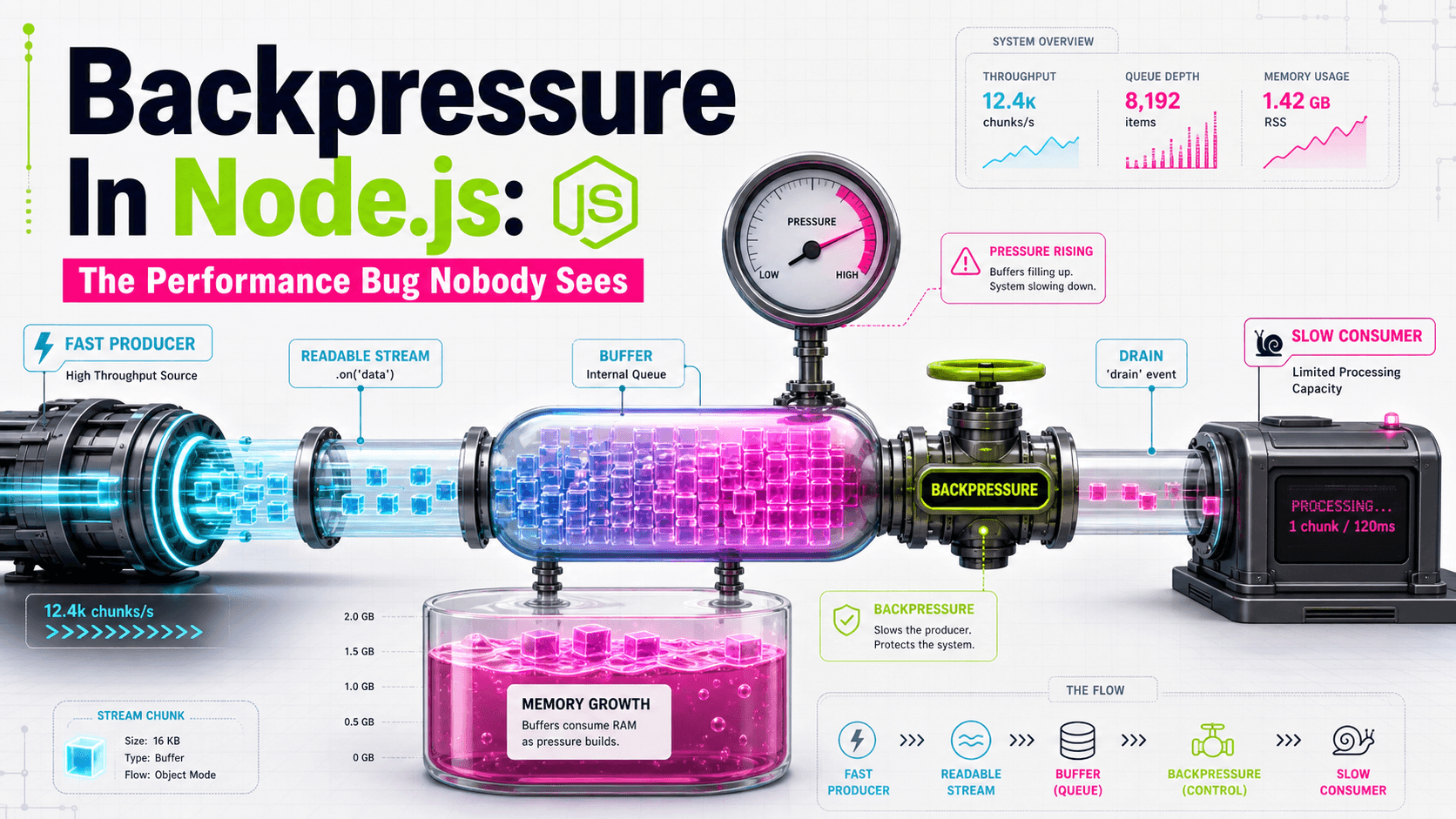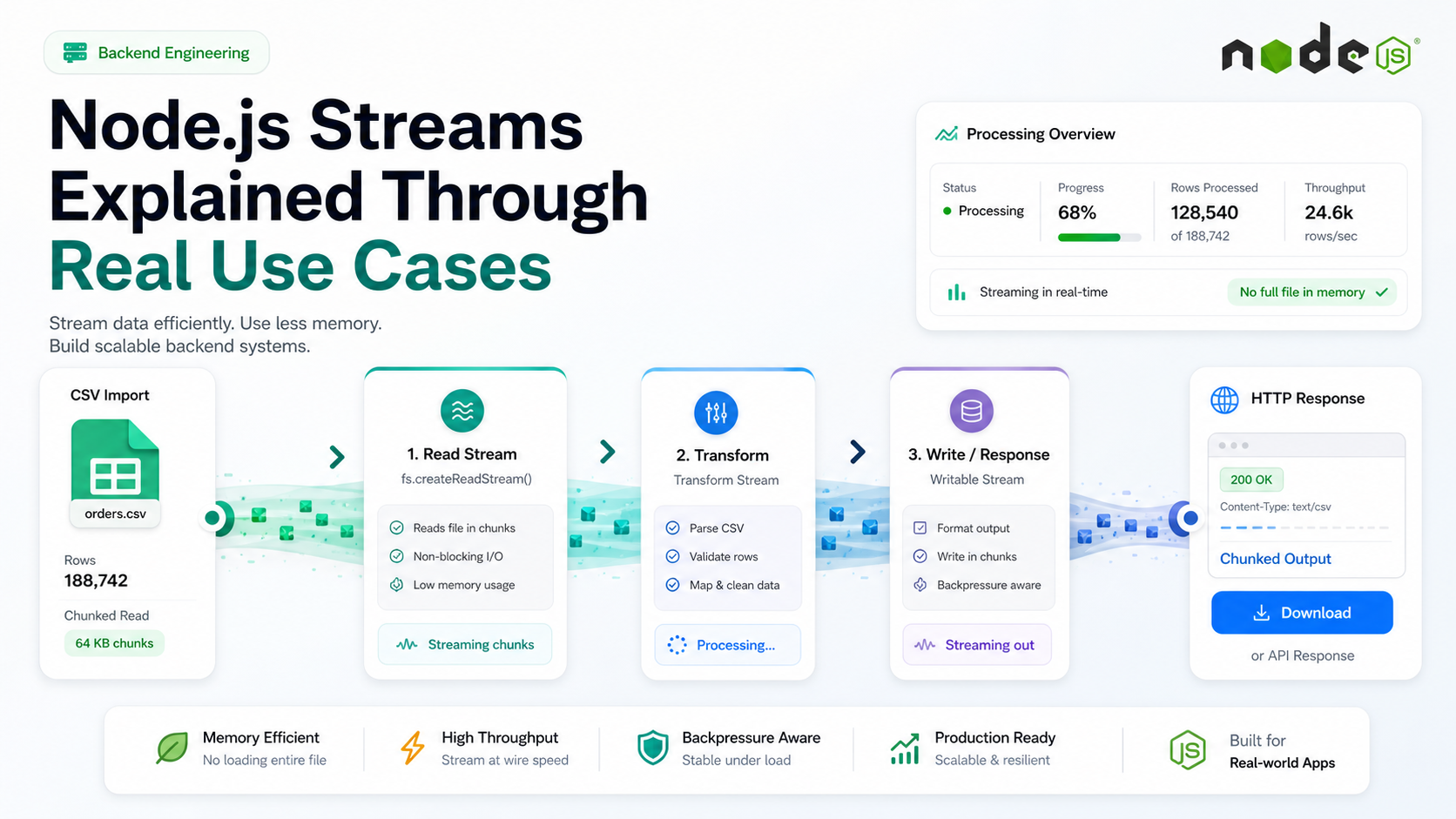
The first time you handle a 2 GB CSV in a Node service, you learn what streams are for. The "load it into memory" approach hits a heap limit, the process dies, and you start asking questions that the docs were trying to teach you all along — what is a Readable, what is a Transform, why does pipeline() exist, and what does "high water mark" actually mean.
Streams are one of those Node features that looks intimidating in isolation and obvious once you see them solving a real problem. The mental model is small: data flows through pipes, the pipes apply backpressure, and the runtime handles the choreography as long as you wire the segments together correctly.
Here are the use cases where streams stop being theoretical.
The Four Stream Types, Explained Briefly
- Readable — produces data. Examples:
fs.createReadStream, an HTTP request body,process.stdin. - Writable — consumes data. Examples:
fs.createWriteStream, an HTTP response,process.stdout. - Duplex — both, separate channels. Example: a TCP socket.
- Transform — Duplex where output is a function of input. Examples:
zlib.createGzip(), a CSV parser, a line splitter.
Almost every real pipeline is Readable → one or more Transforms → Writable. The plumbing is the interesting part.
Use Case 1: Importing A Large CSV Without OOM
Loading the whole file with fs.readFileSync works for 10 MB and dies for 1 GB. Streaming it processes one row at a time and keeps memory flat:
import { pipeline } from 'node:stream/promises';
import { createReadStream } from 'node:fs';
import { parse } from 'csv-parse';
import { Transform } from 'node:stream';

const validateAndWrite = new Transform({
  objectMode: true,
  async transform(row, _enc, cb) {
    try {
      await db.customers.insert({ email: row.email, name: row.name });
      cb();
    } catch (err) {
      cb(err);
    }
  },
});

await pipeline(
  createReadStream('customers.csv'),
  parse({ columns: true, skip_empty_lines: true }),
  validateAndWrite,
);
Three observations. First, pipeline() from node:stream/promises is the only composition primitive you should use — it propagates errors and cleans up correctly. Second, objectMode: true lets the Transform pass parsed row objects instead of raw bytes. Third, the database write happens one row at a time, which sounds slow but is bounded by IO and stays predictable under load.
If you batch — group rows into chunks of 500 and INSERT ... VALUES (...), (...) — you get most of the throughput back without losing the memory profile.
Use Case 2: Proxying A Download Without Buffering
A common API is "download a remote file and stream it to the client" — for re-encoding, watermarking, or just because the client can't reach the origin directly. The wrong way buffers the whole file in memory:
// don't do this
const buf = Buffer.from(await (await fetch(remoteUrl)).arrayBuffer());
res.send(buf);
The right way pipes the response body straight through:
import { pipeline } from 'node:stream/promises';
import { Readable } from 'node:stream';

export async function proxyDownload(req, res) {
  const upstream = await fetch(remoteUrl);
  if (!upstream.ok || !upstream.body) {
    return res.status(502).json({ error: 'upstream_failed' });
  }
  res.setHeader('Content-Type', upstream.headers.get('content-type') ?? 'application/octet-stream');
  await pipeline(Readable.fromWeb(upstream.body), res);
}
Memory stays flat regardless of file size. Backpressure handles itself — if the client is slow to receive, pipeline slows the upstream read. Readable.fromWeb is the bridge between web streams (what fetch returns) and Node streams (what pipeline expects).
Use Case 3: Compressing A Response On The Fly
Combining a Transform stream with pipeline is how you compress without holding the original or the compressed copy in memory:
import { pipeline } from 'node:stream/promises';
import { createGzip } from 'node:zlib';

export async function exportLogs(req, res) {
  res.setHeader('Content-Type', 'application/gzip');
  res.setHeader('Content-Disposition', 'attachment; filename="logs.gz"');

  await pipeline(
    db.logs.cursor(req.query),  // Readable
    createGzip(),                // Transform
    res,                         // Writable
  );
}
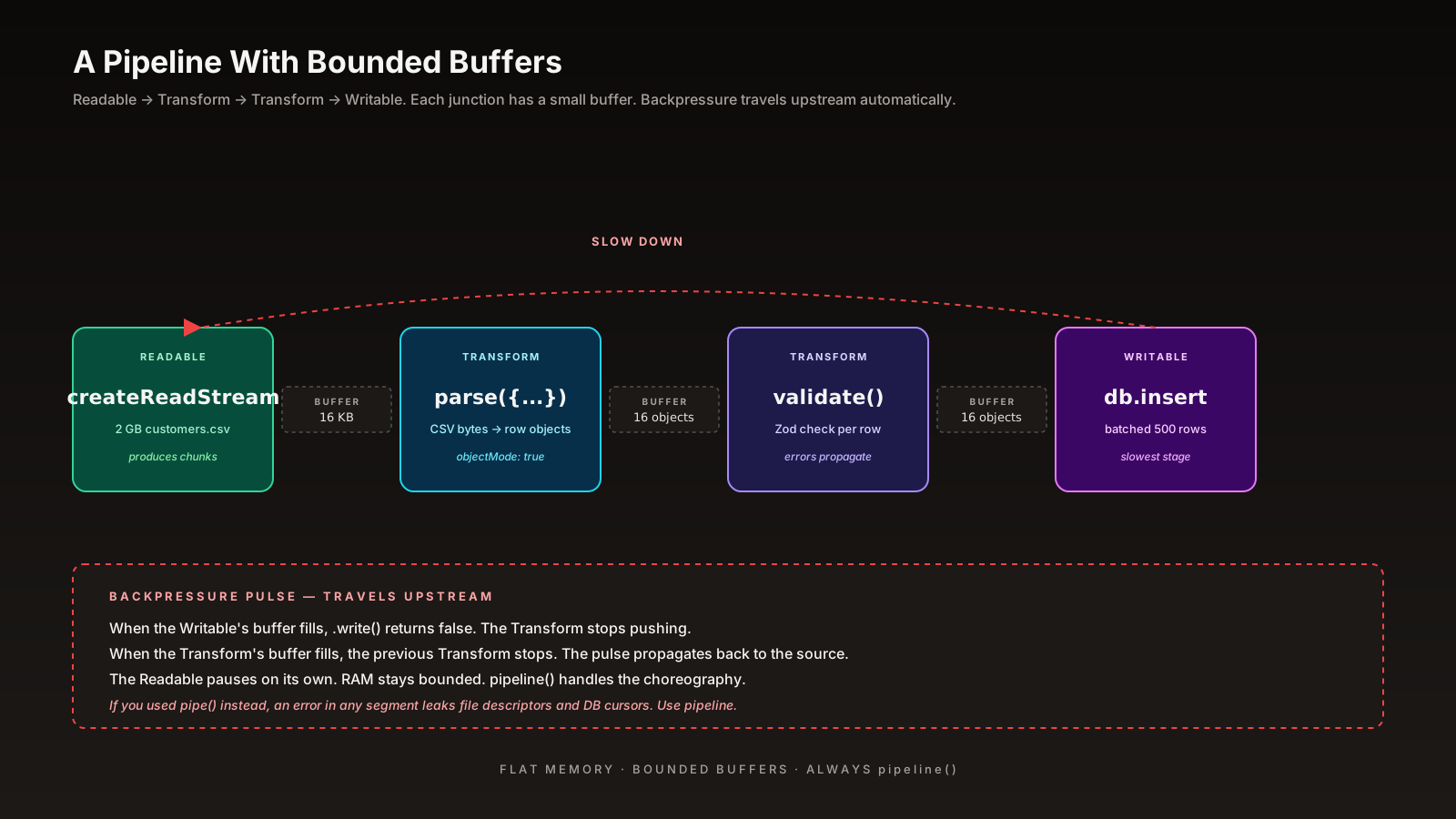
The DB cursor produces rows lazily, gzip compresses each chunk, and the response sends compressed bytes as soon as they exist. Memory is bounded by the high water mark of each segment (default 16 KB for byte streams), not by the size of the export.
pipeline Vs pipe — Always pipeline
stream.pipe() is the original API and it has known edge cases: it doesn't propagate errors from one segment to another, and a failure in the middle can leak file descriptors or DB cursors. pipeline() was added to fix that.
// the old, leaky way
src.pipe(transform).pipe(dest);
src.on('error', cleanup);
transform.on('error', cleanup);
dest.on('error', cleanup);

// the modern way
import { pipeline } from 'node:stream/promises';
await pipeline(src, transform, dest);
// errors throw, cleanup is automatic
If you see .pipe() in code review without an error-handling story for every segment, that's a leak waiting to happen. The promise version of pipeline is the cleanest because the rest of your handler can try/catch around it like any other async call.
Consuming Readables With for await...of
For Readables in object mode, the modern consumer pattern is just an async iterator:
import { createReadStream } from 'node:fs';
import { createInterface } from 'node:readline';

const rl = createInterface({ input: createReadStream('app.log') });

for await (const line of rl) {
  if (line.includes('ERROR')) console.log(line);
}
No event handlers, no data/end/error boilerplate. Errors throw out of the loop. Backpressure works because the stream pauses while your loop body is async-busy. This is the pattern I reach for when I'm not composing into a Writable — log scanning, one-off scripts, queue consumers.
When Not To Reach For Streams
Streams have overhead. For small payloads — under a few MB — buffering is faster, simpler, and the memory cost is negligible. The rough thresholds I use:
- Under 1 MB: buffer.
- 1–100 MB: it depends — if it's request-time and you can hold it, buffer; if you're processing in a worker, stream.
- Over 100 MB: stream, always.
Streams pay off when the data is large, when concurrency matters, or when the source produces data over time (network, DB cursor, child process output). For a 50 KB JSON body, await req.json() is the right answer.
A One-Sentence Mental Model
A stream is a pipe with a small buffer that politely tells the upstream to slow down — compose them with pipeline, prefer object mode for parsed data, and keep the heap flat no matter how big the input gets 👊